
Dell UltraSharp U3226QER
4.6Editor score
32-inch 4K workspace
3,000:1 contrast ratio
Factory-calibrated Display P3
Built-in KVM switching
A 4K monitor with Thunderbolt can turn a laptop into a complete workstation by carrying video, data, network access, and power over one cable. The strongest models also improve display quality, desk organization, and comfort, making them especially useful for creative professionals, developers, executives, and multitaskers.
We compared resolution, panel technology, color coverage, refresh rate, Thunderbolt capabilities, power delivery, port selection, adjustability, and practical screen size. The list covers 24-inch, 27-inch, and 32-inch models from Dell, LG, Samsung, and ViewSonic, including premium creator displays and more approachable productivity options.
Each review explains the monitor's strongest qualities, relevant limitations, and ideal buyer. The top picks highlight the most compelling combinations of features, while prices and availability can change, so shoppers should confirm current specifications and the compatibility of their computer before purchasing.
4.6Editor score
4.4Editor score

4.5Editor score
As an Amazon Associate we earn from qualifying purchases.
The comparison below places all ten monitors side by side, emphasizing the differences that matter most for a Thunderbolt workflow: physical size, panel behavior, connectivity, charging, and color capability. Some listings use USB-C or Thunderbolt hubs without labeling the model as a Thunderbolt display, so confirm the exact port standard before ordering.


The Dell S2725QC combines a sharp 4K IPS panel with a 120Hz refresh rate, making it a compelling all-round productivity monitor. Its 4.4 rating reflects a favorable balance of visual clarity, smooth motion, integrated charging, and practical features, although it is not explicitly identified as a Thunderbolt monitor in the supplied specifications.
We may earn a commission when you buy through this link, at no additional cost to you.
Its main productivity advantage is the combination of 3840 by 2160 resolution and a 120Hz refresh rate. Text should appear highly defined across a 27-inch panel, while AMD FreeSync Premium and an ultra-low 0.03ms response time make the display more versatile for casual gaming. The 99% sRGB coverage, 1500:1 contrast ratio, and HDR readiness also make it suitable for office work, media, and lighter creative tasks.
The USB-C connection can deliver up to 65W of power, reducing cable clutter when paired with a compatible laptop. The built-in sound system is another practical touch, although monitor speakers generally do not replace a dedicated audio setup. Its main compromise is the 99% sRGB color coverage: it lacks the wider P3 performance highlighted on several creator-oriented alternatives.
This is the most approachable recommendation for buyers who want 4K resolution, smooth motion, and a tidy single-cable laptop connection without moving into a premium creator display. Buyers searching specifically for Thunderbolt 4 should choose a model whose listing explicitly confirms the standard. For everyone else, the S2725QC offers an attractive mix of resolution, refresh rate, comfort features, and charging.
A 120Hz panel makes cursor movement, scrolling, and full-screen applications feel more fluid than a conventional 60Hz display. That benefit extends beyond games and can be noticeable throughout a long workday.
The USB-C input's 65W charging capability can power many compatible laptops while carrying display and data signals. This reduces desk clutter, though buyers should verify whether their device requires more power.
We may earn a commission when you buy through this link, at no additional cost to you.
The Dell UltraSharp U2725QE is a standout choice for professionals who want a 27-inch 4K workspace without sacrificing color performance or connection flexibility. It carries a 4.4 rating and combines an IPS Black panel, a 120Hz refresh rate, Thunderbolt 4, and laptop charging up to 140W.
We may earn a commission when you buy through this link, at no additional cost to you.
Thunderbolt 4 is the monitor's defining feature. A single cable can transmit video, data, and power, while daisy-chain support can connect up to two additional 4K monitors. The broad port selection—including HDMI 2.1, USB-C, USB-A, and Ethernet—also makes it easier to keep peripherals attached directly to the display instead of the computer.
Factory calibration and 99% DCI-P3 coverage make the U2725QE more appropriate for demanding creative workflows than a basic 99% sRGB model. The stated Delta E of less than 1.5 indicates tight color consistency, while the 5ms response time and 120Hz rate provide fluid motion for general creative use and lighter gaming.
ComfortView Plus, an ambient light sensor, and extensive height, tilt, swivel, and pivot adjustments make the monitor suitable for long sessions. The higher cost is justified for users who regularly connect demanding laptops, work in color-critical applications, or value a genuinely one-cable desk. It is our strongest all-around recommendation.
Video, data, network connectivity, and up to 140W of power can travel through one connection to a compatible laptop. This makes the display especially appealing for a movable workstation that is connected and disconnected regularly.
Factory calibration, 99% DCI-P3 coverage, and a stated Delta E below 1.5 give creative professionals a dependable starting point. Serious color work should still include proper calibration and controlled viewing conditions.
We may earn a commission when you buy through this link, at no additional cost to you.
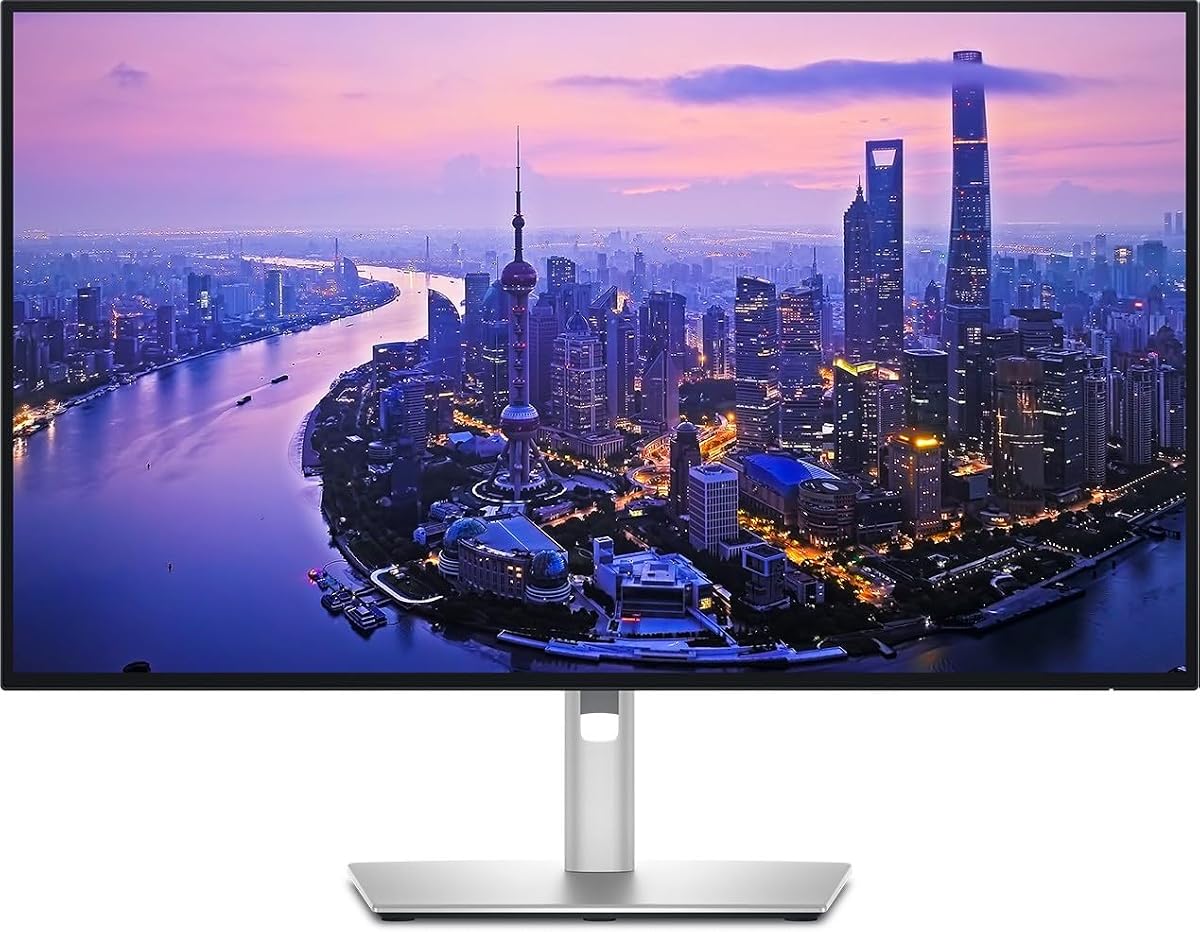
The Dell UltraSharp U3226QER is the most premium-focused entry in this guide, offering a 32-inch 4K canvas, 120Hz motion, a Thunderbolt hub, and class-leading color specifications. Its 4.6 rating is the highest among the products with a numerical rating in the supplied data.
We may earn a commission when you buy through this link, at no additional cost to you.
The Enhanced IPS Black panel has a stated 3,000:1 contrast ratio, providing 47% deeper blacks than conventional IPS according to the product information. That improvement is meaningful for photo editing, video review, document work, and general viewing because it can make the image appear more dimensional without requiring an OLED panel.
Color performance is another major strength. The display covers 99% of Display P3 and is factory calibrated to a stated Delta E below 1.5, giving photographers, designers, and video professionals a strong technical foundation. The built-in KVM function also helps users switch between two computers while sharing a keyboard and mouse.
Its near-borderless light ash finish suits executive offices and professional studios, while fast Ethernet supports a connected workstation. The primary drawback is physical: a 32-inch monitor needs a broad desk and careful viewing-distance setup. Buyers who want expansive multitasking, accurate color, and a polished integrated hub can justify this as the premium choice.
The 32-inch 4K panel provides enough resolution and space for timelines, reference images, code, spreadsheets, and detailed previews. At typical desk distances, the large footprint reduces the need to alternate constantly between separate displays.
The built-in KVM function is useful when switching between work and personal machines. A laptop can remain connected by one cable while peripherals remain attached to the hub.
We may earn a commission when you buy through this link, at no additional cost to you.
This Dell UltraSharp U2725QE listing presents the U2725QE as a 27-inch 4K Thunderbolt hub for designers, photographers, and other professionals. Its 3.8 rating is lower than those of the other Dell UltraSharp listings, so shoppers should examine the product and listing details carefully before finalizing a purchase.
We may earn a commission when you buy through this link, at no additional cost to you.
The main appeal is the integrated hub. Thunderbolt connectivity supports high-speed data transfer and daisy chaining, while the collection of USB-A, USB-C, and Thunderbolt ports allows storage, accessories, and other peripherals to remain connected to the monitor. This can create a more organized desk, particularly for users who switch between a laptop and desktop setup.
The display covers 100% of sRGB and Display P3 and is factory calibrated for color-critical tasks. A fully adjustable stand supports height, tilt, swivel, and pivot changes, which is important for long editing sessions and multi-computer use. The supplied information also notes the inclusion of sustainable materials and energy-efficient operation.
This monitor is most appropriate for creative professionals who prioritize both color and hub functionality. The lower rating is not enough on its own to disqualify the model, especially because similar U2725QE products appear elsewhere in the guide, but potential buyers should compare warranty terms, included accessories, and the exact configuration of the listing they intend to order.
Keeping frequently used storage and accessories connected to the display reduces repeated plugging into the laptop. High-speed Thunderbolt transfers can also shorten workflows that involve moving large media files.
Coverage of both sRGB and Display P3 makes the monitor relevant to projects prepared for web, print, and modern display workflows. Factory calibration improves the out-of-box consistency, although project-specific calibration remains valuable.
We may earn a commission when you buy through this link, at no additional cost to you.
The LG UltraFine 27UP850K-W is a versatile 27-inch 4K IPS monitor with a 4.5 rating, broad connectivity, and useful software features. It is included here as a value-oriented alternative for buyers who want a premium-style USB-C workflow but do not necessarily need the highest data bandwidth.
We may earn a commission when you buy through this link, at no additional cost to you.
Its USB-C connection supports data transfer and power delivery up to 90W, which is sufficient for many compatible laptops. DisplayPort, two HDMI connections, two USB 3.0 ports, and a headphone jack provide additional flexibility. The monitor can therefore serve as a practical central hub even though Thunderbolt is not explicitly listed among its ports.
Image quality includes 3840 by 2160 resolution and up to 95% DCI-P3 gamut expression. Compatibility with VESA DisplayHDR 400 allows supported content to take advantage of brighter highlights and greater contrast. The Switch app adds up to six screen sections, shortcuts for calls, and convenient switching between a connected PC and the built-in webOS platform.
Additional features include Waves MaxxAudio stereo speakers, Black Stabilizer, Dynamic Action Sync, an adjustable stand, and tilt and pivot controls. This is an excellent pick for general professionals, hybrid workers, and casual gamers who value useful functions. However, buyers specifically requiring Thunderbolt should favor a model with an explicitly listed Thunderbolt port.
The Switch app can divide the display into as many as six sections, making it easy to keep communication, reference material, and primary applications visible at once. Dedicated shortcuts streamline switching between a PC and the built-in streaming platform.
Up to 95% DCI-P3 coverage provides a noticeable improvement over standard sRGB displays for some media tasks. DisplayHDR 400 support adds a modest form of HDR, but it should not be confused with a high-end HDR reference monitor.
We may earn a commission when you buy through this link, at no additional cost to you.
This product identifies the Dell UltraSharp U2725QE hub monitor with part number W129125896. It belongs to a well-known 27-inch 4K professional model family and is presented as a Thunderbolt hub for users who want a single-cable laptop workstation.
We may earn a commission when you buy through this link, at no additional cost to you.
The supplied product data is exceptionally limited, so the reliable buying takeaway is the model identity: a 27-inch 4K Dell UltraSharp with Thunderbolt hub connectivity. Buyers should consult the live listing for the complete port map, warranty, refresh rate, color calibration details, power-delivery ceiling, and included cable set before purchasing.
Because the listing names the U2725QE explicitly, it may appeal to shoppers seeking a particular Dell configuration or part number. The absence of a numerical customer rating means there is no rating-based evidence in the supplied information to support this listing over the more fully documented U2725QE entries in the same guide.
This is a configuration-led choice rather than a recommendation based on a rich set of independently summarized specifications. It makes sense for a buyer who already knows that the U2725QE is the desired model and needs this particular hub variation. In every other case, a listing with complete specifications, customer feedback, and accessory information will offer a more transparent basis for comparison.
Shoppers who have already selected the U2725QE may find this part number useful for matching a desired configuration. Comparing the full listing details is essential because the supplied information is sparse.
Check the live product page for Thunderbolt version, supported daisy-chain arrangements, video bandwidth, and maximum charging output. Those details should be treated as the deciding factors rather than the model name alone.
We may earn a commission when you buy through this link, at no additional cost to you.
The ViewSonic VP2488-4K combines a compact 24-inch 4K IPS screen with genuine Thunderbolt 4 connectivity. Its 4.5 rating and Mac-focused design make it particularly interesting for creators who value sharp detail, accurate color, and a smaller desk footprint.
We may earn a commission when you buy through this link, at no additional cost to you.
Thunderbolt 4 provides 40Gbps data transfer and carries a 4K video signal over one cable. The USB-C connection can deliver up to 100W of charging, while daisy-chain support allows compatible multi-monitor arrangements. This combination is especially useful for a MacBook-based setup that depends on minimal adapters and docking accessories.
The display covers 100% sRGB and 98% DCI-P3 and carries Pantone Validated status, making it a strong candidate for photo and design workflows. Its fully adjustable stand supports height, tilt, swivel, and rotation, helping users place the smaller panel comfortably. HDMI and DisplayPort inputs provide alternatives for computers without Thunderbolt.
A 24-inch monitor is best for buyers who want high pixel density and a modest physical footprint rather than maximum screen area. At a normal viewing distance, 4K can make text and menus appear exceptionally compact and detailed. It is a compelling compact Thunderbolt option for Mac users, though creative teams needing timeline space may favor a larger 27-inch or 32-inch display.
Thunderbolt 4 provides the bandwidth needed for a streamlined one-cable setup, and 100W charging can keep many laptops powered. The included broad input selection also makes temporary connections from other systems straightforward.
A 24-inch 4K panel can provide crisp text and a compact desktop footprint. This makes it useful for crowded studios and smaller workspaces, although it offers less simultaneous workspace than a 27-inch or 32-inch model.
We may earn a commission when you buy through this link, at no additional cost to you.
The Samsung ViewFinity S7 S71H is a 32-inch 4K IPS monitor built around clarity, color, and eye comfort. With a 4.8 rating, it has the highest numerical customer rating in this roundup, although its supplied specifications do not identify Thunderbolt connectivity.
We may earn a commission when you buy through this link, at no additional cost to you.
Its 3840 by 2160 resolution provides more than enough detail for complex diagrams, intricate design files, and dynamic video content. The large screen also creates a practical single-display alternative to a conventional two-monitor setup. For users comparing a spacious 4K canvas with a smaller Thunderbolt display, this Samsung offers a strong productivity-focused proposition.
HDR10 support and a gamut of more than one billion colors improve contrast and color representation. TÜV-certified Eye Saver Mode is designed to reduce blue light and screen flickering, making long work sessions more comfortable. A Game Mode can quickly adjust color and contrast when the display is used for entertainment.
The decisive limitation is connectivity. HDMI and DisplayPort are listed, but there is no stated Thunderbolt or USB-C charging function. The 60Hz refresh rate also places it behind 120Hz alternatives for fast motion. It is best for users who prioritize a large, sharp, eye-friendly 4K workspace and do not need a one-cable Thunderbolt laptop connection.
The 32-inch canvas provides enough room for side-by-side applications while preserving a neat single-display arrangement. High pixel density keeps documents and graphics sharp at a reasonable viewing distance.
TÜV certification for Eye Saver Mode adds reassurance for buyers concerned about blue light and flicker. It does not replace sensible viewing habits, but it is a useful feature in a display intended for long professional sessions.
We may earn a commission when you buy through this link, at no additional cost to you.
The Dell U3225QE is a 31.5-inch 4K LED monitor with an integrated Thunderbolt hub, designed to provide a large productivity canvas and convenient peripheral connectivity. Its 4.0 rating reflects positive user reception, though the supplied information does not include the detailed color, refresh-rate, or charging specifications found for some competing models.
We may earn a commission when you buy through this link, at no additional cost to you.
At 3840 by 2160 resolution, the display provides ample room for document editing, data analysis, video previews, and multiple open applications. The integrated hub can simplify the connection of compatible computers and peripherals, reducing the number of cables attached directly to the laptop or desktop.
Its 16:9 panel shape preserves the familiar proportions of a standard widescreen display, but at 31.5 inches it creates a notably expansive desktop. The slim bezel and restrained black finish help the large screen blend into a professional environment, while HDR support is a useful addition for compatible content.
The 4.0 rating is respectable but trails the strongest models in the guide. The principal reason to choose this display is the combination of a large 4K workspace and Thunderbolt hub functionality. Buyers should review the live listing for exact port specifications, power delivery, refresh rate, stand adjustment, and color coverage before comparing it with the more comprehensively documented Dell 32-inch option.
A 31.5-inch 4K screen can consolidate tasks that would otherwise require a second display. The large resolution also provides enough space for dense interfaces while retaining legible text.
The built-in Thunderbolt hub allows compatible accessories to remain attached to the display. This can reduce repeated reconnections and make a laptop-based desk more orderly.
We may earn a commission when you buy through this link, at no additional cost to you.
The Samsung TU87F is a 32-inch 4K productivity monitor with two Thunderbolt 3 ports, support for a dual-4K daisy-chain arrangement, and charging up to 90W. Its 4.1 rating makes it a practical option for users who prioritize multi-computer connectivity and flexible screen division.
We may earn a commission when you buy through this link, at no additional cost to you.
The key strength is the ability to connect compatible Macs and PCs through a single Thunderbolt 3 cable. Video, USB data, Ethernet, and up to 90W of charging can be transmitted simultaneously. A second Thunderbolt 3 port enables daisy chaining, helping a user build a larger dual-4K setup without connecting every display independently to the computer.
Its 31.5-inch VA panel delivers 4K resolution, 99.9% sRGB coverage, HDR10, and wide 178-degree viewing angles. Picture-by-Picture and Picture-in-Picture modes allow two sources to be viewed simultaneously, making the monitor well suited to system administrators, traders, and hybrid workers who regularly move between operating systems.
The VA panel can behave differently from IPS in contrast and viewing-angle characteristics, and the 60Hz refresh rate is modest compared with 120Hz models. Its three-sided virtually borderless design, fully adjustable stand, and VESA compatibility help it fit neatly into multi-screen offices. It remains a compelling Thunderbolt option when multi-display and dual-computer workflows matter more than high-refresh gaming.
Thunderbolt 3 daisy chaining can extend the desktop to multiple 4K displays with a direct connection to the primary screen. This is useful for large desks where every extra cable would be inconvenient.
Picture-by-Picture and Picture-in-Picture support make it easier to monitor a work computer and a secondary system at the same time. The included software assists with window management in a multi-computer environment.
We may earn a commission when you buy through this link, at no additional cost to you.
The best Thunderbolt 4K monitor balances display quality with a connection system that suits your computer, charging needs, peripherals, and workspace. Because several excellent 4K displays use USB-C without offering full Thunderbolt bandwidth, buyers should evaluate the complete port specification rather than relying on cable shape alone.
Thunderbolt 3 and Thunderbolt 4 both support high-speed data, video, and peripheral connections over USB-C-style cables, but their exact capabilities and host-system support differ. Thunderbolt 4 is the newer option and provides 40Gbps of bandwidth, while daisy-chain support can allow several displays to be linked from one computer connection. Check the monitor's full port list and confirm that your laptop or desktop supports the required Thunderbolt generation and display output.
Power delivery allows a monitor to charge a connected laptop while carrying display and data signals, reducing desk clutter. The models in this guide support charging ceilings ranging from 65W to 140W, but a lower figure may not adequately power a demanding workstation or fully charge every device. A higher rating provides more headroom, although the system's own power requirements and charging behavior remain important.
A 24-inch 4K panel offers high pixel density in a compact footprint, making it ideal for smaller desks and Mac-style setups. A 27-inch display is a versatile middle ground for general office work and creative applications, while 32 inches provides the most simultaneous workspace. Larger displays are less comfortable at close distances, so desk depth and viewing habits should guide the choice.
Color coverage indicates the range a display can reproduce, but gamut alone does not guarantee accuracy. sRGB is widely used for web content, while DCI-P3 or Display P3 is more relevant to modern media and many professional workflows. Factory calibration and a low stated Delta E improve consistency, though photographers, filmmakers, and designers should still calibrate to their target standard. HDR support should also be judged by its certification level and practical brightness.
A 60Hz monitor is adequate for many office applications, while 120Hz models provide smoother scrolling, cursor movement, video presentation, and casual gaming. Response time and adaptive-sync support can further improve the experience, but they are less important for static productivity work. Gaming-focused buyers should also investigate input lag, which is not fully described by the supplied specifications.
A Thunderbolt hub can connect multiple displays in sequence, allowing one Thunderbolt port on the computer to serve several screens. This reduces cable complexity, but every link, adapter, and host must support the intended arrangement. The U2725QE supports daisy chaining for up to two additional 4K monitors, while the Samsung TU87F emphasizes a dual-4K setup with two Thunderbolt 3 ports and picture-by-picture viewing.
Height, tilt, swivel, and pivot adjustment help place the screen at a comfortable viewing height and reduce repetitive strain. The included stands on many selections support at least some adjustment, while fully adjustable models are preferable for shared desks and frequent switching between seated and standing positions. A large 32-inch monitor also needs sufficient desk depth to avoid constant neck movement.
A useful monitor hub includes more than a video input. Look for enough USB-A and USB-C ports for peripherals, a headphone output, and an Ethernet connection if your workstation benefits from wired networking. Built-in speakers can handle system audio and casual media viewing, although they are rarely a substitute for a dedicated speaker or headset. The port map should match the accessories you already own to avoid immediate need for an additional dock.
Begin by confirming that the computer supports the monitor's Thunderbolt generation, resolution, and refresh rate. Connect the display with a certified cable, use the appropriate USB-C or Thunderbolt port on the computer, and install any required display-management or peripheral software. The operating system may then offer several display arrangements, including extended desktop and mirrored output.
Adjust brightness, color profile, scaling, and refresh rate in the system and monitor menus. For accurate creative work, use a colorimeter and a suitable reference target rather than relying entirely on factory settings. Keep firmware, display software, and laptop operating systems current, and update a compatible dock or hub when new revisions become available.
Protect the panel with a soft microfiber cloth and avoid abrasive cleaners, liquid sprayed directly onto the screen, and excessive pressure around the bezel. Keep ventilation openings clear, place the stand where the display is stable, and use approved cables for high-power charging. When the monitor is not in use, the system can power it down automatically, while a soft cover can reduce dust accumulation.
No. A monitor may use a USB-C connector for display input, data, and charging without supporting Thunderbolt's full 40Gbps bandwidth or daisy-chain functionality. Look for an explicit Thunderbolt 3 or Thunderbolt 4 specification and confirm the supported video and data features in the manufacturer's documentation.
It can, if the monitor has Thunderbolt daisy-chain support and the computer, cables, and subsequent displays are compatible. The complete chain must support the desired resolution and refresh rate. Some models limit the number of additional 4K displays, so check the port and display specifications before arranging the chain.
A 24-inch 4K monitor offers very high pixel density in a compact frame, which can be ideal for small desks and detailed creative work. A 27-inch 4K model offers more workspace without requiring as much viewing distance. The better choice depends on desk size, comfort, and whether you prioritize density or screen area.
Thunderbolt is not essential for displaying a single image, and a quality USB-C or DisplayPort connection may be sufficient. It becomes more valuable when you want one-cable charging, fast peripheral transfers, Ethernet, or a multi-display daisy chain. Confirm that the laptop supports the monitor's connection standard and power-delivery level.
The answer depends on the laptop and how heavily it is used. A monitor supplying 65W or 90W may handle many mainstream notebooks, while 140W provides more headroom for demanding mobile workstations. Even with a higher charging rating, the connected computer ultimately controls how much power it accepts.
It can be sufficient for many web-focused workflows, but it covers a narrower color space than a display with substantial DCI-P3 or Display P3 coverage. Professionals should consider the target medium, the monitor's measured accuracy, calibration capability, and whether a wider-gamut display will produce colors that require accurate conversion for final output.
Yes, for office applications, coding, documents, and most video viewing, a 60Hz 4K display can provide an excellent experience. Motion will be less fluid than on a 120Hz panel during scrolling, animation, and casual gaming. Buyers who spend long periods moving windows or watching fast motion may prefer a faster model.
Usually, yes, if the monitor also offers compatible HDMI or DisplayPort inputs. Those connections carry video but do not provide the monitor's full Thunderbolt hub, daisy-chain, data-transfer, or potentially charging capabilities. The available fallback input determines how much of the monitor's connectivity remains usable.
The Dell U2725QE is the strongest all-around choice because it combines 4K resolution, a 120Hz refresh rate, accurate 99% DCI-P3 color, extensive ports, and Thunderbolt 4 with up to 140W of charging. The Dell U3226QER leads premium creative setups with its larger canvas, 3,000:1 contrast ratio, Display P3 coverage, and KVM convenience, while the LG 27UP850K-W offers the most approachable feature-rich alternative.
Prioritize the features your setup genuinely needs: full Thunderbolt bandwidth for a multi-screen dock, high charging power for a demanding notebook, wider color for creative work, or a compact panel for a smaller desk. A large 4K screen can replace two conventional displays, but a compact 24-inch model may be more comfortable and still provide excellent pixel density.
Finally, check current pricing, availability, warranty terms, and computer compatibility before ordering. Thunderbolt standards, supported daisy-chain configurations, and included accessories can vary between listings, particularly for models that appear under more than one part number.