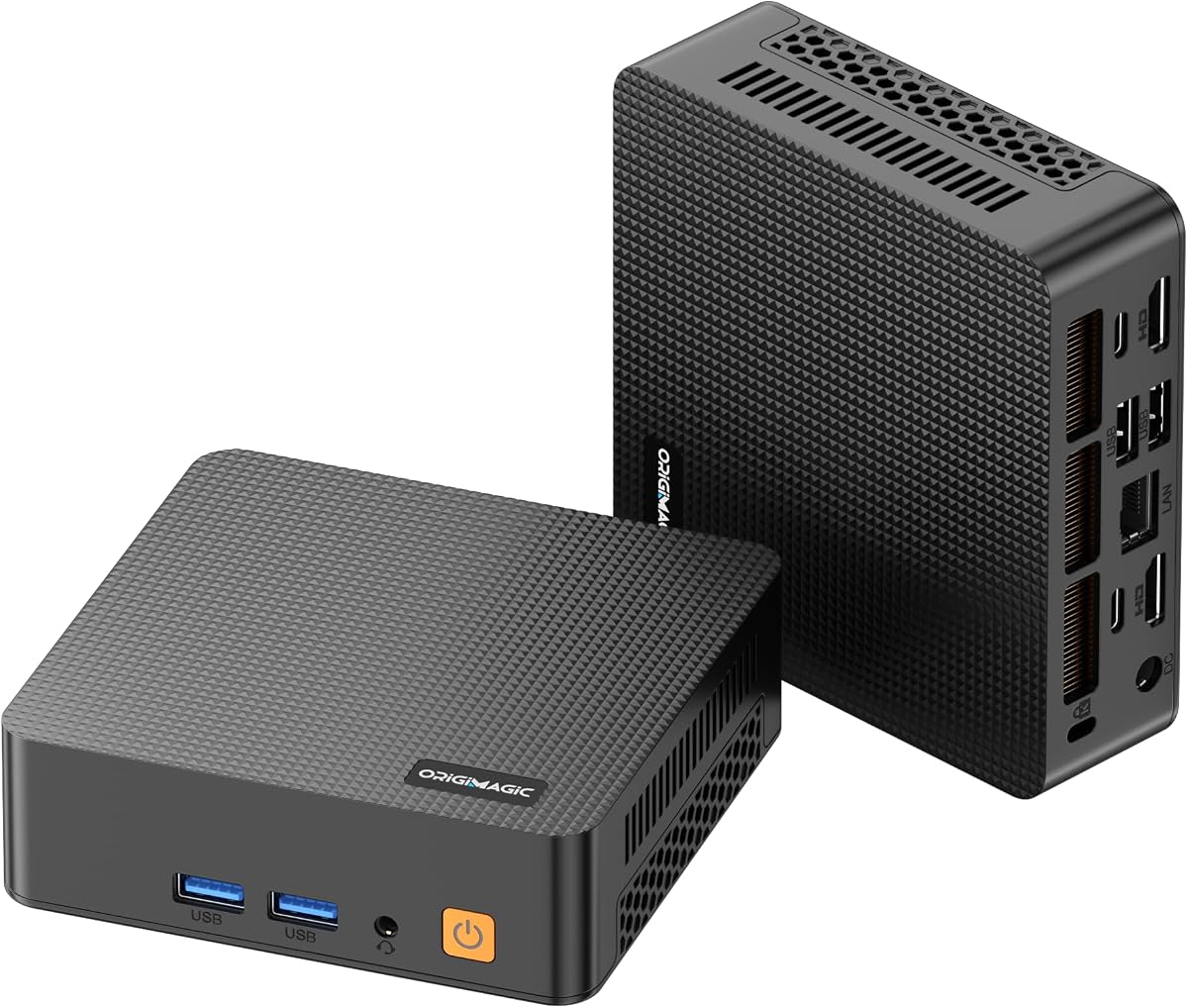
C5 Mini PC
4.2Editor score
Ryzen 5 3500U processor
Dual SODIMM slots
Additional M.2 storage
Triple 4K displays
Discover the best Mini PC with Upgradable Parts, comparing memory, storage, processors, displays, networking, and everyday performance.
A Mini PC with Upgradable Parts gives buyers a compact computer that can grow as storage, memory, and workload demands change. Unlike models with permanently soldered components, these systems offer greater flexibility for office work, home media, light gaming, networking, and specialized projects.
We compared processor configurations, memory and storage expansion, display support, wired and wireless networking, ports, cooling, warranty coverage, and practical feature sets. The guide includes models with different upgrade ceilings so readers can distinguish simple everyday systems from more future-proof workstation alternatives.
Each pick highlights a different balance of capability and expandability, from a budget-conscious Ryzen 5 design to DDR5 systems with PCIe 4.0 storage. Product configurations and availability can change, so confirm the current specifications, included components, and upgrade requirements before purchasing.
4.2Editor score
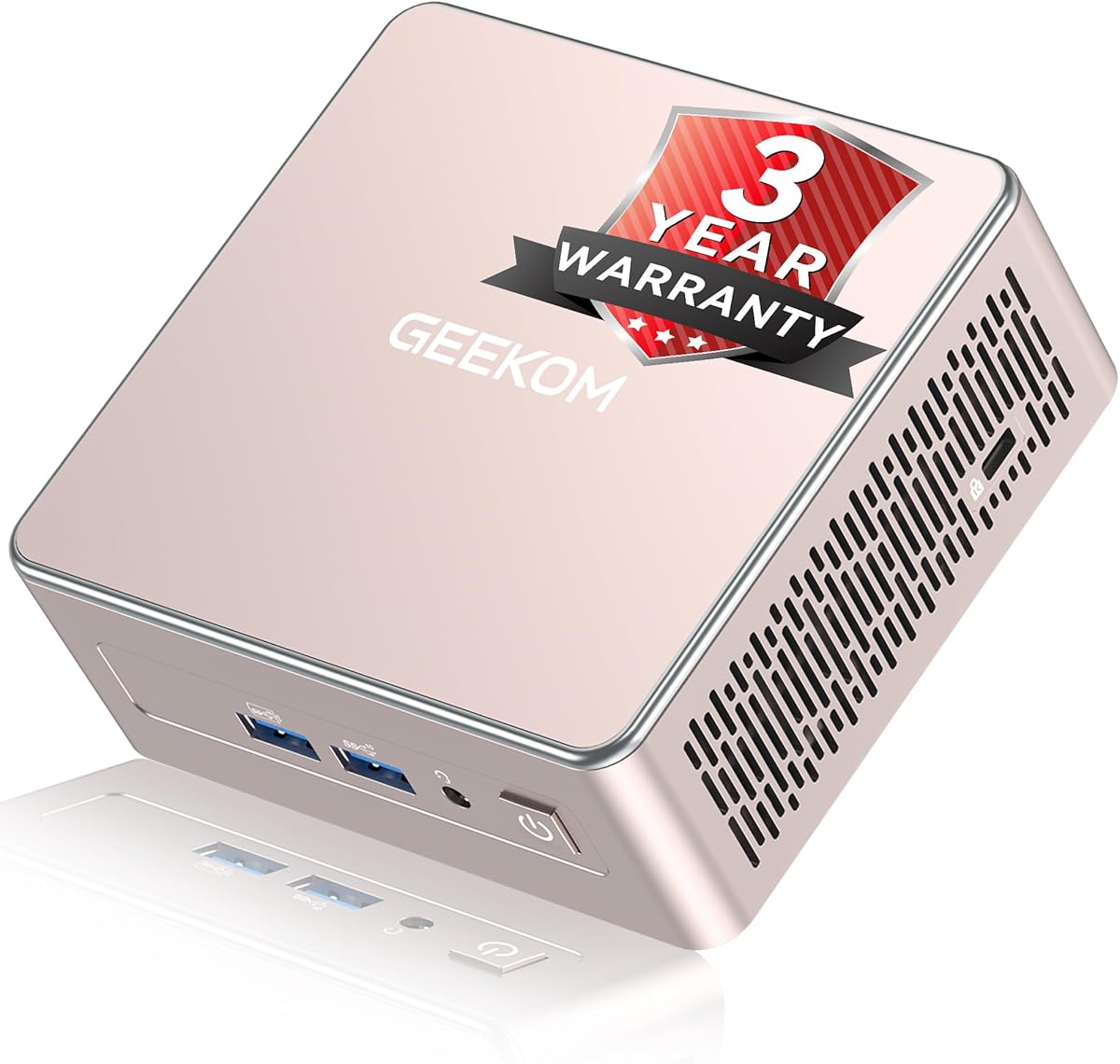
4.5Editor score

4.3Editor score
This side-by-side comparison covers processor class, memory flexibility, storage expansion, display capabilities, and the practical features that distinguish each compact computer.


The Getorli Mini PC earns the top position because it combines a useful Ryzen 5 7430U processor with unusually accessible expansion options. Its 4.5 rating reflects a favorable balance of everyday responsiveness, three-display support, dual 2.5GbE networking, and a compact aluminum-enclosure design suited to offices and home workspaces.
We may earn a commission when you buy through this link, at no additional cost to you.
The processor supplies six cores and twelve threads with speeds reaching up to 4.3GHz, making the system more appropriate for sustained office applications, browser-heavy workflows, media playback, and light gaming than entry-level mini PCs. Memory begins at 16GB of DDR4 and can be expanded to 64GB, while the supplied 512GB SSD can be complemented through additional storage expansion up to 4TB.
Its three display outputs cover HDMI, DisplayPort 1.2, and USB Type-C, each contributing to the advertised triple 4K support. Two 2.5GbE RJ45 ports are especially notable for a compact office computer because they can support faster wired transfers or separate network roles. The trade-off is that Wi-Fi 6 and Bluetooth 5.3 are not the newest wireless standards, and the one-year warranty is shorter than the coverage offered by several premium competitors.
This is a strong recommendation for buyers who want practical expandability without moving to a larger workstation. It works particularly well for administrators, finance users, developers, and multitaskers who value several displays and fast Ethernet more than cutting-edge wireless capabilities. Those seeking the most advanced premium features may prefer the GEEKOM A6, but this Getorli model delivers the most balanced mix of useful capacity and practical networking in the roundup.
Users should confirm the exact socket, module format, and supported storage interfaces with the seller before ordering replacement parts. The listed ceilings are meaningful only when the enclosure and motherboard support them, so verifying compatibility is essential for anyone planning a major upgrade.
Six CPU cores and twelve threads give this mini PC more room for browser work, office suites, video calls, and multiple applications than basic dual-core designs. The Ryzen 5 7430U is still a mobile-class processor, but it offers a sensible balance for compact productivity systems.
Dual 2.5GbE ports are valuable for high-speed file transfers, network appliances, hypervisor labs, and segmented networks. They also reduce the need for an additional USB network adapter when a wired connection is required.
We may earn a commission when you buy through this link, at no additional cost to you.
The GEEKOM A5 2027 Edition stands out for its combination of an eight-core Ryzen 7 7730U, four-display support, and unusually broad storage expansion. It has a 4.5 rating and is positioned as a compact productivity platform for office work, cloud workflows, remote learning, and professional deployments.
We may earn a commission when you buy through this link, at no additional cost to you.
Its 16GB DDR4 memory occupies dual slots and can be increased to 64GB, avoiding the limitations of soldered LPDDR configurations. Storage is the major attraction: the system supports an M.2 SSD up to 4TB, an extra M.2 2242 slot, and a 2.5-inch hard drive bay, allowing advertised combined storage of up to 10TB. That makes it especially appealing for local archives, project media, virtual machines, or a compact personal server.
Display connectivity is also excellent for its size, with dual HDMI and dual USB-C outputs supporting as many as four displays, including up to 8K output over USB-C. Wi-Fi 6, Bluetooth 5.4, a 2.5GbE port, an SD card reader, and several USB ports cover most daily connection needs. The one-year warranty is not its strongest feature, but its official three-year limited warranty, return policy, and technical support provide a meaningful advantage over many competitors.
This model is a strong fit for administrators, analysts, programmers, and home-lab users who want a small system with unusually accessible storage expansion. It is less attractive for buyers who need maximum initial storage without opening the case, and those requiring dual high-speed Ethernet may need to look elsewhere. Overall, it is the roundup's clearest all-round recommendation for users who plan to expand rather than simply replace their computer after a few years.
The included operating system and business-oriented functions add convenience, but buyers operating Linux should still verify driver and BIOS support. The metal internal frame, IceBlast 3.0 cooling, and stated reliability testing also make it better suited to continuous office use than a bare-bones alternative.
Separate NVMe, 2242 M.2, and 2.5-inch bay options allow buyers to separate operating systems, frequently used applications, and bulk archives. That flexibility is more useful than simply having one unusually fast drive.
The combination of two HDMI and two USB-C outputs makes the A5 practical for traders, analysts, programmers, and creative workers. Each display should be checked against the documented resolution limits for its connection.
We may earn a commission when you buy through this link, at no additional cost to you.
The GMKtec G3 Ultra focuses on efficient everyday computing, generous starting memory, and useful storage expansion. It uses the Intel Pentium Gold 7505 with integrated UHD graphics, ships with 16GB of LPDDR4 memory, and includes a 512GB M.2 SATA drive for a practical general-purpose mini PC.
We may earn a commission when you buy through this link, at no additional cost to you.
Its major expansion strength is the pair of M.2 2280 bays. The primary slot supports PCIe storage, while the secondary slot accepts SATA M.2 drives, allowing a fast system drive and a secondary drive to coexist without a cable. The processor is designed for office apps, browsing, video playback, and light photo work rather than demanding games or intensive local rendering.
Two HDMI 2.0 ports support dual 4K displays at 60Hz, while three USB 3.2 Gen2 ports, one USB 2.0 port, and a 3.5mm audio jack cover common accessories. Wi-Fi 6, Bluetooth 5.2, and 2.5GbE networking offer modern connectivity, and Wake-on-LAN, PXE boot, RTC wake, and automatic power-on make the unit relevant to lightweight server use.
The most important limitation is that its 16GB LPDDR4 memory is not listed as user-upgradable, despite the strong emphasis on storage expansion elsewhere. Buyers who may need more system memory later should account for that limitation, while users focused on file capacity will appreciate the two M.2 positions. It is best recommended for home offices, media stations, and users who want easy secondary-storage expansion without a large computer.
GMKtec's stated three-year limited warranty adds reassurance, although the wording about sales starting in November 2026 should be checked carefully at purchase. Availability of operating systems, included software, and exact regional warranty terms can vary.
Adding an M.2 drive is a straightforward way to separate large media or project files from the system disk. The two-slot arrangement also makes it easier to use one drive for operating systems and another for frequently transferred data.
Dual HDMI, fast USB ports, 2.5GbE, and wireless networking cover the essentials of a modern desk setup. The system is particularly convenient for users who need dual monitors but do not require intensive graphics performance.
We may earn a commission when you buy through this link, at no additional cost to you.
The C5 Mini PC is the roundup's most approachable option for buyers who want a compact Ryzen-based system and meaningful upgrade paths without paying for the newest hardware. Its 4.2 rating is supported by a Ryzen 5 3500U processor, 8GB of DDR4 memory, a 256GB PCIe 3.0 NVMe drive, and room to expand.
We may earn a commission when you buy through this link, at no additional cost to you.
Two SODIMM slots allow the memory to be raised as high as 32GB, while an additional M.2 2242 PCIe 3.0 slot creates a path for more storage. This matters because the supplied 8GB can become restrictive in heavy browser sessions, office multitasking, and virtualized workloads. The full-function USB Type-C port supports display output, data transfer, and PD 3.0 power delivery.
Display support is a major strength. Two HDMI 2.0 ports and the Type-C output can drive three independent 4K displays at 60Hz, making the C5 attractive for stock monitoring, document comparison, media control, and other multi-screen tasks. Two USB 3.2 Gen2 ports, two USB 2.0 ports, and a 3.5mm combo jack round out a useful everyday port selection.
Its limitations are the older Wi-Fi 5 and Bluetooth 5.0 wireless combination and the modest ceiling of 32GB for memory. It also lacks the faster USB4 and multi-gigabit dual networking found in more advanced models. Even so, it is a sensible recommendation for students, office users, and home users who prioritize the physical expansion of memory and storage over premium connectivity.
Before buying, users should plan to add memory early because 8GB is the weakest starting point in the group. The included one-year machine warranty and three-year parts warranty are useful, and the supplied HDMI cable, power adapter, VESA mount, and manual simplify setup.
Because 8GB can feel constrained, upgrading to a matched pair of DDR4 SODIMMs is the most immediate improvement. The dual-slot design makes a balanced dual-channel configuration possible.
Three independent 4K outputs provide a meaningful advantage over basic mini PCs that support only one or two displays. It makes the C5 suitable for dashboards, research, editing timelines, and other side-by-side workflows.
We may earn a commission when you buy through this link, at no additional cost to you.
The GEEKOM A6 is the premium choice in this guide, combining a 45W Ryzen 7 6800H, Radeon 680M graphics, 32GB of upgradeable DDR5 memory, and a 1TB PCIe 4.0 NVMe drive. Its 4.3 rating reflects a high level of performance in a compact, well-finished enclosure.
We may earn a commission when you buy through this link, at no additional cost to you.
The eight-core processor is capable of demanding multitasking, coding, video editing, and cloud AI-agent workflows. Radeon 680M integrated graphics also make the system considerably more interesting for 4K media and light graphics work than a basic mini PC with minimal graphics capability. The aluminum Aurora chassis measures 4 by 4 by 1.4 inches and can be mounted behind a compatible display.
Storage and connectivity are especially strong. The primary PCIe 4.0 NVMe drive can be replaced with one up to 4TB, while an extra M.2 2242 SATA slot supports up to 2TB. A 40Gbps USB4 port handles data, power, and display duties, complementing dual HDMI outputs. Wi-Fi 6E and 2.5GbE networking cover modern local and wireless connections.
The IceBlast 2.0 cooling system uses dual-phase copper heat pipes and a silent fan, which is important given the processor's higher sustained power envelope. The main trade-off is that the A6 consumes more power and generates more heat than lower-wattage office alternatives. The product information also does not state a maximum memory capacity, so buyers needing substantially more than 32GB should confirm compatibility before purchase.
This model is best for creative professionals, developers, and advanced home-office users who want compact size without sacrificing processor, graphics, storage speed, or modern port capability. Its three-year warranty and stated certifications further improve its long-term appeal, while Linux and Ubuntu support add deployment flexibility.
The 45W Ryzen 7 6800H and Radeon 680M create a mini PC that can handle more demanding work than typical office appliances. Its small footprint is especially useful where a conventional tower would be inconvenient.
PCIe 4.0 storage shortens system and application response times, while USB4 reduces cable clutter by combining data, display, and power. The secondary M.2 slot adds a straightforward route to more capacity.
We may earn a commission when you buy through this link, at no additional cost to you.
The GMKtec M6 Ultra is built for buyers who want a small gaming and productivity computer with exceptional component expansion. Its Ryzen 5 7640HS processor, 32GB dual-channel DDR5 memory, 1TB PCIe drive, and Radeon 760M graphics give it considerably more headroom than entry-level mini PCs.
We may earn a commission when you buy through this link, at no additional cost to you.
The memory configuration consists of two 16GB modules and can be expanded to 128GB, making this one of the strongest options for virtual machines, creative applications, and local development environments. Its dual storage slots support up to 8TB using PCIe 4.0 drives, while the included 1TB SSD offers a generous starting point for an operating system and applications.
The Zen 4 processor uses six cores and twelve threads, with a 4.3GHz base speed and boost capability reaching 5.0GHz. Radeon 760M graphics can run moderate games at steady frame rates and handle AV1, HEVC, and AVC hardware encoding and decoding. It is more compelling as a capable compact PC with occasional gaming than as a replacement for a dedicated high-end gaming desktop.
Connectivity includes a 2.5GbE RJ45 port, Wi-Fi 6, Bluetooth 5.2, three USB 3.2 Gen2 ports, HDMI, DisplayPort, and USB4. The USB4 connection can support 8K at 60Hz, while the other video outputs support 4K at 60Hz. The main limitations are the absence of a native USB 2.0 port and the reality that integrated graphics target moderate rather than demanding games.
It is an excellent choice for compact gaming builds, emulation, development, and general productivity where future memory growth matters. Buyers should confirm the precise SSD form factors and supported generations before purchasing upgrades, and should not mistake the listed 8K output capability for an expectation of 8K gaming performance.
The 128GB ceiling makes this system unusually versatile for virtual machines, large project files, and memory-heavy applications. A matched dual-module arrangement also supports the system's dual-channel memory architecture.
Radeon 760M graphics and a high-clocking Zen 4 processor are well suited to esports, emulators, indie games, and moderate settings. Buyers seeking ultra settings in demanding new releases should still choose a more powerful graphics platform.
We may earn a commission when you buy through this link, at no additional cost to you.
The GMKtec G11 Plus combines a Ryzen 5 3500U processor, 16GB of dual-channel DDR4 memory, and 512GB of storage with networking features that extend beyond a typical office mini PC. Its two 2.5GbE ports are particularly relevant to firewalls, virtual private networks, home labs, and network-attached storage roles.
We may earn a commission when you buy through this link, at no additional cost to you.
The processor offers four cores and eight threads, with a base frequency of 2.1GHz and boost speed up to 3.7GHz. Integrated Radeon Vega 8 graphics support video playback and light graphics tasks. A performance mode accessible through BIOS settings can provide additional processing headroom, although sustained behavior depends on cooling and workload.
Triple-display capability comes from two HDMI 2.0 ports and a USB-C connection with DisplayPort Alt Mode. Networking includes Wi-Fi 6E with access to the 6GHz band, Bluetooth 5.2, and dual 2.5GbE Ethernet. A mix of 10Gbps and 5Gbps USB ports supports external storage, cameras, printers, and other peripherals.
The main limitation is the age of the Ryzen 5 3500U, which is less compelling for demanding compilation, complex rendering, and modern games than newer alternatives. Storage expansion information is also less explicit than for several competing models, so buyers should confirm available M.2 interfaces and maximum capacities. Nonetheless, the 16GB dual-channel memory and dual Ethernet make it appealing for infrastructure-oriented tasks.
It is recommended for technically inclined users who want a compact system for networking, virtualization, monitoring, or general office work. Those focused on future CPU performance should choose a Ryzen 7 or Zen 4 model, while buyers who only need a simple browser-and-office machine can find a more straightforward alternative.
Two wired 2.5GbE interfaces can be used for a firewall, router, VPN endpoint, NAS, or segmented home lab. Having both ports integrated avoids dependence on a single connector and reduces desk clutter.
Sixteen gigabytes of dual-channel DDR4 provides a better starting point than many budget systems. The 32GB ceiling is reasonable for general productivity, although it is lower than the M6 Ultra's maximum.
We may earn a commission when you buy through this link, at no additional cost to you.
The Glorlin Mini PC has the highest listed rating in this group at 4.8 and pairs that result with a capable Ryzen 7 6800H, Radeon 680M graphics, and a practical collection of ports. Its eight-core, sixteen-thread processor can reach up to 4.7GHz, giving it solid performance for office work, browsing, coding, media, and light gaming.
We may earn a commission when you buy through this link, at no additional cost to you.
The 16GB LPDDR5 memory runs at 6400MT/s in a dual-channel configuration, offering fast response for general productivity. Storage begins with a 512GB NVMe SSD, and the system supports dual M.2 expansion for additional capacity. The important caveat is that LPDDR5 is not user-upgradable, so buyers should interpret this model as storage-expandable rather than memory-expandable.
Three displays can be connected through HDMI, DisplayPort, and USB Type-C, with support for 4K output. Dual LAN ports, Wi-Fi 6, Bluetooth 5.3, USB 3.2, USB 2.0, and Type-C ensure that the enclosure has enough connectivity for a sophisticated desk setup. Radeon 680M also makes the system more capable for casual games and 4K media than a basic office mini PC.
Its one-year warranty is less generous than the three-year coverage listed for several GMKtec and GEEKOM systems. It also offers a smaller starting storage capacity than some of those alternatives. Even with those disadvantages, its 4.8 rating, capable processor, integrated graphics, and extensive I/O make it a compelling compact unit for buyers who do not need to replace system memory later.
This model is recommended for home users, developers, and media enthusiasts who prioritize performance and connectivity in a small footprint. It also works well as a lightweight workstation with multiple screens. Anyone expecting routine RAM upgrades should instead select a model with replaceable SODIMMs.
The Ryzen 7 6800H and Radeon 680M combination handles demanding office tasks and light gaming without requiring a large tower. It is a practical option for users who value general responsiveness over highly intensive specialized workloads.
Two wired network ports, modern wireless connections, and three display outputs cover several professional use cases. This makes the unit particularly appealing for users who previously relied on docking stations or external adapters.
We may earn a commission when you buy through this link, at no additional cost to you.
The GMKtec M5S is an entry-level mini PC that surprises with generous upgrade ceilings and a broad port selection. It uses the Ryzen 3 5400U, a quad-core processor with eight threads, a 2.6GHz base clock, and boost speeds up to 4.0GHz. The included 16GB of DDR4 memory and 512GB PCIe SSD are suitable for office work, browsing, presentations, and video conferencing.
We may earn a commission when you buy through this link, at no additional cost to you.
The memory is installed as a single 16GB SO-DIMM and supports expansion to 128GB, giving the M5S one of the highest stated memory limits in the guide. Its dual storage arrangement supports up to 8TB using PCIe 4.0 drives. Upgrades are not included, so buyers must purchase compatible memory and storage separately and confirm supported module and drive configurations.
The M5S supports three displays, including 8K at 60Hz through USB4 and 4K at 60Hz through HDMI and DisplayPort. Its USB Type-C port also provides 100W power delivery, data transfer, and video output. Dual 2.5GbE networking, Wi-Fi 6, Bluetooth 5.2, and multiple USB ports make it suitable for compact work, light gaming, and basic network applications.
Graphics performance remains modest. The six-core Radeon graphics can handle retro games, indie titles, console emulators, and everyday media, but the product should not be treated as a high-end modern gaming system. The Ryzen 3 5400U also trails newer processors in sustained multicore work, so buyers with demanding development or rendering needs should consider a faster model.
The M5S is a sensible recommendation for budget-conscious users who want unusually high memory expandability in a small computer. Its three-year limited warranty is another advantage, subject to the sales conditions stated by the manufacturer. It is ideal for basic offices, study spaces, lightweight servers, and expandable retro-gaming setups.
A 128GB maximum gives the M5S more room for virtual machines, large project files, and memory-heavy applications than its starting configuration suggests. The single installed module should also be considered when balancing channels after an upgrade.
The combination of HDMI, DisplayPort, and USB4 supports flexible three-screen arrangements. It lets a user turn a compact office or home desk into a multi-application workspace without a full-size tower.
We may earn a commission when you buy through this link, at no additional cost to you.
The BOSGAME E5 Mini PC combines a Ryzen 5 5300U processor, 16GB of DDR4 memory, and a 512GB NVMe SSD with an approachable expansion layout. Its 4.2 rating reflects a balanced entry-level system for office tasks, browsing, video calls, light design work, and home use.
We may earn a commission when you buy through this link, at no additional cost to you.
Memory can be increased to 64GB, providing more flexibility than systems with soldered LPDDR modules. The main M.2 2280 PCIe 3.0 drive is joined by a second internal M.2 slot that accepts a drive up to 2TB. This makes it easy to increase file capacity for media, backups, or a compact NAS project without changing the entire computer.
The four-core, eight-thread processor reaches up to 3.8GHz and provides enough performance for productivity applications and light multitasking. Radeon graphics handle 4K playback, and HDMI, DisplayPort, and USB Type-C outputs support three monitors. Two 2.5GbE Ethernet ports are a major asset for soft routers, network storage, home labs, or environments that need separate wired connections.
The main weaknesses are Wi-Fi 5, Bluetooth 5.0, and modest integrated graphics performance. Those limitations make it less attractive for demanding games, intensive creative work, or buyers who want the newest wireless standard. However, its wired networking and storage expansion compensate well for users whose priorities are local performance and flexibility.
BOSGAME includes a power adapter and VESA mount, making it convenient to place behind a compatible monitor. The one-year warranty, three-year parts warranty, lifetime technical support, and stated customer service further improve the ownership proposition. It is a worthwhile recommendation for a first compact PC, especially for users who plan to add memory and a second SSD.
Replaceable DDR4 memory gives the E5 a clearer future than a system limited to its factory configuration. Buyers should check whether the enclosure offers two accessible slots and match modules carefully for reliable dual-channel operation.
Two 2.5GbE ports and two M.2 positions make the E5 suitable for infrastructure roles as well as ordinary desktop use. It is especially attractive for home labs, where a second fast SSD and independent network interfaces can both be useful.
We may earn a commission when you buy through this link, at no additional cost to you.
Choosing an upgradeable mini PC requires balancing processor performance, memory flexibility, storage paths, display needs, connectivity, and the type of work the system will handle over time.
The processor determines how comfortably the system handles browser tabs, office applications, virtual machines, compilation, media editing, and light gaming. Ryzen 7 7730U and Ryzen 7 6800H models offer eight cores and sixteen threads, while Ryzen 5 models provide four or six cores depending on the exact chip. Integrated Radeon 680M graphics are particularly capable for multimedia and occasional games.
Choose a processor based on sustained workload rather than headline clock speed alone. A newer mid-range Ryzen 5 can be preferable to an older Ryzen 7 for specialized tasks.
Memory is often the easiest way to extend a mini PC's useful life. Systems with dual SODIMM slots and stated capacities of 32GB, 64GB, or 128GB offer clear expansion paths. LPDDR memory is compact and efficient but generally cannot be replaced after purchase, so buyers should treat those systems as storage-expandable rather than memory-expandable.
For heavy browsing, development, or virtual machines, 16GB is a sensible starting point, but 32GB or more provides greater breathing room. Match memory modules when possible to preserve dual-channel performance.
M.2 NVMe drives provide the fastest and most convenient upgrade in most modern mini PCs. A second M.2 slot can add a separate data drive, while a 2.5-inch bay allows larger hard drives for archives and backups. Check the interface of each slot because some support PCIe while others use SATA, and verify supported drive sizes and physical dimensions.
Capacity claims can combine several drives, so compare the total figure with the individual slot limits. More flexible systems support a fast boot drive, a secondary workspace, and bulk storage without external enclosures.
Display flexibility matters for traders, programmers, editors, analysts, and anyone who wants more workspace. Two displays cover many needs, while three-output systems support more complex layouts. Four-display systems are useful when applications need a dedicated reference panel or communication window. Check both the number of outputs and their maximum resolutions, including whether high-resolution modes require USB-C or USB4.
Select a model with the exact connector types used by existing monitors. Adapters can work around missing ports, but native support usually produces a cleaner and more reliable setup.
A 2.5GbE port is a meaningful upgrade over basic 1GbE for large file transfers, but dual 2.5GbE interfaces open more networking roles. USB4 or full-function USB-C can combine data, display output, and power delivery, reducing desk clutter. Wi-Fi 6 or Wi-Fi 6E offers faster wireless performance, while Bluetooth is essential for common peripherals.
List required monitors, storage devices, printers, cameras, network hardware, and audio equipment before choosing. Ensure the mini PC has enough ports of the correct type to avoid a permanent adapter collection.
Compact processors benefit from effective heat dissipation because sustained performance depends on managing internal temperatures. Systems using copper heat pipes, larger fans, metal frames, and dedicated airflow paths are generally better suited to long work sessions. Lower-wattage processors may run quietly and consume less energy, but they can also offer less headroom for demanding tasks.
Consider the noise and heat appropriate for your space. A bedroom or study area may favor an efficient office model, while a workstation can better accommodate a more powerful 45W system.
Warranty terms can materially affect the value of a compact computer, particularly when users plan to upgrade components. Listed coverage ranges from one year for the entire machine with separate parts coverage to three-year limited warranties on selected products. Look for clear return windows, technical support, and a stated process for replacement parts.
Keep purchase documentation and confirm the effective date of any promotion-specific warranty. Coverage wording and regional terms can change, so verify them directly before purchase.
Begin by checking the included power adapter, documentation, operating system, and mounting hardware before connecting displays and peripherals. Position the mini PC with open space around its vents, attach the VESA mount if provided, and update the operating system and core drivers after the initial boot. Installing current firmware and chipset drivers is particularly important when using newly upgraded memory or storage.
Before installing RAM or an SSD, shut down the system, disconnect power, and consult the product documentation for the correct procedure. ESD precautions, including an antistatic wrist strap and a grounded work surface, help protect sensitive components. After installation, enter BIOS or UEFI to confirm that the new memory and drive are recognized, and run a memory diagnostic and a storage health check.
Keep the intake and exhaust paths clear, clean dust from vents periodically, and avoid placing the computer inside a closed cabinet without airflow. Use a surge protector or reliable surge-enabled power strip, back up important files, and maintain a separate copy of data stored on upgraded SSDs. For networked systems, update the operating system, change default credentials, and keep remote-access services protected with strong authentication.
An upgradable mini PC contains components that the owner can replace or add, most commonly RAM modules and M.2 SSDs. Some models also provide a 2.5-inch drive bay, additional M.2 positions, or replaceable network and expansion hardware. A system with storage expansion but soldered LPDDR memory is still expandable, but its system memory cannot be increased after purchase.
Sixteen gigabytes is sufficient for office applications, web browsing, video calls, and light multitasking. Heavy browser use, software development, large spreadsheets, media projects, and virtual machines benefit from 32GB or more. A system with two accessible SODIMM slots makes a future memory upgrade straightforward, so that flexibility is worth considering even if 16GB meets present needs.
No. Expansion depends on the motherboard, enclosure, slot format, interface, and physical space. Some models provide two M.2 slots, while others list only one and offer a 2.5-inch bay. Confirm the supported form factor and interface, such as M.2 2280, M.2 2242, PCIe, or SATA, before purchasing an additional drive.
They are generally better suited to casual, retro, indie, and moderate gaming than modern titles at maximum settings. Systems with Radeon 680M or Radeon 760M graphics provide the strongest integrated performance, while a dedicated gaming desktop remains preferable for demanding games. The Ryzen 5 7640HS, Ryzen 7 6800H, and Ryzen 7 7730U models offer the most capable foundations.
Most performance-oriented mini PCs use an active fan to move heat away from the processor and internal components. Some highly efficient models may use passive or nearly passive designs, but the products in this guide use cooling systems to manage sustained workloads. Keep vents unobstructed and clean dust away periodically to preserve cooling performance.
Two 2.5GbE ports allow simultaneous wired connections and support roles such as firewall, router, VPN server, network-attached storage, and home-lab infrastructure. They can also avoid the need for a USB network adapter on a busy desk. The benefit is greatest for users transferring large files or managing segmented networks rather than basic web browsing.
Yes, every model in the roundup supports multiple displays, although the maximum count and resolution vary. The C5, Glorlin, GMKtec M5S, GMKtec M6 Ultra, GMKtec G11 Plus, and BOSGAME E5 support three-display configurations, while the GEEKOM A5 supports as many as four. The GMKtec G3 Ultra provides dual HDMI output, and the GEEKOM A6 combines dual HDMI with USB4 for additional display flexibility.
It depends on the bottleneck. Memory upgrades usually produce a noticeable improvement in browser-heavy and multitasking workflows, while extra storage is better for large files and more demanding applications. If both are possible, begin by checking which component is constrained, then add components in compatible capacities. Matching memory modules and choosing a documented SSD interface helps prevent instability.
The GEEKOM A5 2027 Edition stands out as the most complete general recommendation because it combines an eight-core Ryzen 7 processor, four-display support, 64GB of expandable memory, multiple storage interfaces, and a three-year warranty. The C5 Mini PC is the budget-oriented choice for buyers who prioritize replaceable memory, an additional M.2 slot, and three high-resolution displays.
Prioritize the upgrade path that matches your work. Choose replaceable SODIMMs when memory needs may grow, dual M.2 systems for fast secondary storage, and a larger drive bay for bulk archives. Also account for processor and graphics performance, USB4 or full-function Type-C, Ethernet speed, wireless standards, cooling, and the space available for the enclosure.
Before ordering, confirm the current configuration, included operating system, exact expansion limits, supported component formats, and warranty terms. Product specifications and component availability can change, so check the listing and manufacturer documentation at the time of purchase. With those checks completed, a compact upgradeable mini PC can offer a particularly practical balance of performance, flexibility, and desk space.