
Raywego 49 Inch Curved Ultrawide Gaming Monitor
4.6Editor score
165Hz refresh rate
5120 x 1440 resolution
1500R curved display
A 49-inch ultrawide monitor can place a race cockpit, timing screen, rear-view mirror, and telemetry in one continuous field of view. For SIM racing, the strongest choices balance a wide 32:9 canvas with enough pixel density to keep distant cars readable, responsive motion, smooth frame pacing, and a curve that feels natural without overwhelming your desk.
This guide compares ten 49-inch DQHD or DFHD monitors using the specifications and feature details available for each model. It considers panel type, resolution, refresh rate, response time, variable refresh support, HDR performance, curvature, connectivity, multitasking functions, and stand adjustability rather than treating every ultrawide display as interchangeable.
Each review identifies the type of sim racer most likely to benefit from the monitor. The list includes high-refresh-rate VA options, premium OLED models, productivity-focused screens with extensive connectivity, and more affordable 5K2K choices. Product details and configurations can change, so confirm current specifications and compatibility with your graphics hardware before purchasing.
4.6Editor score

4.3Editor score

4.1Editor score
As an Amazon Associate we earn from qualifying purchases.
The comparison below highlights the major differences in panel technology, refresh rate, image density, curvature, HDR capability, and connectivity, making it easier to match a monitor to a particular racing rig, display preference, and budget.




The Raywego 49 Inch Curved Ultrawide Gaming Monitor is an appealing all-rounder for sim racers who want a large cockpit display without moving to a premium OLED model. It carries a 4.6 rating and combines a 5120 x 1440 DQHD panel with a 165Hz refresh rate, a combination that gives racing games ample horizontal detail while keeping fast movement relatively fluid.
We may earn a commission when you buy through this link, at no additional cost to you.
Its 32:9 format can divide naturally into a main driving view and a secondary information panel. Many racing simulators support flexible ultrawide layouts, allowing instruments, relative positions, lap data, and a virtual rear-view display to remain visible without reducing the central road view. The VA panel, 127% sRGB coverage, HDR400 support, and 400-nit brightness also provide a vivid image, although they do not reach the tonal range of the premium HDR options in this list.
The monitor also supports adaptive synchronization, HDMI 2.0, and DisplayPort 1.4. DisplayPort 1.4 with compatible hardware is the appropriate connection for the maximum supported resolution and refresh rate. PIP and PBP functions make it easier to keep setup instructions, a replay, or a second input visible while the race continues. The included information does not mention built-in speakers, so external audio may be necessary.
This is a strong recommendation for players who want fine detail, a high refresh rate, and useful multitasking at a comparatively accessible tier. It may not be ideal for those chasing the deepest blacks, top-tier HDR brightness, or an aggressive wraparound curve, but it covers the essential needs of a modern sim-racing cockpit particularly well.
The dual-QHD canvas can show a road-facing camera, race data, and a second game feed or utility window on one display. This flexibility is valuable when using telemetry, garage screens, and live timing alongside a full-screen simulator.
A 165Hz refresh rate and 1ms response time target fast corner entries and close racing. The VA format also provides a familiar, broadly compatible alternative for players who do not want to manage the special care considerations associated with OLED displays.
We may earn a commission when you buy through this link, at no additional cost to you.
The Samsung 49-inch Odyssey OLED G9 G91SD delivers a 4.3 rating and stands out through its QD-OLED panel, 5120 x 1440 resolution, and exceptionally fast 0.03ms response time. For sim racers, its deep blacks and rich dark tones can make nighttime circuits, cockpit interiors, and shadowed scenery feel more convincing than a conventional VA panel.
We may earn a commission when you buy through this link, at no additional cost to you.
The wide 32:9 screen provides 110 pixels per inch, helping preserve fine detail across a 49-inch display. G-Sync compatibility and AMD FreeSync Premium Pro support smooth variable-refresh operation on compatible systems, while the 144Hz refresh rate provides a strong foundation for fast racing. Picture-in-picture lets players keep chat, setup advice, or a secondary source visible without completely leaving the main racing view.
Samsung includes several mechanisms intended to reduce the image-retention concerns traditionally associated with OLED technology. These include a thermal modulation system, automatic logo and taskbar detection, and a screen saver that dims the display after inactivity. Even so, OLED users should understand that long-term care matters and should follow the manufacturer's recommendations for displaying static interfaces.
This is the top recommendation for buyers who prioritize image quality, contrast, and near-instant response over having the absolute highest refresh rate. It is particularly suitable for cinematic racing, endurance events, and late-night sessions where shadow detail and black levels matter. Competitive players who need 240Hz may prefer another model, but the G91SD offers an exceptional balance of speed and visual refinement.
QD-OLED technology gives the G91SD a major advantage on night stages. True blacks and minimal pixel light bleed can improve the perceived separation of headlights, track markings, and cockpit details.
A 0.03ms response time keeps motion transitions crisp, particularly when braking zones arrive suddenly. Variable refresh support adds another layer of smoothness by synchronizing compatible GPU output with the panel.
We may earn a commission when you buy through this link, at no additional cost to you.
The INNOCN 49C1R is a feature-rich 49C1R ultrawide with a 4.2 rating, 5120 x 1440 resolution, and 120Hz refresh rate. Its standout strength is connectivity: USB-C with 65W power delivery, DisplayPort 1.4, HDMI 2.1, two USB-A ports, USB-B, RJ45, and a 3.5mm audio jack cover many setup possibilities beyond a basic gaming PC.
We may earn a commission when you buy through this link, at no additional cost to you.
For sim racing, the USB-C connection can simplify a laptop-based rig, while HDMI 2.1 offers broad support for compatible consoles. The RJ45 and USB hub are unusual additions for a gaming monitor and can make the display more useful in a mixed workstation environment. Built-in speakers also provide a simple audio option, although serious racers will usually prefer headphones or external speakers.
The 1800R curve gives the screen a more pronounced wrap than models using 1000R or 1500R curvature. That can increase the sense of immersion, although individuals sensitive to curvature may find it less comfortable. Image features include a VA panel, 3000:1 contrast, 99% sRGB coverage, HDR400, and adaptive synchronization. These provide good color and contrast but not the high-luminance HDR performance of more expensive models.
The INNOCN is a good fit for racers who also stream, work, or connect several kinds of devices. PIP and PBP let a simulator occupy the main screen while a chat, setup guide, or second computer remains available. Those wanting the smoothest possible competitive motion should favor a higher-refresh display, but the 49C1R provides excellent flexibility at a lower-tier refresh rate.
The 65W USB-C input can carry video and data while charging compatible laptops. That makes the monitor easier to integrate into a portable racing setup or a shared desk that alternates between gaming and productivity.
At 1800R, the display wraps more noticeably around the viewer than many 49-inch competitors. The effect can make peripheral track information feel closer, though individual comfort with aggressive curves varies.
We may earn a commission when you buy through this link, at no additional cost to you.
The Samsung Odyssey G9 Series LS49CG954ENXZA combines a 4.1 rating with 240Hz refresh, a 1ms GtG response time, and DisplayHDR 1000 support. It is among the most technically ambitious monitors here, combining a 5120 x 1440 canvas with high refresh, strong peak brightness, and a 1000R curve designed to place the viewer more deeply inside a virtual cockpit.
We may earn a commission when you buy through this link, at no additional cost to you.
For racing, 240Hz can make subtle wheel inputs, braking transitions, and rapidly changing camera angles feel exceptionally fluid. AMD FreeSync Premium Pro helps reduce choppiness, screen lag, and tearing on compatible graphics systems. The 1000-nit peak brightness and 1,000,000:1 contrast specification are particularly relevant when a bright room washes out darker visual details, although real-world HDR performance depends on the selected game, settings, and operating environment.
The monitor adds PBP, PIP, and Auto Source Switch for flexible use. CoreSync projects selected game colors into the surrounding environment, while Core Lighting adds ambient illumination to the setup. An ambient light sensor and Adaptive Picture can adjust brightness according to surrounding conditions. The ergonomic stand supports swivel, tilt, and height adjustment, and VESA compatibility offers another mounting option.
This premium model is best suited to racers with a powerful gaming PC, a large desk, and a preference for the strongest specifications. Its 1000R shape is more immersive than a gentle curve but may not suit every user. The listed display resolution and refresh-rate details also appear in a different ordering from the model name, so buyers should verify the exact panel configuration on the current listing before ordering.
The tighter radius places the screen edges closer to the viewer than a traditional flat or gently curved display. This can improve peripheral awareness in a racing cockpit, although desk depth and viewing distance become especially important.
A 240Hz refresh rate, 1ms GtG response, and DisplayHDR 1000 target demanding setups. The combination supports smooth high-speed motion and brighter highlights than entry-level HDR400 or HDR600 alternatives.
We may earn a commission when you buy through this link, at no additional cost to you.
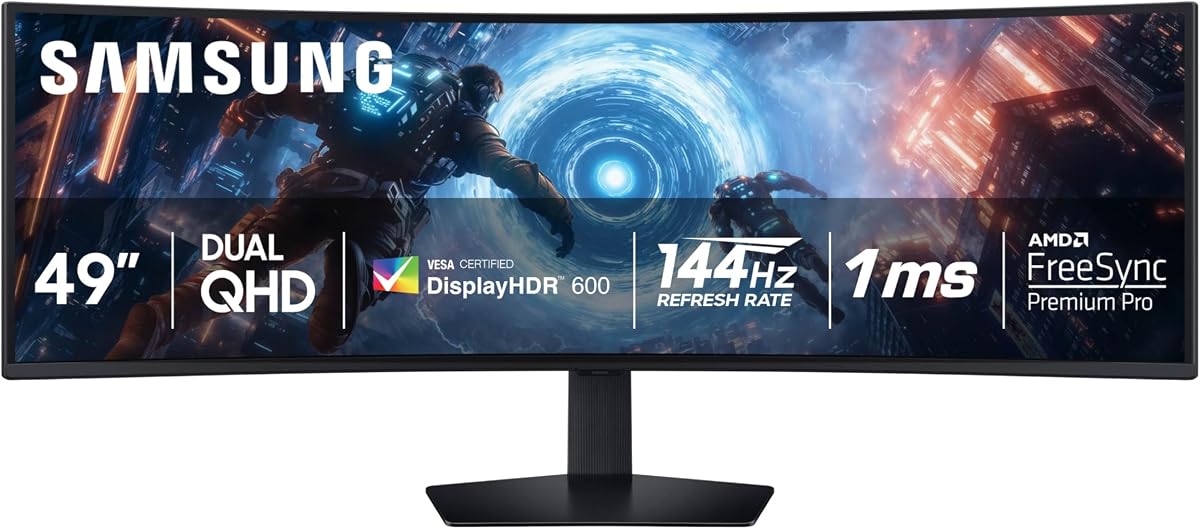
The Samsung Odyssey G9 G91F is a well-rounded 49-inch ultrawide with a 4.4 rating, 144Hz refresh rate, and 1ms response time. It delivers 5120 x 1440 Dual QHD resolution across a 32:9 screen, giving sim racers enough horizontal space for a broad road view and simultaneous data panels without introducing the lower pixel density associated with 3840 x 1080 displays.
We may earn a commission when you buy through this link, at no additional cost to you.
Its 1000R curvature creates a strong cockpit-like field of view, while DisplayHDR 600 support improves contrast over standard SDR and provides more capable highlights than HDR400 models. AMD FreeSync Premium Pro and variable refresh rate functionality help maintain fluid motion and reduce tearing when the game and graphics hardware support the required standards.
The monitor is designed to work as more than a dedicated race display. Split-screen modes allow two sources to appear side by side, while Picture-in-Picture keeps chats, videos, and game tips accessible. Auto Source Switch detects newly activated devices and changes the displayed input, which is useful when alternating between a simulator PC, laptop, or console.
The G91F is a compelling option for players who want a detailed, fast, curved display with stronger HDR than the entry-level alternatives. It is less suited to buyers whose main goal is maximum competitive refresh rate, since several 240Hz alternatives are available. Even so, the combination of resolution, motion performance, curve, and flexible features makes it one of the most balanced options for regular sim-racing sessions.
The 32:9 Dual QHD canvas can be divided into a large primary driving area and a narrower telemetry region. This makes it practical to keep tire temperatures, fuel, relative timing, or a replay visible throughout a race.
DisplayHDR 600 support offers deeper contrast and brighter highlights while preserving a conventional panel format. It can be a more approachable choice for long sessions than an OLED, although its black levels will not match QD-OLED models.
We may earn a commission when you buy through this link, at no additional cost to you.
The CRUA 49-inch Ultrawide has a 4.4 rating and pairs 5120 x 1440 resolution with a 165Hz refresh rate. Those headline specifications make it well suited to sim racers who prioritize smooth motion and detailed cockpit displays but do not need the extreme refresh rate or HDR brightness of a premium model.
We may earn a commission when you buy through this link, at no additional cost to you.
The 1500R curve strikes a useful middle ground, providing noticeable immersion without the tightest wrap of a 1000R design. Its stated 3000:1 contrast ratio can help distinguish track surfaces, shadows, and vehicle details, while 120% sRGB coverage and 330 cd/m² brightness support colorful, readable imagery. AMD FreeSync is included to help reduce tearing and stutter on compatible hardware.
Connectivity includes HDMI 2.1 and DisplayPort 1.4, which cover modern gaming PCs, laptops, and compatible consoles. A 3.5mm audio jack is present, but there are no built-in speakers. The height-adjustable stand supports better positioning, and wall-mount compatibility offers a cleaner installation for users who prefer a monitor arm.
The CRUA is a strong alternative for players who want more refresh rate than a 120Hz or 144Hz display but do not need 240Hz. It is also a useful choice for mixed use, because the wide panel can handle streaming, editing, and multitasking alongside racing. Its main limitation is that its variable-refresh and HDR feature set is less ambitious than that of the most expensive gaming displays in this comparison.
The 165Hz refresh rate provides a visible step up from 120Hz and 144Hz models. That extra headroom can make rapid camera pans, close encounters, and fast corner exits feel more fluid when the PC can drive the display at its full potential.
The 1500R radius gives the display an enveloping appearance while remaining less aggressive than a 1000R model. It can provide immersion without requiring an extremely close seating position.
We may earn a commission when you buy through this link, at no additional cost to you.
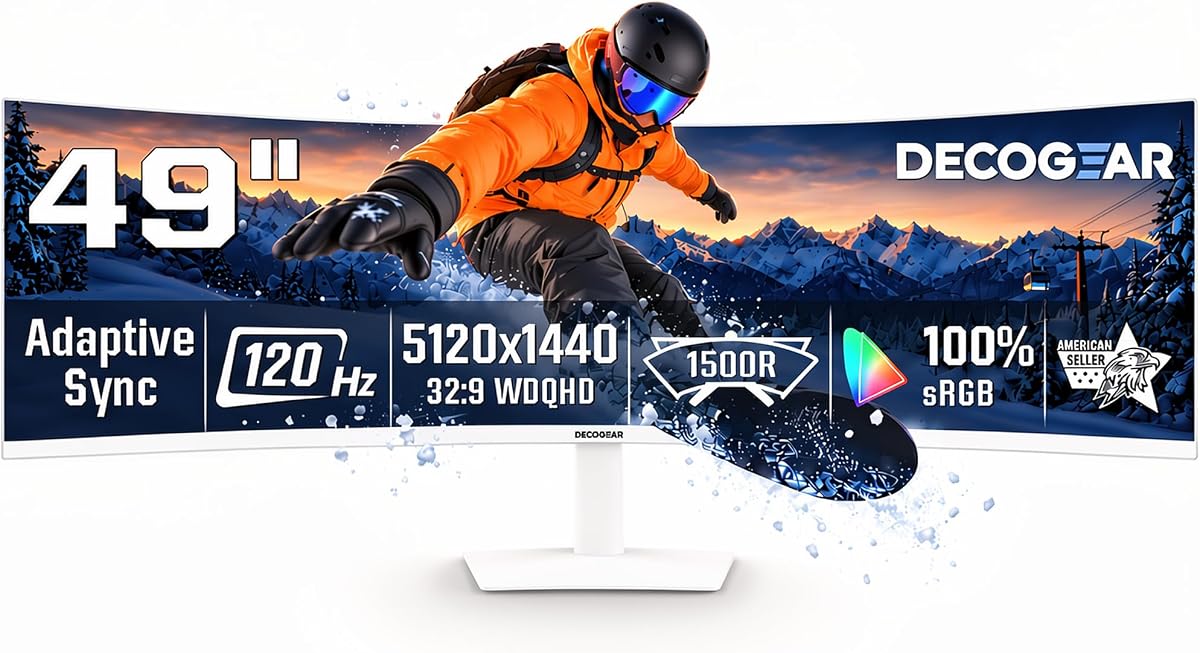
The Deco Gear 49-inch Super Ultrawide is a 5120 x 1440, 32:9 monitor designed to function as both a racing display and a productivity workspace. It has a 4.1 rating, 120Hz refresh rate, and 1500R curve, placing it among the more measured choices for racers who need to handle data and communication tools as well as a full-screen simulator.
We may earn a commission when you buy through this link, at no additional cost to you.
Its 3000:1 contrast ratio helps reveal separation in darker racing scenes, while 100% sRGB, 91% DCI-P3, and 85% NTSC coverage provide broad color support. A 1ms MPRT specification and adaptive synchronization target smoother fast-moving imagery. These features make the display more versatile than a bare gaming panel, even though 120Hz is below the refresh rates of several competitors.
The standout feature is the 65W USB-C connection, which can carry video and data while providing power to a compatible laptop. KVM switching allows one keyboard and mouse to control connected computers, making it convenient for moving between a racing rig and another workstation. PIP and PBP support provides a similar benefit for comparing inputs, while the USB hub, audio output, and built-in speakers simplify peripheral connections.
Adjustment options include a 130mm height range, negative-to-positive tilt, and 30-degree swivel in each direction. A 100 x 100mm VESA mount adds further flexibility. The Deco Gear is best for a racer whose setup doubles as a development or streaming station. Competitive players prioritizing peak motion performance should examine the available 165Hz and 240Hz alternatives.
The 5K2K canvas is wide enough for telemetry, timing, chat, and reference material alongside a primary application. KVM control and USB-C power delivery reduce the inconvenience of changing between a racing computer and a laptop.
A generous 130mm height adjustment, broad swivel range, and tilt control make it easier to align a large curved display with a simulator seat. VESA support provides a clean alternative for users with a suitable arm.
We may earn a commission when you buy through this link, at no additional cost to you.
The ASUS ROG XG49VQ is a 49-inch 1800R curved gaming monitor with a 4.4 rating and 144Hz refresh rate. Unlike most modern ultrawide competition, it uses a 3840 x 1080 DFHD panel, sometimes described as 1080p-class in the product title. That distinction matters because its pixel density is lower than that of 5120 x 1440 models.
We may earn a commission when you buy through this link, at no additional cost to you.
For sim racing, the 32:9 aspect ratio still provides a broad field of view and ample room for a road view, telemetry, and a virtual mirror. The 1800R curve is more pronounced than 1000R or 1500R designs, creating a strong wraparound effect. DisplayPort and HDMI connectivity, FreeSync 2 HDR, and a 144Hz refresh rate cover the core requirements of a modern racing setup.
Color performance is supported by 90% DCI-P3 coverage and DisplayHDR 400 certification, which can provide a more cinematic presentation than standard SDR. ASUS Eye Care technology includes flicker-free backlighting and blue-light filters intended to reduce visual strain during extended sessions. GamePlus and GameVisual overlays offer gaming information and display presets, although any on-screen elements should be used thoughtfully during serious races.
The ROG XG49VQ appeals to buyers who value ASUS's gaming design, established ultrawide features, and a pronounced curve. It is also a reasonable choice when driving a smaller GPU, since the lower resolution can reduce the performance burden compared with 5K2K. Buyers who need sharp dashboards, small text, or maximum cockpit detail should compare the image clarity of a true DQHD model before deciding.
At 3840 x 1080, the XG49VQ spreads pixels across a large 49-inch screen. It can still deliver an impressive racing view, but a 5120 x 1440 display will generally show small dashboard text and distant scenery more sharply.
FreeSync 2 HDR, Eye Care features, GamePlus, and GameVisual give the display a gaming-focused toolkit. The included stand also supports swivel, tilt, and height adjustment for better cockpit alignment.
We may earn a commission when you buy through this link, at no additional cost to you.
The Z-Edge 5K 49-inch is a high-refresh ultrawide with a 4.5 rating, 5120 x 1440 resolution, and 240Hz refresh rate. It combines two properties that appeal strongly to sim racers: a high-density picture for cockpit instruments and a high refresh rate for rapid motion. The 1ms response specification and FreeSync support reinforce its performance focus.
We may earn a commission when you buy through this link, at no additional cost to you.
Its 1800R curve provides one of the more immersive shapes in this list, wrapping the edges toward the viewer and making peripheral road information feel closer. The 32:9 format can accommodate a large central driving display along with telemetry, relative positions, and a second input. PIP can float a secondary image over the game, while PBP is described as supporting two independent full-resolution displays for laptops, desktops, and consoles.
Color specifications include 99% sRGB coverage, a 3000:1 contrast ratio, and a stated Delta E below two. That combination is useful for users who also edit images, design graphics, or produce video alongside gaming. Built-in speakers add convenience, while HDMI 2.1, two DisplayPort 1.4 inputs, USB-C, and audio output provide a broad connection set.
The Z-Edge is a strong choice for a high-powered racing PC that can drive a 240Hz ultrawide at 5120 x 1440. It is particularly attractive for players who want sharper detail than a 240Hz DFHD model without moving to OLED. The lack of a stated advanced HDR certification is a trade-off, and the aggressive curve may require some adjustment to the viewing position.
Many competitors pair 240Hz with lower DFHD resolution. This monitor retains 5120 x 1440, providing a sharper cockpit and telemetry area while also delivering a high ceiling for motion smoothness.
PIP and PBP can be valuable when a racing guide, streaming chat, or setup application must remain visible. The wide canvas provides enough room for a genuine side-by-side arrangement rather than a tiny secondary image.
We may earn a commission when you buy through this link, at no additional cost to you.
The Samsung Odyssey G93SC is the flagship-style option in this guide, combining a 4.1 rating with QD-OLED technology, 5120 x 1440 resolution, a 240Hz refresh rate, and a 0.03ms GtG response time. It targets sim racers who want both top-end motion performance and the exceptional contrast associated with OLED displays.
We may earn a commission when you buy through this link, at no additional cost to you.
The 1800R curve wraps around the viewer, while the ultrawide canvas can show an expansive road view and several information areas at once. DisplayHDR True Black 400 targets deep blacks and rich dark tones, making night races, rain effects, and shaded environments feel highly immersive. The 240Hz refresh rate keeps fast camera movement and abrupt racing transitions exceptionally fluid.
G-Sync compatibility synchronizes supported GPU output with the panel to reduce choppiness, screen lag, and tearing. HDMI 2.1, DisplayPort, and a USB hub provide flexible connectivity, and Auto Source Switch Plus helps the display change to a newly activated device. Picture-by-Picture mode can place two inputs side by side at their native resolution.
This is the most complete option for an enthusiast who has room for a very large curved display and a PC capable of driving 5120 x 1440 at high refresh rates. It delivers the strongest combination of speed, black levels, and immersive geometry in the group. However, the QD-OLED format calls for sensible image management, and buyers should understand the characteristics of OLED before committing.
A 240Hz refresh rate and 0.03ms response time target the fastest possible motion, while the 1800R curve surrounds the racing view. Together they create a cockpit-like display for players who prioritize presence and responsiveness.
DisplayHDR True Black 400 and QD-OLED color characteristics provide deep contrast and vivid imagery. Auto Source Switch and Picture-by-Picture add practical convenience for multi-device gaming and streaming setups.
We may earn a commission when you buy through this link, at no additional cost to you.
The right 49-inch ultrawide monitor depends on how you race, what hardware you own, and whether image quality, extreme refresh rates, or multitasking matter most. The following factors are the most important considerations before making a final choice.
Most current contenders use a 5120 x 1440 Dual QHD panel, while the ASUS ROG XG49VQ uses 3840 x 1080 DFHD. The DQHD format offers more horizontal pixels, making small dashboard readouts, distant vehicles, and suspension telemetry easier to inspect. It also places more demand on the graphics processor, so a midrange card may need lower graphics settings or upscaling to sustain the target frame rate.
Refresh rate determines how many frames the display can present each second. A 120Hz model is sufficient for many casual and competitive experiences, while 144Hz, 165Hz, and 240Hz options provide additional headroom for rapid movement. Response time also influences blur and ghosting, with the OLED models listed here offering an especially fast 0.03ms GtG specification and several VA options advertising 1ms.
Variable refresh rate, commonly known as VRR, synchronizes the monitor with the graphics output to reduce tearing and inconsistent frame pacing. The selection includes AMD FreeSync, FreeSync Premium Pro, and G-Sync-compatible models. Variable refresh is especially useful in racing simulations because frame delivery can fluctuate when the car enters complex scenery, menus, or heavy visual effects. The exact feature depends on the GPU, game, and selected settings.
Curvature is expressed as a radius in millimeters, with a smaller number generally indicating a more pronounced wrap. The 1000R models feel deeply enveloping, 1500R models offer a middle ground, and the 1800R models create a more aggressive cockpit effect. This can improve peripheral awareness, but a tighter curve is not automatically more comfortable. Desk depth, chair position, and the size of the user's field of view all influence the result.
VA panels are common among the more conventional choices and can provide strong contrast, high brightness, and fast refresh rates. The QD-OLED models distinguish themselves with near-perfect black levels, vibrant color, and extremely low response times, but they require more careful management of static content and long-term image retention. HDR support ranges from HDR400 to DisplayHDR 1000, though the practical difference also depends on the game and display settings.
A sim-racing setup often includes a telemetry display, streaming tools, chat, a secondary computer, or a console. DisplayPort is generally the key connection for maximizing PC gaming performance, while HDMI 2.0 or 2.1 expands console support. USB-C with 65W power delivery simplifies compatible laptop setups, and KVM, PIP, and PBP features can reduce the need for additional monitors. Built-in speakers are convenient, though racing audio is usually better served by headphones or dedicated speakers.
A 49-inch ultrawide demands more desk width and a comfortable viewing distance than a conventional display. Height adjustment, tilt, and swivel are valuable for aligning the image with a racing seat and reducing neck strain. VESA compatibility provides additional mounting freedom, but a curved 49-inch panel can be heavy and may require a suitably robust arm. Users should measure their desk and check the monitor's full dimensions before ordering.
The best ultrawide resolution is the one your favorite racing simulator supports well. Many modern titles include configurable ultrawide layouts, but some menus, HUD elements, or cockpit views remain designed for 16:9. Check whether the game can reposition instruments, rear-view displays, and telemetry. Non-racing applications should also be checked for window resizing, because 5120 x 1440 can expose scaling limitations in older utilities or desktop software.
Begin with the correct native resolution and allow the display to warm up for several minutes before judging color or geometry. Set the graphics card to 5120 x 1440 when the monitor supports it, then choose the highest stable refresh rate offered by both the panel and the connected graphics output. Enable adaptive synchronization through the monitor menu and the matching control in the graphics software, making sure the game is running in fullscreen or borderless window mode.
Arrange the simulator around the monitor's geometry rather than treating it as a flat screen. Use the game's ultrawide options to place the road view, mirrors, instruments, and telemetry where they remain visible. Keep the main camera within the relatively central portion of the curved display, where geometry is generally easiest to interpret, and use PIP or PBP for setup guides, replays, or communication applications. Fine-tune brightness for the room, then adjust black level and contrast from a neutral starting point.
For care, allow adequate ventilation and avoid pressing against the panel or its edges. Clean the surface with a soft microfiber cloth and avoid aggressive liquid cleaners. On OLED models, follow the manufacturer's image-care guidance, use the available screen-saver and logo-detection features, and avoid leaving static dashboards on screen for extended periods. For every panel type, enable sensible screen-saver behavior, use power-saving modes when appropriate, and inspect cable connections if the image flickers or synchronization drops.
A 49-inch ultrawide can be excellent for sim racing because it provides a much wider field of view than a 16:9 display. That extra width can show more of the road, nearby cars, a rear-view mirror, and telemetry without sacrificing the central driving view. The benefit is greatest when your racing software supports custom ultrawide HUD layouts. If the game fixes important elements near the screen edges, a conventional ultrawide may work better.
Choose 5120 x 1440 when small dashboard details, crisp telemetry, and a sharp cockpit image are priorities. It has roughly twice the horizontal pixel count of 3840 x 1080, but it also places a greater demand on the graphics card. A 3840 x 1080 screen can be easier to run at very high frame rates and may therefore suit systems with less GPU capability.
A 240Hz monitor is not automatically required for competitive racing, but it provides the highest motion smoothness in this guide. Many serious players benefit from 144Hz or 165Hz, while 120Hz can still deliver a convincing experience. Your actual frame rate, GPU performance, display distance, and sensitivity to motion should determine whether the additional refresh capability is worthwhile.
A 1000R curve creates a tighter wraparound that can feel highly immersive in a racing cockpit. A 1500R radius is often a more moderate compromise, while 1800R offers an even more pronounced surround effect. The best curve depends on personal comfort, desk depth, and viewing distance rather than a single universal standard. Small screens and unusual desk layouts can also make aggressive curves feel intrusive.
They can be, because QD-OLED models in this guide combine fast response with vivid color and deep black levels. However, OLED displays require attention to static content, including dashboards and menus. Use the manufacturer's brightness, screen-saver, and logo-detection features, and avoid leaving static interfaces displayed for long periods. VA options may appeal more to users who prefer simpler image-care routines.
DisplayPort is generally the preferred connection for a gaming PC because compatible implementations can support the monitor's full resolution and high refresh rate. HDMI 2.0 or 2.1 is useful for consoles, and some models support HDMI 2.1 features. Confirm the monitor's supported input modes and make sure the graphics card, cable, and selected resolution all work together at the intended refresh rate.
Yes, and it can be useful for keeping a setup guide, telemetry application, replay, or chat window visible. The large 32:9 canvas can accommodate a primary simulator image and a secondary source simultaneously. Compatibility depends on the monitor and the source devices, and some games may interact differently with borderless or fullscreen modes. It is generally best to test the layout before a race.
Check desk width, available depth, wall clearance, and the weight and curvature of the display. Make sure the stand or VESA mount is rated for the monitor and that your desk can support its footprint. Racing seats also change the ideal viewing position, so plan for a distance that keeps the center of the image relaxed while preserving useful peripheral vision.
The Raywego 49 Inch Curved Ultrawide is the most convincing all-round pick, combining DQHD detail, a 165Hz refresh rate, adaptive synchronization, and a moderate 1500R curve. The Samsung Odyssey OLED G9 G91SD is ideal for racers who prioritize exceptional contrast, deep blacks, and near-instant response, while the Samsung Odyssey G9 LS49CG954ENXZA delivers the strongest combination of 240Hz speed, aggressive curvature, and high-end HDR specifications.
Your priority should determine the best route. Choose 5120 x 1440 for crisp telemetry, 240Hz for maximum motion capability, QD-OLED for cinematic contrast, and a moderate curve if you want immersion without an overly wrapped field of view. Do not overlook USB-C, KVM, PIP, PBP, stand adjustment, and VRR compatibility, because these features can make the display much more useful beyond a single full-screen racing session.
Finally, verify the current product listing, supported input modes, panel details, and gaming features before ordering. Hardware requirements, firmware, available configurations, and manufacturer specifications can evolve, and the graphics card must be capable of driving the selected resolution and refresh rate. Checking those details helps ensure that the monitor you choose is genuinely well suited to your simulator setup.