
OREI 4×2 HDMI Matrix Switch 8K with Audio Extraction eARC, EDID, Downscale
4.3Editor score
Four HDMI inputs
Two HDMI outputs
8K at 60Hz
eARC and audio extraction
This HDMI Matrix Switch guide compares 4K, 8K, audio, EDID, control, and routing options for home theaters and professional AV.
An HDMI matrix switch connects multiple source devices to multiple displays while giving you independent control over which image appears on each screen. A capable matrix is essential for home theaters, conference rooms, digital signage, hospitality spaces, and other installations where changing sources without reconnecting cables is important.
The products in this guide were compared using their stated input and output counts, maximum resolutions, bandwidth, HDR support, audio features, EDID controls, downscaling functions, installation options, and control methods. The list covers compact two-output units, flexible four-by-four matrices, rack-ready professional systems, and high-end eight-by-eight installations.
Each review explains the strongest feature of the product and the compromises buyers should consider. The OREI 8K models lead the high-resolution options, while lower-capacity switches and extender systems serve more focused rooms or larger commercial installations. Prices and availability can change, so confirm current listing details before purchasing.
4.3Editor score

4.7Editor score

4.1Editor score
The comparison below highlights each matrix's routing capacity, maximum resolution, key audio functions, and installation or control features. These distinctions show why the best choice depends on the number of sources, displays, control systems, and signal types in your room.



The OREI 4×2 is a feature-rich matrix for buyers who want more than conventional 4K switching. Its four inputs, two outputs, 8K capability, 40Gbps bandwidth, and broad audio support make it particularly appealing for a modern home theater, gaming room, or compact professional installation. Its 4.3 rating reflects a capable device with specialized strengths.
We may earn a commission when you buy through this link, at no additional cost to you.
The matrix supports 8K at 60Hz in 4:2:0 10-bit, 8K at 30Hz in 4:4:4 10-bit, and 4K at 120Hz in 4:4:4 10-bit. VRR, ALLM, and FVA support strengthen its appeal for compatible consoles and high-refresh displays. Two outputs can show different sources at the same time, while the stated downscaling function improves flexibility with mixed display capabilities.
Audio handling is unusually thorough for a four-by-two model. The unit supports eARC between Input 1 and Output 1, de-embeds audio through optical and 3.5mm outputs, and lists LPCM, Dolby, DTS, DTS-HD Master Audio, and DSD support. The trade-off is that both the television and soundbar need eARC support, and two outputs may be limiting for larger display walls.
This is an excellent choice for a two-screen setup that prioritizes 8K readiness, gaming standards, flexible audio routing, and independent output selection. Buyers should verify the exact resolution, color format, refresh rate, and eARC behavior of every connected display. If those requirements align, the OREI offers one of the most advanced specifications in this guide without moving to a full eight-by-eight system.
The combination of HDMI 2.1, 40Gbps bandwidth, 4K at 120Hz, VRR, and ALLM makes this model well suited to high-end gaming displays. Actual feature availability depends on the source, display, cable, and selected resolution.
eARC, optical extraction, and analog extraction allow the matrix to serve displays and separate sound systems in more than one way. The documented eARC limitation is specific: both the television and soundbar must support the function.
We may earn a commission when you buy through this link, at no additional cost to you.
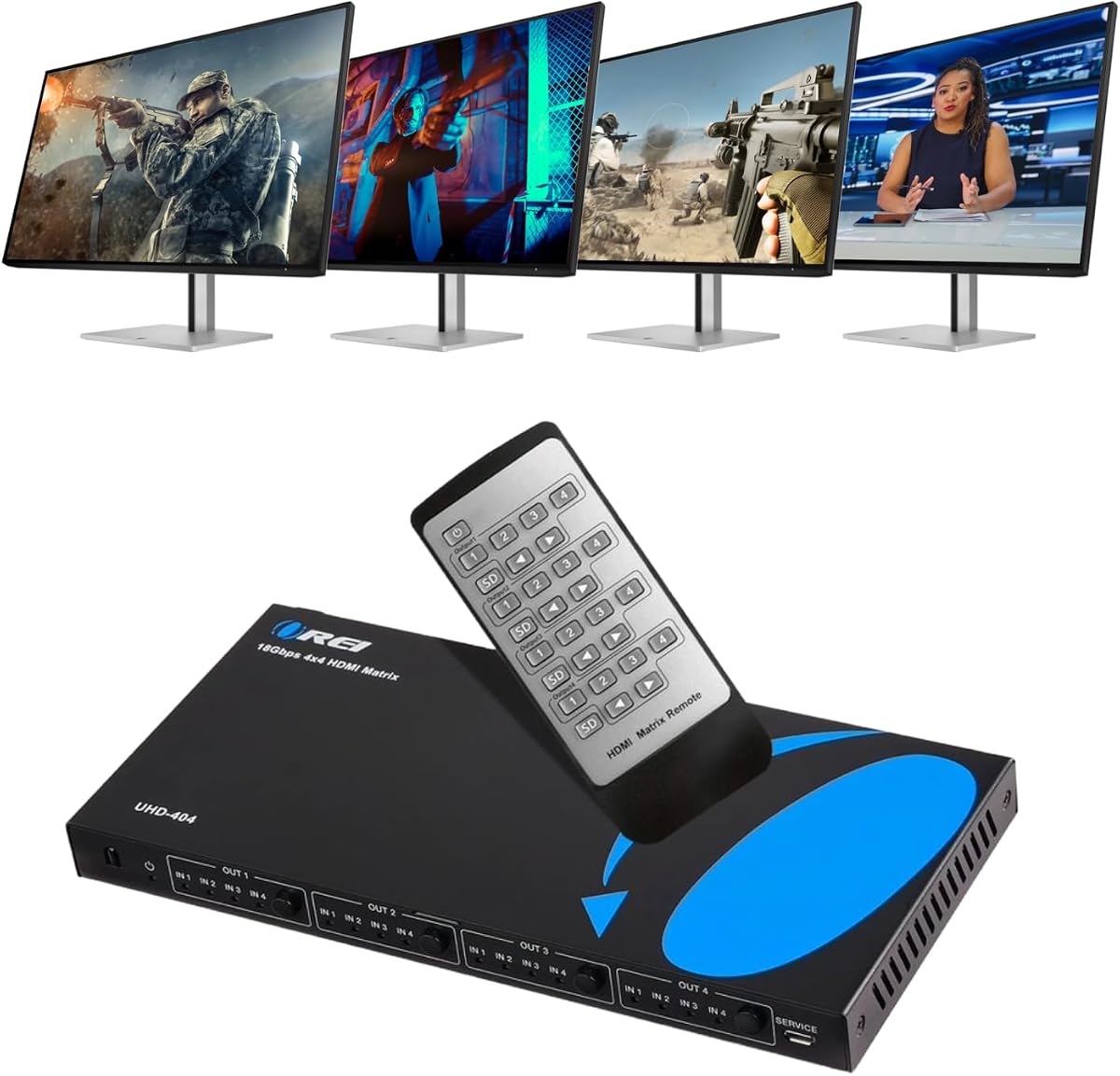
The OREI 4×4 stands out as a balanced four-source, four-display matrix for rooms that need more routing flexibility than a two-output unit. It supports 4K at 60Hz through 18Gbps bandwidth and carries a 4.5 rating, the highest among the products with full descriptions that are not 8K-focused.
We may earn a commission when you buy through this link, at no additional cost to you.
Each of the four HDMI inputs can be routed to four HDMI outputs, allowing different sources to appear independently across displays. HDMI 2.0, HDCP 2.2, 12-bit color, and YCbCr 4:4:4, 4:2:2, and 4:2:0 support cover common home-theater and commercial requirements. HDR support adds useful headroom for modern televisions and projectors.
Audio options broaden its usefulness. Dedicated optical and 3.5mm audio outputs serve HDMI outputs A and B, while Output A supports ARC audio return from a compatible television. The unit lists LPCM, DTS, Dolby Digital, DTS-HD Master Audio, and Dolby TrueHD support. Its metal enclosure and included remote also make it a straightforward install, although buyers seeking 4K at 120Hz, VRR, or 8K will need a more advanced model.
The OREI 4×4 is a strong recommendation for a home theater with four displays, a small digital-signage installation, or a control room with several source and display positions. It delivers useful routing, extraction, and return-channel features without the complexity of a professional extender. Make sure the downstream equipment and cables support the resolution and color format you intend to use.
Four independently controlled outputs make this matrix more versatile than a conventional switch or splitter. It can mirror a source to several screens or assign different sources to different displays.
Optical and analog extraction from outputs A and B allow compatible amplifiers and speakers to receive audio separately. ARC on Output A adds a convenient return path for television audio.
We may earn a commission when you buy through this link, at no additional cost to you.
This OREI 4×4 is a practical choice for installations that combine 4K and 1080p displays. It routes four HDMI sources to four outputs, supports 4K at 60Hz and HDR, and includes downscaling so one display can receive a 1080p version of a 4K signal. Its 4.3 rating indicates a well-rounded unit for conventional high-definition AV.
We may earn a commission when you buy through this link, at no additional cost to you.
The matrix handles 18Gbps bandwidth and supports HDMI 2.0a, HDCP 2.2, and up to 7.1-channel digital audio including Dolby Digital and DTS-HD Master Audio. Displays may show identical or independent content, which gives installers flexibility for rooms where some screens mirror one source while others carry separate programming.
Downscaling is the defining practical feature, but it comes with trade-offs. The unit does not advertise 4K at 120Hz, VRR, ALLM, or 8K, and the supplied information does not list optical or analog audio extraction. It also focuses on HDMI audio rather than the broader de-embedding and ARC functions found on some other OREI models.
Choose this matrix when you have four sources and four displays with mixed capabilities, particularly if one screen is limited to 1080p. It is less suitable for advanced gaming displays, installations requiring extracted analog or optical sound, or systems designed around future 8K sources. The included power supply, adapter, instruction manual, and OREI support add convenience.
The 4K-to-1080p downscaler allows a lower-resolution screen to be included without requiring every source to be permanently converted for every output. That makes the matrix useful in evolving rooms where display capabilities differ.
Each of the four outputs can present matching or independent content. This flexibility is valuable for monitoring walls, presentation environments, and homes where separate screens serve different purposes.
We may earn a commission when you buy through this link, at no additional cost to you.
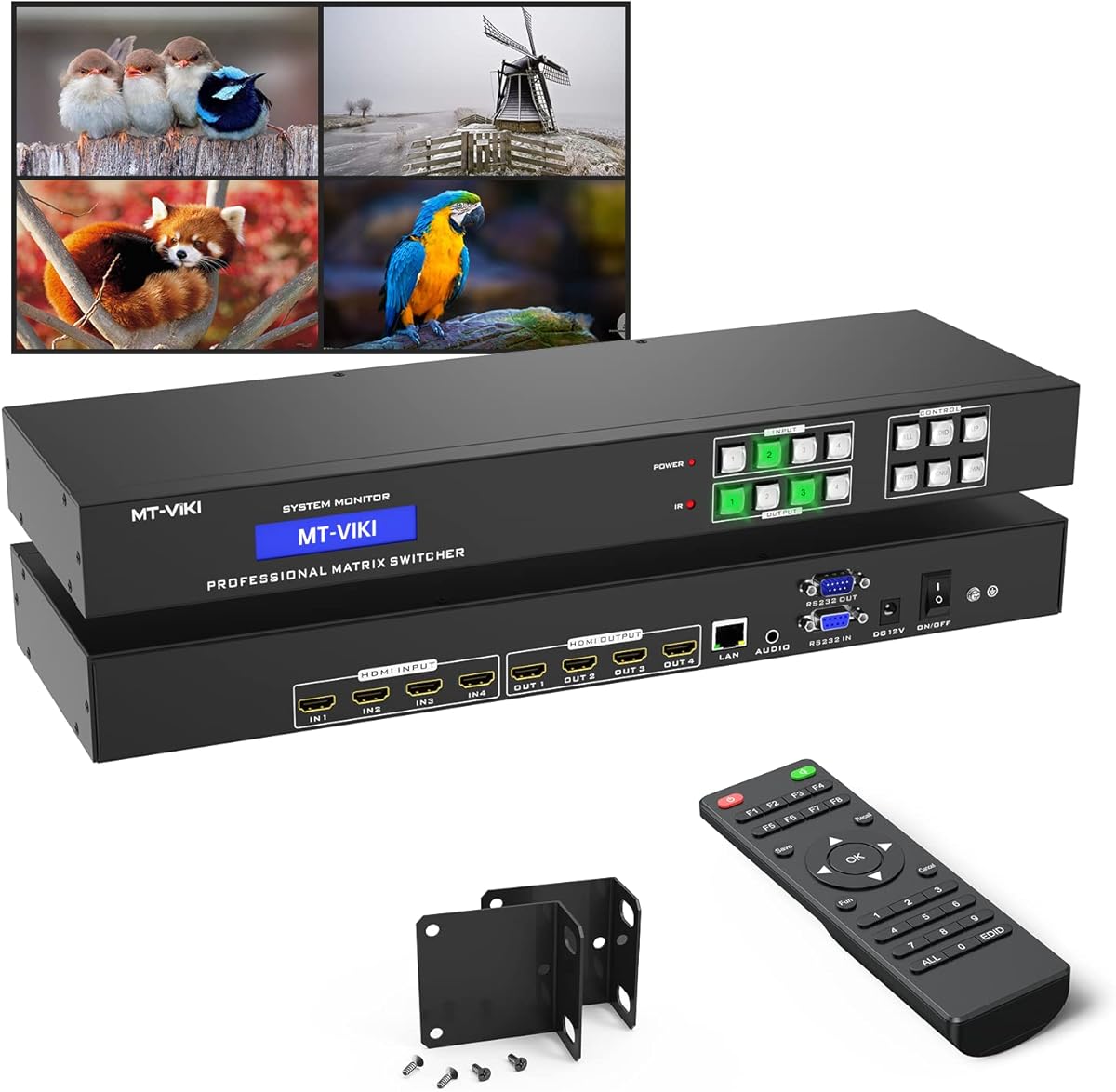
The MT-VIKI 4×4 prioritizes professional control and rack integration rather than maximum bandwidth. It provides four inputs, four outputs, a web GUI, RS232, LAN control, front-panel buttons, an IR remote, and a chassis sized for a standard one-rack-unit cabinet. Its 4.3 rating makes it compelling for installers who value flexible management.
We may earn a commission when you buy through this link, at no additional cost to you.
Video support extends to 4K at 30Hz, 1080p Full HD, 3D, and deep color. The limitation is important for modern displays: 4K at 60Hz, 4K at 120Hz, 8K, VRR, and ALLM are not part of the stated specification. Its strengths are more closely aligned with conference rooms, churches, retail displays, and digital signage where control integration matters more than high-refresh video.
Analog stereo extraction is available through the 3.5mm connection on Output 4 only. Users must route the desired source to that output before using external speakers or an amplifier. Source changes are stated to take approximately two to three seconds, which is acceptable for presentations and signage but may feel less immediate in a dedicated theater.
This matrix is ideal for integrators who need remote network management and serial control in a rack. It is a weaker match for a high-end living room where 4K at 60Hz or faster gaming performance is essential. Its included rack ears, RS232 cable, power components, remote, and manual also make it a more installation-ready package than a basic consumer switch.
Web GUI, LAN, RS232, front-panel buttons, and an IR remote allow the operator to select the most convenient method for the room. These options are especially valuable in fixed commercial installations.
The 16.9 by 5.37 by 1.77-inch enclosure and included rack ears suit a standard 19-inch cabinet. That makes cable management and service access cleaner than with a loose desktop switch.
We may earn a commission when you buy through this link, at no additional cost to you.
The OREI 4×2 is a focused solution for four sources, two displays, and mixed-resolution use. It supports 4K at 60Hz in YUV 4:4:4, HDR, HDMI 2.0, and HDCP 2.2, while its downscaler can provide a 1080p output for a lower-resolution screen. Its 4.1 rating reflects a capable entry point for straightforward installations.
We may earn a commission when you buy through this link, at no additional cost to you.
Routing is handled through front-panel buttons or the included IR remote. Output A supports ARC, and the matrix can be controlled with straightforward source selection rather than through a complex automation interface. The package includes the matrix, remote, USB power charger, USB-A-to-USB-C power cable, and manual, covering the essential components needed for setup.
The main limitation is routing scale. Two outputs are enough for a dual-screen setup but not a video wall or a room with four separate displays. There is also no stated support for 4K at 120Hz, VRR, ALLM, 8K, professional control protocols, or separate optical audio extraction in the supplied specifications. The 18Gbps bandwidth is appropriate for 4K at 60Hz but not for every modern high-bandwidth use case.
This OREI is a good match for a starter home theater, office, classroom, or mixed-resolution installation that values downscaling, ARC, and straightforward switching. It is especially sensible when two screens are enough and a four-by-four matrix would add unnecessary complexity. Buyers should use suitable HDMI cables and confirm that all sources and displays support the intended 4K color format.
The automatic 4K-to-1080p conversion allows a 4K display and a 1080p display to operate together. The main 4K output remains available while the second display receives the downscaled signal.
Front-panel buttons and the included remote remove the need for programming or a network connection. This makes the matrix approachable for a home user or a small installation.
We may earn a commission when you buy through this link, at no additional cost to you.
This 4×2 matrix is designed primarily for sending one of four sources to two mirrored displays while extracting audio as needed. It supports 4K at 60Hz, 1080p, 3D, deep color, HDMI 2.0, HDCP 2.2, and an 18Gbps data rate. Its 4.2 rating indicates a capable unit for straightforward dual-display applications.
We may earn a commission when you buy through this link, at no additional cost to you.
Optical and 3.5mm outputs allow audio to be separated from the video signal and sent to an amplifier, sound system, or headphones. A user-adjustable EDID can guide source resolution and audio-format behavior, while automatic equalization and amplification are intended to support stable transmission.
The key limitation appears in the product's mirroring note: it does not support extended desktop operation, and its presentation centers on duplicated output rather than independent screen content. The specification also says audio can be extracted from any input, but the matrix must still be configured and connected appropriately. The remote requires AAA batteries that are not included.
This product suits a shop, classroom, conference room, or home setup where two displays should show the same content and the sound needs to go to a separate amplifier. It is less suitable when the two screens must show different sources, when an extended computer desktop is required, or when a professional automation interface is important.
Optical and 3.5mm outputs give the matrix a path to legacy and modern sound systems. This is useful when speakers cannot be connected directly to the television or projector.
The matrix can present the selected source on two displays at once. That makes it useful for signage and monitoring, though it should not be confused with an extended-display adapter.
We may earn a commission when you buy through this link, at no additional cost to you.
The OREI 4×2 combines four-source routing, two independent outputs, 4K at 60Hz, audio extraction, ARC, and downscaling in a compact package. Its 4.2 rating makes it one of the most complete options for a two-display room, particularly when separate sound equipment is involved.
We may earn a commission when you buy through this link, at no additional cost to you.
Video support extends to 4K at 60Hz in 4:4:4 over an 18Gbps bandwidth, with HDMI 2.0, HDCP 2.2, and HDCP 1.4 compatibility. Dolby Vision, HDR10+, and HLG are supported. The downsccaler allows one output to remain at 4K while the other operates at 1080p, which is valuable when display capabilities differ.
Audio can be de-embedded through optical SPDIF and analog left/right outputs, and ARC can return television audio to those outputs. AUTO, COPY, and STD EDID modes offer several ways to manage source-to-display handshaking. The product explicitly does not support 4K at 120Hz, VRR, or ALLM, so it is not the right choice for a dedicated high-end gaming setup.
This matrix is a strong recommendation for a home theater, conference room, or classroom with two screens and separate audio. It offers more comprehensive HDMI and audio handling than a basic switch while remaining easier to operate than a network-controlled professional matrix. For stable 4K at 60Hz, the manufacturer recommends high-quality HDMI 2.0 or 2.1 cables under 30 feet.
One output can retain 4K while the other receives a 1080p downscale. This is especially helpful when a newer television is paired with an older projector or secondary monitor.
Optical and analog extraction provide flexible connections to amplifiers and powered speakers, while ARC returns compatible television audio. Three EDID modes help manage handshaking across different equipment combinations.
We may earn a commission when you buy through this link, at no additional cost to you.
The OREI 8×8 is built around routing capacity: eight HDMI inputs can serve eight HDMI outputs, making it appropriate for larger homes, commercial display systems, and control environments. Its listed 4K at 30Hz maximum, EDID management, RS-232, WebGUI, and IR control provide the essential foundations of an installable matrix. The 4.1 rating reflects a capable core platform.
We may earn a commission when you buy through this link, at no additional cost to you.
The most important advantage is freedom from a four-device ceiling. An eight-by-eight design can serve numerous streaming boxes, computers, cable sources, and media players while distributing their images to a corresponding set of displays. The combination of front-end network control and serial control supports integration into fixed AV environments where a handheld remote alone would be insufficient.
Compared with the OREI professional extender and 8K eight-by-eight models, the stated 4K at 30Hz ceiling is conservative. It will not satisfy a room requiring 4K at 60Hz, 4:4:4 output, high-refresh gaming, or 8K. The product data also provides no detailed account of audio extraction, downscaling, bandwidth, or extender distance, so those capabilities should be confirmed before purchase.
This matrix makes the most sense for a buyer who prioritizes eight-by-eight routing and professional control over maximum refresh rate. It can be considered for digital signage, commercial AV, or a large multi-display home, provided the source and display system operates within 4K at 30Hz limits. Review the complete current listing and compatibility documentation before finalizing a professional design.
Eight inputs and eight outputs create substantially more routing flexibility than the common four-by-four format. This is valuable when source and display counts will continue to grow.
WebGUI and RS-232 control suit installations managed by an automation system or technical operator. IR remains available for more direct local operation.
We may earn a commission when you buy through this link, at no additional cost to you.
The OREI 8×8 extender is designed for professional installations where displays are too far away for direct HDMI cables. It distributes eight HDMI sources through eight HDMI outputs and eight mirrored CAT outputs, enabling runs of up to 230 feet over CAT6 or CAT7. Its 4.4 rating and extensive feature set make it a strong choice for large, technically managed spaces.
We may earn a commission when you buy through this link, at no additional cost to you.
The matrix supports uncompressed 4K at 60Hz in 4:4:4 with 18Gbps bandwidth and includes HDR10, HDR10+, Dolby Vision, and HLG support. Each output can independently downscale from 4K to 1080p, which helps when a professional installation mixes new and legacy displays. LPCM 7.1, Dolby TrueHD, DTS-HD Master Audio, and ARC are also listed.
Power over cable supplies 12V to receivers without separate adapters, while EDID and CEC management help stabilize communication between sources and displays. Front-panel buttons, IR, RS-232, LAN, and a web GUI cover local, network, and integrated control. One important limitation is that IR OUT follows the HDMI input rather than the HDMI output, so remote-zone routing must be designed carefully.
This is the appropriate product for a large home theater, commercial AV system, digital-signature network, or long-distance display installation. It is excessive for a two-screen room, and installation may require compatible receivers, suitable CAT cabling, careful IR planning, and professional configuration. In return, it offers the reach, scaling flexibility, control, and audio support that large systems require.
Mirrored CAT outputs extend video as far as 230 feet over CAT6 or CAT7. This makes the system practical when displays sit well beyond normal HDMI cable reach.
Power over cable sends 12V through the network cabling to compatible receivers. That can reduce the number of local power adapters required at remote display locations.
We may earn a commission when you buy through this link, at no additional cost to you.
The OREI 8×8 8K model combines the largest routing configuration in this guide with HDMI 2.1, 8K orientation, audio extraction, EDID management, and IR control. Its 4.7 rating is the highest among all ten products, making it the leading choice for buyers who want broad capacity and a high-resolution platform.
We may earn a commission when you buy through this link, at no additional cost to you.
With eight HDMI inputs and eight HDMI outputs, the matrix can serve a substantial home theater, executive office, conference facility, or commercial AV environment. HDMI 2.1 and 8K support offer a forward-looking connection to next-generation sources and displays, while EDID management helps control how those devices negotiate resolution and audio capabilities.
Audio extraction and IR control add useful flexibility to the high-capacity routing. However, the supplied product information is limited to the title and does not detail the exact bandwidth modes, maximum refresh rates, downscaling behavior, audio formats, network-control options, or extender distances. Those specifics should be verified in the current documentation because the headline resolution alone cannot define compatibility.
This matrix is best suited to buyers who have or expect to have eight sources and eight displays, want room for 8K devices, and can manage a complex installation. It is unnecessarily elaborate for a typical two- or four-screen room. Even with the strongest rating in the group, careful confirmation of every signal, control, and audio requirement is essential before making a professional purchase.
HDMI 2.1 and 8K support make the matrix appropriate for next-generation displays and source devices. Buyers should still verify the exact 8K color depth and refresh-rate modes they need.
Eight inputs and eight outputs support a substantial number of independent source-to-display assignments. This makes the product suitable for large residential and professional environments.
We may earn a commission when you buy through this link, at no additional cost to you.
Choosing an HDMI matrix switch requires matching input count, output count, resolution, audio behavior, and control requirements to the equipment in your room. The most important step is to map every planned source and display before comparing specifications.
In short, choose enough input and output capacity for the complete system without paying for unnecessary routing hardware.
In short, prioritize the exact mode your equipment needs rather than relying on a broad 4K or 8K label.
In short, treat bandwidth as capacity and verify that the stated HDMI version includes the exact format you need.
In short, look for independent 4K-to-1080p scaling when your displays do not share the same native resolution.
In short, confirm extraction output availability, audio formats, and ARC or eARC compatibility with the rest of your system.
In short, use EDID management to make sources negotiate modes that the intended display can actually display.
In short, choose remote, network, or serial control based on how the room will actually be operated.
In short, plan cable distance and physical placement before installation, especially in a rack or commercial environment.
Begin by inventorying the sources, displays, audio equipment, and control systems that need to be connected. Assign each source and display to a specific matrix port, then connect the equipment with appropriate HDMI cables while leaving some slack at both ends. If the matrix supports CAT extension, install compatible network cabling and receivers at the remote displays. Connect the power supply only after the wiring has been checked, and do not exceed the power or connection limits specified in the product documentation.
Power on the displays first, followed by the matrix and source devices. Many systems negotiate their best available mode only after the downstream display is ready. Use the front buttons, remote, web interface, or control system to assign inputs to outputs. If a screen is blank, has the wrong resolution, or lacks sound, review the EDID mode and confirm that the selected format is supported by every device. Change one setting at a time so the cause of the improvement or failure remains clear.
For long-term care, keep the matrix and power supply in a ventilated area away from direct heat, moisture, and heavy dust. Do not place papers or equipment on top of a rack-mounted unit. Route cables so connectors are not strained, retain the included remote and mounting hardware, and update any control or firmware components according to the manufacturer's instructions. Periodically check EDID behavior and save the working routing and control configuration for reference.
An HDMI matrix switch routes any of several connected inputs to any of several connected outputs, and many models allow different displays to show different sources. An HDMI splitter normally duplicates one source to multiple displays. Some matrix products can also mirror a source, but their broader routing and configuration options are the main distinction.
Yes, if the matrix includes downscaling and each output is configured appropriately. Several products in this guide can convert 4K to 1080p on a selected output while keeping another output at 4K. Verify the exact downscale rules and ensure the source supplies a resolution that the matrix can process.
Not necessarily. A 4K television will normally use a 4K mode, so a compatible 4K matrix can be sufficient. An 8K-capable switch is more relevant when you own an 8K television, plan to add one, or need a high-bandwidth platform for other advanced HDMI 2.1 features such as high-refresh gaming.
ARC returns audio from a television to a sound system over HDMI, while eARC supports a broader range of high-quality audio formats. For eARC to work, both the television and soundbar or receiver must support it. The matrix must also provide the appropriate eARC path between the connected input and output.
Many models can, usually through optical or 3.5mm analog outputs, but not every input or output is necessarily supported. The MT-VIKI 4×4, for example, extracts analog audio through Output 4 only. Check the matrix's output-specific instructions and confirm the amplifier accepts the extracted format.
EDID settings tell a source which resolution, refresh rate, color, and audio capabilities to request. Incorrect EDID behavior can cause blank screens, unsupported frame rates, or unwanted switching. Automatic, copied, and standard EDID modes offer different approaches to making source-to-display handshaking more predictable.
The distance depends on the matrix, cable quality, source, display, and resolution. Standard HDMI models are best suited to shorter runs, while extender matrices can carry signals much farther over CAT6 or CAT7 to compatible receivers. The OREI professional 8×8 extender states support for runs up to 230 feet, subject to a compatible installation.
IR and front-panel controls are convenient for direct local operation in a home. RS-232, LAN, and web interfaces are better for fixed professional installations, centralized management, and room-control integration. The best choice depends on who operates the system and whether source changes need to occur automatically.
The OREI 8K 8×8 is the leading high-capacity choice in this guide, offering eight inputs, eight outputs, HDMI 2.1, audio extraction, EDID, and the strongest customer rating. The OREI 4×2 8K is the most advanced premium option for a two-screen setup, while the OREI 4×2 Downscaler provides a practical and economical route to mixed-resolution routing.
The right matrix for most buyers will be defined by display count, source count, required resolution, and audio integration rather than by the largest specification available. A four-by-four model is ideal for several independent displays, and a professional extender is the stronger choice when long cable runs, rack integration, and centralized control are essential. Match the selected unit to every source, display, cable, and control platform in the room.
Current prices, availability, firmware details, and product configurations can change, so check the latest listing and manufacturer documentation before ordering. Verify the exact resolution and color mode, audio formats, EDID behavior, control options, and included accessories against your installation plan. That final compatibility check will help ensure a smooth setup and dependable day-to-day operation.