
GMKtec M6 Ultra
4.2Editor score
Ryzen 5 7640HS processor
32GB dual-channel DDR5
2.5GbE wired networking
AV1, HEVC, AVC support
Explore the best Mini PC Plex Media Server options, comparing processors, memory, storage, networking, displays, and 24/7 suitability for home use.
A Mini PC Plex Media Server combines compact hardware with the storage, networking, and processing power needed to organize a personal media collection. The strongest options provide fast direct-drive access, useful display connectivity, reliable networking, and enough memory for transcoding while remaining small enough to sit beside a television, network rack, or NAS.
We compared the supplied specifications for all ten models, focusing on processor capability, memory and storage expansion, wired and wireless networking, video output, low-power operation, and suitability for continuous service. The guide includes general-purpose mini PCs, fanless systems, office-oriented models, and more powerful hardware for demanding libraries, without treating any rating as a substitute for hands-on testing.
Each review explains who the hardware is best suited for and where its limitations may matter. The GMKtec M6 Ultra stands out for high-end performance, the GEEKOM A5 offers strong expandability, and the Beelink MINI S12 Pro configurations balance useful media features with everyday processing. Product details and availability can change, so verify current specifications and prices before purchasing.
4.2Editor score
4.5Editor score

4.2Editor score
The table below compares all ten candidates by processor, memory, storage, networking, and major practical considerations. It highlights the range from compact, low-cost media clients to more capable mini PCs designed for transcoding, multi-display use, and continuous operation.


The GMKtec G10 combines a Ryzen 5 3500U processor, 16GB of DDR4 memory, and a 1TB SSD in a compact package that sits neatly between basic media clients and higher-powered mini PCs. Its 4.2 rating reflects a generally capable configuration, while the specifications make it particularly interesting for a Plex server that must handle library management, direct playback, and routine transcoding without taking up much space.
We may earn a commission when you buy through this link, at no additional cost to you.
Its most attractive server-oriented feature is the combination of 2.5GbE Ethernet and plentiful storage. A wired network connection is preferable for large libraries because it reduces dependence on WiFi and helps keep high-bitrate media transfers responsive. The installed 1TB SSD provides a good starting point, while the listed dual M.2 PCIe slots support expansion to 16TB in total, allowing a media library to grow without replacing the entire system. Memory can also be expanded to 64GB according to the supplied specifications.
The Ryzen 5 3500U is not a current high-end processor, and it may struggle with unusually intensive simultaneous transcoding compared with the Ryzen 7 7730U and Ryzen 5 7640HS alternatives in this guide. Nevertheless, its four cores, Radeon Vega 8 graphics, and configurable power range are adequate for direct playback, background indexing, and moderate media workloads. Triple display support through HDMI, DisplayPort, and USB-C also makes it useful beyond a headless server role.
Choose the G10 when storage capacity, fast networking, and upgradeability matter more than maximum processing power. It is a strong match for a family media server with mixed local and remote clients, while the 1TB starting configuration reduces the need for immediate storage expansion. For exceptionally large libraries or frequent 4K transcoding, a more powerful Ryzen system would be a better match.
The included 1TB SSD and dual M.2 expansion positions make the G10 attractive for local media collections. Upgrades are not included, so buyers should plan additional storage according to their collection size and whether Plex must maintain multiple local copies of each file.
Its 2.5GbE interface offers a meaningful advantage over basic gigabit Ethernet when moving large media files or serving several clients at once. Connecting the unit through Ethernet near a router or switch is generally the most dependable way to preserve that bandwidth.
We may earn a commission when you buy through this link, at no additional cost to you.
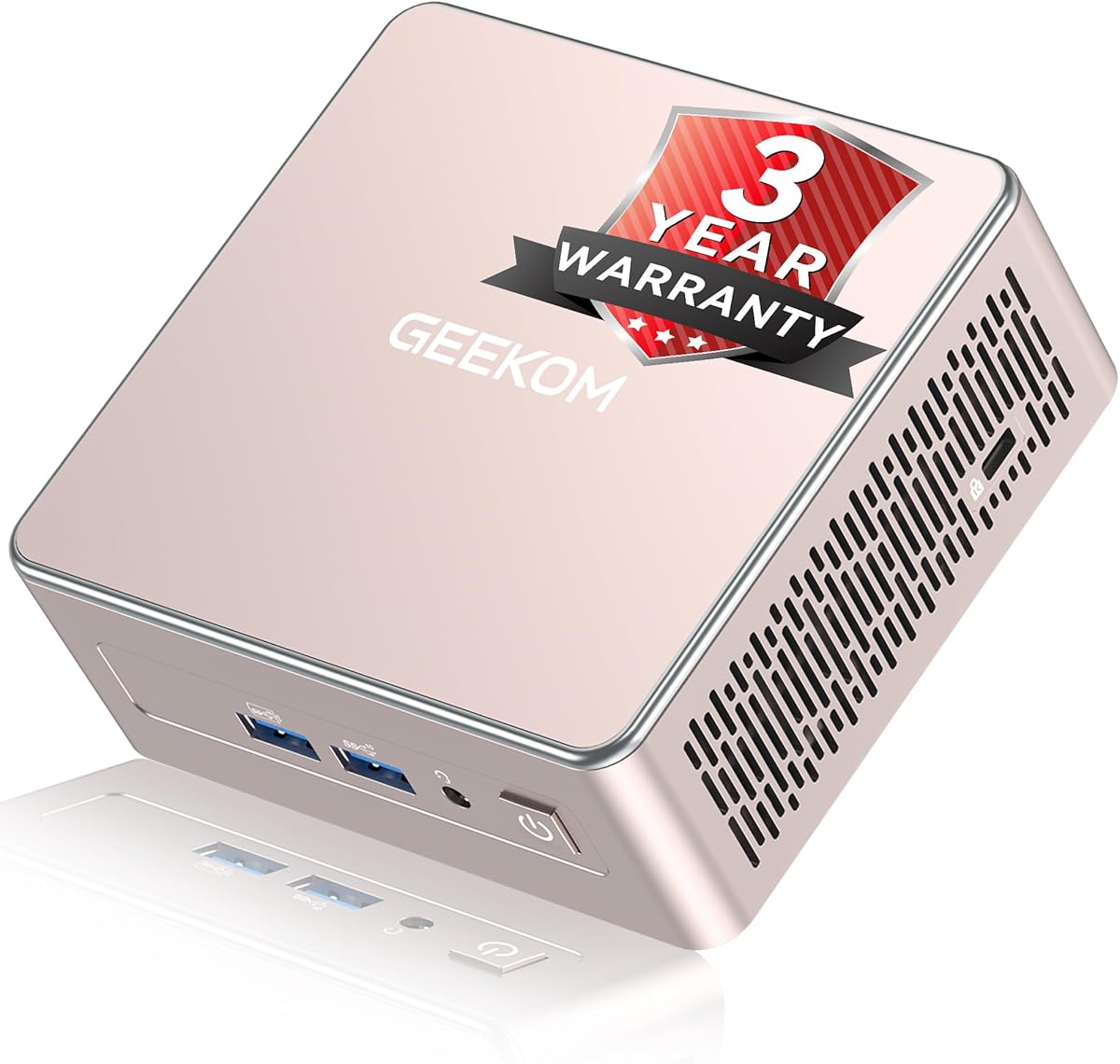
The GEEKOM A5 2027 Edition is a flexible mini PC with a Ryzen 7 7730U processor, eight cores, 16 threads, and a 4.5 rating. That processing headroom makes it one of the most convincing choices in this roundup for a Plex Media Server that may handle office tasks, several browser sessions, local storage management, and media transcoding at the same time.
We may earn a commission when you buy through this link, at no additional cost to you.
Unlike mini PCs with fixed memory, the A5 uses dual-slot DDR4 and supports expansion to 64GB. Its storage arrangement is equally flexible: one M.2 slot supports an SSD up to 4TB, an additional M.2 2242 slot is listed, and a 2.5-inch drive bay can contribute to storage totaling as much as 10TB. The installed 256GB NVMe SSD is modest, but the upgrade path makes that limitation manageable.
Its 2.5GbE LAN is well suited to a home server, while WiFi 6 and Bluetooth 5.4 provide convenient wireless options. Dual HDMI and dual USB-C connections support as many as four displays, including up to 8K output through USB-C. For a Plex server, that makes the system equally useful as a compact workstation for library management, especially if direct playback and local interface performance matter.
The A5 may consume more power than an N-series or Celeron-based media client, and the small initial drive may need immediate expansion. Even so, it offers a better balance of processing power, networking, display support, and service-oriented features than most affordable models here. It is our top general-purpose recommendation for users who want one compact computer to handle both media duties and normal productivity.
Memory and storage can grow as the library and number of users increase. Unlike systems constrained to soldered LPDDR memory, the A5 gives buyers room to add RAM, install larger NVMe media drives, and use a larger 2.5-inch drive.
Powerful multi-display support makes the A5 useful beyond a headless Plex appliance. Owners can manage metadata and media directly on a connected display while the same system serves other clients across the network.
We may earn a commission when you buy through this link, at no additional cost to you.
The GMKtec G3 Ultra uses an Intel Pentium Gold 7505 processor with 16GB of LPDDR4 memory and 512GB of storage. No customer rating is supplied for this listing, so its value has to be assessed from the specification sheet rather than a rating score. On paper, it offers a capable mix of media playback, wired networking, and server-oriented controls.
We may earn a commission when you buy through this link, at no additional cost to you.
The processor is described as delivering substantially stronger single-core performance than the Ryzen 5 3500U and as providing a notable improvement in graphics capability over common N100 and N150-class chipsets. That makes it a credible option for Plex direct playback, 4K streaming, and light photo or video work. Intel UHD Graphics also supports AV1 decoding, which can be useful when working with modern compressed video formats.
Networking is another strength. The included 2.5GbE Ethernet is useful for local media traffic, while Wake On LAN, PXE Boot, RTC Wake, and Auto Power On support remote and unattended operation. WiFi 6 and Bluetooth 5.2 are also present. Storage includes a primary M.2 2280 PCIe slot and a secondary M.2 2280 SATA slot, making it easier to separate the system drive from bulk media storage once expanded.
Its main limitation is the fixed 16GB LPDDR4 memory, which cannot be replaced with a higher-capacity module. Buyers who expect to need more than 16GB of RAM should favor a model with replaceable SO-DIMM memory. Even so, the G3 Ultra is well matched to a typical home Plex server with 4K playback, two displays, and moderate concurrent use.
AV1 decoding and dual 4K@60Hz HDMI output give the G3 Ultra useful credentials for modern home entertainment. Direct playback will generally be the least demanding route for the processor, while remote clients may still require transcoding depending on the source format and target device.
Wake On LAN, scheduled wake, PXE boot, and automatic power-on features are helpful for a machine that may live away from the television. These functions support remote administration, although secure network configuration and reliable permissions remain essential.
We may earn a commission when you buy through this link, at no additional cost to you.
The Getorli Mini PC pairs a Ryzen 5 3501U processor with 16GB of DDR4 memory and a 512GB PCIe 3.0 NVMe SSD. Its 4.5 rating is among the strongest listed scores in this guide, and the combination of compact dimensions, triple-display support, and wireless connectivity gives it a clear role as a home office, entertainment, or personal-server system.
We may earn a commission when you buy through this link, at no additional cost to you.
The four-core, eight-thread processor is designed for office applications, home entertainment, online learning, media playback, and light computing rather than intensive workstation tasks. For Plex, that generally means direct playback, library indexing, and moderate background activity. The supplied specifications list expansion to 32GB of memory, storage up to 2TB, and support for an additional 2.5-inch hard drive, allowing the initial configuration to grow with the collection.
Connectivity includes dual HDMI, a full-function USB-C connection, WiFi 6, Bluetooth 5.3, Gigabit Ethernet, and multiple USB ports. The three-display arrangement is helpful for a compact multi-screen setup, though a television is likely to use only one of those outputs. At 5.0 by 4.4 by 1.6 inches, the system is small enough to mount behind a compatible display using its VESA support.
The principal limitation is its older four-core processor and Gigabit Ethernet. Users with very large libraries or several simultaneous 4K transcodes may find a Ryzen 7 or Ryzen 5 7640HS system more responsive. For ordinary home use, however, the high rating, 16GB memory, NVMe drive, and expandable storage make the Getorli a well-balanced recommendation.
The small enclosure and VESA mounting support are particularly useful when the server must sit near a television or be hidden behind a monitor. A wired connection is still advisable for large media libraries, even though WiFi 6 is available.
The NVMe system drive provides fast application and metadata performance, while the listed memory, SSD, and 2.5-inch drive options make it possible to expand capacity over time. Separate operating-system and media storage can also simplify backup planning.
We may earn a commission when you buy through this link, at no additional cost to you.
This Beelink MINI S12 Pro configuration combines an Intel N100 processor, 16GB of DDR4 memory, and a 500GB M.2 SSD. It carries a 4.5 rating and is positioned as an efficient everyday system for 4K video playback, browsing, learning, and standard office applications. Those qualities translate well to a dedicated Plex client or lightweight home media server.
We may earn a commission when you buy through this link, at no additional cost to you.
The N100 has four cores, four threads, a 6MB cache, and a turbo frequency of up to 3.4GHz. It is not intended to replace a high-core-count transcoding workstation, but direct playback of compatible media can be handled efficiently. The more meaningful strengths for Plex use are its 16GB memory allocation, fast 2.5GbE LAN, and ability to drive two displays at up to 4K 60Hz.
Storage begins at 500GB, which may be modest for a substantial film or television collection. Users can add compatible internal storage depending on the enclosure's available slots and connector layout, but the supplied details for this configuration emphasize the included M.2 drive rather than a complete storage roadmap. That makes the system more appropriate as a network-facing server attached to larger storage or as a client for media stored elsewhere.
The MINI S12 Pro is a good choice for owners who value efficient operation and strong wired networking without needing high-end transcoding performance. Its wall-mounting capability also helps keep the enclosure out of sight. Users who regularly convert 4K media for several remote clients should move to a more powerful processor, but for direct playback and typical household viewing, the balance is strong.
Intel UHD Graphics and dual 4K HDMI output make this mini PC suitable for a television, projector, or dual-display media station. Plex can avoid unnecessary transcoding when the client and source formats are compatible with the server's capabilities.
The 2.5GbE connection is useful for transferring large files and serving local clients without the variability that WiFi can introduce. A modern switch or router with compatible ports allows the connection to reach its full advertised capability.
We may earn a commission when you buy through this link, at no additional cost to you.
The GMKtec M6 Ultra is the most performance-oriented model in this guide, using a Ryzen 5 7640HS with six Zen 4 cores, 12 threads, and boost speeds up to 5.0GHz. It also includes 32GB of dual-channel DDR5 memory and a 1TB PCIe SSD. Its 4.2 rating and specifications position it as a premium Plex server for demanding libraries, multiple clients, and more intensive transcoding.
We may earn a commission when you buy through this link, at no additional cost to you.
The Radeon 760M integrated GPU uses eight compute units and runs at up to 2,600MHz. Crucially for a media server, the listed hardware encode and decode support covers AV1, HEVC, and AVC. That broad codec support is highly relevant because Plex transcoding requirements vary by source resolution, codec, and client capabilities. The extra CPU and GPU headroom can also make the unit useful for light gaming and other demanding tasks.
Storage and memory are highly expandable. The installed 32GB DDR5 configuration occupies dual SO-DIMM slots, and the stated maximum is 128GB. The 1TB SSD is accompanied by a second PCIe storage capability listed for up to 8TB. Dual 2.5GbE RJ45 interfaces provide excellent flexibility for a server, potentially supporting separate storage and client networks or a high-speed local link.
Triple display support includes 8K@60Hz through USB4 and 4K@60Hz through HDMI and DisplayPort. This makes the M6 Ultra an attractive all-purpose workstation as well as a server. Its trade-offs are higher energy use, more heat, and a more substantial hardware investment than basic N-series systems. Those costs are justified when transcoding volume, future headroom, and storage performance are priorities.
Six CPU cores, 12 threads, and modern integrated graphics provide more processing capacity than the other systems listed. This advantage becomes meaningful when several clients request incompatible formats or high-bitrate 4K media simultaneously.
Two 2.5GbE ports can simplify advanced network layouts, including separate management and media paths. They also make the system easier to integrate with a home lab, NAS, or a network that already uses multi-gigabit switching.
We may earn a commission when you buy through this link, at no additional cost to you.
The C3 Mini PC is an older but potentially economical way to build a dedicated home media server. It uses a Core i3-5005U processor, includes 8GB of DDR4 memory, and comes with a 512GB M.2 SSD. Its 4.2 rating and explicit emphasis on 7×24 operation make it a relevant option for digital signage, thin-client work, monitoring, and home media-server duties.
We may earn a commission when you buy through this link, at no additional cost to you.
The 15W processor is designed around efficiency, and the system is engineered for sustained operation with a cooling fan optimized for the relatively low thermal load. The integrated Intel HD Graphics 5500 supports media playback and up to 2.5K video streams, while two HDMI outputs permit dual displays at up to 2560 by 1600 at 60Hz. Older source formats and direct playback should be more comfortable than continuous high-resolution transcoding.
Storage is one of its most useful server attributes. The memory is listed as expandable to 32GB, and the drive arrangement supports M.2 SATA or NVMe expansion to 2TB plus an additional 2.5-inch SATA SSD or hard drive with a cable. The supplied specifications describe up to 4TB total storage, which is practical for a smaller local media collection.
The system is limited by its older processor, 8GB starting memory, and Gigabit Ethernet. However, those limitations can be manageable in a direct-play setup or a modest library. This is our budget recommendation for buyers who value continuous operation and expansion more than modern codec acceleration or multi-gigabit networking.
The low 15W design and cooling system make the C3 appropriate for machines that remain on around the clock. Proper ventilation and a stable power supply are still important, particularly when a library is continuously scanned or multiple clients are active.
Upgradable memory and multiple storage paths offer an economical route to a larger media library. Users can begin with the included drive and add capacity according to the files they actually maintain rather than committing to a larger system immediately.
We may earn a commission when you buy through this link, at no additional cost to you.
The Beelink MINI S12 Pro is a compact Intel N100 system designed for office, education, entertainment, and light computing. With a 4.3 rating, it offers an appealing combination of low-power hardware and modern connectivity. Its enclosure measures 115 by 102 by 41 millimeters, making it a practical Plex node that can be hidden behind a television or mounted near a display.
We may earn a commission when you buy through this link, at no additional cost to you.
The N100 provides four cores and four threads with a maximum frequency of 3.4GHz. In a Plex environment, the system is best suited to direct playback and light server duties rather than demanding multi-client transcoding. Its two HDMI ports can each support 4K at 60Hz, and the included Radeon-class integrated graphics are suitable for a living-room media station or a dual-screen office setup.
The port selection is particularly strong for this class of mini PC. Four USB 3.2 Gen2 ports offer up to 10Gbps per connection, while 2.5GbE Ethernet handles local media traffic efficiently. WiFi 6 and Bluetooth 5.2 provide wireless options, and Wake On LAN, PXE Boot, RTC Wake, and Auto Power On make the system easier to deploy as a remote or always-on node.
The supplied listing does not clearly establish a single installed memory and storage configuration for this particular model entry, so buyers should check the selected package before ordering. At the processor level, the N100 remains an entry-class solution. Nevertheless, its networking, display support, wall-mount bracket, and efficient footprint make it especially useful as a dedicated client beside a television.
Four 10Gbps USB ports make it straightforward to connect external storage, a keyboard, a remote, or other peripherals. For a Plex setup, an external drive can provide additional media capacity without altering the internal storage arrangement.
The included wall-mounted bracket and dual HDMI outputs allow the mini PC to sit behind or beside a television. Keeping the server local to the display can reduce dependence on remote streaming and make direct playback especially responsive.
We may earn a commission when you buy through this link, at no additional cost to you.
The GMKtec G3S is an entry-level mini PC built around the Intel N95, a four-core, four-thread Alder Lake processor with a 6MB cache and boost speed up to 3.4GHz. Its 3.7 rating is the lowest among the rated products here, but the specification set still covers the basics for a small Plex library, office client, or inexpensive always-on media node.
We may earn a commission when you buy through this link, at no additional cost to you.
The supplied 8GB of DDR4 and 256GB M.2 SSD are modest, so buyers should not expect the system to serve a large local collection from internal storage alone. External storage, network-mounted media, or an additional compatible drive may be necessary. The N95 is better suited to direct playback and basic organization than to sustained 4K transcoding across numerous incompatible clients.
Media connectivity is a clear strength. Two HDMI 2.0 ports support 4K at 60Hz, and the listed AV1 decoding capability is useful for current video formats. The system also includes USB 3.2, a 3.5mm audio jack, Gigabit Ethernet, WiFi 5, and Bluetooth 5.0. Its monitor, projector, television, and server roles align well with a straightforward living-room setup.
Wake On LAN, PXE Boot, RTC Wake, and Auto Power On add value for a headless server, while the processor's low thermal output suits continuous operation. The G3S makes the most sense for a modest collection, a Plex client, or a secondary server where low cost and basic functionality are priorities. A stronger system is advisable for intensive transcoding.
AV1 decoding gives the G3S useful compatibility with current high-efficiency video formats. The benefit is greatest for local playback, where compatible clients can avoid the quality loss and processing demands of transcoding.
Wake and automatic power-on functions are useful when the unit is not located beside a keyboard. A media server can be managed over the network, provided remote-access tools and authentication are configured securely.
We may earn a commission when you buy through this link, at no additional cost to you.
The Fanless Mini PC Stick is the most specialized and compact option in the guide. It uses a Celeron J4105 processor, 8GB of LPDDR4 memory, and 128GB of eMMC storage, and it carries a 3.4 rating. Rather than competing with larger storage-oriented servers, it is designed for display, office, digital-signage, classroom, conference-room, and industrial applications where silence and a minimal footprint matter.
We may earn a commission when you buy through this link, at no additional cost to you.
Its fanless chassis uses a special cooling design intended to dissipate heat without a mechanical fan. That eliminates fan noise and makes the stick suitable for quiet rooms or sensitive installations. The hardware supports Windows 11 Pro, Linux, and Ubuntu, and the listed 7×24 operating capability suits a dedicated display or simple always-on management role.
Connectivity includes USB-C, two USB 3.0 ports, a TF card reader, HDMI 2.0, Gigabit Ethernet, a 3.5mm audio jack, and USB Power Delivery support. WiFi 5 and Bluetooth 5.0 are built in, while Intel UHD 600 graphics provide 4K UHD output. It can connect to a television, monitor, projector, NAS, keyboard, and mouse, which covers the basic needs of a compact client.
The 128GB eMMC is the primary limitation for a Plex Media Server, and it is effectively fixed rather than a conventional upgradeable system drive. The Celeron processor also provides limited transcoding headroom. This product is best understood as a silent client, signage node, or lightweight companion that accesses media stored on a more capable server or network share.
Eliminating the fan removes a persistent source of mechanical noise, which can matter near a television or in a quiet office. The enclosure also occupies little space and can be positioned close to the display or network equipment.
With only 128GB of eMMC, this system is best used to run Plex and access content held on a NAS, desktop, or another server. Assigning that role avoids asking the small storage volume to house a substantial local collection.
We may earn a commission when you buy through this link, at no additional cost to you.
A useful Plex server depends on more than processor speed. Storage layout, sustained performance, networking, codec support, expandability, and the intended role of the computer all influence whether a mini PC will feel responsive as the library and number of clients grow.
The processor determines how comfortably Plex can index files, run the server application, and transcode incompatible media. Direct playback of a supported format is far less demanding than converting 4K HEVC or AV1 into a format that a phone, browser, or television cannot display. A Ryzen 5 7640HS or Ryzen 7 7730U offers the most headroom in this group, while N95, N100, Pentium Gold, and Celeron systems are better for modest libraries, direct playback, and lighter concurrent use.
In short, choose processing power based on transcoding volume rather than processor brand alone.
Plex itself is not exceptionally demanding, but 8GB leaves less room for a browser, metadata tools, and other background services, especially on Windows. The 16GB configurations included here provide a more comfortable margin. Systems with replaceable DDR4 or DDR5 SO-DIMMs are preferable for long-term ownership because memory can be increased later, while fixed LPDDR4 or LPDDR5 memory cannot be upgraded.
In short, 16GB is a practical target, and upgradeable memory offers better longevity.
Media collections can expand quickly, making storage capacity and flexibility critical. A 256GB system drive works when media lives on a NAS or external drive, but a server that stores its own library needs substantially more capacity. NVMe SSDs improve application responsiveness and metadata access, while larger 2.5-inch drives can provide economical bulk storage. The best arrangement often separates the operating system and Plex metadata from a large media drive.
In short, plan for current media, future growth, and a separate backup rather than relying on one included drive.
Ethernet is preferable for a primary Plex server because it provides stable throughput and avoids wireless interference. Gigabit Ethernet is adequate for many compressed media streams, while 2.5GbE is valuable for large local files, rapid library imports, and multiple simultaneous clients. WiFi 6 can make installation easier but should not automatically be assumed to deliver the same sustained performance as a wired connection.
In short, use Ethernet for the main server path and reserve WiFi for convenience or backup access.
Plex performance depends heavily on whether a client can play the source file directly. AV1, HEVC, and AVC hardware support is beneficial, and dual 4K HDMI outputs can suit living-room setups or local management displays. Systems with USB4, DisplayPort, and multiple display outputs offer more flexibility, but extra outputs do not improve server performance if the media is accessed remotely.
In short, prioritize compatible codec support and enough display outputs for the intended clients, not simply the largest number.
A Plex server is often left running, which makes thermal design, fan noise, and power consumption important. Low-power 15W platforms are economical and often quiet, while higher-performance Ryzen systems need more active cooling. Fanless systems offer near-silent operation but are best suited to lower-power processors. Leave clear space around vents and avoid placing the unit inside a tightly closed cabinet where heat can accumulate.
In short, match cooling design to processor output and ensure the enclosure has adequate airflow.
Wake On LAN, PXE Boot, scheduled power-on, and automatic power-on functions are useful when the mini PC is mounted away from a keyboard or television. They can simplify remote administration, but they should be paired with strong account credentials, current software, and secure remote-access software. Automatic startup does not make an exposed Plex server inherently safe.
In short, remote-control conveniences are useful when they are paired with sensible network security.
A smaller mini PC is easier to place beside a television, attach behind a monitor, or install near a network switch. Several models support VESA mounting or include a wall bracket. Remember that VESA compatibility usually requires a separate compatible mount, while a bundled bracket may use a different mounting pattern. Compactness is helpful only if it does not compromise cooling, drive access, or repairability.
In short, choose a size that fits the intended location while preserving ventilation and convenient storage upgrades.
Begin by installing the operating system and updating it before connecting the Plex server to public-facing remote access. Create a dedicated local administrator account, enable automatic updates, and configure the operating system's power settings so the display can turn off without putting the computer to sleep. Install the Plex server application, confirm that it recognizes the intended media folders, and set the correct language, organization, and library naming preferences.
Organize media into clearly named folders, then create libraries in Plex and verify the file naming and metadata. Avoid editing files while Plex is scanning them, and use a dedicated local account with suitable folder permissions. If the mini PC is primarily a client, point it toward a NAS or shared library rather than treating its small internal drive as a media repository. For a local server, keep the operating system separate from the media drive whenever possible.
For care, leave open space around the vents and use the included or supported power adapter. Schedule regular system and Plex updates, and keep a separate backup of the Plex application database and irreplaceable media. Monitor storage health and temperature, especially after adding large drives. If the unit is mounted near a television, check that it remains accessible for restarts and that cables are not strained.
Not if most clients can play your files directly. A low-power N95, N100, Pentium Gold, or similar system can work well for direct playback and a modest local library. A faster Ryzen processor is more appropriate when several clients require transcoding, source formats are difficult to convert, or the computer will also handle office tasks and background services.
It can be sufficient for a lightly used server, especially when media is stored elsewhere and the system runs few additional applications. Sixteen gigabytes provides more comfort for library indexing, browser-based administration, metadata processing, and a busy household. If possible, select a model with replaceable memory so capacity can be increased later.
Ethernet is generally preferable for a primary server because it offers more consistent throughput and lower interruption risk. WiFi 6 may be convenient when wiring is difficult, but large media files and simultaneous streams can expose the limitations of a wireless connection. A 2.5GbE interface provides additional headroom for local libraries and fast transfers.
Modern integrated graphics can provide valuable hardware codec acceleration, but support varies by processor and codec. The Ryzen 5 7640HS configuration explicitly lists AV1, HEVC, and AVC hardware encoding and decoding, while several other systems list AV1 decoding. Check Plex's current transcoding guidance and the formats in your collection before assuming every media file will play without conversion.
Yes, and many people use a NAS as the central media store while running Plex on a small mini PC. The mini PC should have a fast and stable network connection to the NAS, and the Plex server must be able to access the shared folders. Local NVMe or SSD storage is still useful for the operating system, Plex database, and metadata.
A fanless system can work well when it uses a low-power processor and has enough surrounding space for passive heat dissipation. It is especially attractive in bedrooms and living rooms because it eliminates fan noise. Avoid enclosing it in a sealed cabinet, monitor its behavior under sustained load, and choose a higher-powered actively cooled model for intensive transcoding.
The best choice depends on library size and whether the mini PC is also the storage host. A fast NVMe SSD is useful for the system and metadata, while large HDD or SATA SSD capacities can hold media economically. Keep backups outside the server, and avoid assuming that a file stored only on the server is protected from accidental deletion.
Yes, as long as the processor and memory meet the combined workload. The GEEKOM A5 and GMKtec M6 Ultra have the strongest performance and connectivity for demanding combined use. A more modest system can work for light office tasks, remote administration, and direct playback, but intensive transcoding and heavy browser or spreadsheet work will be more demanding.
The GEEKOM A5 2027 Edition is the most versatile general recommendation, combining a Ryzen 7 7730U, upgradeable memory, extensive storage options, 2.5GbE networking, and multi-display support. The GMKtec M6 Ultra is the premium choice for users who need more transcoding headroom, modern codec acceleration, 32GB of DDR5, and flexible high-speed networking.
For budget-conscious setups, the C3 Mini PC offers a practical low-power foundation with expandable memory and storage, while the GMKtec G10 balances newer components with 1TB of included storage. Prioritize codec compatibility, direct playback, network stability, and room for future expansion rather than selecting solely by processor model. A slightly older system with ample storage may serve a household better than a faster model with insufficient capacity.
Before buying, verify the exact memory and storage configuration, operating-system support, mounting hardware, and current Plex requirements. Product specifications and prices can change, and ratings reflect customer experiences that may not match a particular media workflow. Check the latest listing details and ensure that your chosen computer can be updated, secured, and expanded as the library grows.