
Yealink SP92
4.1Editor score
AI noise cancellation
Triple connection options
Twenty-hour battery life
Best Bluetooth Speakerphone Home Office options compared for clear calls, flexible connectivity, portability, noise reduction, design, and productive meetings
A Bluetooth speakerphone for a home office can transform calls held in improvised spaces. Instead of relying on a laptop microphone, you gain a dedicated voice pickup system, fuller speaker output, and controls designed for online meetings. The right model improves clarity while remaining simple enough for daily use.
We compared these ten speakerphones using their supplied specifications, focusing on microphone coverage, voice enhancement, connection options, battery life, portability, platform compatibility, and suitability for different room sizes. The list includes wired-only and wireless designs, portable models, and dedicated conference speakers for larger workspaces.
Each review explains the most useful strengths and the practical compromises of the product, helping you match its features to your own desk, room, and calling habits. Ratings and specifications reflect the supplied listings, while prices and availability can change, so confirm current details before purchasing.
4.1Editor score
4.4Editor score

4.6Editor score
The comparison below highlights microphone configuration, connection methods, battery life, and practical room coverage. These details help distinguish models intended for a single desk, portable hybrid work, or small meeting spaces.

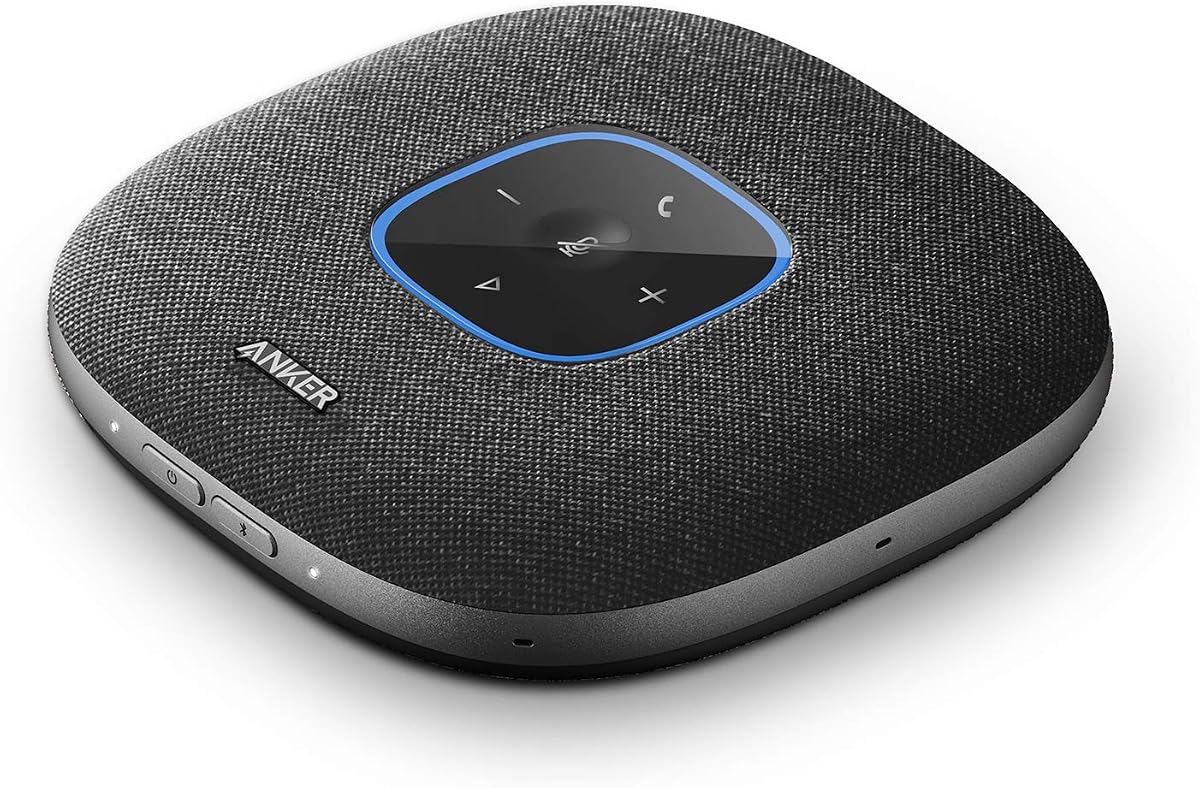


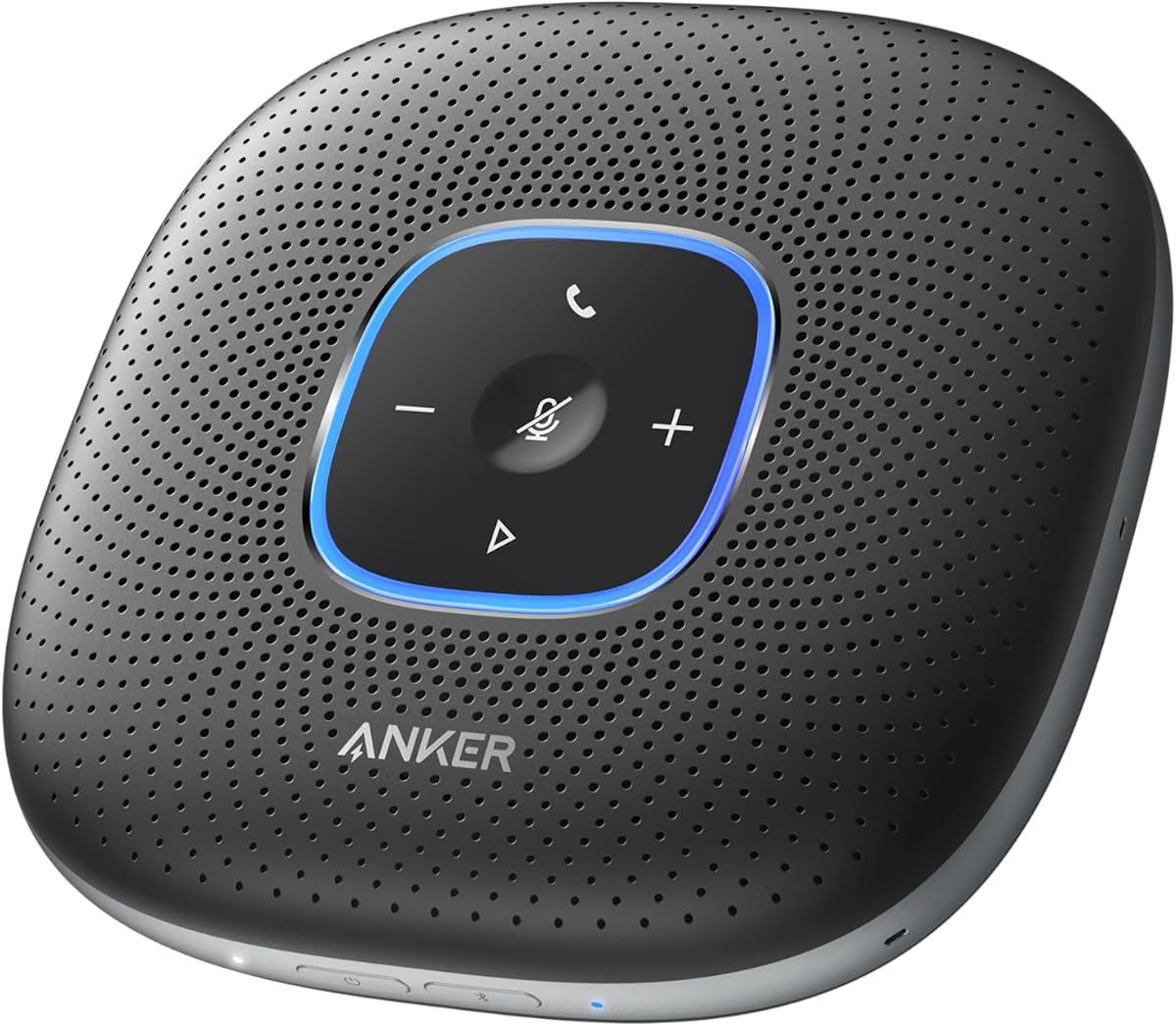
The Anker PowerConf Speakerphone earns a 4.4 rating and stands out as the most balanced option in this guide for a home office. Its six microphones form a 360-degree array, allowing voices to be detected from different positions around a desk or small meeting table. The combination of Bluetooth, USB-C, AI-based noise reduction, echo cancellation, and automatic voice balancing makes it suitable for regular calls rather than only occasional use.
We may earn a commission when you buy through this link, at no additional cost to you.
Voice Radar 3.0 is the central technical feature. It uses AI-based processing to reduce noise, cancel echo, and detect multiple speakers, while the voice optimization balances differences in speaking volume and distance. That balance is particularly useful in a home workspace where a colleague may sit farther from the device than the laptop microphone would capture. The speaker also supports connection to a phone over Bluetooth or to a computer through USB-C without requiring driver installation.
The 5,200mAh battery provides up to 24 hours of call time, allowing the unit to move between a desk, kitchen table, and shared workspace without being tied to a power outlet. Integrated PowerIQ charging also provides a practical benefit for longer workdays. The trade-offs are modest: the device is more specialized than a standard portable speaker, and some computer setups may require a suitable USB-C connection. Despite those considerations, the feature set is unusually complete for the category.
This is the recommendation for most people searching for a Bluetooth speakerphone for a home office. It balances room coverage, flexible connectivity, voice processing, and battery life without asking users to compromise heavily on any one area. Choose it if you regularly join online meetings, want to move around during calls, or need a device that can work with both a computer and a phone.
The six-microphone array is designed to capture voices from all directions, so the speakerphone does not need to be positioned directly in front of one participant. This is especially useful when the device sits in the center of a desk or shared table.
Bluetooth serves phone-based meetings, while USB-C provides a direct computer connection. That flexibility lets you keep one familiar setup across a laptop, smartphone, and multiple online conferencing applications.
We may earn a commission when you buy through this link, at no additional cost to you.
The Anker PowerConf S330 has a 4.4 rating and focuses on uncomplicated, reliable conferencing for a stationary home office. It connects to a computer by USB-C, includes a standard USB adapter, and is designed to join meetings without a complicated setup process. Its four high-sensitivity microphones pick up voices within three meters, making it a practical option for a desk or compact meeting area.
We may earn a commission when you buy through this link, at no additional cost to you.
Smart Voice Enhancement is intended to suppress background noise while making speech more present. The microphone array and processing work together to produce a clearer meeting experience without requiring manual tuning. A 1.75-inch driver and two passive bass radiators also give the unit more body than a typical laptop speaker, which makes it useful for reviewing recordings or playing background music between calls.
The main limitation is its wired-only design. You give up the ability to connect by Bluetooth or carry the device into a meeting room without a compatible USB cable, which makes it less flexible than several alternatives. Its specified three-meter pickup range is also narrower than the five-meter and longer ranges offered by some competitors. For someone whose calls always originate from one computer, however, that simplicity can be an advantage rather than a drawback.
The S330 is best for remote employees with a fixed workstation who want a more capable conference microphone without configuring Bluetooth or managing battery power. It is also a strong choice for shared desks where a permanently wired audio path is acceptable. Choose it when reliable plug-and-play operation and a full-size speaker matter more than wireless flexibility.
USB-C connectivity removes pairing steps and keeps the conference audio on a direct route. The included USB-C-to-USB-A adapter broadens compatibility with desktop and laptop computers that use different ports.
The driver and passive radiators create fuller output than a computer's built-in speakers. That makes the S330 convenient for presentations, training videos, music, and informal calls in addition to formal conferencing.
We may earn a commission when you buy through this link, at no additional cost to you.
The Anker PowerConf S3 carries a 4.4 rating and is built for users who want their voice consistently clear during online meetings. Its six-microphone array provides 360-degree pickup across a meeting space, while a customized digital signal processing algorithm performs real-time voice optimization and background-noise reduction. These features make it a natural fit for people who speak from different places around a home office.
We may earn a commission when you buy through this link, at no additional cost to you.
Automatic volume balancing compensates for variations in loudness and distance, reducing the need to move the unit or adjust computer settings. Double Talk is another valuable feature for collaborative conversations because the listing indicates that words are not skipped when participants speak simultaneously. Bluetooth 5 and USB-C provide convenient options for a phone or computer, and compatibility with leading conferencing platforms reduces the likelihood of a platform-specific setup problem.
App control offers an extra layer of customization, although it is also the main setup consideration. Users who want a completely driver-free, cable-free experience may prefer a model with fewer adjustable options. In return, the app provides access to capabilities that are especially useful for repeated calls, including microphone behavior, sound controls, and meeting-related settings.
The S3 is an excellent recommendation for hybrid workers, freelancers, and small teams sharing a home office. Its combination of wireless freedom, battery endurance, and processing features supports calls from laptops and phones. Choose it when voice clarity and simultaneous conversation handling are the central priorities, and you are comfortable spending a little time configuring the app.
Automatic voice balancing helps participants sound equally clear whether they are seated beside the device or farther across the room. The six microphones support this wider area of coverage.
Bluetooth 5 supports wireless phone use, while USB-C offers a direct connection to a computer. Popular conferencing-platform compatibility helps keep the device practical across different daily workflows.
We may earn a commission when you buy through this link, at no additional cost to you.
The Jabra Speak 510 2025 Edition has the highest listed rating in this comparison at 4.7. It is a portable USB and Bluetooth conference speaker designed to deliver clear, professional sound for calls and meetings without a complicated setup process. Its supported devices include laptops, smartphones, desk phones, and softphones, giving it broad relevance for both home offices and traveling professionals.
We may earn a commission when you buy through this link, at no additional cost to you.
The main benefit is flexibility. Users can connect over Bluetooth or USB depending on their computer, phone, or softphone, while the portable form makes it easier to move between a desk and another meeting location. The listing emphasizes that setup takes only seconds, which is useful for short appointments where there is little time to troubleshoot conference software or device pairing.
The supplied information does not specify the number of microphones, exact voice pickup radius, battery duration, or particular noise-cancellation algorithm. That limits how precisely it can be compared with technical models such as the Anker PowerConf S3 or YAMAHA YVC-330. Nevertheless, its strong rating, straightforward setup, and broad device support indicate a dependable choice for standard meeting environments.
Choose the Jabra Speak 510 2025 if your priority is an uncomplicated speakerphone that works across several device types and can travel with you. It is particularly attractive for solo professionals, travelers, and hybrid employees who alternate between home, offices, and shared spaces. Your decision should also account for the smaller set of published technical details.
Bluetooth and USB connections cover the most common meeting workflows, while compatibility with desk phones and softphones expands its use beyond a single laptop-centric setup.
The portable enclosure makes the Speak 510 easy to place in a work bag. That portability is valuable for professionals who regularly hold meetings outside their normal desk area.
We may earn a commission when you buy through this link, at no additional cost to you.
The Yealink SP92 has a 4.1 rating and stands out as the value-oriented selection in this guide. It combines an omnidirectional microphone, AI noise cancellation, full-duplex operation, echo cancellation, and a 20-hour rechargeable battery. The supplied specifications describe room coverage within a 13-foot radius and suitability for groups of four to eight people, making it capable beyond a compact solo workspace.
We may earn a commission when you buy through this link, at no additional cost to you.
Its noise-cancellation system is designed to filter more than 1,000 types of environmental sounds, including examples such as keyboard taps and air-conditioning hum. A 50mm speaker and Virtual Bass feature support clear voice reproduction, while full-duplex microphones allow natural simultaneous conversation. Microsoft Teams certification adds confidence for enterprise users, and compatibility extends to Zoom, Google Meet, Cisco Webex, and other unified communications platforms.
Connection flexibility is unusually strong. Bluetooth 5.3 provides a stated 30-meter range, USB-C offers a wired path with an adapter included, and an optional BT51C dongle adds another way to connect computers. The rechargeable battery lasts up to 20 hours for calls or music and recharges in 2.5 hours with a 5V/2A source. At 276g and 5 by 5 by 1.3 inches, the device also comes with a compact carrying case.
The SP92 is best for budget-conscious users who need a complete portable package and work in small meeting rooms. Its 4.1 rating is lower than the other products here, but the feature set is extensive for its category. Choose it when room coverage, multiple connection methods, and battery life are more important than having the highest listed rating.
The AI system is designed to reduce common distractions such as keyboard taps and mechanical hum. This makes the speakerphone useful in shared rooms where background sound can be unpredictable.
Bluetooth, USB-C, and the optional dongle provide several paths to a computer or phone. The included adapter and carrying case make it straightforward to transition between a home desk and a small meeting room.
We may earn a commission when you buy through this link, at no additional cost to you.
The Lenovo Speakerphone 6000 has a 4.5 rating and targets professional hybrid-work environments. Its eight beamforming microphones use AI-powered noise cancellation to prioritize voices and reduce distractions across a pickup range of up to five meters. A 50mm speaker driver and full-duplex operation support natural conversations in which multiple people can speak and listen at the same time.
We may earn a commission when you buy through this link, at no additional cost to you.
Microsoft Teams certification comes with a dedicated Teams button for fast call control through USB. For broader workflows, Bluetooth 5.3 supports dual-device connectivity, meaning two devices can remain connected at once, and the speakerphone can pair with up to eight devices overall. USB-C or USB-A provides another wired option and can also be used for charging and plug-and-play operation.
The durable design adds value beyond audio. An IP54 rating protects against dust and splashes, while a compact body, included carrying case, and up to 12 hours of talk time support travel and all-day use. The shorter battery specification compared with the Anker and Yealink models is the principal quantitative trade-off, and the Teams-specific controls are most relevant to organizations centered on that platform.
Choose the Speakerphone 6000 for enterprise users, team leads, and hybrid employees who want advanced microphone processing and device management. It is particularly compelling where calls cross between a computer and phone, or where a dedicated Teams control and ruggedness matter. For users prioritizing the longest possible battery life, another option may fit better.
Beamforming microphones direct attention toward voices, while AI processing reduces competing background sound. The five-meter pickup range is well suited to conference tables and larger home work areas.
Teams certification and a dedicated control button can simplify recurring enterprise calls. Dual Bluetooth support also reduces the friction of moving between a laptop and mobile phone.
We may earn a commission when you buy through this link, at no additional cost to you.
The Jabra Speak 510 MS has a 4.6 rating and is aimed at users who work with softphones, mobile devices, and computers. It supports conference calls through both Bluetooth and USB, making it a straightforward choice for software-based communication systems. The listing also highlights HD Voice, which is designed to improve the clarity of spoken conversations during calls.
We may earn a commission when you buy through this link, at no additional cost to you.
Its device flexibility is one of its strongest features. A PC, tablet, or smartphone can serve as the source of a conference call, while USB offers a direct wired route for office-based work. The included specification of up to 15 hours of talk time and four days of standby gives the device enough endurance for several workdays when used intermittently.
Compatibility is specifically mentioned for Windows Microsoft Lync and Microsoft Office Communicator. While those references reflect the product's intended professional softphone environment, buyers using newer collaboration services should still verify current platform and operating-system support before buying. The supplied information does not describe the microphone array, noise-cancellation system, or exact room coverage, so its technical positioning is less detailed than some newer alternatives.
Choose the Speak 510 MS when softphone compatibility and battery life are central to your work and you prefer a model from a well-regarded conference-speaker line. It is also useful for people who alternate between a desk computer and mobile device. For buyers who require current platform certification or advanced AI processing, a more explicitly documented model may be preferable.
Direct Bluetooth and USB connections make the speakerphone practical for business calling software. It can serve as a shared conference endpoint rather than limiting audio to a laptop's built-in microphone.
Up to 15 hours of talk time and four days of standby support regular use. The device can remain available for interviews, internal meetings, and client calls without frequent charging.
We may earn a commission when you buy through this link, at no additional cost to you.
The Jabra Speak 710 UC earns a 4.6 rating and combines portable design, broad platform support, and certification for Zoom and Google Meet. Its omnidirectional microphone and HD Voice are designed to make in-room conversations sound clear, while the supplied specifications describe coverage for as many as six people. That makes it more ambitious than a personal desktop speaker and well suited to a compact meeting table.
We may earn a commission when you buy through this link, at no additional cost to you.
The included Link 370 USB adapter creates a convenient wired connection to a laptop, while Bluetooth offers flexibility for a smartphone or tablet. The listing states that setup requires no IT assistance and that the unit can be connected in seconds. It also works with GoTo Meeting, Google, Skype for Business, and other platforms, which broadens its usefulness for mixed meeting schedules.
At 195.4g, the Speak 710 is light enough to carry between rooms or on business trips. A protective travel pouch is included, reinforcing its portable positioning. The main information gap is battery duration: the supplied listing does not quantify talk time or standby time. Users whose priority is a long untethered workday should therefore confirm the current specifications before finalizing their choice.
Choose the Speak 710 UC if you regularly host short, small-team calls and value recognized meeting-platform certification. It is also a strong choice for a hybrid professional who wants one speakerphone for home, office, and travel. Its dedicated adapter and pouch make the ownership experience simpler than models that require optional accessories.
The omnidirectional microphone is designed to gather voices around the device, allowing up to six people to participate without relying on one laptop microphone position. It works well for round tables and shared workspaces.
Bluetooth, USB, and the included Link 370 adapter cover the usual meeting-device connections. The travel pouch and low weight make the speakerphone convenient to carry from one location to another.
We may earn a commission when you buy through this link, at no additional cost to you.
The YAMAHA YVC-330 carries a 4.6 rating and is the premium choice in this guide. Its SoundCap technology combines far-field noise reduction, self-silence, and voice activity detection to improve the clarity of conference calls. Three unidirectional microphones focus on speech while detecting whether meeting participants are actually talking, and the system can accommodate groups of five to eight people.
We may earn a commission when you buy through this link, at no additional cost to you.
SoundCap's far-field reduction is designed to eliminate background noise outside a three-foot range, while self-silence mutes the microphone when participants are not speaking. Human voice activity detection helps the system pick up speech rather than unrelated sounds. These features create a quieter, more natural listening experience, especially in rooms where a constant appliance or computer fan could otherwise be captured.
Connectivity is unusually flexible. USB 3.0, Bluetooth, and NFC give the speakerphone multiple ways to join a meeting, while a six-foot USB cable is included and no adapter is required. The illuminated controls show blue during talk mode and red when muted, which gives users immediate visual confirmation. The supplied information does not state battery runtime, so wireless endurance should be verified for extended mobile schedules.
Choose the YVC-330 when meeting quality, sophisticated voice processing, and a refined professional setup justify a premium approach. It is suited to serious remote professionals, small conference spaces, and users who value clear microphone behavior and multiple connection methods. Your computer or phone must also support one of the listed connections, but setup itself is described as quick and straightforward.
Far-field reduction limits background noise, while voice activity detection directs processing toward actual speech. Together, these functions help remote participants focus on the conversation instead of environmental distractions.
USB 3.0, Bluetooth, and NFC provide convenient setup paths across different devices. Blue and red illuminated states communicate talk and mute status, reducing uncertainty during confidential moments.
We may earn a commission when you buy through this link, at no additional cost to you.
The N newline Conference Speaker has a 4.3 rating and offers an approachable combination of wide voice pickup, AI processing, and portable construction. Its two omnidirectional microphones provide 360-degree coverage across a stated five-meter radius, making it suitable for a desk, a larger home office, or a small-to-medium meeting space.
We may earn a commission when you buy through this link, at no additional cost to you.
The AI algorithm reduces background noise and echo in real time, while Double Talk communication is intended to keep speech intelligible when both sides talk simultaneously. A high-power speaker and a dedicated sound-cavity design also improve the listening experience. The listing describes HiFi-level music performance, adding a useful entertainment dimension beyond conference calls.
Bluetooth 5.1 and USB-C make the device adaptable to phones and computers, and its battery supports up to 12 hours of Bluetooth talk time or music playback. At 300g and 6.3 by 5.91 by 1.97 inches, it can fit in a bag and accompany business travel. The wrapped mesh exterior gives it a professional appearance without making it look like specialized office equipment.
Choose the N newline model if you want generous pickup range, wireless freedom, and a polished portable design without focusing on a certified enterprise control panel. Its 4.3 rating is respectable but not the highest in the comparison. Buyers who require explicit certification for a particular meeting platform should verify compatibility details for their preferred service.
The stated five-meter range offers room to move around without relying on a laptop microphone. Omnidirectional pickup also allows participants to speak from different sides of the table.
The 300g housing and understated mesh finish suit both office shelves and laptop bags. Bluetooth operation and 12-hour talk time support mobile schedules.
We may earn a commission when you buy through this link, at no additional cost to you.
The best speakerphone is the one that combines clear voice pickup, easy connections, and enough flexibility for your actual work environment. Room size, platform needs, mobility, and call frequency should guide the decision.
Choose wider coverage for shared tables and small meeting rooms. Select a focused model for a compact desk where your voice should dominate the recording.
Prioritize dedicated voice processing if distractions are common. Clearer speech matters more than added music performance for most calls.
Use USB for a fixed desk and Bluetooth for mobility. Verify current platform support before relying on certification labels.
For fixed-office use, prioritize sound and connections. For mobile work, favor long battery life and a genuinely portable design.
Test speaker clarity for your typical meeting size. Full-duplex and Double Talk features help rapid conversations remain natural.
Check dimensions, weight, and included storage before buying. Use ruggedness ratings only for the environments they actually cover.
Prioritize one-touch controls for simplicity. Use apps when deeper adjustments justify the extra configuration.
Match the device to the largest realistic call. Solo users can prioritize compactness, while group calls benefit from room coverage.
Begin by placing the speakerphone near the center of the conversation, preferably on a stable surface away from papers, cups, and vents. Connect through USB for a fixed computer setup or pair it with a phone over Bluetooth. If an adapter or dongle is included, install it before the meeting and confirm that the conferencing application recognizes the external microphone and speaker.
Run a short test call before important appointments. Ask another person to speak from different parts of the room, check that the mute indicator is visible, and adjust the device's position if necessary. Avoid placing the microphone directly beside a noisy fan, and keep the device within its stated pickup range. For confidential calls, verify the mute status visually and through the application rather than assuming the microphone is off.
Clean the exterior with a soft, dry or lightly damp cloth and avoid pushing moisture into openings. Charge the speakerphone according to the manufacturer's instructions, and use its protective case when traveling. Update any companion application and confirm that your preferred conferencing platform still supports the device. Periodic test calls help reveal changes in software behavior, battery condition, or room acoustics before an important meeting.
It can be. A dedicated speakerphone generally provides more consistent voice pickup, stronger speaker output, and useful noise-processing features. The improvement is most noticeable when you sit farther from the laptop, move around during a call, or share a room with other participants. For quick solo calls, the built-in microphone may still be sufficient.
Not necessarily. A wired USB model can provide a stable connection with less pairing and often more straightforward plug-and-play behavior. Bluetooth is valuable when you use a phone, move between locations, or want to avoid managing a cable. Consider whether your calls actually switch between computers and mobile devices before paying for wireless flexibility.
It depends on the model's microphone design, pickup range, and room acoustics. Products in this guide range from compact personal setups to models intended for groups of four to eight people. More participants require a central placement and a device specified for room coverage; placing a narrow-pickup model in the center of a large room may not produce equal clarity for everyone.
Most models are designed to function as standard audio devices with major conferencing platforms, but exact certification and compatibility vary by listing. Teams-certified products are especially identified for Microsoft Teams, while the Jabra Speak 710 UC is certified for Zoom and Google Meet. Always confirm your operating system, conferencing software, and preferred connection method before purchasing.
Yes. Several models in this guide include full-size speaker drivers or enhanced sound systems that make them useful for presentations, training videos, and music between meetings. For calls, prioritize microphone pickup and noise reduction; for entertainment, compare speaker size, bass response, and overall audio output.
Place it in the center of the group, on a stable surface, and away from laptop fans or other noisy equipment. Speak naturally and avoid leaning over the device or covering its microphones. If possible, position it farther from a constant background source and use the room's soft furnishings to reduce echo.
No. Ratings are useful indicators of broad customer satisfaction, but feature fit matters more for a particular workspace. A highly rated portable model may suit someone whose calls always happen from one quiet desk, while a lower-rated model with wider pickup, dual-device connectivity, or certification may meet your needs better. Consider the complete specification set alongside ratings.
Choose wired if your calls stay on one computer and you prioritize a stable, simple connection. Choose Bluetooth or a model with both options if you use phones, travel between workspaces, or dislike cables. Models with USB, Bluetooth, and a dongle provide the most flexibility but may require more initial configuration.
The Anker PowerConf Speakerphone is the strongest all-around recommendation because it combines six-way microphone coverage, voice enhancement, Bluetooth and USB-C connections, and a 24-hour battery. The Yealink SP92 offers the best budget-oriented balance, while the YAMAHA YVC-330 provides the most premium processing with SoundCap, voice activity detection, and multiple connection methods.
Prioritize the features your calls actually require. A solo professional may need little more than clean voice pickup and simple USB operation, while a shared home office benefits from wider microphone coverage, dual-device connectivity, and stronger noise reduction. Portable users should also compare weight, carrying accessories, and battery life before making a final decision.
Ratings, product details, prices, and availability can change over time, so review the current listing before buying. Confirm the physical connection available on your computer or phone, the compatibility of your conferencing platform, and the microphone coverage needed for your usual room. With those checks completed, you can select a Bluetooth speakerphone that makes daily home-office calls clearer and easier to manage.