
Rosewill Thor NAS
3.9Editor score
Eleven HDD bays
E-ATX motherboard support
400mm card clearance
Our Full Tower Workstation Server Cases guide compares storage, cooling, motherboard support, expansion, airflow, and connectivity for demanding workstation
Full tower workstation server cases combine the spacious interiors of large desktop enclosures with the drive support, expansion flexibility, and airflow required by professional systems. The strongest models accommodate large motherboards, multiple graphics or accelerator cards, extensive cooling hardware, and substantial storage while preserving serviceable layouts for demanding workloads.
We compared these ten cases by motherboard compatibility, drive-bay capacity, cooling options, expansion slots, physical clearances, connectivity, and suitability for workstation, NAS, and server builds. The list covers models with high-density hot-swap storage as well as quieter enthusiast-oriented designs that can host powerful professional components.
Each review identifies the features that distinguish its case and explains who will benefit most from its design. Specifications can vary by revision or bundle, so confirm the current listing, dimensions, and included accessories before ordering, and remember that prices and availability change over time.
3.9Editor score

5.0Editor score
3.9Editor score
The table below compares the ten cases by motherboard support, storage capacity, cooling headroom, and expansion flexibility, making it easier to identify the most appropriate enclosure for a professional workstation, storage server, or multi-GPU system.



The Rosewill Thor NAS is built around storage density, making it a practical option for home labs, AI workstations, media systems, and small business servers. Its 3.9 rating may be less impressive than that of some competitors, but the supplied specifications show a chassis designed to hold up to eleven 3.5-inch hard drives or thirteen 2.5-inch solid-state drives.
We may earn a commission when you buy through this link, at no additional cost to you.
Its most appealing feature is the flexible drive arrangement. Eleven external 5.25-inch bays can be configured for optical devices and additional expansion, while the main chassis provides unusually generous storage capacity for a full tower. E-ATX motherboard support creates room for substantial professional platforms, and the 400mm maximum expansion-card length gives builders considerable freedom when installing large graphics cards or accelerator hardware.
The principal trade-off is cooling. The supplied information lists one 140mm PWM fan, so a storage-heavy or compute-intensive build should not rely on the included cooling alone. Additional fans, careful placement, and compatible dust management remain important. Its 3.9 rating also suggests that buyers should pay close attention to the current customer feedback and confirm the precise configuration included with the listing.
Despite those caveats, the Thor is a strong choice for buyers who define a workstation server case primarily by storage capacity rather than decorative styling or a large bundle of fans. It is especially relevant for NAS development, data archiving, media storage, and experimental AI systems. Users should plan the cooling configuration and verify connector details before completing the purchase.
Supporting eleven 3.5-inch hard drives or thirteen 2.5-inch SSDs makes this enclosure unusually useful for storage-first systems. That capacity can support mixed media libraries, local backups, virtualization datasets, and projects that need more than a typical desktop case can store.
E-ATX motherboard support and expansion cards up to 400mm provide a useful foundation for Threadripper-class boards, large accelerators, and multi-card workstation layouts. Users should still map each component against the chassis specification before installing several full-length cards.
We may earn a commission when you buy through this link, at no additional cost to you.
The Phanteks Enthoo Pro 2 Server V2 is an expansive full tower aimed at extreme workstation and server configurations. The supplied listing does not provide a customer rating, but its specification sheet is unusually ambitious: it supports SSI-EEB motherboards, eleven PCI slots, storage configurations for up to ten hard drives or eleven SSDs, and as many as fifteen fans.
We may earn a commission when you buy through this link, at no additional cost to you.
All-metal mesh panels form the foundation of its airflow approach. The open interior can accept 480mm and 360mm radiators, while the chassis offers substantial room for multiple cooling devices and power supplies. Three fan positions over the PCI and CPU area target the most heat-intensive areas directly, which is useful for systems combining large processors with multiple expansion cards.
There is no customer rating to contextualize long-term reliability, and the case is not described as offering hot-swappable storage. Those details make it less compelling for conventional rack-style server administration but still highly relevant to builders who want a large, visually capable chassis with extensive thermal options. The metal construction and broad motherboard support also distinguish it from more basic storage towers.
This Enthoo Pro 2 Server V2 is best suited to advanced workstation builders, rendering enthusiasts, and engineers who want freedom to install extensive cooling and expansion hardware. Its open interior and high cooling ceiling make it particularly useful when component heat is the primary concern. Confirm exact motherboard, drive, and accessory dimensions before finalizing a build.
The ability to install up to fifteen fans creates exceptional flexibility for positive-pressure airflow, high-static-pressure cooling, or complex radiator arrangements. This makes the chassis well suited to high-output processors and multi-card systems where concentrated heat needs dedicated circulation.
Support for SSI-EEB boards, eleven expansion slots, and large radiators allows the enclosure to scale with workstation-class hardware. The broad interior reduces the need to compromise motherboard format, cooling arrangement, or card selection.
We may earn a commission when you buy through this link, at no additional cost to you.
The Antec 900 Full-Tower E-ATX combines broad hardware compatibility with a generous cooling package, making it the strongest all-around option in this guide. It carries a 5.0 rating and comes with six high-performance PWM fans, so buyers receive a meaningful cooling foundation rather than an empty chassis requiring an immediate fan purchase.
We may earn a commission when you buy through this link, at no additional cost to you.
The chassis supports E-ATX, SSI-EEB, Threadripper, and back-connect motherboards. It can accommodate dual GPUs up to 495mm long and 160mm thick, a particularly useful specification for professional visualization, machine learning, rendering, and other multi-accelerator applications. Front radiator support extends to 420mm, while the included fans establish airflow through the front, power-supply shroud, and rear.
Storage is less aggressive than on dedicated NAS cases, but nine drive positions still provide a versatile arrangement. Four accept both 3.5-inch and 2.5-inch drives, while five are dedicated to 2.5-inch devices. The tool-free tempered-glass panel, reusable PCIe covers, and full dust filtration make routine maintenance more convenient than with a fixed-panel design.
This is the ideal choice for buyers who want to assemble a powerful workstation without immediately adding a complete fan kit. It handles large motherboards, long graphics cards, substantial cooling, and multiple SSDs with fewer compromises than many conventional full towers. Those needing hot-swap trays or more than nine drives should instead look to a storage-oriented enclosure.
The ability to hold two GPUs up to 495mm long creates useful room for oversized professional graphics cards. This is important when workstation accelerators extend beyond the dimensions seen in many gaming-focused cases.
Six included PWM fans cover the front intake, rear exhaust, and power-supply shroud. Builders can immediately establish a directed airflow path and add further fans or a large radiator if thermal demands increase.
We may earn a commission when you buy through this link, at no additional cost to you.
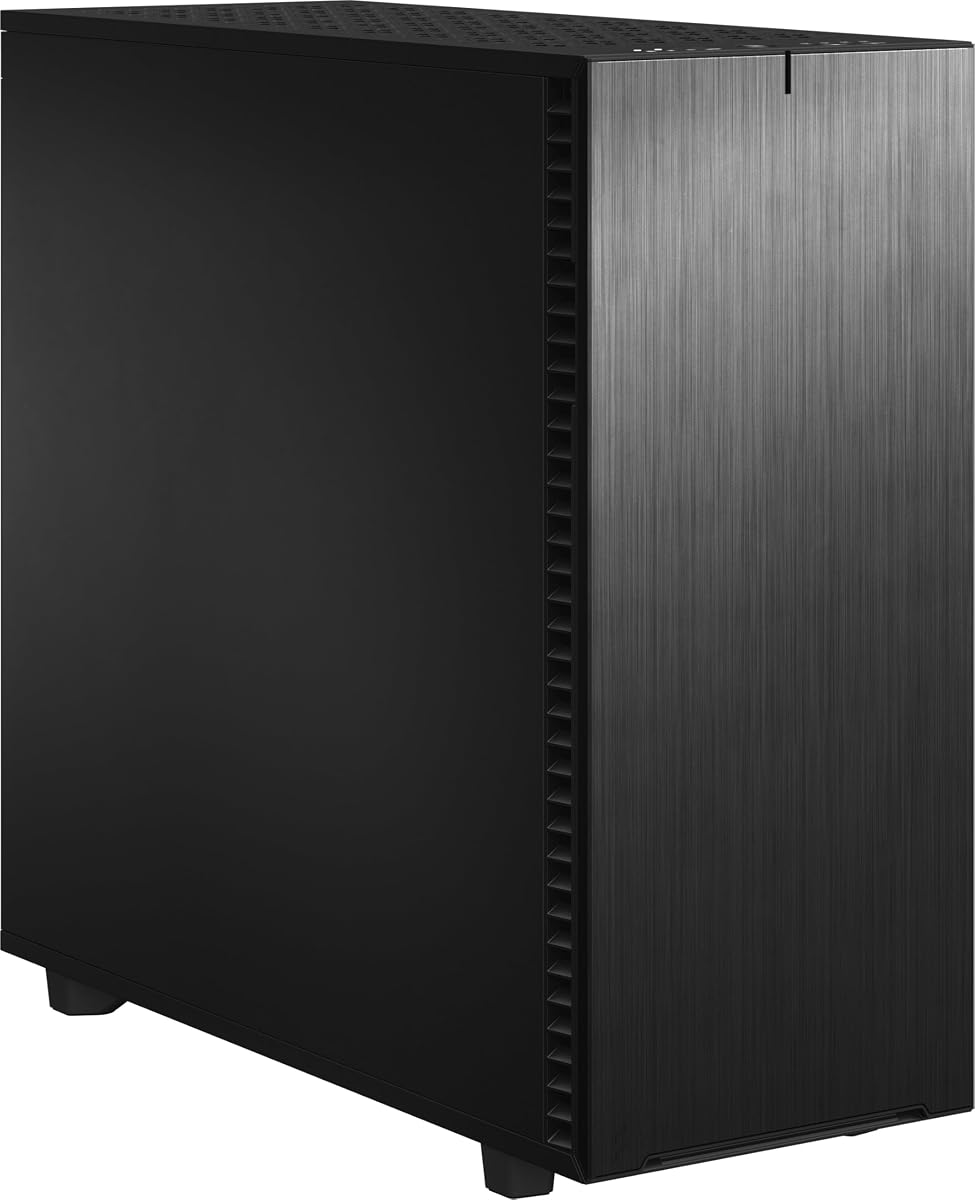
The Fractal Design Define 7 XL is the choice for buyers who want workstation capacity in a quiet, refined enclosure. Its 4.6 rating reflects a generally favorable reception, while the brushed aluminum and steel construction gives it a more finished appearance than most utilitarian server towers.
We may earn a commission when you buy through this link, at no additional cost to you.
The internal layout accepts E-ATX and SSI-EEB motherboards and offers an unusually large default storage arrangement: up to eighteen hard drives and five solid-state drives. That makes the case suitable for professional editing archives, local data centers, render farms, and backup systems. The layout can also be converted to an open configuration for custom water loops with large reservoirs and radiators up to 480mm.
The trade-off is that the refined exterior, front door, and modular layout make the chassis less obviously service-oriented than a barebones server case. Maximum drive figures can change with the selected configuration, so installers should verify the exact bracket arrangement required for their disks. Those limitations are modest for builders who value quiet operation and a professional appearance.
This Define 7 XL is best for studio workstations, advanced home labs, and offices where both storage density and appearance matter. Its 18-HDD layout is especially useful for local backup and media systems, while the open layout appeals to enthusiasts planning custom cooling. Choose it when versatility and refinement matter more than hot-swap operation.
The default layout accommodates as many as eighteen hard drives and five SSDs, an exceptional combination of density and refined presentation. It can serve as an office file server, editing archive, or backup repository without looking like a bare industrial enclosure.
Changing to the open layout removes constraints that would otherwise limit a custom water-cooling system. Large reservoirs and radiators up to 480mm can then be positioned around high-output workstation components.
We may earn a commission when you buy through this link, at no additional cost to you.
The Antec Flux Pro delivers an impressive amount of full-tower capability without requiring a case full of fans to be purchased separately. Its 4.7 rating is among the strongest in the group, and the supplied specification includes six PWM fans alongside support for as many as twelve fan positions.
We may earn a commission when you buy through this link, at no additional cost to you.
Cooling is the defining strength. Three 140mm Tranquil PWM fans occupy the front, two P12R reverse fans sit on the power-supply shroud, and one 140mm Tranquil PWM fan provides rear exhaust. The case can also operate both a 420mm radiator and a 360mm radiator simultaneously. Removable cooling brackets on the top, front, and shroud simplify changes to the layout.
Its less obvious trade-offs concern storage and server-specific serviceability. The supplied information does not detail a high-density drive arrangement or hot-swap trays, so buyers focused on mass storage should investigate those dimensions first. The combination of metal, glass, and wood adds visual character, but workstation buyers prioritizing quietness may also need to evaluate fan acoustics and system configuration.
The Flux Pro is a sensible budget choice for creators, developers, and workstation builders who want generous cooling and E-ATX capacity in a visually interesting enclosure. It offers more immediate value than a bare case because six fans are included. It is less suited to enterprise hot-swap storage, but strong for a high-performance custom workstation.
Supporting twelve fans gives the chassis far more cooling flexibility than a standard compact tower. Even though six are included, additional positions allow users to create positive pressure, improve intake through dust filters, or dedicate airflow to a dense expansion area.
The ability to install both a 420mm and a 360mm radiator enables a serious thermal configuration. This is valuable for high-power processors, workstation GPUs, and custom-loop projects that need substantial radiator surface area.
We may earn a commission when you buy through this link, at no additional cost to you.
The KM7B Full Tower is explicitly designed around a large number of hard drives, making it a practical NAS and local-server enclosure. Its 13 HDD and two SSD positions exceed the capacity of most general-purpose full towers, although the supplied listing does not include a customer rating for additional context.
We may earn a commission when you buy through this link, at no additional cost to you.
Motherboard support extends from Mini-ITX and Micro-ATX through ATX to E-ATX. Expansion is divided into seven plus three slots, and fan mounting is available at the front, rear, and top. The stated cooling capability includes 360mm and 280mm liquid-cooling configurations, while a CPU cooler allowance of 180mm gives builders room for substantial tower heatsinks.
The main engineering trade-off appears in graphics-card clearance. A card can extend to 417mm when the drive bays are not occupied, but that allowance falls to 280mm when they are in use. A workstation requiring both maximum storage and a long graphics card may therefore need careful planning. Front-panel connectivity is also less advanced than that of newer premium cases.
This case is best for archive servers, backup systems, media libraries, and entry-level NAS builds where drive capacity is the central requirement. It offers more expansion slots than many storage-focused cases and enough flexibility for an E-ATX workstation motherboard. Users intending to install several long cards should measure the populated chassis and plan airflow around the storage cage.
Thirteen HDD positions make the KM7B practical for bulk storage, local backups, and media libraries. Two dedicated SSD positions provide room for boot devices and frequently accessed data without occupying the hard-drive array.
Support for four motherboard formats and ten expansion slots allows the enclosure to serve both compact server boards and full E-ATX workstation platforms. The flexibility is valuable when reusing components across several project generations.
We may earn a commission when you buy through this link, at no additional cost to you.
The Silverstone SETA H2 is a robust full-size workstation tower aimed at systems that need durability, motherboard flexibility, and room for multiple graphics cards. Its 4.4 rating indicates positive customer reception, while the high-grade steel construction and fully perforated front panel emphasize longevity and airflow.
We may earn a commission when you buy through this link, at no additional cost to you.
The chassis supports SSI-EEB, SSI-CEB, E-ATX, ATX, Micro-ATX, and Mini-ITX motherboards, one of the broadest form-factor lists in the guide. Eight available expansion slots create room for multi-GPU configurations. Storage supports up to fifteen 2.5-inch SSDs or 3.5-inch hard drives, including 15mm-thick SSDs, which gives it more flexibility than a typical gaming tower.
Fans are not included, so this is not an out-of-box solution for users who want immediate airflow. It also lacks a dedicated hot-swap tray system, making it more appropriate for a fixed workstation or workstation-style server than a frequently serviced storage cluster. The benefit is a simpler, potentially more accessible internal arrangement for permanent installations.
The SETA H2 is well suited to 3D rendering, engineering visualization, machine-learning development, and other multi-GPU workloads. Its mix of motherboard formats and expansion slots also makes it attractive for institutional builders reusing mixed components. Buyers should budget for a complete fan set and verify the drive arrangement against their intended layout.
High-grade steel gives the chassis a durable foundation for stationary workstation installations. That construction is valuable where the system will remain assembled for years and may need to resist frequent transport or modification.
Eight expansion slots provide meaningful multi-GPU capacity. Combined with support for specialized workstation motherboard formats, this makes the SETA H2 suitable for professional visualization and compute-dense builds.
We may earn a commission when you buy through this link, at no additional cost to you.
The Fractal Design Pop XL Air RGB brings a more expressive design to the full-tower workstation category. Its 4.7 rating is among the best in the group, and it is particularly appealing to content creators who want their workstation to display its components through a tempered-glass side panel.
We may earn a commission when you buy through this link, at no additional cost to you.
It supports E-ATX, ATX, Micro-ATX, and Mini-ITX motherboards and includes four 120mm Aspect RGB fans. Two additional fan positions bring the total to six. Radiator support extends to 360mm at the front, 280mm at the top, and 140mm at the rear, providing flexible cooling options for creative workstation components.
Storage is more modest than the NAS-focused choices in this guide. The case accommodates up to four hard drives and six SSDs, or three hard drives and five SSDs when an optical bay is occupied. Two 5.25-inch bays sit behind a magnetic cover and storage drawer. There are no hot-swap trays, so it is better suited to a permanent creative build than a frequently serviced data center.
This Pop XL Air RGB is best for streamers, editors, illustrators, and developers who want color-coordinated equipment without sacrificing large motherboard support. The included lighting and visible component area improve the visual appeal, while the fan and radiator options are sufficient for many workstation configurations. Server builders focused on disk density should select a more specialized enclosure.
Four included Aspect RGB fans allow a coordinated lighting setup from the initial build. This makes the case particularly suitable for desks and studio spaces where the workstation is part of the visible production environment.
The tempered-glass side panel gives builders a clear view of the hardware while retaining an open visual style. It works well for systems with custom cable management, prominent cooling hardware, and visible internal components.
We may earn a commission when you buy through this link, at no additional cost to you.
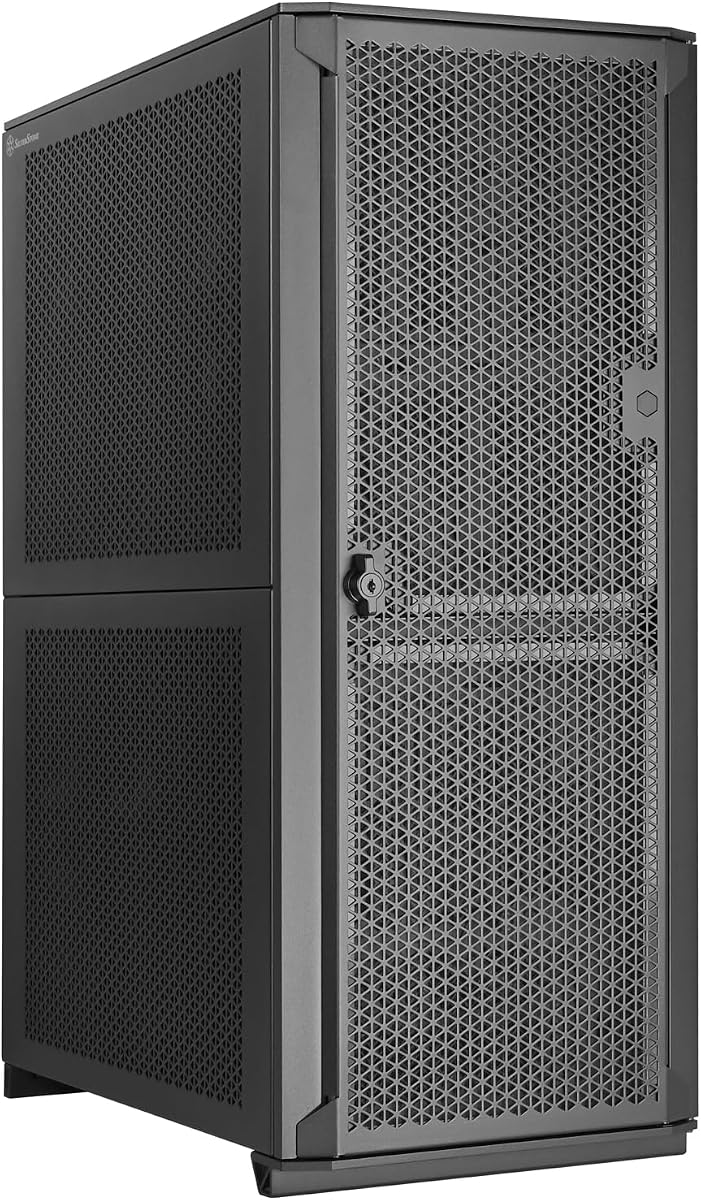
The Silverstone ALTA D1 is the most specialized and premium enclosure in the guide. Its 3.9 rating should be considered alongside a feature set aimed at exceptionally large workstations rather than ordinary gaming desktops, including eleven expansion slots, dual power-supply capability, and support for specialized motherboard dimensions.
We may earn a commission when you buy through this link, at no additional cost to you.
Motherboard compatibility includes 12-by-13-inch SSI-EEB and 15.12-by-13.2-inch specialized formats. Eleven expansion slots create considerable room for multiple professional graphics cards or accelerator cards, while total graphics-card clearance is listed at 407mm. Up to three 360mm radiators can be installed, giving the chassis extraordinary cooling capacity for compute-intensive systems.
Its trade-offs are specialization and complexity. A builder must confirm that the exact motherboard dimensions, card arrangement, power supplies, and cooling loop align with the modular layout. The supplied rating is moderate, and detailed customer feedback should be reviewed for the current configuration. These constraints are acceptable for a purpose-built professional platform but may frustrate a simple upgrade.
The ALTA D1 is best for engineers, visualization studios, AI developers, and institutional teams assembling multi-GPU systems with specialized boards. The dual-PSU provision and broad expansion support are especially valuable where redundancy, power segmentation, or several high-end cards are priorities. It is an advanced enclosure for planned, component-specific builds rather than a general-purpose first project.
The unusually high expansion-slot count distinguishes the ALTA D1 from standard full towers. It gives multi-workstation builds the freedom to use several professional cards while preserving a structured internal layout.
Dual-PSU capability can support power-heavy systems with segmented workloads, while three 360mm radiators offer extensive heat-transfer capacity. These features are valuable for specialized boards and multi-accelerator installations that exceed conventional workstation limits.
We may earn a commission when you buy through this link, at no additional cost to you.
The Silverstone CS383 is purpose-built for storage users who need to replace drives without dismantling the system. It carries a 4.5 rating and includes eight hot-swappable trays compatible with 3.5-inch and 2.5-inch SAS-12G or SATA-6G drives, making it a strong fit for a compact NAS or storage-focused workstation.
We may earn a commission when you buy through this link, at no additional cost to you.
The enclosure supports E-ATX and SSI-EEB motherboards, along with eight expansion slots and graphics or adapter cards up to 340mm. Cooling support extends to 420mm liquid radiators or air coolers up to 186mm tall. Dual power supplies are possible, and additional 5.25-inch drive-bay support can be added for more expansion.
The hot-swap system necessarily reduces some interior flexibility, and the shorter card clearance is less accommodating than several competing full towers. Buyers also need to verify detailed motherboard dimensions and component clearances because the supplied information does not list them. Those constraints are acceptable when rapid drive maintenance and clean data-center-style workflows are more important than maximum graphics clearance.
The CS383 is best for home labs, small businesses, media archives, and professional storage workstations where drive accessibility matters. Its eight-bay hot-swap arrangement makes routine maintenance faster and keeps the chassis visually and operationally closer to a compact server. For maximum storage, buyers can investigate the stated support for additional 5.25-inch bays.
Eight hot-swappable trays allow failed or upgraded drives to be replaced efficiently. That convenience is valuable for storage arrays where availability and quick maintenance are operational priorities.
Support for SAS-12G and SATA-6G drives broadens compatibility with high-capacity and enterprise-oriented storage hardware. The combination gives builders useful options for both conventional desktops and more demanding server configurations.
We may earn a commission when you buy through this link, at no additional cost to you.
Choosing a full tower workstation or server case requires balancing motherboard format, storage architecture, expansion requirements, cooling, and maintenance access. The most useful enclosure is not necessarily the largest one, but the model whose layout matches the hardware and service pattern of the intended system.
Begin with the exact board rather than a broad processor category. Full tower cases commonly support ATX and E-ATX, while specialized workstations may require SSI-EEB or SSI-CEB. The Rosewill Thor and several Antec models support E-ATX, the Fractal Design Define 7 XL adds SSI-EEB, and the Silverstone ALTA D1 extends into highly specialized board dimensions. Checking the board outline and mounting pattern prevents an expensive mismatch after the processor and memory have already been selected.
Motherboard support should be matched against the planned upgrade path. Choose a case with sufficient board size and mounting compatibility if you expect to move from ATX to E-ATX or a server-oriented platform later.
Storage needs determine whether fixed drive bays, removable trays, or hot-swap carriers are most useful. The Rosewill Thor supports as many as eleven hard drives or thirteen SSDs, the Define 7 XL offers up to eighteen HDD and five SSD mounts in its default layout, and the KM7B provides thirteen HDD and two SSD positions. For frequent drive replacement, the Silverstone CS383 stands apart with eight hot-swappable SAS-12G or SATA-6G trays.
Choose based on the operating pattern rather than only the maximum count. High static capacity favors fixed or semi-modular bays, while active arrays, mirrored pools, and business-critical storage benefit from hot-swap access.
Professional rendering, AI development, virtualization, and scientific computing can require several long or power-hungry graphics cards. The Antec 900 accommodates dual GPUs up to 495mm long, the Silverstone SETA H2 offers eight expansion slots, and the ALTA D1 raises that figure to eleven. Expansion slots alone do not guarantee simultaneous operation, so check slot spacing, lane arrangement, power distribution, and physical clearance.
For a multi-card system, prioritize the number of usable slots and room for power and data cables. Avoid selecting on GPU length alone when risers, coolers, or multiple power connectors may also be required.
Full towers have room for more fans and larger radiators, but their effectiveness depends on component placement and the supplied airflow path. The Antec 900 includes six PWM fans and supports a 420mm front radiator. The Phanteks Enthoo Pro 2 Server V2 supports up to fifteen fans, while the Fractal Design Define 7 XL accepts radiators up to 480mm after conversion to its open layout. The ALTA D1 can accommodate three 360mm radiators.
Match cooling capacity to the combined heat output of the processor and graphics cards. Confirm radiator position, fan direction, CPU-cooler height, and whether the product includes the fans needed to operate the chosen cooling arrangement.
A perforated or mesh exterior can provide a stronger intake path than a decorative solid panel, especially in systems running continuously. The Phanteks Enthoo Pro 2 Server V2 uses all-metal mesh panels, and the Silverstone SETA H2 uses a fully perforated steel front. Other cases, such as the Antec 900, add filtration at the front, top, and bottom. Both approaches can work well, but filtered designs require periodic cleaning to avoid restricting airflow.
Prioritize coherent front-to-rear airflow and unobstructed intake near the drive cage. Position the power supply in the correct orientation and ensure dense storage does not isolate high-temperature processors or expansion cards.
Serviceability determines how easily drives, fans, filters, and expansion cards can be reached. The Silverstone CS383 offers the strongest hot-swap workflow, while the Antec 900 uses a tool-free tempered-glass side panel and reusable PCIe covers. The Fractal Design Define 7 XL uses modular brackets and a magnetic front door, and the KM7B uses a magnetic front panel. Fixed rails, removable cages, and captive screws can make a large difference during routine maintenance.
Choose the access system that matches how often the system will be serviced. A frequently maintained storage server benefits from quick drive access, while a mostly stationary rendering workstation may prioritize quiet panels and unobstructed expansion.
Front connectivity can affect everyday workflow, particularly when transferring media, connecting diagnostic displays, or replacing drives. The Rosewill Thor includes USB 3.2 Type-C, the Antec 900 supports USB Type-C 3.2 Gen 2 at 10Gbps, and the KM7B provides one USB 3.0 port, two USB 2.0 ports, and HD audio. The Flux Pro adds a CPU and GPU dual-temperature display, which is useful for monitoring a loaded system.
Confirm that the included connectors match the case header and the devices you plan to use. A capable front panel is helpful, but it should complement rather than replace adequate cooling, storage flexibility, and service access.
A workstation may sit in an office, studio, or editing room, making noise and appearance relevant beyond raw specifications. The Fractal Design Define 7 XL uses brushed aluminum and steel for a quiet, premium character, while the Pop XL Air RGB and Antec Flux Pro emphasize visual materials and lighting. Mesh and perforated cases prioritize unrestricted airflow but can reveal more of the internal hardware and cable-management choices.
Choose the style that suits the environment and the owner's priorities. Quietness depends on the complete system, so case fans should be paired with appropriate airflow and compatible component cooling rather than judged in isolation.
Plan the installation before inserting the motherboard. Identify the front-to-rear airflow path, then position the power supply, motherboard, drives, and expansion cards around it. Keep the CPU cooler and rear exhaust unobstructed, and confirm that full-length graphics cards do not interfere with drive cages or front fans. If using hot-swap trays, attach the correct data and power connections before sliding each drive into place.
Use the case's removable brackets and modular sections deliberately rather than forcing components into an awkward position. Route cables behind the motherboard tray, preserve clearance around large radiators, and use reusable slot covers where no card is installed. Install dust filters according to the manufacturer's airflow direction and check them periodically, especially in a workshop or studio where airborne dust can accumulate quickly.
For ongoing care, power down and disconnect the system before opening the chassis. Inspect fans, filters, drive trays, and cable connections at regular intervals, and do not operate a drive carrier while the system is active. Clean removable parts with methods suitable for their materials, keep airflow paths clear, and confirm that expansion-card retention, drive latches, and structural screws remain secure after any upgrade.
Not necessarily. A full-tower gaming case may support E-ATX boards and long graphics cards while offering relatively few drive bays. A workstation server case often adds denser storage, more expansion slots, larger motherboard support, serviceable trays, or hot-swap capabilities. The right choice depends on whether the priority is visual styling, graphics hardware, storage, or maintenance access.
Not in every situation, because E-ATX motherboards can fit in some cases marketed as ATX or full-tower models. However, full towers generally provide more room for E-ATX boards, long expansion cards, power supplies, cooling, and drive arrays. Check the case's motherboard support and component clearances rather than relying on its broad size category.
The Rosewill Thor NAS is notable for supporting up to eleven 3.5-inch hard drives or thirteen 2.5-inch SSDs. The Fractal Design Define 7 XL offers greater default HDD capacity, while the Silverstone CS383 is best when hot-swappable trays are important. The best choice depends on whether capacity, quiet appearance, or rapid drive maintenance matters most.
They are essential for storage systems that require frequent replacement without shutting down and dismantling the entire enclosure. For a permanent workstation with a smaller, fixed data set, conventional drive bays may be adequate. Consider hot-swap support if you expect mirrored storage, frequent backups, RAID-style arrangements, or continuous operation.
Yes, but radiator dimensions and mounting locations vary substantially. The Fractal Design Define 7 XL supports radiators up to 480mm in its open layout, the Phanteks Enthoo Pro 2 Server V2 supports 480mm and 360mm radiators, and the Antec Flux Pro can install both 420mm and 360mm models simultaneously. Confirm mounting points, fan clearance, and loop planning before purchasing a custom loop.
Start with the data that must remain locally available, allow room for backups, and consider future growth. Capacity needs differ sharply between a media-editing archive, a virtual machine host, and an AI dataset workstation. Cases with 13 to 18 hard-drive positions provide additional flexibility, while hot-swap designs make larger arrays easier to maintain.
Not always, because the number of cards and the spacing between them are more important than the raw slot count. Two dual-slot graphics cards require at least four physical slots, while more complex accelerator arrangements need additional space. The Silverstone ALTA D1 offers eleven expansion slots, but power connections, card clearance, motherboard lanes, and physical spacing must all be verified.
Both approaches can work. Mesh and perforated panels generally encourage unrestricted airflow, while filtered panels can reduce dust entry but require regular cleaning. For a quiet workstation, fan quality and component placement matter as much as panel design, so compare cooling support and use a deliberate intake-and-exhaust arrangement.
The Antec 900 Full-Tower E-ATX is the most balanced overall choice because it combines a 5.0 rating, six included PWM fans, broad motherboard support, and exceptional dual-GPU clearance. The Rosewill Thor NAS is the leading storage-focused option, while the Silverstone ALTA D1 is the premium choice for specialized boards, numerous expansion slots, dual power supplies, and extensive radiator capacity.
For most buyers, the correct priorities are motherboard format, drive requirements, and expansion layout before aesthetics. Use the Fractal Design Define 7 XL for quiet, premium builds with high storage capacity; the Silverstone CS383 when hot-swappable drives matter; and the Phanteks Enthoo Pro 2 Server V2 when fan and radiator flexibility is the central requirement. Check every clearance before ordering.
Finally, review the current product listing, included accessories, customer feedback, and component specifications before purchasing. Cases, bundles, and revisions can change over time, and prices and availability also fluctuate. Comparing the present listing with the workload and upgrade path of your system is the safest way to select the right enclosure.