
UGREEN NAS DH2300
4.5Editor score
Two-bay beginner-friendly design
Personal photo and file storage
Automatic multi-device backups
A home media server benefits from storage that is fast enough for streaming, expandable enough for a growing collection, and protected against the kind of accidental file loss that makes external drives unreliable. The best setup combines a capable NAS enclosure with drives designed for continuous operation, rather than judging storage only by raw capacity.
This guide compares ten practical options across NAS appliances, DIY home servers, and purpose-built NAS hard drives. We considered bay count, networking, processor and memory capabilities, RAID support, media-serving features, surveillance functions, expansion options, and the practical needs of families, creators, and small teams.
Each pick reveals what type of home server it best supports, from straightforward personal storage to high-speed creator workflows. Product ratings reflect the supplied customer feedback, while technical claims come from the manufacturer information. Availability and prices change frequently, so confirm current details before purchasing.
4.5Editor score

4.6Editor score

4.6Editor score
As an Amazon Associate we earn from qualifying purchases.
The table below compares enclosure capacity, networking, expansion, and standout media-server functions. Remember that a NAS enclosure is a complete server platform, while the WD Red Plus and IronWolf Pro listings are individual internal hard drives that require compatible hardware.




The UGREEN NAS DXP2800 is a compact two-bay system for advanced home users who want more flexibility than a basic file server. Its 4.6 rating reflects a strong combination of an Intel N100 processor, 8GB of DDR5 memory, 2.5GbE networking, and room for application-based workloads. That makes it particularly relevant to remote workers, photographers, and anyone building a private media library around more than basic file sharing.
We may earn a commission when you buy through this link, at no additional cost to you.
The standout feature is the combination of two SATA bays and two M.2 NVMe slots. The NVMe drives can complement larger hard drives through flexible storage configurations, helping improve responsiveness for frequently accessed files. At the same time, the N100 processor and 8GB of memory give the system enough capability for Docker, compatible virtual machines, and Plex-style media server applications without moving into a large workstation enclosure.
AI-assisted photo organization, people recognition, scene detection, and duplicate detection add value for households with extensive camera rolls. Compatible network cameras can also turn the unit into a local surveillance hub, with people, face, and pet detection helping users find significant events. The trade-offs are a two-bay limit and the need to purchase suitable HDDs or SSDs separately, so future expansion is less generous than on four-bay models.
Choose the DXP2800 when you want a capable home server but do not need four hot-swap bays or multi-gigabit aggregate networking. It is especially attractive for creators who want private photo storage, phone backups, and media applications in a relatively compact system. For straightforward family storage, it may offer more capability than necessary, but for a flexible two-bay foundation it is a particularly strong recommendation.
The dual M.2 NVMe slots are the DXP2800's most useful distinction from a typical entry-level two-bay NAS. They allow users to add high-speed solid-state storage for responsive access, active projects, or other performance-sensitive workloads while keeping bulk media on SATA hard drives.
AI recognition can sort pictures by people, objects, scenes, and locations, while duplicate detection helps control wasted space. The result is a more useful home media repository than a simple folder of images, particularly for families that continuously add phone and camera content.
We may earn a commission when you buy through this link, at no additional cost to you.
The UGREEN NAS DH2300 is the most approachable option in this guide for someone building a first private media and backup system. It carries a 4.5 rating and is designed around personal files, photos, videos, and phone backups rather than advanced server applications. Its two-bay configuration suits individuals, couples, and smaller households that want centralized storage without managing a complex homelab.
We may earn a commission when you buy through this link, at no additional cost to you.
Automatic backup support works across Windows, macOS, iOS, and Android devices, directly addressing the common problem of photographs and documents being scattered across phones, laptops, and tablets. AI tools can identify faces, locations, text, and objects, then locate relevant images through search. Duplicate-photo detection, live-photo backup, RAID options, two-factor authentication, permission controls, and encrypted transfers support both convenience and privacy.
The principal limitation is its 1GbE interface. Although the advertised file-transfer rate can reach 125MB/s, users should not expect that figure on every router, drive, file size, or network configuration. More importantly, the DH2300 does not support Docker, virtual machines, or SAN Manager, so it cannot run Plex through Docker. That makes it a better fit for UGREEN's native media, sharing, and backup applications than for users seeking open-source server flexibility.
Buy the DH2300 if your primary goal is a private home media archive, automatic phone backups, and simple family access. It avoids the complexity of advanced application hosting while still adding useful organization and security. Users who already depend on Docker, media transcoding, or self-hosted services should move up to a DXP-series system instead.
Automatic backups across major desktop and mobile operating systems make the transition from cloud accounts or loose external drives less disruptive. Files remain on drives you control while the UGREEN application provides a convenient way to restore or share them.
RAID modes, two-factor authentication, permission controls, and encrypted transfers create a layered defense for stored data. TRUSTe certification and the stated TÜV SÜD ETSI EN 303 645 certification add reassurance for privacy-conscious buyers.
We may earn a commission when you buy through this link, at no additional cost to you.
The UGREEN DXP4800 Plus stands out as the most broadly balanced NAS in the guide. Its 4.6 rating, four drive bays, 10GbE networking, 10Gbps USB connectivity, and support for Docker and virtual machines make it suitable for families, active creators, and small teams. It offers enough performance for media-heavy use without moving into the more specialized enthusiast specifications of the DXP4800 GT.
We may earn a commission when you buy through this link, at no additional cost to you.
Transfer performance is the central attraction. The manufacturer states that a 1GB file can be backed up in less than a second using either the 10GbE port or 10Gbps USB connections. That advantage is most meaningful when moving large RAW files, 4K video, archives, and virtual machine images, although actual performance depends on the router, network devices, storage configuration, and files being transferred.
Centralization, automatic backups, remote access, multiple RAID options, and granular permissions make the unit practical for collaborative storage. Its photo album recognizes faces, scenes, objects, and locations and can remove duplicates. Docker and virtual machine support expand the definition of a media server, allowing compatible services to be consolidated. The main drawbacks are the need to buy drives separately and the need for network equipment capable of handling the advertised high-speed interfaces.
This is our preferred general recommendation for a home media server because it balances bay count, fast networking, application support, and accessibility. Choose it if you want room to grow, frequently move large media files, and may later add cameras, containers, or virtualized services. It is less suitable for someone who needs only a small personal archive and wants the simplest possible setup.
Four drive bays make it easier to distribute media across multiple disks, maintain usable redundancy, or expand capacity as the collection grows. The enclosure supports up to 144TB according to the stated configuration, although actual usable capacity depends on drives and RAID layout.
Docker and virtual machine support make this a practical center for media applications and lightweight services. The accessible app and browser support also help family members manage files without needing advanced command-line knowledge.
We may earn a commission when you buy through this link, at no additional cost to you.
The UGREEN NAS DH4300 Plus targets home users and remote workers who want more drive capacity than a two-bay system without moving directly to a high-end enthusiast platform. Its 4.2 rating reflects a straightforward four-bay design, 2.5GbE networking, 8GB of LPDDR4X memory, and useful Docker compatibility. Although virtual machines are not supported, the enclosure can still serve as an access point for compatible container-based media services.
We may earn a commission when you buy through this link, at no additional cost to you.
Automatic real-time phone photo and video backup is one of its most relevant family features. AI albums, semantic search, custom learning, and recognition of people, objects, pets, and similar photos help users locate specific memories. The system also supports 4K HDMI video output, which broadens its usefulness as a living-room media endpoint rather than limiting it to background storage.
Its storage claims are based on RAID 0, so buyers should understand that raw capacity and usable redundancy are different concepts. The 2.5GbE connection offers a useful middle ground between basic 1GbE and 10GbE systems, and the stated 1GB transfer example can be completed in roughly three seconds under suitable conditions. Wired Ethernet is supported, but Wi-Fi is not built in, so the enclosure should be placed near the router or connected through Ethernet.
Choose the DH4300 Plus when you want a family-oriented four-bay server with phone backup, AI photo tools, 2.5GbE performance, and Docker access. It is a good middle ground for users who do not need virtual machines or the much faster networking of premium models. Remote workers and family archivists should find its combination of capacity and ease particularly useful.
Real-time backup reduces the chance that irreplaceable phone images exist in only one location. The AI album and semantic search features then make those backups easier to browse and retrieve when a specific person, pet, place, or event needs to be found.
4K HDMI output lets the NAS serve as a more visible part of the entertainment setup. It can be useful for direct library browsing on a television, although supported applications and playback behavior should be confirmed for the media formats and services you intend to use.
We may earn a commission when you buy through this link, at no additional cost to you.
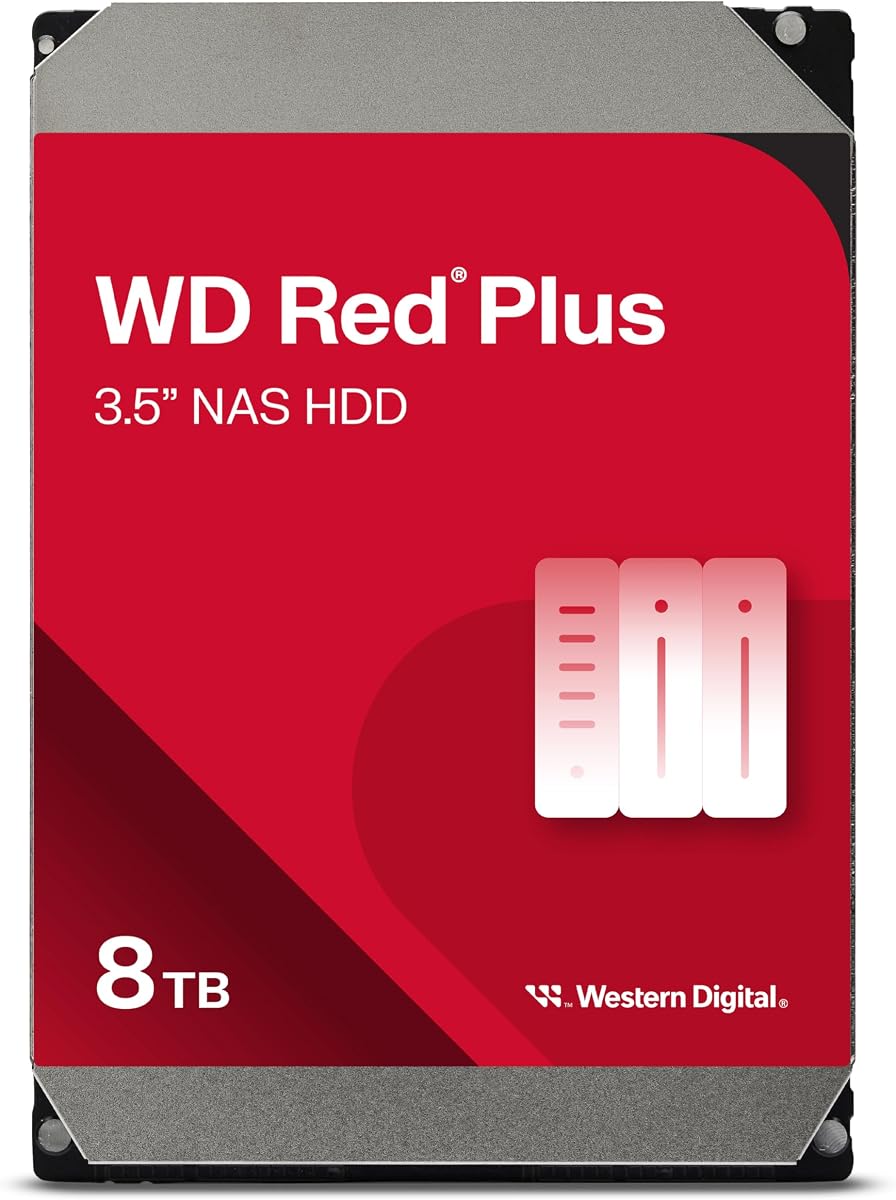
The Western Digital WD Red Plus 8TB is a purpose-built internal hard drive for a home media server rather than a complete NAS appliance. Its 4.2 rating and specification sheet emphasize 5640 RPM spindle speed, SATA 6Gb/s transfer capability, 256MB of cache, and conventional magnetic recording. The drive supports systems with up to eight bays and includes NASware firmware for compatibility.
We may earn a commission when you buy through this link, at no additional cost to you.
Its 180TB annual workload rating makes it appropriate for a NAS that may remain active around the clock. The eight-terabyte capacity offers a practical balance for mixed media libraries that include films, television, family photographs, and backups. CMR technology is particularly useful in RAID arrays because it avoids the write-penalty behavior associated with SMR drives, supporting more predictable rebuild and sustained workload performance.
The limitation is that this is only a drive. Users must supply a NAS enclosure, compatible cabling, and an operating system or management interface. Mechanical hard drives also remain slower than NVMe storage for random access, although sequential media streaming is generally better matched to the characteristics of a hard drive. Compatibility with the enclosure and its drive bays must be verified before ordering.
This WD Red Plus model is a sensible bulk-storage choice for a two- or four-bay home media server. Pair it with a capable enclosure such as the DXP2800, DXP4800 Plus, or DH4300 Plus, then use RAID and backups appropriate to the required protection level. It is best for large libraries where sequential capacity matters more than instant file access.
Conventional magnetic recording provides consistent write behavior that suits multi-bay NAS use. It also helps avoid the severe sustained-write limitations that can make SMR drives less desirable in storage arrays.
The stated 180TB annual workload rate and NASware compatibility indicate a drive intended for regular service. It is a better fit for an always-on library than a general desktop hard drive selected only for its capacity.
We may earn a commission when you buy through this link, at no additional cost to you.
The UGREEN NAS DXP4800 GT is the premium choice for creators, technical enthusiasts, and office teams that need more than a conventional home media appliance. Its 4.6 rating accompanies an AMD Ryzen Embedded R2514 processor with four cores and eight threads, 8GB of expandable DDR4 memory, dual 10GbE networking, and support for demanding simultaneous workloads.
We may earn a commission when you buy through this link, at no additional cost to you.
The networking is the headline feature. Each 10GbE connection can theoretically move about 1.25GB per second, while compatible link aggregation can combine the ports for as much as 2.5GB per second. That makes the system well suited to large video files, rapid backups, multi-user access, and local-like 4K or 8K editing workflows. The PCIe slot and M.2 support also leave room for future expansion.
UGOS Pro adds guided setup, Docker, virtual machines, SAN Manager, and support for services such as Plex, Emby, Jellyfin, Home Assistant, and web hosting. A built-in Surveillance Center works with ONVIF and RTSP cameras, while USB-A, USB-C, USB 2.0, 4K HDMI, and an SD card slot simplify camera and media ingestion. The preinstalled memory is non-ECC, so users wanting ECC correction must install compatible ECC RAM.
Choose the DXP4800 GT when network throughput, app diversity, and creator throughput justify a premium platform. It is overkill for basic photo storage, but it provides a strong foundation for an always-on production server. Users should plan compatible 10GbE networking and understand that Plex is run through Docker and needs manual setup.
Two 10GbE ports can accelerate large transfers, backups, and multi-user access when the rest of the network supports those speeds. Link aggregation adds further potential, provided the switches, cables, client devices, and storage arrangement are all compatible.
Docker, virtual machines, SAN Manager, and a dedicated PCIe slot give the DXP4800 GT a longer path beyond ordinary file sharing. The platform is particularly compelling for users building a mixed home server that must handle media, backups, applications, and surveillance together.
We may earn a commission when you buy through this link, at no additional cost to you.
The Synology DS425+ is a polished four-bay private cloud and media server for households, offices, and teams. Its 4.7 rating is the highest among the listed products. Supplied information highlights file-sharing performance of up to 278 MB/s, concurrent access for more than ten users, centralized document and media storage, and an emphasis on controlled access.
We may earn a commission when you buy through this link, at no additional cost to you.
Multiple protection layers are a defining strength. RAID redundancy, automated backups, and snapshot technology work together to reduce the risks associated with drive failure, accidental changes, and other data loss. Granular access controls and audit logs add governance for shared business files, while the three-year warranty and availability of enterprise support provide reassurance for production use.
The enclosure also supports a professional surveillance role, including up to 30 IP cameras, motion detection, and secure remote access. That makes it more than a basic entertainment server, especially for users who want file storage and camera recording in one managed appliance. The main caveat is that it is diskless: compatible drives must be purchased and installed separately, and the buyer must accept the higher total cost of creating a complete four-bay system.
Choose the DS425+ for a home or small-office media server where polished management, concurrent access, and layered data protection are priorities. It is an excellent fit for teams storing client documents alongside media assets. Users focused on raw container flexibility or maximum multi-gigabit networking may prefer a different platform, but the Synology option is strong for organized, mixed-use storage.
RAID, scheduled backups, and snapshots offer different ways to preserve recoverable data. Using them according to a clear retention plan gives the DS425+ a strong defense against both hardware failure and accidental deletion.
Supporting as many as 30 IP cameras lets the DS425+ consolidate home or business recording with its broader file services. Motion detection and secure remote access make it more than a passive file repository.
We may earn a commission when you buy through this link, at no additional cost to you.
The Seagate IronWolf Pro 24TB is built for users who need to consolidate an enormous media library into relatively few drives. Its 4.4 rating reflects a high-capacity enterprise NAS hard drive with 7200 RPM spindle speed, a large 512MB cache, SATA 6Gb/s connectivity, and CMR recording. It is designed for RAID network attached storage rather than direct attachment to a desktop.
We may earn a commission when you buy through this link, at no additional cost to you.
The 24TB capacity is the principal draw. A small number of large drives can deliver the storage density needed for 4K movies, archived footage, RAW photo projects, and business assets. The stated workload rating of up to 550TB per year and 2.5 million hours MTBF indicate a design intended for demanding, continuous operation rather than occasional file storage.
AgileArray firmware uses features such as dual-plane balancing, time-limited error recovery, and rotational vibration sensors to support multi-bay RAID performance. IronWolf Health Management adds prevention, intervention, and recovery recommendations, while the included three-year Rescue Data Recovery Services provide an additional recovery option if data becomes inaccessible. The 24TB capacity and 7200 RPM design can also create more heat and noise than a lower-capacity or slower drive.
This is the right storage component when one drive must hold a very large library, not a complete NAS system. Pair it with a four-bay or larger enclosure and confirm physical and logical compatibility first. It is especially appropriate for archives, studios, and media enthusiasts willing to manage large mechanical drives carefully, while a smaller NAS-oriented drive may be more convenient for compact or quieter systems.
High raw capacity can simplify a large media server by reducing the number of disks that must be mounted, powered, and managed. That simplifies expansion planning, although it can make each individual drive more critical to the array's overall storage footprint.
IronWolf Health Management offers operational guidance, and the supplied Rescue Data Recovery Services add a recovery path beyond the drive's limited warranty. These services complement, but do not replace, regular backups and a tested restoration plan.
We may earn a commission when you buy through this link, at no additional cost to you.
The ZimaBlade 7700 DIY kit is an x86 home server kit for technically minded users who want to build a NAS rather than purchase a fixed-purpose appliance. Its 4.3 rating reflects a flexible platform built around an Intel quad-core processor and 16GB of RAM. The included metal drive cage accepts two HDDs or SSDs, and the kit also includes a power supply and dual SATA cables.
We may earn a commission when you buy through this link, at no additional cost to you.
The key advantage is compatibility. Unlike ARM-based appliances with narrower native software support, an x86 platform can run Linux, Docker, CasaOS, and other familiar server environments. With 16GB of memory, it can handle file sharing, media streaming, backups, and multiple lightweight services simultaneously. Plex direct play is supported for compatible 4K libraries without requiring the same level of heavy transcoding.
This flexibility also creates more work. The user must install the operating system, configure storage and networking, mount drives, and secure the services exposed to the local network or internet. A PCIe slot offers room for an upgraded network card or storage expansion, but those additions are not necessarily included. The system is therefore better suited to learning and experimentation than to a completely hands-off media appliance.
Choose the ZimaBlade 7700 if you want to build a personal cloud, Docker host, or dedicated media server with control over the operating system and software. Its 16GB memory and included core components provide a useful starting point. Users seeking a simple appliance with guided setup and managed applications should instead choose one of the UGREEN or Synology enclosures.
The x86 architecture supports a broad selection of Linux distributions, container platforms, and self-hosted applications. That makes the kit especially attractive to users who already understand command-line tools, permissions, and server maintenance.
The supplied power supply, 16GB of RAM, two-bay cage, and SATA cables cover important foundational components. Buyers still need storage drives and an operating system, and must perform the initial assembly and configuration.
We may earn a commission when you buy through this link, at no additional cost to you.
The Western Digital WD Red Plus 4TB is a compact internal drive for a modest home media library. Its 4.2 rating and specifications identify a 5400 RPM, 3.5-inch SATA hard drive with 128MB of cache and CMR recording. It is designed for continuous operation in RAID-optimized NAS systems with as many as eight bays.
We may earn a commission when you buy through this link, at no additional cost to you.
Four terabytes is sufficient for a focused collection of films, family photographs, documents, and selected backups. The drive's NASware firmware and continuous-operation design make it more appropriate for a home server than a typical desktop disk. Its relatively moderate spindle speed also makes it a sensible component for a compact, two-bay enclosure where a very large high-speed enterprise drive would be excessive.
The limitation is capacity density. Users with large 4K libraries, extensive photo archives, multiple protected copies, or demanding creator workflows will quickly exhaust a single four-terabyte drive. Because this is a bare drive rather than an enclosure, it also cannot provide file sharing, remote access, media applications, or user management on its own. The model number and enclosure compatibility should be verified before installation.
Choose the WD Red Plus 4TB when you need an affordable, purpose-built component for a small NAS and want straightforward CMR behavior. It works particularly well as one member of a two-bay system, where two matching drives can be configured for redundancy or a larger usable pool. For a rapidly expanding collection, choose a higher-capacity model instead.
NASware firmware is tailored to the demands of network storage, including use in compatible multi-bay systems. Combined with CMR recording and a continuous-operation design, it is a more purposeful media-server component than a general-purpose desktop drive.
A four-terabyte capacity is a practical starting point for essential media and a second copy of important documents. As libraries expand, users can add larger drives or move to a higher-capacity enclosure rather than relying on this model for indefinite growth.
We may earn a commission when you buy through this link, at no additional cost to you.
The right home media server depends on how much you store, how quickly you need to move it, which applications you want to run, and how much protection you require. Start by separating the NAS enclosure from the drives inside it, because both determine the finished system.
A NAS enclosure provides the processor, operating environment, networking, file services, and drive management. Two-bay models are compact and economical, making them suitable for personal archives and first-time builders. Four-bay systems offer more flexibility for RAID layouts, mixed drive sizes, and future expansion. Users running intensive applications or expecting a large collection should prioritize the number of available bays over cosmetic size or entry-level specifications.
Choose a two-bay model for modest libraries, a four-bay model for most families, and a larger or more expandable platform for heavy workloads. Also verify that the enclosure supports the drive types you intend to use.
Account for the size of current media, phone backups, work files, surveillance recordings, and the copies required by your backup plan. Headline capacity figures may describe RAID 0 configurations, while usable capacity and fault tolerance depend on the chosen RAID mode, operating system, filesystem, and drive arrangement. A single four-terabyte drive may suit a focused collection, but a growing 4K library will benefit from larger drives or several bays.
Estimate current storage, expected annual growth, and the amount of space reserved for snapshots. Buy for future needs, but avoid paying for unused capacity that you cannot physically populate or back up.
NAS-oriented CMR hard drives are typically well suited to large sequential libraries, continuous operation, and multi-bay arrays. SSD performance is valuable for databases, active editing projects, application containers, and frequently accessed files, but SSDs generally cost more per terabyte. A mixed design can use NVMe storage for speed-sensitive tasks while hard drives hold the main media collection. Check the enclosure's cache, hot-swap, and NVMe support before designing a hybrid system.
Use purpose-built NAS drives for bulk storage and solid-state drives for performance. Do not assume a general desktop drive will provide the same compatibility, workload handling, or vibration management in a multi-bay array.
1GbE is sufficient for routine file browsing, many single-user streaming tasks, and initial setup. A 2.5GbE connection gives faster transfers and can be a sensible middle ground when several people access the server at once. 10GbE is most useful for large video files, rapid workstation backups, multi-user environments, and local editing. The NAS is only one part of the equation: the router or switch, client adapters, cables, and storage configuration all influence the result.
Match networking to your largest routine transfers. Upgrade the full data path together, because a fast NAS connected through a 1GbE port cannot deliver the benefits of its high-speed interface.
Native media applications can offer the easiest setup, while Docker provides broader application choice but requires more configuration. Virtual machines add isolation and flexibility at the cost of additional memory and complexity. Plex may be available natively on some platforms or through Docker on others, and the supplied product information specifically states that Plex can run via Docker on the relevant UGREEN DXP and DH4300 Plus models. Verify current application compatibility before making a decision.
Choose a managed platform for straightforward family use. Choose Docker or virtual machine support when you want to run self-hosted utilities, testing software, or multiple services from one enclosure.
RAID provides redundancy, but it is not a backup. A NAS can protect against one failed drive in an appropriately configured array, yet it cannot protect every file from accidental deletion, ransomware, enclosure failure, or a destroyed household. Maintain at least one separate copy on an external drive, another computer, or a remote service. Snapshots and scheduled backups add protection from logical mistakes, while health monitoring helps identify deteriorating drives early.
Use RAID for availability, backups for recovery, and regular restore tests for confidence. Confirm that backup destinations are outside the NAS and that critical files are actually being restored successfully.
If the system will host security cameras, confirm camera protocol support, the number of cameras, recording behavior, and remote viewing requirements. ONVIF and RTSP support appear in the DXP4800 GT information, while the Synology DS425+ supports up to 30 IP cameras. For family media, consider phone backup, shared folders, user permissions, photo search, and browser or smart-TV access. Features that simplify nontechnical users should take priority over unused enterprise controls.
Make sure every family member can access the system without compromising other users' privacy. Test remote access, mobile performance, and sharing workflows before migrating an entire media collection.
A diskless enclosure requires drives, and a drive requires a compatible enclosure and network connection. Consider the total cost of the server, storage, backup media, switches, cables, and any additional client hardware. Also account for power consumption and the time required to maintain the system. A less complex NAS that you understand and maintain may deliver more value than a technically advanced unit that remains difficult to operate.
Plan the full system, not only the headline capacity. A balanced setup should leave enough room for redundancy and backups rather than filling every bay with media on the first day.
Begin with placement, cooling, and network planning. Install the NAS on a stable, ventilated surface away from enclosed cabinets, direct sunlight, and sources of heat. Connect it with Ethernet to a router or switch and reserve a stable network address for the NAS. Install only drives that are compatible with the enclosure, and confirm the total capacity and intended RAID arrangement before importing important files.
Create the administrator account, enable automatic updates, and configure shared folders according to how family members or colleagues will use the media. Set permissions narrowly, require stronger authentication for remote access, and keep a current administrator recovery method. Then configure phone, desktop, and camera backups before making the NAS the only copy of any data. Test a few representative media files through every playback method you expect to use.
Maintain the system by monitoring drive health, reviewing alerts, and checking available capacity regularly. Keep firmware and applications updated, maintain more than one backup copy, and perform periodic restoration tests. Increase free space before rebuilding or upgrading an array, and never move or replace drives without following the enclosure's documented procedure. Retain a written record of the drives, bay positions, RAID configuration, and recovery credentials.
NAS hard drives are generally better for a home media server because they are designed for continuous workloads, vibration management, and multi-bay compatibility. A desktop drive may work in a simple enclosure, but NAS-oriented CMR models are generally a safer choice for important libraries. The enclosure, drive, backup plan, and workload all matter more than the label alone.
Not necessarily. Hard drives are well suited to large sequential media libraries, while SSDs excel at databases, virtual machines, containers, and active editing files. A hybrid system can place frequently accessed data or applications on an NVMe drive and store bulk media on hard drives, provided the NAS supports that configuration.
Two bays are enough for many individuals and couples, especially when redundancy is important. Four bays are more flexible for families, mixed drive sizes, larger libraries, and future expansion. Consider not only current capacity but also the number of backup copies, hot-swap convenience, and whether your storage will still fit in one year.
No. RAID is primarily designed to keep storage available after certain hardware failures, especially when configured with redundancy. It does not protect against accidental deletion, ransomware, filesystem errors, NAS failure, theft, or disaster. Keep at least one additional backup on separate media and regularly verify that files can be restored.
For one or two users, 1GbE or 2.5GbE is often sufficient when the source is properly encoded for direct play. Large 4K files, high-bitrate originals, simultaneous viewers, and local editing benefit from 10GbE. Remember that transcoding, network congestion, client capabilities, and drive performance can all limit what viewers actually experience.
No. Application support varies considerably. The supplied information states that the UGREEN DXP models support Docker and can run Plex through Docker, while the DH2300 cannot run Plex via Docker. The DXP4800 GT also requires manual Docker setup. Review current application support and transcoding requirements before buying a specific enclosure.
A managed enclosure is easier to deploy, maintain, and share with family members. An x86 DIY kit provides broader operating system choice and customization, making it attractive to technical users who want Docker, Linux, or a homelab. The DIY route requires assembly, operating system setup, security updates, networking, and ongoing administration.
Keep enough free space for normal operation, temporary files, and planned array maintenance. A practical approach is to avoid filling the array completely and to preserve additional space before large backups, rebuilds, or upgrades. Capacity planning should account for snapshots, duplicated files, and the backups stored outside the NAS.
The UGREEN DXP4800 Plus is the strongest all-around recommendation because it combines four bays, 10GbE networking, fast USB connectivity, and support for Docker and virtual machines. The DXP4800 GT is the premium alternative for creators and technical users who need dual 10GbE, more expansion, and advanced application workflows. For a simpler first system, the DH2300 delivers approachable private storage and automatic backups without the complexity of a high-end platform.
Prioritize the complete use case rather than an isolated specification. A household that mostly stores photos will value automatic backup, phone access, and AI organization, while a studio moving large 4K or 8K files needs fast networking, expandable memory, and solid-state performance. For bulk media, a CMR NAS hard drive such as the WD Red Plus or IronWolf Pro can provide dependable storage inside a compatible enclosure.
Check the current product details, supported applications, drive compatibility, and current prices before ordering. Storage systems change as libraries grow, and a modest setup may be ideal today while a different enclosure or RAID plan becomes necessary later. Above all, treat the NAS as one layer of protection and maintain separate backups for irreplaceable media.