
LincStation N2 6-Bay NAS Server
4.2Editor score
Included Unraid Starter License
Intel N100 with 16GB Memory
10GbE and Four NVMe Slots
A NAS for Unraid should combine flexible storage, dependable networking, and enough processing power for the services running behind your data. The right enclosure depends on your drive bays, memory needs, 10GbE requirements, virtualization plans, and whether you prioritize media, backups, surveillance, or private cloud use.
We compared the supplied systems by examining processor capability, memory, networking, storage expansion, Docker and virtual machine support, included software, and suitability for common Unraid workloads. The list includes purpose-built Unraid options, capable UGREEN enclosures, a Synology DiskStation, and NAS-rated hard drives that can complete a storage build.
Each selection highlights a different route into Unraid, from a compact included-license system to high-speed creators' platforms and expandable four-bay models. Ratings reflect the supplied marketplace feedback, while practical performance still depends on your drives, switch, router, cooling, and configuration. Prices and product terms can change.
4.2Editor score

4.6Editor score
4.6Editor score
As an Amazon Associate we earn from qualifying purchases.
This side-by-side comparison covers every supplied product, separating complete NAS systems from individual NAS hard drives and showing the processing, networking, expansion, and app features most relevant to an Unraid build.




The LincStation N2 is the clearest purpose-built choice in this roundup because it pairs a compact NAS enclosure with an included Unraid OS Starter License. Its marketplace rating is 4.2, but the more important distinction is the combination of Intel N100 processing, 16GB LPDDR5 memory, 10GbE networking, and an unusual mix of two SATA bays with four M.2 NVMe slots. That combination makes it a practical starting point for users who want to evaluate Unraid without first assembling a more conventional tower.
We may earn a commission when you buy through this link, at no additional cost to you.
Intel's four-core, four-thread N100 can reach 3.4GHz, which is enough for file serving, Docker applications, media playback, backups, and lightweight Unraid workloads. The included 16GB of memory is a meaningful advantage for Docker-heavy installations because it gives the operating system and containers more room than many entry-level enclosures. The 10GbE port also shortens the gap between a NAS and a suitably equipped workstation when copying large media or project files, although a 10GbE client and compatible switch are still necessary to realize that benefit.
Storage flexibility is the N2's main attraction. Its two SATA bays can accept 2.5-inch hard drives for capacity, while four 2280 M.2 slots provide room for fast cache, app, virtual machine, or hot-storage layers. Unraid's mixed-drive array and parity system can make differing drive sizes and types easier to manage than a rigid all-SSD or equal-size RAID arrangement. The trade-off is that physical SATA expansion is limited to two hard drives, so buyers should think carefully about capacity growth before filling the NVMe slots.
This system is best for a new Unraid user who values the included license, strong integrated networking, and generous memory in a compact design. It is less suitable for someone who needs numerous large hard-drive bays from day one or requires a premium multi-network architecture. Even so, the N2 offers one of the most coherent entry points here, especially for Docker, private-cloud, and Plex-oriented projects where one fast network port and fast internal cache are sufficient.
The included Unraid Starter License removes one of the most important setup questions for newcomers. Combined with 16GB of memory and 10GbE, the N2 provides a capable foundation for Docker-based services, centralized backups, and mixed-size storage arrays.
The four NVMe slots let users separate fast working data from high-capacity hard drives. This is especially useful when Docker images, virtual machines, applications, and active media benefit from short response times while archives remain on larger SATA drives.
We may earn a commission when you buy through this link, at no additional cost to you.
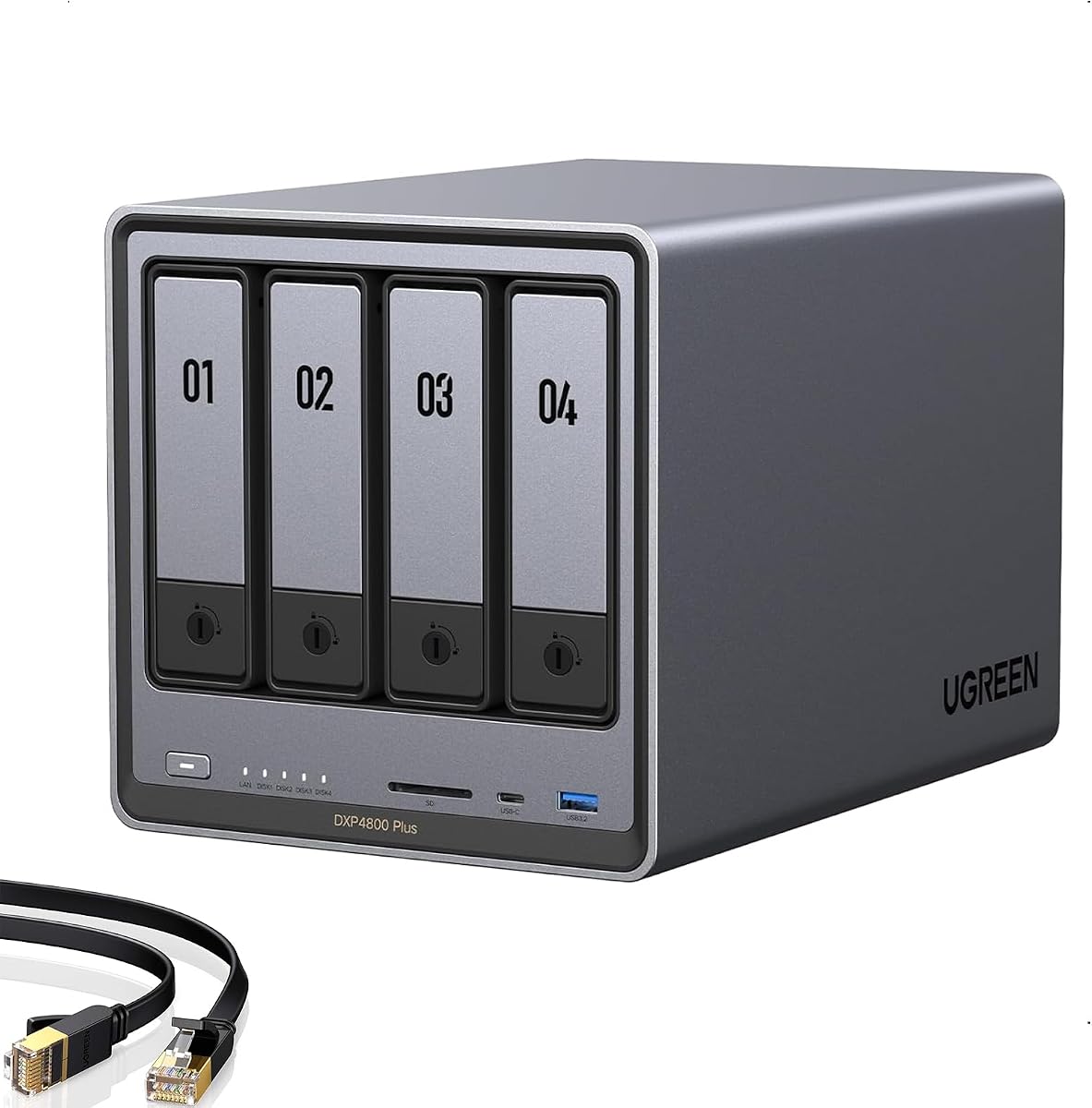
The UGREEN DXP4800 Plus is a strong four-bay recommendation for Unraid builders who want a balanced platform rather than a bare enclosure. It carries a 4.6 rating and supports both Docker and virtual machines, giving it enough application potential to serve as a home cloud, media hub, backup target, or development environment. The supplied description also highlights 10GbE networking and 10Gbps USB connectivity, two useful paths for moving large files quickly.
We may earn a commission when you buy through this link, at no additional cost to you.
Its four-bay format makes it easier to grow a mixed Unraid array than the two-bay alternatives in this guide. Users can assign hard drives to bulk storage and reserve flash or solid-state media for cache, applications, or virtual machine data. The platform's RAID options, automatic backup tools, permission management, and cross-platform access make it approachable for families and small teams, while Docker and VM support provide deeper self-hosting options after the basics are configured.
The system also includes AI-assisted photo organization that can recognize faces, scenes, objects, and locations, as well as duplicate detection. These functions are not substitutes for Unraid's array management, but they make the enclosure more useful as an all-purpose personal data hub. Important limitations include the lack of built-in Wi-Fi, the need to purchase storage separately, and real-world transfer speeds that depend on the router, client, CPU, storage device, and size of the files being moved.
The DXP4800 Plus is a strong recommendation for a creator, small team, or technically comfortable home user who wants four hard-drive bays alongside Docker and virtual machine capability. Unraid users can take advantage of its networking, storage connectivity, and hardware while relying on Unraid for array management and application deployment. It is less suitable for buyers who specifically require a product that ships with an Unraid license.
A 10GbE port and 10Gbps USB connections support modern large-file workflows. The result is most useful when the other end of the transfer can also sustain those speeds, so network hardware remains as important as the NAS itself.
Docker and virtual machine support make the enclosure more than a simple file server. Once Unraid is configured, those capabilities can support self-hosted media, automation, development, and remote access services.
We may earn a commission when you buy through this link, at no additional cost to you.
The UGREEN DXP2800 is a compact two-bay system aimed at advanced home users, remote workers, and creators. Its 4.6 rating reflects strong supplied feedback, while the Intel N100 processor, 8GB DDR5 memory, 2.5GbE networking, and dual M.2 NVMe slots create a more flexible platform than a basic appliance NAS. It also supports Docker and virtual machines, giving Unraid builders a sensible option for lightweight services.
We may earn a commission when you buy through this link, at no additional cost to you.
The two NVMe slots are particularly useful in an Unraid context. Users can install fast SSDs for cache, applications, databases, or virtual machine files while using the two SATA bays for capacity-oriented hard drives. AI photo features—including recognition of people, objects, scenes, and locations—add value for family libraries, while centralized storage and cross-platform access make it convenient for remote work and device backups.
Its main limitations are physical capacity and network speed. Only two hard-drive bays are available, and 2.5GbE is slower than the 10GbE offered by the N2, DXP2800 GT, DXP4800 Plus, and DXP4800 GT. Virtual machine support adds flexibility, but 8GB of memory can become a constraint when running several memory-intensive guests. As with the other diskless models, storage drives must be selected separately.
This is a good fit for someone who wants Unraid in a relatively compact two-bay chassis and expects to use NVMe acceleration for active workloads. Choose it when capacity can be managed within two SATA drives and 2.5GbE is sufficient for the network. For larger archives or sustained high-bandwidth transfers, a four-bay model with 10GbE will offer a clearer path to growth.
Dual M.2 slots allow fast storage to work alongside two SATA hard drives. That separation suits Unraid users who want responsive applications or virtual machine data without dedicating every bay to equal-sized SSDs.
Photo recognition, duplicate detection, device backups, and cross-platform file access support active libraries and distributed workflows. Docker and VM support add further room for self-hosted services.
We may earn a commission when you buy through this link, at no additional cost to you.
The WD Red Plus 4TB is a storage component rather than a complete NAS, but it is directly relevant to an Unraid build. It is designed for RAID-optimized NAS systems with as many as eight bays and is tuned for continuous operation using NASware. Its 4.2 marketplace rating is respectable for a specialized hard drive, and the use of CMR makes it a sensible foundation for an array where consistent write behavior matters.
We may earn a commission when you buy through this link, at no additional cost to you.
The drive operates at 5,400 RPM, uses a 128MB cache, and connects through SATA 6 Gb/s. These characteristics align more with efficient bulk storage than maximum random-access performance. For Unraid, that makes it a possible parity or archive drive while fast SSDs handle cache, applications, or virtual machine workloads. The available WD Red Plus range extends from 2TB through 12TB according to the supplied product information.
As a standalone drive, it cannot host Unraid, serve files, or provide the conveniences of a complete NAS. It must be paired with compatible hardware, and buyers should account for cooling, vibration management, backup strategy, and the time required to rebuild a large array after a replacement. A hard drive also remains mechanical equipment, so it should not be the only copy of irreplaceable files.
The WD Red Plus 4TB is best for builders adding balanced, NAS-oriented capacity to a compatible system. It is particularly relevant to the four-bay enclosures in this guide and can be used for a multi-drive Unraid array. Pair it with fast cache storage, maintain an independent backup, and monitor drive health. For a plug-and-play appliance or a buyer who wants a complete system, choose one of the NAS enclosures instead.
CMR avoids the write-penalty characteristics associated with some SMR designs, which can be valuable in RAID-like arrays and mixed workloads. It is a more predictable foundation for sustained storage tasks.
The 4TB capacity offers a practical starting point for media, documents, backups, or parity. Fast SSD cache can preserve responsiveness while the mechanical drive handles less latency-sensitive storage.
We may earn a commission when you buy through this link, at no additional cost to you.
The UGREEN DH2300 is designed for beginners and personal users who mainly want centralized photos, videos, documents, and phone backups. Its 4.5 rating is strong among the supplied products, while the two-bay layout, 4GB onboard memory, and 1GbE network keep the proposition simple. It can serve as a straightforward storage appliance, although it is not the strongest candidate for a heavily customized Unraid installation.
We may earn a commission when you buy through this link, at no additional cost to you.
Automatic backup support for Windows, iOS, Android, and macOS devices is one of its most useful features. The supplied information also describes AI-based tagging for faces, locations, text, and objects, plus duplicate-photo detection. RAID modes, two-factor authentication, permission controls, and encrypted transfers help users keep data local and protected, while the stated capacity ceiling reaches 64TB when compatible drives are used.
The decisive constraints for Unraid are the absence of Docker and virtual machine support, along with 1GbE networking. Although a NAS can still function as a general-purpose file server, users who want to run multiple self-hosted containers, virtual machines, or high-bandwidth workflows will find more capable hardware elsewhere. The product description also states that the enclosure is intended for limited performance and is not suitable for server applications.
The DH2300 fits a user who wants a straightforward private-storage hub and may use Unraid primarily for basic file serving and backup functions. It also works as a companion personal-storage device in a broader home setup. For Docker, virtual machines, media transcoding, or fast transfers, select the DXP2800, DXP4800 Plus, or another more capable enclosure instead.
Automatic backups across major desktop and mobile platforms make the DH2300 approachable for households replacing scattered external storage or cloud-only workflows. Local control also simplifies long-term data management.
The absence of Docker and virtual machine support limits this model for advanced Unraid experimentation. Its simpler hardware is best reserved for file services, backups, and photo organization.
We may earn a commission when you buy through this link, at no additional cost to you.
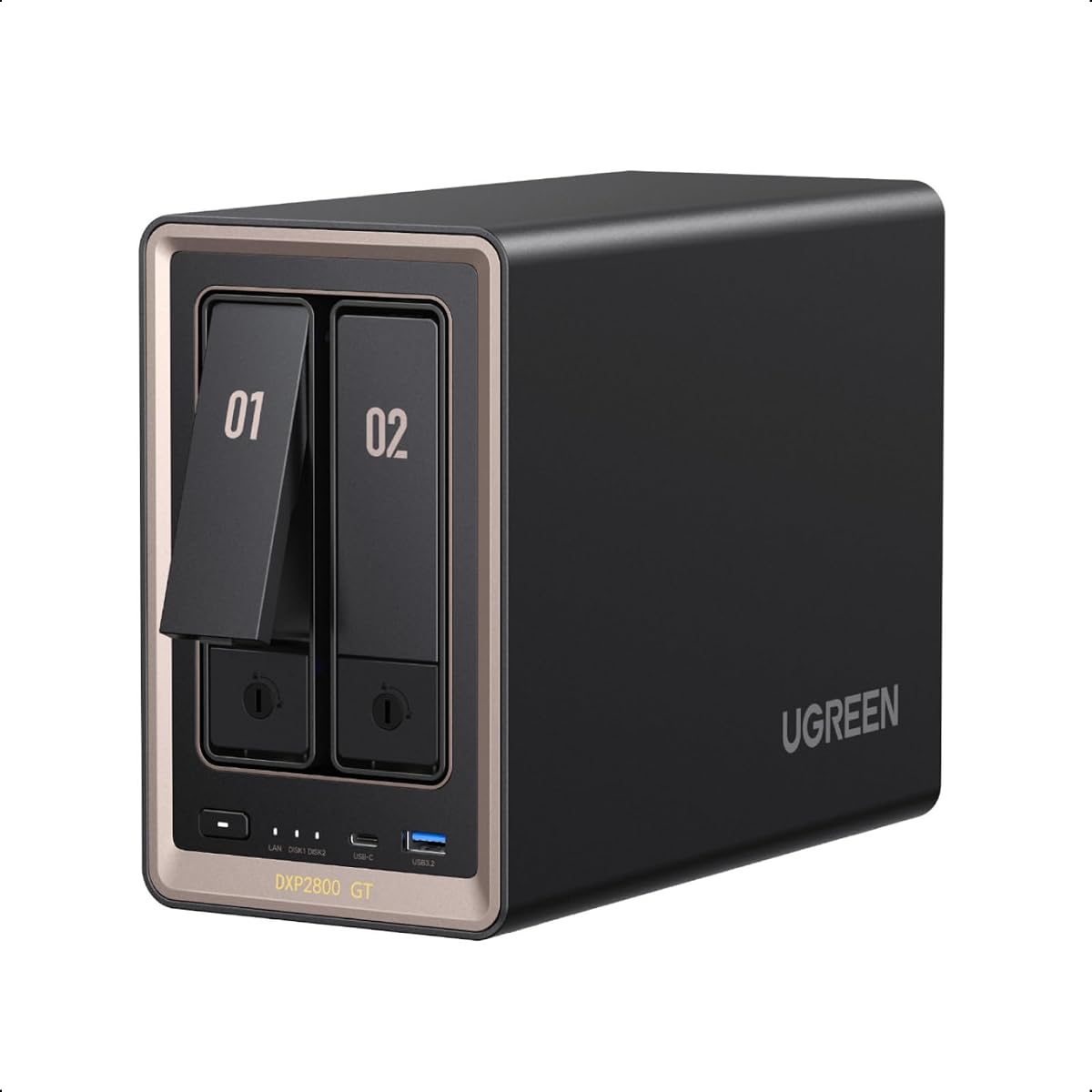
The UGREEN DXP2800 GT brings a higher-performance tier to the two-bay category. Its AMD Ryzen Embedded R2514 offers four cores, eight threads, and speeds up to 3.70GHz, while 8GB of DDR4 memory can be expanded to 64GB. Combined with 10GbE and support for Docker, virtual machines, and SAN Manager, it gives Unraid builders a much stronger foundation for compute-heavy services than the standard DXP2800.
We may earn a commission when you buy through this link, at no additional cost to you.
The enclosure is positioned for creators, freelancers, smart-home users, and personal cloud builders. Its UGOS Pro environment supports file management, photo organization, backup, global search, and self-hosted applications. Plex can run through Docker with manual setup. The built-in Surveillance Center can work with compatible ONVIF or RTSP cameras, supporting live viewing, recording, event review, and local storage of security footage.
Storage is notably flexible for a two-bay system. It supports two SATA drives of up to 32TB each, up to two compatible U.2 NVMe SSDs in the same bays, and up to 16TB across two M.2 SSDs, with a stated total capacity of 80TB. ECC memory can be added for error detection and correction during extended operation, but the installed memory is non-ECC. A compatible ECC module and appropriate system support are therefore necessary for that feature.
This is a compelling choice when a user wants 10GbE, substantial memory headroom, and a two-bay footprint. It is particularly relevant for Unraid installations running containers, virtual machines, smart-home services, or surveillance recording. The tradeoff is that only two SATA positions exist for large hard drives, and 10GbE benefits require compatible client and network hardware. Buyers should verify expansion details and thermal requirements before committing.
Eight threads, expandable memory, and virtual machine support provide a more convincing base for container-heavy Unraid use. The processor also has more headroom for media processing and simultaneous background tasks.
SATA, U.2 NVMe, and M.2 NVMe options let users place capacity and performance drives where each is most useful. That flexibility suits mixed Unraid arrays with SSD cache and accelerated application storage.
We may earn a commission when you buy through this link, at no additional cost to you.
The UGREEN DH4300 Plus is a four-bay entry point for home users, beginners, and remote workers. Its 4.2 rating, 8GB LPDDR4X memory, 2.5GbE networking, and Docker support give it a useful middle ground between a basic personal NAS and a more advanced virtualization platform. Four drive bays are especially valuable for Unraid because users can establish parity and still retain room for data or cache drives.
We may earn a commission when you buy through this link, at no additional cost to you.
Phone photo and video backup is a central feature, while AI albums use semantic search and recognition of people, objects, pets, and similar images. The magnetic dust cover is designed to align more easily, and 4K HDMI output adds a convenient local media element. Cross-platform access through Windows, macOS, Android, iOS, browsers, and compatible smart TVs makes the enclosure easier to integrate into a mixed household.
Its main limitation is that the product supports Docker but not virtual machines. Unraid users focused on containerized media servers, automation, and file services will find that sufficient, but anyone planning more demanding virtualized workloads should choose a DXP-series model. The enclosure also lacks Wi-Fi and depends on a wired connection, which is normally preferable for a continuously available NAS.
The DH4300 Plus is a sensible recommendation for a home user who wants four bays, reasonably modern networking, and container support without moving to a high-end enclosure. In an Unraid build, the hard drives can form a mixed storage pool while a supported SSD can accelerate frequently accessed data. It is less attractive for enterprise workloads, heavy virtual machines, or users who require the newest 10GbE networking.
A four-bay chassis makes it easier to introduce parity, preserve spare capacity, and add an SSD later. That makes the model more adaptable than a two-bay starter NAS.
Automatic phone backups and AI-assisted organization reduce the friction of maintaining a large family media library. HDMI output also makes the enclosure approachable as a local media hub.
We may earn a commission when you buy through this link, at no additional cost to you.
The UGREEN DXP4800 GT stands out as the most balanced high-end Unraid platform in this group. It combines a four-bay chassis, AMD Ryzen Embedded R2514, expandable DDR4 memory, dual 10GbE networking, and support for Docker, virtual machines, and SAN Manager. Its 4.6 rating is among the highest listed, providing a positive marketplace signal for a model designed for creators, technical enthusiasts, and office teams.
We may earn a commission when you buy through this link, at no additional cost to you.
The dual 10GbE ports are the standout feature. Each port has a theoretical speed of 10Gbps, or approximately 1.25GB/s, while compatible network equipment can aggregate them for up to 20Gbps and roughly 2.5GB/s. Even without aggregation, a single 10GbE link is valuable for large media libraries, rapid backups, multi-user access, and 4K or 8K editing workflows. Actual throughput will still depend on the drives, client, switch, storage layout, and file sizes.
The storage design accommodates four SATA drives of up to 32TB each, with up to two bays also compatible with U.2 NVMe SSDs and up to 16TB across two M.2 SSDs. The stated maximum is 144TB. An SD card slot, 10Gbps USB-A and USB-C ports, USB 2.0, and 4K HDMI output make ingesting camera assets and connecting local devices easier, while the built-in surveillance center supports compatible ONVIF or RTSP cameras.
For Unraid, this system can serve as a high-performance array host, application server, virtualization platform, media library, and surveillance recorder. RAM can be expanded to 64GB, and the processor provides useful headroom for concurrent workloads. The main qualifications are that drives are not included, ECC memory requires a compatible upgrade, and Plex through Docker requires manual setup. Even with those caveats, the combination of bay count, dual fast networking, and expandable memory makes this the strongest all-round recommendation here.
Two independent fast network links can improve multi-client access, isolate traffic, or support aggregation on compatible equipment. This is especially useful for active media libraries and high-volume backup schedules.
Docker, virtual machines, SAN Manager, surveillance recording, and direct media import cover a broad range of self-hosted workloads. The enclosure can serve as more than a storage controller without relying on a separate appliance.
We may earn a commission when you buy through this link, at no additional cost to you.
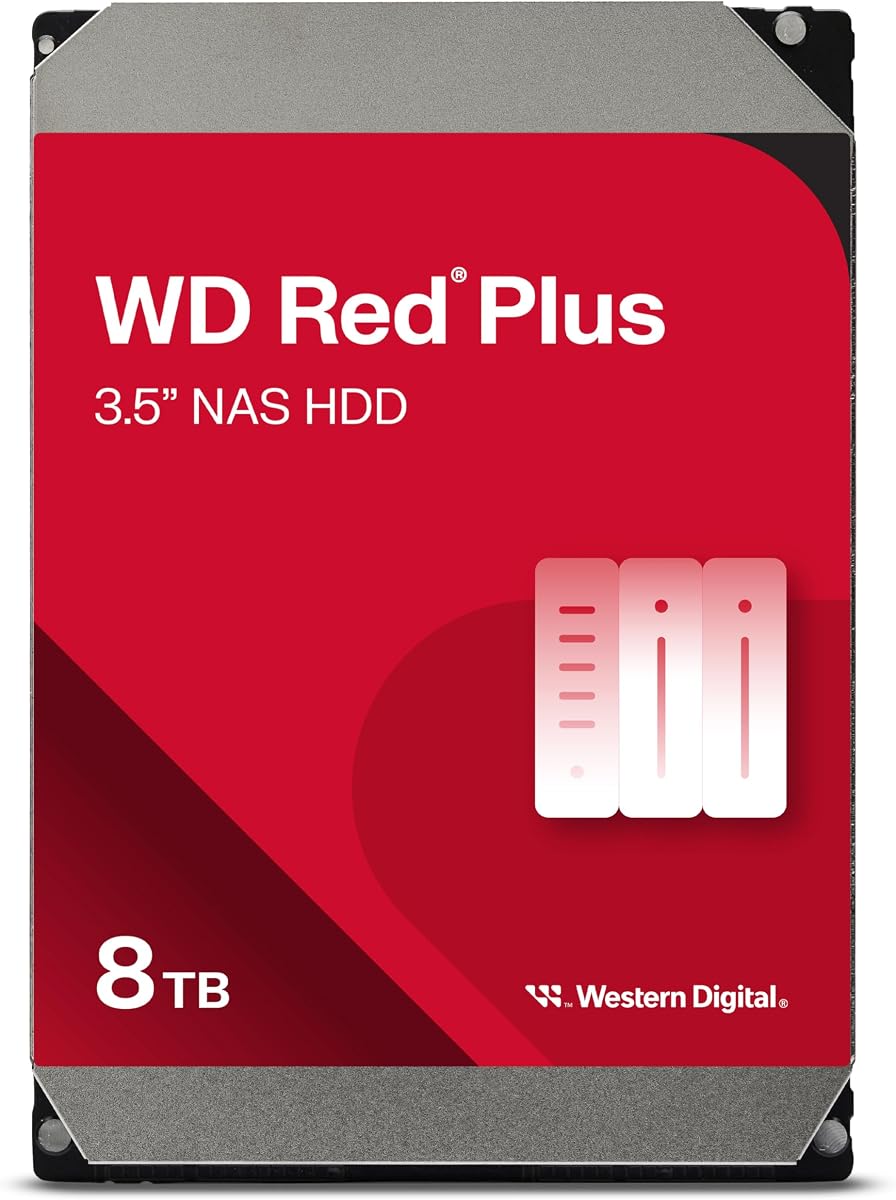
The WD Red Plus 8TB is the higher-capacity of the two NAS-oriented hard drives in this roundup. It is designed for small and medium business NAS systems operating around the clock, supports as many as eight bays, and includes a 180 TB-per-year workload rate. Its CMR recording technology and 256MB cache make it a credible capacity component for a large Unraid array.
We may earn a commission when you buy through this link, at no additional cost to you.
Compared with the 4TB WD Red Plus, this model offers twice the nominal capacity and a slightly higher rotational speed of 5,640 RPM. The stated capacity range for the broader WD Red Plus family is 1TB to 14TB. As with all hard drives, usable file capacity and overall system performance depend on formatting, operating system behavior, drive condition, and the workload placed on the array.
The drive does not include a NAS enclosure, operating system, or Unraid license. It must be installed in compatible hardware, and the host should provide cooling and a stable power environment. Rebuilding a large array after a failure can take substantial time, so a multi-drive Unraid configuration should be planned around the possibility of degraded operation while a replacement is installed.
The WD Red Plus 8TB is best for creators, small offices, and media collectors who need substantial capacity per drive. It can serve as archive, media, backup, or parity storage in a compatible four-bay NAS. Pair it with SSD cache and maintain backups outside the array. Buyers seeking a ready-to-use system should instead select one of the complete NAS enclosures in this guide.
Eight terabytes is useful for large collections that would otherwise require many smaller drives. Fewer drives can simplify physical management, airflow, and overall bay consumption.
NASware compatibility and a stated 180 TB-per-year workload target align the drive with continuous storage use. CMR also supports predictable behavior in RAID-like configurations.
We may earn a commission when you buy through this link, at no additional cost to you.
The Synology DiskStation DS925+ is a polished four-bay alternative for buyers who want strong integrated management but are considering Unraid for additional flexibility. Its 4.3 rating, dual 2.5GbE ports, file and photo management, data protection, virtualization, and surveillance features make it a credible general-purpose NAS. It is a diskless system, so compatible drives must be purchased separately.
We may earn a commission when you buy through this link, at no additional cost to you.
Synology advertises sequential read and write throughput of up to 522 and 565 MB/s. Those figures describe the platform's capability rather than the result every user will see, since hard-drive mechanics, SSD configuration, network equipment, and file characteristics influence real transfers. The two 2.5GbE ports can provide useful flexibility and redundancy, although they do not match the 10GbE or dual 10GbE options elsewhere in this list.
The major consideration is that DiskStation is a tightly integrated appliance with its own management environment. Unraid can be highly flexible, but it is not the native operating system of the DS925+, and compatibility should be verified rather than assumed. A buyer who primarily wants Synology's streamlined file, photo, backup, surveillance, and virtualization tools may prefer the original platform; an enthusiast who specifically wants Unraid may find a more appropriate enclosure.
The DS925+ is best for users who want a refined four-bay storage experience with built-in applications and strong networking, especially if they are deciding between the manufacturer's ecosystem and a more open Unraid approach. It is less attractive when diskless operation, open array management, or unrestricted experimentation are non-negotiable. It also carries a three-year limited hardware warranty for added ownership confidence.
Synology's focus on integrated file, photo, protection, virtualization, and surveillance tools provides a smooth experience for users who prefer appliance-style administration over assembling a custom software stack.
The DS925+ belongs in a Unraid comparison as an alternative, not automatically as an Unraid appliance. Confirm the desired operating system and required features before assuming the platforms are interchangeable.
We may earn a commission when you buy through this link, at no additional cost to you.
Choosing a NAS for Unraid is about matching the enclosure to your storage growth, network, application, and maintenance plans. Review the processor, memory, drive connectivity, cooling, and expansion path before considering any individual model.
Choose based on the operating system you will actually use, not only on the hardware specification.
For a new multi-drive Unraid array, four bays offer the more balanced foundation.
Choose more memory when you expect multiple containers or virtual machines, not merely a large file library.
Upgrade the full network path when a 10GbE NAS is connected mainly through 1GbE equipment.
Plan parity, cache, backups, and scratch storage as separate parts of the overall data strategy.
Confirm application support before buying, especially when virtualization is central to your plan.
Place the enclosure where it has airflow, stable power, and acceptable sound levels for 24-hour service.
Begin by confirming that the chosen NAS supports the intended Unraid installation and that every drive appears in the official compatibility guidance where applicable. Install the operating system according to the enclosure and controller instructions, use a short shielded Ethernet connection for initial setup, and complete the network, hostname, administrator, and remote-access settings before moving large amounts of data. Create the array only after confirming the disk ordering, because an incorrect selection can place parity or data on the wrong drive.
After creating the array, add the services you need through Docker or Unraid's application options. Configure shared folders and permissions with the principle of least privilege, enable encrypted transfers where appropriate, and create a separate backup destination for data that cannot be replaced. For a new install, test large-file transfers, application access, and recovery procedures before relying on the system for business-critical information. Avoid assuming that Unraid parity is a backup, because parity protects the array but does not protect against accidental deletion, malware, or physical loss of the entire machine.
Ongoing care matters. Check drive temperatures and SMART data regularly, keep the enclosure ventilated, and verify that the operating system and applications are updated on a schedule you can maintain. Keep at least one suitable replacement drive available, and document which disks contain parity, data, and cache. Back up the Unraid configuration and license information, review active shares for accidental changes, and replace aging storage before repeated errors or declining performance threaten reliability.
The LincStation N2 is the most direct starting point because it includes an Unraid Starter License. Its 16GB of memory, 10GbE port, and multiple NVMe slots also provide room for typical Docker and private-cloud projects. The two SATA bays mean it is best for users who can manage their long-term capacity needs within a compact system.
The hardware features described for these systems, including their processors, memory, networking, and expansion options, are relevant to an Unraid build. However, compatibility should be confirmed with the current Unraid community and the manufacturer's latest support information before installation. The DH2300 also lacks Docker and virtual machine support, which limits its usefulness for advanced containerized workloads.
10GbE is most valuable for large media libraries, frequent backups, high-resolution editing, and multi-user traffic. It is less essential when serving small documents, browsing occasional photos, or operating on a single 1GbE client. The network switch, workstation adapters, drive performance, and file sizes all determine whether the extra speed will be noticeable.
No. The WD Red Plus 4TB and 8TB products are internal hard drives designed for compatible NAS systems. They can form part of an Unraid storage array when paired with a suitable enclosure, operating system, cooling, and backup strategy. The NAS systems in this guide are the complete enclosures that can host those drives.
The supplied systems range from 4GB to 16GB of installed memory, with some higher-end models supporting upgrades as high as 64GB. File serving and a few light containers require much less than several demanding virtual machines. Users planning memory-intensive services should review the requirements of each application and leave operating-system headroom.
SSD cache can improve responsiveness for frequently accessed files and applications, but it is not required for every workload. Large media libraries and archive storage often rely primarily on hard-drive performance, while databases, virtual machines, and active project files benefit more from flash. The LincStation N2, DXP2800, and GT models provide several M.2 options for flexible layouts.
No. Unraid parity can help the array continue operating when a drive fails, and it can make better use of mixed-size disks, but it does not protect against accidental deletion, ransomware, filesystem issues, or loss of the entire system. Important files should also be copied to another machine, enclosure, or storage medium that is isolated from the primary NAS.
A four-bay model is usually more flexible because it can hold parity, multiple data drives, and a cache drive at the same time. A two-bay system can work for small collections, but it may require rebuilding the array or changing equipment as storage grows. The DXP4800 Plus, DH4300 Plus, and DXP4800 GT are the four-bay complete systems in this comparison.
The LincStation N2 is the most convenient choice for a first Unraid system because it combines an included Starter License, 16GB of memory, 10GbE, and four NVMe slots in a compact enclosure. The UGREEN DXP4800 GT is the strongest all-round performance option, with a Ryzen Embedded processor, dual 10GbE networking, four bays, expandable memory, and broad container and virtualization support. The DXP4800 Plus offers a balanced four-bay platform with 10GbE and 10Gbps USB for users who do not need dual high-speed network ports.
Prioritize the parts of the build that match your workload. Two-bay systems suit compact and more focused installations, while four-bay models provide a better foundation for parity, cache, and growth. Fast networking only helps when the full client path supports it, and ample memory becomes increasingly important as Docker containers and virtual machines multiply. Choose the WD Red Plus drives for capacity-oriented storage, but never treat a NAS array as the only copy of irreplaceable data.
Before purchasing, verify current Unraid compatibility, supported drive configurations, cooling requirements, and the availability of a replacement drive for your enclosure. Product specifications, ratings, offers, and terms can change, so confirm the latest details on the linked product pages. The right choice is not simply the most powerful unit, but the NAS that provides the needed storage, networking, and application capacity without unnecessary complexity.