
Sandisk Ultra microSD 64 GB
4.8Editor score
Up to 140MB/s transfer speed
64GB usable capacity
A1 application rating
Our expert guide compares the best microSD card for Raspberry Pi options, covering preloaded images, capacity, speed classes, compatibility, and reliability.
A microSD card serves as the operating system, application library, and working storage for a Raspberry Pi, making its capacity, speed class, and reliability central to the experience. The right card should boot consistently, provide enough room for updates and projects, and fit the demands of desktop use, coding, media, networking, or automation.
This guide compares ten cards that represent preloaded Raspberry Pi OS options, mainstream general-purpose microSD cards, high-performance UHS-I models, and an official Raspberry Pi-branded card. The evaluation considers the supplied compatibility information, capacity, read and write speed claims, video and application ratings, included accessories, and ease of initial setup.
Each review explains the product's strongest use case, practical limitations, and best-fit buyer. The Beamo and preloaded 128GB card suit newcomers who want a straightforward first boot, while SanDisk Extreme models target faster transfers and heavier workloads. Ratings and retailer listings can change, so confirm current specifications and compatibility before purchasing.
4.8Editor score

4.8Editor score

3.6Editor score
The table below compares all ten cards by capacity, operating system status, speed positioning, and practical Raspberry Pi suitability, helping readers distinguish beginner-ready options from general-purpose and performance-oriented models.



The Beamo Preloaded 64GB microSD card is designed to remove the largest obstacle faced by many new Raspberry Pi owners: preparing an operating system. It arrives with 64-bit Raspberry Pi OS already installed, so the user does not need to download an image, locate a flashing utility, write the image to the card, and verify it before the first boot.
We may earn a commission when you buy through this link, at no additional cost to you.
Its compatibility list is unusually broad for a preloaded option. The card supports Raspberry Pi 5, 500, 400, 4B, 3B, 3B+, 3A+, Zero 2 W, and Compute Module models. A U3 and Class 10 designation indicates a card intended for responsive everyday operation, including desktop booting, browsing, coding, and routine application use.
The main compromise is that a preloaded card is not automatically updated forever. The operating system image may require a fresh install or update after purchase, and some users may prefer to create their own image for complete control over partitions, locale, initial account, and included software. The included instruction sheet and setup video also reduce the learning curve.
This is an especially attractive choice for first-time builders, students, educators, and anyone who wants a working starting point with minimal preparation. Experienced users who already have a preferred imaging workflow may prefer a blank card, but for a quick and approachable Raspberry Pi setup, the Beamo is a strong recommendation.
Preloading the operating system removes several error-prone steps from setup. A beginner can insert the card, connect the usual Raspberry Pi accessories, power the board, and begin the initial configuration process instead of first learning how to create a bootable image.
The 64GB capacity provides room for Raspberry Pi OS, applications, updates, and project files. It is a sensible middle ground for a new computer that will also accumulate downloaded resources, code repositories, photos, and configuration backups over time.
We may earn a commission when you buy through this link, at no additional cost to you.
The SANDISK 128GB Ultra microSD UHS-I card combines useful capacity with fast advertised read performance, making it a balanced option for Raspberry Pi users who want room to grow without moving to the highest-capacity card in the guide. It supports Full HD video use and carries V10, U1, Class 10, and A1 application classifications.
We may earn a commission when you buy through this link, at no additional cost to you.
The card's headline read speed of up to 195MB/s is useful when moving large files, but Raspberry Pi results depend on the host interface, card reader, operating system, and workload. A2-style random operation matters more than sequential transfer speed for some desktop tasks, while V30 is more relevant to sustained video writes. This Ultra model is therefore versatile rather than specialized.
It does not arrive with Raspberry Pi OS, so buyers need a suitable imaging method and a way to transfer the image. Achieving the stated transfer rate also calls for a compatible USB-A reader, as described in the product information. Those extra steps make it less convenient for complete beginners than either preloaded option.
Choose this card for a general-purpose Raspberry Pi computer used for browsing, programming, home automation, light media work, or a balanced mix of tasks. Its 128GB capacity and strong transfer claims make it a flexible middle ground between smaller everyday cards and the larger high-performance Extreme models.
A 128GB card can comfortably hold the operating system, a useful set of applications, development tools, and a growing collection of project data. It is also less likely to become a bottleneck than a smaller card when installing large packages or retaining media locally.
The UHS-I interface, U1 rating, and high advertised read rate make the card appropriate for responsive general use. For sustained recording, however, the V30 classification on an Extreme card provides a more clearly defined write-speed target.
We may earn a commission when you buy through this link, at no additional cost to you.
The SANDISK 128GB Extreme microSD Card is the strongest all-around performance choice in this guide for users who want more than ordinary application responsiveness. It advertises read speeds up to 190MB/s, write speeds up to 90MB/s, U3 and V30 video ratings, and A2 application performance.
We may earn a commission when you buy through this link, at no additional cost to you.
The U3 and V30 classifications make this card more appropriate for sustained writing than a standard V10 card. That distinction can matter when the Raspberry Pi stores continuous camera output, participates in a data-logging system, runs intensive builds, or handles other tasks involving sustained transfers rather than occasional file access.
Peak performance requires a compatible device and reader. The supplied information notes that the QuickFlow speed depends on the host interface, usage conditions, and other factors, while the adapter provides a convenient way to transfer files to a computer. The card is not preloaded, so users must install Raspberry Pi OS or their preferred image themselves.
For developers, media builders, and experienced Raspberry Pi enthusiasts who want strong sustained-write specifications without moving to 256GB, this is a persuasive choice. It is our top performance pick because it combines a practical capacity, a defined V30 target, and strong A2 random-operation support.
V30 indicates a sustained video write rate of 30MB/s, while the card also carries U3. These specifications make it a stronger fit than a basic U1 card for Raspberry Pi systems that continually write logs, images, or other data.
A2 performance is designed around improved random read and write operations. That can help applications load and operate more responsively, although the benefit depends on the Raspberry Pi, host interface, storage layout, and workload.
We may earn a commission when you buy through this link, at no additional cost to you.
The 64GB Sandisk Ultra microSD card is a practical value-oriented choice for Raspberry Pi users who need solid everyday performance without chasing the highest advertised transfer rate. It supports up to 140MB/s transfer speeds and carries an A1 rating intended to improve application loading and general responsiveness.
We may earn a commission when you buy through this link, at no additional cost to you.
Its 64GB capacity is enough for Raspberry Pi OS, common applications, development tools, and many small-to-medium projects. The ten-year limited warranty adds reassurance for a card expected to remain in service for an extended period. The listed use cases include Android devices and Windows laptops, indicating that it is a general-purpose card rather than one preloaded or specialized for Raspberry Pi.
It does not include an operating system image, and 64GB is not the most generous option for users who plan to store libraries, container images, camera recordings, or other growing data on the same card. A higher-end card may also offer a clearer sustained-write class, whereas this model is primarily positioned around balanced general use.
This is our best value pick for students, home automation users, and straightforward Raspberry Pi builds that need a recognizable, capable card with enough room for normal operation. It is especially appropriate when high-speed media transfer is not the primary requirement.
The 140MB/s transfer claim and A1 rating make this card more than a minimal storage option. It is suited to web browsing, office applications, programming exercises, light server duties, and everyday desktop interaction on a Raspberry Pi.
A ten-year limited warranty strengthens the case for a card intended for a long-lived installation. Owners should still maintain backups, because a warranty does not protect project files or replace a separate recovery plan.
We may earn a commission when you buy through this link, at no additional cost to you.
This 128GB Raspberry Pi OS preloaded microSD card combines a plug-and-play setup with more storage than most beginner-focused alternatives. The operating system is described as the latest official original version of Raspberry Pi OS, distributed in Raspbian form and prepared with Fastoe production tools.
We may earn a commission when you buy through this link, at no additional cost to you.
Its main benefit is convenience. A user can insert the card into a supported Raspberry Pi and begin setup without first handling an image-writing process. The 128GB capacity creates generous room for the operating system, software, updates, and project files, reducing the chance that a new user will quickly exhaust the card.
The available product information gives less detail about speed classes and transfer rates than it does for the SanDisk options. That makes it difficult to compare the card directly for intensive media work. Users should also expect a preinstalled image to age and may need to update the system or reinstall the current Raspberry Pi OS image after purchase.
This card is a good match for newcomers and education-oriented projects where a high-capacity, ready-to-use Raspberry Pi installation matters more than detailed performance specifications. Experienced builders may prefer to create their own image, but this option minimizes the steps required to get started.
The 128GB capacity is a meaningful upgrade from compact cards commonly used for lightweight projects. It allows room for applications, code repositories, downloaded assets, and project data while retaining a simple initial setup experience.
The stated use of an official Raspberry Pi OS image provides a recognizable baseline. Users still need to complete the operating system's initial setup and keep the software current as new releases and security updates appear.
We may earn a commission when you buy through this link, at no additional cost to you.
The Amazon Basics 128GB microSDXC card combines a useful capacity with U3, V30, and A2 performance classes. Its advertised read speed reaches up to 100MB/s, and the included full-size adapter makes it convenient to move files between a Raspberry Pi and a standard SD slot.
We may earn a commission when you buy through this link, at no additional cost to you.
The card is positioned for high-bitrate video, burst photography, RAW files, time-lapse sequences, and smooth 4K UHD playback. It is also described as shock-resistant, IPX6 water-resistant, and rated for temperatures from -10°C to +80°C. Those characteristics make it more appropriate for mobile or exposed installations than a basic desktop card.
A Raspberry Pi does not require the highest read speed available, and real-world performance depends on the host and workload. Compared with newer SanDisk models advertising reads near 190MB/s, this card's peak claim is more modest, although V30 and A2 ratings provide clear advantages for sustained writing and random operations.
Choose this model when durability, defined performance classes, and the included adapter matter more than obtaining the highest transfer rate. It is well suited to a Raspberry Pi project involving cameras, remote placement, repeated file creation, or a mix of media and general computing tasks.
U3 and V30 target sustained recording, while A2 supports responsive application operations. These defined classifications make the card easier to assess for a Raspberry Pi build with continuous writes than a card that only advertises a headline read speed.
Shock, water, temperature, X-ray, and magnetic-field resistance make the card a more credible choice for rugged or mobile deployments. Protection ratings do not eliminate the need for safe shutdowns, backups, or regular storage-health checks.
We may earn a commission when you buy through this link, at no additional cost to you.
The SanDisk Ultra 32GB microSDHC card is a compact option for lightweight Raspberry Pi projects, simple installations, and users who want to limit the amount of storage exposed to a device. Its UHS-I and Class 10 specifications provide a familiar baseline, while the included SD adapter broadens device compatibility.
We may earn a commission when you buy through this link, at no additional cost to you.
The card offers up to 48MB/s read speed and is compatible with devices that accept microSDHC media. It is a sensible fit for a minimal Raspberry Pi configuration, a headless utility, a lightweight kiosk, or a system carrying only the operating system and a small selection of services.
The main limitation is capacity. A modern desktop environment, development tools, browser data, package caches, logs, and updates can consume a meaningful portion of 32GB. The lower read-speed claim also makes it less attractive for bulk transfers, and it is not the most sensible choice for camera recording, large media libraries, or development work that creates substantial temporary files.
This card is best for a specific, constrained role rather than a general-purpose Raspberry Pi computer. Choose it when space is at a premium and the installation stays lightweight. For most desktop-oriented users, however, a 64GB or 128GB option provides a much more comfortable margin.
A compact card can be useful in a headless Raspberry Pi running a focused network, monitoring, or automation role. Keeping the image small reduces unnecessary storage and makes the intended scope of the device easier to maintain.
The bundled SD adapter makes the card convenient to use with compatible full-size readers and cameras. It also provides a straightforward way to move a freshly created Raspberry Pi OS image between a computer and the card.
We may earn a commission when you buy through this link, at no additional cost to you.
The Raspberry Pi 64GB microSD Card is the most platform-specific option in the guide, carrying official Raspberry Pi branding and specifications intended for use with the company's single-board computers. It supports DDR50 and SDR104 interfaces, carries an A2 application rating, and provides a V30 sustained write target.
We may earn a commission when you buy through this link, at no additional cost to you.
Official branding is the defining feature for buyers who prioritize a clear connection to the Raspberry Pi platform. A2 supports faster application loading and multitasking, while V30 makes the card more suitable for continuous data creation than a basic Class 10 card. The 64GB capacity is sufficient for the operating system, applications, and many typical projects.
The card is not stated to include Raspberry Pi OS, and its listed customer rating is lower than those of the other products. That rating does not invalidate the specifications, but it is relevant when making a direct comparison. The listing also does not provide the same detailed speed claims found on several SanDisk products.
This is the premium pick for Raspberry Pi enthusiasts who favor official platform branding, clearly defined performance classes, and a card designed specifically for the ecosystem. It may be especially reassuring for a primary Raspberry Pi installation, while users focused on raw transfer speed may find a higher-capacity SanDisk Extreme card more compelling.
The A2 application class is designed to improve random operations and application responsiveness, while V30 defines a sustained 30MB/s write target. Together they provide more meaningful performance guidance for active Raspberry Pi workloads than Class 10 alone.
Official Raspberry Pi branding offers a direct connection to the hardware ecosystem. The broad DDR50 and SDR104 support also makes the card relevant across a wider range of compatible devices, not only one specific board.
We may earn a commission when you buy through this link, at no additional cost to you.
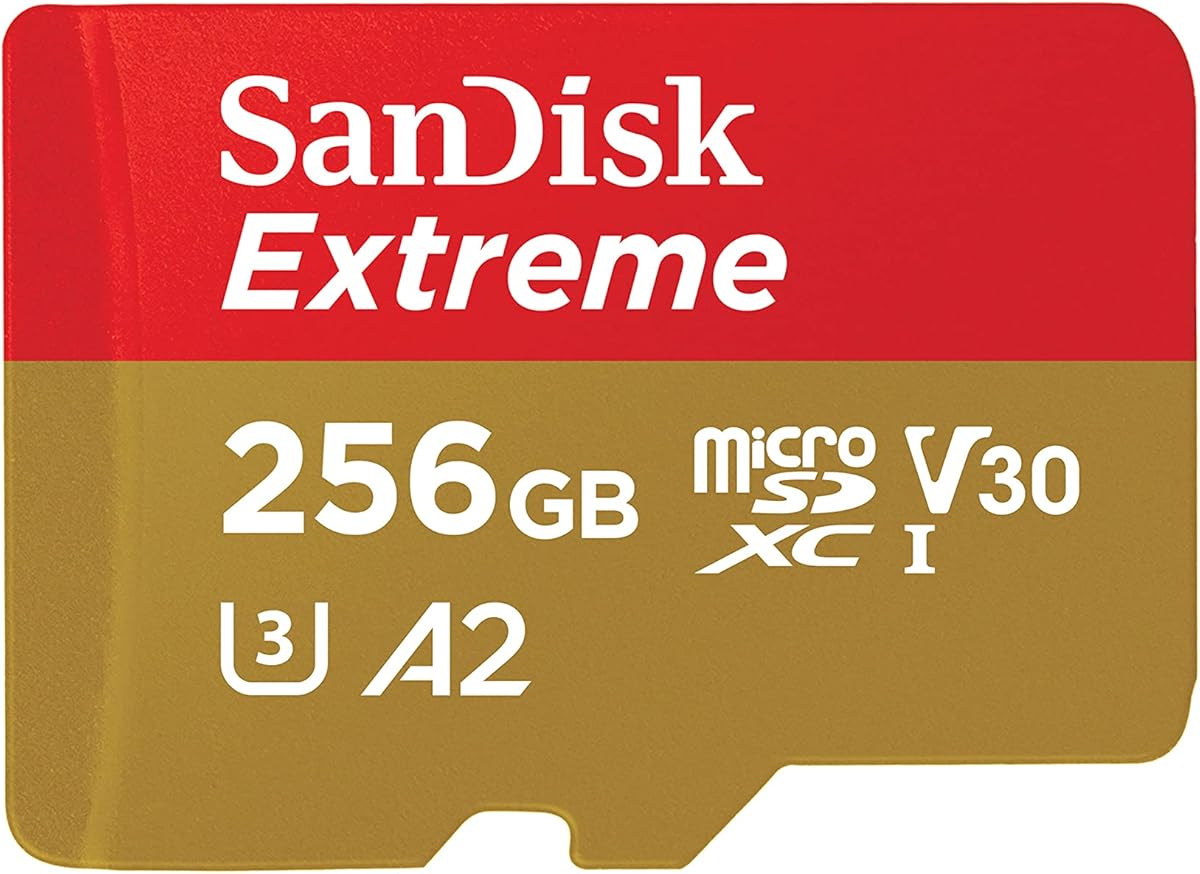
The SANDISK 256GB Extreme microSD Card combines the largest capacity in this guide with high advertised read and write speeds. It supports up to 190MB/s reads and 130MB/s writes, while carrying U3, V30, and A2 ratings for recording, application performance, and sustained transfers.
We may earn a commission when you buy through this link, at no additional cost to you.
Its 256GB capacity is useful for Raspberry Pi installations that store more than the operating system. That can include container images, development dependencies, media libraries, camera output, or local project data. The higher stated write speed is especially relevant when files are created continuously rather than merely read from storage.
Peak transfer performance depends on compatible host hardware, readers, usage conditions, and the interface. The product information also says QuickFlow technology applies to the listed 128GB, 256GB, and other supported capacities. Buyers should not expect the advertised maximum in every Raspberry Pi or reader, and a separate compatible reader may be needed for the best transfer results.
Choose this card for a high-capacity Raspberry Pi computer, media server, camera system, or development platform where storage headroom is valuable. For a small headless project, it is more capacity than necessary, but for a system expected to grow substantially, it offers the most versatile combination of space and performance in the guide.
A 256GB card offers ample room for large applications and local datasets. It can reduce the need to move data to external storage, although the operating system should still be backed up separately from important project files.
The claimed 130MB/s write speed gives this card an advantage over smaller-capacity options when moving substantial new files onto the card. Results depend on the reader and host, so the rating remains a controlled specification rather than a guaranteed Raspberry Pi result.
We may earn a commission when you buy through this link, at no additional cost to you.
The SANDISK 256GB Ultra microSD UHS-I card offers a large amount of storage alongside a high advertised read speed of up to 195MB/s. It carries V10, U1, Class 10, and A1 ratings, making it a general-purpose option for devices that need considerable capacity without requiring a high-end video class.
We may earn a commission when you buy through this link, at no additional cost to you.
The 256GB capacity is useful for a Raspberry Pi used as a media library, development computer, download host, or local storage hub. Full HD video support and the A1 rating cover common everyday media and application needs. The included product information also highlights content management through SanDisk's Memory Zone software for compatible devices.
Unlike the Extreme cards, this model does not list V30 or U3 for sustained video writing. That distinction matters more for continuous recording and heavy write workloads than for general desktop use. The maximum read rate also requires a compatible QuickFlow USB-A reader and supporting host hardware, so a Raspberry Pi may not reach it.
This is a strong choice for users who prioritize capacity and fast reading but do not need the most demanding sustained-write specification. It is especially suitable for mixed-purpose Raspberry Pi computers, while the Extreme models remain the better fit for intensive recording and continuous data creation.
The 256GB capacity can hold substantial collections of music, photos, videos, application data, and project files. It is a practical option when the Raspberry Pi serves as both a computer and a local content repository.
The 195MB/s headline read rate supports rapid offloading when paired with compatible hardware. It is most useful for moving existing files, while the V10 and U1 ratings remain more relevant to general media playback and everyday storage.
We may earn a commission when you buy through this link, at no additional cost to you.
The right Raspberry Pi microSD card depends on the operating system image, board, storage workload, and tolerance for setup. Capacity, speed classes, interface support, preinstallation, and reliability should be considered together rather than relying on one headline specification.
A preloaded card is the fastest route to a working Raspberry Pi. The Beamo 64GB and the 128GB Raspberry Pi OS preloaded card both arrive with an operating system already installed, eliminating the need to download an image, select a destination drive, flash it, and verify the result. This convenience is especially valuable for beginners, classroom groups, and quick project builds. However, buyers should verify the image version because a preloaded system may require updates after purchase.
Choose preloaded when speed and simplicity matter most. Choose a blank card when you want to select the current image, configure partitions, or follow a preferred installation workflow.
Raspberry Pi OS and basic services can fit on a compact card, but practical operation becomes more comfortable as capacity increases. A 32GB card works for a deliberately lightweight headless installation. A 64GB card provides a useful balance for general use, while 128GB is preferable for a desktop, development environment, or system that will retain files. A 256GB card offers the most room for media, containers, large projects, and local data.
Do not choose capacity solely from the operating system's minimum requirement. Leave space for updates, logs, browser data, and project growth.
Read speed can improve file transfers and application loading, but the maximum published figure usually depends on the host reader, interface, and conditions. Cards in this guide claim read rates ranging from 48MB/s to 195MB/s. The Raspberry Pi's own interface and the device used to prepare the card can prevent those figures from being reached. Random operation and sustained writes may influence the experience more than sequential reads in some workloads.
Treat advertised read speed as a comparative figure rather than a guaranteed result. Match the card to the actual task and use compatible hardware.
V10, V30, and U3 describe suitability for video recording, but they are more important when a Raspberry Pi writes data continuously. A camera, telemetry recorder, or logging system can place sustained demands on the card, making V30 and U3 more relevant than a standard V10 or U1 card. The SANDISK Extreme models and Amazon Basics 128GB card provide V30, while the official Raspberry Pi card also lists V30. For ordinary browsing and coding, these advanced classes may not be essential.
Prioritize a sustained write class whenever recording, logging, or continuous file creation is central to the project.
Application classes describe expected random read and write performance. A1 cards are optimized for faster application launch and overall responsiveness, while A2 cards provide higher stated random-operation levels. The Raspberry Pi 64GB card is an A2 option, the 128GB and 256GB Extreme cards also carry A2, and the Ultra models use A1. These ratings can be helpful when the Pi runs a graphical desktop, but actual results still depend on the workload and operating system.
A2 is advantageous for interactive systems; A1 remains suitable for ordinary desktop use and many embedded projects.
A microSD card may satisfy its speed class yet still be unsuitable for a particular board or operating system. Check the board's supported capacity, operating-system image requirements, and any device-specific guidance. The Beamo card explicitly lists Raspberry Pi 5, 500, 400, 4B, 3B, 3B+, 3A+, Zero 2 W, and Compute Module support. Other general-purpose cards rely on standard UHS-I or microSDXC compatibility rather than a preloaded image tailored to those systems.
Verify the exact board and Raspberry Pi OS release before making a final selection, particularly for an older or specialized model.
Most Raspberry Pi setups require a separate way to create a bootable image. An included full-size SD adapter can help transfer files through a computer's SD slot, although some USB card readers perform more predictably. The SanDisk Extreme cards include adapters, as do the Amazon Basics 128GB and SanDisk Ultra 32GB cards. Some higher advertised speeds require a compatible QuickFlow USB-A reader, and readers are generally sold separately.
Check whether you already own a suitable reader. For a first build, a bundled adapter can reduce the number of additional accessories required.
No microSD card should be treated as the only copy of important data. Operating systems, configuration files, and project assets can be reproduced or restored, but actively changing data may need separate backups. Warranty terms can provide some reassurance, and the Sandisk Ultra 64GB and SanDisk Ultra 32GB listings specifically mention a ten-year warranty. Environmental resistance is also documented for the Amazon Basics card, making it more suitable for exposed or mobile placements.
Use safe shutdown procedures, avoid filling the card completely, and maintain a separate backup for anything that cannot be recreated.
For a preloaded card, insert it into the Raspberry Pi's microSD slot, connect the display or network, attach power, and follow the operating system's initial setup. For a blank card, insert it into a compatible reader, download the appropriate Raspberry Pi OS image from the official source, select the card as the destination, write and verify the image, and then move the card safely into the computer.
After the first boot, complete the operating system updates, set a strong password, configure network access, and make sure the system clock is correct. If the Pi performs demanding work, enable appropriate logging controls and monitor available storage. Use a card with sufficient capacity and sustained-write specifications for cameras, databases, containers, or continuous data collection.
Shut the Raspberry Pi down cleanly before removing the card or power. Avoid abruptly cutting power during writes, keep the card away from moisture and extreme heat, and retain the protective case when possible. Periodically check storage health, remove unnecessary files, and back up important configuration and project data to another location.
Most quality microSD cards that meet the operating system's capacity and performance requirements can work in a Raspberry Pi. A Raspberry Pi-branded or preloaded card is not mandatory, but it can simplify compatibility or setup. Always confirm that the selected board supports the card's capacity and that the image has been written correctly.
A 32GB card can be sufficient for a minimal or headless Raspberry Pi installation. It becomes restrictive when the device uses a graphical desktop, installs development tools, stores media, or retains logs and updates. A 64GB or 128GB card generally offers more comfortable headroom for regular use.
A preloaded card is convenient for beginners and rapid deployments because it removes the imaging process. Advanced users may prefer a blank card, which provides direct control over the image and initial configuration. Check the age of any preloaded operating system and update it after the first boot when needed.
A faster card can improve boot time and file-loading performance, but the gain depends on the system, interface, and workload. Random read performance and application classes may be more noticeable in a desktop than maximum sequential read speed. The card is rarely the only limitation on a Raspberry Pi's overall responsiveness.
A card with a defined sustained-write class is preferable for continuous video recording. V30 and U3 provide clearer guidance than a basic V10 or U1 designation because sustained recording is more demanding than occasional file writes. Actual performance still depends on the camera, encoding settings, Raspberry Pi model, and card reader.
Use the official Raspberry Pi imaging software, choose the correct Raspberry Pi model and operating system, select the microSD card as the target, write the image, and allow the verification process to finish. Do not format the card separately before writing unless the imaging utility specifically requests it. Safely eject the card before inserting it into the Raspberry Pi.
Yes, a regular microSD card can be suitable if it meets the board's capacity requirements, offers adequate sustained-write performance, and does not show signs of failure. The guides in this roundup compare general-purpose and Raspberry Pi-focused cards precisely because all can be appropriate when matched to the workload.
Look for repeated boot failures, corrupted files, I/O errors, missing projects, unusually slow operations, and warnings shown during startup. Do not ignore these signs because a failing card can damage an installation. Back up important data promptly, inspect the system logs, and replace the card with a reputable model when errors persist.
The Beamo Preloaded 64GB card is the most approachable choice for a new Raspberry Pi because it combines a ready-to-boot operating system, broad model support, and useful everyday performance. The SANDISK 128GB Extreme stands out for stronger defined performance classes, while the official Raspberry Pi 64GB card offers platform-focused branding and A2 and V30 support.
Prioritize capacity, sustained writes, and setup convenience according to the project rather than selecting solely by headline speed. A preloaded card simplifies the first boot, a V30 card better serves continuous writing, and a 256GB option provides the most room for media, containers, and developing projects. Match the choice to the board and keep a separate backup of valuable data.
Ratings, retailer availability, product listings, and offers can change, so review the current specifications before buying. Confirm capacity support, required image version, performance class, and reader compatibility. With those checks completed, the right microSD card can provide a dependable foundation for everything from a first desktop to an always-on automation or media system.
10 Best Microsd Card for Raspberry Pi (November 2026) Expert Guide