
OBSBOT Tiny 3
4.4Editor score
1/1.28-inch CMOS sensor
4K at 30FPS
Triple-mic spatial audio
Advanced AI target tracking
An AI-powered webcam adds more than a conventional fixed camera: automated framing, subject tracking, gesture controls, noise reduction, and intelligent exposure can make meetings and streams easier to manage. The right model also needs dependable image quality, responsive autofocus, useful built-in microphones, and privacy controls that fit your workspace.
We compared ten current AI webcams using the supplied specifications, focusing on resolution, sensor size, tracking capabilities, autofocus, audio systems, mounting options, software, and compatibility. The list covers compact meeting cameras, PTZ streaming models, and conference-room systems, so it reflects different recording environments rather than treating every webcam as the same type of product.
Each recommendation highlights the circumstances in which that camera makes the most sense, from budget calls to polished 4K streams. Ratings and technical details reflect the supplied product information, while features can vary by application, lighting, platform, and firmware. Current prices and availability change, so confirm the latest listing before purchasing.
4.4Editor score

4.6Editor score

4.4Editor score
As an Amazon Associate we earn from qualifying purchases.
The comparison below places all ten cameras side by side, emphasizing sensor size, maximum imaging format, AI behavior, audio, and physical design. It shows where compact fixed cameras, motorized tracking models, and room-oriented systems differ in practical use.


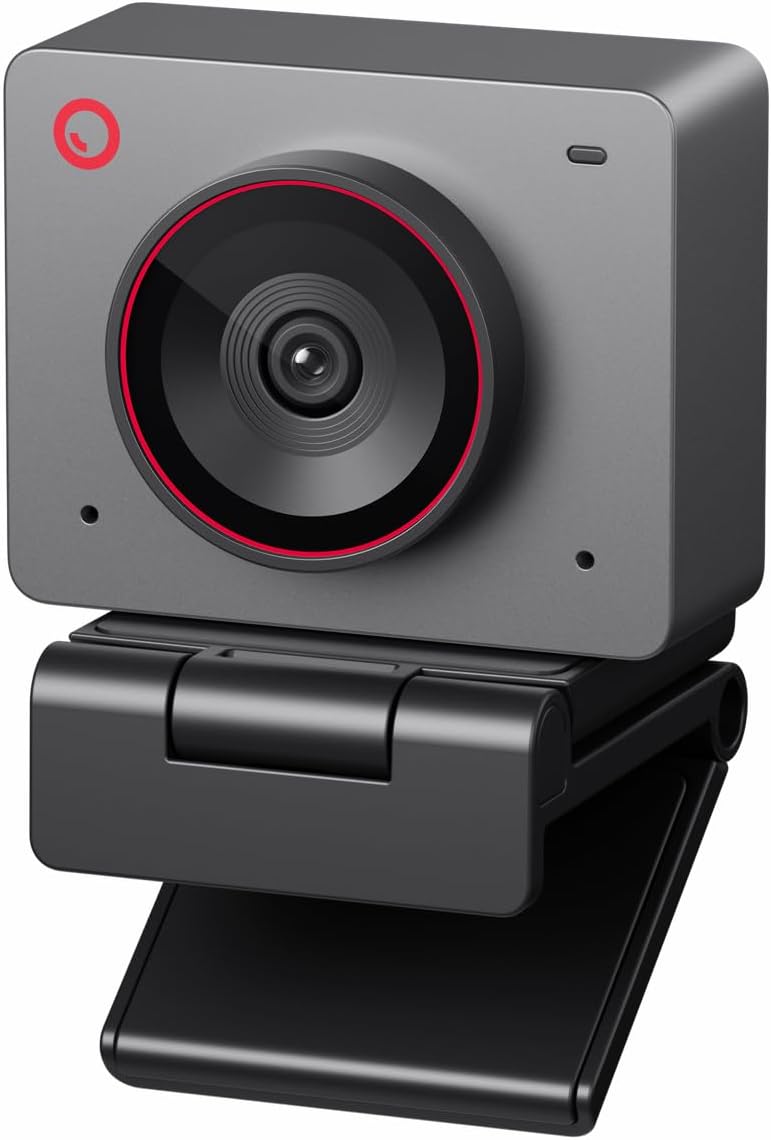


The OBSBOT Tiny 2 Lite is a compact 4K PTZ webcam rated 4.3 stars in the supplied information. It combines a 1/2-inch CMOS sensor with motorized tracking, several subject modes, customizable tracking areas, and 4K recording. Its central appeal is flexibility: the camera can frame an individual, follow a body or hand, and move through preset positions without becoming a large desktop camera.
We may earn a commission when you buy through this link, at no additional cost to you.
The most useful strength is its combination of tracking and direct control. Users can set separate parameters and tracking modes for different presets, reducing the need to rebuild a scene after switching between a talking-head shot and another angle. Gesture controls add a palm-based target lock and an upward gesture for zoom, while horizontal, portrait, and inverted shooting modes suit different platforms and camera placements.
The Tiny 2 Lite also supports SDK, OSC, Stream Deck, and global hotkey functions, which gives experienced streamers deeper control than a basic plug-and-play webcam. Compared with the larger Tiny 3 models, however, it has a smaller 1/2-inch sensor and omits some of their more advanced AI modes and spatial-audio arrangement. Those are meaningful differences for demanding creators.
This is a strong recommendation for teachers, remote presenters, and streamers who need PTZ movement and flexible tracking without moving to the top tier. It may be less compelling for someone who prioritizes maximum low-light detail, advanced object recognition, or professional directional audio over portability and preset-based operation.
Custom tracking areas, non-tracking areas, body and hand modes, and per-preset settings give the Tiny 2 Lite a level of control that is useful in active presentations. Instead of relying on one automatic behavior, users can guide the camera around intentionally excluded parts of the room.
Preset positions, gestures, and professional control options make the camera adaptable across lectures, calls, and broadcasts. It is particularly useful when one production requires several compositions or when a presenter frequently moves around the frame.
We may earn a commission when you buy through this link, at no additional cost to you.
The EMEET PIXY is a 4K PTZ camera rated 4.3 stars, built around an unusual dual-camera arrangement. A 1/2.55-inch main imaging sensor records the scene, while an auxiliary AI camera detects face position. That second perspective helps the camera optimize autofocus and exposure, and the supplied information reports focusing as quick as 0.2 seconds.
We may earn a commission when you buy through this link, at no additional cost to you.
Its tracking system uses three chips for imaging, motion and lighting prediction, and motorized movement. The PTZ hardware supports 310 degrees of pan and 180 degrees of tilt, allowing the PIXY to follow dancers, instructors, presenters, and product demonstrators without manual reframing. An open-palm gesture held near the center for two seconds activates gesture control.
EMEET STUDIO expands the feature set with preset positions, field-of-view controls, a whiteboard mode, privacy controls, and built-in AIGC tools for generating shot lists and camera movements. Audio is handled by a triple-microphone array with separate modes for steady background noise, sudden interruptions, and original ambient sound. The included clip is convenient, although the tripod and remote are separate purchases.
The PIXY is best for creators who value rapid autofocus, moving subjects, and a broad set of production tools. It is less ideal for buyers who need everything in one box, want a basic fixed webcam, or prefer the simpler setup of a conventional conference camera. Compatibility includes major streaming applications and common Windows and macOS systems.
The auxiliary camera gives the PIXY a separate view for locating faces, allowing the main imaging system to concentrate on capture. In practical terms, that arrangement supports faster focusing and more responsive exposure changes when subjects move.
Presets, whiteboard mode, multiple audio profiles, privacy settings, and generated camera movements can reduce the need for extra control hardware. The optional remote and tripod are the notable exceptions, so budget for them if they are part of the intended setup.
We may earn a commission when you buy through this link, at no additional cost to you.
The OBSBOT Tiny 3 Lite is rated 4.3 stars and delivers 4K capture, PTZ tracking, and a three-microphone spatial-audio system in a notably small body. The supplied specification says it is 48% smaller and 34% lighter than its predecessor, yet it retains a 1/2-inch CMOS sensor and supports 4K at 30FPS or 1080P at 120FPS.
We may earn a commission when you buy through this link, at no additional cost to you.
Its AI Tracking 2.0 system can identify a person, a group, or more than 200 types of objects. That breadth makes it more flexible than a camera limited strictly to face detection, while Zone Tracking, composition lines, and one-touch presets provide additional ways to shape a shot. PDAF autofocus, HDR, and a wide ISO range support detailed output in difficult lighting.
Audio receives equal attention. An omnidirectional microphone captures the overall scene, while two directional MEMS microphones help identify voices. Five specialized audio modes adapt the balance for calls, streaming, and other uses. Voice and gesture commands can wake the camera, lock onto subjects, alter zoom, and switch presets, though the supplied guidance advises disabling those controls if the gimbal behaves erratically.
Choose the Tiny 3 Lite when portability, sophisticated object tracking, and built-in spatial audio matter more than the very largest sensor. It is a compelling travel and creator camera. Users who need maximum low-light performance, the full sensor specification of the Tiny 3, or the most extensive imaging suite should compare the larger model before settling.
Recognition of people, groups, and hundreds of object types expands automated framing beyond ordinary face tracking. The compact housing and light weight make those features more accessible for mobile work and less permanent production spaces.
The three-microphone arrangement gives the camera more control over voices and ambient sound than a typical single-microphone webcam. Multiple profiles let users move between a focused call and a livestream without replacing the entire device.
We may earn a commission when you buy through this link, at no additional cost to you.
The OBSBOT Tiny 3 is the premium selection in this guide, earning a 4.4-star supplied rating. Its 1/1.28-inch CMOS is substantially larger than the sensors used by most entry-style AI webcams, and the camera combines that sensor with 4K at 30FPS, 1080P at 120FPS, dual all-pixel PDAF, DCG HDR, and a broad ISO range of 0 to 12800.
We may earn a commission when you buy through this link, at no additional cost to you.
AI Tracking 2.0 can lock onto individuals, groups, or more than 200 object types, while Desk Mode, Whiteboard Mode, presets, composition lines, and zone tracking help organize a frame. Voice and gesture commands reduce the need to reach for controls during a live presentation. The supplied data also identifies a useful warning: if the gimbal becomes erratic or wakes or sleeps incorrectly, voice and gesture control should be turned off.
The triple-microphone array combines one omnidirectional microphone with two directional MEMS microphones across five audio modes. OBSBOT Center adds Beauty Mode, background blur, teleprompter tools, exposure gamma control, white-balance offsets, NVIDIA Maxine Eye Contact, remote interaction, and VR avatar features. Compatibility covers Windows 10 64-bit or later and macOS 11 or later over USB.
The Tiny 3 is the recommendation for serious streamers, educators, and hybrid presenters who want excellent sensor-level image potential, flexible AI framing, and sophisticated control in a compact motorized body. Its cost and feature depth can be excessive for ordinary video calls. For those needs, the Meet 2, Meet SE, or Insta360 Link 2C are more focused alternatives.
The 1/1.28-inch sensor can gather more light than smaller alternatives, supporting cleaner low-light output and greater latitude for detailed 4K images. That foundation makes the camera especially interesting for creators who control framing and lighting carefully.
Exposure gamma, white-balance offsets, HDR, autofocus behavior, and composition tools put advanced adjustments within desktop software. Creators can develop a consistent look while retaining the convenience of a single integrated webcam.
We may earn a commission when you buy through this link, at no additional cost to you.
The OBSBOT Meet 2 is a 4.4-star compact webcam designed around a 1/2-inch sensor, AI framing, and automatic focus. It is positioned for straightforward calls and mobile work rather than elaborate tracking productions, and its simple USB-C connection makes it among the easiest models to deploy.
We may earn a commission when you buy through this link, at no additional cost to you.
The AI system adjusts composition and focus for either one person or a group. Dynamic gesture control can toggle AI framing with an open-palm gesture and adjust zoom with an upward-pointing gesture. A pair of omnidirectional noise-canceling microphones capture speech while reducing wind, keyboard typing, and other environmental noise, with adjustable reduction levels for different scenes.
The supplied data describes a webcam weighing 40.5 grams and roughly the size of a pair of earbuds. That makes it easy to move between a home desk, a café, and an office. OBSBOT Center expands the basic plug-and-play experience with more detailed settings. The product information also notes that it may become warm during use, which is described as normal and not damaging to its function.
Choose the Meet 2 for people who want 4K clarity, smart group composition, and good voice pickup in a small, uncomplicated camera. It is less suitable when motorized tracking, multiple object-recognition categories, high-frame-rate 1080P, or extensive spatial-audio functions are priorities. Those needs align better with the OBSBOT Tiny family.
AI framing can change how people are positioned in the image, but the Meet 2 does not physically pan or tilt. It is therefore a good fit for users who need adaptive composition but want a simple fixed camera that can easily travel between locations.
The tiny, lightweight body reduces the space required on a desk or laptop setup. A single USB-C connection and automatic operation make the webcam suitable for users who value quick setup over deep manual camera management.
We may earn a commission when you buy through this link, at no additional cost to you.
The YoloCam S3 carries the highest supplied rating in this comparison at 4.6 stars. It is a 4K streaming webcam built around a large 1/1.3-inch sensor, with 4K at 30FPS or 1080P at 60FPS. Fast PDAF autofocus is designed to keep close-ups sharp, while an 82-degree field of view provides a practical balance between subject coverage and image scale.
We may earn a commission when you buy through this link, at no additional cost to you.
Its AI role is primarily in imaging rather than subject movement. The supplied information says AI-enhanced processing makes faces and low-light details clearer, automatically tuning exposure, white balance, and HDR. A 4x digital zoom retains a crisp 1080P image according to the product data, giving creators more flexibility when reframing without physically moving the camera.
Control options are extensive. The software provides manual adjustment for contrast, sharpness, saturation, exposure, white balance, autofocus, and color grading. YoloLiv's Picasso Resolve engine is intended to make grading more intuitive and is currently available on Windows, with a Mac version described as coming soon. The all-aluminum body acts as a heat sink for stable, continuous streaming.
The YoloCam S3 is our editorial choice for streamers who care most about image quality, manual control, and color grading. It is not the most overtly AI-driven product here because the listed features emphasize intelligent imaging rather than motorized subject tracking. Choose it when a 4K webcam should function like a compact creative camera rather than an autonomous presenter.
The 1/1.3-inch sensor gives the S3 a strong basis for detailed capture and low-light performance. Combined with AI-tuned exposure and HDR, it is well suited to creators who want a polished image with meaningful manual control.
Contrast, sharpness, saturation, exposure, white balance, autofocus, and dedicated color grading can be adjusted from the companion software. This makes the S3 attractive to streamers who want to develop a repeatable visual profile rather than accept one automatic look.
We may earn a commission when you buy through this link, at no additional cost to you.
The Insta360 Link 2C is rated 4.5 stars and combines a 1/2-inch sensor, 4K HDR, PDAF autofocus, and AI-assisted framing. It supports natural bokeh through the Link Controller, giving footage a shallower, more camera-like background treatment without requiring a separate lens system.
We may earn a commission when you buy through this link, at no additional cost to you.
Auto framing automatically zooms and adjusts to keep one person or a group visible. Gesture controls can start AI tracking and auto framing, change zoom, and activate Whiteboard Mode, while a phone provides remote control. DeskView and Whiteboard modes address two common work situations: sharing a document and presenting at a desk.
Advanced AI noise cancellation is included, and the free Link Controller provides access to detailed settings. A physical privacy switch gives users a direct way to block the lens. Compatibility extends to major meeting and streaming applications, including Microsoft Teams, Zoom, and Twitch. The product information notes that the current model does not support ARM-based Windows systems or Windows Hello Face Recognition.
The Link 2C is a strong all-round recommendation for hybrid workers and streamers who want AI framing without a bulky PTZ design. It offers fewer physical tracking features than the OBSBOT Tiny models, but its 4K HDR imaging, bokeh, remote operation, and specialized work modes create a well-rounded package.
Auto framing changes zoom and composition as the number of participants changes. That makes the camera useful for a call that begins with one presenter and later includes several colleagues without requiring continuous manual operation.
The bokeh effect available through Link Controller can soften backgrounds and make a fixed webcam look less like an ordinary office camera. It adds visual separation for presentations, streams, and recorded messages where the subject should remain the focus.
We may earn a commission when you buy through this link, at no additional cost to you.
The OBSBOT Meet Flip is a 4.5-star foldable 4K webcam built for laptop users and mobile meeting spaces. It weighs 37.7 grams and incorporates a stand into its body. The camera flips open for immediate use and folds shut to trigger sleep mode and provide physical privacy protection.
We may earn a commission when you buy through this link, at no additional cost to you.
Its 1/2-inch CMOS sensor produces brighter, sharper 4K imagery, while HDR supports more natural-looking color across different lighting conditions. PDAF autofocus and AI auto framing manage focus and composition for either a lone participant or a group. The camera also adds meeting-oriented functions including real-time transcription, smart highlights, AI meeting summaries, and a teleprompter.
Audio comes from a dual-microphone system combining omnidirectional and directional pickup, with four audio modes for different scenarios. Gesture control lets users activate AI framing and adjust zoom without touching the computer. Together, these features give the compact device a clear focus on interactive meetings rather than traditional gaming or cinematic production.
Choose the Meet Flip for frequent travelers, hybrid employees, and anyone who wants a webcam that stores neatly and physically protects its lens. It is less appropriate when motorized subject tracking or extensive manual color tools are essential. Its most distinctive benefit is the combination of a foldable integrated stand, meeting intelligence, and privacy-by-design.
Closing the camera both puts it to sleep and covers the lens. That is easier to verify at a glance than a software-only privacy setting, making the design useful for travel, shared desks, and sensitive office spaces.
Transcription, highlights, summaries, teleprompter support, adaptive framing, and several audio profiles provide a connected meeting workflow. These tools are particularly relevant to regular virtual presenters who want assistance beyond basic image capture.
We may earn a commission when you buy through this link, at no additional cost to you.
The 4K AI-Powered Conference Webcam is built for a different purpose from desktop facecams. Rated 4.1 stars in the supplied information, it is intended for small conference rooms where multiple attendees and an active presenter need to remain visible. A 120-degree field of view covers much of the meeting space without constant repositioning.
We may earn a commission when you buy through this link, at no additional cost to you.
AI auto framing detects and includes attendees, while presenter tracking follows the person speaking during training sessions, client presentations, and interactive meetings. These room-oriented behaviors distinguish it from a conventional laptop webcam that expects everyone to remain close to the lens.
Audio is designed for shared spaces. Two AI noise-canceling microphones are specified to capture voices across a table up to five meters away, and the product title also identifies built-in speakers. USB plug-and-play operation supports meetings in Zoom, Teams, and Webex, reducing the need for a complex installation. A physical lens cover protects privacy in shared offices.
This camera is recommended for a company meeting room, classroom, training space, or hybrid discussion rather than a personal desktop. It is less useful for creators who need close-up 4K detail, a natural background effect, or a highly controlled streaming image. Confirm the room dimensions and desired camera placement before buying.
The 120-degree view and room-oriented framing are designed to include people around a table. That makes the system more appropriate for shared conference environments than a narrow personal webcam intended for one seated speaker.
Presenter tracking follows the active speaker, while group framing adjusts the composition to include attendees. These features reduce the need for an employee to manually redirect the camera during training or collaborative meetings.
We may earn a commission when you buy through this link, at no additional cost to you.
The OBSBOT Meet SE is the value-focused recommendation, carrying a 4.4-star supplied rating. It prioritizes smooth high-frame-rate 1080P output, including 1080P at 100FPS, 1080P at 60FPS, and 720P at 150FPS. The listing notes that 100FPS output should be selected through More Output Options in OBSBOT software.
We may earn a commission when you buy through this link, at no additional cost to you.
Its 1/2.8-inch stacked CMOS uses 2.9-micrometer pixels, Dual Native ISO, Staggered HDR, and a 12-bit dynamic color range for low-light performance. Intelligent AI framing recognizes individuals or groups and adjusts composition and focus in real time. Palm and upward-pointing gestures can toggle framing and change zoom, reducing physical interaction during a session.
OBSBOT Center adds beauty controls, including facial and body contouring and makeup modifications, along with brightness, hue, and other video adjustments. More advanced users can also work with SDK, OSC, Stream Deck, and global hotkey functions. A single USB-C connection provides straightforward setup for PC use.
The Meet SE is ideal for users who want lively motion, reliable AI group framing, and capable low-light capture without moving to a 4K model. It is a particularly good fit for fast demonstrations, online classes, gaming, and everyday meetings. Those needing maximum 4K resolution, PTZ movement, or extensive object recognition should choose a higher-tier camera.
Options up to 100FPS at 1080P can make gestures, demonstrations, and fast-moving content look smoother than a standard 30FPS feed. The different 720P and 1080P modes also provide flexibility when a platform or computer has different capture constraints.
Stacked sensor design, relatively large pixels, Dual Native ISO, and Staggered HDR form the core of the low-light proposition. The result is a camera that prioritizes responsiveness and clean exposure instead of offering 4K resolution.
We may earn a commission when you buy through this link, at no additional cost to you.
The right AI-powered webcam depends on how and where it will be used. Resolution, tracking behavior, autofocus, audio, software, mounting, and privacy should be evaluated together rather than treating the highest resolution as the only sign of quality.
Resolution determines the amount of captured detail, while frame rate influences how smoothly movement appears. Most professional calls look acceptable at 1080P, but 4K provides greater flexibility for cropping, recording, and digital zoom. High-frame-rate 1080P can be more useful than 4K for fast demonstrations, gaming, or motion-heavy streams, so the best choice depends on the primary activity rather than a single resolution ranking.
Prioritize 4K for detailed recordings, or 1080P with a high frame rate for smooth motion.
A larger sensor generally gathers more light, which can improve detail, dynamic range, and visible noise performance. Sensor size does not determine every aspect of image quality, but it helps explain why premium models such as the OBSBOT Tiny 3 and YoloCam S3 can perform differently from compact 1080P cameras. HDR, pixel size, autofocus, and exposure processing also influence the final result.
Choose a larger sensor for dim rooms, and do not rely on resolution alone.
AI features range from framing one person or a group to recognizing objects, following presenters, and using zone-based movement. PTZ cameras can physically pan, tilt, or zoom, while fixed cameras may only alter digital composition. Consider whether the subject moves significantly, how many people need to be included, and whether an automated movement would actually improve the shot.
Match tracking complexity to your room, subject movement, and production style.
Phase-detection autofocus is a valuable feature when a presenter moves closer to the camera or holds an object near the lens. The EMEET PIXY uses a separate auxiliary camera to assist its focus process, while several OBSBOT and Insta360 models use PDAF. AI tracking does not compensate for poor focus, so a stable autofocus system should be considered independently.
Look for PDAF or comparable phase detection when subjects move toward the camera.
Built-in audio can determine whether a stream sounds professional before an external microphone is added. Directional microphones emphasize voices, omnidirectional microphones capture more room sound, and AI noise reduction can suppress steady hums or sudden sounds such as typing and door impacts. Models with multiple audio modes offer better control across calls, lessons, podcasts, and music.
Choose directional pickup and adjustable noise reduction for noisy or shared spaces.
AI features often depend on the manufacturer's desktop application, and some controls are available only in particular operating systems. Look for useful exposure settings, virtual backgrounds, teleprompter tools, white-balance controls, and integration with Stream Deck, OBS, OSC, or SDK workflows. Confirm that the webcam connects to your computer and operates within the meeting or streaming applications you use.
Verify platform, operating system, and control-software support before buying.
A camera that works well on a monitor may be less suitable for a laptop, conference table, or temporary workspace. Consider the included clip, integrated stand, magnetic mount, tripod interface, weight, and required accessories. Privacy may take the form of a physical switch, folding lens, or lens cover; a mechanical solution is easier to confirm when the webcam is not in use.
Check mounting hardware, accessories, transport weight, and physical privacy.
Begin by positioning the camera at eye level for a natural presentation angle, then connect it with the specified USB cable and select the webcam in the operating system or meeting application. Before enabling AI framing, tracking, gestures, or noise reduction, set the basic image and audio preferences. A stable surface, a short distance from the subject, and controlled front lighting will provide a better foundation than aggressive digital adjustments.
Test the complete workflow before a live call or broadcast. Walk into the intended frame to verify tracking, move close to check autofocus, speak at normal volume to assess microphone pickup, and record a short sample in the final application. For PTZ models, check preset transitions, tracking boundaries, and privacy behavior. For fixed cameras, confirm that digital framing does not crop important background information.
Care for the camera by handling the body and mount gently, keeping the lens clean with a soft dry cloth, and avoiding liquids or harsh cleaners. Do not block microphones or ventilation areas. Update the associated software when updates are available, review saved privacy and tracking settings, and use the physical privacy control or cover whenever the camera is unattended. Some models may become warm during extended operation, which is normal when specified by the manufacturer.
An AI-powered webcam can automate framing, focus, tracking, exposure, and noise handling, reducing the need for manual adjustment during a meeting or stream. The exact benefit depends on the model: some focus on people and groups, while others add object recognition, presenter tracking, gestures, or physical PTZ movement. A standard webcam can still provide excellent video, but it usually leaves more framing responsibility to the user.
Not always. 1080P is generally sufficient for many calls, while 4K offers more captured detail and cropping flexibility for recording and streaming. The camera's sensor, autofocus, lighting, and compression also affect the final result. For fast movement, a high-frame-rate 1080P model may appear smoother than a 4K camera operating at a lower frame rate.
The webcam must first be recognized as a standard camera by the meeting or streaming software, but dedicated AI controls are often managed through the manufacturer's desktop application. Compatibility also varies by operating system and platform. Users should check both the hardware requirements and the applications they regularly use before purchasing.
They are often sufficient for calls, classes, and casual streams, especially when the webcam has directional microphones and adjustable noise reduction. Dedicated three-microphone systems can separate voices from ambient sound more effectively. For professional podcasts, musical performance, or demanding voice work, an external microphone may still provide more control and a cleaner result.
A fixed webcam uses digital framing and focus adjustments but does not physically rotate. A PTZ model can pan, tilt, and sometimes zoom with motorized movement, allowing it to follow a presenter around a larger area. PTZ is useful for teaching, demonstrations, and group activity, while a fixed camera is often simpler, more compact, and less noticeable.
A larger sensor is generally helpful because it can capture more light and preserve detail under weak illumination. HDR, pixel size, exposure controls, and the light source also matter substantially. A properly illuminated subject will usually look better than a poorly lit subject captured by a larger sensor, so improving room lighting remains an important first step.
Position the camera so the entire speaking area remains visible, then use group mode and adjust the available tracking zone or composition guides. Lighting and a contrasting background can also help the system distinguish people from their surroundings. Test the setup with realistic group sizes because a camera framed for one presenter may not cover several people spread around a table.
Both approaches can be useful. A physical switch or folding design is easy to verify and can disable the camera quickly, while a lens cover also blocks the physical view of the lens. For a shared office, it is sensible to confirm that the model has a mechanical privacy option and use it whenever the webcam is not actively recording.
The OBSBOT Tiny 3 is the premium choice for users who want a large sensor, advanced AI recognition, 4K capture, motorized movement, and deep image controls. The YoloCam S3 stands out for its strong 4K imaging, detailed manual controls, and color-grading workflow, while the OBSBOT Meet SE provides the most accessible route to high-frame-rate 1080P with intelligent group framing.
Prioritize the feature your workflow actually needs. A fixed camera is usually simpler for ordinary calls, a PTZ model is valuable when subjects move, and a conference webcam is designed to cover a room rather than a face. Sensor size, autofocus, microphones, privacy, and software support can matter more than a small difference in advertised resolution, especially for daily use.
Before purchasing, confirm current operating-system support, included mounting hardware, optional accessories, and the platform in which the camera will be used. Prices, promotions, bundles, and availability change regularly, so review the current listing and recent customer feedback before making a final purchase decision.