
LED Busy Light Status Indicator
4.6Editor score
Touch-sensitive color controls
Adjustable light brightness
Compact desktop placement
Our Busy Light for Office guide compares ten indicators, busy lights, and meeting-room signals by connectivity, alerts, placement, and ease of use.
A busy light for the office gives colleagues a visible, low-friction way to understand whether someone is available, focused, away, or already in a meeting. The right model can reduce unnecessary interruptions, clarify shared-space status, and make remote or hybrid workflows feel more considerate without requiring another message.
The products in this guide were compared using the supplied specifications, with particular attention to platform compatibility, automatic status changes, manual controls, alert functions, mounting options, size, and cable management. The list includes basic indicators, USB-connected lights, software-synchronized models, wireless meeting-room systems, and app-free alternatives.
Each review explains who the product is best suited to, what stands out, and where its trade-offs may matter. Ratings and product details reflect the available listing information, while availability, compatibility, and offers can change. Readers should confirm current requirements before purchasing.
4.6Editor score

4.6Editor score
4.2Editor score
This side-by-side comparison highlights the main differences in connectivity, status visibility, controls, and installation options across all ten office busy lights.


The Clip Busy Light Standard is a straightforward availability indicator for offices that rely on visible physical signals rather than software integrations. Its 4.4 rating reflects a generally useful design centered on two easily interpreted states: red for busy or in processing and green for available. The tall light column is designed to be noticed by nearby colleagues, while the 59-inch USB cable provides flexibility when the light needs to reach a computer from a shared position.
We may earn a commission when you buy through this link, at no additional cost to you.
The strongest feature is its uncluttered operation. Instead of requiring an account, desktop application, or calendar connection, a user changes the displayed color and lets the light communicate that choice. The included metal clip can attach to a monitor or another border under 30 millimeters, offering a practical way to elevate the signal without drilling or permanent hardware. It can also sit on a table, be placed near a computer, or be used outside a room to identify availability.
The main trade-off is that it does not automatically reflect a meeting in Microsoft Teams, Zoom, or another communication platform. Someone must remember to update it, and the long cable can be less tidy in a minimalist workspace than a short USB connection or wireless device. It also offers only the core red-and-green convention described in the listing rather than a wider set of automated states. Those limitations make sense for a simple indicator but may frustrate users who want passive, real-time syncing.
This product is best for individuals, small teams, hot-desking areas, or offices that want an inexpensive, visible way to reduce interruptions. It is especially useful where team members understand a simple red-means-busy convention and are willing to update the light manually. For users who need automatic calendar awareness, multiple status colors, or integrated call alerts, one of the software-connected models will offer a more complete experience.
The Clip Busy Light works immediately through manual red and green controls. That simplicity reduces training requirements and makes it suitable for offices with varied technical comfort levels.
Its metal clip and extended USB cable give users several placement options. The same indicator can move from a monitor edge to a table or doorway without requiring a permanent mounting solution.
We may earn a commission when you buy through this link, at no additional cost to you.
The Kuando Busylight UC Omega combines a visibility indicator, presence display, and ringer in a small round device. With a 4.3 rating, it offers one of the broadest communication-platform lists in this guide. The required kuandoHUB software supports Microsoft Teams, Skype for Business, Cisco Jabber, Webex, RingCentral, Zoom, Avaya One-X Communicator, and Avaya IX Workplace, allowing the Omega to fit into many established office communication environments.
We may earn a commission when you buy through this link, at no additional cost to you.
Its three-in-one design is particularly useful when a status light alone is not enough. Green communicates availability and red communicates a busy state, while other colors can appear according to the connected platform. A built-in ringer provides audible alerts for incoming calls and chats, with eight ringtones available. This can be valuable for employees who remove a headset while working and would otherwise have no visual indication that a communication request has arrived.
The software requirement is the central compromise. Buyers need to install and configure the supporting application on each user endpoint, and call or chat alert behavior depends on the platform involved. Manual control, multiple-platform management, and Outlook integration are handled through kuandoHUB, so this is not a device intended to work as a completely standalone indicator. It also measures roughly 1.5 by 1.5 inches, making it discreet but dependent on line-of-sight visibility.
Choose the Omega when automatic status synchronization and audible alerts matter more than simple setup. It is well suited to organizations already standardized on one or more of the listed UC platforms and to individual professionals who regularly handle calls or chats. For a security-conscious workplace that prohibits additional desktop software, an app-free wireless model would be a more logical choice.
Managing Teams, Zoom, and other supported services through kuandoHUB reduces the need for separate status devices. Users can rely on one visual cue while keeping platform-specific details in the background.
The integrated ringer helps employees notice incoming calls and chats even when they are not watching the display. Platform limitations still apply, so administrators should verify the required integration before deployment.
We may earn a commission when you buy through this link, at no additional cost to you.
This Clip Busy Light Standard offering shares the same core format as the first product: a tall, USB-powered indicator with red and green states, a metal clip, and a 59-inch cable. It carries a 4.4 rating and is positioned as an easy way to show colleagues whether a person is available, handling a deadline, on a call, or ready to talk. The light can also mark a meeting room as free or occupied.
We may earn a commission when you buy through this link, at no additional cost to you.
Its appeal lies in the combination of a visible signal and installation flexibility. The metal clip can secure the device to a monitor or another border under 30 millimeters, helping keep the indicator near the user without attaching it permanently to a wall or door. The extended cable reaches from a USB-equipped computer to the chosen display point, while the light itself can also rest on a table or be positioned outside an office.
This model remains entirely dependent on manual operation. It does not automatically change when the user joins an online meeting or receives a message, so maintaining an accurate status requires a deliberate habit. The red-and-green scheme is intuitive, but offices that rely on a more nuanced color vocabulary may find it limiting. Compared with app-free wireless systems, it also requires a physical USB connection and may leave a visible cable across the workspace.
It is a strong candidate for individual desks, shared offices, and simple focus rooms where an obvious visual cue is more important than automated behavior. Teams that already use the same manual convention may find it exceptionally easy to adopt. Buyers seeking synchronized statuses should consider a USB-connected model, while larger meeting-room operations may benefit more from a wireless two-part system.
The clip and long cable make the device straightforward to position around an existing workstation. It avoids drilling, permanent mounting, and complicated configuration.
The red state creates a visible boundary around concentrated work, while green invites conversation. Its effectiveness depends on colleagues recognizing and respecting the chosen status convention.
We may earn a commission when you buy through this link, at no additional cost to you.
The USB Status Busylight is the most versatile desk-focused model in this roundup, combining a 4.6 rating with automatic synchronization, five clearly defined statuses, and tap-based manual control. It connects to Microsoft Teams, Zoom, and Cisco Jabber/Webex through free supporting software. When configured, the light flashes blue for an incoming call and changes to red after the user answers or joins a meeting, reducing the need to update the device by hand.
We may earn a commission when you buy through this link, at no additional cost to you.
The status system is unusually informative for an office indicator. Green means available, red means busy, yellow means away, blue indicates an incoming call, and purple represents do not disturb. That range gives colleagues more context than a basic red-and-green model and allows a compact light to communicate several working conditions. Tapping the top allows users to change colors manually whenever they want, so the product remains useful if software is unavailable or a custom status is preferred.
The most important caveat is that automatic mode depends on the free Busylight software and the operating environment. The listing specifically notes that Cisco Jabber and Webex support is limited to Windows, and setup assistance may require contacting the manufacturer. Manual tap operation works without software, but users should not expect every platform integration to behave identically across different devices and systems. The included connection is a 6.56-foot Type-C cable with a USB-C-to-A adapter.
This is our Editor's Choice because it offers an unusually balanced mix of automation, manual control, platform compatibility, and clear visual states. It is ideal for hot desks, individual offices, home workspaces, and hybrid teams already using Teams or Zoom. Organizations with restricted endpoint software should choose an app-free device, while Jabber or Webex users should confirm that their computers run Windows before installation.
Automatic syncing keeps the light current during normal use, while the top-mounted tap control provides a fallback for meetings, focus time, or temporary status changes.
Beyond simple availability and busy states, blue and purple communicate calls and do-not-disturb conditions. The broader palette can reduce ambiguity around what a displayed color means.
We may earn a commission when you buy through this link, at no additional cost to you.
The Switch Pro 2 is designed primarily for meeting-room status rather than a personal desk indicator. Its two-part system places a controllable cube inside a room and a visible indicator outside, allowing people approaching the door to see red for busy, green for available, blue for a call, or yellow for away. Custom colors can also be assigned, adding flexibility for organizations with their own visual vocabulary.
We may earn a commission when you buy through this link, at no additional cost to you.
The major advantage is its app-free wireless operation. There is no desktop installation, mobile application, Microsoft Teams configuration, Zoom setup, or IT approval requirement. Users pair the two components over Bluetooth 5.2, rotate the internal cube, and the exterior indicator follows. The stated unobstructed range reaches up to 80 meters, although real performance can be affected by walls, room layouts, and interference.
Installation is designed to be reversible and tidy. The exterior unit can attach to a door, wall, or frame with the included magnet, while the internal cube sits on a conference table. Anti-slip pads are also included for stable placement. The trade-off is that the system needs two coordinated pieces rather than one self-contained light, and the internal cube must remain within reliable Bluetooth range of the external indicator.
The Switch Pro 2 is the top premium choice for shared meeting rooms in hybrid, security-restricted, or IT-locked offices. It is less compelling for someone who only wants a personal availability signal, since its purpose and two-component design are centered on room communication. Teams that cannot install endpoint software will particularly value its straightforward physical control.
Rotating the internal cube updates the exterior display without requiring someone to leave the room or unlock a computer. That keeps room status current during spontaneous calls and meetings.
Because the system avoids desktop software and administrator approval, it can suit teams whose devices cannot support additional applications. Physical placement is the central control method.
We may earn a commission when you buy through this link, at no additional cost to you.
The Embrava Blynclight Standard is a communication-aware indicator designed for both home and office environments. It displays availability to nearby colleagues, flashes for incoming calls and instant messages, and supports Microsoft Teams, Skype for Business, Cisco Jabber, RingCentral, Cisco Finesse, CounterPath Bria, and Skype Home Edition. Its 4.2 rating reflects a mature feature set with platform-dependent limitations.
We may earn a commission when you buy through this link, at no additional cost to you.
A notable strength is the ability to adjust color and brightness. This allows the indicator to fit different office themes and ambient lighting, which can make it feel more integrated than a brightly generic status lamp. The flashing behavior for incoming communication is another useful feature because it differentiates a time-sensitive alert from a persistent status. Businesses with specialized workflows can also use the Software Development Kit to integrate the light with their own applications.
Compatibility requires careful review. The listing notes that Cisco Jabber incoming-call alerts work only with the Windows softphone and not with a Cisco desk phone. Alerts for calls and messages are unavailable on Mac or Attendant versions, incoming message alerts are unsupported by Cisco Jabber, and some Genesys PureCloud or Cisco Finesse capabilities depend on the appropriate licenses. Those constraints make the Blynclight less predictable without testing in the exact intended environment.
The Blynclight is best for established Microsoft-heavy or mixed-platform workplaces where automatic status changes and polished appearance are important. It may suit organizations with application developers that want to connect presence to proprietary systems. Before purchasing, administrators should verify alert behavior on their exact operating system, softphone, and licensing configuration.
Adjustable color and brightness help the indicator blend into an office rather than becoming a distracting fixture. This is particularly valuable in professional spaces with varied ambient light.
The included SDK opens the door to company-specific workflows. Teams can connect the light to internal applications, although compatibility details should be confirmed with the relevant platform owner.
We may earn a commission when you buy through this link, at no additional cost to you.
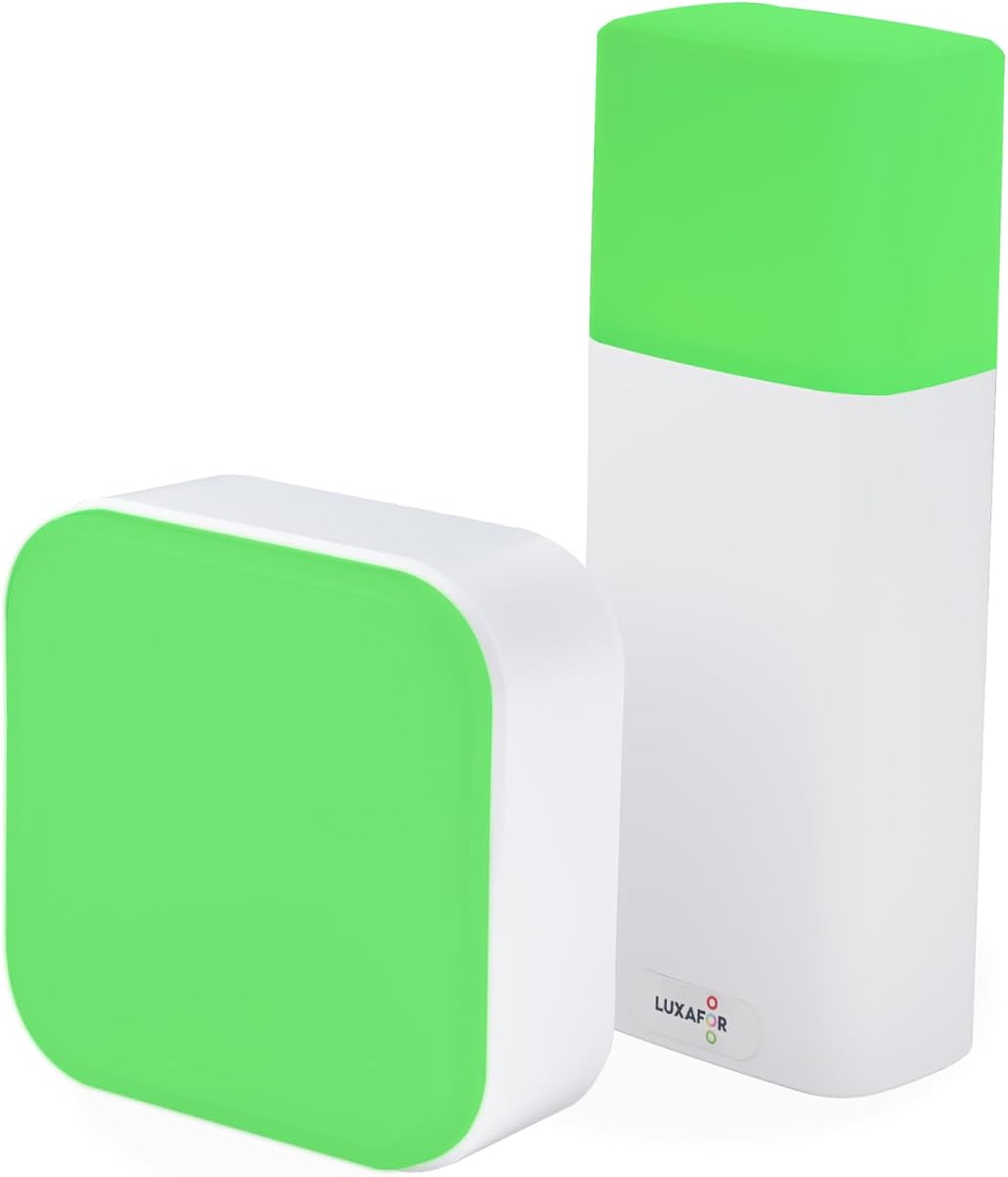
The LED Busy Light Status Indicator offers the most approachable way to add a visible work-status signal to a desk. It has a 4.6 rating, matching the highest score among the selected products, and uses touch-sensitive buttons on its base. A brief tap changes the color, while a press and hold adjusts brightness. No application, account, communication-platform integration, or computer configuration is required.
We may earn a commission when you buy through this link, at no additional cost to you.
Its two-state system is intentionally straightforward. Green represents available, while red represents busy, providing a common visual language that can be understood across an office without training. The dimming function is a meaningful addition for home offices, shared desks, and evening work because it lets users reduce glare without abandoning the status signal. Its smooth, compact design also allows it to function as an unobtrusive desk accessory.
The device is limited by its manual nature and its charging behavior. It cannot automatically change when a meeting begins, so users must remember to update it. The listing also notes that state switching is not supported while charging, which means a user wanting to change status during a connected session may need to unplug the unit first. There is no incoming-call alert or wider color vocabulary.
This is the best budget-oriented choice for individual professionals, small teams, and anyone who wants an intuitive status light without managing software. It is especially useful on a desk where visibility is close and immediate. Organizations seeking automatic calendars or platform syncing should instead choose a USB-connected model, while those needing room-wide visibility may want a larger or externally mounted indicator.
Tap and hold controls keep operation straightforward. A user can change status or dim the lamp without opening an application or navigating a technical setup process.
The compact shape fits naturally on a desk, and adjustable brightness helps it remain comfortable in different surroundings. Its red-and-green convention also works well for a small remote team.
We may earn a commission when you buy through this link, at no additional cost to you.
The Kuando Busylight UC Alpha differentiates itself with a narrow, approximately 4.5-inch-tall form factor that may be easier to notice across a desk or from farther away. It shares the broader platform support and built-in ringer found in the Omega, while the listing adds software-based brightness controls, volume control, and mute options. Its 4.2 rating makes it a solid option for unified communications users who want automatic status.
We may earn a commission when you buy through this link, at no additional cost to you.
The alpha functions as a three-in-one presence light, status display, and alert device. Green and red communicate availability and busy conditions, while connected UC services may add further colors. Eight ringtones give users some choice in how incoming calls or chats are announced. Through kuandoHUB, users can control multiple platforms, adjust the light manually, and integrate Microsoft Outlook so meeting status is reflected automatically.
Like the Omega, the Alpha depends on compatible software and platform support. It is not intended for users who want a completely app-free indicator, and each endpoint may require installation. The exact platform support ranges across Teams, Skype for Business, Cisco Jabber, Webex, RingCentral, Zoom, and Avaya products, so verifying the precise environment is essential. Its greater height also means it needs a stable spot on a desk rather than being tucked into a crowded corner.
Choose the Alpha when visibility, automatic status, and audible alerts are all important and the organization already uses supported UC software. It may be particularly suitable for open-plan offices where a taller signal is easier to notice. A basic touch-controlled light is more appropriate for a single user who wants minimal setup, while a wireless cube is better for meeting-room signaling without endpoint software.
The tall, narrow indicator is designed to remain noticeable from different positions around a desk. That can make it more useful than a low-profile light in busy shared environments.
kuandoHUB provides manual controls and synchronization across supported communication tools. Outlook integration further reduces the need to update the indicator whenever a meeting begins.
We may earn a commission when you buy through this link, at no additional cost to you.
The Kuando Busylight Omega Plus combines a compact spherical design with the automatic status and alerting functions associated with the Kuando range. At roughly 1.5 inches in diameter, it resembles a small table-tennis ball and occupies very little desk space. Despite its size, the listing states that the strong LED remains clearly visible, making it suitable for close-range presence signaling.
We may earn a commission when you buy through this link, at no additional cost to you.
It works as a three-in-one solution for displaying availability, indicating platform-specific status, and providing a ringer for incoming calls and chats. Free kuandoHUB software supports major services including Microsoft Teams, Zoom, Skype for Business, Cisco Jabber, Webex, RingCentral, and Avaya platforms. Users can manage supported platforms, manually control the light, and connect Microsoft Outlook so meeting status updates automatically.
Its most attractive physical feature is the included magnet kit, which offers an alternative to placing the light directly on a desk. That makes the Omega Plus easier to reposition among desks or attach to a suitable nearby surface. As with the other Kuando models, however, automatic behavior and audible alerts depend on platform support, and the required software introduces setup considerations. Its 4.0 rating is respectable but lower than the leading products in the guide.
The Omega Plus is a good choice for compact workspaces, hot desks, and users who want the platform features of the Kuando range without a tall footprint. It is less suited to people who need a large room-facing display or a completely software-free device. Prospective buyers should verify that their communication platform and endpoint combination support the desired alerts.
The small spherical design leaves more usable surface area than a conventional lamp. It can sit near a keyboard or be moved between shared workstations without occupying much room.
The included magnet kit allows the light to move between approved surfaces. It is especially useful for flexible seating and hybrid workers who change locations regularly.
We may earn a commission when you buy through this link, at no additional cost to you.
The Cube 2 Wireless is an app-free office status light with a 5.0 rating, the highest score among the products in this guide. It combines a simple physical control method with portability and flexible placement. Rotating the cube cycles through colors, allowing red for busy, green for available, and yellow or blue for other color-coded messages. This makes it easy to use without installing an application or configuring a communication platform.
We may earn a commission when you buy through this link, at no additional cost to you.
Its rechargeable 1200 mAh battery provides between 46 and 90 hours of non-stop runtime depending on the selected color and eco mode. Users can therefore keep it active on a desk without a permanently connected cable. USB-C charging makes routine power management convenient, while the included magnet and anti-slip pads support both vertical and horizontal placement without drilling.
The primary limitation is that status changes are manual. The Cube 2 does not automatically reflect a meeting or incoming call, so users must rotate it when their working state changes. It is also a personal or room-level visual signal rather than a two-part meeting-room system with separate inside and outside controls. Its strength comes from simplicity, portability, and immediate physical control.
This light is best for hot-deskers, remote employees, focus pods, and organizations that prohibit extra software on workplace devices. It can move easily among desks, meeting rooms, and shared spaces without needing an IT deployment. Teams that depend on automatic status should choose a USB-connected or UC-synchronized model, while meeting-room operators who need an exterior indicator may benefit from a dedicated two-piece system.
Rotating the cube is the entire control process. This low-friction approach can make status updates more likely because there is no application to open or setting to remember.
The rechargeable battery and USB-C interface support use away from a fixed computer connection. Color-dependent runtime gives users a way to balance visibility with operating duration.
We may earn a commission when you buy through this link, at no additional cost to you.
The best busy light for office use should communicate status clearly without adding friction to communication. Platform support, alert behavior, visibility, controls, and installation method should be matched to the way the device will actually be used.
A synchronized busy light changes its color when your meeting or communication status changes, reducing the chance that colleagues will interrupt you while your display still says available. The most relevant platforms include Microsoft Teams, Zoom, Cisco Jabber, Webex, RingCentral, Skype for Business, and Avaya tools. Product listings may name several services, but platform support can vary by operating system, softphone, feature, and license, so check the exact communication stack used by your organization before choosing.
Automatic synchronization is most valuable for users who join many virtual meetings or spend much of the day in communication platforms. It is less essential for manual workflows where employees already maintain a visible status through a desk sign or shared team system. The USB Status Busylight, Kuando models, and Embrava Blynclight target different combinations of UC platforms, while the Switch Pro 2 and Cube 2 deliberately avoid endpoint software.
Manual lights offer fewer dependencies and are often easier to adopt because there is no software installation or endpoint restriction. A touch-controlled lamp or rotating cube can communicate red and green states almost instantly. The drawback is that the displayed status becomes stale whenever the user forgets to change it. A light that appears green during a confidential call or deadline undermines the very benefit it is intended to provide.
Automated devices remove that memory burden, but they introduce compatibility and setup questions. The right balance depends on the workforce. A distributed office with frequent travel and changing communication tools benefits from syncing, while a small team that consistently follows a simple status convention may prefer a physical device with fewer technical dependencies. Consider how often the user will need to update the light and whether it will sit close enough for manual changes to be convenient.
Red and green provide the essential distinction between busy and available, but additional colors can communicate more context. Blue may indicate an incoming call, yellow may indicate an away state, and purple may signal do not disturb. Five-color systems are useful in hybrid offices where colleagues cannot infer a user's condition from the room alone. They also allow the indicator to align with established conventions used by meeting-room systems.
Broader color support is not automatically better, because every added state must be clearly explained within the workplace. If an office introduces five colors without consistent training, users may misunderstand them. Simple products are easier to interpret and often more reliable for routine desk signals. For a meeting-room deployment, standard red, green, blue, and yellow states plus custom options provide a more expressive visual vocabulary.
Some busy lights add an audible ringer or flashing call indication so users can notice incoming communication without watching the device continuously. This is helpful for remote workers who may wear a headset only during calls, move away from their desk, or work in a noisy shared environment. Eight selectable ringtones, as offered by the Kuando models, provide some personalization. However, audible alerts depend entirely on platform and operating-system support.
Before buying an alerting model, identify which communication channels matter. Check whether the light supports incoming calls, chats, or both, and whether it works with the exact softphone or desktop client in use. Mac limitations, desk-phone limitations, and license-dependent features are explicitly relevant for some models. A device that promises alerts but does not support a user's chosen endpoint can provide less value than a simple visual indicator.
A busy light must be visible from the places where colleagues make decisions. Compact units such as the Kuando Omega Plus work well on a personal desk viewed from nearby seating, while the taller Kuando Alpha can be noticed from farther away. Meeting-room systems need an exterior indicator large enough to read from a corridor or doorway. Lamps designed for direct desk visibility may not communicate effectively across a large open-plan area.
Brightness can influence visibility as well. The LED Busy Light Status Indicator and Embrava Blynclight offer adjustable brightness, which helps users balance clear signaling with comfort. Consider ambient lighting, glare, screen position, and whether the device will be seen directly or at an angle. It is also worth deciding whether the indicator represents one person or a shared room, as that affects the appropriate size and placement.
A wired indicator offers dependable continuous power and may be preferable for a fixed workstation. USB-powered clip models can use a long cable to reach a computer, but the extra length can look untidy or create a trip hazard if routed poorly. Compact lamps may use an original adapter and also support Type-C phone charging cables, while wireless products remove desktop cables entirely and rely on rechargeable batteries.
Battery-powered devices provide portability and simpler cable management, but they require regular charging and their runtime may vary with color and eco mode. The Cube 2 offers a stated 46 to 90 hours depending on settings, while other battery options should be checked directly. For permanent desks, USB power is usually uncomplicated; for hot desks, meeting rooms, and shared focus spaces, wireless operation may be more flexible.
The installation method should match the environment and the user's control over the space. Metal clips are useful for monitor edges and borders under 30 millimeters. Magnetic mounting can make a light easy to reposition on approved vertical surfaces, while anti-slip pads help a cube remain stable on a table. A light placed outside a meeting room needs to be visible and secure but should not require permanent alterations to the building.
Portability is especially important for hot-desking employees, hybrid workers, and teams that reassign focus rooms. A device that can move from a desk to a meeting room without tools is easier to use consistently than one tied to a fixed cable or mount. Portable models should still have a clear location when not in use, and magnetic products should only be attached to surfaces approved for that purpose.
Software-free products can be especially valuable in security-restricted environments, shared-client workplaces, and teams whose employees cannot install administrative software. The Switch Pro 2 and Cube 2 are designed around physical controls and require no Teams or Zoom configuration. They are easier to introduce because adoption depends on placing and operating the device rather than obtaining endpoint access.
Software-connected products may still be the better choice when automatic status is essential. Their deployment often involves downloading free utilities, permitting notifications, and sometimes coordinating with IT. Installation may differ for each employee or platform. Organizations should consider both the technical setup and the policy environment, asking whether background applications are acceptable and whether the displayed status is meant to represent an individual, a room, or the entire team.
Begin by agreeing on a simple status code with your team. Red should consistently mean busy, green should mean available, and any additional colors should have clearly defined meanings such as away, incoming call, or do not disturb. Place the light where colleagues can see it without it interfering with screens, documents, or meeting-room traffic. For a personal indicator, the monitor edge is often effective; for a room, the door or wall outside the space is usually more useful.
For software-connected lights, install the required free utility on every participating device, sign in where necessary, and test each supported communication platform. Join a short test meeting, place an incoming test call, and trigger an away or do-not-disturb state to confirm that the displayed color and any audible alerts behave as expected. Manual and app-free lights require much less configuration, but users should develop the habit of changing the color immediately when their work state changes.
Care for the device according to its power source and placement. Keep connected cables routed away from feet and chair wheels, clean the touch or rotating controls gently, and avoid moisture around electrical connections. Rechargeable lights should be charged before they are needed in a shared meeting room, while magnetic attachments should be checked for stability. Periodically review team conventions, platform support, and placement so the indicator continues to communicate accurately rather than becoming ignored background decoration.
A busy light provides a visible indication of whether a person or room is available, busy, away, or in a meeting. It reduces the need for colleagues to interrupt someone who is focused on a deadline, handling sensitive work, or already in a call. The signal works best when the whole team agrees on what each color means.
Not necessarily. A manual light is simpler and can work well when employees consistently update it. Automatic synchronization is more useful for people who frequently join virtual meetings and want the light to remain accurate without manual intervention. Check the listed platform support, operating-system requirements, and endpoint policies before selecting an integrated model.
Often, yes. App-free lights can be introduced without installing endpoint software or seeking administrator approval, which makes them suitable for security-conscious and IT-locked environments. They are controlled manually, so the main requirement is that employees remember to change the displayed status. The Switch Pro 2 and Cube 2 are examples of this approach.
Yes, but the product must be designed or positioned for that use. A room indicator outside the door tells approaching colleagues whether to knock, while a separate control inside keeps the status current. The Switch Pro 2 uses two linked wireless units for this purpose, whereas most desk lights are intended for a personal workstation.
A wired light draws continuous power through a USB connection, making it practical for a fixed desk and compatible with some software-connected models. A wireless light is easier to move and avoids a permanent cable, but it depends on battery life and usually requires manual status changes. Your workspace layout and the need for portability should guide the choice.
No. Compatibility can depend on the service, desktop client, operating system, phone type, and licensing arrangement. Some products support many platforms while restricting specific alerts to Windows, Mac, softphones, or desk phones. Test the exact endpoint and alert types your organization needs before deploying lights broadly.
Begin with red for busy and green for available, which are the most widely recognized conventions. Add colors only when they solve a real communication problem, such as blue for an incoming call or purple for do not disturb. A concise written guide and a brief team discussion will prevent confusion and make the display more effective.
Place a personal light where nearby colleagues can see it but it does not distract the user, such as a monitor edge or front corner of the desk. A room indicator belongs outside the door or frame and should remain readable from the approach path. Check the viewing angle, ambient light, cable routing, and whether the location can be moved without obstructing daily work.
The USB Status Busylight is the strongest all-around desk option because it combines automatic synchronization, five useful status colors, tap-based manual control, and a high customer rating. The LED Busy Light Status Indicator is the simplest choice for an individual who values touch controls and adjustable brightness, while the Switch Pro 2 stands out for meeting rooms and workplaces where endpoint software cannot be installed.
Prioritize the behavior your team needs most. Choose automatic synchronization if stale status signals would regularly cause interruptions, and choose a physical or app-free model if simplicity, portability, or IT restrictions matter more. Consider viewing distance and mounting before selecting the form factor, and verify all communication-platform claims against the exact devices and operating systems used in your organization.
The right busy light should be visible, easy to understand, and maintained consistently. Review the current product listing, compatibility documentation, included accessories, and current listing details before purchasing, since supported software, hardware requirements, and availability can change over time.