
Samsung 8GB DDR4 3200MHz SODIMM
4.8Editor score
Single 8GB module
Up to 3200MHz speed
1.2V DDR4 operation
Single-rank 1Rx16 design
Explore the best DDR4 Sodimm Laptop RAM options, comparing capacities, speeds, voltage, ranks, compatibility, and features for a confident upgrade in 2026.
DDR4 SODIMM laptop memory can restore responsiveness, expand multitasking capacity, and extend the practical life of an older notebook. A good upgrade should match the laptop's supported memory generation, available slots, maximum capacity, and voltage requirements while also accounting for rank and timing compatibility.
This guide compares ten DDR4 SODIMM options ranging from a single 8GB module to matched 32GB dual-module kits. We evaluated capacity, supported speed, voltage, pin count, ECC type, rank configuration, compatibility guidance, installation support, and the balance between everyday usability and enthusiast-oriented specifications.
Each selection highlights the product's strongest use case, from a straightforward memory increase to a higher-capacity matched kit. Ratings reflect the supplied customer feedback, while technical details are based on manufacturer and product information; current prices and availability can change, so verify the final fit before purchasing.
4.8Editor score
4.8Editor score
4.7Editor score
The table below compares all ten modules by capacity, speed, key organization details, and module configuration, making it easier to identify the right upgrade for a particular laptop.


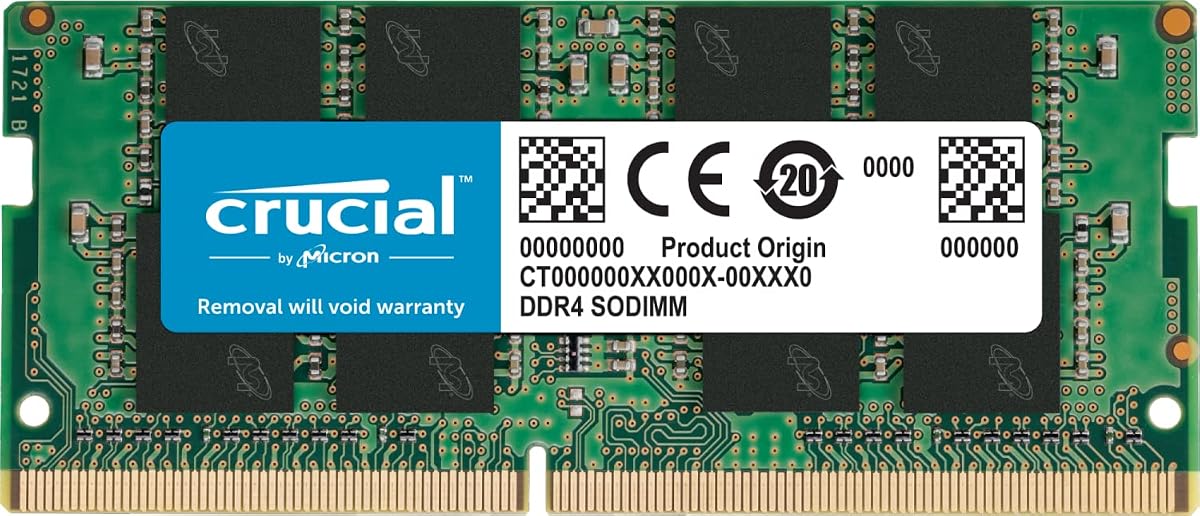
The Crucial 16GB DDR4 3200MHz SODIMM combines a useful capacity increase with broad compatibility considerations, earning a 4.8 customer rating. Its 260-pin, non-ECC design operates at 1.2V and is specified as PC4-25600, making it a conventional DDR4 laptop memory module for compatible notebooks.
We may earn a commission when you buy through this link, at no additional cost to you.
A key strength is the module's flexible speed profile. It is rated to operate at 3200MHz, 2933MHz, or 2666MHz depending on the host system, which gives buyers more latitude when working with different processors, BIOS versions, and memory controllers. The product information also identifies 1Rx8 or 2Rx8 configurations and lists compatibility with 13th Gen Intel Core and AMD Ryzen 7000 systems.
The honest limitation is that this is a single 16GB module rather than a matched pair. That may be ideal for a laptop with one accessible slot or for a user who plans to add another module later, but dual-channel operation usually requires two modules. The stated CL22 timing and maximum data rate are also standards-focused rather than enthusiast-focused.
This is the strongest general recommendation in the guide for users who want one dependable module and clear installation support. Check the laptop's maximum capacity and existing memory arrangement, then use Crucial's System Scanner or Upgrade Selector to confirm the fit. For most compatible DDR4 systems, it balances capacity, strong feedback, and useful compatibility guidance especially well.
A 16GB module gives applications and background processes substantially more working memory than a small 8GB configuration. It is a practical target for web browsing, document work, communication apps, light creative work, and multitasking without automatically depending on a single larger memory module.
Crucial's System Scanner and Upgrade Selector are especially useful because laptop memory support can be constrained by the processor, firmware, board design, and available slots. Checking those details before ordering helps avoid a module that is physically correct but unsupported by the intended system.
We may earn a commission when you buy through this link, at no additional cost to you.
The Samsung 16GB DDR4 3200MHz SODIMM is a clearly specified single-module option with a 4.6 customer rating. Its M471A2K43DB1-CWE part number identifies a 16GB DDR4 SO-DIMM designed around a 3200MHz PC4-25600 data rate, CL22 timing, and standard 1.2V operation.
We may earn a commission when you buy through this link, at no additional cost to you.
The module's 2Rx8 dual-rank organization is one of its most useful technical details. Buyers can compare that organization with the laptop's supported memory configuration rather than judging the module only by capacity and speed. It is also unbuffered, non-ECC, and terminated in the standard 260-pin SO-DIMM format used by many compatible laptops and all-in-one computers.
Samsung states that all modules undergo quality assurance testing intended to support dependable performance. The tradeoff is that the listed rating of 4.6 is slightly below the strongest options in this guide. More importantly, the listing specifies compatibility with select systems, so it should not be assumed to support every DDR4 notebook simply because the connector and voltage match.
Choose this module when you want a clearly documented 16GB upgrade and understand that the laptop is compatible with a 2Rx8 configuration. It is particularly compelling when the machine has one memory slot and needs a straightforward capacity increase. Confirm the system requirements and existing module details before making the upgrade.
Rank describes how memory components are organized within a module, and it can influence how the memory controller populates available channels. A documented 2Rx8 design makes this option easier to compare with supported configurations, reducing the chance of an overlooked compatibility mismatch.
The supplier's stated quality assurance process is relevant for a component that must operate reliably despite compact laptop dimensions, heat, transport, and frequent power-state changes. Testing does not replace system-level compatibility checks, but it adds confidence in the module's manufacturing consistency.
We may earn a commission when you buy through this link, at no additional cost to you.
The Crucial 8GB DDR4 3200MHz SODIMM is a simple capacity upgrade for compatible laptops that need more memory than their current configuration provides. It carries a 4.8 customer rating and shares the 260-pin, non-ECC, 1.2V characteristics common to mainstream DDR4 SO-DIMM modules.
We may earn a commission when you buy through this link, at no additional cost to you.
Its speed specification allows operation at 3200MHz, 2933MHz, or 2666MHz. The product information lists 1Rx16, 1Rx8, or 2Rx8 configurations, giving buyers some flexibility, while the CL22 timing and PC4-25600 designation establish its performance class. Crucial also provides step-by-step installation guides and device-scanning tools.
The trade-off is capacity. An 8GB module may improve a lightly used laptop, but it is not the most future-resistant target for heavy browser tabs, large applications, or simultaneous productivity workloads. Because only one module is included, buyers interested in dual-channel operation would need a compatible second module, and mixing separately purchased modules can sometimes complicate memory training.
This is a sensible choice for a straightforward upgrade, especially when the laptop has one accessible memory slot and the user wants to avoid a larger matched kit. It works best for basic productivity, browsing, and education applications. Check current memory, supported capacity, and slot availability before ordering.
A single 8GB module can give older or entry-level laptops a more comfortable memory ceiling, particularly when the installed capacity is limited. It also leaves an open path to expand later if the laptop has another accessible slot and supports a compatible module.
The inclusion of installation guides makes this module approachable for users without memory-upgrade experience. The manuals can help with locating the compartment, handling the module, reinstalling the cover, and checking whether the system recognizes the new capacity.
We may earn a commission when you buy through this link, at no additional cost to you.
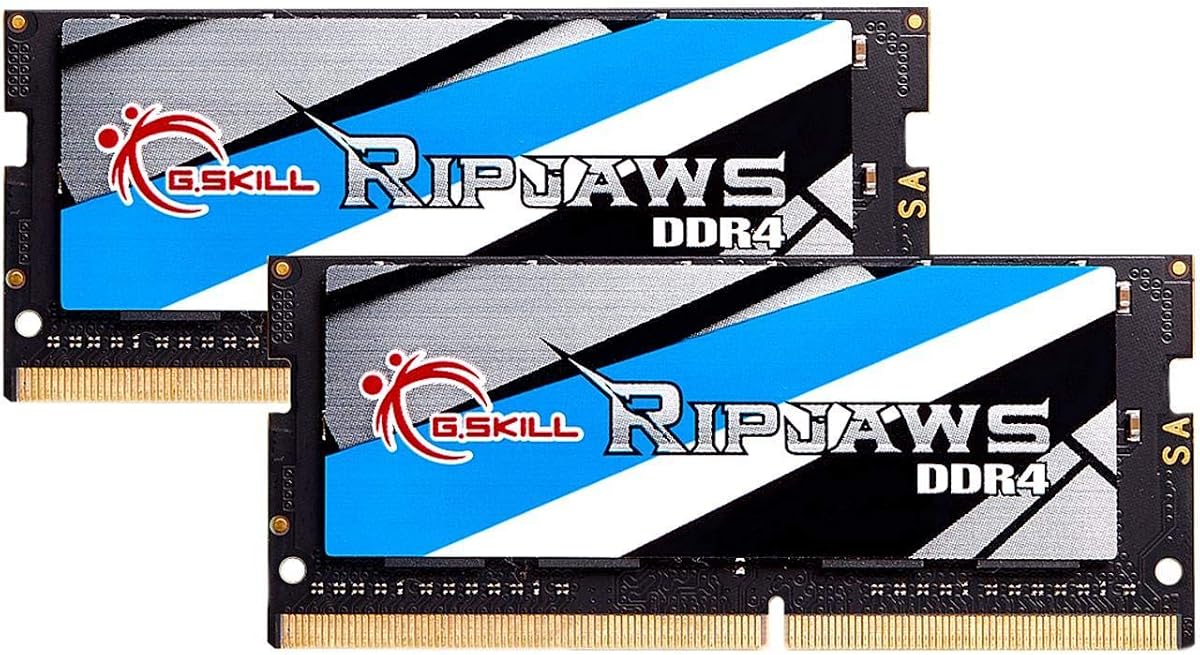
The G.SKILL Ripjaws 32GB DDR4 SO-DIMM kit is the guide's premium high-capacity choice, with a 4.7 customer rating. It includes two matched 16GB modules, reaches up to 3200MT/s, and uses CL22-22-22-52 timings at 1.2V in a non-ECC, unbuffered 260-pin notebook format.
We may earn a commission when you buy through this link, at no additional cost to you.
The matched 2x16GB configuration is the defining benefit. When the laptop supports dual-channel operation and allows both modules to run at the same speed, installing the pair can provide more bandwidth than a lone module and avoids the uncertainty associated with combining unrelated modules later. The kit also includes a JEDEC default profile for conservative startup behavior.
G.SKILL warns that reaching maximum speed requires overclocking or BIOS adjustments and that the result depends on the CPU and motherboard. Maximum performance may therefore differ from the headline transfer rate. The company also advises against mixing separately purchased memory kits and provides a QVL and RAM Configurator for validated hardware combinations.
This kit is most appropriate for a compatible laptop with two accessible slots, substantial workload requirements, and a need for 32GB of memory. It is a strong fit for advanced productivity, development, data work, or virtualized applications, provided the buyer checks the laptop's supported capacity and memory configuration before installation.
Buying two modules together provides a coherent pair designed to operate as a set. That is generally preferable to treating two unrelated single modules as a future dual-channel upgrade, because matched kits are tested together and can be validated through the manufacturer's compatibility resources.
The included JEDEC default profile allows compatible hardware to begin with standard settings rather than forcing the highest advertised performance immediately. Users seeking the full rated speed should consult the laptop documentation and G.SKILL's configurator before changing firmware options.
We may earn a commission when you buy through this link, at no additional cost to you.
The TEAMGROUP Elite 32GB DDR4 kit combines two 16GB modules and a 4.8 customer rating. Rated for 3200MHz PC4-25600 at CL22, the kit is also designed to operate at 2933MHz or 2666MHz when required by the processor, motherboard, BIOS, and supported memory arrangement.
We may earn a commission when you buy through this link, at no additional cost to you.
A pair of matched modules gives the kit an advantage over single-module options for systems that support dual-channel operation. The total 32GB capacity is more appropriate for memory-intensive workflows, while the unbuffered, non-ECC design and 1.2V requirement align with mainstream DDR4 notebook standards.
The manufacturer notes that actual memory speed varies with the host system and recommends checking device specifications before purchase. It also states that the modules adhere to JEDEC and RoHS requirements and undergo strict test and verification procedures. A lifetime warranty and technical support add practical value, although compatibility remains the buyer's responsibility.
This kit is a strong candidate for a laptop that has two usable slots and supports 32GB or more. It balances a high rating, flexible speed operation, matched construction, and support resources. Verify the maximum module size supported by the notebook and confirm that the installed memory arrangement will not reduce the rated speed.
A 32GB kit is more future-resistant than an 8GB or 16GB configuration when users regularly combine many applications, large project files, browser sessions, or virtual machines. The benefit depends on the laptop's ability to use the available capacity, so operating-system and application behavior still matter.
Supporting 3200MHz, 2933MHz, and 2666MHz gives the kit flexibility across different host capabilities. Rather than assuming the headline rate will always be reached, users can compare the module with the laptop's supported memory speeds and expect the system to select an appropriate operating mode.
We may earn a commission when you buy through this link, at no additional cost to you.
The A-Tech 8GB DDR4 2400MHz SODIMM offers a conservative specification for compatible laptops that do not require the highest DDR4 transfer rate. Its 4.7 rating reflects generally favorable feedback, and the module uses the familiar 260-pin, 1.2V, non-ECC, unbuffered DDR4 format.
We may earn a commission when you buy through this link, at no additional cost to you.
Rated up to 2400MHz as PC4-19200 or PC4-2400T with CL17 timing, this module focuses on a broadly recognizable speed class rather than aggressive performance. The listing identifies 1Rx8 or 2Rx8 organization, which gives buyers a choice within the selected part. It is also positioned for select DDR4 laptops and notebooks.
Its main limitation is that 2400MHz trails the 3200MHz options, and a single 8GB module provides less capacity than the premium 32GB kits. That makes it less appealing for demanding workloads, though the laptop's memory controller ultimately determines the practical difference. Users should not assume a higher-rated processor guarantees this module will run at its maximum independently.
A-Tech includes a lifetime warranty and technical support, making this an accessible choice for a basic upgrade. Consider it when an older or business-oriented DDR4 notebook supports 2400MHz memory and the primary goal is adding 8GB rather than maximizing bandwidth.
The 2400MHz class is well established across many DDR4 laptops. It can provide a meaningful capacity improvement without introducing the more demanding timing and speed combinations found in higher-end kits, making the module easier to match to conservative system specifications.
The listed 1Rx8 or 2Rx8 option lets buyers consider rank alongside capacity and speed. Rank can influence memory-controller population, so matching the part to the manufacturer's supported configuration is preferable to assuming every 8GB DDR4 module behaves identically.
We may earn a commission when you buy through this link, at no additional cost to you.
The GIGASTONE 32GB DDR4 kit is a high-capacity option designed specifically for laptops, notebooks, and all-in-one computers. It has a 4.7 customer rating and includes two 16GB SODIMM modules rated at 3200MHz with CL22 timing, 1.2V voltage, and unbuffered non-ECC construction.
We may earn a commission when you buy through this link, at no additional cost to you.
The kit's 32GB total capacity is useful for users who need room for many applications or large working sets. Its listed speed compatibility includes 3200MHz, 2933MHz, and 2666MHz, allowing it to fit systems with different supported data rates. The 260-pin format is standard for DDR4 notebook memory, while the paired configuration can help systems that support dual-channel operation.
The product description emphasizes compatibility with a wide range of devices, but that should not be confused with universal support. Maximum laptop capacity, slot availability, processor support, and firmware restrictions still apply. The kit also cannot be installed in a system with only one accessible memory slot, and users should confirm whether the machine supports 16GB modules.
Choose this kit for a compatible dual-slot laptop that benefits from a substantial capacity increase. Its balance of 32GB capacity, familiar JEDEC-style specifications, and lower-speed flexibility makes it more broadly practical than a highly specialized overclocking-oriented memory kit.
Thirty-two gigabytes allows operating systems and applications to keep more active data in memory, reducing pressure from repeated loading and swapping. The effect is most noticeable in workflows that combine many programs, large documents, high-resolution media, or development environments.
The listed range gives the kit an advantage over modules marketed only around their highest rate. Compatible laptops can operate at a lower supported speed, making it possible to use the same matched pair across systems with different memory-controller capabilities.
We may earn a commission when you buy through this link, at no additional cost to you.
The Samsung 8GB DDR4 3200MHz SODIMM is our budget-oriented recommendation and carries a strong 4.8 customer rating. It provides one 8GB DDR4 module with support for speeds up to 3200MHz, PC4-25600 operation, CL22 timing, and standard 1.2V voltage.
We may earn a commission when you buy through this link, at no additional cost to you.
The module uses a 1Rx16 single-rank organization and is compatible with select DDR4 laptops, notebooks, and all-in-one systems. Samsung notes that the product may be one of several closely related part numbers or an equivalent with identical specifications and performance, which helps explain why the listing focuses heavily on the technical configuration.
As a single 8GB module, this is a straightforward way to increase the memory available to a compatible laptop without replacing every installed module at once. Its limitation is the total capacity of 8GB, which is less comfortable for intensive multitasking than the 16GB and 32GB options. Single-rank operation can also be more restrictive in some multi-module configurations.
This module suits users seeking a simple, well-reviewed capacity boost in a laptop with one slot or with an existing compatible module. Confirm the maximum supported capacity and the system's preferred rank arrangement before ordering. For modest productivity and browsing needs, it can provide a meaningful improvement over a very constrained configuration.
Adding an 8GB module can provide more room for the operating system and active applications without requiring a complete matched-kit purchase. This makes it useful when the primary objective is to lift a laptop above a very low memory ceiling.
Supporting up to 3200MHz gives the module a modern JEDEC-oriented foundation while allowing compatible systems to select a lower rate when required. The physical requirement remains a standard 260-pin, 1.2V DDR4 SO-DIMM rather than a newer DDR5 format.
We may earn a commission when you buy through this link, at no additional cost to you.
The Samsung 32GB DDR4 module offers an unusually large amount of memory in a single SODIMM, with a 4.7 customer rating. Its listed specifications include DDR4 operation at 3200Mbps, 1.2V voltage, a 260-pin interface, 2Rx8 dual-rank organization, and a component composition of sixteen 2GB x8 chips.
We may earn a commission when you buy through this link, at no additional cost to you.
A single high-capacity module can be especially useful in laptops with one accessible slot or where leaving a second slot open provides flexibility. It simplifies the physical installation because the user does not need to populate two sockets. The module's M471A4G43AB1-CWE naming also ties it to a familiar Samsung part family.
The central limitation is compatibility. Not every laptop marketed with DDR4 support accepts 32GB modules, and some systems may impose stricter limits based on processor generation, firmware, board design, or maximum memory density. A single module also cannot automatically provide the same potential bandwidth as a matched dual-module configuration.
This is a practical choice for a high-memory workload on a laptop that explicitly supports 32GB single modules and uses a 2Rx8 layout. Confirm the exact module support and maximum capacity in the service manual or manufacturer documentation. Once verified, it offers a convenient route to substantial memory capacity without requiring two matched sticks.
The main benefit is concentrated capacity. Users who need substantial memory but have only one usable slot can avoid replacing an existing module or seeking a matched pair, provided their laptop explicitly supports the module's density and rank.
The sixteen-chip, 2Rx8 organization is central to compatibility rather than just a performance detail. Systems with documented support for this type of module are better candidates than those that merely advertise generic DDR4 support without specifying maximum density.
We may earn a commission when you buy through this link, at no additional cost to you.
The CORSAIR Vengeance 16GB SODIMM combines a single-module format with a rated speed of up to 3200MHz and a 4.7 customer rating. It uses CL22-22-22-53 timings at 1.2V and is intended for compatible Intel and AMD laptops and notebooks.
We may earn a commission when you buy through this link, at no additional cost to you.
Its slim design is specifically intended to support physical compatibility with 11th Generation Intel Core processors, while the listed CL22 timing and 3200MHz ceiling align with mainstream DDR4 laptop performance. CORSAIR also states that compatible systems may use auto-overclocking without manual BIOS configuration, which can simplify setup for supported machines.
The main caveat is that maximum speed depends on the CPU, motherboard, BIOS, and overall platform. CORSAIR explicitly notes that reaching the maximum may require overclocking or BIOS adjustments, so buyers should distinguish the rated module specification from guaranteed performance in every laptop. This is also only one 16GB module, meaning dual-channel bandwidth depends on whether another suitable module is installed.
Choose this option when you want a recognizable 16GB DDR4 upgrade with a slim physical design and flexible setup behavior on compatible hardware. Verify that the notebook accepts 16GB modules, supports the intended speed, and has the required physical clearance before installation.
The slim construction addresses a practical concern in compact laptops where clearance can be tight around the memory compartment, cooling hardware, or internal panels. Users should still compare the module's physical specifications with the laptop's service documentation.
Auto-overclocking on compatible laptops may remove the need to manually alter firmware settings for the intended operating speed. This convenience does not apply to every platform, so the manufacturer's compatibility information remains important before installation.
We may earn a commission when you buy through this link, at no additional cost to you.
The right laptop memory upgrade depends on more than capacity. Confirm the laptop's memory generation, maximum module size, slot layout, supported speed, voltage, and rank requirements before selecting a module or kit.
Start by confirming that the notebook uses DDR4 SO-DIMM memory. DDR5 laptops use a different connector, electrical design, and notch arrangement, so a physically similar module is not interchangeable. The laptop's service manual, manufacturer support page, or a reliable system-information utility can establish the required memory type. If the computer supports multiple generations, check which type is actually installed before ordering.
In short, verify DDR4 compatibility first and do not rely on the laptop's age alone to determine the memory format.
Capacity determines how much data the laptop can keep active in memory rather than temporarily moving to slower storage. An 8GB module can be useful for basic browsing and office tasks, while 16GB is a more comfortable general-purpose target. A matched 32GB kit is better suited to advanced productivity, large project files, software development, and other memory-intensive workloads.
In short, select enough capacity for your applications, but avoid paying for memory your operating system and workload will not meaningfully use.
A laptop may support DDR4 while limiting each slot to 8GB, 16GB, or another maximum density. Total system capacity and per-slot capacity are separate limits: a machine might advertise 32GB maximum but only accept 16GB modules. Check the manufacturer's specifications for supported module sizes, particularly when considering a 32GB single module or a pair of 16GB modules.
In short, ensure that both the individual module and the intended multi-module arrangement fall within the laptop's documented limits.
Laptops may contain one or two accessible memory slots, and some may combine soldered memory with an upgradeable slot. A single module is the simplest option when only one socket is available. Two matched modules may improve available channel bandwidth when supported, but the laptop must actually use both in a dual-channel arrangement. Check whether the existing module needs to be removed and whether the system supports the proposed population.
In short, count usable slots and understand the existing memory layout before choosing between a single module and a matched kit.
Modules in this guide are rated at either 2400MHz or up to 3200MHz, with several designed to fall back to 2933MHz or 2666MHz. A faster module can still operate at a lower speed when the processor, motherboard, firmware, or installed memory requires it. The advertised rate is therefore a maximum capability, not a guarantee that every compatible laptop will reach it.
In short, compare the module's supported speed range with the laptop specifications and expect the system to choose the highest stable setting it can manage.
All listed products use the standard 1.2V operating level associated with mainstream DDR4 SO-DIMM memory and are non-ECC. This simplifies compatibility with ordinary laptop systems. Avoid assuming a module is compatible with a professional workstation that requires registered, ECC, or otherwise specialized memory. For consumer notebooks, standard JEDEC behavior is generally the safest target.
In short, prioritize a non-ECC, unbuffered 1.2V module unless your notebook documentation explicitly calls for a different type.
Rank describes how the memory chips within a module are organized. The guide includes 1Rx16, 1Rx8, 2Rx8, and some products allowing multiple configurations. Rank can affect compatibility and memory-controller population, particularly when modules are mixed. A documented part number, system scanner, or manufacturer configurator is more dependable than assuming that all modules of the same capacity and speed are interchangeable.
In short, match the rank and organization to the laptop's supported memory whenever that information is available.
Memory installation is usually straightforward, but good documentation can still be valuable. Look for step-by-step guides, compatibility scanners, qualified lists of validated hardware, and accessible technical support. Warranty coverage and testing procedures are also useful indicators of manufacturer confidence. These services do not guarantee compatibility, but they can help buyers identify the correct part before the laptop is opened.
In short, prefer brands that provide clear compatibility tools and installation resources along with dependable after-sale support.
Before installation, confirm the memory type and supported specifications, record the existing module capacity and arrangement, and consult the laptop's service guide. Charge the battery or connect the appropriate power source, shut the system down completely, and unplug peripherals. For models with a removable battery, follow the manufacturer's instructions for disconnecting it before opening the case.
Access the memory compartment carefully, identify the SODIMM slot, and note how the existing module is retained. Remove the old module only if the replacement plan requires it. Align the new module's notch with the slot key, insert it evenly at the correct angle, and press until the retaining clips close. Reassemble the cover and reconnect the battery or power cable before starting the laptop.
On first boot, enter the firmware setup if the manufacturer recommends it, confirm that the new total capacity is recognized, and save the appropriate memory profile. Run the operating system's memory diagnostic or another reputable hardware test, then watch for stability errors during normal work. Handle future upgrades with the system powered off, use compatible matched modules where possible, and avoid bending or touching the gold contacts.
No. A laptop may support DDR4 memory while limiting the maximum capacity per slot or the total installed capacity. Check the manufacturer's specifications for supported module sizes, total memory, and whether 32GB modules are permitted. Processor generation, firmware, and board design can also impose restrictions that are not visible from the connector alone.
No. The module's 3200MHz rating describes its maximum capability, while the laptop's memory controller, processor, BIOS, and installed memory determine the stable operating speed. Many compatible systems run these modules at 2933MHz or 2666MHz. A correctly recognized lower speed can still deliver a substantial benefit when the upgrade resolves insufficient memory capacity.
It depends on the laptop and what is already installed. Two modules may provide more channel bandwidth when the system supports dual-channel operation, but unmatched modules can reduce speed or cause compatibility issues. If the current module is small and the laptop has two slots, adding a compatible module may be the simplest path; if matching is uncertain, a sold-as-matched kit is generally easier to validate.
Usually, no. DDR4 and DDR5 SO-DIMMs use different notches, pin layouts, and electrical standards, and the laptop's memory controller is designed for one generation. A DDR4 module may not physically fit, and it should never be forced into a DDR5 slot. Verify the generation printed in the service documentation or shown by a reliable system-information tool.
Most consumer laptops use non-ECC, unbuffered DDR4 memory, and every module listed in this guide follows that format. Some specialized business or workstation notebooks use ECC or registered memory, but those requirements are device-specific. Installing the wrong type can prevent the laptop from booting, so consult the service manual when the documentation explicitly mentions ECC.
More RAM helps when the existing system is short on memory and must rely on slower storage for active data. If the current capacity is already adequate for the workload, a larger upgrade may have little visible effect. CPU performance, storage speed, thermals, and graphics memory also influence perceived performance, so RAM is most beneficial as a targeted bottleneck fix.
Choose based on the laptop's documented support and the availability of a compatible module. A 3200MHz module with downclocking support can work in many systems that support lower rates, while the 2400MHz option targets older or more conservative platforms. In either case, the laptop's supported memory specifications take priority over a module's headline number.
Enter the system BIOS or firmware setup and confirm that the expected total capacity appears. In the operating system, check the memory information panel for the installed amount. A hardware diagnostic can then test the new module, while normal use can reveal instability that a basic detection check would miss. If errors occur, reseat the module and revisit compatibility and firmware settings.
The Crucial 16GB DDR4 3200MHz module is the strongest all-around choice because it combines useful capacity, a high customer rating, flexible operating speeds, and clear compatibility resources. The Samsung 8GB module is a focused budget option for a simple memory increase, while the G.SKILL Ripjaws 32GB matched kit represents the premium choice for compatible dual-slot laptops.
Prioritize system compatibility before speed, module size, or brand. Confirm DDR4 support, maximum capacity per slot, available memory slots, voltage, rank requirements, and the existing memory arrangement. Within those limits, 16GB serves as a versatile general-purpose target, while 32GB makes the most sense for sustained heavy workloads and systems that support matched 16GB modules.
Current prices and availability can change, so check the latest listing and recent customer feedback before buying. Compare the final module or kit against your laptop's service documentation, and avoid assuming that a higher advertised speed will overcome an unsupported capacity or configuration.