
ChaoQ 3-Piece Stylus Set
4.6Editor score
Lightweight aluminum barrels
Two rubber tip sizes
Six replacement tips included
Our Fine Tip Stylus guide compares 10 fine tip styluses for precision, screen compatibility, comfort, charging needs, note-taking, drawing, and everyday touch
A fine tip stylus gives touchscreens the control of a pen without requiring a full-size digital drawing system. The best models balance a precise contact point, smooth gliding, comfortable handling, and dependable compatibility across phones, tablets, and other capacitive displays.
We compared these 10 fine tip stylus options by examining their tip designs, activation method, charging requirements, screen support, included accessories, and intended uses. The list includes passive capacitive models, rechargeable active pens, and dual-tip designs for writing, navigation, gaming, and digital illustration.
Each review explains what distinguishes its stylus from the alternatives and identifies the kind of user most likely to benefit from it. Ratings and product details reflect the supplied listings, while availability and pricing can change, so readers should confirm current conditions before purchasing.
4.6Editor score

4.6Editor score
4.0Editor score
The table below compares all 10 styluses by activation type, tip configuration, charging approach, and key feature, helping you distinguish basic capacitive tools from rechargeable precision pens.


The MEKO Stylus Pen for Touchscreen is a 4.6-rated passive stylus that combines two silicone nib sizes with a transparent disc tip. That three-part configuration makes it the most versatile option in this guide for users who move between writing, scrolling, gaming, drawing, and ordinary interface navigation on capacitive screens.
We may earn a commission when you buy through this link, at no additional cost to you.
The transparent disc is the most distinctive feature because it lets the user see exactly where the stylus meets the display. Its flexible 180-degree writing angle and sensitive contact point are intended to improve visibility and responsiveness. Meanwhile, the 0.18-inch and 0.27-inch silicone tips provide alternatives for detailed work, general tapping, and broader contact. All three tip styles are replaceable, and the package includes multiple spare rubber and disc tips.
MEKO's passive operation is a meaningful strength for simple, dependable use. There is no charging, pairing, or app setup, so the stylus is ready as soon as it is unpacked. The tradeoff is that it provides none of the advanced features associated with active digital pencils: there is no pressure response, palm rejection, programmable buttons, tilt sensitivity, or shortcut support. It is a dexterity and convenience tool rather than a professional-grade drawing instrument.
This is the strongest all-purpose choice for students, office workers, travelers, casual artists, and families sharing devices. The two included pens and substantial replacement supply make it particularly useful for people who tend to lose small accessories or work in environments where a spare is valuable. Choose it when broad tip versatility, immediate use, and screen-safe contact matter more than advanced digital-pencil intelligence.
The two silicone sizes support general navigation and more precise writing, while the transparent disc gives users a visible contact point. Switching tips takes seconds and allows the same stylus to serve several screen activities.
With no charging or Bluetooth required, the MEKO is convenient for travel, classrooms, and households. Two stylus bodies and numerous replacement nibs reduce the inconvenience of a damaged or misplaced tip.
We may earn a commission when you buy through this link, at no additional cost to you.
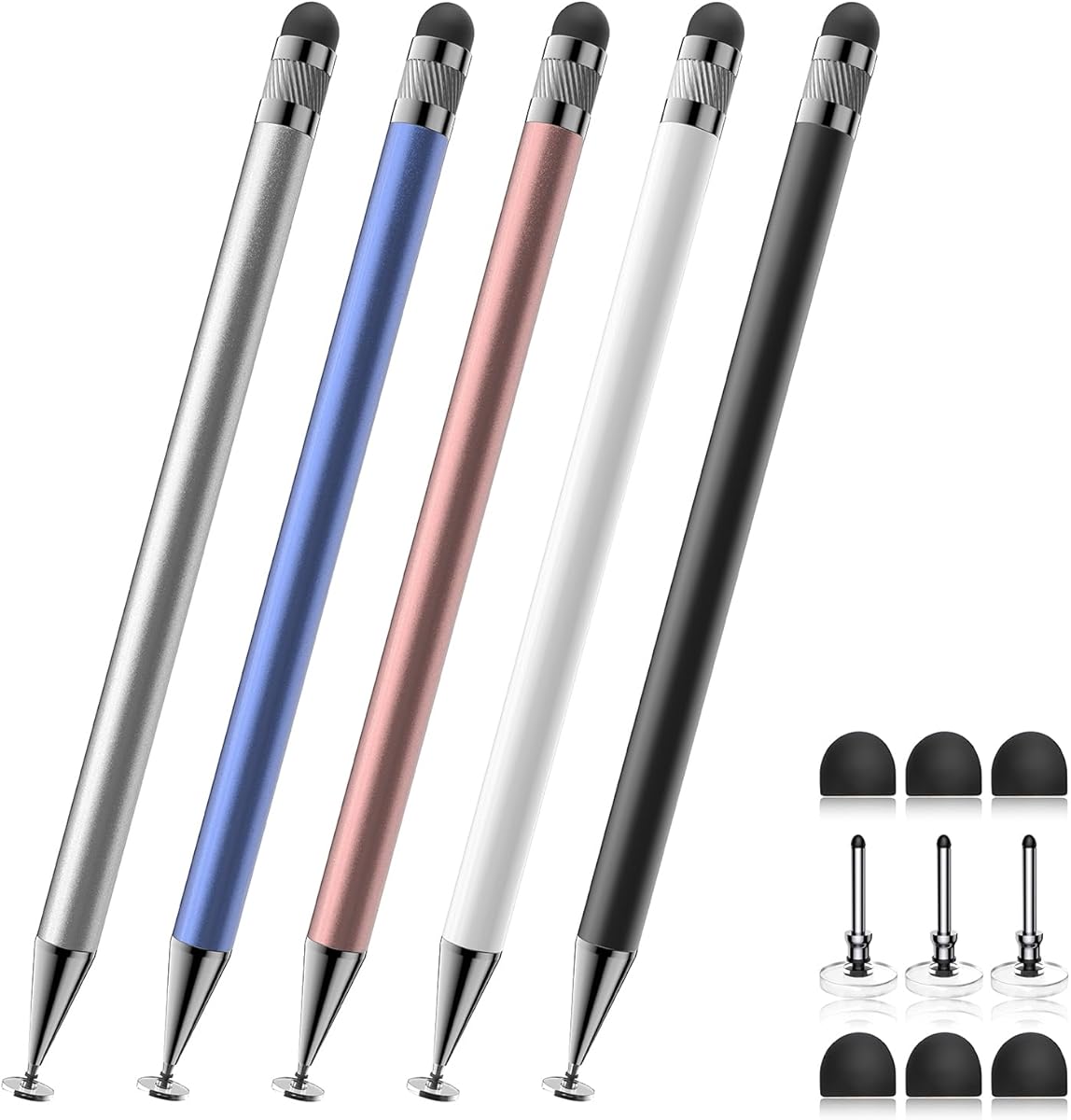
The Bopomofo 5-Piece 2-in-1 Stylus Pen is another 4.6-rated passive model, but it distinguishes itself through quantity and color choice. It includes five stylus bodies along with six replacement rubber nibs and three disc nibs, making it well suited to offices, classrooms, families, or anyone who wants a pen available in more than one location.
We may earn a commission when you buy through this link, at no additional cost to you.
Its two contact styles serve slightly different purposes. The flexible transparent disc supports controlled interaction and allows the user to see the point of contact, while the rubber tip can create a more familiar fingertip-like feel. The listing notes that moderate pressure on the rubber tip can improve signal transmission, particularly when a protective film is installed. It is also designed for tapping, scrolling, note-taking, drawing, and gaming.
Like other passive capacitive styluses in this list, it cannot provide true pressure sensitivity, palm rejection, or professional-grade active-pencil performance. The transparent disc's plastic section is integral and should not be pulled off. Device settings can occasionally affect writing behavior, so users should check their tablet or phone's input preferences if the stylus does not immediately register.
The Bopomofo set is a sensible selection for users who prioritize access to multiple pens, simple operation, and a mix of contact styles. It can be especially useful in a home with several touchscreen users or a workplace where a dedicated pen is desired for each person. It is less appropriate for an artist who needs variable line width or advanced stylus detection.
Five differently colored pens make it easier to assign one to each user or keep one in a specific room. The included spares also make the set practical for high-use environments where nib wear is more likely.
The disc and rubber tips create distinct contact experiences. Users can choose the clearer disc for precision-oriented work or the rubber nib for a softer, finger-like glide.
We may earn a commission when you buy through this link, at no additional cost to you.
The Upgraded 3-in-1 High Precision iPad Stylus has a 4.5 rating and follows the same successful formula as other high-rated passive options: interchangeable contact points, immediate operation, and broad touchscreen support. It includes 0.18-inch and 0.27-inch rubber tips alongside a transparent disc tip, giving users three ways to approach writing, gaming, and navigation.
We may earn a commission when you buy through this link, at no additional cost to you.
The disc tip is presented as a precise and responsive alternative because the transparent structure makes the contact location visible. The silicone tips are intended for scrolling, games, and everyday interaction without scratching the display. Replacement can reportedly be completed within seconds without tools, which helps preserve consistent performance as the nib wears down.
Its 4.5 rating places it slightly behind the leading 4.6-rated models, although the difference should not be treated as a decisive measure without considering personal preference. The important limitations are shared by passive styluses: there is no true pressure sensitivity, palm rejection, shortcut button, or tilt response. The listing also mentions a separate replacement-tip ASIN, adding another small step if the included spares eventually run out.
This stylus is a strong match for users who like fine control but do not want to manage charging or Bluetooth. It is useful for children learning on a tablet, adults taking notes, seniors navigating screens, and casual creators who want a discreet contact point. It is less suitable for professional illustrators who depend on pressure-based line variation.
The transparent disc exposes the exact contact area, which can help users align the nib with small buttons or keep handwriting within a narrow line. It is a useful advantage when precision matters more than simulation of a pencil.
Tool-free replacement makes it easy to move from a broad rubber tip to a smaller one. Fast maintenance is particularly helpful when sharing a stylus among children or using it across several device types.
We may earn a commission when you buy through this link, at no additional cost to you.
The Universal 2-Piece Touch Screen Pen is the only model here designed expressly for both capacitive and resistive displays. Its 3.6 rating is lower than those of the other selections, but that figure does not tell the entire story because this pen fills a narrower and more specialized compatibility gap.
We may earn a commission when you buy through this link, at no additional cost to you.
The rounded silicone head is intended for contemporary capacitive devices such as iPads, iPhones, Samsung Galaxy phones, and Android tablets. Its soft construction supports general tapping and scrolling while reducing the chance of screen damage. The other end is a harder plastic point intended only for older resistive screens, including certain GPS devices, Nintendo DS and 3DS systems, and some point-of-sale terminals.
That distinction is critical. The plastic tip will not work on modern capacitive screens, so users should not interpret the universal label as meaning that every tip works with every device. The product also lacks the visible disc tip, multiple tip sizes, charging system, and extensive accessory supply found among several higher-rated competitors. Its core appeal is straightforward compatibility and simple passive operation.
This set makes the most sense for someone who owns both modern and legacy resistive equipment, such as an older handheld console or dedicated GPS unit. For an iPad or current smartphone, the silicone end will be the only usable portion. Most modern-device users will receive better value and greater flexibility from a three-tip capacitive stylus.
The hard plastic tip provides a functional reason to choose this set if a legacy resistive device remains in regular use. It expands compatibility beyond the capacitive-only designs that dominate the rest of the list.
For current tablets and phones, use the soft round head. Trying the hard plastic point on a capacitive screen is unlikely to register and could leave unnecessary marks.
We may earn a commission when you buy through this link, at no additional cost to you.
The 7-Piece 2-in-1 Stylus Set combines a 4.6 rating with one of the largest assortments in the guide. Its seven multicolor pens are designed for users who want a ready-to-distribute supply for family members, students, coworkers, or a collection of frequently used devices.
We may earn a commission when you buy through this link, at no additional cost to you.
The lightweight alloy construction gives the pens a more substantial feel than many inexpensive plastic styluses. They work without Bluetooth pairing or charging, and the 2-in-1 design supports writing, drawing, scrolling, reading, and games. The listing describes smooth contact without delays, interruptions, or screen scratching and identifies compatibility with major capacitive ecosystems and operating systems.
As a passive tool, it still lacks the deeper features found in active digital pencils, including variable pressure, palm rejection, and application shortcuts. Users who need advanced drawing response may find its limitations more apparent than those focused on notes or navigation. The large number of pens can also be unnecessary for a single user, although it reduces the need to purchase more later.
This set is a good option for shared environments, travel, gifting, or keeping a stylus in each room. It also appeals to people who enjoy assigning colors to family or team members. For serious illustration, the included fine-point capability should be viewed as a convenience rather than a substitute for a pressure-sensitive stylus.
Seven colors make distribution straightforward in a classroom or family. Each person can have an identifiable pen, reducing the chance of sharing the same accessory throughout the day.
The alloy barrels are light enough to carry between devices while offering a more refined grip than basic plastic models. The passive design remains especially convenient for notes, annotations, and light drawing.
We may earn a commission when you buy through this link, at no additional cost to you.
The ChaoQ 3-Piece Stylus Pen is a 4.6-rated passive set that stands out for its lightweight aluminum barrels, bright colors, and replacement-tip supply. It is a practical option for users who want three pens without dealing with pairing, charging, or complicated setup.
We may earn a commission when you buy through this link, at no additional cost to you.
Each stylus offers interchangeable 0.20-inch and 0.26-inch rubber nibs. The smaller tip supports more controlled writing and drawing, while the larger one is suited to bolder notes, general navigation, and gaming. The listing also emphasizes smooth gliding, reduced scratching, and less reliance on a fingertip, which can help limit unwanted screen contact and fingerprints.
The set includes six replacement tips and three pens, making it suitable for keeping one at home, one at work, and another in a bag. Its natural-grip aluminum design and interchangeable nibs make it practical for extended note-taking, yet it offers no pressure response or palm rejection. As with other passive models, the stated precision should not be equated with a professional active stylus.
This is a good choice for students, casual artists, travelers, and anyone who wants several functional styluses in one purchase. It is particularly useful for sharing among people who use different devices. Users seeking advanced tilt behavior or pressure-sensitive strokes should look instead to an active digital pencil.
The smaller 0.20-inch nib offers a tighter contact point for neat writing, while the 0.26-inch option provides broader coverage for quick notes and navigation.
The three aluminum bodies can be distributed among different users or devices. Their light construction also makes the set easier to carry than a collection of heavier digital pencils.
We may earn a commission when you buy through this link, at no additional cost to you.
The Universal Fine Point iPad Pencil is a 4.4-rated active stylus with features that separate it from passive models. It supports one-touch power control, Bluetooth operation, replaceable nibs, and a magnetic attachment design, making it a more advanced option for users who want a dedicated digital-pencil experience.
We may earn a commission when you buy through this link, at no additional cost to you.
Its fine-point nib is intended for accurate writing and drawing, and two additional nibs are included for varied preferences. The stylus can be fully charged in approximately 40 minutes and is listed as offering 9 to 10 hours of continuous use. Magnetic adsorption can keep it attached to the side of compatible iPad Pro models, although the listed support is limited to the 11-inch and 12.9-inch Pro models in the third and fourth generations.
Unlike the passive styluses, it needs power and Bluetooth, so it is less convenient for spontaneous use. The listing also explicitly states that it has no accidental-touch prevention, meaning the palm may be detected while drawing. Its magnetic feature is not universal, and the supplied troubleshooting steps for initial connection may be necessary if the device does not recognize it immediately.
The choice is most appropriate for iPad users who value a pen-like nib, wireless functionality, and a longer working battery. It is also useful for note-taking, drawing, and annotation tasks that benefit from a dedicated active stylus. Users wanting effortless operation without charging or setup should choose one of the passive models instead.
A full charge in about 40 minutes and a listed 9-to-10-hour working window make this model suitable for extended creative or note-taking sessions. One-touch activation also reduces the friction of starting work.
On supported iPad Pro models, the magnetic side attachment helps keep the pen nearby and reduces the chance of leaving it behind. Buyers using other tablets should not assume that magnetic attachment will be available.
We may earn a commission when you buy through this link, at no additional cost to you.
The OASO Disc Tip Stylus is a 4.3-rated passive pen centered on a transparent disc contact tip. Its magnetic cap protects the working end, while an additional replacement disc is stored inside the barrel, making this an appealing choice for users who place styluses in bags or frequently travel with them.
We may earn a commission when you buy through this link, at no additional cost to you.
The disc imitates the contact behavior of a fingertip while providing a visible contact area. It can be used for drawing apps, note-taking, scrolling, and reading, and the listing states that it works with capacitive screens as long as a finger can operate the display. The magnetic cap offers a convenient way to cover the tip and may also help with storage on compatible surfaces.
Compared with the three-tip passive models, the OASO has a simpler configuration. It does not offer multiple nib sizes, pressure sensitivity, palm rejection, or active stylus functions. Its value instead comes from the protective cap, included leather case, and stored spare disc. Some users may also prefer a uniformly rounded disc contact over a hard point for casual navigation.
This stylus is best for travelers, students, and casual users who want a simple disc-tipped tool with thoughtful storage. The leather case adds an extra layer of protection for commuting or keeping the pen with a tablet. Users seeking broader tip choices or more advanced writing behavior should compare the three-tip and active alternatives in this guide.
The magnetic cap shields the disc tip when the stylus is not in use. This is especially helpful for travel, where a bare tip can collect dust or be damaged by keys and other objects.
A spare disc can be recovered from the opposite end of the barrel, and the included leather case provides a separate carrying solution. Together, they reduce the risk of losing the most delicate component.
We may earn a commission when you buy through this link, at no additional cost to you.
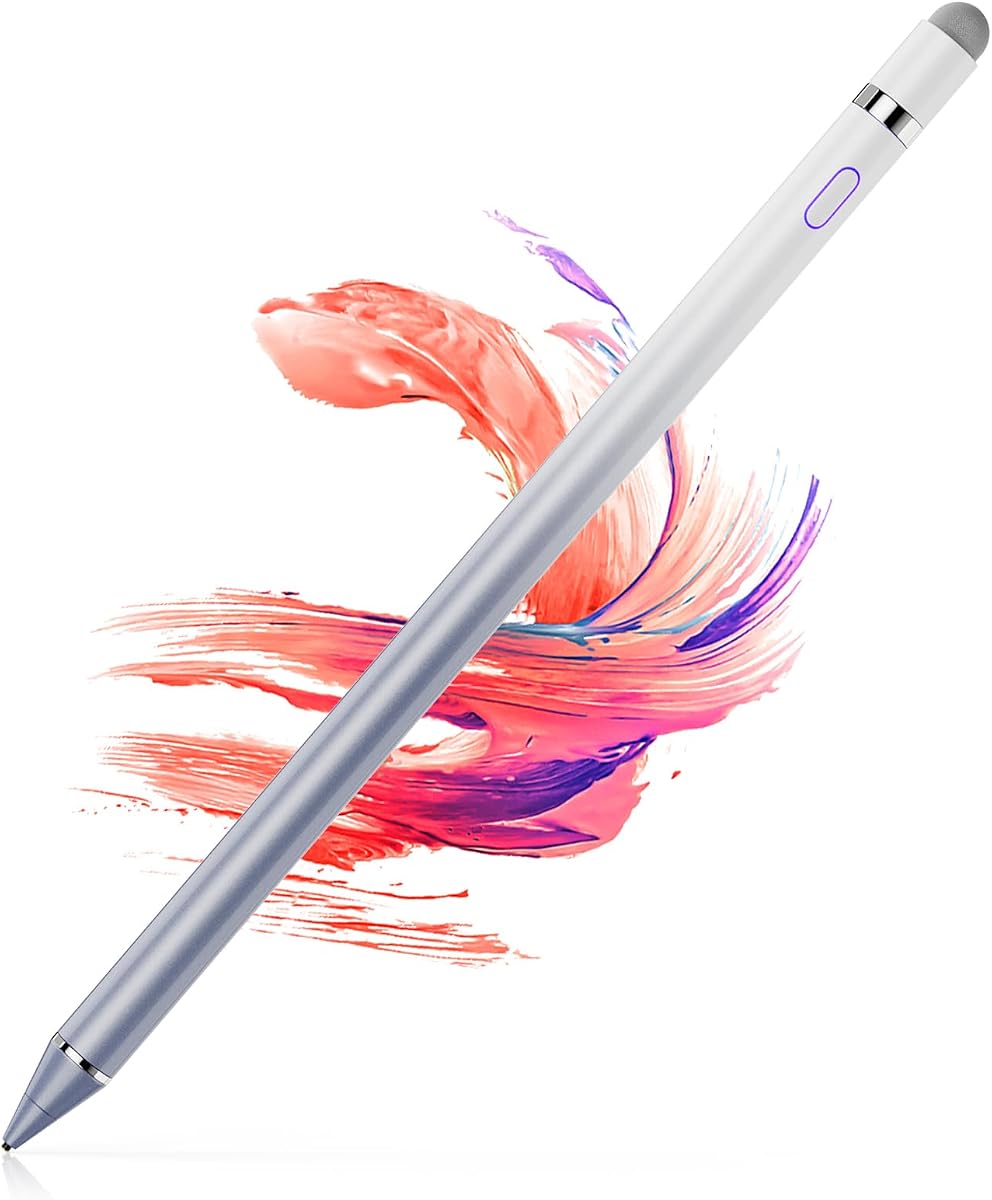
The 1.5mm Ultra-Fine Tip Stylus is a rechargeable active pen built around a narrow copper contact point. It earns the premium distinction in this guide because its explicitly fine diameter, magnetic cap, and long listed battery life target users who want detailed control without requiring Bluetooth pairing.
We may earn a commission when you buy through this link, at no additional cost to you.
The tip is designed for detailed art, handwritten notes, and signatures, with a smooth glide intended to avoid lag, scratches, and skips. The stylus activates with one click and needs no app, pairing process, or Bluetooth connection. It includes a USB cable and manual, charges in about 60 minutes, and is listed as delivering up to 12 hours of use before entering sleep after 30 idle minutes.
The magnetic cap is both a protective cover and a storage aid. It can help keep the stylus close to a compatible device and shields the tip and charging area from dust. The major limitations are the absence of pressure sensitivity, palm rejection, and Windows support. Its fine point may also feel more delicate than a rubber nib for general tapping.
This model is well suited to illustrators, note-takers, and professionals who want a narrow contact point and rechargeable convenience. The lack of Bluetooth makes setup simpler than with some active pencils, although charging must be planned. It is less suitable for users who rest their hand on the screen while drawing or require support for Windows touchscreens.
The narrow copper tip is intended to support controlled marks in small spaces. It should appeal to users making annotations, sketching fine details, or writing in a compact digital notebook.
A one-click power-on and charging workflow avoids Bluetooth configuration. The listed 12-hour runtime and automatic sleep function make the pen suitable for travel, provided a USB cable is available when needed.
We may earn a commission when you buy through this link, at no additional cost to you.
The Active Fine Point Digital Pen is a 4.0-rated rechargeable stylus with a straightforward 1.5mm tip. It turns on within one second, requires no USB connection during use and has no Bluetooth function, offering a simpler alternative to active pencils that depend on wireless pairing.
We may earn a commission when you buy through this link, at no additional cost to you.
Its 1.5mm diameter is intended to provide a precise, pen-like feeling for drawing, painting, handwriting, and general tablet interaction. The rechargeable battery is listed at approximately 10 to 12 hours of continuous use after a one-to-two-hour charge. An automatic 30-minute shutdown helps preserve power when the stylus is left inactive.
The listing specifically notes that the pen does not provide different pressure sensitivity, so all lines remain the same thickness. That limitation makes it less useful for advanced illustration but does not prevent basic sketching, annotation, or note-taking. The charging port is a USB Micro connection, which means users may need an appropriate cable if one is not included or nearby.
This pen is a good fit for someone who wants an active, fine-point tool without Bluetooth or advanced customization. Its broad listed support includes iPad, iPhone, Samsung, Dell, LG, Huawei, and other popular devices. It is best for users who value quick startup and a slim pen-like design, while serious artists may prefer a model with true pressure response.
The pen powers on in one second and does not need Bluetooth pairing. This keeps the experience close to using a traditional pen and makes it convenient for quick notes or spontaneous drawing.
The listed 10-to-12-hour operating window supports extended sessions, while automatic shutdown helps manage inactivity. Users should account for the stated one-to-two-hour charging time when planning around long projects.
We may earn a commission when you buy through this link, at no additional cost to you.
The right fine tip stylus depends on the screen technology, level of artistic control, battery habits, and how many devices you use. These factors help separate simple capacitive accessories from rechargeable active digital pencils.
A passive capacitive stylus works by creating the same kind of electrical contact as a fingertip, so it needs no battery, charging, pairing, or special app. This is the simplest and most broadly convenient approach for general writing, navigation, and light drawing. An active stylus contains electronics, usually powers on with a button, and may require charging or wireless pairing. Active models can support more advanced detection and workflow features, although the products here vary in their feature sets.
Choose passive for immediate use and minimal maintenance. Choose active when you value a narrower tip, wireless operation, or a more pen-like feel.
Smaller contact points generally support more precise placement than broad silicone tips. Rubber nibs provide a soft, finger-like glide and are useful for notes, tapping, and games. Transparent disc tips reveal the exact contact area and can help users align small targets or keep lines controlled. Very narrow metal or copper points are more appropriate for detailed sketching and signatures. Some models let you exchange tips, which is useful when one style is better for a particular task.
Prioritize a tip that matches your main activity: soft rubber for comfort, a visible disc for control, or a fine point for detail.
Pressure sensitivity allows a digital pen to vary line width according to the force applied. That capability can make sketching and lettering feel more natural, but it is not universal among active products. Palm rejection prevents the resting hand from generating unwanted marks. The passive styluses in this guide do not offer palm rejection, and the rechargeable fine-point models also lack differentiated pressure response. Users whose palms frequently contact the screen should plan to reposition their hand or use a palm-rejection accessory.
Check these specifications before buying for serious drawing. A fine tip alone does not guarantee professional-grade performance.
Passive pens offer the strongest convenience because they remain usable without power management. Rechargeable active styluses require planning around charging, with listed runtimes ranging from roughly 9 to 12 hours in this selection. Automatic sleep or shutdown functions can reduce energy waste. Some models use USB charging, while one active model in the guide has a USB Micro port. Check the connector type, stated charging duration, and expected battery window before travel or extended work.
Choose passive if missing a charge is unacceptable. Choose active if its finer response and features justify periodic charging.
Bluetooth can enable wireless operation, app-specific shortcuts, or a more integrated digital-pencil experience, but it may also introduce setup requirements. The Universal Fine Point iPad Pencil includes a one-touch power switch and Bluetooth instructions, while the 1.5mm Ultra-Fine Tip Stylus provides a rechargeable active format without Bluetooth. Passive models require neither. Consider whether your workflow genuinely benefits from wireless features or whether a reliable wired-free, always-ready passive tool would be more convenient.
Avoid paying for wireless complexity if you only need basic notes or navigation. Match connectivity features to the apps and devices you actually use.
Most modern phones, tablets, Chromebooks, e-readers, and touchscreen laptops use capacitive technology, but Windows support is not universal in every listing. A small number of older GPS units, handheld systems, and point-of-sale terminals use resistive screens. The Universal 2-Piece Stylus Set is the only selection with a hard plastic tip designed for those resistive displays. Its plastic tip will not work on modern capacitive screens, while its silicone end handles capacitive devices.
Confirm whether your device is capacitive or resistive and check the listed compatibility exclusions. When uncertain, verify that a finger works on the target screen.
A comfortable barrel can make long note-taking sessions more pleasant. Lightweight aluminum designs are easy to carry, while magnetic caps and included cases protect the working tip. Replacement nibs are especially important for fine-point pens because a worn or dirty contact can reduce accuracy. Several options in this guide include multiple spares, additional tips stored in the barrel, or multi-pen packages for shared use.
Consider grip, barrel weight, cap protection, and replacement availability together. The best package is one you can keep conveniently using rather than one with the most pieces.
General navigation, handwriting, gaming, annotation, and illustration do not place identical demands on a stylus. A multi-pen set is useful when several people use the same tablet or when pens are likely to be misplaced. A magnetic cap is valuable for frequent travel. A rechargeable active pencil is most relevant to users who draw regularly or want a fine nib. Matching the product to your routine prevents paying for advanced features that remain unused.
List your most frequent activities and choose accordingly. For most casual users, tip quality and simple compatibility are more valuable than wireless extras.
Begin by confirming that the stylus tip matches the screen technology. Use a rubber or disc tip on modern capacitive displays, and reserve a hard plastic tip for a compatible resistive device. Remove any protective cap, power on an active model if required, and complete its pairing steps when applicable. Passive pens can be used immediately after removing the barrel cover.
For writing, hold the stylus at a comfortable angle and let the tip glide rather than pressing forcefully. Raise the barrel slightly if the device interprets a resting palm as touch, especially with models that lack palm rejection. Clean the screen before use, and avoid drawing while the tip is dirty or coated with residue, since that can cause skips and inaccurate contact.
Store the stylus with its working end protected. Use the magnetic cap, supplied case, or a dedicated pocket to prevent the tip from contacting keys or other hard objects. Replace silicone or disc tips when they become visibly worn. Charge active models before long sessions, use their automatic sleep or shutdown features, and keep the charging port free of dust.
A passive stylus uses the same basic contact principle as a fingertip and needs no power, charging, or pairing. An active stylus contains electronics and may offer a finer tip, wireless features, or a more responsive pen-like experience. Active models in this guide still vary: some use Bluetooth, while others power on without it, and not every active model provides true pressure sensitivity.
No. Most fine tip styluses are designed for capacitive screens, which include modern iPads, iPhones, Android tablets, many Chromebooks, and other current touch displays. A hard plastic tip intended for a resistive screen generally will not register on a capacitive display. Check the manufacturer's compatibility list and confirm that your device is powered on and already responds to touch.
Most of the passive models in this guide do not provide true pressure sensitivity, and their line width is determined mainly by the tip shape. The active fine-point products also have limitations, with at least one explicitly stating that all lines remain the same thickness. Artists who need pressure-based stroke variation should verify that feature before buying rather than assuming every active stylus supports it.
Many of the listed capacitive styluses are designed to work over common screen protectors. The Bopomofo listing specifically notes that moderate pressure with its rubber tip can improve contact when a protector is present. Other combinations may perform differently, so test carefully and avoid pressing excessively. If input is inconsistent, check the device's touch settings and screen-protector condition.
Several products in this guide explicitly lack palm rejection, so a resting hand may create unwanted marks. Repositioning the hand so only the pen touches the screen can help, and some users use a compatible palm-rejection accessory. If you draw frequently or rest your palm while working, prioritize a stylus that explicitly confirms palm-rejection support rather than relying on the word active in its name.
Passive models, including the MEKO, Bopomofo, upgraded 3-in-1, ChaoQ, and OASO options, need neither charging nor pairing. The Universal Fine Point iPad Pencil uses Bluetooth and rechargeable power, while the 1.5mm Ultra-Fine Tip and Active Fine Point Digital Pen are rechargeable but do not require Bluetooth. Check the activation method before choosing if immediate, maintenance-free use is important.
Multi-pen sets provide the most straightforward sharing solution. The Bopomofo includes five colored styluses, the 7-Piece 2-in-1 set includes seven, and the ChaoQ set includes three. Replacement tips and different colors can also make it easier to identify each person's pen. For a single user working across several devices, a smaller set may be more convenient to carry.
Replacement timing depends on use, tip material, and screen cleanliness. Replace a rubber or disc tip when it becomes rough, misshapen, sticky, or begins producing skipping or inaccurate contact. Fine-point tips may need earlier attention because debris and small bends can affect their narrow contact area. Several products here include spare tips, making replacement convenient and inexpensive compared with replacing the entire stylus.
The MEKO 3-in-1 Universal Stylus is the most well-rounded pick because it combines three tip styles, broad compatibility, visible disc contact, and a generous replacement supply. The ChaoQ 3-Piece Stylus Set is a strong budget-oriented option for light, portable use, while the 1.5mm Ultra-Fine Tip Stylus stands out for users who want a premium narrow tip, rechargeable operation, and magnetic protection.
The most important decision is whether you need a passive tool or an active one. Passive pens excel at simplicity, immediate use, and broad everyday compatibility. Active pens may provide a finer nib or wireless operation, but they introduce charging and setup considerations. It is equally important to match the tip to the task and confirm that the device supports the intended screen technology.
Product ratings, features, availability, and pricing can change over time, so review the current listing before making a final choice. For most users, tip versatility, smooth contact, comfort, and dependable compatibility should take priority over advanced features that are unlikely to be used.
