
Upgraded USB-A Fingerprint Reader
4.2Editor score
0.05-second touch response
360-degree fingerprint recognition
Support for ten user IDs
The best fingerprint reader for Windows 11 roundup compares ten USB scanners for speed, security, compatibility, setup, cable placement, multi-user support
A fingerprint reader for Windows 11 can make everyday sign-in faster, more convenient, and more secure than repeatedly typing a long password. The right device should work naturally with Windows Hello, read your finger reliably from different angles, and fit comfortably into your desktop or laptop setup without complicating installation.
We compared ten USB fingerprint readers across Windows compatibility, Windows Hello support, recognition speed, security architecture, multi-user enrollment, extension-cable placement, FIDO capabilities, and ease of use. The list includes compact general-purpose scanners as well as models aimed at Windows Hello for Business, passkey authentication, and enterprise security workflows.
Each pick highlights the product's strongest traits, but no single reader is ideal for every computer. Some prioritize straightforward local biometric sign-in, while others add FIDO2, password-manager, or business-oriented functions. Product ratings and availability can change, so confirm the latest listing details and current price before buying.
4.2Editor score

4.3Editor score

4.1Editor score
The comparison covers ten Windows fingerprint readers, highlighting their stated Windows Hello support, connection style, enrollment capacity, cable options, security protocols, and ideal usage environments.



The USB Fingerprint Reader for Windows 10/11 ONLY is a straightforward choice for a Windows desktop or laptop that lacks a built-in biometric sensor. It holds a 4.3 rating, giving it one of the stronger customer feedback profiles in this comparison. Its defining feature is direct Windows Hello integration, allowing enrolled fingers to replace password entry without requiring a separate security application.
We may earn a commission when you buy through this link, at no additional cost to you.
The scanner uses match-in-sensor processing, meaning fingerprint matching occurs within the sensor rather than by exporting fingerprint images for remote comparison. The supplied information states that biometric data remains on the local device and is not uploaded, synchronized, or stored externally. It also supports up to ten fingerprints, which makes it practical for households or offices with several Windows user accounts, while the four-foot extension cable provides more freedom than a short fixed lead.
The main limitation is its intentionally narrow scope. It is designed for genuine Windows 10 and 11 systems and is not intended for Mac or Linux. It also focuses on Windows Hello rather than advertising the wider FIDO2 protocol support found in some alternatives. A missing or disabled Windows Hello option may require a Windows update or configuration change, so buyers should ensure their computer is prepared for biometric enrollment.
This is the most balanced recommendation for a typical Windows 11 user who values simple setup, local privacy, and a flexible cable. It avoids unnecessary software and gives a direct path from USB connection to fingerprint enrollment. It is especially suitable for users who primarily want fast PC sign-in and do not need the broader website-authentication features of a security key.
Match-in-sensor processing is the central technical advantage here. According to the product information, the device performs matching inside the sensor and keeps fingerprint information on the Windows device rather than transferring biometric images to an external service.
The reader is automatically recognized by Windows Hello on genuine supported systems, with no separate application required. Users connect the device, complete the standard Windows enrollment process, and can then use a registered finger for routine sign-in.
We may earn a commission when you buy through this link, at no additional cost to you.
The Kensington VeriMark Desktop 1.0 combines Windows Hello fingerprint sign-in with FIDO U2F certification and FIDO2 WebAuthn compatibility. Its 4.1 rating reflects a solid but not flawless customer history, yet the breadth of its authentication functions distinguishes it from readers designed solely for local Windows login. It is a particularly compelling option for organizations that need a single fingerprint reader to support several security workflows.
We may earn a commission when you buy through this link, at no additional cost to you.
Windows Hello certification includes Windows Hello for Business, while the product information also identifies compatibility with Microsoft services such as Office365, Microsoft Entra ID, and Outlook. The FIDO protocols expand the device's usefulness across supported websites and applications, including single-factor, dual-factor, multi-factor, and Tap-and-Go use cases. Match-in-sensor technology, 360-degree readability, and anti-spoofing features add biometric safeguards, with stated rates of 2% false rejection and 0.001% false acceptance.
This premium model has two important qualifications. First, it costs substantially more than the basic Windows Hello readers in the list, which matters most if the goal is exclusively local PC sign-in. Second, Windows ARM-based computers are not currently supported according to the supplied details. Its 3.9-foot cable is long enough for flexible placement, but the reader still adds more cost and complexity than a basic desktop scanner.
Buyers running Windows 10 or 11 on a standard x86-compatible PC should consider this model when security standards, browser authentication, and business deployment matter as much as quick sign-in. It is the strongest premium option here for administrators, security-conscious professionals, and users who want their fingerprint reader to function as both a Windows Hello sensor and a broader FIDO credential.
FIDO U2F certification and FIDO2 WebAuthn compatibility make this reader more versatile than a simple local biometric accessory. Depending on the service and authentication flow, it can support strong single-factor, multifactor, and Tap-and-Go experiences.
Windows Hello for Business certification and compatibility with major Microsoft services make the device especially relevant to managed environments. Its stated security design is also positioned for organizations following privacy and cybersecurity frameworks such as GDPR, BIPA, and CCPA.
We may earn a commission when you buy through this link, at no additional cost to you.
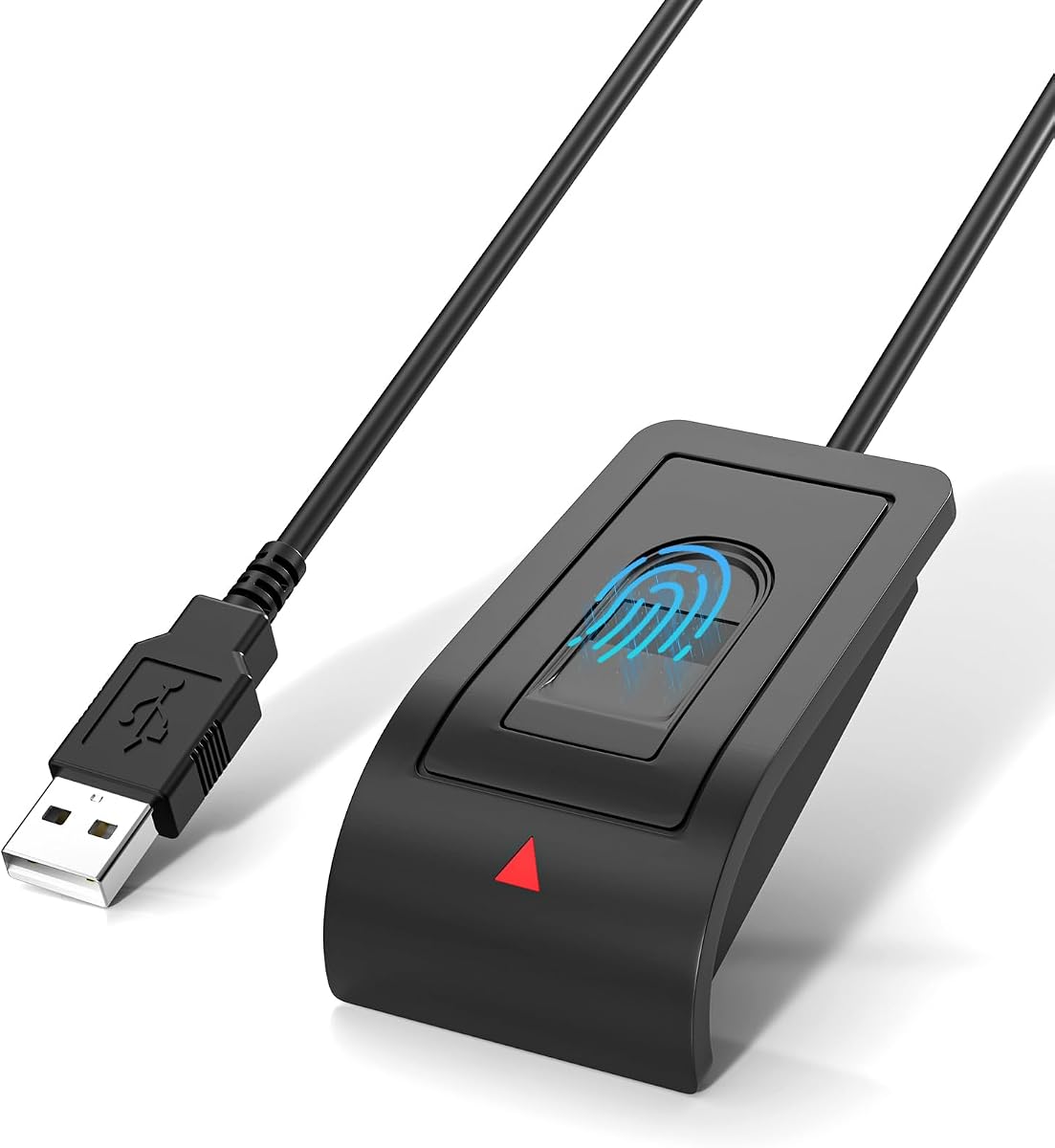
The Upgraded USB-A Fingerprint Reader is an appealing budget-oriented option for Windows 10 and 11 users who want a quick, compact way to add fingerprint sign-in. Its 4.2 rating is among the highest in this group. The product information emphasizes a 0.05-second response, 360-degree recognition, and support for as many as ten user IDs, creating a strong feature set for homes and shared offices.
We may earn a commission when you buy through this link, at no additional cost to you.
Unlike some minimal fingerprint accessories, this reader describes more than a single convenience function. It is presented as a way to protect website credentials and designated private folders with fingerprint access, provided those features are supported by the relevant Windows configuration. The capacitive sensor, anti-spoofing technology, and stated 1.92% false rejection rate and 0.002% false acceptance rate round out its security-oriented specification.
Setup remains uncomplicated because the device requires no third-party software or complicated driver installation on supported Windows systems. Buyers connect the USB reader, follow the standard Windows Hello enrollment instructions, and can begin using registered fingers. The included 1.5-meter extension cable supports placement beside a monitor or near a laptop, though the product's stated capabilities do not include FIDO2 or broad security-key support.
This model makes the most sense for a buyer who wants fast Windows Hello login without paying for enterprise authentication features. The support for multiple fingerprints and user IDs is especially useful in shared spaces, while the compact body suits travel and space-conscious setups. It is a sensible value-oriented recommendation for everyday home and office PCs.
The product claims a 0.05-second response and recognizes fingerprints from a wide range of angles. These characteristics make it attractive for users who log in repeatedly throughout the day and want the scanner to recognize a finger without repeated repositioning.
Support for ten user IDs allows family members, coworkers, or other authorized users to register their own fingerprints. Separate Windows accounts can retain individualized enrollment while sharing the same compact reader.
We may earn a commission when you buy through this link, at no additional cost to you.
The ineo USB Fingerprint Reader is a straightforward desktop scanner with a 4.1 rating. It focuses on the everyday actions most Windows users perform: signing in and locking the computer. The most distinctive feature is one-touch locking using the Win+L workflow, allowing a user to secure the session quickly when stepping away from the desk.
We may earn a commission when you buy through this link, at no additional cost to you.
Its high-precision optical sensor is designed for quick and reliable recognition, while plug-and-play installation makes the device approachable for first-time users. The product connects by USB, and the stated setup process is described as simple enough to begin using within minutes. A five-foot cable offers ample freedom for placing the compact reader beside a display, while the small footprint avoids crowding the desk.
Compared with more specialized readers, the ineo model provides fewer published details about advanced protocols and enterprise functions. It does not advertise FIDO2, Windows Hello for Business, or a stated enrollment limit in the supplied information. That narrower feature set means it is best evaluated as a convenient local sign-in and screen-lock accessory rather than a comprehensive authentication key.
This reader is a good fit for users who value quick locking and simple operation more than cross-service authentication options. It works particularly well on a Windows 10 or 11 desktop where a reachable sensor and long cable are more important than a minimal footprint. Its compact design and straightforward purpose make it easier to recommend for routine office or home use.
The Win+L shortcut paired with fingerprint recognition gives the reader a practical role beyond sign-in. A user can lock the computer with one touch when leaving a workstation, reducing the need to reach for a keyboard and remember the exact shortcut.
A five-foot cable provides enough reach to position the sensor near a monitor or at a comfortable point beside the keyboard. The compact body remains visually restrained while giving the user's finger a stable, accessible target.
We may earn a commission when you buy through this link, at no additional cost to you.
The Windows Hello Fingerprint Reader is a basic but privacy-conscious option for supported Windows systems. Its 4.1 rating places it alongside several well-regarded alternatives, and the product is clearly designed around the native Windows Hello environment. The device provides one-touch biometric sign-in without asking users to install a separate application or maintain a vendor-specific account.
We may earn a commission when you buy through this link, at no additional cost to you.
Its strongest selling point is match-in-sensor security processing. The supplied details state that fingerprint verification occurs inside the sensor, while fingerprint information stays on the Windows device and is not uploaded or shared externally. The reader can be used for PC access, screen locking, and Windows user-account management, giving it several practical uses while keeping the setup focused on the operating system.
The included four-foot cable allows flexible placement on a desk or workstation, and the angled surface is designed to make finger positioning more natural. It connects without complicated drivers or third-party applications, though Windows Hello still needs to be available and enabled on the computer. The product information does not advertise wider FIDO2 or enterprise protocol support, so buyers wanting a general security key should choose a more specialized alternative.
This reader is a strong recommendation for a Windows user who wants local biometric convenience and explicit privacy boundaries. It is useful for a home computer, individual office workstation, or shared family PC where password-free sign-in is the main objective. Its uncomplicated design makes it a practical middle-ground choice between bare-bones readers and advanced enterprise models.
The product information emphasizes local storage and match-in-sensor processing. This design keeps biometric matching on the reader and Windows device, avoiding the routine transmission of fingerprint images to an external authentication service.
The raised, angled sensor surface is intended to support natural finger placement during repeated use. Combined with the extension cable, it can be positioned where the user can reach it without crowding the keyboard or monitor.
We may earn a commission when you buy through this link, at no additional cost to you.
The Kensington VeriMark Gen2 is designed for users who need a fingerprint reader to function as more than a local PC login accessory. Its 3.7 rating is the lowest in this comparison, which makes its broader protocol support and enterprise credentials especially important to evaluate. The device supports Windows Hello, Windows Hello for Business, and Tap-and-Go through the CTAP2 protocol.
We may earn a commission when you buy through this link, at no additional cost to you.
Its match-in-sensor design isolates fingerprint data and transfers only an encrypted match, while the listed 360-degree readability and anti-spoofing features support reliable daily use. Stated false rejection and false acceptance rates are 2% and 0.001%, respectively. The model can store up to ten fingerprints and is also presented as compatible with popular password managers, including Dashlane, LastPass Premium, Keeper Premium, and Roboform.
This device is not compatible with macOS or ChromeOS, and its customer rating suggests that some buyers may not have found the overall experience as consistently satisfying as the higher-rated products. Its specialized Tap-and-Go and Windows Hello for Business support also makes it more complex than a simple home sign-in reader. It is best treated as a professional security accessory rather than a general-purpose desktop gadget.
The VeriMark Gen2 is most appropriate for Windows users in managed or security-conscious environments who regularly use passkeys, supported password managers, or modern web authentication. It can also appeal to individual users who want a device aligned with current passwordless standards. Buyers who only need simple Windows Hello login can find a more streamlined alternative with a higher rating.
CTAP2 support allows compatible services to use the reader for Tap-and-Go authentication. The supplied details also identify compatibility with several major password managers, making it possible to use the enrolled fingerprint as part of broader passwordless workflows.
Windows Hello for Business support, encrypted match transfer, and anti-spoofing features make this a sensible option for organizations managing Windows access. It is also positioned to support security programs aligned with GDPR, BIPA, and CCPA.
We may earn a commission when you buy through this link, at no additional cost to you.
The RGB Windows Hello Fingerprint Reader stands apart visually with 38 flowing lighting effects and touch-controlled illumination. Its 3.0 rating is the lowest among the ten products, making careful evaluation advisable despite its extensive feature list. The scanner supports Windows Hello on systems running Windows 10, 11, or 12 and is not intended for Mac or Linux.
We may earn a commission when you buy through this link, at no additional cost to you.
The product also advertises FIDO U2F and FIDO2 certification, allowing compatible websites and applications to use it as a security key. A 1.5-meter extension cable provides flexible placement, and up to ten fingerprints can be stored. The listed accuracy figures are a 0.001% false acceptance rate and a 0.1% false rejection rate, alongside a claimed authentication time below half a second.
Several details require caution. The stated 95% system compatibility and support for Windows 12 broaden the description, but a manual driver update may be required on individual non-genuine systems. The product's rating is notably lower than the rest of the field, and the supplied information does not explain the causes of that feedback. Its RGB lighting is a visual feature rather than a core security improvement.
This reader is worth considering for a gaming-style or visually personalized desktop setup where FIDO2 support and adjustable lighting are priorities. It is less compelling for a conventional business workstation or for a buyer who wants a simple, consistently reviewed device. Check the current user feedback and confirm the exact Windows edition and hardware configuration before purchasing.
The reader offers 38 flowing lighting effects that can be adjusted through touch controls. This visual customization makes it more suitable for setups where the device should complement an RGB keyboard, mouse, or gaming desk.
Beyond native Windows Hello enrollment, the product claims FIDO U2F and FIDO2 certification. Compatible websites and applications can therefore use the reader for two-factor authentication and passkey-related workflows.
We may earn a commission when you buy through this link, at no additional cost to you.
The Yoidesu USB Fingerprint Reader is a compact option intended for Windows 10 and 11 computers without built-in fingerprint hardware. Its 3.9 rating places it near the middle of the comparison. The device uses capacitive fingerprint technology for approximately 0.5-second authentication, with 360-degree recognition intended to reduce sensitivity to the angle at which a finger is placed.
We may earn a commission when you buy through this link, at no additional cost to you.
It supports multiple Windows accounts and as many as ten fingerprints per user account, which is useful for shared home or office computers. Smart-ID features are described as protecting saved passwords and encrypted folders where the relevant Windows functions support fingerprint access. The small enclosure fits easily into a pocket or laptop bag, and most genuine Windows systems can use the reader without an extra application.
The compatibility notes are particularly important. It supports original 32-bit and 64-bit Windows 10 and 11 systems, but not the streamlined Home edition, and it does not support Mac, macOS, Linux, or ChromeOS. It also cannot encrypt USB drives or files and is limited to Windows Hello. The manufacturer recommends a motherboard USB 2.0 port because some USB 3.0 docking stations may cause unstable recognition.
This is a sensible choice for a compatible Windows Pro or equivalent system, particularly when a small portable reader and multi-user enrollment matter. Users who rely on Windows Home, USB 3.0 docks, or encrypted drive features should look elsewhere. Verifying the Windows edition and preferred USB port before ordering can prevent most setup disappointments.
The lightweight reader combines a small footprint with support for multiple Windows accounts and ten fingerprints per account. That makes it useful for a portable setup that moves between a home computer and an office workstation, provided both systems meet the stated requirements.
The supplied guidance recommends using a USB 2.0 port, particularly a motherboard port rather than a USB 3.0 docking station. This is important because power delivery or interference in certain docks can lead to inconsistent recognition.
We may earn a commission when you buy through this link, at no additional cost to you.
The Verifi P2000 Desktop USB Fingerprint Reader is a Windows Hello-certified option with a 3.9 rating. It uses high-definition fingerprint imaging based on 3D touch capacitance technology, giving it a more specialized sensor description than many basic readers. The device also supports passkeys and is advertised as compatible with leading password-management software.
We may earn a commission when you buy through this link, at no additional cost to you.
Windows Hello and Windows Hello for Business support make it a natural option for standard and managed Windows environments. The supplied information also identifies compatibility with Microsoft services such as Office365 and other Windows Hello security applications. This gives the reader a broader role than simply replacing a local login password, particularly for users who already rely on compatible passkey or password-manager workflows.
The available product information is concise and does not state a cable length, fingerprint limit, false acceptance rate, or false rejection rate. Those omissions make it harder to compare placement flexibility and measurable recognition performance with the other products. The stated Windows orientation also means it may not suit users seeking a cross-platform biometric or security-key solution.
The P2000 is most compelling for a Windows user who values certified Hello integration, passkey compatibility, and password-manager use over detailed performance specifications. It may appeal to buyers who want a familiar desktop format without an extension cable. Checking current customer feedback is advisable because the rating is moderate and the available feature list leaves several practical questions unanswered.
The reader is presented as compatible with available passkey logins and leading password-management software. That makes it useful for users who want fingerprint authentication to participate in broader credential workflows rather than only unlocking a Windows session.
Windows Hello certification supports straightforward native enrollment, while Windows Hello for Business broadens its relevance to managed environments. Compatibility with Office365 and other Microsoft services adds further utility on a typical Windows workstation.
We may earn a commission when you buy through this link, at no additional cost to you.
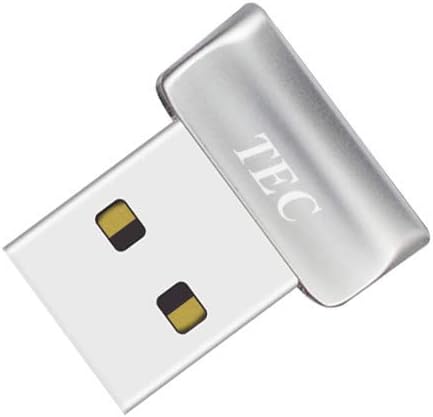
The TEC Mini USB Fingerprint Reader is a compact Windows 10 and 11 scanner with a 4.2 rating. Its most unusual attraction is the stated support for document and folder encryption, adding a file-protection use case beyond ordinary biometric sign-in. Fast fingerprint authentication and 360-degree touch recognition are also highlighted for routine use.
We may earn a commission when you buy through this link, at no additional cost to you.
The reader supports registration of multiple fingerprints, allowing several authorized users or fingers to be recognized. Its small dongle format should be easy to position near a monitor or laptop, and its 4.2 customer rating places it among the stronger entries in this comparison. The product information also advertises Windows Hello support, so it can serve as a conventional password-free sign-in device.
The important limitation is processor architecture. The supplied details explicitly state that the device is not compatible with ARM-based chipsets, which rules it out for some modern Windows computers. The listing also includes troubleshooting guidance for driver installation, suggesting that setup may occasionally require more attention than a fully automatic configuration.
This reader is worth considering for non-ARM Windows users who want a compact scanner and specifically value fingerprint-gated document or folder encryption. It is less suitable for ARM-based laptops, and buyers should not choose it solely for claimed passkey or FIDO capabilities because those wider protocols are not clearly documented in the supplied information. Its 4.2 rating makes it a credible option within its intended hardware environment.
Unlike readers described only as sign-in accessories, this model explicitly lists document and folder encryption. That gives it potential value for users who want to bind access to protected files as well as Windows account authentication.
The stated authentication speed, 360-degree recognition, and multi-fingerprint registration are intended to make the small reader practical for repeated daily use. Registering more than one finger can also reduce inconvenience if one finger is temporarily unavailable.
We may earn a commission when you buy through this link, at no additional cost to you.
The most important considerations are native Windows Hello compatibility, secure biometric handling, reliable recognition, cable placement, and whether the reader needs to support more than local PC sign-in. Checking the Windows edition and processor architecture before ordering can prevent most compatibility issues.
A fingerprint reader intended for Windows 11 should integrate with the operating system's native Windows Hello framework rather than rely on a separate login utility. All ten products in this guide are positioned for Windows Hello, but their supported editions vary. Some state Windows 10 and 11 support, one also lists Windows 12, and the Yoidesu model explicitly does not fit the streamlined Windows Home edition. Kensington models also state that Windows ARM-based computers are not currently supported, while the TEC model has the same ARM limitation. A genuine supported Windows installation, an available Hello option, and a current configuration are all necessary for a smooth experience.
Match-in-sensor processing is the most important architectural feature to look for because it keeps fingerprint matching inside the reader and reduces the amount of biometric information handled by the wider system. The first, fifth, and other listed products use this approach, while Kensington describes encrypted end-to-end security and isolated fingerprint data. The supplied descriptions state that biometric data remains local and is not uploaded or shared externally. Match-in-sensor technology should not be confused with the hardware sensor itself; it describes where the comparison takes place. Users who prioritize privacy should look for explicit local-processing language rather than assuming every fingerprint reader operates in the same way.
Useful performance information includes false rejection rate, false acceptance rate, response time, and 360-degree readability. The Upgraded USB-A model claims a 0.05-second response, while the Yoidesu and RGB readers are described at roughly half a second. Several products publish low false acceptance and false rejection figures, but these are manufacturer-provided specifications rather than independent test results. A low false rejection rate is especially important for daily convenience because it reduces the chance that a legitimate finger will repeatedly fail to register. Always place the sensor where your fingertip remains clean, dry, and fully in contact with the surface.
If you want one device to handle both Windows Hello and website authentication, FIDO2 support can be decisive. The Kensington VeriMark Desktop 1.0 is FIDO U2F certified and FIDO2 WebAuthn compatible, while the Kensington Gen2 offers Tap-and-Go through CTAP2. The RGB reader also advertises FIDO U2F and FIDO2 capabilities. Other products focus more narrowly on Windows Hello and should not be assumed to work as general security keys. A FIDO-capable reader can support passwordless or multifactor login at compatible services, but service support and the available authentication flow still depend on the website, application, and operating system.
A household or shared office can benefit from a reader that supports several Windows accounts. Many products state that they can store up to ten fingerprints, and the Upgraded USB-A model specifically describes support for ten user IDs. Multi-user support does not mean that every person must use the same Windows profile; separate Windows accounts can maintain their own enrolled fingers. Consider whether the intended users have enough fingers available and whether the product supports re-enrollment after a user leaves. Shared-computer security also depends on proper Windows account separation, screen locking, and timely removal of former users.
Cable design determines whether the sensor sits comfortably where you use the computer. Included options range from a long 3.9-foot Kensington cable to 4-foot, 4.9-foot, and 5-foot leads, with the Upgraded USB-A model including a 1.5-meter extension. A long cable is useful when the USB port is behind a monitor or the computer sits under a desk. However, a longer cable can also introduce clutter or looseness if it is not secured. The Yoidesu model specifically recommends a USB 2.0 interface and warns that some USB 3.0 docks may cause unstable recognition, so connection topology can be as important as raw cable length.
Windows Hello for Business, Tap-and-Go, password-manager support, and compatibility with major Microsoft services distinguish products intended for organizations or advanced security workflows. The Kensington VeriMark Desktop 1.0 and Gen2 are the clearest choices in this area, with the Verifi P2000 also advertising Windows Hello for Business and password-manager compatibility. These features are valuable when a user already relies on Entra ID, compatible passkeys, or enterprise identity policies. A basic Windows Hello reader remains simpler and easier to deploy, so the additional protocols are worth considering only when the user's services can actually use them.
Some readers provide a function beyond unlocking the Windows account. The TEC Mini model advertises document and folder encryption, while the ineo reader highlights one-touch computer locking through Win+L. The Upgraded USB-A reader is also described as protecting website credentials and designated private folders. These claims should be understood in the context of Windows: the device provides biometric authentication, while the operating system or compatible application determines what can be protected. It is important to distinguish Windows Hello itself from third-party encryption products, and to check whether a stated feature requires additional software or an eligible Windows edition.
Begin by confirming that the computer runs a supported edition of Windows 10 or 11, uses a compatible non-ARM processor where applicable, and has Windows Hello available. Connect the reader directly to a suitable USB port, using the included extension cable when needed. On systems with docking stations, follow the manufacturer's guidance and prefer a direct or USB 2.0 connection if recognition is inconsistent. Open the standard Windows Settings enrollment page, select the fingerprint option, and follow the prompts to scan one finger at a time.
Enroll more than one finger when convenient, especially if you use the reader for a shared computer or frequently wear gloves. Place the full pad of the finger on the sensor without sliding excessively, and keep the finger reasonably clean and dry. After enrollment, test the reader during normal sign-in and lock actions. If a scan fails, remove and reposition the finger, verify that the correct Windows account is active, and repeat the enrollment if the saved template has become unreliable.
For care, keep the sensor surface free of dirt, oil buildup, moisture, and adhesive residue. Wipe it gently with a soft, dry or lightly damp cloth, avoiding harsh chemicals and excessive liquid around the USB connection. Route the cable so it cannot be pulled sharply, and use a clean fingerprint area on the computer. Periodically review enrolled fingers and remove old or unnecessary templates, especially when shared access has changed.
No. The computer must run a supported Windows edition, have Windows Hello available and enabled, and use a compatible processor and USB connection. Several products in this guide are explicitly unsupported on ARM-based systems, and the Yoidesu reader does not support the streamlined Windows Home edition. Check the full product notes before purchasing.
A fingerprint reader usually adds an alternative Windows Hello sign-in method rather than removing every need for a password. Windows may still ask for a PIN or password in certain situations, and administrators may require a traditional credential for recovery or policy purposes. A strong PIN is still useful as a fallback after biometric enrollment.
A Windows Hello reader is primarily convenient for local PC sign-in, while a FIDO2-capable reader can also authenticate with compatible websites and applications. If your goal is only easier access to a Windows desktop, a basic Hello reader is simpler. If you use passkeys, password managers, or services supporting WebAuthn, a FIDO2 model offers broader value.
Yes, if the device and Windows configuration support multiple accounts or fingerprints. Many readers in this comparison state support for up to ten fingerprints, and the Upgraded USB-A model explicitly supports ten user IDs. Each person should enroll through their own Windows account so biometric templates remain separated.
First, check that the device is connected directly, that Windows is genuine and updated, and that you are using a supported processor and Windows edition. A system update or configuration change may be required to enable Windows Hello. Some models also require manual driver installation, and USB 3.0 docking stations can cause recognition problems with certain readers.
A suitable reader can improve convenience while supporting stronger authentication, but its security depends on the entire configuration. Look for match-in-sensor processing, anti-spoofing features, current Windows security updates, and appropriate administrative policies. Enterprise deployments should also consider Windows Hello for Business, centralized identity management, and recovery procedures.
360-degree recognition describes the range of finger angles and positions the sensor can accommodate, while fast scanning describes how quickly a match is processed or presented to Windows. A device can offer broad angle tolerance without claiming an especially rapid response, so consider both factors if you expect frequent use.
It depends on where the USB port is located. Several products include a four-foot or five-foot lead, while others provide a separate extension cable, making placement beside a monitor or laptop easier. A long cable is helpful behind a monitor but may create clutter, and some docking stations can interfere with reliable recognition.
The USB Fingerprint Reader for Windows 10/11 ONLY is the strongest all-around recommendation because it combines a well-regarded rating, native Windows Hello enrollment, local match-in-sensor processing, multi-fingerprint support, and useful cable placement without adding complicated software. The Upgraded USB-A Fingerprint Reader is an excellent budget-oriented alternative for users who value fast claimed recognition and a generous extension cable.
For buyers who need more than local sign-in, the Kensington VeriMark Desktop 1.0 stands out with FIDO U2F certification, FIDO2 compatibility, Windows Hello for Business, and Microsoft service support. Users with specialized needs should compare the Kensington Gen2 for Tap-and-Go, the TEC Mini for file encryption, the RGB reader for lighting and FIDO features, or the Verifi P2000 for password-manager and passkey compatibility.
Before ordering, confirm the Windows edition, processor architecture, available Windows Hello options, and desired connection port. Review current customer feedback and the latest product specifications, and compare the current price and warranty details at the time of purchase. These checks are especially important because operating-system updates, product revisions, and seller listings can change over time.