
Gammeefy Wireless Switch Pro Controller
4.4Editor score
Adjustable LED lighting
App-based button mapping
Multi-platform wireless support
Compare 10 Hall Effect Nintendo Switch Controllers for stick precision, trigger feel, macros, lighting, battery life, compatibility, and overall value.
Hall effect Nintendo Switch controllers use magnetic sensing to measure joystick movement without relying on the same physical contact found in conventional analog sticks. That design is especially attractive to players who want precise movement, reduced wear, and a controller built for long sessions on Switch, Switch Lite, Switch OLED, and some newer systems.
The controllers in this guide were compared using the features listed in their product information, including hall effect sticks, trigger design, motion sensors, programmable controls, lighting, wireless connectivity, battery life, and platform compatibility. The list includes traditional full-size controllers, a grip-style option, a two-controller set, and models that also work with PC or mobile devices.
Each review highlights the strongest use case for its controller while noting limitations or compatibility details that may affect your decision. Ratings reflect the supplied customer feedback, and product features can vary by software update or platform. Prices change frequently, so compare the current listing with the priorities outlined in this guide.
4.4Editor score

4.4Editor score

4.3Editor score
The table below compares all ten controllers by their core stick technology, notable functions, compatibility, and standout features, making it easier to identify the model that best fits your gaming habits.




The AceGamer 2 Pack combines hall effect joysticks, programmable rear buttons, motion sensing, adjustable rumble, and a two-controller configuration in one of the most complete packages in this guide. Its supplied rating is 4.4, and the two colors make it easy to distinguish players during local multiplayer sessions. It supports Switch, Switch Lite, Switch OLED, and Switch 2 as described, with no driver installation required.
We may earn a commission when you buy through this link, at no additional cost to you.
The hall effect sticks are presented as a durable alternative to conventional contact-based joysticks, with an estimated lifespan of up to five million rotations. A six-axis gyro supports motion-controlled games, while four vibration levels let you reduce feedback when playing quietly or increase it for racing and action games. The M1 and M2 buttons can each perform a single assignment or a multi-button combination, and turbo functions offer three firing speeds.
There are a few operational details to understand before the first use. The product information recommends calibrating the controller and avoiding contact with the sticks during pairing, since touching them can incorrectly register an input. The listed 800mAh battery supports approximately 12 hours of continuous play, while automatic shutdown helps conserve power during inactivity. Only the Switch platforms are identified in the supplied specifications, so PC or mobile users should look elsewhere in this list.
This is an excellent choice for households that regularly play local multiplayer or want a spare controller without buying each one separately. The programmable functions give it more flexibility than a basic controller, while the hall effect sticks and gyro address precision and motion needs. Choose it if broad Switch compatibility, customization, and a two-pack format matter more than cross-platform computer support.
The magnetic sensing system is the controller's defining feature, providing a more durable alternative to contact-based analog sticks. A six-axis gyro adds motion-control functionality for games that depend on directional movement.
Programmable M1 and M2 buttons can execute single or combined inputs, while three-speed turbo and four-level vibration let each player tune the controller. The red-and-blue pairing also helps identify whose controller is in use.
We may earn a commission when you buy through this link, at no additional cost to you.
The Gammeefy Wireless Switch Pro Controller is a value-focused option with a 4.4 supplied rating and unusually broad platform support. It is listed for Nintendo Switch, Switch 2, Switch Lite, Switch OLED, iOS, Android, and PC. Its hall effect joystick uses electromagnetic sensing to avoid the mechanical contact associated with traditional drift, while the adjustable lighting adds a more decorative element than a plain controller.
We may earn a commission when you buy through this link, at no additional cost to you.
The KeyLinker app is a major distinction. It allows button assignments to be rearranged for different operating habits and can update the controller without requiring a separate update package. Lighting offers nine listed color choices, and the controller supports manual or automatic turbo at three speeds. Dual vibration motors provide four feedback levels, giving players meaningful control over the feel of each game.
Its 1000mAh battery is among the largest capacities listed here, with an estimated 12 to 16 hours of play and a stated three-hour charging time. The included USB-C cable adds convenience, and PC users can connect wirelessly with the appropriate Bluetooth receiver or use a wired X-Input connection for Steam and compatible Windows games. The lighting can shorten battery life, so players who need maximum endurance may disable it.
This controller is well suited to cross-platform households or players who want app-based setup rather than only physical buttons. The important limitation is that it does not support wake-up for Switch 2 or audio functions according to the supplied information. Choose it for versatility, customization, and long battery life, particularly if those benefits outweigh the missing Switch 2 wake function.
Compatibility with Switch systems, PC, Android, and iOS makes this a practical choice for players who move between devices. PC support includes wired X-Input operation and wireless use through a compatible Bluetooth receiver.
The KeyLinker app can remap buttons, adjust layouts, and update the controller. Adjustable lighting, three turbo rates, and four vibration levels create several ways to tailor the experience.
We may earn a commission when you buy through this link, at no additional cost to you.
The Diswoe Wireless Pro Controller is a feature-rich full-size option for Switch and PC. It carries a 4.3 supplied rating and combines hall effect joysticks with a premium wireless connection, a dedicated screenshot button, motion controls, and configurable rumble. Compatibility is listed for Switch, Switch OLED, Switch Lite, Switch 2, and PC, making it a versatile choice across console generations.
We may earn a commission when you buy through this link, at no additional cost to you.
The magnetic sticks are designed to reduce mechanical wear and support more accurate movement in action, racing, fighting, and competitive games. A premium wireless chip is claimed to provide a stable connection within a 10-meter range, while the asymmetrical body and non-slip grip surfaces are intended to reduce fatigue during extended sessions. Four vibration levels include off, making the controller considerate of late-night play.
The dedicated screenshot button is a practical addition for recording and sharing gameplay moments, while the three-level turbo system provides 5, 12, or 20 shots per second. The 600mAh rechargeable battery is listed at approximately 8 to 12 hours of use after a two-to-three-hour charge, which is shorter than the highest-capacity alternatives in the guide. Automatic sleep and home-button wake-up help manage routine use.
Players who want more than basic hall effect sticks should find the combination of capture controls, tunable rumble, and broad compatibility compelling. It is especially suitable for local multiplayer, action games, and mixed console-and-PC sessions. The main trade-off is a more modest stated battery duration than some competitors, but the overall feature set makes this one of the strongest all-around choices.
A dedicated screenshot button, three turbo rates, a six-axis motion system, and four vibration levels expand the controller beyond basic stick precision. These features are useful for both competitive play and content sharing.
The asymmetrical ergonomic shape, skin-friendly grips, and wireless design help support steady handling. A listed operating range of up to 10 meters adds flexibility for couch, desk, and larger-room setups.
We may earn a commission when you buy through this link, at no additional cost to you.
The 8Bitdo Ultimate 2C brings a more compact visual approach to the hall effect controller category. It is designed for Switch and Switch 2, uses Bluetooth, and carries a 4.4 supplied rating. Unlike many of the full-size third-party controllers in this guide, it emphasizes a streamlined design with a classic D-pad, textured grips, and additional R4 and L4 bumpers.
We may earn a commission when you buy through this link, at no additional cost to you.
Its hall effect joysticks are paired with wear-resistant metal rings, while non-linear digital triggers provide adjustable resistance characteristics rather than the behavior of a simple spring-loaded trigger. Six-axis motion control, rumble, turbo, and wake-on-shake cover the main features sought by Nintendo Switch players. The extra bumpers can be mapped for personalized configurations, potentially reducing reliance on face buttons for less frequently used commands.
The product information recommends updating the controller to the latest firmware before use to ensure compatibility. That step is available through the manufacturer's support and upgrade tool. The supplied description does not provide detailed battery-runtime figures, so buyers who prioritize long sessions between charges should verify the current product listing and included accessories. It also omits cross-platform details beyond the stated Nintendo systems.
This is a strong choice for players who prefer a compact-looking controller and appreciate 8Bitdo's familiar design language. The combination of hall effect sticks, extra bumpers, motion control, and textured grips gives it more flexibility than a standard compact gamepad. Update the firmware first, then confirm current platform requirements before purchase.
Hall effect sensing and metal stick rings target smooth, durable input. The classic D-pad, double-shot buttons, and textured grip preserve a traditional appearance while adding modern controls.
Extra R4 and L4 bumpers provide additional inputs that can be configured to suit individual games. Wake-on-shake, turbo, vibration, and six-axis motion control round out the feature set.
We may earn a commission when you buy through this link, at no additional cost to you.
The AceGamer Wireless Pro Controller stands out with a supplied rating of 4.5, the highest customer rating among the products in this roundup. It supports Nintendo Switch 2, Switch, Switch Lite, Switch OLED, Windows PC, Steam Deck, iOS, and Android, giving it one of the broadest compatibility claims in the list. Hall effect joysticks, a six-axis gyro, and one-touch console wake-up form the core package.
We may earn a commission when you buy through this link, at no additional cost to you.
The M1 and M2 buttons can be assigned to single inputs or multi-button macros, and the turbo system offers three selectable rates. Four vibration levels allow a degree of control that many basic third-party controllers lack. The included 800mAh battery is stated to provide approximately 12 hours of continuous play after a three-to-four-hour charge, with automatic shutdown helping preserve power during inactivity.
Its strongest appeal is versatility. Someone can move between a docked Switch, handheld Switch family hardware, Windows PC, Steam Deck, and supported mobile games without treating the controller as a console-only accessory. That makes it appealing for shared devices or cross-platform gaming habits. However, exact platform setup procedures and any software requirements should be confirmed in current listings, particularly for less conventional combinations.
Choose this controller if you want the guide's strongest supplied rating alongside extensive programming and broad platform support. It is particularly attractive for players who alternate between Switch and PC, value console wake-up, and want hall effect sticks without giving up motion controls or adjustable rumble. Its feature density makes it a well-rounded option for everyday gaming.
The listed support for Switch systems, Windows PC, Steam Deck, iOS, and Android is broader than many competing models. That makes the controller practical for users who rotate between console and portable devices.
Single and multi-button assignments give the rear buttons more flexibility than simple remapping. Three turbo rates and four vibration levels provide additional ways to tune each game to your preferences.
We may earn a commission when you buy through this link, at no additional cost to you.
The Playnex Two Pack is designed around a simple proposition: supplying two wireless controllers with hall effect sticks for local multiplayer. It supports Nintendo Switch 2, Switch, Switch OLED, Switch Lite, and Windows PC, earning a supplied rating of 4.3. The pair is immediately useful for couch competition, party games, and two-player sessions without requiring separate purchases.
We may earn a commission when you buy through this link, at no additional cost to you.
Hall effect sensing is intended to provide smooth, precise movement with less mechanical wear. Dynamic RGB lighting adds visual flair, while a six-axis motion sensor supports compatible games. The rear M1 and M2 buttons can be programmed, three turbo rates are available, and four vibration levels let you adjust feedback for different genres or quieter play environments.
A stated wireless range of up to 10 meters offers freedom away from the console, although actual performance depends on the environment. The 600mAh rechargeable battery and USB-C charging keep the setup convenient, though the capacity is lower than several individual competitors in the guide. Home-button wake-up is described as supported on compatible Switch consoles, so buyers should verify the behavior of a particular system.
This bundle is best for people whose priority is immediate multiplayer rather than premium materials, a charging dock, or elaborate app-based configuration. It also works well for a household that wants one controller for Switch and another for PC. The hall effect sticks, lighting, macros, and adjustable rumble create a versatile pair without the complexity of some specialty models.
Two matching wireless controllers make the package convenient for local multiplayer. Compatibility with the principal Switch models and Windows PC broadens the range of games and devices you can use them with.
RGB lighting, six-axis motion control, programmable rear buttons, and four vibration levels make the controllers adaptable. The USB-C rechargeable design simplifies routine charging.
We may earn a commission when you buy through this link, at no additional cost to you.
The VOYEE Switch Controller is built for Switch and Switch OLED players who want hall effect sticks alongside extensive visual and input customization. Its supplied rating is 4.2, and the controller offers RGB lighting around the sticks, a dedicated macro button, digital shoulder triggers, six-axis motion control, and four levels of vibration.
We may earn a commission when you buy through this link, at no additional cost to you.
The hall effect joystick is listed as having a five-million-cycle rating, supporting the category's emphasis on reduced wear and precise movement. A dedicated M button provides direct access to macro programming, where inputs such as face buttons, shoulder buttons, stick clicks, and D-pad directions can be assigned individually or in combinations. Manual and automatic turbo modes offer 5, 12, or 20 shots per second.
Lighting is the defining visual feature. The controller supports static, breathing, and rainbow modes, along with joystick halo lighting that can be turned off when desired. The stated 600mAh-class battery configuration supports approximately eight hours of play after a three-to-four-hour charge. The product information is explicit that the controller is not compatible with Switch 2 or Switch Lite, making model verification essential.
Choose the VOYEE for a dark, stylized setup and an emphasis on programmable controls and RGB effects. It is less suitable if you own a Switch 2, Switch Lite, or need one controller to cover several systems. Within its stated compatibility range, it offers a generous feature set for players who enjoy tuning controls rather than relying on a simple preset layout.
RGB joystick halos offer several visual modes, while a dedicated M button separates macro access from ordinary controls. This combination suits players who frequently adjust layouts between games.
The controller is designed for Switch and Switch OLED and supports PC through X-input mode. It does not support Switch 2 or Switch Lite, so verify your system before choosing it.
We may earn a commission when you buy through this link, at no additional cost to you.
The NexiGo Hall Effect Gripcon takes a different approach from the full-size controller designs that dominate this category. Its rounded grip-style body, hall sensing joystick, and adjustable RGB ring make it visually distinctive, while the supplied 4.4 rating indicates positive customer feedback. It is designed for Nintendo Switch and Switch OLED, with a six-axis gyro and programmable mapping functions.
We may earn a commission when you buy through this link, at no additional cost to you.
The hall sensing joystick is promoted as resistant to drift and operating without a dead zone, addressing two common concerns with analog sticks. Because it uses a USB Type-C connection, it can be used in handheld mode while the console charges, allowing play without relying on a wireless battery. This wired approach reduces pairing ambiguity but sacrifices the freedom of a wireless controller.
The ergonomic shape is explicitly designed for comfortable gripping, particularly for players with larger hands. A seven-color RGB ring adds lighting, and turbo plus mapping options expand the available commands. The supplied information does not mention wireless connectivity, wake-up behavior, a charging port for the controller itself, or cross-platform support, so those details should not be assumed.
Choose the Gripcon when you prefer a distinct, handheld-oriented form and do not mind a wired connection. It is a particularly logical option for docked or handheld Switch play where a cable is acceptable and where hall effect stick durability is a priority. Players wanting universal wireless use, a traditional Pro Controller shape, or support for every Switch model should consider a full-size alternative.
The rounded controller body is optimized for a natural hold and is specifically promoted for larger hands. Its wired Type-C connection can keep the Switch powered during handheld play.
The hall sensing stick targets drift-free accuracy and a no-dead-zone feel. Seven adjustable RGB colors, a six-axis gyro, turbo, and mapping add personality and flexibility.
We may earn a commission when you buy through this link, at no additional cost to you.
The 8Bitdo Ultimate 2 is the most specialized premium option in the guide. Rather than using a conventional hall effect stick, it employs TMR joystick sensing while providing triggers that switch between linear hall effect and non-linear tactile modes. The controller supports Switch, Switch 2, and Windows, and its supplied rating is 4.3. Switch 2 compatibility requires updates to both the controller and adapter.
We may earn a commission when you buy through this link, at no additional cost to you.
Its defining feature is the integrated charging dock. Placing the controller on the dock charges it, and removing it allows automatic reconnection. This is a more polished arrangement than relying on a loose USB-C cable, particularly for players who return to the same gaming spot regularly. The dock also reinforces the controller's premium positioning compared with simple stick-on designs.
TMR joysticks are presented as offering improved sensitivity, precision, and durability, while wear-resistant rings protect the stick edges. The RGB fire ring adds a visual centerpiece. Vibration, motion control, turbo, and wake-on-shake are supported, although the supplied details specifically identify motion and vibration as Switch features. 8Bitdo Ultimate Software V2 provides an additional customization route.
This controller is ideal for enthusiasts who care about trigger behavior, precise input, refined design, and convenient charging. It is also a strong match for mixed Switch and Windows users, provided they complete the required firmware updates. The specialized sensing system and integrated dock justify considering it separately from straightforward hall effect alternatives, but buyers should verify hardware and software readiness before purchase.
A mode switch changes the shoulder triggers between linear hall effect behavior and non-linear tactile feedback. This allows one controller to serve different control preferences and game styles.
The integrated charging dock keeps the controller ready and reconnects it automatically after removal. It simplifies charging while adding a more premium presentation to the setup.
We may earn a commission when you buy through this link, at no additional cost to you.
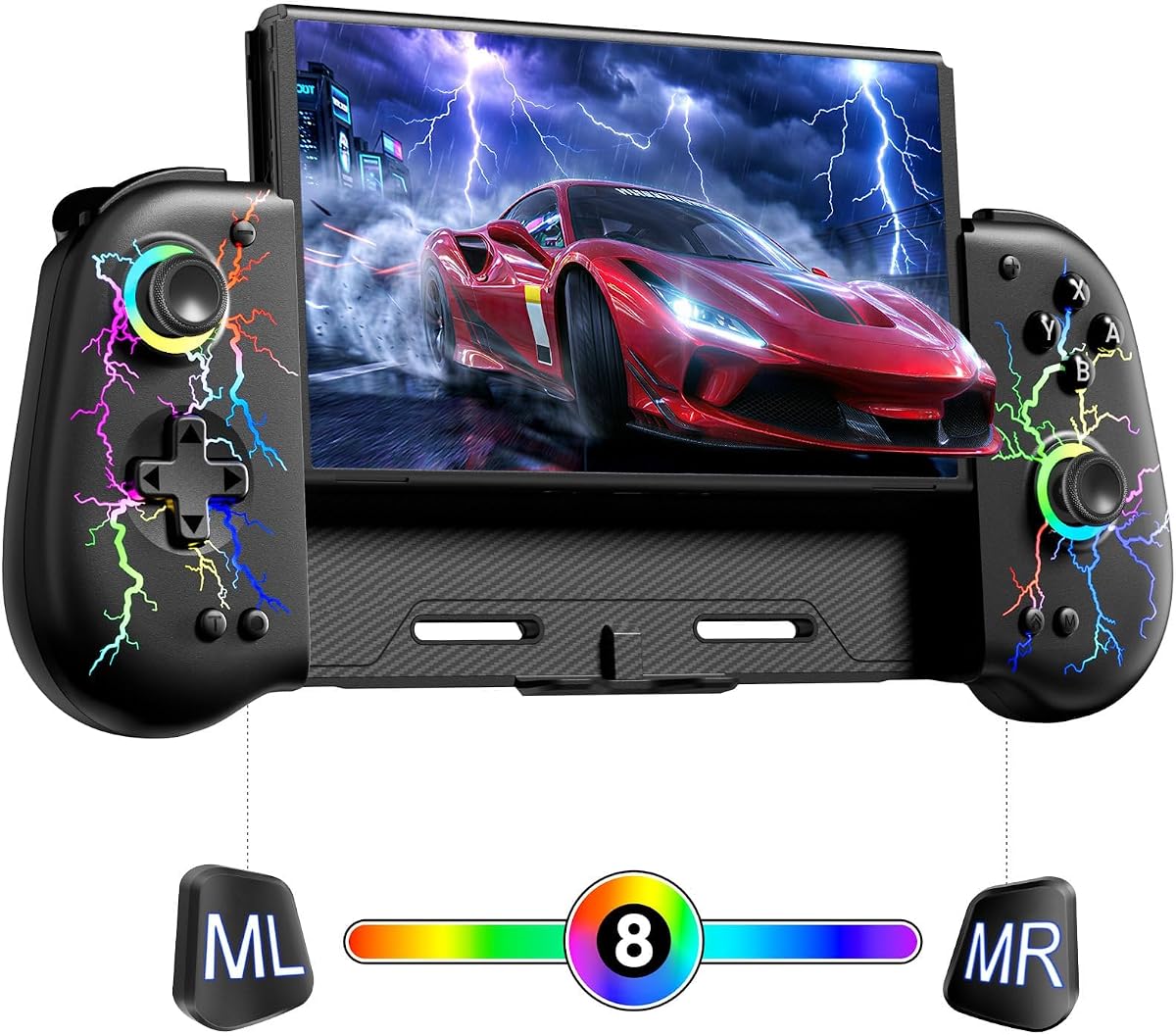
The NexiGo Hall Effect Wireless Controller combines a 4.7 supplied rating with a distinctive Lightstorm design and broad Nintendo Switch support. It is intended for Switch 2 and Switch, while the supplied title and description focus on the core Nintendo experience rather than a wide range of computer or mobile platforms. Hall effect sticks, turbo, lighting, wireless pairing, and motion feedback form its main feature set.
We may earn a commission when you buy through this link, at no additional cost to you.
Its most noticeable characteristic is the LED indicator surrounding the sticks. The lights display color when the controller is active and change as the sticks are pressed, creating a visible indication of input. This makes the controller appealing for players who enjoy RGB-style accessories or want clearer feedback during a session. A six-axis gyroscope and dual vibration motors add functional depth beyond the lighting.
The 600mAh-class battery is listed to last approximately eight to 10 hours after a two-to-three-hour charge, with a standby time of up to 25 days. Bluetooth pairing is straightforward, and the controller automatically reconnects for subsequent use. Before the initial pairing, the USB cable should be removed and the controller should not be charging. The ABS shell features a non-slip texture intended to improve grip and resist sweat.
Choose this controller if its lighting design appeals to you, you want wireless convenience, and your priority is straightforward Switch play. It does not offer the extensive app mapping, cross-platform list, or integrated dock found in some alternatives. Even so, the high supplied rating and distinctive input indicators make it a compelling hall effect option for the right buyer.
The stick-mounted LED indicators illuminate while the controller is active and shift color when the sticks move. This creates both visual flair and an immediate cue that the controller is responding.
A fast charge is stated to take two to three hours, followed by roughly eight to 10 hours of play. Automatic reconnection and a textured ABS shell improve daily convenience and grip.
We may earn a commission when you buy through this link, at no additional cost to you.
A useful hall effect controller balances stick precision, control customization, comfort, connectivity, and platform support. The right choice depends on whether you prioritize competitive input, local multiplayer, motion play, cross-platform use, or a polished charging and lighting setup.
The central advantage of a hall effect stick is magnetic sensing rather than direct physical contact between internal components. This approach is intended to reduce the gradual wear associated with conventional analog sticks and the drift that can emerge over time. Several products also advertise a five-million-rotation or five-million-cycle lifespan, while the NexiGo models emphasize a no-dead-zone experience. These figures are useful comparisons, but they are manufacturer or product claims rather than a guarantee for every unit.
Prioritize models with precise stick rings, stable calibration procedures, and clear pairing instructions. A controller that requires calibration is not necessarily inferior; a simple setup routine can help ensure that the magnetic sensor reads its center position correctly.
Trigger behavior is often overlooked when comparing hall effect controllers, yet it can affect racing, action, and first-person games more than the lighting or battery specification. Options in this guide include digital triggers, non-linear digital triggers, and switchable linear hall effect versus tactile trigger modes. Digital triggers generally deliver predictable inputs, while the 8Bitdo Ultimate 2 offers the most direct way to compare two trigger styles on one controller.
If precise trigger braking matters to you, review the trigger specification carefully. If your priority is broader customization, also consider whether the controller includes additional rear buttons or bumpers that can be assigned to useful commands.
Nintendo Switch compatibility is more nuanced than a simple yes or no. Some products support the standard Switch, Switch Lite, Switch OLED, and Switch 2, while the VOYEE explicitly excludes Switch 2 and Switch Lite. The NexiGo Gripcon is limited to Switch and Switch OLED, whereas several full-size models also support Windows PC. Mobile support varies further, with the Gammeefy and AceGamer models listing iOS or Android compatibility.
Check the exact console generation, connection method, and required adapter or firmware before buying. Software updates can also influence compatibility, so review the manufacturer's current support information rather than relying only on a general product description.
Rear M1 and M2 buttons can turn otherwise unused space into programmable controls. The strongest implementations support both single assignments and multi-button sequences, allowing complex actions to be performed with one press. Common assignments include frequently used face buttons, shoulder commands, stick clicks, D-pad directions, or action sequences. Some controllers add a dedicated macro button, while others use software such as KeyLinker or 8Bitdo Ultimate Software V2.
Choose a controller with the programming method you can comfortably manage. Hardware-based mapping offers quick physical access, whereas app-based mapping can be more flexible but requires a phone, computer, or compatible device.
A six-axis gyroscope can be important in games that use motion input, while adjustable vibration adds impact to racing, fighting, action, and sports titles. Every controller in this guide has a vibration option, with many offering four levels that include an off setting. The 8Bitdo Ultimate 2 lists vibration and motion control for Switch specifically, so cross-platform limitations are worth considering.
For motion titles, make sure the gyroscope is enabled or calibrated through the relevant controller settings. For shared rooms, a low or disabled vibration level can provide a quieter experience without removing every input.
Battery capacity is useful, but stated runtime also depends on lighting, vibration, connection quality, and the games being played. The Gammeefy controller lists a 1000mAh battery and approximately 12 to 16 hours of play, while several 800mAh models claim about 12 hours. The Diswoe and Playnex options list 600mAh batteries and shorter estimated runtimes. For the 8Bitdo Ultimate 2, the integrated charging dock adds convenience even though the supplied description does not emphasize a battery-capacity figure.
Choose based on your typical session length and charging habits. A dock can be more valuable than a larger capacity when it makes charging automatic, while lighting-intensive use may reduce the stated runtime of any controller.
Full-size Pro Controller layouts place sticks and buttons in familiar positions and are often easier to adapt to than a grip-style design. The NexiGo Gripcon instead uses a rounded shell designed for a more natural handheld hold and is promoted for larger hands. Non-slip textures, grip patterns, and asymmetrical layouts can reduce fatigue or improve security during intense sessions. The shape you choose should match how you normally hold the device and the size of your hands.
A controller that feels unfamiliar at first may become comfortable with use, but a poor fit can cause tension over time. Consider both conventional and asymmetric layouts, and prioritize secure surfaces if you play in warm or long sessions.
Lighting can contribute to the atmosphere of a gaming setup, and it varies from a seven-color grip ring to joystick halos, an RGB fire ring, or color-changing indicators. Build details such as wear-resistant stick rings, textured grips, a charging dock, and dedicated screenshot buttons may matter more to some buyers than decorative LEDs. The Diswoe includes a dedicated screenshot control, while the 8Bitdo Ultimate 2 includes a dock and refined trigger controls.
Separate useful features from cosmetic extras based on your priorities. A beautiful controller is more satisfying when it also provides the input behavior, connectivity, and comfort you need every day.
Begin by fully charging the controller with the appropriate cable or dock before the first session. For wireless models, consult the pairing instructions and enter the Switch controller pairing screen. On the AceGamer 2 Pack, the initial connection uses the Y and HOME buttons; the Gammeefy uses the SYNC button; and the VOYEE's instructions call for holding HOME for three seconds. Other models may use their home or pairing control differently.
After connecting, check the stick positions, configure the gyro if you plan to use motion controls, and test the turbo, vibration, lighting, and programmable buttons. Avoid touching either stick while a hall effect controller is pairing, and perform any recommended calibration before entering a game. If inputs appear offset, leave the controller untouched during reconnection and repeat the calibration process before attempting more complicated troubleshooting.
Store the controller away from moisture, direct heat, and prolonged sun exposure, and avoid placing the sticks under weight. Clean the textured grip and buttons with a lightly dampened cloth, but do not flood the charging port or expose the electronics to liquids. Charge the controller before long sessions, remove it from the dock before attempting a wireless reconnection where applicable, and update its firmware when the manufacturer recommends doing so.
A hall effect controller detects joystick movement through magnetic sensing rather than relying on direct physical contact between internal parts. This design is intended to reduce long-term wear and the drift commonly associated with conventional analog sticks. It can also provide more consistent recentering and precise input when the controller is maintained and calibrated properly.
No. Compatibility varies by product, even when several Switch models are supported. The Gammeefy and AceGamer models list broad support, while the VOYEE excludes Switch 2 and Switch Lite, and the NexiGo Gripcon is listed only for Switch and Switch OLED. Always confirm the exact model and any required firmware before purchasing.
Hall effect sensing reduces one common source of drift because it does not depend on the same mechanical contact used by traditional analog sticks. It is not an absolute guarantee against every input problem. Calibration, clean controls, careful pairing, firmware updates, and avoiding pressure on the sticks can all help maintain accurate behavior.
A wireless controller provides freedom from the console and is convenient for couch play, while a wired grip-style option can be simple and may allow the Switch to charge during handheld use. The NexiGo Gripcon uses a Type-C connection, whereas most of the full-size choices listed here are wireless. Consider charging convenience, portability, and whether you play while the Switch is docked or in handheld mode.
M1 and M2 are rear buttons that can be programmed to perform single inputs or multi-button sequences. Players often assign frequently used actions, movement combinations, or shortcuts to reduce reliance on the face buttons. The best mapping depends on the game, and changing assignments between games can make a controller feel much more adaptable.
Many do, but compatibility should be confirmed for the exact model. The AceGamer, Diswoe, Playnex, VOYEE, and NexiGo Gripcon descriptions include six-axis motion control, and the 8Bitdo Ultimate 2C also lists six-axis support. The gyro may require calibration, and some features can vary by platform or mode.
The listed models vary from approximately 8 to 16 hours of stated use, depending on capacity, lighting, vibration, and other conditions. RGB lighting can shorten runtime, so a controller used with effects enabled may not last as long as its maximum estimate. If uninterrupted play is important, consider battery capacity, dock support, and your charging routine together.
You may need to, particularly for compatibility fixes or new platform support. The 8Bitdo Ultimate 2C recommends a firmware update, and the 8Bitdo Ultimate 2 requires controller and adapter updates for Switch 2 compatibility. Updating before first use can also help ensure that button mapping, gyro behavior, and connection features are configured correctly.
The AceGamer 2 Pack is the strongest all-around option for Switch-focused households, combining hall effect sticks, gyro support, programmable buttons, adjustable rumble, and two controllers. The Gammeefy Wireless Pro is the best value-oriented choice for cross-platform users who prioritize app-based customization, RGB lighting, and a large stated battery capacity. The Diswoe Wireless Pro stands out when a dedicated screenshot button, broad console support, and generous vibration controls are priorities.
Your next step should be to prioritize the features you will actually use. Competitive players may focus on stick precision, trigger behavior, and programmable inputs; motion-focused players should verify gyro support; local multiplayer shoppers may prefer a two-controller bundle; and cross-platform gamers should check PC and mobile compatibility before buying. A distinctive shape, integrated dock, RGB lighting, and a dedicated macro button can also make a controller better suited to your routine.
Finally, review the current listing, firmware notes, and platform requirements before ordering. Customer ratings and product availability can change, and compatibility claims may be updated. Compare the current product with the priorities in this guide rather than relying on hall effect technology alone, since comfort, controls, charging, and device support can determine which controller feels right every day.