
Logitech K270
4.3Editor score
Full-size function row
Wireless 2.4 GHz connection
Eight multimedia hotkeys
Explore the best keyboard with Fn key or F Lock options, with 10 models compared for shortcuts, connectivity, comfort, compatibility, and everyday typing.
A keyboard with an Fn key or F Lock can make function-row controls far more practical by placing media, lighting, and system commands within easy reach. The best model depends on how you work, which shortcuts you use, and whether you prefer a quiet membrane, tactile mechanical, low-profile, or highly customizable design.
We compared ten keyboards for function-key access, shortcut behavior, layout, connectivity, comfort, platform support, and everyday usefulness. The list includes full-size office models, low-profile wireless boards, gaming keyboards, a compact mechanical option, and a wired membrane keyboard with clearly documented Fn combinations.
Each pick reveals what it does best, from dependable plug-and-play typing to multi-device control and programmable gaming functions. Product configurations and promotions can change, so verify the current listing, included accessories, and operating-system support before buying.
4.3Editor score
4.5Editor score

4.4Editor score
The comparison below covers function-row access, connection method, core typing style, and the most relevant practical features across all ten keyboards.




The Logitech K270 carries a 4.3 rating and combines a familiar full-size layout with dependable 2.4 GHz wireless connectivity. Its defining appeal is straightforward: you get all the F-keys, a number pad, arrow keys, and a row of eight multimedia hotkeys without a complicated setup. For a budget keyboard sought partly for convenient function-row access, it is a practical starting point.
We may earn a commission when you buy through this link, at no additional cost to you.
The K270 uses deep-profile keys designed to feel familiar, which should appeal to users moving from a traditional office keyboard. Plug in the included receiver and the keyboard is ready to use, with no software installation required. Its eight hotkeys provide direct access to functions such as web browsing, email, playback, and volume, reducing the need to hunt through application menus.
The principal limitation is that the supplied information specifically positions the K270 for Windows rather than a wide range of operating systems. It also does not advertise a dedicated F Lock or a clearly documented set of Fn-based shortcuts, so buyers who specifically need media commands on the function row should verify the exact key labels. Its 24-month battery claim is based on an estimated office-use pattern and can vary by user and computing conditions.
Choose the K270 when you want a familiar, uncomplicated full-size wireless keyboard for a Windows desk, frequent number-pad entry, and easy access to common multimedia actions. It is a sensible budget choice for basic productivity, although shoppers wanting an explicit Fn Lock, broader platform support, or extensive programmability should look farther down the list.
A standard F-key row and separate multimedia hotkeys make the K270 easy to approach. Users can keep the traditional function-key layout while reaching common commands from the clearly positioned shortcut keys.
The tiny receiver supports a stated range of up to 33 feet under suitable conditions, while the advertised battery life can reach 24 months. That makes the board a low-maintenance choice for a fixed workstation.
We may earn a commission when you buy through this link, at no additional cost to you.
The Logitech Signature K650 earns a 4.3 rating by prioritizing comfort, flexibility, and broad platform support. Its full-size arrangement includes convenient shortcut keys for tasks such as microphone control, screenshots, and web navigation. While the supplied details do not explicitly advertise an Fn Lock, the shortcut-focused design makes it relevant to anyone comparing keyboards with quick-access controls.
We may earn a commission when you buy through this link, at no additional cost to you.
A soft-touch palm rest and deep-cushioned keys form the center of the K650's appeal. It connects over Bluetooth Low Energy or through the included Logi Bolt receiver, giving desktop users more choice than a receiver-only keyboard. Compatibility with Windows, macOS, Chrome OS, Linux, iPadOS, iOS, and Android broadens its usefulness across frequently used devices.
The tradeoff is that this is a substantial full-size keyboard with a fixed number pad, so it will not satisfy buyers seeking a compact tenkeyless arrangement. The product information also does not promise a specific Fn Lock position, behavior, or independent F-row control. Up to 36 months of advertised battery life depends on user and computing conditions, while the board is easy to clean and spill-resistant rather than being described as fully waterproof.
The K650 is best for office workers and multi-platform users who value a comfortable full-size layout and convenient shortcut access more than a compact footprint. It is also a strong option for shared productivity setups, provided the buyer does not require a specifically documented F Lock.
The integrated palm rest supports a more relaxed hand position, while the cushioned keys offer a softer landing than a bare mechanical board. That makes the K650 well suited to extended document and spreadsheet work.
Bluetooth and Logi Bolt connectivity reduce the need to keep separate peripherals for different systems. Logi Options+ support is also available for personalization on supported Windows and macOS versions.
We may earn a commission when you buy through this link, at no additional cost to you.
The Logitech MX Keys S holds a 4.4 rating and is the most premium-focused model in this group. Its laptop-like low profile, spherically dished keys, and adaptive illumination are designed for fluid, precise, and comparatively quiet typing. It also supports Smart Actions through Logi Options+, allowing repetitive sequences to be assigned to a single keystroke when software-based automation is important.
We may earn a commission when you buy through this link, at no additional cost to you.
Up to three devices can be paired through Bluetooth Low Energy or the included Logi Bolt receiver, and the keyboard works across Windows, macOS, and Linux. The keys illuminate as hands approach and can be customized in Logi Options+. USB-C recharging provides up to 10 days of use with lighting on or up to five months with backlighting turned off, depending on usage.
Its most significant drawback is the premium position it occupies in the overall keyboard market. Detailed shortcut behavior and explicit Fn Lock functionality are not included in the supplied specifications, so buyers whose primary requirement is a visible F Lock should confirm the physical labeling. Advanced lighting and Smart Actions features also depend on Logi Options+ rather than working entirely as hardware-only controls.
The MX Keys S is the premium recommendation for professionals who switch among computers, value quiet typing, and want adaptive lighting plus meaningful automation. Its wireless flexibility and refined construction outweigh the extra cost for users who will regularly use those features, while simpler desk setups may find a less expensive board entirely adequate.
The low keyboard angle and dished key shape are intended to keep fingertips in a natural position. A quiet typing experience also makes this model relevant to offices and shared remote-work environments.
Smart Actions can combine several tasks under one shortcut and can be shared through Logi Options+. This is useful for repeated workflows that would otherwise require several commands each time.
We may earn a commission when you buy through this link, at no additional cost to you.
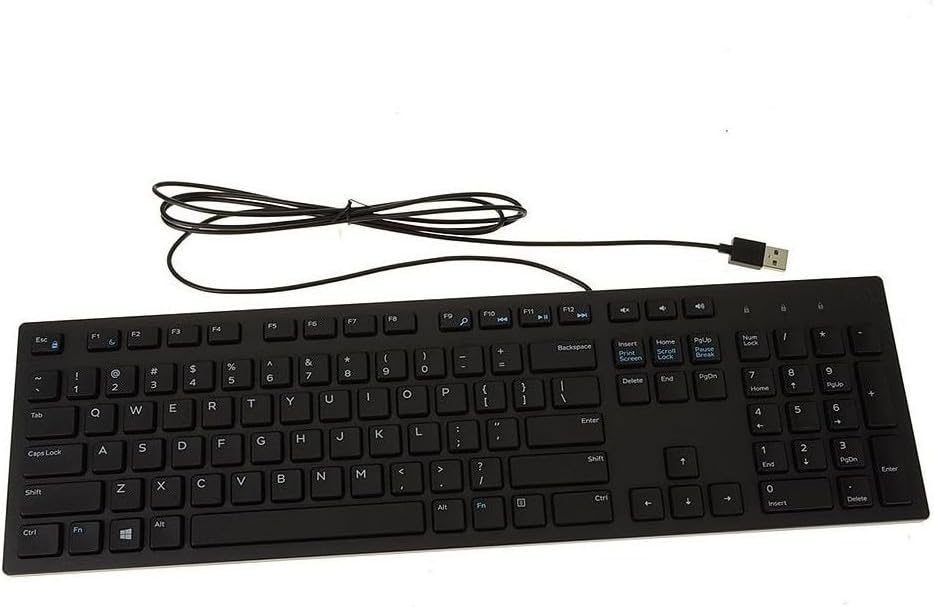
The Dell KB216 carries a 4.6 rating, the highest listed score in this roundup, and offers a direct alternative to wireless and mechanical keyboards. It is a wired multimedia keyboard with a familiar full-size format, chiclet keys, and a USB interface. That simplicity makes it appealing for offices, school desks, and anyone who wants a stable connection without managing batteries.
We may earn a commission when you buy through this link, at no additional cost to you.
Its listed dimensions are 17.4 by 5 by 1 inches, and it weighs 17.74 ounces. The keyboard is listed as compatible with a number of Alienware, Inspiron, Latitude, OptiPlex, Precision, Vostro, and XPS systems, which is particularly relevant to buyers who already own one of those Dell computers.
Unlike several gaming models and newer productivity boards, the supplied information does not describe a dedicated Fn Lock, programmable F-row functions, or extensive shortcut combinations. Because keyboard behavior can vary by operating system and application, anyone expecting a documented Fn Lock should verify it in the product listing. The absence of stated cross-platform support also makes it less clearly suited to mixed macOS and Linux environments than explicitly multi-platform alternatives.
Choose the KB216 for dependable, no-friction typing on a compatible Windows PC, especially when a wired design is preferred. Its high rating, conventional layout, and simple USB connection make it a strong office option, but it is not the most obvious choice for buyers whose main goal is programmable function-key control.
The USB interface removes charging routines, wireless pairing, and battery management from the equation. A fixed workstation therefore gets a predictable peripheral with very little setup.
The extensive list of compatible Dell systems provides added confidence for owners of the listed Alienware, Inspiron, Latitude, OptiPlex, Precision, Vostro, and XPS models.
We may earn a commission when you buy through this link, at no additional cost to you.
The AULA F99 is a 4.5-rated compact mechanical keyboard that combines three connection methods with extensive customization. It works through Bluetooth 5.0, a 2.4 GHz receiver, or a wired USB connection, and can remain connected to as many as five devices. FN and key combinations handle switching, making its function-layer behavior particularly relevant to this roundup.
We may earn a commission when you buy through this link, at no additional cost to you.
The 99-key, 96-percent layout preserves arrow keys and a number area while reducing overall desktop use compared with a traditional full-size board. Pre-lubed linear switches provide a smooth feel and fast response, while the hot-swap PCB accepts three-pin or five-pin switches without soldering. A keycap and switch puller are included for changing components.
Customization is extensive: the board supports macro recording and editing, 16.8 million light colors, and 16 RGB effects. N-key rollover helps during rapid multi-key input, while a five-layer filling structure and gasket mount are intended to reduce cavity noise and improve resilience. A driver is required for the deepest lighting, macro, and rhythm effects.
The F99 is a compelling choice for a user who wants one compact mechanical board to handle work, study, and gaming across several devices. It may not be ideal if you require a standard full-size function row or maximum desk space, and buyers should verify the exact FN legends and operating-system support for their particular combination of devices.
The combination of Bluetooth 5.0, 2.4 GHz, and wired USB supports different desk habits. Five-device pairing is useful for moving among a work computer, personal laptop, tablet, and gaming setup.
Hot-swappable sockets make it possible to replace compatible switches using the included puller. This gives users a path to change switch feel or sound without undertaking a soldering project.
We may earn a commission when you buy through this link, at no additional cost to you.
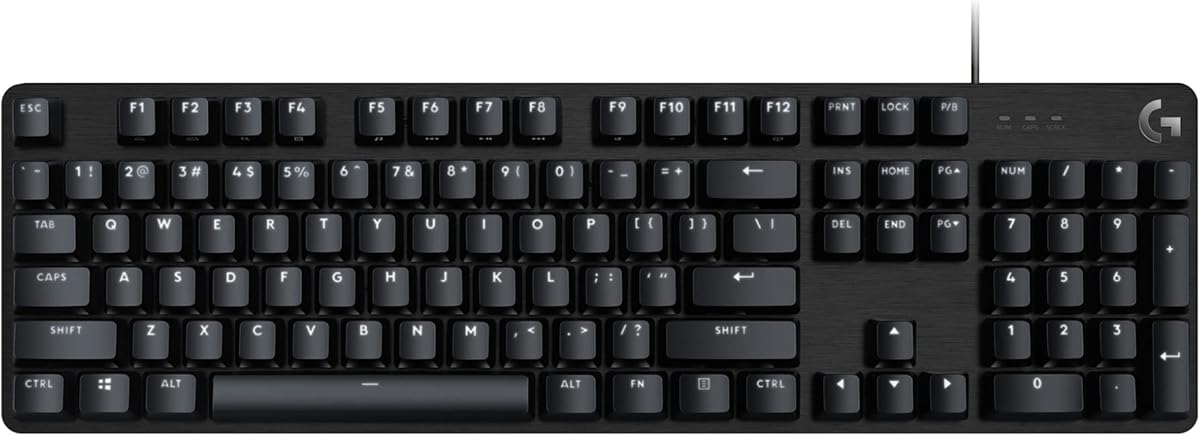
The Logitech G413 SE is our gaming-focused editor's choice because it explicitly documents twelve FN controls for media and system functions. The 4.5-rated full-size mechanical board combines those shortcuts with tactile switches, durable PBT keycaps, white LED illumination, and six-key rollover anti-ghosting performance. It is a direct and easy-to-understand choice when the FN layer is central to the purchase.
We may earn a commission when you buy through this link, at no additional cost to you.
Its FN row controls volume, playback, track skipping, mute, lighting, and Windows lock, among other functions. Tactile mechanical switches provide physical feedback, while the brushed aluminum-magnesium top case is designed to minimize flex. The wired connection is dependable for gaming, where a stable USB link and no wireless interference are valuable priorities.
The trade-offs are clear. This is a wired keyboard, so it cannot move freely between devices, and its lighting is limited to white LEDs rather than the RGB effects found on the AULA F99 and Redragon K668. It is also a full-size design rather than a tenkeyless model, although the related G413 TKL SE is mentioned as an available alternative.
Buy the G413 SE if you want a mechanical gaming keyboard with a clearly documented FN control layer, durable keycaps, and anti-ghosting support. It is particularly compelling for players who need media and system controls close at hand without moving to a separate device during a session.
The dedicated FN layer includes familiar controls for audio, playback, lighting, and the Windows key. These shortcuts are valuable during long work or gaming sessions when changing system volume or muting quickly matters.
Six-key rollover helps the board register simultaneous inputs during complicated gaming commands. Tactile switches and the rigid aluminum-magnesium case reinforce its performance-focused design.
We may earn a commission when you buy through this link, at no additional cost to you.
This wireless keyboard and mouse set is the most direct answer for shoppers whose search terms center on an explicit Fn Lock. It carries a 3.9 rating and includes a slim full-size keyboard, a calculator button, an Fn Lock control, a silent mouse with a side button, and a 2400 DPI specification. A matching keyboard and mouse set can simplify the setup of a new workstation.
We may earn a commission when you buy through this link, at no additional cost to you.
The keyboard includes 18 shortcut keys and a numeric keypad, while soft-touch keys and silent mouse clicks support quieter use. The 2.4 GHz USB receiver offers plug-and-play operation without driver installation and a stated range of up to 33 feet. Automatic sleep mode is included to conserve power, and the set supports a long list of operating systems, including major Windows versions, Linux, Chrome OS, and Android.
This is also the only product here that explicitly names an Fn Lock in the supplied title, although buyers should still confirm whether Fn Lock is a toggle key or a dual-action key on the physical board. Three AA batteries are required for the keyboard and mouse and are not included. The 3.9 rating is the lowest among the ten products, and the broad compatibility list does not guarantee identical multimedia behavior on every platform.
Choose this set if an explicitly advertised Fn Lock, bundled mouse, and quiet full-size typing are your leading requirements. It offers a particularly complete package for a new desk, though users who place high value on switch feel, premium construction, or advanced programmability may find a specialized keyboard more satisfying.
The keyboard's advertised Fn Lock control directly addresses a common concern about dual-purpose function rows. It can prevent accidental media commands or help users access the function layer more consistently.
Matching the keyboard and mouse creates a coordinated cordless setup. Soft-touch keys, silent mouse clicks, and a 2400 DPI mouse broaden the set's usefulness for shared or quiet workspaces.
We may earn a commission when you buy through this link, at no additional cost to you.
The Redragon K668 combines a full 108-key layout with four extra hotkeys, making it a strong option for users who want programmable controls alongside a traditional gaming board. It holds a 4.5 rating, includes RGB lighting with 19 preset modes, and offers anti-ghosting behavior for rapid multi-key combinations.
We may earn a commission when you buy through this link, at no additional cost to you.
Its four dedicated shortcuts default to mute, calculator, screen lock, and desktop functions. Pro software allows those hotkeys to be reassigned, custom lighting effects to be designed, and macros to be programmed with user-selected bindings. That customization is a major advantage over simpler office keyboards whose shortcut behavior is fixed.
The upgraded hot-swap sockets accept almost any three-pin or five-pin switch, allowing changes without soldering. Included Red linear switches keep the stock configuration relatively discreet, while two mixed-color keycap sets let the appearance change. Adjustable two-stage feet and two sets of keycaps add flexibility, although the deeper customization options depend on the supplied software.
The K668 is suited to gamers and power users who want a complete number pad, physical hotkeys, macro support, and RGB control. Its wired design and software requirement make it less convenient for a minimalist or highly mobile setup, but its programmability is a strong reason to choose it over a basic membrane model.
The extra keys provide convenient starting points for mute, calculator, screen lock, and desktop actions. Pro software expands their value by allowing each one to handle a custom workflow.
Hot-swappable sockets support a wide choice of three-pin and five-pin switches. Users can alter feel and sound while retaining the full-size layout and gaming-focused rollover performance.
We may earn a commission when you buy through this link, at no additional cost to you.
The X9 Large Print Keyboard is built around visibility. It has a 4.5 rating, large bold legends, seven selectable backlight colors, and four brightness levels. The full-size 107-key layout includes a number pad and 12 shortcut keys, making it a practical choice for users who find conventional small legends difficult to read.
We may earn a commission when you buy through this link, at no additional cost to you.
Its primary audience includes seniors, students, and visually impaired users, although the high-contrast design can also help in dim rooms or shared offices. The backlighting makes labels easier to locate in late-night work or study sessions, while the large print supports confidence and reduces reliance on looking closely at every key.
The keyboard uses a simple wired USB connection and requires no software, which makes setup highly accessible. It is marketed for Windows, PCs, laptops, Chromebooks, and desktops. However, the supplied information does not mention an Fn Lock, document the behavior of the 12 shortcut keys, or provide extensive cross-platform support, so buyers with specialized function-row requirements should check those details before purchasing.
Choose the X9 when legibility and low-light visibility are more important than mechanical refinement or wireless flexibility. Its straightforward layout and plug-and-play design support a broad range of users, while those wanting a specific Fn Lock or richer programmability should consider a more explicitly shortcut-focused model.
Bold, oversized characters reduce the visual effort needed to identify keys. That makes the keyboard easier to use for long sessions and particularly useful in low-vision situations.
Seven colors and four brightness levels let users adjust visibility to their surroundings. The feature supports late-night work, study, and offices where lighting is inconsistent.
We may earn a commission when you buy through this link, at no additional cost to you.
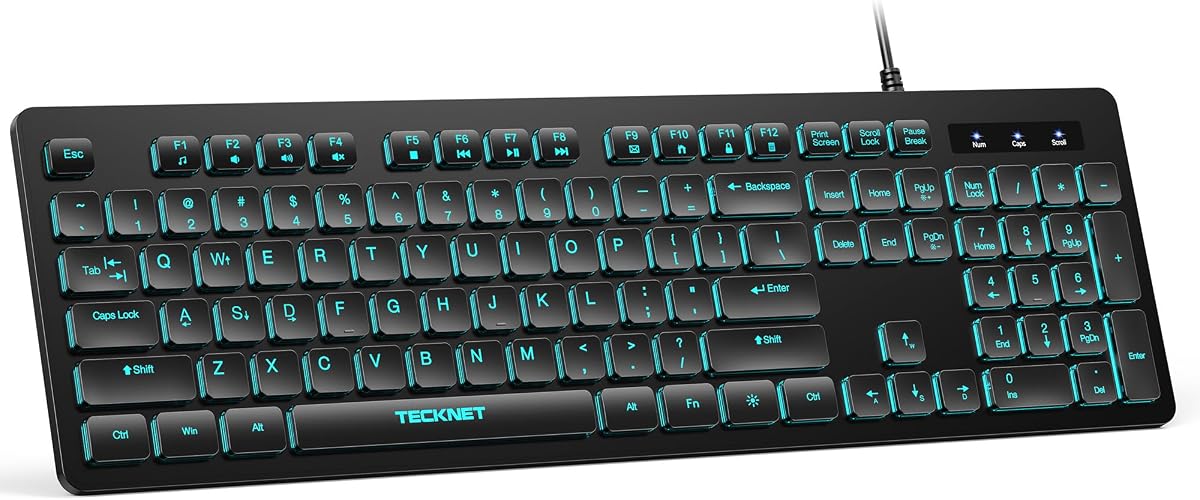
The TECKNET Wired Keyboard is a 4.5-rated option for users who want quiet typing and clearly documented FN shortcuts without a mechanical-style design. Its low-profile membrane keys produce soft keystrokes, while 12 FN-plus-key combinations provide access to volume, mute, playback, email, homepage, calculator, and other common actions.
We may earn a commission when you buy through this link, at no additional cost to you.
The standard 104-key layout uses a three-zone design and includes a number pad. Adjustable tilt feet and anti-slip pads help establish a stable angle, while seven RGB colors, four brightness levels, and static or breathing modes provide adjustable illumination for work and personal setups.
The keyboard is wired and requires no batteries, charging, or drivers. A spill-resistant conductive film offers protection against accidental splashes, and each key is rated for up to 80 million keystrokes. Compatibility is listed across numerous Windows versions, Raspberry Pi 3 and 4, and Mac OS, although multimedia keys may have limited functionality on Mac OS.
This is a strong choice for offices, libraries, shared spaces, and late-night use where noise matters. It also provides more explicit shortcut information than several office-oriented models in the list. Its membrane construction will not satisfy someone who specifically wants tactile mechanical feedback, but it delivers a practical, durable, and approachable typing experience.
Low-profile membrane keys soften each keystroke and reduce distracting typing noise. The result is suited to shared offices, libraries, and households where a mechanical board might be disruptive.
Volume, mute, playback, email, homepage, and calculator controls are available through FN combinations. These shortcuts make frequently used functions available without leaving the home row.
We may earn a commission when you buy through this link, at no additional cost to you.
The most useful keyboard is not necessarily the one with the longest feature list. Function behavior, layout, connection method, switch type, platform support, and visibility should be matched to the way you work and the shortcuts you use most often.
An Fn key lets a compact keyboard share physical keys between standard function commands and secondary actions. An F Lock can make the function row behave more like a dedicated row, while some boards instead activate secondary functions with a single press. The supplied products use several approaches: the Logitech G413 SE documents twelve FN controls, the TECKNET keyboard lists 12 FN-plus-key combinations, the AULA F99 uses FN combinations for device switching, and the wireless combo explicitly advertises Fn Lock. Check the exact key labels and operating-system instructions because FN behavior can differ from one product to another.
A full-size layout includes a number pad and a separate arrow-key cluster, making it efficient for data entry and spreadsheets. The Logitech K270, Signature K650, MX Keys S, Dell KB216, Redragon K668, X9, and TECKNET all follow a full-size approach. The AULA F99 uses a 99-key, 96-percent layout that saves some space while retaining arrow keys and a number area. Decide whether conserving desk space matters more than keeping every key in the traditional position.
Mechanical switches provide a more pronounced physical response, while membrane keys are generally quieter and less demanding on the fingers. The AULA F99 and Redragon K668 use hot-swappable mechanical sockets, and the Logitech G413 SE uses tactile mechanical switches. The TECKNET board uses low-profile membrane keys, and the Logitech K270 relies on deep-profile keys. Consider sound, travel, feedback, and your tolerance for a heavier or more forceful keyboard.
Wired keyboards provide a stable, power-free connection with no pairing routine. Wireless models add portability and cleaner desks, but require battery management, receiver space, or charging. The Logitech K270 uses 2.4 GHz wireless, the Signature K650 supports Bluetooth Low Energy and Logi Bolt, and the MX Keys S can pair with up to three devices. The AULA F99 supports Bluetooth 5.0, 2.4 GHz, and wired USB, while the bundled keyboard-and-mouse set uses a 2.4 GHz receiver.
A keyboard can type letters across operating systems while placing some multimedia or function commands outside their usual behavior. The Signature K650 and MX Keys S have clearly stated multi-platform support. The TECKNET keyboard lists Windows, Raspberry Pi, and Mac OS, with a warning that Mac multimedia keys may be limited. Other products are primarily framed around Windows PCs, so verify function-key and shortcut behavior if you use macOS, Linux, Chrome OS, a tablet, or a console.
Fixed shortcuts are useful when they align with common tasks, but programmability can be more valuable for specialized workflows. The Logitech G413 SE provides a broad collection of documented media and system controls, the TECKNET board offers 12 FN combinations, and the Redragon K668 includes four reassignable hotkeys. The MX Keys S adds Smart Actions through Logi Options+, and the AULA F99 supports macro recording, key-function editing, and lighting effects. Customization often requires compatible software, so consider setup complexity as well as capability.
Backlighting makes keys easier to locate in dim environments, while large printed legends improve readability. The X9 is specifically designed around oversized characters, seven backlight colors, and four brightness levels. The Redragon K668 offers 19 RGB modes with adjustable brightness and flow speed, the AULA F99 provides 16 lighting effects, and the MX Keys S uses intelligent illumination that responds as hands approach. The G413 SE uses white LED lighting, while the TECKNET board supports seven colors and static or breathing modes.
Look for the materials and protections that match your environment. The K270 has a spill-proof design, the Signature K650 is described as spill-resistant and easy to clean, and the TECKNET keyboard uses a spill-resistant conductive film. The G413 SE uses wear-resistant PBT keycaps, while the AULA F99 uses double-shot PBT keycaps designed to retain their legends. The Redragon K668 accepts replacement switches, and the AULA F99 also supports hot-swapping, making long-term component changes possible.
Begin by identifying the primary and secondary function printed on every Fn key. Some keyboards place a small Fn command beneath an F key, while others assign a separate multimedia button. Test the intended shortcut in the application where you plan to use it, since operating systems and software can intercept function keys for their own purposes. If a command triggers the wrong action, check for an F Lock or Fn Lock control and note its current position before pressing another combination.
For wireless models, install the receiver or enter Bluetooth pairing mode before configuring any custom software. Logi Bolt-compatible products should use the supplied receiver or a compatible Logi Bolt device, while the AULA F99 can also use Bluetooth 5.0 or wired USB. Update the relevant configuration software when using Logi Options+, AULA controls, or Redragon Pro software, and create a restore point or record custom settings before making large changes.
Keep the keyboard clean by unplugging it or switching it off before removing debris. Use a soft brush or compressed air around keycaps, wipe the frame with a lightly damp cloth, and avoid pouring liquid directly onto the keyboard. For spill-resistant models, disconnect the cable and let the device dry fully before reusing it. Clean the underside periodically, check that adjustable feet remain stable, and replace batteries before they weaken the connection.
An Fn key provides a secondary function for keys that do not have enough room for every command. An F Lock changes how that layer behaves, often making the standard F1-through-F12 commands the default or removing the need to hold Fn. The exact behavior varies by keyboard, so check the key labels and product instructions rather than assuming every F Lock works identically.
The wireless keyboard and mouse set explicitly includes an Fn Lock in its product title. The Logitech G413 SE and TECKNET wired keyboard document FN shortcuts, while the AULA F99 uses FN and key combinations for device switching. Other models may use function layers without advertising a dedicated lock, so buyers should confirm the physical controls before ordering.
No. Standard letters and numbers usually work across operating systems, but media, function-row, brightness, and application shortcuts can behave differently. The Signature K650 and MX Keys S advertise broad platform support, while the TECKNET keyboard notes that multimedia keys may have limited functionality on Mac OS. Check the specific commands you need on your intended system.
Mechanical keyboards offer distinct switch feedback, customizable configurations, and sometimes hot-swappable sockets, but they can also be louder. The Logitech G413 SE, AULA F99, and Redragon K668 emphasize mechanical performance and gaming features. A membrane keyboard such as the TECKNET model prioritizes quiet typing and simple everyday use instead of advanced switch customization.
Yes, if the keyboard supports the necessary connection method. The Logitech MX Keys S pairs with up to three devices, and the AULA F99 supports up to five simultaneous connections across Bluetooth 5.0, 2.4 GHz, and wired USB. The Signature K650 also supports Bluetooth and Logi Bolt. Check device-switching controls and operating-system compatibility before purchasing.
Low-profile membrane switches are generally a straightforward route to reduced noise, while silent mechanical or low-profile mechanical designs may suit users who prefer a different feel. The TECKNET keyboard is explicitly designed for quiet typing, and the Logitech MX Keys S emphasizes a quieter, fluid experience. Consider both sound and key travel rather than choosing on silence alone.
Basic hardware shortcuts usually work without extra software, although their behavior can still depend on the operating system. Custom lighting, macro programming, reassignable hotkeys, and Smart Actions generally require the manufacturer's software. The AULA F99, Redragon K668, and Logitech MX Keys S offer deeper customization, but buyers should confirm the software's supported operating-system versions.
Full-size keyboards are usually more convenient for sustained number entry because the numeric keypad is separated from the main typing area. All products in this guide include a number pad or number area, although the AULA F99 uses a more compact arrangement. If desk space matters more than traditional spacing, the F99 may be a better balance.
The Logitech K270 stands out as a budget-friendly, full-size wireless keyboard with a standard function row and eight dedicated multimedia hotkeys. The Logitech G413 SE takes the lead for gaming because its twelve FN controls are clearly documented, while the Logitech MX Keys S is the premium choice for quiet typing, adaptive lighting, three-device switching, and Smart Actions.
Your priority should guide the rest of the decision. Choose the bundled wireless set for an explicit Fn Lock, the AULA F99 for a compact hot-swappable mechanical board, the Redragon K668 for four programmable hotkeys and RGB effects, the X9 for large high-contrast legends, or the TECKNET model for quiet membrane typing and twelve FN combinations.
Before making a final purchase, verify the exact FN or F Lock behavior, the included receiver or accessories, operating-system support, and any software requirements. Current product configurations and promotions can change, so check the live listing and recent customer feedback before ordering.