
Charger Compatible with Lenovo Laptop Computer 65W 45W Round Tip Power Supply AC Adapter
4.6Editor score
Supports 65W and 45W
Worldwide 110-240V input
Broad Lenovo model support
This Lenovo Laptop Charger Replacement guide compares 10 options by connector, wattage, compatibility, safety, portability, warranty, and ideal laptop models.
A replacement Lenovo laptop charger must match both the connector and power profile of the computer. Round-tip and USB-C models may look similar, but they are not interchangeable, and selecting the wrong option can prevent charging or deliver an unsuitable power configuration.
This guide compares ten replacement chargers using the details supplied for each product. It examines connector type, rated wattage, supported voltage, listed laptop compatibility, included components, portability, safety features, and warranty coverage, with separate reviews for every option.
Each pick highlights a different practical need, including broad IdeaPad support, USB-C charging for ThinkPad and Yoga systems, compact round-tip designs, and an officially branded Lenovo adapter. Product availability and prices can change, so shoppers should confirm the current listing and connector before ordering.
4.6Editor score

4.7Editor score

4.8Editor score
The table below compares the ten adapters by connector, output, compatibility, and practical features. The most important distinction is whether your Lenovo laptop uses a round barrel connector or USB-C, followed by the required wattage and the exact model or part number.
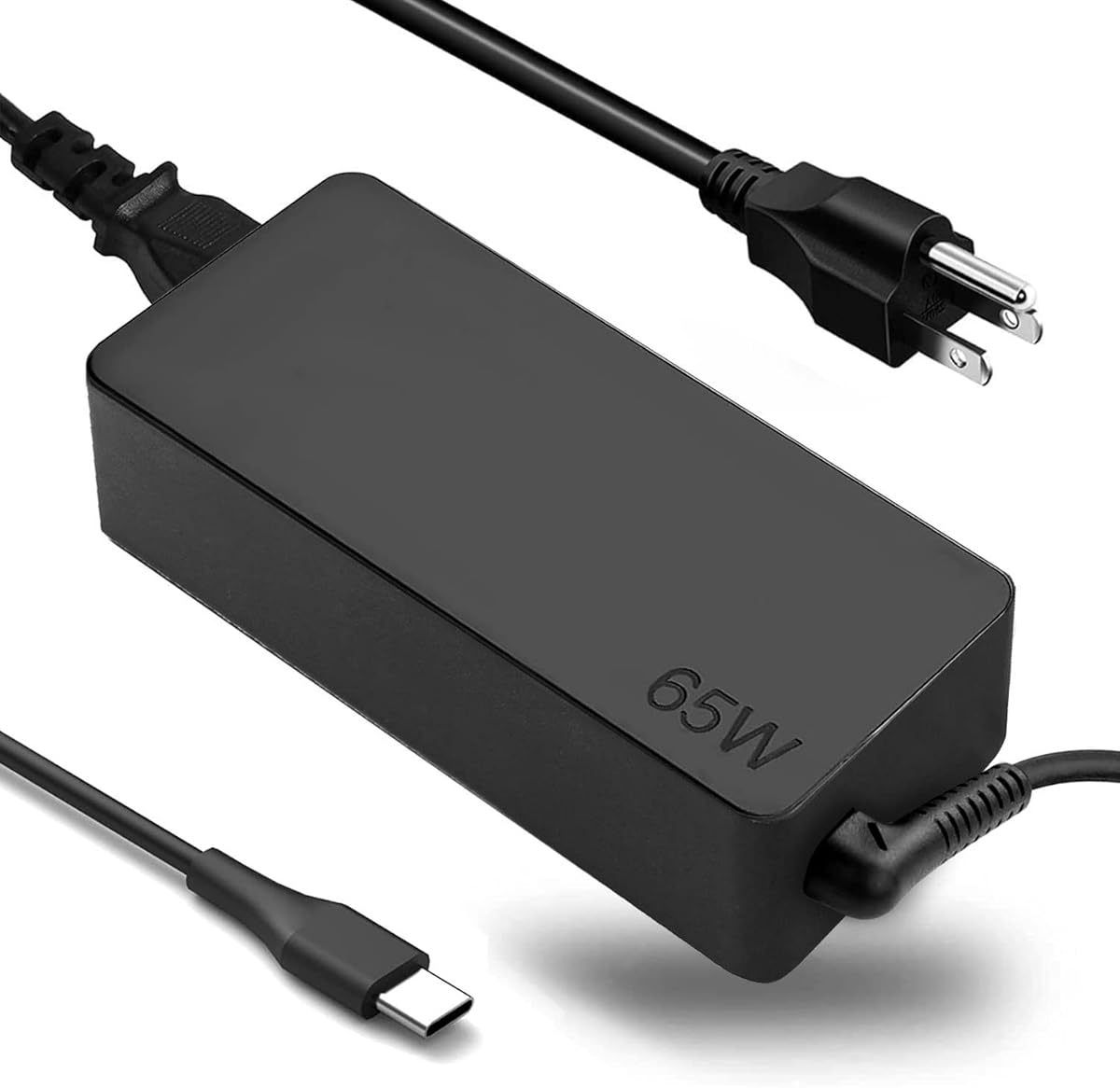
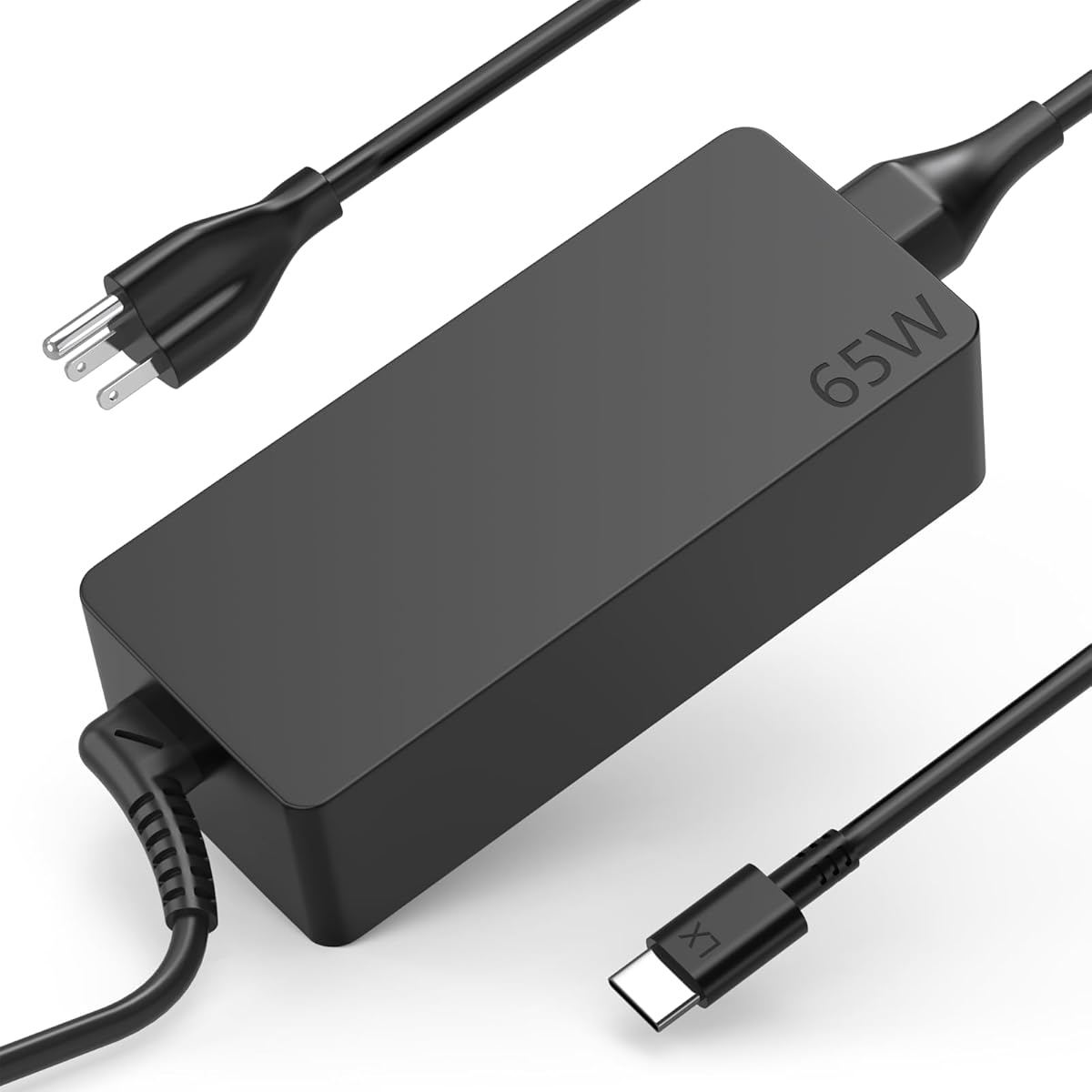

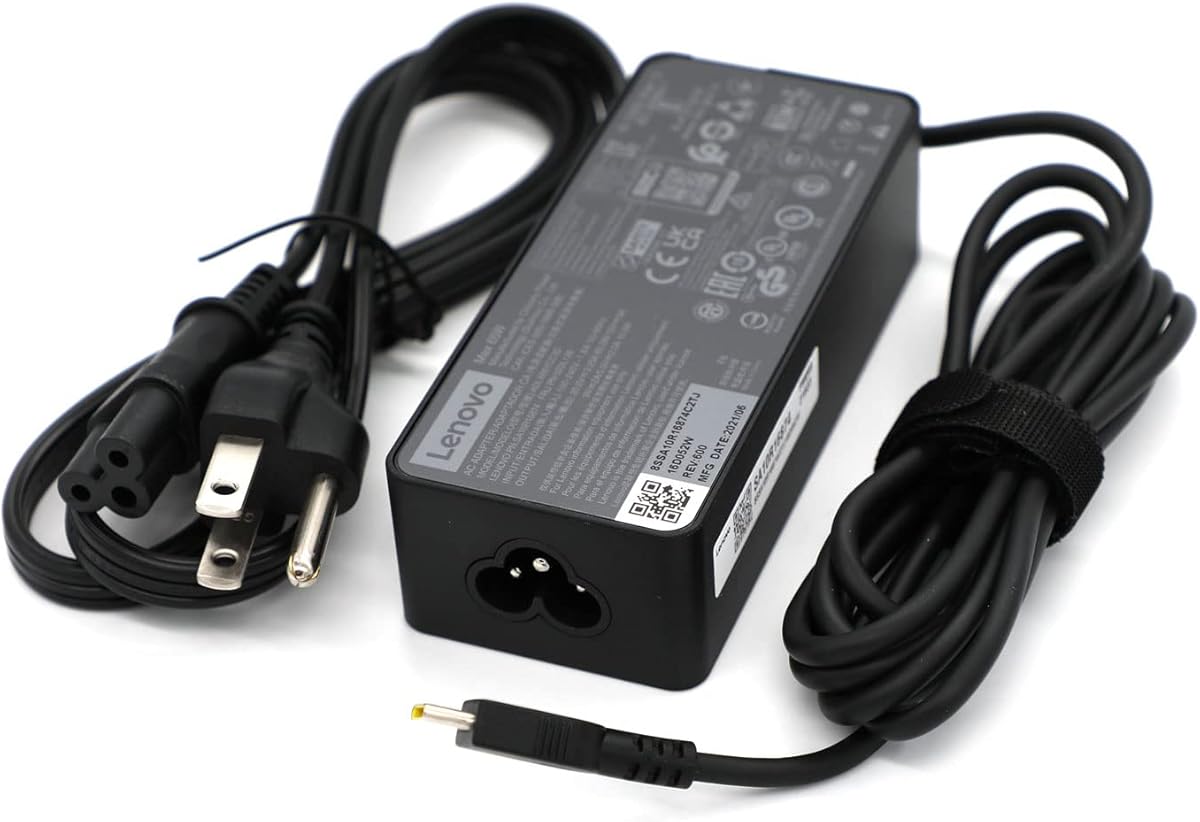


This Ostrich round-tip adapter is a practical replacement for many Lenovo IdeaPad and Yoga computers that use the company's traditional barrel-style charging connector. It carries a 4.6 rating and combines 65W output, compatibility with 45W systems, worldwide input support, and a notably compact design. Its strongest attraction is the breadth of explicitly named laptop support.
We may earn a commission when you buy through this link, at no additional cost to you.
The power specifications are designed to cover two common Lenovo requirements. Output can reach 20V at 3.25A for 65W operation, while 20V at 2.25A supports compatible 45W laptops. A 110-240V input range at 50Hz and 60Hz makes the adapter suitable for use across regions without requiring a separate voltage converter. The listed compatibility includes IdeaPad 330, 330S, 530S, S530, S130, and several 14-, 15-, and 17-inch variants, plus multiple Yoga 710 configurations.
The product information also states that the adapter meets electrical safety and design standards in the United States and Canada. It lists protection against short circuits, overvoltage, overcurrent, and internal overheating. The manufacturer further describes a return and exchange policy within 30 days and states that defective products will be exchanged for the lifetime of the purchase. These are useful assurances, although buyers should still read the current listing terms before relying on them.
This charger makes the most sense for a user whose laptop has a round charging port and whose model appears in the compatibility list. It is less suitable for newer USB-C-only ThinkPad, Yoga, or Chromebook systems because the connector type is entirely different. For a compact, broadly compatible replacement for older Lenovo laptops, it is an especially sensible choice.
The long model list covers several families of IdeaPad 330, 330S, 530S, and S130 computers along with numerous Yoga 710 variants. Confirm the precise model suffix and connector shape before purchasing, because similarly named Lenovo systems can use different power ports.
The adapter is described as weighing less than 5 pounds and slipping into bags, purses, or even pockets. That makes it easier to carry than many full-size desktop-style power bricks, especially when a separate charging cable can also be packed.
We may earn a commission when you buy through this link, at no additional cost to you.
The Fepprry charger is designed for Lenovo computers that charge through USB-C, with a stated maximum output of 65W and compatibility with 45W charging requirements. It has a 4.2 rating and supports a broad collection of ThinkPad, Yoga, and Chromebook models. Its multi-voltage USB-C output is the central technical feature.
We may earn a commission when you buy through this link, at no additional cost to you.
The adapter accepts 100-240V AC input at 50-60Hz and offers 5V, 9V, 12V, 15V, and 20V output profiles. At the upper setting, it can provide 20V at 2.25A or 3.25A. A long list of compatible factory part numbers includes ADLX65YLC2A, ADLX65YCC3A, ADLX65YLC3A, ADLX65YDC3D, ADLX65YCC3D, ADLX65YLC3D, ADLX65YAC3A, ADLX65YCC2A, ADLX65YAC2A, and several 45W references.
Model support is similarly broad. The supplied information names ThinkPad T480, T480s, T490, T490s, T495s, T580, T580s, T590, L380, L390, L480, L490, E14, E15, E480, E485, and E490 computers. It also covers multiple Yoga models and two-in-one systems. The box includes one 65W power adapter and one AC power supply cord.
This is a good option when a laptop uses USB-C and its model or original part number is covered. Because it is a USB-C adapter rather than a round-tip replacement, it cannot solve a charging problem involving the older barrel connector. The lengthy compatibility information is helpful, but the buyer should still check the exact system rather than relying on a general product-family name.
Supporting several lower voltage profiles as well as 20V output gives the charger flexibility across different compatible USB-C laptops. The listed profiles range from 5V and 9V through 15V and 20V, while 45W operation remains available for lower-power systems.
The unusually detailed list of factory part numbers can make model verification more reliable. Finding the number printed on the original adapter and confirming that it appears in the listing is a more dependable method than matching only a product name.
We may earn a commission when you buy through this link, at no additional cost to you.
The Superer round-tip charger combines a 4.7 rating with a feature set tailored to common Lenovo IdeaPad, Flex, Chromebook, Yoga, and Miix systems. It supports 65W output and is also described as compatible with 45W Lenovo laptops. Its foldable plug, lengthened cable, and visible charging indicator make it especially convenient for frequent users.
We may earn a commission when you buy through this link, at no additional cost to you.
Its maximum output is 20V at 3.25A, while compatible 45W systems use a 20V at 2.25A profile. International input support extends from 100-240V at 50-60Hz. The stated compatibility covers IdeaPad 1, 3, and 5, Slim 3, 5, and 7, S340, S145, 330, 320, 310, Flex 5, 4, 14, and 15, and V14, V15, and V17 systems, provided they use the round connector.
The foldable pin is a practical improvement for travel because it helps protect the adapter from scratches and reduces its footprint. A charging light provides a quick indication that power is being delivered. The manufacturer also provides a 24-month warranty, which adds useful support beyond the typical short return period alone. The package contains one replacement charger.
This is a strong general choice for owners of listed round-tip Lenovo laptops who value convenience and warranty coverage. The essential qualification is connector type: it will not fit a USB-C charging port even if the laptop belongs to one of the named families. Confirm the model and port, then choose this adapter if the round connector and listed specifications align.
Retracting the wall prongs makes the unit smaller in a bag and reduces contact with other objects. The benefit is especially noticeable for users who carry a charger between a home, office, and travel setup rather than leaving it permanently installed.
A 24-month manufacturer warranty is one of the stronger support commitments among the listed options. It provides reassurance that the manufacturer stands behind the product for a meaningful period after purchase.
We may earn a commission when you buy through this link, at no additional cost to you.
The DECSZDY replacement targets USB-C-equipped Lenovo ThinkPad, IdeaPad, Yoga, Flex, ThinkBook, and Chromebook computers. It carries a 4.3 rating and offers 65W output with 45W compatibility. The included AC cord separates the wall connection from the power adapter, making the setup easier to organize and transport.
We may earn a commission when you buy through this link, at no additional cost to you.
The listing identifies compatibility with ThinkPad T480, T490, and T580 systems and references factory part numbers such as ADLX65YDC2A, ADLX65YLC2D, ADLX65YDC3A, and ADLX65YDC2D. It also describes compatibility with second-generation Chromebook S330 laptops. The stated range extends to Lenovo families that accept a 65W or 45W USB-C charger.
One of the product's more useful suggestions is maintaining separate chargers at home, in the office, and in a carrying case. Because the power brick and AC cord are both included, the buyer can set up several locations without repeatedly moving one adapter. The replacement is also described as suitable for use at home or while traveling.
This adapter is a practical fit for a compatible USB-C Lenovo system, particularly for users who want a corded power setup. It cannot replace a charger for a laptop with a round barrel port. Since the description uses broad family labels, buyers should verify the exact model, connector, and required wattage before ordering.
The detachable AC cord gives the user more placement flexibility than an adapter with a permanently attached wall plug. It also makes it easier to swap a damaged cable while retaining the main power adapter.
The listed coverage includes ThinkPad, IdeaPad, Yoga, Flex, ThinkBook, and Chromebook systems. The breadth is convenient, but the USB-C connector must be the correct charging port and the laptop must accept the listed 65W or 45W power profile.
We may earn a commission when you buy through this link, at no additional cost to you.
This Lenovo-branded wall charger is a refined USB-C option for owners who value first-party branding, a slim form, and an unusually long attached cable. It delivers up to 65W using PD 3.0 and carries a 4.4 rating. Its compatibility extends beyond laptops to tablets, notebooks, and other USB-C devices.
We may earn a commission when you buy through this link, at no additional cost to you.
The 1.7-meter, or 5.9-foot, cable gives the charger more reach than a compact adapter with a short lead. That can make a difference in offices with outlets positioned behind desks, in hotel rooms, and in shared workspaces. The slim, light construction also supports the stated goal of convenient charging in different locations.
PD 3.0 is the product's defining technical feature. It is intended to provide up to 65W when a connected device supports the appropriate USB-C power profile. Because it uses USB-C rather than a Lenovo round-tip connector, owners of older IdeaPad and Flex models should verify that the laptop actually accepts USB-C charging.
This charger is best for a user who wants an official Lenovo adapter with a long cable and broad USB-C device support. It may be less suitable for travelers who prefer a detachable lead, since the supplied 1.7-meter cable is fixed to the wall unit. Its strengths otherwise align well with a desk-first or travel setup that values reach and compactness.
A 5.9-foot lead gives the charger substantially more placement freedom around desks, counters, and wall outlets. It can eliminate the need for an extension arrangement simply to reach a poorly positioned socket.
The adapter can deliver up to 65W and is designed for compatible USB-C laptops, tablets, and other devices. Device support remains dependent on each product's own charging protocol and cable requirements.
We may earn a commission when you buy through this link, at no additional cost to you.
This 65W USB-C adapter is tailored to a selection of Lenovo ThinkPad, ThinkBook, IdeaPad, and Yoga systems. It has a 3.9 rating, the lowest among the ten products, but its technical listing provides several voltage profiles and clear factory part references. It is most appropriate when one of its named models is the computer being replaced.
We may earn a commission when you buy through this link, at no additional cost to you.
Output is specified as 20V at 3.25A, 15V at 3A, 9V at 2A, and 5V at 2A. The charger identifies SKUs 01FR027, 01FR025, and 01FR026 and factory models ADLX65YCC3A and ADLX65YDC2A. Compatible systems include ThinkPad X13, T490, T590, T14s, T15, several X1 Carbon generations, L14, E14, E15, and selected ThinkBook and Yoga systems.
The model list also includes ThinkPad X380 Yoga, P53s, P43s, several Yoga C-series and X-series models, and IdeaPad S940 and 730S. This breadth is helpful for owners of these specific products, but the adapter is not presented as a universal solution for every USB-C Lenovo laptop. Model and part-number verification remains important.
The main reason to consider this adapter is its close correspondence with a defined set of factory part numbers and business-oriented Lenovo systems. Its lower rating suggests the listing may not have the same volume of customer feedback as the leading options. Buyers should compare the exact model and connector with the original charger before purchasing.
The listing provides compatible SKU and factory model references, giving shoppers specific identifiers to compare with the original adapter. This is more dependable than choosing solely from a family name such as ThinkPad or Yoga.
The compatibility list emphasizes ThinkPad X, T, L, E, and P series systems alongside selected ThinkBook and Yoga models. It is a focused option rather than a broad general-purpose Lenovo charger.
We may earn a commission when you buy through this link, at no additional cost to you.
This 65W USB-C replacement combines a 4.5 rating with extensive compatibility across Lenovo ThinkPad, Yoga, ThinkBook, Chromebook, IdeaPad, and Flex products. It supports up to 65W and is also compatible with 45W systems, making it a versatile choice for owners of multiple USB-C Lenovo computers.
We may earn a commission when you buy through this link, at no additional cost to you.
Input is rated at 100-240V at 1.8A and 50-60Hz. Output includes 5V, 9V, 15V, and 20V modes, with the 20V mode reaching 3.25A. The product also lists a wide group of compatible factory references, including ADLX65YLC2A, ADLX65YCC3A, ADLX65YLC3A, ADLX65YDC3D, ADLX65YCC3D, ADLX65YLC3D, ADLX65YAC3A, ADLX65YCC2A, ADLX65YAC2A, ADLX45YDC2A, ADLX45UDCU2A, ADLX45YCC2A, ADLX45YCC3D, ADLX45YLC3D, and ADLX45YDC3D.
The named systems include ThinkPad X1, X13, T14, T15, E14, E15, T480s, T490, and E480. ThinkBook 13s, 14, 15, 16 Plus, and G4 models are also covered. The Yoga list includes 7i, 9i, S730, C930, C940, C740, 730, 730S, 910, 920, 720-13, and numerous suffix variations, as well as X13, L13, L14, L16, and other listed configurations.
This is an attractive general USB-C replacement when the laptop is confirmed in the model or part-number list. Its primary limitation is also the reason to buy it carefully: the USB-C connector makes it unusable with a round-tip laptop, while the extensive list can make model selection seem more complicated. Checking the original adapter first prevents an incompatible purchase.
The model list spans mainstream ThinkPad notebooks, several IdeaPad families, ThinkBook systems, and a large range of Yoga models. That makes the charger useful for households or offices where more than one Lenovo computer may need the same USB-C power solution.
The listed 5V, 9V, 15V, and 20V outputs allow the charger to serve devices with different USB-C power requirements. A compatible laptop and its negotiation circuitry determine the profile actually used.
We may earn a commission when you buy through this link, at no additional cost to you.
This adapter is built for a specific generation of Lenovo laptops that use a 4.0mm outer diameter and 1.7mm inner diameter round connector. It carries a 4.7 rating and provides 20V at 3.25A for 65W output. Its precise dimensions make it especially useful when connector appearance is the main concern.
We may earn a commission when you buy through this link, at no additional cost to you.
The input rating is 100-240V at 1.7A and 50-60Hz, allowing use across different power systems. The package contains an AC adapter with a built-in wall plug. Compatible part numbers include 101FR144, ADLX65CCGU2A, 5A10K78761, ADX65CLGC2A, and SA10M4279, giving buyers useful identifiers to compare with the original charger.
The listed computer coverage is narrower than that of several general-purpose alternatives. It specifically mentions the Flex 4 1480, Flex 4 1580, IdeaPad 510s 13-inch and 14-inch versions, and titles referencing Yoga 710, IdeaPad 710S, and the Flex 4 1480. A model appearing in a similar family does not necessarily use this exact connector.
The best reason to choose this charger is exact fit. Users who know their part number or can measure the barrel connector can gain a straightforward 65W replacement with no need for a USB-C adapter. The 4.7 rating supports its value for shoppers seeking a narrowly targeted, well-defined solution rather than the broadest possible model list.
A 4.0mm exterior and 1.7mm interior diameter provide a more precise target than a generic round-tip description. If the original plug fits loosely, rotates without the correct electrical contact, or is visibly different in size, this adapter may not be suitable.
The listed references, including ADLX65CCGU2A and 5A10K78761, let a buyer verify compatibility without relying solely on a family label. Finding the same marking on the old adapter is a reliable starting point.
We may earn a commission when you buy through this link, at no additional cost to you.
The Lenovo GX20L29355 is an official-branded round-tip wall adapter for compatible Lenovo computers. It has the highest customer rating in this group at 4.8, making it the leading choice for buyers who prioritize Lenovo branding and a targeted 65W replacement. The product is sold in refurbished condition.
We may earn a commission when you buy through this link, at no additional cost to you.
The refurbishing process includes functionality testing, basic cleaning, inspection, and repackaging. The adapter is then certified to look and work like new. The product ships with all relevant accessories, although it may arrive in a generic box. These points should be considered when deciding whether an officially branded refurbished unit fits the buyer's expectations.
Its round-tip format points toward traditional Lenovo charging arrangements rather than newer USB-C-only systems. The identifying part number GX20L29355 is useful for checking compatibility, while the 65W output aligns with many mainstream Lenovo notebooks. It is also the simplest pick for someone who wants a direct replacement from the computer maker's own product line.
This adapter is a strong recommendation for a compatible round-tip laptop owner who values first-party identity and the highest rating among the listed products. The trade-off is condition: it is refurbished, and the supplied information does not say the charger is unused or include a new condition designation. For USB-C laptops, choose a USB-C replacement instead.
For some buyers, original-brand identification is a major advantage. The GX20L29355 designation gives users a recognizable Lenovo part to compare with the adapter originally supplied with the computer.
Functionality testing, cleaning, inspection, and repackaging are specifically described, along with certification that the product looks and works like new. These steps provide a clearer account of the adapter's condition than an unexplained refurbished listing.
We may earn a commission when you buy through this link, at no additional cost to you.
The YURCIPWE replacement is designed for 65W Lenovo laptops with a 4.0 by 1.7mm round connector, while also supporting compatible 45W systems. It holds a 4.4 rating and offers one of the most granular IdeaPad compatibility lists in the group, covering IdeaPad 1, 3, 5, Slim 3, Slim 3i, Flex 5, V14, V15, and V17 families.
We may earn a commission when you buy through this link, at no additional cost to you.
The electrical specifications are 100-240V AC input at 50-60Hz and 20V at 3.25A for 65W output. A 45W laptop can also be supported. The connector is clearly identified by an interior diameter of 4.0mm and an exterior diameter of 1.7mm, giving buyers a practical way to confirm the physical fit.
The listed IdeaPad 1 models include numerous 11-, 14-, and 15-inch suffixes such as IGL05, ADA05, AST-05, ADA, IJL7, ALC7, IAU7, IGL7, AMN7, IRU7, and others. The IdeaPad 3 list includes ADA05, IIL05, IML05, ARE05, IGL05, ALC6, and ITL05 variants. IdeaPad 5 coverage spans 14-, 15-, and 16-inch systems with additional suffix combinations.
The product information states that built-in safeguards address short circuits, overcurrent, overvoltage, overheating, and overcharging. The box includes one 65W round-connector replacement adapter. It is a solid option for a specifically listed IdeaPad model, provided the buyer confirms both the physical connector and the laptop's charging requirement.
The extensive suffix-level list is valuable for IdeaPad buyers because closely related machines can have different case designs and charging ports. It allows compatibility to be checked against the complete machine designation rather than a vague series name.
The stated safeguards cover short circuits, overcurrent, overvoltage, internal overheating, and overcharging. These protections are important in a replacement adapter because the charger is connected directly to both mains power and the laptop battery.
We may earn a commission when you buy through this link, at no additional cost to you.
The right replacement depends on connector type, power rating, and the exact Lenovo system. Use the model designation, original part number, and connector measurements to narrow the field before considering secondary features.
Start by looking at the port used for charging rather than the port used for data. Traditional Lenovo laptops often use a round barrel connector, usually with a 4.0mm outer diameter and 1.7mm inner diameter, while many newer ThinkPad, Yoga, IdeaPad, and Chromebook models use USB-C. A USB-C plug will not fit a round charging socket, and a round plug cannot be inserted into a USB-C port. Connector shape is the first and least negotiable compatibility test.
The safest method is to inspect the original charger and record its part number. If the original adapter is missing, measure the opening carefully or consult the service information for the complete laptop model. Do not assume that a USB-C data port can charge the computer, because some USB-C ports support data or docking functions without providing the required laptop charging profile.
Most of the options in this guide are rated for 65W, with several also supporting 45W Lenovo laptops. A 65W adapter commonly provides 20V at 3.25A, while a compatible 45W system may use 20V at 2.25A. A lower-power laptop may accept a 65W adapter when the voltage and current negotiation are supported, but a higher-wattage rating alone does not guarantee universal compatibility.
For USB-C chargers, look for the listed output profiles as well as the maximum wattage. The relevant details include 5V, 9V, 15V, and 20V modes and whether the charger supports the required 20V current. For round-tip adapters, compare both voltage and amperage rather than looking only at the wattage printed in large type.
Lenovo families include many similar models, so a broad statement such as “compatible with IdeaPad” is not enough. Compare the complete model suffix with the charger listing, and look for an original factory part number such as ADLX65YCC3A, ADLX65YDC2A, or the relevant number printed on the adapter. This is especially important for older models with round connectors, where USB-C replacement listings can look deceptively similar.
The most reliable selection order is connector first, original part number second, exact model third, and electrical specifications fourth. If two records conflict, favor the model-specific manual or the label on the original adapter. Product photographs can also help, but a visible shape is not a substitute for checking the stated dimensions.
The reviewed adapters accept either 100-240V or 110-240V input at 50-60Hz, making them broadly usable in many countries. This wide-range input is beneficial for international travel because the charger can often operate directly from local outlets. It does not, however, convert the mains voltage, so a plug adapter may still be needed where the physical outlet shape differs.
Check the input marking before taking a charger abroad. A travel bag is best organized with the charger, a suitable mains cable if detachable, and a plug adapter for the destination. Avoid large voltage converters unless the charger explicitly requires one.
A compact power brick is valuable for travel, while a longer cable may be more useful at a fixed desk. The featured products include foldable wall pins, attached 1.7-meter cables, detachable AC cords, and a compact travel adapter. Each arrangement has advantages: foldable pins resist scratches, detachable cords simplify cable replacement, long leads improve outlet reach, and small bricks fit more easily into bags.
Choose based on where the charger will be used most often. A USB-C adapter with an attached lead may offer the simplest one-piece setup. A round-tip travel adapter with folding prongs may be better for a small carry-on bag. A longer USB-C cable can be preferable in an office where the outlet is behind a desk.
A replacement power adapter participates in both mains electricity and battery charging, so safety-related claims deserve attention. The listings mention safeguards such as short-circuit, overvoltage, overcurrent, overheating, and overcharging protection. The best-known option also states that it meets applicable electrical safety and design standards in the United States and Canada, while the Superer model lists a 24-month manufacturer warranty.
Look for recognized standards, a meaningful warranty, and a clear return policy. These details do not prove performance by themselves, but they provide useful evidence about manufacturer support. Buyers should also inspect the charger when it arrives for damage, a complete cable, and a firmly seated connector.
An official Lenovo adapter can be reassuring for owners who want the original brand and a recognizable part number. The featured Lenovo GX20L29355 is refurbished, tested, inspected, cleaned, and repackaged. Generic alternatives often provide more detailed model lists, longer warranty terms, or a lower entry point, but their branding and support policies differ.
Neither category should be selected purely by the label. The deciding factors are connector accuracy, electrical specifications, verified compatibility, safety information, included accessories, and warranty terms. For a business fleet, consistency and documented support may favor an original adapter; for a personal laptop, a well-matched generic replacement can be equally practical.
Before connecting anything, confirm that the adapter's connector, voltage, current, and part number match the laptop. Inspect the charger, wall plug, and cable for visible damage, and make sure the connector is clean and slides into the charging port without force. If replacing a USB-C charger, connect the USB-C end to the laptop before placing the adapter into the wall outlet, as described in the Fepprry instructions.
For adapters with a detachable AC cord, connect the cord to the power brick first and then plug the cord into a suitable wall outlet. For a unit with folding prongs, extend the pins fully before use. A charging indicator can provide a quick visual confirmation, but it does not prove that the laptop is accepting the full rated power, so the laptop's own charging display remains the best status reference.
Unplug the charger when it is not needed, especially during travel or long periods of inactivity. Keep the adapter and cable away from heat, liquids, and heavy stress, and avoid wrapping the cable tightly around the power brick. Route charging cables so they cannot be pinched or pulled from the wall. Periodically clean the connector gently and check the power brick, cable, and port for discoloration, cracking, or looseness.
It may work if the connector, voltage, current profile, and charging protocol match. Several chargers in this guide support both 65W output and compatible 45W Lenovo systems, but you should still confirm the exact laptop model and part number. A larger wattage rating does not automatically make every charger safe for every lower-power computer.
A round-tip charger uses a cylindrical barrel plug, while a USB-C charger uses the small reversible connector found on many newer laptops. The two are physically incompatible. Never force a round plug into a USB-C port or assume that the presence of a USB-C data port means the computer will accept USB-C charging.
Check the complete model number on the underside of the computer and compare it with the charger's compatibility list. The label on the original adapter may also show a factory part number, voltage, current, and connector type. Matching all of those details is more dependable than relying on the broad series name.
That depends on the design. The Fepprry and DECSZDY products include an AC power cord, while the Lenovo USB-C PD charger has a 5.9-foot attached cable. Some round-tip adapters use a built-in wall plug, and the YURCIPWE package is listed as containing one charger without separately mentioning a cord. Check the package contents before ordering if you need a detachable cable.
It can if both computers accept the listed USB-C power profiles and their models or part numbers appear in the compatibility information. The Fepprry, 65W USB-C Multi-Model, DECSZDY, and other USB-C options list several ThinkPad and Yoga models. Always verify the individual computer because product families can contain machines with different charging requirements.
Safety depends on the individual adapter's construction, specifications, safeguards, and compatibility. The listings in this guide describe protections against issues such as short circuits, overcurrent, overvoltage, and overheating, while the official Lenovo refurbishment includes functional testing. Buyers should still verify the model, inspect the product on arrival, and stop using it if the plug, cable, connector, or charger becomes damaged.
First confirm that the connector and charger rating match the laptop, then try a known-good compatible outlet and inspect for debris in the charging port. If the adapter includes a separate AC cord, reseat it at both ends. USB-C systems may also require a functional USB-C cable for data and power negotiation. If the issue persists, stop using the charger and contact the seller or the laptop manufacturer for support.
The official option provides recognizable Lenovo branding, a specific factory part number, and a documented refurbishment process. Generic replacements may offer broader model lists, a longer warranty, or a foldable design. The better choice depends on connector accuracy, verified compatibility, safety information, included components, and the value of original branding for your setup.
The strongest all-around choice is the Superer round-tip adapter for compatible IdeaPad and Flex systems because it combines a high rating, 65W and 45W support, a foldable plug, a charging indicator, and a 24-month warranty. The Ostrich adapter is a practical budget-oriented alternative with broad round-tip support, while the official Lenovo GX20L29355 is the premium choice for buyers who prioritize first-party branding and a refurbished, tested product.
For USB-C laptops, prioritize the exact model and original part number before choosing among the Fepprry, DECSZDY, Lenovo PD 3.0, and other USB-C replacements. The Lenovo PD 3.0 adapter stands out for its slim construction and long 5.9-foot cable. Users needing one adapter for many compatible systems may favor a listing with extensive ThinkPad, Yoga, IdeaPad, and Chromebook coverage, provided the connector is correct.
Always verify the connector, voltage, current, and complete model designation before ordering, and inspect the adapter and cable when it arrives. Product listings, included accessories, warranty terms, and prices can change, so check the current Amazon page at the time of purchase to confirm that the product still matches the laptop and your preferred setup.