
Intel Core i7-6700T 2.8GHz Tray CPU
4.5Editor score
Four cores for multitasking
2.8 GHz listed clock speed
Tray processor installation
Our Low Power CPU guide compares ten efficient processors for compact PCs, home servers, office systems, and everyday computing, including key platform details.
A low power CPU can deliver dependable computing while helping a compact desktop, office system, or home server operate with lower energy demands. The right choice depends on more than clock speed: core count, integrated graphics, included cooling, socket compatibility, and memory support all shape the finished system.
We compared ten processors and one compact Mini-ITX system with an integrated processor using the specifications supplied for each product. The list covers Intel Celeron, Core i7, and AMD Athlon and Ryzen options, with attention to workload suitability, platform requirements, cooling arrangements, and upgrade potential.
Each selection highlights a different practical niche, from inexpensive everyday computing to gaming with a discrete graphics card and compact server-oriented hardware. Ratings, availability, and marketplace conditions can change, so verify the current listing and confirm motherboard, memory, and cooler compatibility before purchasing.
4.5Editor score
4.7Editor score

4.5Editor score
The comparison below organizes all ten selections by processor type, core configuration, clock speed, platform, memory support, and included cooling. It makes clear which products prioritize gaming capability, basic office work, integrated graphics, upgradeability, or compact server functions.


The Intel Core i7-6700T 2.8GHz Tray CPU is a compact desktop processor positioned for buyers who want more general-purpose capability than a basic dual-core model without moving into a high-performance desktop CPU. Its 4.5 rating reflects a generally favorable customer impression, while the 2.8 GHz listed speed and four-core arrangement make it a practical option for productivity systems that need to handle several conventional applications at once.
We may earn a commission when you buy through this link, at no additional cost to you.
Its most important advantage is the balance represented by the Core i7 name and a relatively restrained processor design. Four cores provide more room for concurrent office tasks, browsing, background utilities, and light creative work than the two-core alternatives later in this guide. Because this is a tray processor rather than a retail boxed unit, the buyer should plan for a separate compatible cooling solution and verify that the motherboard supports the processor and its memory requirements.
The principal trade-off is integration. A tray configuration normally requires more careful system planning than a boxed processor with a thermal solution included, and the supplied data does not identify the socket, integrated graphics, memory standard, or processor power envelope. Those omissions make direct platform comparison with the clearly documented Celeron, Athlon, and Ryzen choices more difficult. This model is therefore best for an informed builder who already knows the target platform.
For a compact workstation, quiet office system, or moderately demanding always-on computer, the i7-6700T can be a sensible foundation. It is the strongest premium-oriented selection here because it offers a more capable core count while remaining categorized as a low power desktop processor. Confirm the socket, chipset, cooler dimensions, and memory support before ordering, and purchase a suitable thermal solution alongside it.
The four-core layout gives the processor more room to keep multiple moderately demanding tasks responsive than the two-core designs in this roundup. That benefit matters in office environments where a browser, communication suite, background synchronization, and a productivity application may be active together.
This is a tray processor, so the listing does not indicate an included cooler. A system builder should pair it with a compatible motherboard and an appropriately sized low-profile or standard desktop cooler, taking care to confirm both physical clearance and socket support.
We may earn a commission when you buy through this link, at no additional cost to you.
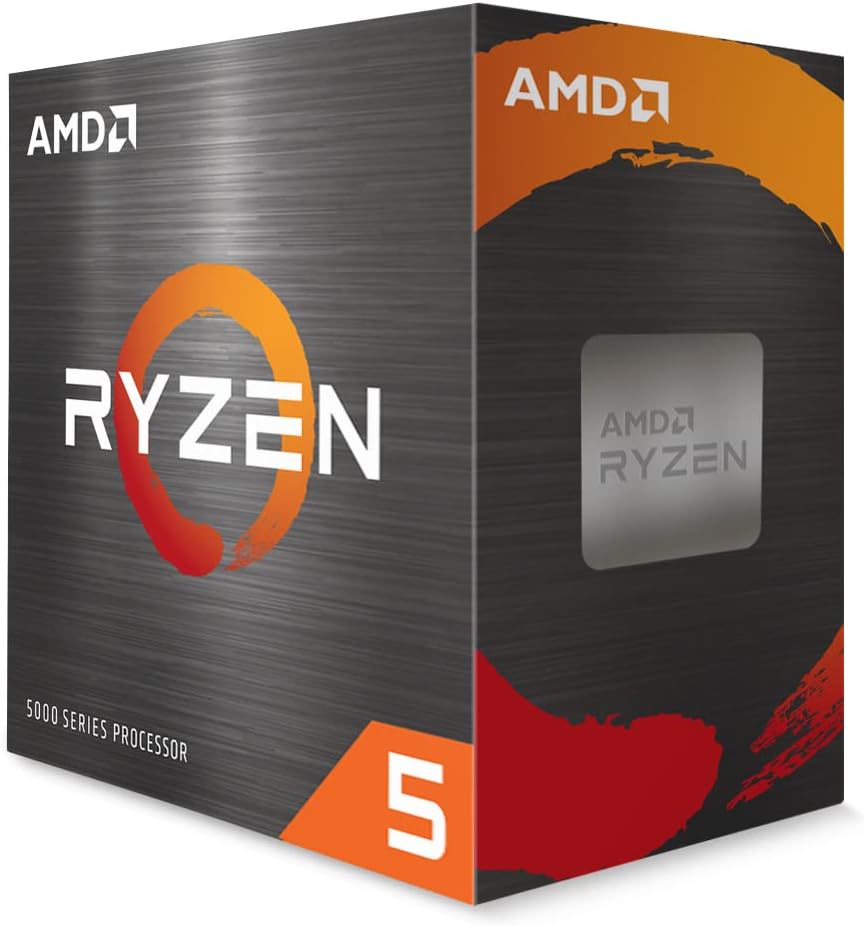
The AMD Ryzen 5 5500 is the most versatile conventional processor in this guide, offering six cores, 12 processing threads, a 4.2 GHz maximum boost clock, and a 19 MB cache. Its 4.7 rating is the highest listed among these selections. The processor is unlocked for overclocking and includes the AMD Wraith Stealth cooler, reducing two common assembly variables at the same time.
We may earn a commission when you buy through this link, at no additional cost to you.
The supplied specifications also identify DDR4-3200 support and the advanced Socket AM4 platform. Those details make the Ryzen 5 5500 a straightforward option for a new general-purpose desktop built around a compatible AM4 motherboard. It is especially attractive to users who want more multitasking capacity than a Celeron or Athlon can provide while retaining a power-conscious desktop processor package and a supplied cooler.
Gaming performance is an important qualification. The product information specifically notes that the stated 100-plus-FPS performance in popular games requires a discrete graphics card, so the Ryzen 5 5500 should not be treated as a complete gaming solution by itself. The same general distinction applies to creative workloads that lean heavily on graphics. Its processor cores are useful, but the graphics hardware must be considered separately.
For productivity, mixed-use home systems, content creation, and games paired with a dedicated graphics card, the Ryzen 5 5500 is the strongest all-around recommendation. It balances core count, boost capability, included cooling, memory support, and platform flexibility better than the budget-focused alternatives here. The rating, feature set, and relative versatility justify its Editor's Choice designation.
Six cores and 12 threads allow the processor to divide heavier multitasking, compiling, content work, and background tasks among more processing resources. That makes it a better fit for a system expected to grow beyond basic office use than the entry-level dual-core options.
Bundling the AMD Wraith Stealth cooler makes the Ryzen 5 5500 convenient for a first build. The AM4 socket and DDR4-3200 support also provide a clear platform roadmap, although the selected motherboard must still be checked for processor and memory compatibility.
We may earn a commission when you buy through this link, at no additional cost to you.
The Intel Celeron G-5900 is a straightforward low power CPU for basic office PCs, reception systems, simple home computers, and other everyday installations. It combines two cores and two threads with a listed 3.4 GHz clock speed. The 4.5 rating suggests a favorable user response, and the processor's clearly stated 58W thermal design makes it relevant to compact and energy-conscious builds.
We may earn a commission when you buy through this link, at no additional cost to you.
Platform information is one of its strongest practical advantages. The processor uses LGA1200 and is listed as compatible with Intel 400-series chipset motherboards. It also supports Intel Optane memory, giving a compatible system an additional avenue for storage-related responsiveness when the rest of the system is configured appropriately. The specifications make motherboard filtering much easier for buyers assembling or upgrading a system.
The trade-off is clearly visible in the two-core, two-thread design. That is sufficient for document editing, web browsing, email, media playback, and other routine tasks, but it is not the strongest foundation for intensive compilation, heavy multitasking, demanding content creation, or processor-limited gaming. A dedicated graphics card is also not promised in the supplied information, so buyers should not assume a capable gaming system.
The Celeron G-5900 is the Best Budget selection for a user who values compatibility, modest thermal demand, and a simple general-purpose desktop rather than maximum performance. It is particularly attractive when a suitable LGA1200 motherboard is already available or when a 400-series system needs a straightforward processor upgrade.
The defined socket and 400-series chipset support remove much of the guesswork from system planning. Builders can focus on finding a compatible LGA1200 board, confirming the intended memory configuration, and supplying any required cooling solution.
Two cores and two threads handle standard productivity applications well, but they offer less parallel capacity than the Ryzen 5 5500 and the older four-core i7-2600S. Matching the Celeron to light workloads prevents unnecessary frustration and improves value.
We may earn a commission when you buy through this link, at no additional cost to you.
The Intel I-7 2600S 2.8 GHz Low Power Processor is a legacy-oriented option for systems that specifically need its low-power design and DDR3 memory support. It carries a 3.9 rating, the lowest in this roundup, yet that does not erase its relevance for compatible older platforms. The product information highlights an efficient cache subsystem, increased bandwidth, and low latency.
We may earn a commission when you buy through this link, at no additional cost to you.
Memory support is the processor's defining technical detail. It enables three channels of DDR3 1066 MHz memory and states transfer speeds as high as 25.6 GB per second. For data-intensive applications and systems configured with multiple memory modules, that channel structure can be more significant than the listed 2.8 GHz clock speed. The processor also targets multithreaded gaming and similar workloads.
Its age and platform requirements are the main constraints. Buyers need a motherboard and memory arrangement designed for DDR3 rather than newer DDR4 platforms, and the supplied information does not list a socket or cooler. A complete system should therefore be assembled around the processor rather than expecting it to fit a recent build. The lower rating may also reflect compatibility or condition concerns, so verifying the listing is essential.
This processor makes the most sense for a compatible legacy workstation, an upgrade within an established DDR3 platform, or a user seeking a specific low-power Sandy Bridge-era option. It is less convenient as a new entry-level choice, but its three-channel memory capability and multithreaded focus distinguish it from simpler dual-core alternatives.
Three-channel DDR3 support is the standout feature for systems able to populate the correct memory configuration. It provides more aggregate memory bandwidth than a basic dual-channel arrangement and makes the processor particularly interesting for data-intensive tasks.
This is not a convenient choice for a new DDR4 or DDR5 build. The strongest buying case is an older motherboard that already supports the processor and offers a practical reason to retain its three-channel memory architecture.
We may earn a commission when you buy through this link, at no additional cost to you.
The AMD Athlon 200GE is an entry-level AM4 processor designed around two cores, four processing threads, a 3.2 GHz clock frequency, and 5 MB of cache. Its 4.4 rating is favorable within this category. The included Radeon Vega 3 graphics and near-silent cooler make it a convenient option for everyday desktop builds that do not include a discrete graphics card.
We may earn a commission when you buy through this link, at no additional cost to you.
Its most attractive feature for a new builder is the platform path. The processor uses Socket AM4 and supports DDR4-2667 memory, while the product information explicitly notes that the platform is upgradeable to Ryzen. That flexibility lets a buyer begin with a straightforward Athlon system and potentially move to a more capable compatible processor later without changing the socket.
Integrated graphics broaden the possible uses, but they do not transform the processor into a high-end gaming component. Two physical cores and four threads still limit heavy content creation, intensive compilation, and demanding games. The near-silent cooler helps keep the initial setup convenient, although buyers should confirm physical fit and consider system airflow when using it in a compact enclosure.
The Athlon 200GE fits users who want modern AM4 compatibility, basic integrated graphics, and an included cooler at an entry-level level. It is particularly suitable for a family office computer, a simple home server without intensive services, or a first AM4 build with future processor flexibility. Stronger Ryzen options exist, but this model is a sensible foundation for lighter duties.
Radeon Vega 3 graphics make the Athlon 200GE useful for a compact everyday system that needs a display output without a discrete graphics card. This simplifies the component list for office, educational, and general home use.
Socket AM4 support and DDR4-2667 compatibility give the buyer a clear modern platform foundation. The stated upgradeability to Ryzen can extend the useful life of a system when greater core count or processing headroom becomes necessary.
We may earn a commission when you buy through this link, at no additional cost to you.
The Intel CPU BX80662G3900 Celeron G3900 is a basic dual-core processor for users who need a functional desktop platform rather than high parallel-processing capacity. It operates at 2.80 GHz, includes a 512 kB L2 cache, and uses the LGA1151 socket. Its 4.6 rating is among the stronger customer ratings in the list, which supports its suitability for straightforward computing tasks.
We may earn a commission when you buy through this link, at no additional cost to you.
The specification sheet is uncomplicated: two cores, two threads, a 2.80 GHz clock speed, and a direct media interface of 8 gigatransfers per second. That configuration is aimed at common productivity, browsing, communication, and media tasks. It can be an efficient choice for a dedicated computer used by one person at a time or for a lightly loaded machine where the operating system and applications are modest.
The processor's main limitation is parallel capacity. Four threads would be available with a different dual-core design, and six cores with twelve threads would be available with the Ryzen 5 5500, so this model leaves more work for each core during heavy multitasking. Buyers should also check for an available LGA1151 motherboard and the current thermal solution arrangement, as the supplied product data does not describe included cooling.
The Celeron G3900 is most appropriate for basic office duties, schoolwork, a secondary family computer, or a lightweight dedicated system. It is not the strongest choice for gaming, intensive editing, or a new platform intended for substantial future expansion. Within that narrower role, its simple design and favorable rating make it a credible basic option.
A two-core processor can provide a responsive experience when the operating system and applications remain modest. Assigning this chip to a focused workstation or basic household computer helps avoid workloads that exceed its two-thread capacity.
LGA1151 compatibility is clearly identified, but a complete build also requires a compatible motherboard and suitable cooling. Confirming those details before ordering avoids discovering that an existing system cannot accept the processor.
We may earn a commission when you buy through this link, at no additional cost to you.
The Intel Celeron G4900 is a two-core, two-thread desktop processor with a 3.1 GHz base frequency and a 54W thermal design. Its 4.3 rating indicates a solid customer impression, and the included thermal solution makes it easier to install than a processor sold without cooling. The LGA1151 socket and 300-series chipset compatibility are clearly stated.
We may earn a commission when you buy through this link, at no additional cost to you.
Compared with the other Celeron G3900 entry, this model offers a slightly higher listed frequency and a specific 300-series platform target. The included thermal solution is a meaningful convenience for a new desktop, particularly one that has no graphics card and does not need a complex low-profile cooler. It is a sensible choice for standard productivity, web use, document work, and communication.
The familiar limitations of a two-core processor remain. Only two threads are available for operating-system and application concurrency, so heavy multitasking, advanced creative work, and processor-intensive games are outside its strongest use cases. A buyer who expects to install a discrete graphics card and run demanding software may be better served by a processor with more cores and a clearer upgrade path.
The G4900 is best for a straightforward 300-series build, an office refresh, or a second home computer where a bundled cooler and modest power requirements are valuable. It should be chosen for the platform support it provides, not because its two-core design is intended for advanced workloads. Check the motherboard's chipset and memory requirements before finalizing the system.
The supplied thermal solution reduces the number of components a new builder needs to source. It is particularly helpful for basic systems where a straightforward CPU cooler is sufficient and additional cooling features are not essential.
The processor is identified for Intel 300-series chipset motherboards. This makes it easier to pair with a known platform, but a complete system should still confirm the socket, memory type, and physical board layout before installation.
We may earn a commission when you buy through this link, at no additional cost to you.
This Intel Celeron G3900 offering is a processor-only component with a 2.80 GHz base frequency, Intel HD Graphics 510, and a 51W thermal design. Its 4.1 rating is lower than those of several alternatives, but the product's defining feature is its suitability for a system builder who already has the other required components. It uses the LGA1151 socket and supports ECC memory.
We may earn a commission when you buy through this link, at no additional cost to you.
Integrated HD Graphics 510 means a separate graphics card is not required for ordinary display tasks, which can simplify a basic system. ECC memory support is another useful characteristic for users building a system where error-correcting memory is part of the intended configuration. The 51W thermal design makes it a relevant consideration for compact and power-conscious installations.
Unlike several boxed alternatives, this version includes only the CPU. The supplied information explicitly states that thermal paste and a fan are not included. That is not a defect for an experienced builder, but it means the processor cannot be installed and powered without adding a suitable cooler. The 4.1 rating may reflect confusion among buyers expecting a complete retail package.
Choose this Celeron when you have a compatible LGA1151 board, a suitable cooler, and possibly ECC memory, and you want a basic processor with integrated graphics. It is less convenient for first-time assemblers and less appropriate for gaming, heavy productivity, or modern parallel workloads. Its strongest use is as a carefully planned component in a simple, efficient system.
Intel HD Graphics 510 can handle standard display output and general graphical tasks without requiring a dedicated graphics card. That reduces complexity in a home office, point-of-sale, or lightweight education system.
Thermal paste and a fan are explicitly excluded, so a cooler must be added. A buyer with an existing compatible cooler can avoid redundant components, while everyone else should budget the installation as a two-part processor and cooling purchase.
We may earn a commission when you buy through this link, at no additional cost to you.
The Intel Celeron G5905 3.5 GHz is a boxed processor for LGA1200 systems, combining a high listed clock with a straightforward entry-level configuration. Its 4.5 rating places it among the better-rated products in this guide. The boxed format and FCLGA1200 suitability make it a natural option for a compact or basic desktop assembled around a compatible motherboard.
We may earn a commission when you buy through this link, at no additional cost to you.
The 3.5 GHz clock is the distinguishing specification. In a lightly threaded task, a high clock can provide a responsive experience, which makes the G5905 useful for routine office work, browsing, communication, and similar applications. The processor should not be confused with a high-core-count alternative; the supplied title identifies it as a Celeron, and its role remains basic desktop computing.
Buyers need to consider what the listing does not provide. There is no detailed core, thread, cache, memory, or integrated-graphics information in the supplied product facts, and no explicit cooling inclusion is stated. As a result, motherboard support, graphics requirements, and the need for a separate thermal solution should be verified directly in the current listing before purchase.
The G5905 is most appropriate for someone who wants a high-clock, basic desktop processor on LGA1200 without paying for a larger core-count model. It can be a good fit for a dedicated office computer or an entry-level family system, provided its processor and graphics capabilities align with the intended applications. It is not recommended as the foundation for processor-heavy gaming or professional creation.
The listed 3.5 GHz clock can suit applications that do not need many cores operating at once. A computer dedicated to documents, browsing, messaging, and routine media use is the most natural match for this processor.
LGA1200 and the boxed FCLGA1200 format are clear, but additional technical details should be checked before assembly. Verify chipset support, memory type, graphics expectations, and whether the box includes a matching thermal solution.
We may earn a commission when you buy through this link, at no additional cost to you.
This Mini-ITX motherboard bundle is the most system-oriented selection in the guide because it combines a compact 6.69-by-6.69-inch motherboard with an eighth-generation U-series quad-core, eight-thread low-power processor. The processor can boost to 3.9 GHz and has a 15W TDP. With a 4.1 rating, it is especially relevant to home servers, NAS storage, firewalls, network security appliances, and compact virtualization systems.
We may earn a commission when you buy through this link, at no additional cost to you.
Connectivity is a major strength. The board offers dual 2.5GbE RJ45 ports, eight SATA 3.0 connections, two M.2 NVMe slots, a PCIe x4 Gen3 expansion slot, and two DDR4 SO-DIMM memory slots. Display support includes HDMI and DisplayPort with stated dual 4K at 60Hz output, while USB and a TF card slot add further peripheral options. A six-layer, moisture-resistant PCB is also specified.
There are important operational notes. This version may have a known sleep-mode bug, which matters for anyone expecting dependable low-power standby behavior. The first boot may also take several minutes while memory information is read. Power installation requires both a 24-pin and a 4-pin connector, and the included dual ball-bearing fan cooler uses dual copper heat pipes for cooling.
For a compact home server or NAS-focused user, this integrated board can be more convenient than sourcing every component separately. Its 15W processor and virtualization support align well with the stated use cases, while dual 2.5GbE networking adds useful connection capacity. Buyers should confirm the sleep issue is acceptable, plan for the first-boot delay, and ensure their power supply includes both required connectors.
Eight SATA ports, two M.2 NVMe slots, and dual 2.5GbE networking create an unusually flexible foundation for a compact storage or network appliance. The combination allows fast NVMe storage and high-capacity SATA drives to serve different data roles within the same system.
The quad-core, eight-thread processor supports VT-x and VT-d virtualization and is advertised as outperforming mainstream N100 and N150 chips. This makes the board relevant to users who want compact virtualization capabilities without assembling a large tower.
The stated sleep-mode bug should be considered before purchase, particularly for a server expected to remain available through low-power states. The included cooler addresses thermal needs, but the software behavior remains a separate consideration.
We may earn a commission when you buy through this link, at no additional cost to you.
Choosing a low power CPU requires balancing processor capability, energy characteristics, platform availability, and the cooling arrangement. The right processor for a basic office computer may be unsuitable for a game or a storage server, so start with the workloads and hardware you already own.
Choose a processor whose capacity comfortably exceeds the lightest operation you expect to perform. A basic system can be efficient with two cores, while a versatile home system benefits from six cores and twelve threads.
Always match the processor, motherboard socket, and chipset generation before ordering. For an existing system, verify all three rather than relying on the socket name alone.
Check the memory standard, supported speed, module format, and channel arrangement together. A processor that supports more channels offers potential benefits only when the motherboard and installed modules support that layout.
Pair processor selection with the intended graphics arrangement. Integrated graphics simplify basic builds, while gaming and graphics-heavy work generally calls for a dedicated card.
Separate boxed processors from bare and tray options. If cooling is not included, confirm the socket mounting pattern, physical clearance, and connector requirements of your chosen cooler.
Use thread count to estimate multitasking and service-running potential, not as the only performance measure. Match the available parallelism to the number of demanding tasks expected at once.
Use integrated graphics when basic display support is enough. Add a dedicated graphics card only when the intended software benefits from stronger graphics performance.
For server use, count drives, network ports, memory slots, and expansion slots before selecting the processor. A complete board package may offer more value than assembling every element separately.
Begin by recording the exact processor model and checking it against the motherboard's supported socket and chipset list. Install memory and storage according to the board manual, apply the correct thermal solution, and connect the processor power cables before attempting to boot. A system with a newly installed CPU may take several minutes to read memory information on its first start, as noted for the Mini-ITX bundle, so allow time before deciding that startup has failed.
Keep the processor's thermal solution properly seated and maintain unobstructed airflow through the case. Monitor temperatures during sustained workloads rather than judging performance only from idle behavior. Clean dust from heatsinks and fans periodically, confirm that cables are not pressing against fan blades, and avoid placing a compact system in a confined space where warm air cannot leave the enclosure.
Keep the platform software and operating system updated, and save the correct chipset, graphics, and memory drivers for a fresh installation. If changing memory or processor-related settings, record the previous configuration first. For unlocked models such as the Ryzen 5 5500, make conservative changes one at a time and leave enough stability margin rather than assuming every system can sustain its advertised boost or overclocking capabilities.
A low power CPU is generally well suited to routine office work such as documents, spreadsheets, email, browsing, and video calls. The Intel Celeron G-5900, Intel Celeron G4900, and AMD Athlon 200GE are particularly relevant for these conventional tasks. A Ryzen 5 5500 offers more headroom when several demanding applications or background services run at once. Choose according to the number of simultaneous tasks rather than processor generation alone.
It depends on the processor and intended use. The AMD Athlon 200GE includes Radeon Vega 3 graphics, and the CPU-only Intel Celeron G3900 includes Intel HD Graphics 510, so either can handle basic display tasks without a dedicated card. The Ryzen 5 5500's stated gaming capability requires a discrete graphics card. A discrete card also remains useful for demanding games and graphics-intensive work.
No. Memory support varies by platform. The AMD Ryzen 5 5500 supports DDR4-3200, while the AMD Athlon 200GE supports DDR4-2667. The Intel Celeron G-5900 and G5905 use LGA1200, but their exact memory standard is not listed in the supplied information. The Intel Core i7-2600S uses three-channel DDR3 1066 memory, so it cannot use DDR4 modules.
A tray CPU is normally supplied as the processor alone rather than in a retail box with a matching thermal solution. The Intel Core i7-6700T in this guide is identified as a tray processor, so the system needs a separate compatible cooler. The distinction also matters when buying a complete computer because a prebuilt system may already include cooling that a standalone processor package does not.
The Mini-ITX motherboard bundle is the most purpose-built server option because it combines a 15W quad-core, eight-thread processor, dual 2.5GbE networking, eight SATA ports, two M.2 NVMe slots, and virtualization support in a 6.69-inch format. The Ryzen 5 5500 can also serve as a capable general-purpose processor if the builder already has an AM4 motherboard and suitable cooling. The known sleep-mode issue on the Mini-ITX version should be considered before purchase.
No. Clock speed matters, but core count, thread count, architecture, memory support, cache, graphics, and the nature of the workload also influence results. A 3.5 GHz dual-core processor may feel responsive in a light task, while a lower-clock processor with more cores may handle several demanding tasks better. Match the processor's resources to the number and intensity of simultaneous workloads.
They are better suited to casual and older games than processor-intensive modern titles. The Ryzen 5 5500 provides a much stronger gaming-oriented processor option, but its stated fast gaming performance requires a discrete graphics card. A Celeron can still work for simple games with modest settings, provided the graphics and title requirements are also compatible.
It can be very important because different processors use different socket mounting patterns and thermal requirements. The Ryzen 5 5500, Athlon 200GE, and G4900 have stated cooler inclusions, while the i7-6700T is a tray processor and the alternate G3900 excludes paste and a fan. Confirm the socket, dimensions, and included components before completing a build.
The Ryzen 5 5500 is the strongest all-around selection because six cores, 12 threads, a 4.2 GHz maximum boost, DDR4-3200 support, and an included cooler create a flexible foundation for mixed productivity, content, and gaming systems. The Intel Core i7-6700T stands out as the premium-oriented option for buyers seeking more general-purpose capacity, while the Intel Celeron G-5900 is the most focused budget choice for a compatible LGA1200 office system.
Prioritize platform compatibility, the number of simultaneous workloads, graphics requirements, and the availability of cooling before making a final selection. The Athlon 200GE provides an AM4 upgrade path and integrated graphics, the G5905 offers a high listed clock, and the Mini-ITX bundle supplies extensive network and storage connectivity for compact server roles. Older platform options can make sense when they match hardware you already own.
Before ordering, verify the current listing, processor model, socket, chipset, memory standard, and included components. Marketplace details and availability can change, and a processor only works as intended when the motherboard, memory, graphics, cooling, and operating system are all compatible.