
Beelink EQi 16GB 500GB
4.5Editor score
Dual Thunderbolt 4 ports
Built-in 85W power supply
Dual high-speed Ethernet
Our Mini PC with Thunderbolt 4 guide compares ten compact PCs for performance, connectivity, display support, memory, networking, and everyday business use.
A Mini PC with Thunderbolt 4 can bring desktop-class versatility to a remarkably small enclosure, especially when you need fast data transfer, multiple displays, and a clean workstation. The strongest choices balance processor performance, memory, storage, networking, cooling, and practical port selection rather than relying on one headline specification.
We compared all ten systems using the supplied specifications, paying particular attention to confirmed Thunderbolt 4 support, processor capabilities, memory and storage configuration, wired and wireless networking, display outputs, chassis size, operating system, and intended work environment. The list includes business desktops, fanless models, compact AI PCs, and upgrade-friendly mini computers.
Each review explains who the model best suits, along with its notable strengths and trade-offs. Ratings reflect the available customer feedback, while unrated systems remain identified as such. Product configurations and prices can change, so confirm the current listing and exact hardware before purchasing.
4.5Editor score
4.9Editor score

4.9Editor score
The following side-by-side comparison highlights the major processor, memory, display, and connectivity differences among the ten systems. All models offer a compact form factor, but their best use cases depend on confirmed Thunderbolt 4 support, expandability, networking, display scale, and business features.




The Lenovo ThinkCentre M75q Gen 5 is a compact business desktop built around the AMD Ryzen 3 8300GE, with four cores and eight threads. It carries a 4.4 customer rating and stands out for its conventional ThinkCentre layout, VESA mounting support, and focus on routine office productivity rather than enthusiast graphics or gaming.
We may earn a commission when you buy through this link, at no additional cost to you.
Its supplied specifications include 16GB of high-bandwidth RAM, a 512GB PCIe M.2 solid-state drive, Wi-Fi 6, Bluetooth, Ethernet, and a broad selection of USB-A and USB-C connections. HDMI 2.1 supports up to 4K at 60Hz, while DisplayPort 1.4 High Bit Rate 2 provides another high-resolution display option, making the system practical for a two-monitor desk.
The important limitation for this particular guide is that the listed connectivity does not explicitly identify Thunderbolt 4. It includes a USB-C port, but USB-C alone does not confirm the bandwidth, docking, or display capabilities associated with the full Thunderbolt 4 specification. Buyers searching specifically for that interface should verify the exact port specification before ordering.
This ThinkCentre is still a compelling compact choice for office productivity, virtualization-related testing, and professional deployments where VESA mounting, a business operating system, and reliable everyday connectivity matter. It earns its place in the comparison as a useful baseline, but it should not be selected as a confirmed Thunderbolt 4 recommendation without checking the current product details.
The Micro Form Factor enclosure is intended to conserve desk space, while VESA compatibility makes it suitable for mounted workstation arrangements. Windows 11 Pro adds familiar management, security, and collaboration features for corporate or hybrid-office environments.
The supplied port list is generous, but it names USB-C without confirming Thunderbolt 4. Confirm the exact connector, supported accessories, and display modes on the current listing if that capability is essential to your selection.
We may earn a commission when you buy through this link, at no additional cost to you.
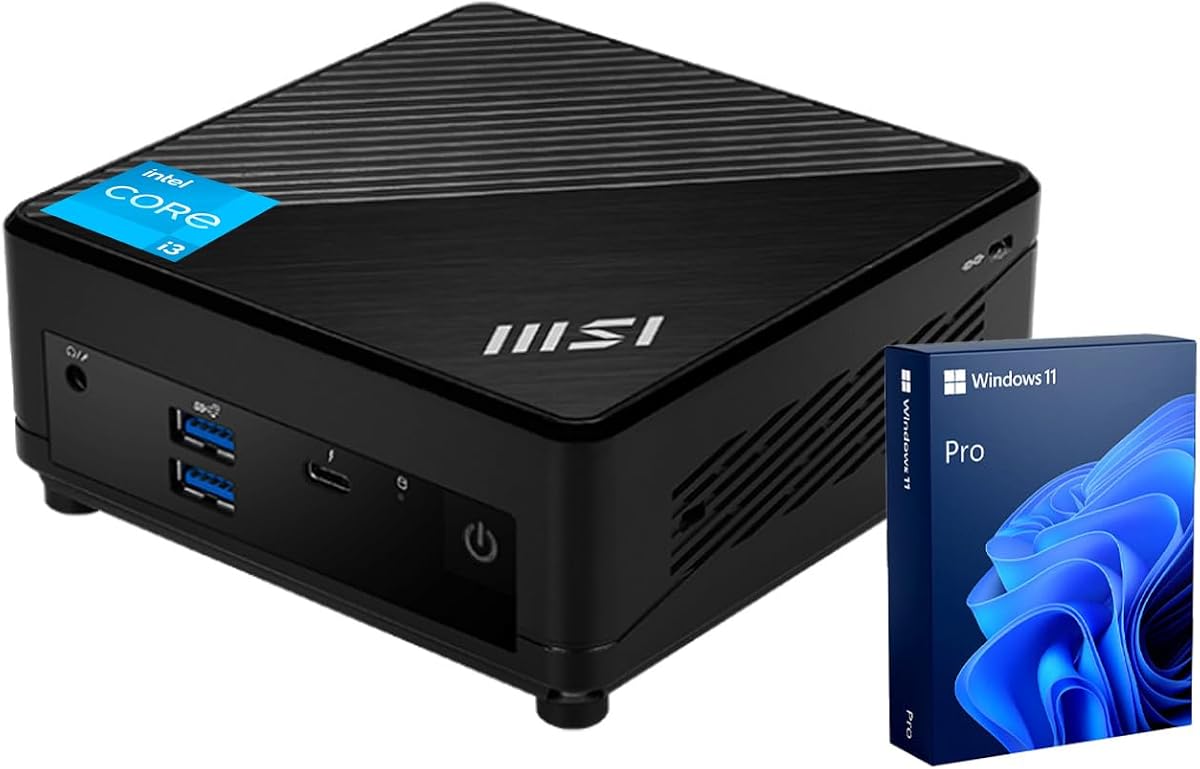
The msi Cubi 5 16GB 512GB combines a confirmed Thunderbolt 4 port, a capable 12th-generation Intel Core i3 processor, and a versatile three-output display arrangement. Its 4.9 rating is among the strongest in this list, making it a confident all-around recommendation for office users, hybrid workers, and anyone seeking a compact desktop with modern external connectivity.
We may earn a commission when you buy through this link, at no additional cost to you.
The Core i3-1215U provides six cores and eight threads, operates at up to 4.4GHz, and includes 10MB of cache. A 16GB DDR4 SODIMM configuration supports everyday multitasking, while the 512GB PCIe M.2 SSD provides useful capacity and fast system responsiveness. Display connections include Thunderbolt 4, DisplayPort 1.4, and HDMI, with support for three 4K monitors.
Its port selection also includes four USB 3.2 Gen 2 Type-A ports, two RJ45 connections, a microphone and headphone combination jack, and a DC input. Wi-Fi 6 and Bluetooth round out the wireless options. The main trade-off is that there is only one Thunderbolt 4 connector, so users who want multiple high-bandwidth docks or peripherals may prefer a model with two.
For most buyers, the combination of strong ratings, a six-core processor, 16GB of memory, 512GB of storage, Windows 11 Pro, and confirmed Thunderbolt 4 is difficult to dismiss. It is particularly suitable for a three-monitor productivity setup, a laptop-style desktop dock, or a compact Windows workstation that must handle many standard applications simultaneously.
Six processor cores and 16GB of memory provide more headroom for browser-heavy work, office applications, conferencing, and multiple open windows than a typical entry-level desktop. The 512GB SSD also gives a useful balance of capacity and responsiveness.
Thunderbolt 4 is paired with DisplayPort and HDMI, allowing one compact system to serve several displays. Because the system has a single Thunderbolt 4 port, high-speed storage and a display dock cannot both use that connector simultaneously without an additional hub.
We may earn a commission when you buy through this link, at no additional cost to you.
The TOPGRO K3 is a performance-oriented, fanless mini PC built around the 10-core, 12-thread Intel Core i7-1265U. Its headline specifications include Thunderbolt 4, up to 8K UHD display support, 16GB of DDR4 memory, and a 1TB PCIe 4.0 SSD, giving it an attractive combination of compute capacity, storage, and high-end display support.
We may earn a commission when you buy through this link, at no additional cost to you.
The processor can boost to 4.8GHz, making it more capable for heavy multitasking and processor-intensive workflows than several lower-core alternatives in the list. The compact metal enclosure avoids a mechanical fan, potentially reducing noise in an office, studio, or home setting. Connectivity includes 2.5G Ethernet, Wi-Fi 6E, and Bluetooth 5.3, which is a strong foundation for fast local and wireless transfers.
The primary uncertainty is the absence of a customer rating in the supplied data. That makes it more difficult to judge long-term consistency, noise, thermals, and software compatibility from user feedback. Its ambitious specifications also warrant checking the display limitations imposed by the processor, operating system, adapters, and connected monitors in real-world configurations.
Despite that lack of visible feedback, the K3 is a strong fit for users who prioritize processing power, storage capacity, quiet operation, and a high-resolution Thunderbolt 4 connection. It is best suited to buyers comfortable validating compatibility and expecting to take advantage of its larger memory and storage configuration.
The Core i7-1265U provides ten cores and twelve threads, giving demanding multitasking and productivity workloads more room to operate efficiently. Its higher clock potential also distinguishes it from basic office mini PCs built around dual-core or lower-tier processors.
Thunderbolt 4, 2.5G Ethernet, Wi-Fi 6E, and Bluetooth 5.3 form a modern connectivity package. Support for up to 8K UHD output is particularly attractive for compatible high-resolution displays and specialized desktop arrangements.
We may earn a commission when you buy through this link, at no additional cost to you.
The Beelink EQi 16GB 500GB stands out as a value-focused mini PC with two Thunderbolt 4 ports, an integrated 85W power supply, and extensive networking options. Its 4.5 rating, compact footprint, and unusual combination of dual 2.5G and 10G Ethernet make it especially interesting for desks where cable simplicity and fast connections matter.
We may earn a commission when you buy through this link, at no additional cost to you.
Inside, an Intel Wildcat Lake 304 processor supplies five cores and five threads with speeds up to 4.3GHz. The supplied configuration combines 16GB of LPDDR5 memory with 500GB of UFS 3.1 storage, while two M.2 2280 PCIe 4.0 positions provide additional internal storage options. A heat pipe, silent fan, and heat-fin cooling design support sustained operation.
Its two Thunderbolt 4 ports offer 40Gbps throughput and DisplayPort support, while HDMI completes a three-monitor arrangement. The computer also includes one 10Gbps USB port, two USB 2.0 ports, a separate 10Gbps USB-C data port, 2.5G and 10G Ethernet, and an audio jack. The trade-off is the five-core CPU, which is less convincing for sustained heavy workloads than the Core i7 and Core i5 alternatives here.
This EQi configuration is a compelling recommendation for budget-conscious buyers who still want premium connectivity. It fits home offices, studios, media rooms, and small businesses that need more than one fast USB-C port, multiple displays, and flexible networking without adopting the largest desktop chassis.
Dual Thunderbolt 4 connectors reduce the need for a separate high-speed dock when multiple Type-C peripherals are involved. One port can serve a display while another handles storage, networking, or another compatible accessory.
The built-in 85W power supply means the mini PC does not require a large external power brick. That simplifies placement near a monitor and can reduce the number of wall adapters needed in a compact workstation.
We may earn a commission when you buy through this link, at no additional cost to you.
The msi Cubi NUC AI+ is the most business-focused and feature-complete option in this guide. It combines an Intel Core Ultra 7 355 processor, 32GB of memory, a 512GB storage configuration, two Thunderbolt 4 ports, dual 2.5G Ethernet, Wi-Fi 7, and enterprise security features in a chassis that occupies only 0.51 liters.
We may earn a commission when you buy through this link, at no additional cost to you.
Its Core Ultra 7 355 has eight cores, eight threads, 12MB of cache, a 2.3GHz base frequency, and up to 4.7GHz turbo performance. A built-in NPU supports local AI inference, while MSI AI Engine provides scenario-based optimization. For organizations evaluating AI-capable Windows devices, this hardware offers a more complete foundation than a standard mini PC without a dedicated neural processor.
The security package is another major strength. A fingerprint power button, dTPM module, and Kensington lock slot support access control, hardware-backed protection, and physical security. Dual 2.5G Ethernet, Wi-Fi 7, Bluetooth, two USB-C Thunderbolt 4 ports, two USB-A ports, dual HDMI 2.1, and an audio jack make the system ready for professional deployments.
The principal trade-off is positioning. This is a premium-oriented business mini PC, and its eight-core, eight-thread processor is not dramatically more thread-heavy than some less expensive alternatives. Still, the 32GB memory, local AI hardware, compact VESA-friendly design, cooling system, and business safeguards create a compelling package for enterprises, studios, kiosks, and demanding home offices.
Fingerprint authentication, dTPM, and a Kensington lock slot are particularly relevant to offices handling sensitive data. The system's security focus goes beyond the standard software features included with Windows 11 Pro.
The built-in NPU can handle suitable AI inference locally, reducing reliance on cloud services for supported workloads. Dual 2.5G Ethernet, Wi-Fi 7, and Bluetooth create a flexible network platform for demanding professional environments.
We may earn a commission when you buy through this link, at no additional cost to you.
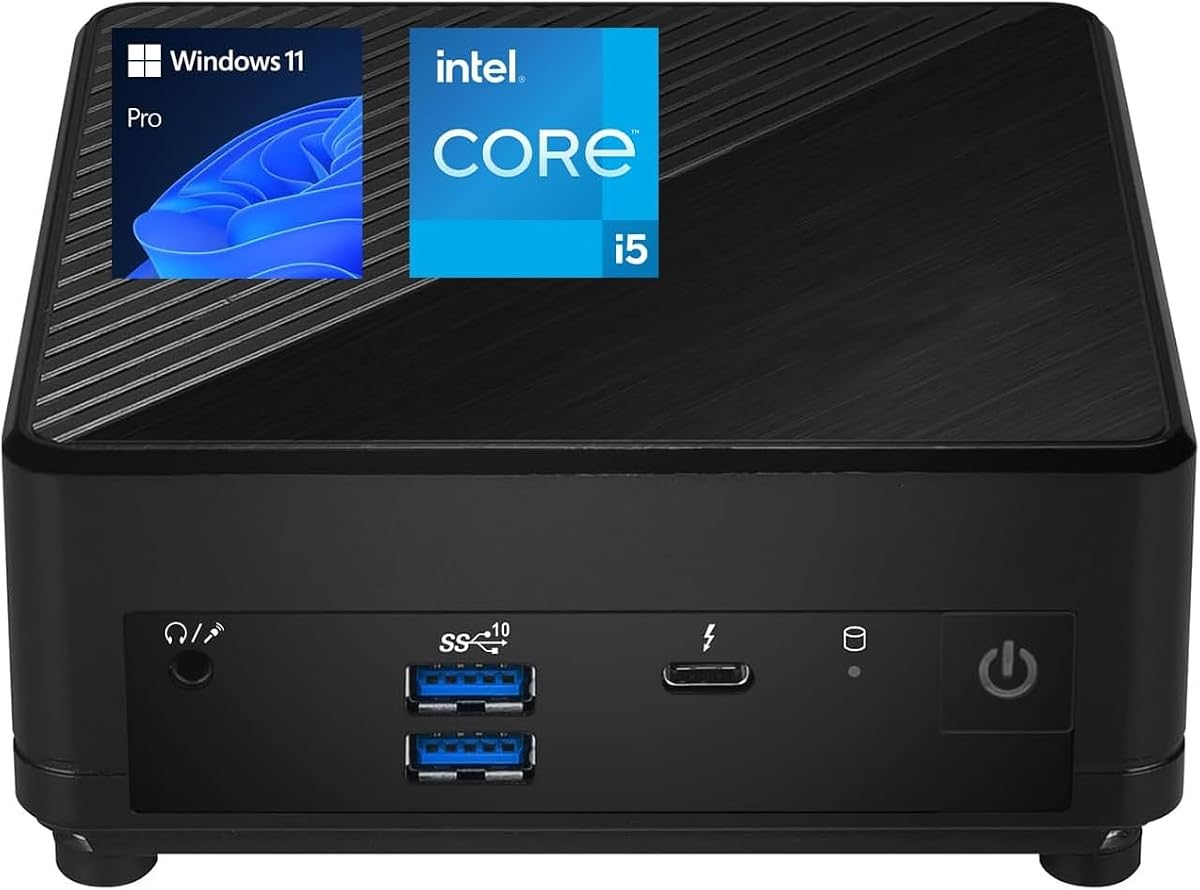
The msi Cubi 5 with the Core i5-1235U is a balanced compact desktop for business and home-office users. It offers ten processor cores, twelve threads, a confirmed Thunderbolt 4 port, 16GB of listed memory, 512GB of listed storage, and Windows 11 Pro in a VESA-mountable Mini Form Factor design.
We may earn a commission when you buy through this link, at no additional cost to you.
Its performance specification is the main attraction. The 12th-generation Core i5 provides a high core count for a mini PC, supporting multitasking across office applications, browser tabs, video calls, and background tasks. Connectivity includes a front Thunderbolt 4 Type-C port, two USB 3.2 Gen 2 Type-A ports, rear DisplayPort and HDMI 2.1 outputs, two RJ45 connections, and two USB 2.0 ports.
There is some inconsistency in the supplied description. Its opening memory and storage section refers to 8GB of RAM and a 256GB SSD, while the product title and later summaries identify 16GB and 512GB. Buyers should confirm the actual configuration, especially because this model is also available with different memory and storage options.
Despite that caveat, the system is an attractive choice for users who want more processor headroom than a basic Core i3 mini PC without moving to a larger desktop. It is especially suitable for a two-monitor office, a Thunderbolt docking setup, and a Windows 11 Pro workstation that needs to fit behind a monitor or in a confined work area.
The Core i5-1235U's ten cores and twelve threads offer a useful balance for demanding office multitasking. That makes the Cubi 5 suitable for users who keep several productivity applications open at once.
The supplied information alternates between lower and higher memory and storage figures. Verify the current listing to ensure the 16GB RAM and 512GB SSD are included in the package you select.
We may earn a commission when you buy through this link, at no additional cost to you.
The MINIX NGC N512 is a performance-focused mini PC for users who need more display outputs and upgrade flexibility than a typical office desktop. Its Intel Core i5-12600H has 12 cores and 16 threads, reaches up to 4.5GHz, and works with Intel Iris Xe graphics in a compact enclosure rated for continuous operation.
We may earn a commission when you buy through this link, at no additional cost to you.
Memory and storage are its standout features. The system includes 16GB of DDR5-4800 memory and a 512GB PCIe 4.0 x 4 SSD, with two DDR5 SODIMM slots supporting up to 64GB total. It also offers one PCIe 4.0 x 4 M.2 2280 slot and one PCIe 3.0 x 4 M.2 2280 position that can accept a SATA 3.0 SSD, allowing substantial storage expansion.
Display connectivity supports a four-screen arrangement through Thunderbolt 4 with 8K at 60Hz, HDMI 2.1, and USB-C outputs. Dual Ethernet includes a 2.5G port and a 1G port, supplemented by Wi-Fi 6 and Bluetooth 5.2. A 100W maximum power adapter and cooling system with large copper heat sinks reflect the greater performance envelope.
Its 3.7 rating is the lowest among the rated products, so it warrants more careful consideration. However, the processor, memory expandability, storage choices, and display support are excellent for advanced users. It is best for technical professionals who value configurability and multi-screen work more than a simple, quiet office setup.
Two DDR5 SODIMM slots make it possible to increase memory beyond the included 16GB, while dual M.2 positions allow a fast PCIe 4.0 drive to coexist with a second SATA-based SSD. This flexibility is valuable for development, media, and data-heavy workflows.
Thunderbolt 4, HDMI 2.1, and USB-C display outputs can support a four-monitor configuration. The exact arrangement depends on the operating system, processor display support, adapters, and resolution and refresh settings of the connected screens.
We may earn a commission when you buy through this link, at no additional cost to you.
The Beelink EQi 24GB configuration is the expanded-memory version of a compact system that already has one of the strongest connectivity packages in the guide. It pairs the Intel Wildcat Lake 304 processor with 24GB of DDR5 memory, 500GB of UFS 3.1 storage, and two M.2 PCIe 4.0 slots for additional drives.
We may earn a commission when you buy through this link, at no additional cost to you.
Two Thunderbolt 4 ports, each offering 40Gbps throughput and DisplayPort support, can be combined with HDMI to operate three monitors. The system also includes one USB 3.2 port at 10Gbps, two USB 2.0 ports, a separate 10Gbps USB-C data port, 2.5G and 10G Ethernet, and a 3.5mm audio jack. The built-in 85W power supply reduces desk clutter.
The 24GB memory is a meaningful advantage over 12GB or 16GB systems, providing more room for heavy browser use and multiple applications. Memory can be upgraded to 64GB through the DDR5 slot, while the dual M.2 positions support up to 8TB of combined internal storage. Linux and Ubuntu are also mentioned as supported possibilities for development and server use.
The unchanged five-core processor remains the limiting factor for heavy compute, and the onboard 500GB drive may fill quickly once the memory is put to work. Even so, this version is a better fit for multitaskers and technically inclined users who want more memory and storage flexibility than the base EQi configuration.
Twenty-four gigabytes of DDR5 is a useful middle ground for heavy multitasking, virtualized work, and creative applications. The ability to reach 64GB extends the system's useful life as workload demands increase.
The onboard UFS 3.1 drive provides quick access, while two M.2 PCIe 4.0 positions allow additional high-speed storage. Users can keep the operating system and applications on the internal drive and add capacity for media, projects, or virtual machines.
We may earn a commission when you buy through this link, at no additional cost to you.
The 256GB version of the msi Cubi 5 retains the Core i3-1215U processor, 16GB of DDR4 memory, confirmed Thunderbolt 4 connectivity, and a 4.9 rating. It offers the same three-monitor 4K capability as the 512GB model, making it a potentially efficient choice for users who need a compact productivity system but require less local storage.
We may earn a commission when you buy through this link, at no additional cost to you.
The six-core, eight-thread processor has a 3.3GHz base frequency, a 4.4GHz maximum turbo frequency, and 10MB of cache. Display and peripheral connections include one Thunderbolt 4 port, DisplayPort 1.4, HDMI, four USB 3.2 Gen 2 Type-A ports, two RJ45 connections, a microphone and headphone combo jack, and a DC input. Wi-Fi 6 and Bluetooth provide wireless connectivity.
The obvious trade-off is storage capacity. A 256GB PCIe M.2 SSD can become restrictive with large application libraries, media files, or multiple user profiles, and the supplied specifications do not confirm an accessible secondary storage bay. Users with modest data requirements can benefit from the lower starting configuration, while others may prefer the 512GB alternative.
For a compact three-display office, home laboratory, or remote-work station, this is a well-balanced system. The strong rating, six-core processor, and 16GB memory support daily productivity, while Windows 11 Pro adds business-relevant management features. It is a particularly sensible option when storage is less important than multi-screen flexibility and a clean footprint.
Thunderbolt 4, DisplayPort, and HDMI provide three independent display outputs that support 4K use according to the supplied listing. This makes the system practical for separating communication, documents, and reference material across screens.
Six cores, 16GB of memory, and Windows 11 Pro give the system enough capability for standard office work, web applications, conferencing, and light creative tasks. The smaller SSD keeps the overall configuration focused on essential applications and files.
We may earn a commission when you buy through this link, at no additional cost to you.
The Beelink EQ Core 3 304 is a compact desktop that places unusual emphasis on external connectivity. It includes two Thunderbolt 4 ports with 40Gbps data transfer, a 10Gbps Ethernet connection, Wi-Fi 6E, and Bluetooth 5.2, making it a natural fit for fast peripherals, high-resolution displays, and quick local transfers.
We may earn a commission when you buy through this link, at no additional cost to you.
Its Intel Core 3 304 processor has five cores and five threads, reaches up to 4.3GHz, and includes an Xe3-LPF integrated GPU. The system is listed with 12GB of LPDDR5 memory and a 512GB UFS 3.1 drive. Two PCIe 4.0 storage positions allow expansion up to 8TB in total, while the 24 TOPS AI computing capability supports lightweight on-device processing.
The two Thunderbolt 4 ports support DP 1.4 and enable a three-screen arrangement when combined with HDMI. Additional connectivity includes one USB 3.2 port, two USB 2.0 ports, a separate USB-C port, a 10G LAN jack, an audio jack, and an AC input. The box also includes a power adapter, user manual, and HDMI cable according to the supplied information.
Its main limitation is the fixed 12GB memory configuration, which is less comfortable for heavy multitasking than the 16GB, 24GB, and 32GB alternatives. Nevertheless, the EQ remains a compelling pick for users who prioritize two high-speed Thunderbolt ports, 10G networking, and expandable storage in a small enclosure.
Two 40Gbps Thunderbolt 4 ports offer more freedom than a single-port desktop when connecting displays, storage, and other compatible accessories. The 10Gbps Ethernet port is especially valuable for transferring large files over a local network.
The 512GB UFS 3.1 drive offers a useful amount of fast storage, and the three-display capability suits media libraries and office dashboards. Bluetooth 5.2 and Wi-Fi 6E cover common wireless peripherals and network access.
We may earn a commission when you buy through this link, at no additional cost to you.
Choosing a Mini PC with Thunderbolt 4 requires looking beyond the connector label. Processor capability, memory, storage flexibility, networking, display support, cooling, security, and physical deployment all influence whether a compact system will meet your daily needs.
Thunderbolt 4 uses a USB-C-shaped connector, but not every USB-C port supports the same bandwidth, docking, or display features. Check the specifications for the exact port count, 40Gbps throughput, DisplayPort support, data delivery, and compatibility with the docks, displays, and accessories you intend to use. A product that merely lists USB-C should not automatically be treated as a Thunderbolt 4 system.
Look for explicit Thunderbolt 4 confirmation, and check whether both ports support display output and data simultaneously. Also verify how many display outputs the processor and operating system can drive at your desired resolution and refresh rate.
Core count and thread count provide a useful indication of multitasking capacity. The six-core Core i3 and ten-core Core i5 options handle typical office work well, while the twelve-core Core i5 and ten-core Core i7 provide more headroom for demanding multitasking, specialized applications, and creative workflows. A five-core processor may be sufficient for browsing, office applications, media playback, and light work, but it offers less room for intensive multitasking.
Choose processing power according to the applications you actually run, not merely a product category. Consider whether sustained workloads matter and whether integrated graphics performance will be adequate for your displays.
Memory determines how many applications and browser workloads can remain open comfortably. The guide includes systems with 12GB, 16GB, 24GB, and 32GB, with 16GB serving as a practical baseline for many users and 24GB or 32GB offering more flexibility. Memory expandability is also valuable because requirements tend to grow over time.
Storage capacity should account for applications, media libraries, project files, and operating-system overhead. M.2 PCIe support is preferable for responsiveness and expansion, while the presence of UFS storage is useful for a small, fast everyday system. Verify the actual capacity because configurations sharing a product family may differ.
A mini PC with multiple display outputs can replace a larger workstation and create a more organized desk. Consider the number and resolution of your monitors, refresh rates, HDR requirements, and whether one Thunderbolt dock will handle peripherals or displays. Systems with DisplayPort, HDMI, and Thunderbolt offer more freedom than those relying on a single video connector.
For a three-screen setup, verify both the number of outputs and the advertised maximum resolution. A four-screen workstation demands more attention to processor graphics support and the active display configuration.
Wi-Fi 6, 6E, and 7 improve wireless capacity, while Ethernet remains important for stable conferencing, large file transfers, and managed business environments. The Beelink models in this guide stand out with 10Gbps and 2.5Gbps Ethernet combinations, while the MSI NUC AI+ offers dual 2.5G connections. A dual-network design can support advanced routing, virtual appliances, or separate traffic paths.
Choose based on your router, switches, storage, and transfer sizes. Faster Ethernet is valuable when paired with compatible infrastructure; otherwise, reliable Wi-Fi and standard gigabit connections may be sufficient.
Compact systems need to move heat away from the processor and storage. Fanless designs can be quiet and unobtrusive, but sustained performance depends on the chassis, heat spreader, and workload. The TOPGRO K3 uses a fanless metal enclosure, while the Beelink EQi uses a heat pipe, silent fan, and heat fins. The MINIX system relies on larger copper heat sinks for extended operation.
Decide whether silence is essential or whether a more active cooling solution is acceptable. Leave adequate clearance around vents, avoid placing the system inside a sealed cabinet, and keep the operating environment reasonably cool.
Business users should consider Windows 11 Pro, hardware-backed security, fingerprint authentication, dTPM, and physical locking options. The msi Cubi NUC AI+ provides the strongest explicit enterprise security package in the group, including a fingerprint power button, dTPM, and a Kensington lock slot. Compactness and VESA mounting also make these systems suitable for kiosks, digital signage, and mounted deployments.
For a home or small office, the standard Windows Pro tools and compact footprint may be sufficient. For centralized management and corporate security policies, verify compatibility with your organization's management and authentication systems before deployment.
Mini PCs save space, but the best model still needs room for airflow, cables, and external antennas if applicable. Systems with a built-in power supply reduce desk clutter, while VESA support can free the desk entirely. Triple- and quad-display systems also require careful monitor arm planning and enough video-output bandwidth for the intended layout.
Measure the available area and consider whether the system will sit beside a monitor, behind it, or inside a cabinet. Confirm the supplied power adapter and wall-plug compatibility before ordering, especially for international use.
Begin by connecting the power adapter, monitor, keyboard, mouse, and network before powering on the system. Connect a Thunderbolt display or dock directly first, then add any remaining USB-C accessories, and confirm that Windows recognizes the displays at their intended resolution and refresh rate. For a multi-monitor arrangement, configure the primary display and extension mode in the operating system's display settings.
Install the latest operating-system and device-driver updates, especially for display, network, and Thunderbolt components. Use a current web browser, enable the security features included with Windows 11 Pro, and connect business systems through trusted networks. When using the fingerprint power button, dTPM, or lock slot, configure them according to your organization or personal security requirements before deploying the computer.
Keep the mini PC on a stable, ventilated surface and leave space around its air vents. Clean external openings with a soft, dry cloth, and avoid placing the system on fabric or inside a closed enclosure. Back up important files regularly, keep storage capacity from reaching a critical level, and use surge protection or a suitable backup strategy in areas with inconsistent electrical supply.
No. Thunderbolt 4 uses a USB-C connector, but a generic USB-C port may support only data, charging, video, or a lower set of optional features. Look for explicit Thunderbolt 4 confirmation and the required 40Gbps bandwidth. Accessory compatibility should also be checked because not every USB-C dock or cable supports every Thunderbolt feature.
Yes, many of the systems in this guide combine Thunderbolt 4 with HDMI and DisplayPort to support multiple displays. The msi Cubi 5 models advertise three-monitor 4K support, while the MINIX NGC N512 is described as supporting four screens. Actual support depends on the processor, operating system, adapters, monitor resolutions, and refresh rates.
Not necessarily. Sixteen gigabytes is a practical baseline for general office productivity, web applications, video calls, and moderate multitasking. Twenty-four or 32GB provides more comfort when many applications are open, large files are handled, or virtualization is involved. The best choice depends on your workload rather than a universal memory requirement.
The Beelink EQi and EQ models are notable for combinations of 2.5Gbps and 10Gbps Ethernet, while the msi Cubi NUC AI+ provides dual 2.5G Ethernet and Wi-Fi 7. Fast network ports are only fully useful when the router, switch, storage devices, and destination equipment also support comparable speeds.
They are designed to avoid the noise of a mechanical fan, but fanless does not mean completely silent in every circumstance. Coil whine, electrical hum, and vibration from connected storage can still be noticeable. Thermal performance and the intensity of sustained workloads also matter when comparing fanless systems with actively cooled alternatives.
Its primary uses include high-speed external storage, docks, network adapters, and DisplayPort-connected monitors. Because one connector can support several functions, it can reduce desk clutter by replacing separate display and peripheral cables. The full benefit depends on using compatible Thunderbolt accessories and a dock that provides the ports you need.
M.2 PCIe storage generally offers more expansion flexibility and is common in business mini PCs. UFS 3.1 is fast for everyday use and can suit a compact system with additional M.2 positions. Choose based on capacity, upgrade options, and workload needs rather than storage interface alone.
Windows 11 Home is sufficient for many personal tasks, while Windows 11 Pro adds management, security, and business-oriented capabilities such as BitLocker and Remote Desktop. A Pro-equipped mini PC is especially useful for hybrid work, system administration, and organizations that require centralized management or stronger security controls.
The msi Cubi 5 with 16GB RAM and a 512GB SSD is the most balanced overall recommendation, combining a confirmed Thunderbolt 4 port, a six-core processor, three-monitor support, Windows 11 Pro, and a 4.9 customer rating. The Beelink EQi 16GB 500GB is the strongest budget-oriented choice for buyers who prioritize two Thunderbolt 4 ports, dual high-speed Ethernet, and a built-in power supply.
For premium business use, the msi Cubi NUC AI+ stands apart with 32GB of memory, local AI hardware, enterprise security features, dual 2.5G networking, and a remarkably small 0.51-liter chassis. Buyers seeking more processing power can consider the TOPGRO K3, while the MINIX NGC N512 appeals to users who need exceptional memory and storage expansion or a four-display configuration.
Before making a final choice, verify the current listing, exact memory and storage configuration, and full port specifications. Product configurations can change, and a connector that appears similar may not support the same features. Checking current prices and availability at the time of purchase also helps ensure the selected model fits your budget without compromising on the capabilities that matter most.