
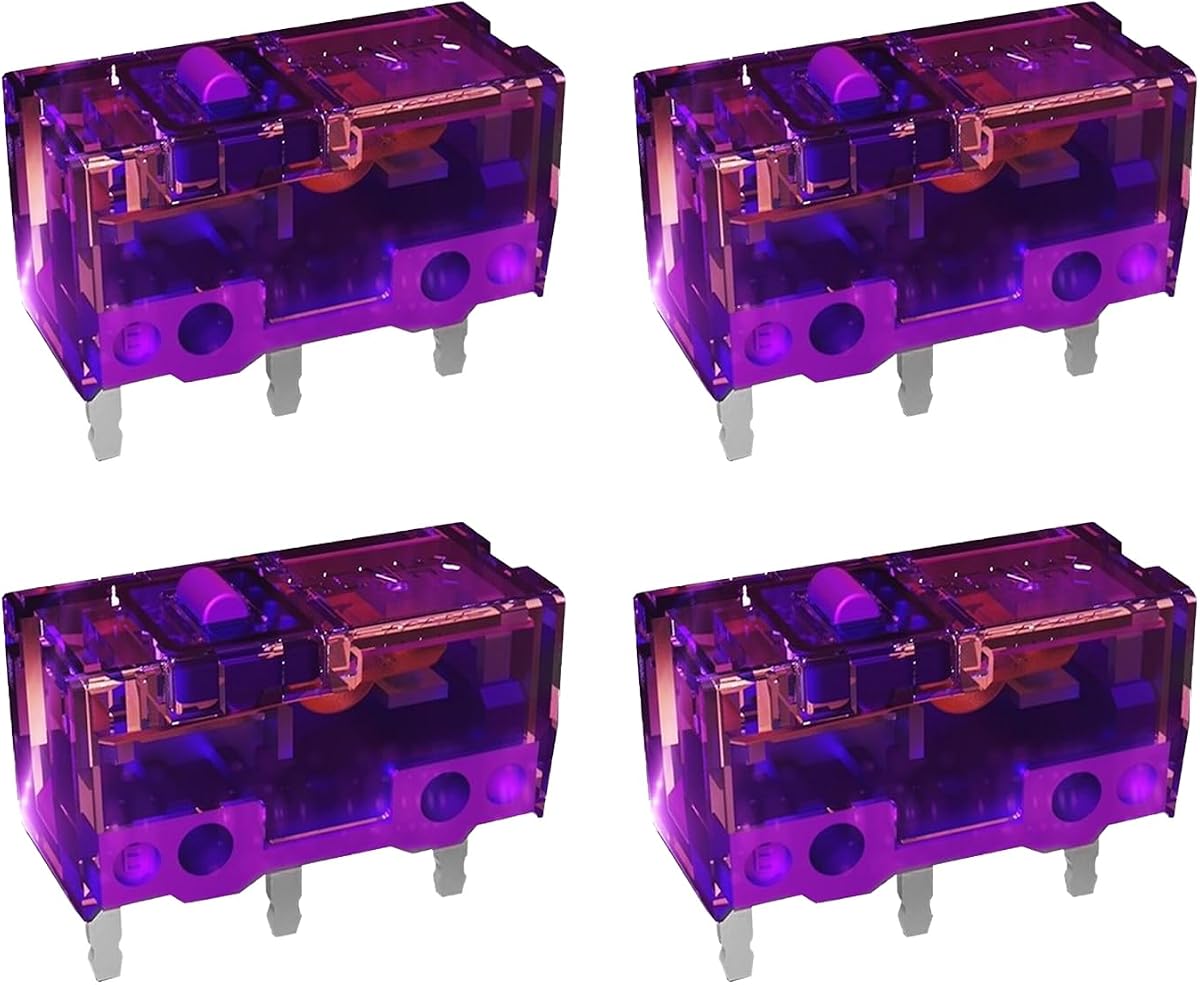
KAILH GM4.0 GM8.0 Micro Switch 4-Piece Set
4.8Editor score
Choice of GM4.0 or GM8.0
Gold-plated electrical contacts
Up to 80 million cycles
Our Mouse Micro Switch for Gaming guide compares ten options for click force, durability, compatibility, sound, installation, and long-term gaming performance.
Mouse micro switches for gaming determine how a button feels, how quickly it registers, and how it behaves after months of rapid clicking. A good replacement switch balances a clean actuation, dependable electrical contact, durable construction, and compatibility with the housing used by your mouse.
We compared the ten products by examining their stated operating forces, cycle ratings, contact materials, sound characteristics, mounting formats, and intended compatibility. The guide covers replacement micro switches, bundled switch sets, and complete gaming mice that reveal how switch technology works in a finished product.
Each review highlights the product most useful for a particular need, including budget replacements, durable daily-use switches, and prebuilt gaming mice. Specifications and availability can change, so confirm the dimensions, pin layout, mouse compatibility, and current product details before making a purchase.
4.8Editor score
4.7Editor score

4.5Editor score
The table below compares replacement micro switches and complete gaming mice across actuation, durability, compatibility, and user-facing features. Because the list mixes individual components with prebuilt mice, it also shows which products are ready to use and which require a compatible mouse shell for installation.




This four-piece KAILH set provides an affordable route into replacement gaming switches, with a 4.8 customer rating and two established force profiles. The GM8.0 version uses a stated 65gf operating force, while GM4.0 uses 70gf, giving buyers some choice between the character of the two designs.
We may earn a commission when you buy through this link, at no additional cost to you.
The GM8.0 switch is listed for 80 million cycles and the GM4.0 for 60 million, making them practical for regular gaming use. Both have gold-plated contacts and a conventional three-pin format. The stated 0.3mm conduction travel and 25gf minimum release force describe a relatively crisp mechanical action rather than a muted or deliberately heavy switch.
The main limitation is that these are not silent micro switches, and the listing also identifies them as not having a double-click feature. Installation requires the user to open the mouse, remove the existing switch, and solder the replacement correctly. Buyers should also verify that their mouse accepts this pin arrangement and housing dimensions.
This is a strong choice for gamers who want reliable, well-known replacement parts without moving to a complete new mouse. Choose GM8.0 for its lower listed operating force and higher cycle figure, or GM4.0 when that model matches the feel and fit of the mouse being serviced.
The listed 65gf and 70gf operating forces offer a subtle but meaningful choice. GM8.0 should feel a little lighter, while GM4.0 suits players who prefer slightly firmer actuation.
Gold-plated contacts support consistent electrical performance, while the three-pin layout suits many conventional gaming mice. Exact compatibility should still be checked before removing a working switch.
We may earn a commission when you buy through this link, at no additional cost to you.
The Red Kailh GM 4.0 is a straightforward four-switch replacement set with a 4.5 rating. Its defining specification is a 70gf operating force paired with a 0.3mm conduction itinerary, producing a conventional, responsive mechanical action for gaming mice.
We may earn a commission when you buy through this link, at no additional cost to you.
The switches use gold-plated contacts and are rated for more than 60 million cycles. That figure is substantial for a component that is expected to receive rapid inputs during competitive matches, routine work, and general computer use. The listing identifies compatibility with Zowie, Razer, and Logitech mice.
These are not silent switches, so users who want a quieter keyboard or office mouse may find them unsuitable. They also do not offer the convenience of hot-swapping. Installation is a conventional soldering task, and the four included units are enough for a mouse's main buttons but may not cover every additional input.
The Red Kailh GM 4.0 is best for players restoring a compatible mouse or intentionally changing its click force. It is especially suitable when you prefer a slightly firmer, clearly defined press and do not need silent operation.
A 70gf operating force and 0.3mm conduction itinerary create a clear actuation point. This makes the switch attractive to players who want feedback that is immediately recognizable.
Four matching switches are practical for replacing primary mouse buttons. Gold-plated contacts and the stated 60-million-cycle life add useful durability to a cost-conscious DIY upgrade.
We may earn a commission when you buy through this link, at no additional cost to you.
The KAILONG MFD70-X 150M combines a 4.7 rating with an unusually high stated lifespan of 150 million clicks. Its 0.74N operating force places it in a familiar moderate range, while the listing describes the purple-gold switch as offering a soft and crisp touch for gaming use.
We may earn a commission when you buy through this link, at no additional cost to you.
Its specification sheet is unusually thorough, with 70gf plus or minus 10gf operating force, 20gf minimum rebound force, 0.30mm plus or minus 0.2mm pretravel, and a 0.20mm minimum overtravel. Gold-plated contacts support electrical consistency, and the switch also lists detailed contact and insulation impedance figures.
The compatibility claim covers up to 99% of market mice when they use the appropriate rectangular three-pin format, including examples from Zowie, Razer, and Logitech. That broad claim still depends on dimensions, pin placement, and the original switch housing, so a physical comparison is essential before buying.
This is our Editor's Choice because it combines a high cycle rating, moderate force, detailed specifications, and broad stated compatibility. It is a strong option for a heavily used gaming mouse, a custom build, or anyone prioritizing durability over silent operation.
The 150-million-click claim gives this set a clear advantage for high-volume gaming and office use. It is particularly appealing for players who are already accustomed to replacing damped or inconsistent switches.
The 0.74N force, short pretravel, and defined overtravel support quick, crisp actuation. Those values are more useful when compared directly with the feel of the mouse's current switches.
We may earn a commission when you buy through this link, at no additional cost to you.
This four-piece GM 8.0 set carries a 4.7 customer rating and uses a stated 65gf operating force, placing it toward the lighter side of the standard mechanical click spectrum. The result is intended to give gamers fast, repeatable input without requiring an unusually heavy press.
We may earn a commission when you buy through this link, at no additional cost to you.
Conduction travel is listed at 0.3mm plus or minus 0.2mm, and the release force is 25gf minimum. Gold-plated contacts support stable signal transmission, while the listed cycle life exceeds 80 million operations. The seller identifies Zowie, Razer, and Logitech mice as compatible applications.
Its practical drawback is that it is explicitly not silent, so it will not solve click noise. Nor is it a plug-and-play upgrade because most replacement switches require soldering. The three-pin design is common, but housing dimensions and pin orientation must still be verified against the mouse.
This set is a good middle-ground option for players who want a lighter, crisp switch with a high stated cycle rating. It works especially well for standard gaming mice that accept compatible three-pin replacement components.
The 65gf operating force should reduce finger effort during long sessions. Players who find many stock mouse buttons too firm may appreciate the quicker press.
Gold-plated contacts and more than 80 million stated cycles target dependable everyday performance. The set includes four units for replacing the principal buttons in a compatible mouse.
We may earn a commission when you buy through this link, at no additional cost to you.
The Kailh GM8.0 Upgrade V2 is a refined version of the GM8.0 family, with a 4.7 rating and a stated operating force of 60gf. That makes it the lightest conventional switch among the KAILH sets highlighted here and positions it for players who favor quick, low-effort clicks.
We may earn a commission when you buy through this link, at no additional cost to you.
The manufacturer says the design uses specially selected palladium, an optimized mold, and a 0.12mm maximum movement differential. These details support a compact, rapid rebound and a soft yet elastic feel. Its stated cycle rating exceeds 90 million, exceeding the original GM8.0 listing.
As with other conventional replacements, this set is not silent and requires soldering. The 0.30mm plus or minus 0.20mm pretravel and lower operating force may change the feel of a mouse noticeably. Compatibility with Zowie, Razer, and Logitech models is stated, but buyers should confirm the exact housing and pins.
This is a strong choice for gamers who want a light, fast switch and value the Upgrade V2's higher stated cycle figure. It may also suit builders creating a custom mouse where reduced actuation effort and rapid rebound are priorities.
The optimized mold and specially selected palladium are intended to improve the switch's tactile and electrical behavior. They also help distinguish this version from the standard GM8.0.
A compact movement differential and 60gf force support quick repeated clicks. That makes the switch appealing for fast-paced shooters and other input-intensive games.
We may earn a commission when you buy through this link, at no additional cost to you.
The Kailh 30M Life set is a more basic replacement option with a 4.4 rating. It offers one-, three-, or five-piece quantity variations, giving buyers a convenient way to replace only the failed buttons or stock a few spares for future maintenance.
We may earn a commission when you buy through this link, at no additional cost to you.
The operating force is listed at 70gf, with a conduction itinerary of 0.3mm and a conventional 25% touch-feeling figure. The stated mechanical life reaches 30 million cycles, which is lower than the other KAILH sets in this comparison but remains meaningful for regular mouse use.
The title identifies a two-pin format, so compatibility deserves extra attention. Some three-pin mice cannot accept a two-pin replacement without appropriate adaptation, and the listing does not present itself as a universal drop-in option. Installation also requires opening the mouse and soldering the switch.
This product makes the most sense for a compatible older or simpler mouse, a small repair, or a buyer who wants a few inexpensive spares. Players who regularly replace switches or own several matching mice may prefer one of the higher-cycle sets with broader compatibility information.
The available one-, three-, and five-piece choices accommodate both minor repairs and full button replacements. This flexibility can reduce the need to buy more switches than required.
Because the product is listed with two pins, buyers should compare it with the original switch and the mouse's available replacement pads. A visually similar switch may still require a different installation approach.
We may earn a commission when you buy through this link, at no additional cost to you.
This ten-piece KAILH set has the highest customer rating in the list at 5.0. It provides a generous supply of GM4.0 or GM8.0 switches, making it useful for repairing several mice, completing a custom build, or maintaining spare components for future replacements.
We may earn a commission when you buy through this link, at no additional cost to you.
The two models retain the familiar specifications of the smaller set. GM8.0 uses a 65gf operating force and an 80-million-cycle rating, while GM4.0 uses 70gf and a 60-million-cycle rating. Both offer gold-plated contacts, approximately 0.3mm conduction travel, and a standard three-pin form.
The switch is not silent, and users will need soldering tools and a clear understanding of mouse disassembly. Buying ten units may leave extras even for a single mouse, but those extras can reduce the likelihood of another interrupted repair later. The larger quantity can also be convenient for technicians or dedicated mouse hobbyists.
This is a compelling choice for builders and owners of several compatible gaming mice. For one straightforward button repair, the four-piece set is more focused, while this version is strongest when the goal is maintaining a small collection or completing multiple button positions.
Ten matching switches make it possible to service several compatible mice or keep replacements ready. This is particularly useful for users who enjoy experimenting with click force.
The 5.0 rating reflects strong customer feedback for the underlying switch family. Buyers still need to verify compatibility, because the listing's use of GM4.0 and GM8.0 should be checked against the specific selected package.
We may earn a commission when you buy through this link, at no additional cost to you.
The Razer Basilisk V3 is a complete wired gaming mouse rather than a loose switch, and it has a 4.6 rating. Its Gen 2 optical switches provide a ready-made alternative for buyers who value fast response, consistent light actuation, and zero unintended misclicks.
We may earn a commission when you buy through this link, at no additional cost to you.
The stated actuation speed is 0.2ms, and the switches are rated for up to 70 million clicks. Optical operation prevents mechanical contact from generating a double click, while the 26,000 DPI FOCUS Plus sensor and 1,000 Hz polling rate support precise tracking. Eleven programmable buttons, HyperScroll, and extensive RGB control expand its utility beyond gaming.
Its ergonomic shape, thumb rest, and 11-button layout may not suit people who prefer a small, symmetrical mouse. It is also wired, and the switches are integrated into the finished device rather than supplied as a DIY upgrade. Buyers focused on mechanical click feel may prefer a tactile micro switch.
This mouse is best for players who want excellent switch performance without soldering or assembly. It is particularly attractive to users who also value a highly adjustable control surface, fast tracking, and a feature-rich scroll wheel in one complete peripheral.
Optical switches register actuation without two metal contacts physically meeting. This design supports the stated zero-misclick behavior and removes mechanical double-click as a concern.
Eleven programmable buttons, HyperScroll tilt control, 16.8 million-color lighting, and sensor customization make this more than a basic competitive mouse. It works well for mixed gaming and productivity setups.
We may earn a commission when you buy through this link, at no additional cost to you.
The ASUS ROG Gladius III Core combines premium hardware with a 4.5 rating and stands out through its push-fit, hot-swappable switch sockets. Instead of requiring a soldering iron for compatible switch changes, it allows owners to alter the mouse's click characteristics while extending button life.
We may earn a commission when you buy through this link, at no additional cost to you.
Its ROG Micro Switch II components have a stated 100-million-click lifespan. The mouse weighs 72 grams, tracks at up to 12,000 DPI with less than 3% deviation, and uses a 1,000 Hz polling rate. Full PTFE feet and the ROG Paracord support smooth movement and flexible wired use.
The hot-swap system is the central advantage, but users must use switches that fit the sockets and mouse design. Its right-handed ergonomic shape may not suit left-handed players, and Gear Link configuration focuses on a broader PC and Mac ecosystem. It remains a wired gaming mouse.
This is a strong premium choice for gamers who want future-friendly switch customization without a soldering workflow. It combines a lightweight shape, durable factory switches, and flexible web-based configuration in a polished package for compatible gaming and productivity use.
Push-fit sockets and hot-swappable mounting make compatible switch changes substantially easier. This is particularly useful for players who want to experiment with force or replace a worn button.
A 72-gram weight, 1000 Hz polling rate, and 12,000 DPI sensor balance rapid input with precise tracking. The ergonomic shell is optimized for right-handed use.
We may earn a commission when you buy through this link, at no additional cost to you.
The MSI Versa PRO W is a complete gaming mouse with OMRON optical micro switches and a customer rating of 3.7. Its switch system offers fast, crisp activation and is rated for more than 70 million clicks, making it suitable for users who prefer consistency over a mechanical bump.
We may earn a commission when you buy through this link, at no additional cost to you.
The PixArt PAW-3395 optical sensor supports up to 26,000 DPI with a 1,000 Hz polling rate. Thirteen programmable buttons include a sniper control and profile switch, while a four-way scroll system supports horizontal and vertical navigation, click-to-click precision, and free-spin movement. RGB lighting and an ambidextrous design add further functionality.
Its lower rating compared with the other complete mice deserves attention. In addition, optical switches do not reproduce the tactile feedback of mechanical micro switches, and the contoured shape with thumb rest may not suit every hand or grip. The extensive controls also make it more complex than a minimal esports mouse.
This mouse is most appropriate for gamers who want an optical switch experience, high sensor resolution, and many programmable functions in one device. Buyers seeking a more conventional tactile click or an especially lightweight competitive design may prefer another of the featured gaming mice.
The 26,000 DPI PixArt sensor provides a broad range of sensitivity options. Its 1,000 Hz polling rate suits responsive movement, while precision settings can be refined for competitive play.
Four-way scrolling, a sniper button, profiles, and thirteen programmable inputs broaden the mouse's usefulness. This makes the Versa PRO W especially appealing to gamers who also use their setup for productivity tasks.
We may earn a commission when you buy through this link, at no additional cost to you.
The right mouse micro switch depends on your preferred click force, sound level, installation method, and mouse design. Compatibility should be checked before every purchase, because similar-looking switches may use different pin counts, housing shapes, and mounting positions.
Operating force describes the resistance needed to actuate a switch. A 60gf option generally feels lighter than a 70gf switch, while the 80gf version in this guide creates the firmest press. Light switches can reduce finger effort during long sessions, whereas firmer switches may make accidental inputs less likely and provide a more pronounced tactile event. The useful comparison is not just the gram value but also the listed pretravel, overtravel, rebound force, and conduction travel.
Cycle ratings indicate how many actuations a manufacturer expects a switch to withstand. The listed options range from 30 million to 150 million cycles, while the complete mice use switch systems rated around 70 million to 100 million clicks. A higher figure is useful for intense gaming, but electrical contact quality also matters. Gold-plated or palladium contacts are presented as ways to support consistent signal transmission, so buyers should consider the complete material and design claims rather than cycle count alone.
Every replacement switch in this guide is explicitly described as non-silent, so it will produce a conventional audible click. Users who need near-zero noise should look for a product explicitly labeled silent rather than assuming a lower operating force will reduce sound. Tactile character also varies: some options emphasize a soft, crisp feel, while others focus on rapid rebound and a defined conduction point. A compatible switch with a lower force is not automatically quiet, and a tactile bump is not automatically more accurate.
Compatibility involves more than brand recognition. The switch must match the mouse's housing dimensions, pin count, pin spacing, contact layout, and mounting position. Most KAILH and KAILONG options shown here use a rectangular three-pin format, while the 30M Life product is listed with two pins. Some mice use optical or proprietary switch assemblies that cannot accept conventional mechanical replacements at all. Always identify the exact mouse model and compare the replacement with the removed switch before ordering or soldering.
Conventional replacement switches generally require opening the mouse, desoldering the old component, positioning the new one, and soldering its terminals. A hot-swappable mouse can make this easier when the replacement has the correct dimensions and contact arrangement. Even push-fit sockets still require care because the switch legs must be formed correctly and seated without bending. Buyers without soldering experience should favor a complete mouse, a mouse with compatible hot-swap sockets, or a repair service that can handle installation.
A single mouse usually uses two or three primary mechanical switches, although additional buttons may also need replacement. Four-piece sets cover the principal buttons with a small reserve, while a ten-piece set is more appropriate for several mice, multiple builds, or future maintenance. The three-piece Kailh option can suit a simple repair, and the 30M Life set offers several quantity choices. Buying only what is immediately necessary reduces unused components, while keeping a small spare can help after a failed switch disrupts a gaming setup.
A prebuilt gaming mouse removes the compatibility and soldering burden, but switch technology is only one part of the overall experience. Sensor resolution, polling rate, weight, shape, button count, scroll behavior, software, and connection type all affect daily use. The Razer Basilisk V3 emphasizes fast optical actuation, the ASUS ROG Gladius III Core centers on hot-swappable construction, and the MSI Versa PRO W combines optical switches with extensive programmable controls. Choose the mouse whose complete feature set matches your priorities.
Consider where the mouse will be used. A tournament setting may favor a lightweight shape, quick optical actuation, high polling rate, and uncomplicated controls. A home setup may place more value on programmable buttons, RGB lighting, a flexible scroll wheel, and a comfortable thumb rest. Competitive players who enjoy tuning their equipment may prefer interchangeable mechanical switches, while users who never want to open a mouse may prefer a factory-integrated solution. The best choice is the one whose feel and maintenance model suit the actual gaming routine.
Before replacing a micro switch, identify the exact mouse model and disconnect it from the computer. Remove the batteries if it is wireless, then take photographs of the original switch position, wire routing, and internal layout. Compare the replacement's pin count and housing with the removed component, and confirm that the mouse is designed to accept that switch type.
Work on a clean, well-lit surface with the correct screwdriver, soldering equipment if required, and a container for small screws. Protect the mouse's printed circuit board from solder and heat. If soldering, remove the old switch carefully, clean the pads, align the new switch with the correct pin orientation, and test its continuity before reconnecting the mouse.
For a hot-swappable mouse, power it down, remove the existing switch according to the manufacturer's instructions, and press or pull out the compatible replacement. Make sure the switch is seated evenly and that the metal legs are not bent. After installation, reconnect the mouse, test every button, and adjust force or travel through supported software where applicable.
No. Many use similar rectangular three-pin housings, but dimensions, pin spacing, and contact layouts can differ. Some mice also use optical, proprietary, or two-pin designs. Check the exact mouse model and compare the replacement with the original switch before purchasing or installing it.
It depends on the mouse. Conventional mechanical switches usually require soldering because they are fixed to the circuit board, while hot-swappable mice allow compatible switches to be removed and replaced without a soldering iron. Check the product description and the mouse's socket design before opening it.
Operating force is the amount of pressure generally needed to actuate a switch. In this guide, lower values indicate a lighter press and higher values indicate a firmer one. The complete feel also depends on pretravel, overtravel, rebound behavior, the mouse housing, and the button caps.
Not necessarily. The replacement switches listed in this guide are explicitly non-silent, so they will produce audible clicks. Lowering the operating force can reduce the effort required, but meaningful sound reduction requires a switch specifically designed and marketed as silent.
A common mouse uses two or three switches for its main buttons, while models with scroll-wheel clicks, side buttons, or additional inputs may use more. Four-piece sets cover a typical primary-button replacement, while a ten-piece set is more convenient for multiple mice, custom builds, or keeping spares.
A higher cycle rating indicates a longer stated lifespan, but it does not guarantee a better feel or perfect compatibility. Operating force, travel, contact construction, sound, housing fit, and installation requirements are equally important when choosing a replacement for a particular gaming mouse.
Not reliably without checking the circuit board and mechanical housing. The extra pin may be unnecessary for some designs, but the legs still need to be shaped or modified correctly, and the housing must fit. A replacement labeled as universally compatible can still require soldering and careful physical fitting.
Choose a complete optical mouse if you want simple installation, fast light-based activation, and a ready-to-use device. Choose replacement micro switches if you enjoy tuning your mouse, want a specific mechanical feel, or need to restore an existing favorite shell. The best route depends on your comfort with installation and the features you value.
The KAILH GM4.0 GM8.0 four-piece set is the most balanced budget starting point, while the KAILONG MFD70-X 150M stands out for its high stated cycle rating and broad compatibility claims. The ASUS ROG Gladius III Core takes the premium route with hot-swappable sockets, making mechanical switch customization unusually convenient.
Prioritize exact physical compatibility before force or cycle life. Check the pin count, housing dimensions, mounting style, and whether the mouse supports conventional replacements. From there, select a light, moderate, or firm operating force according to your preferred click style, and accept that all of the featured replacement switches are audible.
Finally, check current product details and availability before ordering, as specifications, package selections, and marketplace listings can change. For a complete mouse, compare switch technology with sensor performance, shape, weight, polling rate, and software so the finished product fits your gaming setup as a whole.