
Lenovo Business 15.6-inch FHD Laptop
4.6Editor score
Portable 1.55 kilogram design
FHD anti-glare display
Useful everyday port selection
Microsoft 365 included
A non gaming laptop is best understood as a general-purpose computer that does not require specialized gaming hardware. The strongest choices can handle office work, online classes, video calls, browsing, media consumption, and light creative projects while remaining comfortable for daily use. Screen quality, battery design, portability, connectivity, and processor capability matter more to many buyers than maximum gaming performance.
We compared all ten products using the supplied specifications and customer ratings, focusing on the features that affect productivity and general use. The list covers traditional business laptops, compact models, Ryzen-based systems, and machines with discrete NVIDIA graphics. Some products remain marketed as gaming laptops, but they can also serve as powerful non gaming computers for specialized work.
Each review explains the strongest reason to consider a particular model alongside its practical limitations. The top selections range from a portable Lenovo business laptop to a balanced Ryzen 7 system and a higher-end ASUS configuration. Prices and configurations can change, so readers should verify the current listing and component details before making a final purchase.
4.6Editor score

4.6Editor score
4.5Editor score
As an Amazon Associate we earn from qualifying purchases.
This side-by-side comparison highlights each model's processor, display, memory, storage, and primary strengths, helping readers identify the laptop that best matches their work, study, portability, and everyday computing needs.




The HP Victus 15.6-inch combines a 12th-generation Intel Core i5 processor with an NVIDIA GeForce RTX 3050 and has a customer rating of 4.4. It is a capable general-purpose computer for users who want more graphics power than an ordinary business laptop provides, while still offering 16GB of memory and a 512GB PCIe SSD for daily work.
We may earn a commission when you buy through this link, at no additional cost to you.
Its 15.6-inch Full HD IPS Micro-Edge anti-glare display operates at 144Hz, making it useful for smooth scrolling, interface navigation, and visually detailed media. The RTX 3050 also gives the machine headroom for photo editing, light video work, and other GPU-assisted tasks. Wi-Fi 6, a backlit keyboard, and Windows 11 Pro make the system ready for office and academic environments.
The 512GB drive is a sensible starting point for documents and applications, although users with large media libraries may eventually need more space. The supplied information also describes upgrade support for up to 64GB of DDR4-3200 memory and up to a 2TB solid-state drive, which makes the platform adaptable. Its performance-oriented design may be unnecessary for basic tasks, but it offers useful power for demanding general workloads.
This Victus works best for students, creators, and professionals who want a capable laptop without moving into the highest-performance tier. It is less compelling for buyers seeking an exceptionally light, minimalist business design, but its combination of 16GB RAM, discrete graphics, a high-refresh display, and Windows 11 Pro makes it a well-rounded choice for intensive everyday computing.
The Core i5-12450H processor, 16GB of DDR4 memory, and fast PCIe storage provide a capable platform for web browsing, document editing, spreadsheets, media playback, and multitasking. The additional graphics capability can also help with selected creative applications that benefit from hardware acceleration.
The 144Hz Full HD IPS panel is more than adequate for office work and particularly fluid for general interface use. Its anti-glare treatment can also make the screen easier to view in bright rooms than a highly reflective display.
We may earn a commission when you buy through this link, at no additional cost to you.
The NIMO 15.6-inch FHD R5 is designed around the practical needs of students, remote workers, and home users. It has a 4.4 rating, an AMD Ryzen 5 processor with four cores and eight threads, integrated Radeon Vega 8 graphics, 8GB of DDR4 memory, and a 256GB SSD. The emphasis is on accessible daily computing rather than specialized graphics performance.
We may earn a commission when you buy through this link, at no additional cost to you.
Connectivity is one of its strongest attributes. Three USB-A ports, two USB-C ports, HDMI, a MicroSD reader, and a 3.5mm headset jack cover common accessories, external storage, and presentation needs. The 65W USB-C PD adapter includes a two-meter cable, while the approximately 175-degree hinge allows the screen to be adjusted for different working positions.
Memory and storage can be upgraded. Two DDR4 SO-DIMM slots support up to 32GB of memory, and the M.2 PCIe slot supports SSDs up to 4TB. Buyers comfortable opening the laptop may therefore improve it over time, although doing so requires care and some technical confidence. The initial 8GB configuration is the more important limitation for heavy multitasking.
The integrated fingerprint reader, backlit keyboard, and under-1.7-kilogram weight make the laptop appealing to students and mobile workers. It is a good recommendation for classes, assignments, remote office work, browsing, and home entertainment. Those wanting smoother heavy multitasking or more demanding creative software should upgrade the memory or consider a more powerful model.
The generous selection of USB-A and USB-C connections reduces the need for adapters in many dorm-room and home-office environments. HDMI supports a straightforward presentation setup, while the dedicated PD port leaves the full-function USB-C port available for compatible accessories.
At under 1.7 kilograms and only 19.2 millimeters thick at the listed measurement, the laptop is designed for repeated packing and unpacking. The metal lid adds a refined visual element, while the included PD cable provides useful reach at a desk or café table.
We may earn a commission when you buy through this link, at no additional cost to you.
The NIMO 17.3-inch Ryzen 9 is aimed at power users who need more than a conventional office laptop. Its AMD Ryzen 9 8945HS offers eight cores, 16 threads, and boost speeds up to 5.2GHz, while the supplied configuration includes 32GB of DDR5 RAM and a 1TB SSD. It holds a customer rating of 4.2.
We may earn a commission when you buy through this link, at no additional cost to you.
The large Full HD display provides ample room for spreadsheets, editing timelines, research windows, and video calls. Radeon 780M integrated graphics add useful capability for media work and light gaming without requiring a separate desktop, while the Ryzen platform is positioned for AI-assisted productivity tools, coding environments, and professional multitasking.
Upgradability is a major advantage. The listing highlights user-replaceable memory and storage, allowing owners to extend the system as project demands evolve. Wi-Fi 6E, Bluetooth 5.2, USB4, and 100W USB-C PD fast charging also support a modern mobile workflow. The fingerprint reader and hidden privacy camera improve practicality in shared spaces.
This laptop makes the most sense for professionals, creators, developers, and students who value performance and screen space. The 4.6-pound weight and 17.3-inch footprint are manageable but less convenient than a compact model. Buyers should still consider the average 4.2 rating, though the strong processor, memory, and storage configuration make it appealing for demanding non gaming work.
The eight-core Ryzen 9 processor, 32GB of memory, and 1TB drive create a generous platform for large files, extensive browser sessions, development tools, and creative applications. The included specifications suggest that it should handle more simultaneous work than basic productivity laptops.
A touchpad fingerprint sensor provides convenient sign-in, while the hidden physical privacy camera helps protect the user's image in shared environments. USB4 and 100W PD charging reduce the amount of equipment needed for compatible high-speed peripherals and modern desk setups.
We may earn a commission when you buy through this link, at no additional cost to you.
The HP Victus 15.6-inch 144Hz combines a 13th-generation Intel Core i5-13420H processor with GeForce RTX 4050 graphics and carries a perfect 5.0 customer rating. Although sold as a gaming laptop, it can function as a high-performance general computer for creative software, accelerated graphics, high-refresh displays, and demanding multitasking.
We may earn a commission when you buy through this link, at no additional cost to you.
The 15.6-inch Full HD anti-glare panel runs at 144Hz, and the RTX 4050 includes 6GB of GDDR6 memory. A backlit full-size keyboard and integrated numeric keypad are useful for typing, spreadsheet work, accounting, programming, and data entry. The inclusion of a cooling pad makes sense for extended heavy workloads, although it is an accessory that adds to the setup footprint.
The 70Wh battery is listed as delivering up to 8.5 hours of light office work and browsing. Fast charging is claimed to reach 50 percent in approximately 30 minutes with the included 120W adapter. Memory and storage are configurable up to 32GB of DDR4 RAM and 1TB of PCIe M.2 storage, although the seal has been opened for upgrades and component coverage follows the stated split arrangement.
This is a compelling option for buyers who want a high-refresh screen and RTX 4050 graphics but do not need the most premium processor tier. Its perfect rating is encouraging, though buyers should check the exact upgraded RAM and SSD configuration, included accessories, and warranty terms. For a powerful general-purpose machine with a mature feature set, it remains a strong option.
The RTX 4050 provides a substantial upgrade over basic integrated graphics. That capability can benefit accelerated editing, visual design, 3D-related applications, and other workflows that benefit from dedicated graphics memory.
The backlit keyboard improves visibility in low-light settings, and the numeric keypad speeds up repetitive number entry. The large battery and rapid charging capability are also relevant for students and commuters who need productive time away from a wall outlet.
We may earn a commission when you buy through this link, at no additional cost to you.
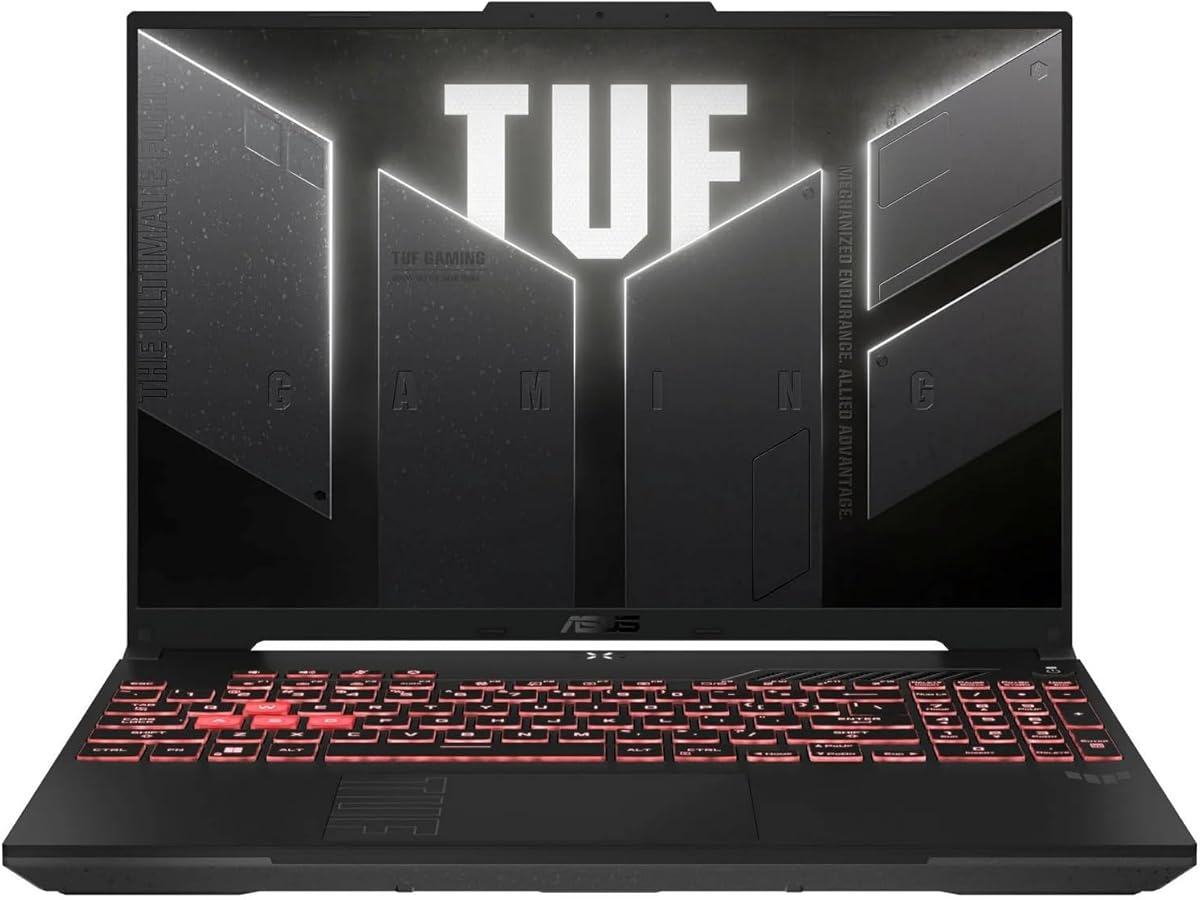
The ASUS TUF Gaming A16 pairs an AMD Ryzen 7 7445HS processor with NVIDIA GeForce RTX 4050 graphics and has a customer rating of 4.5. Its 16-inch format makes it more of a desktop-replacement general-purpose laptop, especially for users who regularly work with spreadsheets, detailed documents, presentations, or creative applications.
We may earn a commission when you buy through this link, at no additional cost to you.
The Ryzen 7 processor is specified at 3.2GHz, providing a capable platform for browsing, office productivity, media editing, and multitasking. The RTX 4050 adds dedicated graphics performance, while 16GB of DDR5 RAM offers enough memory for numerous applications and heavier working sets. A 512GB SSD provides fast access to the operating system, applications, and active project files.
The supplied title lists a Full HD+ display at 145Hz, while the bullet specifications describe the same panel as 144Hz. Buyers should verify the final listing and display details, but either figure points to a high-refresh screen intended for fluid interaction. The included backlit keyboard and Windows 11 complete a practical everyday package.
The A16 is best suited to buyers who prefer a larger workspace and stronger graphics than a conventional business notebook without moving to the top of the performance range. Its 512GB storage may need expansion for large media collections, and the 16-inch body is less convenient for constant travel. For stationary productivity and occasional creative work, however, the specification mix is convincing.
A 16-inch panel gives applications more room and can make side-by-side document work more comfortable. The high refresh rate also benefits everyday scrolling, menus, and pointer movement.
Ryzen 7 processing, DDR5 memory, dedicated RTX graphics, and a PCIe-class solid-state drive form a modern combination for general productivity. The system is particularly relevant to users who occasionally need more graphics performance than integrated graphics can provide.
We may earn a commission when you buy through this link, at no additional cost to you.
The Lenovo LOQ 15.6-inch has a 4.7 customer rating and combines a Ryzen 5 7235HS processor with an NVIDIA GeForce RTX 4050. It is marketed as a gaming computer, but the processor, graphics, display, and connectivity also suit video editing, design work, software development, and other demanding non gaming applications.
We may earn a commission when you buy through this link, at no additional cost to you.
Its display specification is particularly attractive for general use: a 15.6-inch Full HD IPS anti-glare panel at 144Hz and 300 nits. G-SYNC support is also listed. The processor has four cores, eight threads, 8MB of L3 cache, and boost speeds up to 4.2GHz, while the RTX 4050 provides 6GB of GDDR6 graphics memory.
The headline upgrade options are unusually generous, with support stated for up to 64GB of DDR5 RAM and up to 8TB of PCIe M.2 storage. Wi-Fi 6, Bluetooth 5.2, Ethernet, HDMI, three USB-A ports, and USB-C cover most desk and mobile needs. The white backlit keyboard is useful in dim rooms, while Windows 11 Home is included.
The LOQ is a strong recommendation for a buyer who wants a capable computer today and room to expand later. It is less suitable for people who want a discreet ultraportable or a simple, low-maintenance office machine. For users who appreciate high-refresh visuals, dedicated graphics, and substantial configuration flexibility, the 4.7 rating supports a favorable recommendation.
Support for up to 64GB of DDR5 memory and as much as 8TB of PCIe M.2 storage is a major advantage over fixed configurations. Buyers can start with a configuration that meets immediate needs and increase capacity as workloads, files, and applications expand.
The inclusion of RJ45 Ethernet is useful for fixed desks and environments where a wired connection is preferred. USB-A, USB-C, HDMI, and a combined headset jack cover typical accessories, monitors, and audio equipment without requiring a complicated hub.
We may earn a commission when you buy through this link, at no additional cost to you.
The NIMO 15.6-inch Ryzen 7 is our Editor's Choice because it balances a capable processor, a practical display, modern memory, and useful security features without adopting the bulkier proportions of a dedicated gaming machine. It holds a 4.6 customer rating, and the supplied specifications position it for students, professionals, developers, analysts, and creators.
We may earn a commission when you buy through this link, at no additional cost to you.
The AMD Ryzen 7 7735HS provides eight cores, 16 threads, and speeds up to 4.75GHz, creating a strong foundation for browser-heavy research, spreadsheets, coding environments, AI-assisted applications, video conferencing, and content creation. Radeon 680M graphics support 1080p content editing, streaming, basic image work, and a selection of lighter games without the need for a separate desktop.
Its 15.6-inch Full HD IPS display offers 1920-by-1080 resolution, which is appropriate for detailed reports, media, and general analysis work. The 512GB drive gives the system room for applications and a meaningful creative library, while DDR5 memory offers a modern foundation. The integrated fingerprint reader provides convenient access for business and school use.
Eight gigabytes of RAM is the main compromise. Heavy multitasking may benefit from an upgrade, and buyers with intensive 3D, high-end rendering, or advanced gaming requirements should choose discrete graphics. Even so, the NIMO combines more processing capability and everyday flexibility than most basic business laptops, making it the most balanced recommendation in this group for general productivity.
Eight cores and 16 threads allow the Ryzen 7 7735HS to handle several demanding applications at once. It is a sensible match for students moving between research, video calls, and documents, as well as professionals who regularly keep many applications open.
Radeon 680M graphics make this laptop more versatile than the entry-level NIMO model. The supplied data specifically supports AI-assisted design, 1080p editing, streaming, light image work, and selected lighter games, all of which benefit from stronger integrated graphics.
The touchpad fingerprint reader provides quick sign-in without repeatedly typing a password. It is a particularly practical feature for students, travelers, and office users who regularly work around other people.
We may earn a commission when you buy through this link, at no additional cost to you.
The Acer Nitro V 15 pairs an Intel Core i5-13420H with GeForce RTX 4050 graphics and earns a 4.5 customer rating. Its 15.6-inch Full HD IPS display runs at 165Hz, giving it one of the highest refresh rates in this comparison and making it particularly fluid for navigation, media, and general interactive use.
We may earn a commission when you buy through this link, at no additional cost to you.
The processor is designed to handle gaming, recording, streaming, and heavy multitasking involving video, music, or photo editing. RTX 4050 graphics are listed with 194 AI TOPS, while DLSS 3.5 support can improve ray-traced rendering in supported applications. These capabilities extend beyond gaming and can benefit selected visual workflows.
Memory begins at 8GB of DDR5, with two slots and support for up to 32GB. The 512GB PCIe Gen 4 SSD provides fast storage, although the memory configuration may need attention for intensive professional multitasking. Wi-Fi 6, Killer Ethernet E2600 Gigabit Ethernet, and Thunderbolt 4 create a strong selection of modern network and peripheral options.
The Nitro V 15 is a good fit for users who want fast visuals and capable graphics in a conventional 15.6-inch size. Its gaming identity may be unnecessary for office work, and 8GB of RAM is modest for a performance-focused system. Even with those caveats, the 165Hz panel, dedicated GPU, and broad connectivity make it useful for work, study, and creative applications.
The high-refresh IPS display makes menus, scrolling, and pointer movement feel fluid. For non gaming users, that responsiveness can be just as valuable as raw graphics performance when moving between applications or working across large digital workspaces.
Thunderbolt 4 can handle compatible charging, data transfer, and display connections through a single interface. PCIe Gen 4 storage also gives the system a responsive foundation for application loading and active project files.
We may earn a commission when you buy through this link, at no additional cost to you.
The Lenovo Business 15.6-inch is our Best Budget pick for buyers who prioritize portability, practical connectivity, and uncomplicated everyday computing. It has a 4.6 customer rating, an Intel N150 processor, 8GB of LPDDR5-4800 memory, and 128GB of UFS storage. These specifications are tailored toward browsing, office applications, streaming, and online classes.
We may earn a commission when you buy through this link, at no additional cost to you.
At 1.55 kilograms and 0.70 inches thick, it is one of the slimmer and lighter products in the list. The 15.6-inch Full HD anti-glare display has 250 nits of brightness and an 88 percent screen-to-body ratio. A privacy shutter, 720p webcam, dual-array microphones, and stereo speakers cover the essentials for remote meetings and online classes.
Its port selection is unusually useful for a compact notebook: two USB-A ports, USB-C with Power Delivery and DisplayPort 1.2, HDMI, an SD card reader, and a 3.5mm audio jack. Dual-display capability makes it convenient for desk-based work, while Wi-Fi 6 and Bluetooth 5.2 cover everyday wireless needs.
The 128GB drive is the most obvious constraint and may fill quickly with large files, although cloud storage and external drives can supplement it. The Intel N150 is also less powerful than the Ryzen and Core i7 alternatives. For basic productivity, learning, and travel, however, the Lenovo offers an attractive balance of weight, screen size, security, and useful software.
The laptop combines a roomy 15.6-inch display with a low weight and slim body. That combination is useful for students and travelers who prefer a comfortable screen but do not want to carry a large performance laptop.
The included one-year Microsoft 365 Personal subscription provides Word, Excel, PowerPoint, Outlook, OneDrive storage, and security features. It gives new users immediate access to standard productivity software while Windows 11 supplies the familiar operating environment.
USB-C DisplayPort, HDMI, and dual-display support make the laptop easy to connect to more than one screen. The SD card reader is also useful for moving photographs and documents from cameras or mobile devices.
We may earn a commission when you buy through this link, at no additional cost to you.
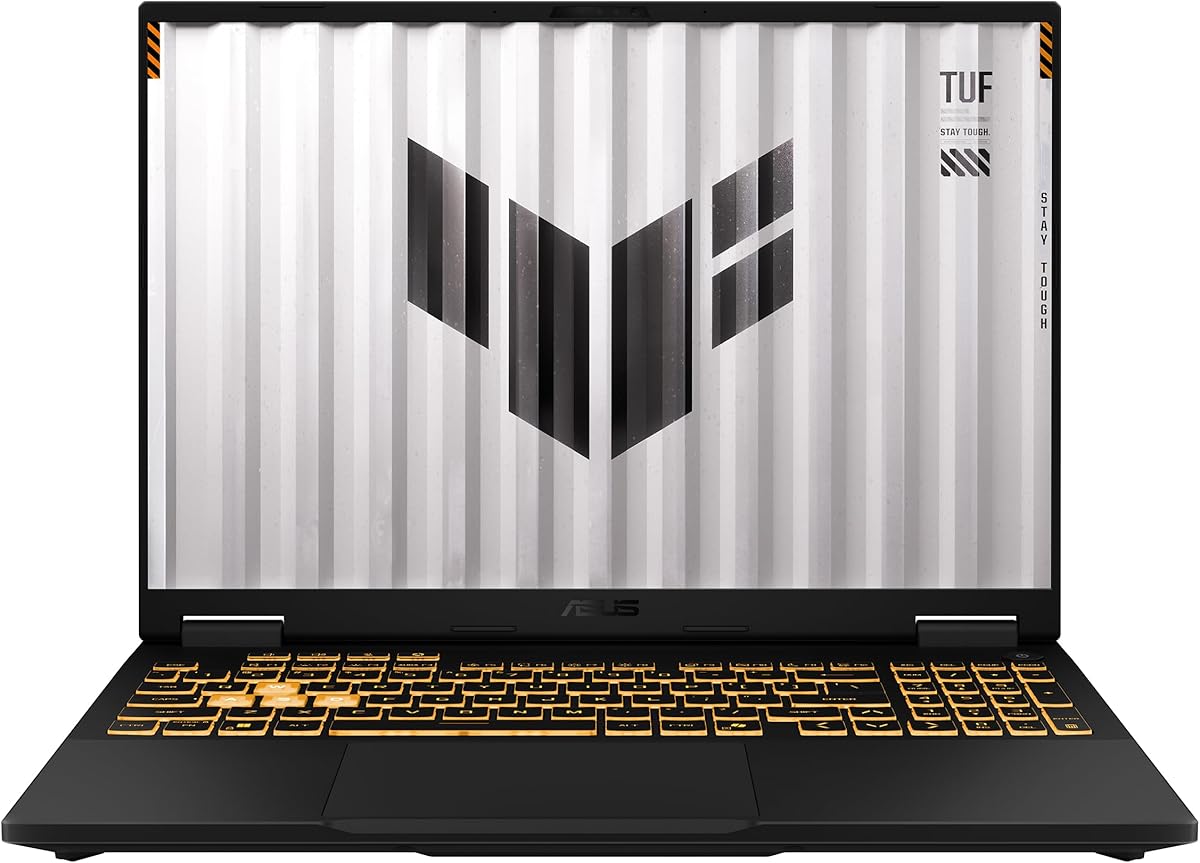
The ASUS TUF 16-inch WUXGA is our Best Premium pick, combining a 14th-generation Intel Core i7-14650HX with NVIDIA GeForce RTX 5050 graphics. It has a 4.5 customer rating, 16GB of DDR5 memory, a 1TB M.2 PCIe 4.0 SSD, and Windows 11 Home, making it a high-end option for demanding creative and technical work.
We may earn a commission when you buy through this link, at no additional cost to you.
The Core i7 is listed as a 16-core processor with a 2.2GHz base frequency, while the RTX 5050 provides 8GB of GDDR7 graphics memory. Together, they create a capable platform for advanced graphics, editing, development, large project files, and intensive multitasking. The supplied information does not specify maximum memory or storage, so buyers should confirm expansion options directly.
Its 16-inch 1920-by-1200 IPS display runs at 165Hz, offering a larger canvas and smooth visual experience. Thunderbolt 4 and USB 3.2 Gen 2 provide modern peripheral options, while the non-touch panel can reduce complexity and weight compared with a touch-equipped display.
This is the strongest premium configuration for users whose general computing needs include hardware-accelerated graphics or sustained high-end processing. It may be excessive for web browsing and office work, and buyers should consider its size, power requirements, and gaming-oriented styling. For creators, developers, and demanding professionals, however, the processor, GPU, display, and storage form a compelling high-end package.
The Core i7-14650HX and RTX 5050 create a platform for demanding applications that benefit from more cores, additional graphics memory, and modern processing throughput. The configuration is well suited to creative professionals, developers, and advanced multitaskers.
The 1920-by-1200 IPS panel provides more horizontal workspace than a standard Full HD screen, while the 165Hz refresh rate keeps interaction smooth. It is well suited to timelines, dashboards, documents, and side-by-side productivity applications.
A 1TB PCIe 4.0 SSD gives the system room for applications and active project files while supporting fast data access. Thunderbolt 4 and USB 3.2 Gen 2 provide flexible connections to compatible displays, storage, docks, and accessories.
We may earn a commission when you buy through this link, at no additional cost to you.
The best non gaming laptop is the one that matches your workload, display preferences, and need for portability. Begin with the applications you use most often, then consider processor class, memory, storage, connectivity, and physical design before comparing individual models.
Choose a higher-tier processor when responsiveness must remain consistent under sustained load. For basic browsing and office work, a lower-tier chip can be sufficient.
Prioritize at least 16GB for demanding multitasking, and verify whether memory is replaceable before buying.
Choose 512GB or more for local media and creative work, and check the supported SSD format before upgrading.
Balance panel size, brightness, viewing technology, and refresh rate against how often the laptop will be carried.
Choose dedicated graphics for GPU-heavy software, otherwise a capable integrated solution can satisfy routine productivity needs.
Frequent travelers should prioritize weight and charger convenience, while stationary users can favor a larger screen and stronger hardware.
Match ports to your desk setup and prioritize fingerprint login or a physical camera control when privacy matters.
Check operating-system edition, included software, and warranty coverage as carefully as the processor and display specifications.
Start by configuring your account, operating-system updates, privacy settings, and preferred security features. Fingerprint readers should be enrolled only after the device has a secure sign-in method, and the Lenovo Business laptop's webcam privacy shutter should be used whenever the camera is not needed. Create a backup for important documents and photographs, especially when the laptop has only 128GB or 256GB of storage. Cloud storage can provide an additional copy, but keeping an offline or external backup is still sensible for critical files.
To preserve performance, allow large software updates and storage-intensive tasks to finish while the laptop is connected to power. Avoid leaving the system in direct heat, on soft surfaces that block ventilation, or inside a tightly packed bag while it is operating. Use the provided charger or a compatible USB-C PD adapter with the correct wattage. Cleaning the display and keyboard with a soft, dry cloth helps prevent grime and accidental damage without introducing moisture into the ports.
Adjust the experience to the hardware. Users of high-refresh models may need compatible applications and graphics settings to take full advantage of the panel. For laptops with upgradeable memory or storage, review the manufacturer's compatibility guidance, back up the system before opening the chassis, and work in a clean, static-conscious environment. Periodically check free storage, installed updates, battery health information, and active security software to keep daily use dependable.
A good non gaming laptop should handle web browsing, office applications, online learning, video calls, media playback, and ordinary file management smoothly. A capable processor, sufficient memory, a comfortable display, reliable connectivity, and sensible portability usually matter more than specialized gaming hardware. Buyers should choose specifications based on their actual daily workload rather than paying for graphics performance they will never use.
Eight gigabytes can support basic documents, browsing, video calls, and lighter multitasking, particularly in a lightweight laptop such as the Lenovo Business model. It can feel restrictive when many browser tabs, meeting applications, spreadsheets, and background programs are open at once. Sixteen gigabytes offers a safer margin for heavier school or office use, and several models support memory upgrades.
Yes. A gaming laptop can provide a fast processor, a high-refresh display, plentiful connectivity, and dedicated graphics that may also benefit creative or technical work. The trade-off is that it may be heavier, less restrained in design, and equipped with cooling and power demands that are unnecessary for basic tasks. Buyers should compare the underlying hardware rather than relying on the gaming label.
Integrated graphics are sufficient for office work, browsing, presentations, streaming, and many light creative tasks. Models with Radeon 680M or 780M provide additional capability, while NVIDIA RTX 4050 and RTX 5050 laptops are preferable for GPU-accelerated editing, 3D work, development, and more demanding visual applications. Dedicated graphics are unnecessary when the software list is mostly browser- and office-based.
A 144Hz panel can make scrolling, pointer movement, menus, and application animations feel noticeably smoother than a standard 60Hz display. The benefit is more visible during frequent interaction than while reading a static document. Higher-refresh screens also tend to appear in performance-oriented laptops, so buyers should decide whether their budget is better spent on display smoothness, portability, or a stronger processor.
A 128GB drive is best for users who keep most files online and perform light work, while 256GB provides more room for applications and documents. A 512GB drive suits larger libraries, and 1TB is preferable for extensive creative assets or software. External storage and cloud services can supplement smaller drives, but users should check whether the internal drive is replaceable before purchasing.
Check the exact processor, installed memory, internal storage, display specification, operating-system edition, and included accessories. An upgraded machine may list a maximum supported capacity rather than the amount actually installed. Review warranty coverage for the upgraded components and original parts, and confirm the current product listing because configurations and seller bundles can change.
The Lenovo Business 15.6-inch is the lightest model listed, weighing 1.55 kilograms and measuring 0.70 inches thick. The NIMO 15.6-inch R5 is also notably portable at under 1.7 kilograms. Screen size and weight should be considered together because larger displays can make bags and desk spaces more demanding even when the chassis itself is thin.
The Lenovo Business 15.6-inch stands out as the best budget option for buyers who need a light, practical notebook with a useful display and broad connectivity. The NIMO 15.6-inch Ryzen 7 is the strongest overall recommendation because its eight-core processor, modern memory, 512GB drive, and fingerprint reader cover a broad range of productivity needs. The ASUS TUF 16-inch WUXGA leads the premium group for demanding processors, RTX 5050 graphics, and a large fast-refresh screen.
Before choosing, prioritize the workload and the features you will actually use. Office-focused buyers should think about portability, battery design, keyboard comfort, and display size. Students may value expandability, software, and connection options. Creators and technical users should give more attention to processor capability, memory, graphics, and storage. A high-refresh gaming-style model is sensible only when its performance or display offers a real advantage.
Finally, check the current listing before ordering. Component bundles, storage upgrades, included accessories, warranty arrangements, and promotional pricing can change even when the model name remains the same. Confirm the exact configuration and compare it against your most frequently used applications rather than selecting solely by a gaming or premium label.