
Canon MegaTank G3270
4.1Editor score
Up to 7,700 color pages
Two years of ink included
Wireless print, copy, scan
Square LCD status display
An office printer with low running costs should do more than acquire a printer attractively. It should minimize ink consumption, reduce paper waste, handle the workload efficiently, and provide dependable wireless operation. Refillable ink-tank models are especially relevant for frequent users because they replace small cartridges with larger bottles and can offer substantially better page costs over time.
This guide compares ten all-in-one office printers across ink system, included ink, printing speed, duplexing, paper capacity, document handling, connectivity, and everyday convenience. We evaluated the specifications and features provided for each model, while also considering how the different ink approaches affect long-term ownership. The list includes both cartridge-based and cartridge-free designs for a realistic range of budgets and office needs.
Each review identifies the strongest reason to consider a particular printer, along with the compromises that may affect its value. The first three entries receive the guide’s top distinctions, while the remaining models offer alternative balances of capacity, size, and convenience. Product availability, promotions, subscription terms, and prices can change, so readers should confirm current details and compare the latest cost of ink before purchasing.
4.1Editor score

4.2Editor score

3.9Editor score
As an Amazon Associate we earn from qualifying purchases.
The comparison below highlights the ink system, included supply, workflow features, and connectivity of all ten printers, making it easier to identify the model that best matches your expected print volume and office setup.





The HP Smart Tank 5003 is the strongest premium choice in this guide for offices that want to minimize cartridge replacement and begin with substantial ink coverage. It carries a 3.9 rating and combines a refillable ink-tank design with an unusually generous allowance of up to three years of included ink. The stated package can produce up to 6,000 color pages or 6,000 black pages, giving high-volume users a substantial starting buffer.
We may earn a commission when you buy through this link, at no additional cost to you.
Its principal advantage is the simplified refill process. Instead of handling compact replacement cartridges, owners connect ink bottles to the tank and allow the ink to drain. That approach avoids squeezing bottles and reduces the likelihood of spilled ink during routine replenishment. The printer also supports wireless and mobile printing, borderless output, copying, and scanning, so it covers the essential functions expected from a home-office or small-office all-in-one.
The main limitation is that the Smart Tank 5003 supports single-sided printing rather than automatic duplex output. That means users who regularly print long reports, contracts, or multipage documents will need to manage pages manually and use more paper. Its 3.9 rating also places it behind several models in overall user satisfaction, so buyers should not interpret the large included-ink allowance as evidence that every aspect of the experience is superior.
Even with that caveat, the model is well suited to users who value simple refills, wireless access, and a long initial supply over duplex automation. It is especially attractive for a family office, a shared workspace, or a home business that produces frequent color documents and wants fewer interruptions from replacement cartridges. For those priorities, the HP Smart Tank 5003 is our premium pick and one of the most compelling low-running-cost options here.
The cartridge-free system is the central value proposition. Bottles are plugged into the ink tank and allowed to drain, which supports a cleaner and more straightforward replenishment process. Buyers should still use compatible ink and follow the manufacturer’s filling instructions.
With up to three years of ink stated in the package and page allowances of up to 6,000, the printer can reduce the need for early replenishment. Actual results vary by documents, color use, coverage, and printing mode, so page estimates should be treated as comparative guidance.
We may earn a commission when you buy through this link, at no additional cost to you.
The Canon PIXMA TS6520 is an editor’s choice because it balances running cost, document handling, connectivity, and physical size more evenly than many entry-level alternatives. Its 4.2 rating is among the highest in the group, and its most important office feature is automatic duplex printing. The printer can print, copy, and scan, uses a 1.42-inch monochrome OLED display, and supports both 2.4GHz and 5GHz wireless networks.
We may earn a commission when you buy through this link, at no additional cost to you.
Automatic two-sided printing directly lowers paper consumption and makes the printer more practical for recurring multipage workloads. Canon’s two-cartridge hybrid ink system is designed to produce sharp text and vibrant color, while the display provides convenient access to ink status and printer settings without requiring a computer or phone. The machine also handles documents and photos up to 8.5 by 11 inches, with bordered or borderless printing supported.
The trade-off is its traditional cartridge-based ink system. Although that can make the printer more accessible for people who refill infrequently, it does not offer the same potential page economics as the refillable MegaTank, Smart Tank, and EcoTank models. The TS6520 also lacks an automatic document feeder, so scanning or copying a lengthy multi-page document requires moving each sheet across the flatbed scanner.
This printer is a strong recommendation for a space-conscious home office or hybrid worker who wants professional features without purchasing a larger tank printer. It is particularly suitable for people who value automatic duplexing, clear controls, and stable wireless printing enough to accept cartridge-based replenishment. Among conventional inkjets in the list, it offers one of the most convincing combinations of useful features.
Automatic two-sided printing can substantially reduce paper use for reports, proposals, and other lengthy documents. It also shortens some workflows by eliminating the need to reprint or manually reverse every sheet.
Dual-band Wi-Fi gives the printer more than one route for establishing a wireless connection, while the OLED display makes status checks straightforward. Canon PRINT App, Apple AirPrint, and Mopria Print Service support convenient printing from compatible phones and tablets.
We may earn a commission when you buy through this link, at no additional cost to you.
The HP OfficeJet Pro 8125 is our budget pick for the buyer whose priorities are productivity rather than the lowest possible ink cost. It earns a 3.9 rating and provides a 225-sheet input tray, an automatic document feeder, automatic duplex printing, and speeds up to 20 pages per minute in black and 10 pages per minute in color. Those specifications make it one of the most work-oriented models in the guide.
We may earn a commission when you buy through this link, at no additional cost to you.
The 20-sheet ADF improves routine document handling, allowing multiple pages to feed through without manual replacement. Its 2.7-inch color touchscreen offers phone-style navigation, and HP AI features are designed to improve the formatting of web pages and emails. Dual-band Wi-Fi, HP Wolf Essential Security, and the HP app create a well-rounded wireless workflow for a home office or small shared workspace.
Its weakness is the ongoing cost of conventional HP cartridges. The included three-month Instant Ink trial can be useful for understanding the service, but a monthly fee applies afterward unless canceled. The printer is also designed to work only with cartridges containing original HP chips or circuitry, potentially narrowing refill choices. Buyers who print heavily should compare this model’s ongoing cartridge cost with a refillable tank printer.
Despite that caveat, the OfficeJet Pro 8125 is an excellent value for offices that need a capable feeder, a generous paper tray, automatic duplexing, and faster output. It may not minimize ink spending as consistently as a tank model, but it reduces paper consumption, simplifies multi-page jobs, and handles everyday office documents with fewer manual steps. It is the strongest productivity-focused choice under the budget distinction.
The 20-sheet automatic document feeder is especially valuable for contracts, invoices, and multipage records. It reduces the repetitive scanning and copying associated with feeding individual sheets through a flatbed.
A 225-sheet input tray is larger than those on several competing models, reducing the frequency of paper refills. Combined with color and black print speeds of up to 10 and 20 pages per minute, respectively, it suits active workspaces.
We may earn a commission when you buy through this link, at no additional cost to you.
The HP DeskJet 2955 is a straightforward option for a home office that needs basic color printing, scanning, copying, and wireless access without a large investment in office-specific features. It has a 3.7 rating, the lowest among the ten products compared, and the available information is limited to its all-in-one color format, wireless capability, and a weight of 10.45 pounds.
We may earn a commission when you buy through this link, at no additional cost to you.
Its strongest attraction is simplicity. A wireless all-in-one can handle the core tasks expected from a compact desktop printer without requiring a dedicated stand or network cable. The relatively modest weight may also make it easier to position in a home office, although buyers should still measure their intended surface and check the final dimensions and specifications before ordering.
The sparse product information makes detailed cost-per-page analysis impossible. There is no stated page yield, included-ink quantity, paper capacity, or automatic document feeder to establish how it performs under sustained office workloads. Its 3.7 rating also suggests that some buyers may have encountered issues not fully captured in the short description. It should therefore be considered an entry-level purchase rather than a high-volume solution.
The HP DeskJet 2955 makes the most sense for light users who value a familiar HP all-in-one, wireless connectivity, and a simple footprint. Those who regularly produce color reports, need automatic duplexing, or expect meaningful ink coverage should compare one of the tank printers in this guide. For a basic occasional-workload office, though, this model can provide a functional starting point.
This printer prioritizes the basics: color output, wireless operation, and an all-in-one format. It is best treated as a light-duty option because the supplied details do not support a claim of high-volume or paper-saving automation.
Because the listing provides only a short feature summary, careful buyers should confirm page yield, paper capacity, duplex support, ink format, and dimensions. Those details can materially change the long-term value for a regular office user.
We may earn a commission when you buy through this link, at no additional cost to you.
The Canon MegaTank G3270 is a compelling high-volume option with a 4.1 rating and a refillable ink system. Its supplied claims include up to two years of ink, up to 6,000 black-and-white pages, and up to 7,700 color pages from a single set of inks. That page coverage makes it one of the most interesting options for offices trying to avoid frequent cartridge purchases.
We may earn a commission when you buy through this link, at no additional cost to you.
The printer supports wireless printing, copying, and scanning, and a 1.35-inch square LCD provides basic control and status information. The MegaTank concept is directly aligned with low running costs: instead of replacing small cartridges, owners refill larger ink tanks. The product information also states savings of up to $1,000 on ink, though buyers should treat this as a stated comparison rather than a universal guarantee for every printing pattern.
The major compromise is that the G3270 supports single-sided printing only. Automatic duplexing would have made it more efficient for multipage documents and would have reduced paper use. It also does not include an automatic document feeder, so large scan-and-copy jobs require more manual handling. These limitations make it less suitable for workflow-heavy offices than the HP OfficeJet Pro 8125 or Brother Work Smart 1410.
Nevertheless, the generous ink allowance is compelling for users with steady color or mixed printing demand. A freelancer, educator, community organization, or home business that wants predictable ink provisioning may get more value from the MegaTank than from a lower-cost cartridge printer. The G3270 is a strong alternative for buyers who prioritize ink economics and accept single-sided operation.
The stated capacity of up to 7,700 color pages and 6,000 black-and-white pages can help extend the time between refills. Actual yield depends on document coverage, color mix, and the settings used, so it is best to view the figures as planning estimates.
Refillable tanks can make ink procurement more predictable for frequent users. They also reduce reliance on disposable cartridge shells, although responsible use and proper tank maintenance remain important to a long ownership cycle.
We may earn a commission when you buy through this link, at no additional cost to you.
The HP Envy 6155 is a color-focused home-office printer with a 4.1 rating and a useful balance of convenience features. It prints up to 10 pages per minute in black and seven pages per minute in color, while offering automatic duplex printing, a 100-sheet input tray, and a 2.4-inch color touchscreen. It is well suited to everyday homework, reports, graphics, and borderless photos.
We may earn a commission when you buy through this link, at no additional cost to you.
HP P3 technology is designed to produce colors that more closely match what users see on screen. The touchscreen provides an intuitive way to manage settings, and HP AI features can help format web pages and emails while removing unwanted content. Dual-band Wi-Fi and the HP app add convenient wireless access, while the design contains at least 60% recycled plastic content.
The Envy 6155 uses original HP cartridges, which can make it more expensive to operate than tank-based models for frequent printing. A three-month Instant Ink trial is included, but a monthly subscription fee applies afterward unless canceled. It also lacks an automatic document feeder, and its 100-sheet tray is smaller than the OfficeJet Pro 8125’s 225-sheet tray.
This printer is a good recommendation for a home or hybrid office that produces a meaningful amount of color and values attractive screen output, a large touchscreen, and automatic duplexing. It is less suitable for a high-volume team that prioritizes minimum ink expense above all else. For families and individual professionals printing a moderate number of pages, it delivers a polished, convenient experience.
HP P3 color technology and borderless printing make this model appealing for photos, charts, and polished documents. The 2.4-inch color touchscreen also provides more control than a basic display-only printer.
Automatic duplex printing reduces paper consumption and makes the printer more efficient for reports and other long jobs. That paper-saving benefit helps offset some of the limitations associated with cartridge-based ink.
We may earn a commission when you buy through this link, at no additional cost to you.
The Canon PIXMA TS4320 combines a compact all-in-one design with several features that directly support efficient office use. It has a 3.9 rating, offers printing, copying, and scanning, supports automatic two-sided printing, and connects through dual-band Wi-Fi. Its stated EPEAT Silver and ENERGY STAR certifications also make it appealing to buyers who consider environmental credentials alongside operating efficiency.
We may earn a commission when you buy through this link, at no additional cost to you.
Automatic duplexing is the standout practical feature because it can reduce the number of sheets required for multi-page documents. The printer handles documents and photos up to 8.5 by 11 inches, with bordered and borderless output supported. Canon PRINT App, Apple AirPrint, and Mopria Print Service allow mobile printing, while the two-cartridge hybrid system targets sharp text and vivid color.
The main cost concern is the continued use of small ink cartridges. For occasional users, this system may be acceptable and simpler to maintain, but regular office printing can make the per-page cost less attractive than that of the Canon MegaTank G3270, Epson EcoTank ET-2803, or HP Smart Tank models. The available specifications also do not mention an automatic document feeder or a built-in status screen.
The TS4320 is a strong fit for a compact home office that wants wireless convenience, good color output, and automatic duplexing without a large footprint. It may be especially attractive to environmentally conscious buyers because of its certifications. Those seeking the lowest possible ink expense should calculate replacement costs carefully, while moderate-volume users will appreciate its practical paper-saving design.
The printer combines a small physical format with duplexing, scanning, copying, and dual-band wireless access. That makes it more useful for a shared home workspace than a basic printer intended only for occasional documents.
EPEAT Silver and ENERGY STAR certification provide useful context when comparing environmental attributes. They should complement, rather than replace, practical considerations such as duplexing, paper use, and efficient ink provisioning.
We may earn a commission when you buy through this link, at no additional cost to you.
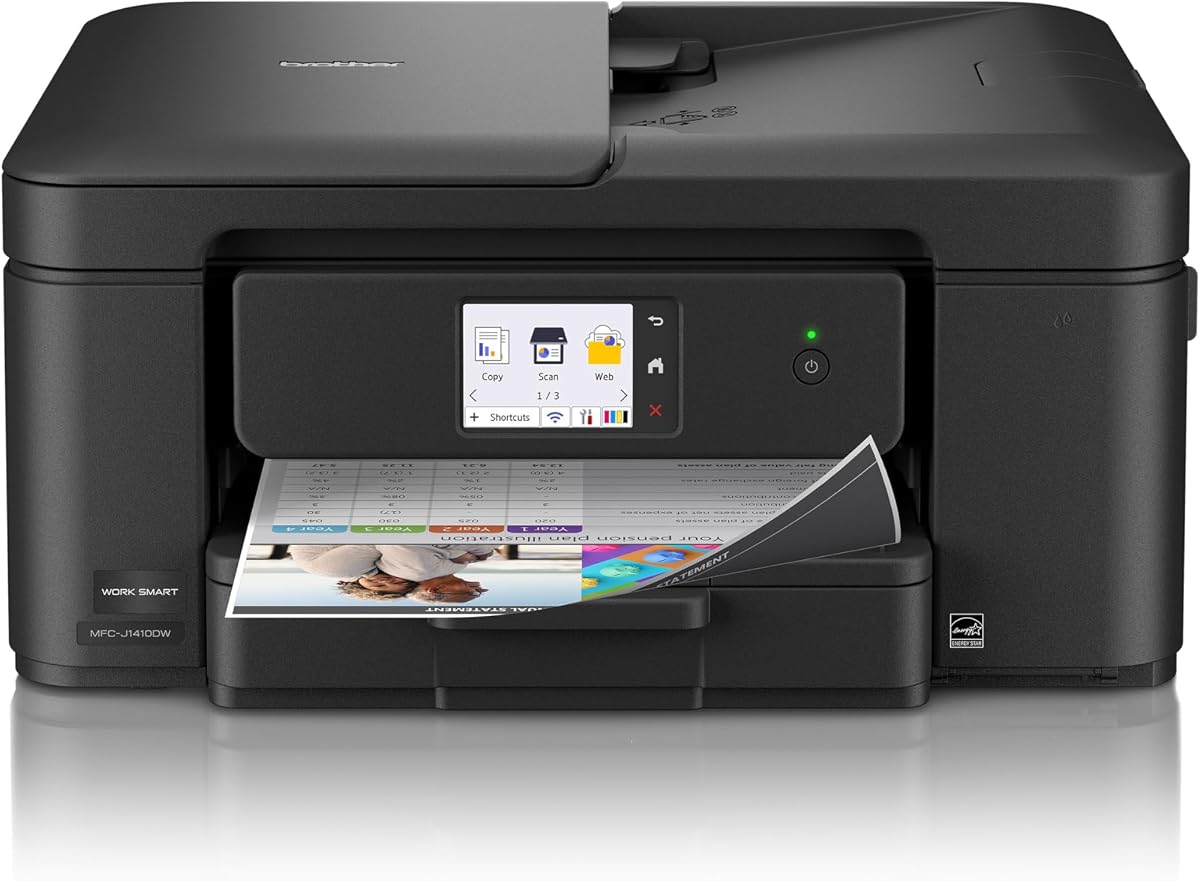
The Brother Work Smart 1410 is a well-equipped office printer with a 4.0 rating and a clear focus on workflow efficiency. It combines printing, copying, and scanning with automatic duplexing, a 20-sheet automatic document feeder, and a 150-sheet paper tray. Its 2.7-inch color touchscreen and cloud connections make it particularly relevant to users who regularly move documents between devices and online services.
We may earn a commission when you buy through this link, at no additional cost to you.
The printer reaches speeds of up to 16 pages per minute in black and nine pages per minute in color. Brother Mobile Connect provides mobile control, device management, and ink usage monitoring, which can help owners avoid unexpected interruptions. Wireless and USB options broaden setup flexibility, while direct connections to Google Drive, Dropbox, Box, and OneDrive support a more connected document workflow.
Its ink remains cartridge-based, and Brother recommends Genuine LC501 ink for reliable performance and warranty considerations. A Refresh subscription trial is included, but users who do not want an ongoing service should understand the trial terms before enrollment. Although automatic duplexing reduces paper use, the printer is not a tank model and therefore may not deliver the same long-run ink economics.
The Work Smart 1410 is a strong option for a home office or small office that values document feeding, paper savings, and cloud integration. The app-based ink monitoring is particularly useful for keeping the machine ready, while the touchscreen reduces the need for computer-based configuration. It is a balanced cartridge printer for productive users, but a refillable tank option may be more economical at consistently high volume.
The touchscreen can connect with widely used cloud services, reducing the steps needed to print or scan shared files. This makes the printer more useful for hybrid workers who do not keep every document on a local computer.
Brother Mobile Connect lets users monitor ink usage from a mobile device. That visibility can help prevent a mid-job depletion, although cartridge printers still require more frequent replacement attention than refillable-tank models.
We may earn a commission when you buy through this link, at no additional cost to you.
The HP Smart Tank Plus 570 is built for users who want high ink capacity and infrequent refills. It has a 3.8 rating and includes up to two years of Original HP Ink, with stated page allowances of up to 8,000 color pages or 6,000 black pages. That color-page figure is the highest stated allowance in this comparison, making the model especially interesting for color-heavy office output.
We may earn a commission when you buy through this link, at no additional cost to you.
Its cartridge-free system uses an easy-access refill process in which ink bottles are connected to the tank and allowed to drain. The design avoids squeezing and is presented as a cleaner alternative to cartridge replacement. Printing, copying, scanning, borderless output, mobile printing, and wireless printing are all supported, covering the core functions of a small-office all-in-one.
The omission of automatic duplex printing is significant for a printer positioned around productivity and long-run savings. Single-sided output means more paper may be consumed for long documents. Its 3.8 rating is also slightly below the strongest models in the group, suggesting that buyers should look beyond the capacity claim and evaluate the complete ownership experience.
Despite that limitation, the Smart Tank Plus 570 is a strong match for creative workers, educators, and small businesses that produce frequent color pages and prefer simple refills over cartridge changes. Its larger stated page coverage than the HP Smart Tank 5003 can be decisive for color-intensive users. Those who print long reports every day, however, may prefer a model with automatic duplexing or an automatic document feeder.
An allowance of up to 8,000 color pages gives the Smart Tank Plus 570 a notable advantage for high-color workflows. Real output will vary, so users should compare their historical page use with the manufacturer’s stated conditions before estimating refill frequency.
The refill system lets ink drain from connected bottles into the tank, avoiding the need to squeeze containers. This is a convenient feature for users who want fewer cartridge replacements without moving to a complex maintenance arrangement.
We may earn a commission when you buy through this link, at no additional cost to you.
The Epson EcoTank ET-2803 is a premium low-running-cost option with a 4.2 rating, tied for the highest rating in this guide. Its cartridge-free EcoTank system comes with up to two years of ink and is stated to provide up to 4,500 black pages or 7,500 color pages. Each replacement ink-bottle set is described as equivalent to about 80 individual cartridges, illustrating the scale of the ink-capacity advantage.
We may earn a commission when you buy through this link, at no additional cost to you.
Epson’s Micro Piezo Heat Free technology is designed to produce sharp text and strong color photos and graphics across paper types. A high-resolution flatbed scanner, color display, and built-in copier make this more than a single-function printer. Wireless connectivity, voice-activated printing, AirPrint, and the Epson Smart Panel app provide flexible ways to send and manage jobs.
The significant limitation is that this is not a full workflow machine. It lacks an automatic document feeder and automatic duplex printing, according to the supplied information. High-volume users who routinely scan contracts or print long documents will have to handle sheets manually. Refilling the larger tanks is also a different task from replacing a compact cartridge, though Epson’s EcoFit bottles are designed to make filling straightforward.
The ET-2803 is a compelling recommendation for buyers who want strong color capacity, refined output, and a cartridge-free approach without moving to a larger office printer. It is especially suitable for households, educators, designers, and home businesses that regularly print photos or presentation materials. Among refillable all-in-ones, its 4.2 rating, generous ink package, and user-friendly connectivity make it one of the strongest choices in the guide.
EcoTank bottles replace the recurring cartridge format with refillable reservoirs, and the supplied package covers thousands of pages. This model is designed to reduce both replacement frequency and the ongoing expense associated with small cartridge purchases.
Micro Piezo Heat Free technology supports sharp text and impressive color photographs and graphics. The integrated flatbed scanner and copier further broaden its usefulness for a home creative office.
We may earn a commission when you buy through this link, at no additional cost to you.
The true cost of an office printer includes more than the hardware. Ink, paper, duplexing, cartridge logistics, maintenance, and the time lost during interruptions all influence value, so the right model depends on print volume, document mix, and workflow requirements.
The ink system is usually the biggest factor in long-term running cost. Conventional cartridge printers may be convenient for occasional users, but frequent printing can produce substantial replenishment expenses. Refillable tank systems use larger ink bottles and are generally better suited to regular, high-volume work. Compare stated black and color page yields, not merely the number of years of ink included, because actual output changes with coverage, color use, and print settings.
Choose a cartridge printer for light, infrequent use and a tank printer for regular color or document output.
Automatic duplex printing prints both sides of a sheet without manual intervention. It saves paper, reduces the number of pages stored or discarded, and improves efficiency for reports, contracts, proposals, and educational materials. Models without automatic duplexing can still print two-sided documents manually, but that process consumes time and is easy to forget.
Prioritize automatic duplexing if your office regularly produces multipage documents.
An automatic document feeder accepts multiple pages for scanning or copying, reducing repetitive handling. A larger input tray also means fewer interruptions while printing lengthy jobs. The Canon PIXMA TS6520, HP Envy 6155, and Epson EcoTank ET-2803 are more compact-oriented choices without a stated ADF, whereas the HP OfficeJet Pro 8125 and Brother Work Smart 1410 include feeders. The HP OfficeJet Pro 8125 also has the largest listed paper tray.
Match the feeder and tray to workload size rather than buying capacity you will never use.
Wireless printing lets multiple devices share one machine and eliminates the need for a dedicated USB connection to every computer. Dual-band Wi-Fi can improve connection flexibility in busy networks, while a touchscreen provides easier access to settings, status, and job controls. Mobile apps, AirPrint, Mopria, voice printing, and cloud connections are useful additions, but they should complement—not replace—reliable basic printing.
Check dual-band Wi-Fi and app support when several people or devices will share the printer.
Published speed figures help distinguish occasional printers from models designed for active workspaces. The OfficeJet Pro 8125 lists up to 20 black pages per minute and 10 color pages per minute, while the Brother Work Smart 1410 reaches up to 16 black and nine color pages per minute. Faster output is most useful for long documents, shared offices, and time-sensitive work, but speed alone does not determine cost.
Use speed estimates alongside ink economics and duplexing to judge real productivity.
Color capability matters for reports, charts, marketing materials, school projects, and photos. The Epson EcoTank ET-2803 emphasizes Micro Piezo Heat Free output, while the HP Envy 6155 uses P3 technology and supports borderless photos. Canon PIXMA models also target sharp text and vibrant color. If color output is occasional, choose based on ease of use; if it is frequent, a tank printer’s included color allowance deserves extra weight.
For regular photo and graphic work, prioritize color yield and ink stability over fastest black-and-white speed.
Instant Ink, Refresh, and similar delivery services can be convenient, but they should be evaluated as optional ongoing commitments rather than automatically beneficial programs. The OfficeJet Pro 8125 and Envy 6155 include a three-month Instant Ink trial, while the Brother Work Smart 1410 includes a Refresh trial. A monthly fee can apply after the trial unless canceled, so users should review terms, page allowances, and how the service works with their actual volume.
Use subscription savings as a bonus, not the foundation of the buying decision.
A printer must fit its intended workspace, and the setup should be manageable for the people who will maintain it. Refillable tanks require occasional bottle refilling, while cartridge systems require frequent replacements and careful storage. Some models restrict third-party cartridges through chip or circuitry checks, including the original-chip requirements described for the HP OfficeJet Pro 8125 and Envy 6155. Check operating-system compatibility, app availability, and approved supplies before ordering.
Confirm physical fit, genuine supply support, and setup requirements before making the final choice.
Begin with an appropriate paper source and printer setting. Load the recommended sheet type, adjust the guides so the paper moves freely, and select the correct media setting in the printer or companion app. Using the correct paper profile helps preserve color accuracy, text sharpness, duplexing reliability, and the stated page yields. Print a short test page after a major setup change or cartridge refill to confirm alignment and color before beginning a large job.
For tank printers, refill only when the ink level is genuinely low and use compatible ink. Place the bottle on a stable surface, open or prepare the tank port as directed, and allow the ink to drain rather than squeezing it. Do not leave a partially used bottle standing in the refill position. For cartridge printers, keep spare cartridges sealed until needed, and never touch contacts or nozzles. If the printer is configured for a delivery service, review the subscription before adding extra supplies.
Keep the print path clean, use the printer’s maintenance menus appropriately, and schedule duplex printing for long documents. Avoid leaving the machine unused for extended periods with a partially completed job, since a paper jam or an open ink path can create unnecessary waste. Check for firmware updates, protect the printer with appropriate network security, and periodically compare actual ink use with the manufacturer’s page-yield assumptions to refine your long-term cost expectations.
Ink tank printers are generally more economical for frequent users because they are refilled with larger ink bottles and avoid repeated cartridge purchases. A cartridge printer may still be reasonable for occasional printing, particularly when the machine is rarely used. The actual advantage depends on the compatible ink cost, page yield, color mix, and how often the printer is operated.
The HP Smart Tank 5003 lists up to three years of included ink, while the Canon MegaTank G3270, HP Smart Tank Plus 570, and Epson EcoTank ET-2803 list up to two years. The Smart Tank Plus 570 has the highest stated color-page allowance at up to 8,000 pages, while the MegaTank G3270 lists up to 7,700 color pages. These estimates are not directly guaranteed for every print pattern.
Yes, because it allows both sides of a sheet to be used, reducing the amount of paper required for multipage documents. Savings become more meaningful in offices that print contracts, reports, worksheets, and presentations regularly. The financial benefit is smaller for single-page or short jobs, but duplexing also reduces handling time and makes document output more convenient.
Compare the conditions behind each yield figure, including whether the estimate is for black or color output. Coverage, print settings, image density, and document content can change actual results substantially. A useful approach is to review your recent print history, estimate the mix of black, text color, and full-color pages, and use those patterns to estimate refill or replacement frequency.
No. They can be useful when their pricing fits your print volume, but they are optional and may become an ongoing expense after a trial or promotional period. Tank printers work with refillable bottles without a delivery subscription, while cartridge users can buy supplies individually. Compare page-based pricing, shipping terms, cancellation rules, and what happens when a shipment is delayed.
A tank printer is usually the better fit for regular printing because it lowers per-page ink costs and reduces replacement frequency. A cartridge model with automatic duplexing, an automatic document feeder, and a larger paper tray may be more useful when workflow efficiency is the primary concern. The ideal choice balances ink economics with duplexing, feeding capacity, and space.
Not necessarily. If most jobs are one page, manual two-sided printing may be sufficient. Duplexing becomes increasingly valuable as document length and frequency rise because it saves paper, reduces output time, and eliminates manual page flipping. It is one of the most valuable features to prioritize for a busy home office or small workplace.
Confirm the current price of the printer and replacement ink, compatible supply format, estimated page yield, paper capacity, duplex support, and document-feeder needs. Also check physical dimensions, network compatibility, mobile apps, warranty terms, and any cartridge-chip restrictions. Current promotions and subscription terms can change, so the product page is the best source for final details.
The Epson EcoTank ET-2803 stands out as the editor’s choice for its 4.2 rating, cartridge-free design, strong color allowance, and refined printing features. The Canon PIXMA TS6520 offers the best balanced alternative for buyers who prioritize automatic duplexing, a clear OLED display, and compact operation. The Canon MegaTank G3270 provides a budget-oriented route to substantial ink coverage, while the HP Smart Tank 5003 earns the premium distinction for its extended included-ink package and simple refills.
The most important principle is to match the ink system to actual print volume. Frequent users should strongly consider tank models, while occasional users may be satisfied with a conventional cartridge printer. Within either category, automatic duplexing can reduce paper expenses, and an automatic document feeder can improve productivity for offices that regularly copy or scan multipage records. The Epson EcoTank and Canon MegaTank should be compared especially carefully when color output is substantial.
Before purchasing, confirm the current printer price, replacement ink cost, page-yield conditions, subscription terms, paper capacity, and workspace dimensions. Promotions and prices change, and the information available at a given moment can affect the apparent value of a model. A careful comparison of both hardware and long-term supply costs will help identify the office printer with low running costs that best fits your workflow.