
ScanSnap iX2500 Photo Edition
4.5Editor score
Touchscreen workflow customization
Up to 100 photos per minute
Wi-Fi and USB connectivity
Turning physical photographs into dependable digital files requires a scanner designed for more than ordinary documents. The best photo scanner for old photos to digital balances gentle handling, accurate color, useful restoration tools, and a workflow that makes organizing decades of prints manageable rather than overwhelming.
This guide compares ten scanners for printed photographs, film, slides, negatives, and mixed family archives. We evaluated the supplied specifications for print size support, optical resolution, feeder capacity, software features, connectivity, restoration options, and physical-document handling, with particular attention to the needs of aging and irreplaceable photographs.
Each review explains where a model excels, what trade-offs to consider, and which type of collector it suits best. The recommendations range from a budget flatbed to high-speed wireless systems and professional transparency scanners. Product availability, features, and prices can change, so confirm current details before purchasing.
4.5Editor score

4.5Editor score
4.1Editor score
As an Amazon Associate we earn from qualifying purchases.
The comparison below highlights each scanner's media support, resolution, automation, and connectivity, helping readers identify the right option for a small family album or a large mixed-format archive.




The Epson FastFoto FF-680W is a fast, feature-rich photo scanner for transforming large collections of printed photographs into digital files. It carries a 4.5 rating, and its standout qualities center on throughput, automated photo handling, flexible resolution choices, and the unusual ability to capture both sides of a print in one pass. It is especially convincing for albums containing many standard snapshots and handwritten dates on the reverse.
We may earn a commission when you buy through this link, at no additional cost to you.
Its defining advantage is speed. The scanner can process photographs at up to one photo per second at 300 dpi and can batch up to 36 photos at once. Users can choose 300 dpi for sharing, 600 dpi TIFF for archiving, or 1200 dpi for enlargement-oriented work. Automatic crop, deskew, rotation, red-eye reduction, color restoration, and auto enhancement reduce the manual work associated with imperfectly aligned prints.
The duplex function deserves particular attention because family photographs often have names, dates, school information, or studio marks written on the back. Capturing the image and those notes together creates a more complete digital record. The scanner also includes document OCR, a carrier sheet, a microfiber cloth, and direct backup options through services such as Dropbox and Google Drive. The principal trade-off is that it is built primarily for printed photos and documents rather than negatives, mounted slides, or oversized media.
This is the strongest general recommendation for someone with hundreds or thousands of paper photographs who wants a balance of speed, convenience, and preservation features. It is less appropriate for an archive centered on 35mm film, medium-format negatives, or mounted slides, because those formats require a transparency-equipped scanner. Even so, for printed-photo conversion, automatic enhancement and rapid batches make the FF-680W particularly effective for a serious home digitization project.
After scanning, the FastFoto app can add voice and text, create slideshows, and support sharing. The combination of high speed, duplex capture, and cloud-oriented organization makes this model a practical centerpiece for preserving a large family collection without dedicating the process to endless manual corrections.
A capacity of 36 photos and a stated rate of one photo per second materially reduce the time required to scan boxes of prints. Automatic crop, deskew, rotate, and enhancement also help standardize output while the user focuses on loading and sorting photographs.
Single-step duplex scanning captures the photograph and handwritten information on its reverse in one operation. This is particularly useful when dates, names, locations, or other identifying details add meaningful context to the original print.
We may earn a commission when you buy through this link, at no additional cost to you.
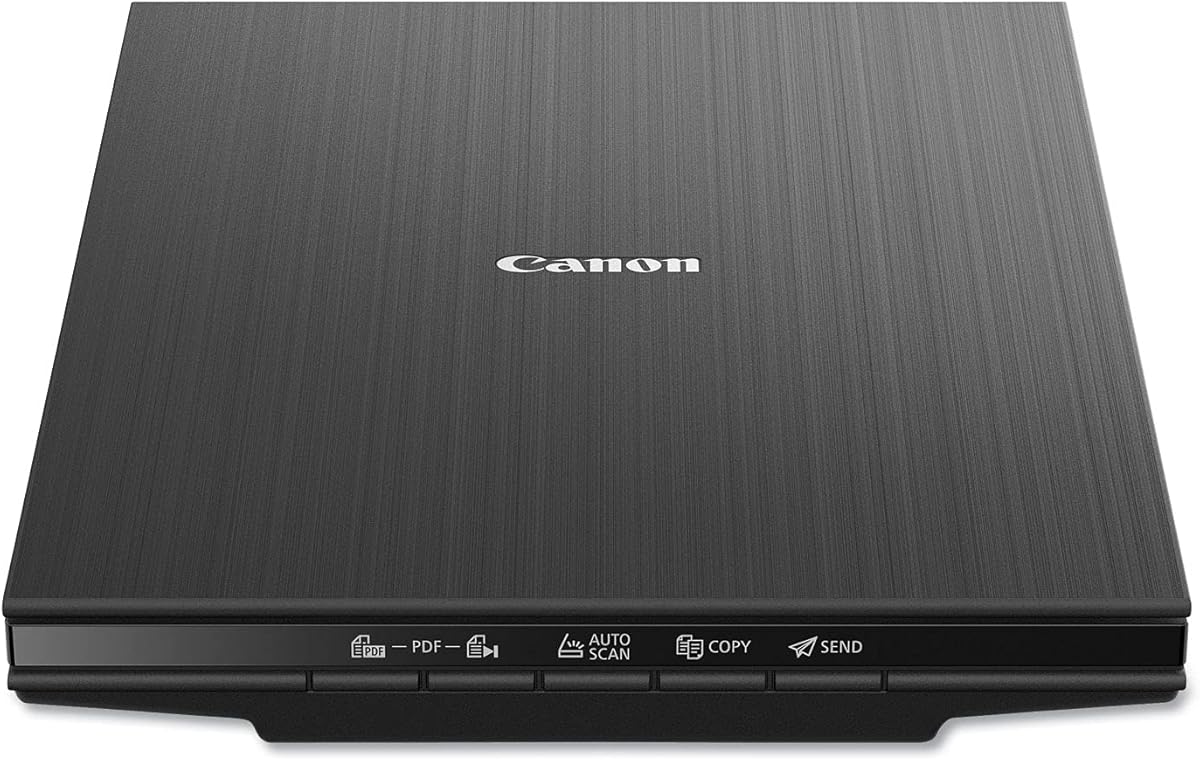
The Canon CanoScan LiDE 400 is a compact flatbed scanner aimed at people who want a straightforward, economical way to digitize old prints and documents. Its 4.1 rating reflects a practical balance of useful resolution, automatic operation, and a slim footprint. The model is particularly attractive for a home office, apartment, or occasional archive where conserving space matters.
We may earn a commission when you buy through this link, at no additional cost to you.
The scanner records up to 4800 × 4800 dpi, providing ample detail for standard photographs and images. Scan speed can reach eight seconds, while automatic scan mode detects the type of material placed on the glass. The EZ Buttons make common tasks accessible, and built-in PDF controls can produce editable, searchable multi-page PDF files.
Image enhancements include color restore and dust removal, both valuable when prints have faded or have accumulated particles. The included USB Type-C cable handles both data and power, reducing cable clutter and simplifying placement near a computer. The listed paper sizes cover common letter and A4 formats, and the flatbed design accommodates books, loose prints, and documents without requiring a feeder.
Its main limitation is that every item must be placed and handled manually. The slim profile also means it is less convenient for a large batch than a feeder-based model. It does not include the advanced organization, duplex, or cloud tools found in higher-end dedicated photo scanners. For users with only a modest number of prints, however, those omissions may be less important than straightforward scanning and useful restoration features.
The Canon LiDE 400 is best for budget-conscious collectors who want more scanning resolution than a basic office unit and value automatic detection. It is a sensible choice for family albums, artwork, and everyday documents, while those with hundreds of photographs or film collections should look for a faster feeder or transparency-capable alternative.
The scanner measures only 0.4 inches thick, making it easy to store away when the project is finished. Its low profile is useful for limited workspaces, and a single USB Type-C connection supplies both power and data.
Automatic scan detection reduces the need to adjust settings for every photograph or document. Color restore and dust removal also help improve the appearance of aged prints with minimal intervention.
We may earn a commission when you buy through this link, at no additional cost to you.
The AMBIR Photo Scanner with Photo Cleaning Kit Bundle combines a flatbed scanner, photo-care accessories, and organization software in one package. It holds a 4.3 rating and distinguishes itself through its included cleaning tools, support for numerous print dimensions, and the ability to bring existing digital photographs into the same library as newly scanned images.
We may earn a commission when you buy through this link, at no additional cost to you.
Scanning choices include 300 and 600 dpi, balancing practical sharing quality with higher-resolution archival work. The device supports 1-by-1-inch mini photos, 3-by-5, 4-by-6, 5-by-7, and 8-by-10 prints, along with panoramic images up to 12 inches. Auto crop and deskew help normalize output, while Picture Studio by AMBIR adds editing, albums, tags, favorites, notes, borders, filters, and fine adjustments for brightness, contrast, exposure, sharpness, and gamma.
The physical cleaning kit is a meaningful advantage when photographs have been stored for years. It includes a bellow-based blower, microfiber cloth, anti-static soft brush, and protective carrier sheet. That combination encourages careful handling while reducing loose dust around the scanning surface. A single USB cable handles power and data, and the product supports both Mac and PC environments.
The trade-off is that organization depends heavily on the companion software, and there is no wireless workflow. The stated 300 and 600 dpi options are also more modest than the 4800 or 6400 dpi figures advertised by some competing flatbeds. Nevertheless, resolution should not be evaluated in isolation: print size, viewing distance, source condition, and intended output all influence the result.
This AMBIR bundle is ideal for a collector who values both physical care and digital organization. It is especially appealing when the goal is to combine a fresh scan with images already stored in Apple Photos, Google Photos, camera libraries, or connected drives. Users who prefer simple standalone file output may find the broader software suite unnecessary, but for a searchable, unified archive, it is unusually complete.
The bundled blower, microfiber cloth, anti-static brush, and carrier sheet provide a practical care routine for fragile prints. Cleaning and protecting each photograph before scanning can reduce visible debris and handling risk.
Picture Studio by AMBIR can import images from major photo libraries, cameras, and memory drives. Albums, tags, notes, and favorites make it easier to build one browsable collection rather than managing separate folders.
We may earn a commission when you buy through this link, at no additional cost to you.
The Epson Perfection V19 II is a lightweight flatbed scanner intended for photographs, documents, artwork, illustrations, and books. Its 3.9 rating makes it a less decorated recommendation than the top-rated models, but the core specifications are well suited to printed-photo restoration: 4800 dpi optical resolution, one-touch controls, and one-click color restoration.
We may earn a commission when you buy through this link, at no additional cost to you.
Easy Photo Fix is central to the value proposition. It helps restore color to faded photographs, while Epson ScanSmart supports document conversion and OCR workflows. Users can create searchable PDFs and editable Microsoft Office files such as Word, Excel, and PowerPoint documents. The removable high-rise lid allows the scanner to handle books and photo albums, and a letter-sized document can be scanned in as little as 10 seconds.
Portability is another strength. The scanner weighs 3.1 pounds, operates over USB power, and includes a built-in kickstand for vertical storage. That makes it more convenient for a small workspace than a large desktop unit. The straightforward design is well suited to a family member who wants a minimal procedure rather than an elaborate professional workflow.
The main compromise is the lack of an automatic document feeder, so photographs must be scanned one at a time. The 4800 dpi specification also falls short of the Epson V850 Pro and V600, which offer 6400 dpi for demanding enlargement work. Its OCR and document features are welcome, but its organization tools are less photo-centric than those of the AMBIR bundle or ScanSnap iX2500.
The V19 II is a sensible choice for users who have a moderate number of printed photos and also need to scan albums, books, or paperwork. It provides a good balance of detail, restoration, and compactness without a feeder. For a very large collection, choosing an automatic feeder or a higher-resolution professional flatbed may save substantially more time.
A high-rise removable lid gives the flatbed enough clearance for bound material and photo albums. Users can capture pages without forcing the scanner lid against uneven or raised surfaces.
Easy Photo Fix offers a simple way to address faded color, while OCR and editable document outputs broaden the device's usefulness. One-touch buttons reduce the number of steps for routine scanning.
We may earn a commission when you buy through this link, at no additional cost to you.
The ScanSnap iX2500 Photo Edition is the most feature-driven workflow in this guide. It carries a 4.5 rating and is built for people who want to digitize substantial collections quickly while minimizing repetitive computer work. Its large touchscreen, automatic feeder, wireless support, customizable profiles, and direct cloud destinations distinguish it from conventional flatbeds.
We may earn a commission when you buy through this link, at no additional cost to you.
Scan speed reaches up to 100 photos per minute, and the automatic document feeder holds up to 100 documents or 36 photos. Three photo carrier sheets are included for delicate prints, along with quick-start instructions for creating photo scanning profiles. Automatic optimizations, file naming, and sorting reduce the burden of processing a large output at once.
Connectivity is unusually flexible. Built-in Wi-Fi 6 allows the scanner to send files to a computer, Mac, mobile device, or cloud service without being tethered to one machine. USB-C is available when a wired connection is preferred. The touchscreen also serves as a central control point, while the Quick Menu supports a scan-drag-drop workflow into favorite computer applications.
These features come with a trade-off: the iX2500 Photo Edition is aimed at a more demanding segment of the market and may be unnecessary for a small album. Its advanced options can also create a steeper learning curve than a simple flatbed. Nevertheless, for a large family archive, a club archive, or a long-term preservation project, the combination of speed and automated organization can offer substantial time savings.
This model is the premium recommendation for collectors who prioritize throughput and a modern digital workflow. It is particularly suitable for users comfortable with profiles, touchscreen menus, and cloud routing. Those who only need to scan a few dozen prints and value simple placement on glass may find a less advanced model more appropriate.
Automatic optimization, naming, and sorting reduce repetitive work after each batch. The result is a more consistent library that is easier to browse, share, and maintain as the archive grows.
Wi-Fi 6 and USB-C let users choose between direct wireless delivery and a stable wired connection. Outputs can reach computers, mobile devices, or cloud services, supporting different storage and sharing preferences.
We may earn a commission when you buy through this link, at no additional cost to you.
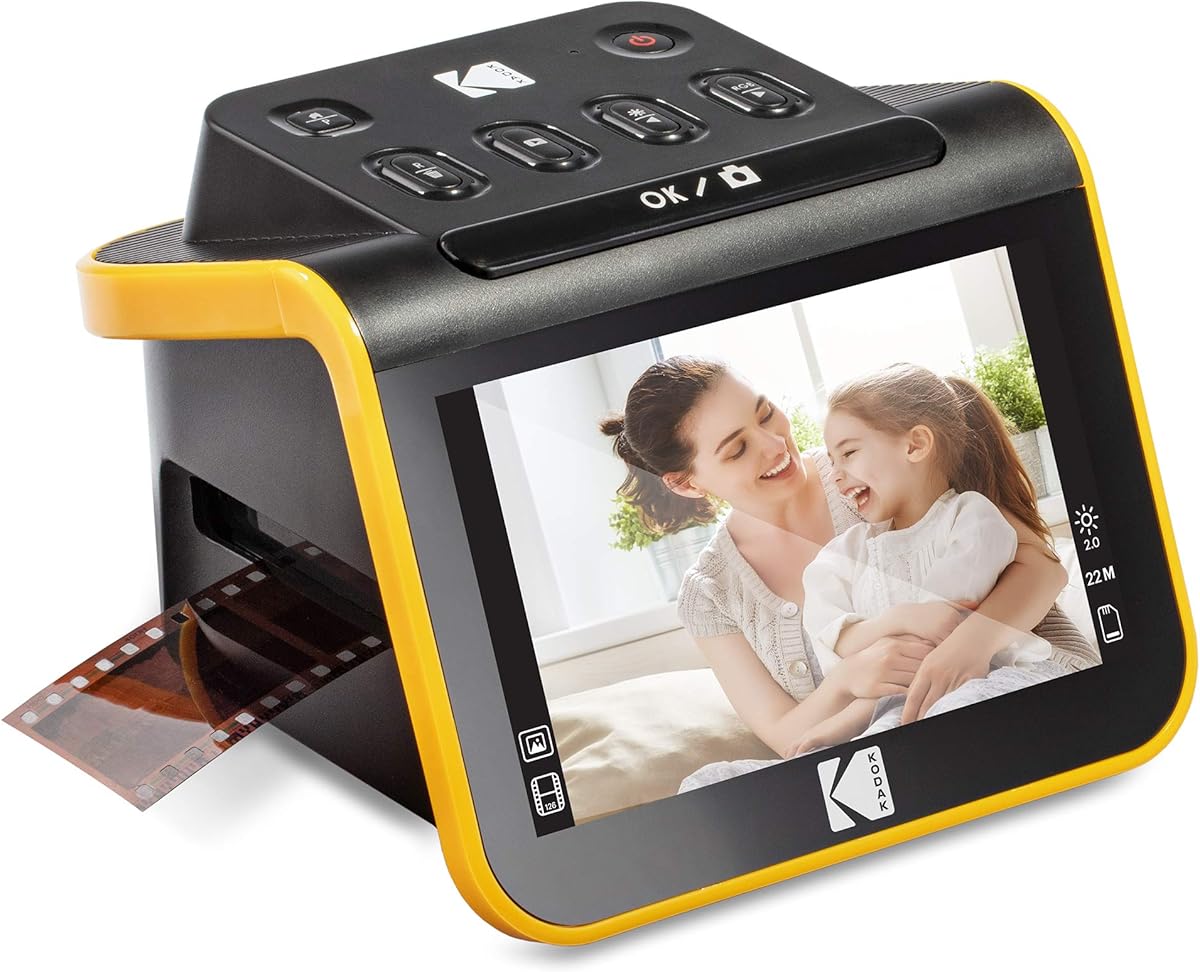
The KODAK Slide N Scan is a dedicated film and slide scanner for collections that include 135, 110, and 126mm negatives or 50mm slides. It has a 4.3 rating and is built around a 22-megapixel sensor, a large 5-inch LCD, and a straightforward capture process that does not require a computer.
We may earn a commission when you buy through this link, at no additional cost to you.
The display provides a clear preview before saving, and gallery mode allows users to review captured images on the device. Easy-load film inserts and a quick-feeding tray simplify handling. Adapters for 135, 110, and 126 film, along with a 50mm slide holder and cleaning brush, cover several common analog formats. Captured files can be saved directly to an SD or SDHC card.
The capture software keeps the interface approachable. A single Scan button can enhance, resize, and convert an image. Users can select the film type, adjust color brightness, and assign date and time information without navigating a complex professional editing environment. The scanner connects to USB Type-C-enabled computers and can also serve as an elegant digital picture frame in the home or office.
Its scope is narrow by design. It is not a paper-photo scanner, so printed albums and loose prints require another device. The SD card is not included, and the 22-megapixel specification is designed around film and slides rather than the optical-resolution figures cited for flatbed scanners. These are not shortcomings for the right user; they simply define the model's role.
The Slide N Scan is an excellent choice for families with boxes of negatives who want a simple, self-contained process. It is less suitable for medium-format film, large mounted slides, or collections centered on printed photographs. Its preview screen and direct card saving also make it useful for users who prefer immediate feedback over a computer-based workflow.
The 5-inch LCD makes it possible to frame, inspect, and edit an image before committing it to memory. Gallery mode also provides a convenient way to revisit captures on the device.
Direct SD or SDHC card saving allows negatives to be scanned without a nearby computer. A card reader can then transfer the files, while the supplied USB cable supports connection to compatible systems.
We may earn a commission when you buy through this link, at no additional cost to you.
The Pandigital Personal Photo Scanner/Converter, model PANSCN06, is a standalone scanner for people who want to move printed photographs onto removable storage without relying on a computer. It has a 4.2 rating and its defining advantages are direct SD card saving, no-PC operation, broad card compatibility, and support for prints up to 8.5 by 11 inches.
We may earn a commission when you buy through this link, at no additional cost to you.
The scanner operates at 600 dpi, which is suitable for common viewing and sharing purposes when source photographs are viewed at ordinary screen sizes. Photos can be saved directly to an SD card, and the built-in five-in-one reader supports SD, MS, MS Pro, MMC, and XD media. That range of card support makes it easier to move images from cameras and older devices into a computer library.
Its operation is intentionally uncomplicated. There is no need to install scanning software or keep a computer running for each photograph. Once files are on the card, the user can transfer them to a digital frame, personal computer, or other storage location. The support for 8.5-by-11-inch photographs also extends beyond many small-format scanners.
The trade-offs are clear. A 600 dpi output trails the 4800 and 6400 dpi specifications offered by several Epson flatbeds, so this model is less appropriate for major enlargements or detailed fine-art reproduction. Its software and organization capabilities are also more limited. A modern workflow may require additional file sorting once the images reach a computer.
The PANSCN06 is best for a straightforward standalone conversion station, a senior or less technical user, or anyone who prefers removable media to network scanning. It handles large printed photographs and basic transfers well. Users seeking fine detail, extensive photo management, or an automated workflow should consider a more capable flatbed or feeder-based system.
Saving straight to an SD card removes the computer from the scanning step. Users can capture a batch of prints and then transfer the files whenever convenient.
The integrated reader accepts several common memory card formats, including SD, MS, MS Pro, MMC, and XD. This adds flexibility when importing images from cameras and earlier-generation devices.
We may earn a commission when you buy through this link, at no additional cost to you.
The Epson Perfection V39 II is a compact 4800 dpi flatbed for photographs, artwork, illustrations, books, and documents. Its 3.7 rating is the lowest in this guide, but the listed capabilities remain relevant for printed-photo restoration and general creative scanning. One-touch operation and Easy Photo Fix keep the workflow approachable.
We may earn a commission when you buy through this link, at no additional cost to you.
The 4800 dpi optical resolution provides a useful margin for detailed prints and enlargements. The scanner can capture letter-sized documents in as little as 10 seconds, and its one-touch buttons reduce the number of steps involved. A high-rise removable lid allows scanning of books and other bound material, while USB power supports convenient placement.
Epson ScanSmart adds useful capabilities, including stitching oversized images and sending scans to supported cloud storage services. These features extend the scanner beyond single-page or single-photo output. For preserving a large physical archive, the option to move files into cloud services can simplify access across devices and provide a convenient secondary location.
The main limitation is the absence of a feeder, which makes a large printed collection slow and labor-intensive. The model also offers fewer advanced photo-library and workflow features than the AMBIR or ScanSnap options. Users focused only on archival print conversion may find those extras unnecessary, but people who also scan paperwork benefit from the broader document support.
The V39 II is a sensible choice for a mixed home scanning setup where prints, books, documents, and artwork all need occasional attention. It delivers more detail than the Canon LiDE 400's stated 4800-square-pixel output and 600 dpi standalone options, while remaining compact. A collector with hundreds of prints should favor an automatic feeder to reduce handling time.
Beyond photographs, the flatbed handles illustrations, artwork, books, and ordinary documents. This versatility makes it useful for a household that wants one device for several kinds of material.
The 4800 dpi specification supports detailed scans, while a built-in kickstand lets the unit stand vertically when not in use. Cloud delivery through Epson ScanSmart adds another way to manage completed files.
We may earn a commission when you buy through this link, at no additional cost to you.
The Epson Perfection V850 Pro is a professional flatbed built for users who need exceptional optical detail and tonal rendering. It carries a 4.4 rating and stands apart from the guide's general-purpose models through its 6400 dpi resolution, 4.0 Dmax rating, and exclusive dual-lens system.
We may earn a commission when you buy through this link, at no additional cost to you.
The dual lenses are designed to select an appropriate optical configuration for the source. That focus on image quality is reinforced by the high resolution, which provides ample source detail for substantial enlargements. The stated 4.0 Dmax and smooth gradations make this scanner especially relevant to photographs with fine shadow detail, subtle tonal transitions, or artwork requiring careful reproduction.
The professional positioning means it can serve collectors, photographers, artists, and archival users who evaluate the output closely. It is not limited conceptually to casual snapshots. The trade-off is that it occupies a different market tier from the feeder-based and budget models, so a household with a small album may not need everything it offers.
Compatibility is another consideration. The supplied information lists Windows 8.1, Windows 8, Windows 7, Windows Vista, Windows XP, Windows XP Professional x64, and Mac OS X versions 10.6.x through 10.10.x. That operating system list is dated relative to modern computers, so buyers should verify current driver and software support before purchasing.
The V850 Pro is the most compelling choice when image fidelity is the priority and the source collection justifies professional hardware. It suits users preparing files for large prints, detailed reproductions, or close inspection. For ordinary family-photo backups, a faster automatic model may deliver a more convenient workflow at a lower tier.
The dual-lens system can select from two lenses to optimize capture for different subjects. This professional design prioritizes optical performance rather than relying only on software interpolation.
A 4.0 Dmax specification supports smooth gradations and detailed shadow reproduction. These characteristics matter for high-contrast photographs, artwork, and images intended for substantial enlargement.
We may earn a commission when you buy through this link, at no additional cost to you.
The Epson Perfection V600 is a versatile flatbed for converting slides, film, negatives, prints, and documents into high-resolution files. Its 4.0 rating reflects a capable traditional scanning package with a 6400 × 9600 dpi maximum resolution and a built-in transparency unit. It is particularly attractive to collectors who want one device for both analog film and paper photographs.
We may earn a commission when you buy through this link, at no additional cost to you.
The transparency unit can handle four mounted 35mm slides or 12 negatives, along with medium-format film up to 6 by 22 centimeters. Printed photos and documents up to 8.5 by 11.7 inches fit the scanning bed. Maximum resolution supports enlargement output up to 17 by 22 inches, giving the scanner considerable latitude for large prints and detailed reproductions.
ReadyScan LED technology allows the unit to operate without a warm-up period. Four customizable buttons make scanning, copying, attaching files to email, and creating PDFs more direct. For image cleanup, Digital ICE addresses dust and scratches, while ArcSoft PhotoStudio provides enhancement and Easy Photo Fix restores faded images. The package includes 35mm slide holders and medium-format film holders.
As a wired device, it lacks wireless convenience, and its flatbed design requires manual placement for every item. The product information is also tied to an older software and accessory ecosystem, so current compatibility should be confirmed. Even so, the built-in transparency unit is a substantial advantage over print-only models.
The V600 is best for a collector who wants one scanner for negatives, mounted slides, medium-format film, and prints without moving between separate devices. It is less suitable for users who need feeder-based batch speed or wireless cloud delivery. For a mixed analog-and-paper archive that values resolution and included cleaning software, it remains a capable all-in-one flatbed.
The integrated transparency unit accepts mounted 35mm slides, standard negatives, and medium-format film. Holders are included, allowing printed photos and analog transparencies to share the same device.
Digital ICE helps suppress dust and scratch artifacts, while Easy Photo Fix addresses fading. ArcSoft PhotoStudio adds broader enhancement controls for preparing finished digital files.
We may earn a commission when you buy through this link, at no additional cost to you.
The right scanner depends on the media you own, the number of originals, the quality you need, and how you plan to organize the resulting files. Review these factors before comparing specifications.
Begin by identifying the formats in your collection. Flatbed scanners are well suited to loose prints, photographs in albums, and documents, while dedicated film scanners handle negatives and slides more efficiently. Models such as the Epson Perfection V600 and V850 Pro include transparency capabilities, whereas the Canon LiDE 400 and Epson V19 II are primarily designed for paper. Buying a print-only scanner for a box of negatives would leave the core project incomplete.
Collection size is a stronger speed factor than the number of megapixels advertised for a single scan. A small group of prints can be handled on a flatbed, but hundreds or thousands of photographs are far more practical with an automatic document feeder. The Epson FastFoto FF-680W batches up to 36 photos, while the ScanSnap iX2500 holds up to 36 photos or 100 documents and scans as many as 100 photos per minute. Consider both loading capacity and the time spent correcting crooked or badly separated prints.
Resolution determines how much source detail the scanner can capture, but more is not automatically necessary for every use. The Epson FastFoto provides 300, 600, and 1200 dpi options, while the AMBIR model offers 300 or 600 dpi. The Canon and two Epson flatbeds cite 4800 dpi, and the V600 and V850 Pro reach 6400 dpi or higher. Match resolution to the goal: smaller screen reproductions, large archival prints, and close inspection have different demands. Software upscaling cannot replace missing optical detail.
Restoration tools can improve the appearance of faded, dusty, or misaligned photographs. Look for automatic crop, deskew, rotation, color restore, dust removal, red-eye reduction, and one-click color restoration. The FastFoto provides a broad set of automatic enhancements, the Canon includes color restore and dust removal, and the Epson V19 II, V39 II, V600, and V850 Pro support fading-related correction. These features are helpful, but they should support rather than replace careful handling and correct source selection.
USB provides a direct, dependable connection to a computer, and USB Type-C can simplify modern setups. Wireless connectivity allows a scanner to send files to computers, mobile devices, or cloud services without a fixed cable, which is valuable in a shared archive room. The FastFoto supports both USB and wireless connections, and the ScanSnap iX2500 adds Wi-Fi 6 and USB-C. Standalone models such as the Pandigital PANSCN06 save directly to memory cards, while the KODAK Slide N Scan also offers SD card capture.
A successful digitization project needs more than accurate files. The ideal workflow can name, sort, tag, edit, and back up scanned photographs. The AMBIR bundle imports existing digital libraries and adds albums, favorites, notes, and tags, while the ScanSnap iX2500 automates naming and sorting and can send output to cloud services. The Epson FastFoto supports cloud backup and slideshow creation. Whichever scanner you choose, plan a naming system and more than one storage location before beginning.
Old photographs can be fragile, glossy, warped, dusty, or stuck together. Safe handling matters before the scanner reaches the image. The AMBIR bundle includes a bellow blower, microfiber cloth, anti-static brush, and carrier sheet. The FastFoto includes a carrier sheet and microfiber cloth, while the ScanSnap includes three photo carrier sheets. The Epson V19 II and V39 II feature high-rise removable lids for books and albums. Clean and separate photographs carefully, and never force a fragile print into a feeder.
A scanner should fit the space where it will actually be used and run reliably with the computer system you own. The Canon LiDE 400 has a slim 0.4-inch profile, while the Epson V19 II is USB powered and includes a kickstand for vertical storage. The V850 Pro's listed operating system support is dated, so current driver compatibility deserves verification. The AMBIR model is identified as Mac and PC compatible, and the KODAK scanner connects to USB Type-C-enabled computers. Check software requirements before committing to a model.
Prepare the workspace before connecting the scanner. Use a clean, dry surface with enough light to inspect photographs before loading them. Sort prints by approximate size or album, remove loose debris gently, and identify fragile or badly damaged examples that should be handled separately. Read the scanner's instructions and create a small test folder on the destination computer or memory card.
Choose settings based on the intended use rather than automatically selecting the highest resolution. A 300 dpi file is often practical for routine sharing, while 600 dpi provides more detail for archiving and a specialized scan can be created for important prints. Select the correct photo or film mode, enable automatic crop and deskew when available, and review color restoration before applying it broadly. For films and slides, choose the correct holder and film type.
After scanning, inspect a sample from every batch for alignment, color, cropping, dust, and missing backs. Save the original scan before editing, then use copies for restoration, cropping, and enhancement. Organize the finished files with consistent names, then create at least one additional backup in a separate location. Keep the physical originals in archival-safe storage and record which files correspond to each album or box.
For a large collection of printed photographs, the Epson FastFoto FF-680W stands out because it scans quickly, batches up to 36 photos, and captures handwritten notes on the reverse. The Canon CanoScan LiDE 400 is a more economical option for a smaller number of prints. The right choice ultimately depends on collection size, budget, desired resolution, and whether you need wireless organization.
A print-only flatbed is not designed to reproduce film transparencies correctly. You need either a dedicated film scanner such as the KODAK Slide N Scan or a flatbed with a built-in transparency unit, such as the Epson Perfection V600. These models can scan mounted slides and negatives as well as ordinary printed photographs.
For ordinary screen viewing, family sharing, and many archive uses, 600 dpi can provide a practical digital representation. Larger prints, fine facial detail, and substantial enlargements may benefit from 1200 dpi or a flatbed advertising 4800 to 6400 dpi. The best setting also depends on the original's condition and the size of the physical photograph.
Scanning both sides can preserve valuable context such as handwritten names, dates, studio marks, and notes. The Epson FastFoto FF-680W is specifically noted for capturing a photo and its reverse in one operation. If a print is extremely fragile, however, inspect it carefully and avoid forcing it through any feeder.
Some models can. The Pandigital PANSCN06 saves directly to SD cards and includes a multi-format memory reader, while the KODAK Slide N Scan can save to SD or SDHC media and displays previews on its 5-inch LCD. Most flatbeds, including the Canon LiDE 400 and Epson Perfection models, use a computer for configuration and file handling.
Clean the originals and scanner glass before scanning, then handle each print only by its edges. The AMBIR bundle includes a blower, microfiber cloth, anti-static brush, and carrier sheet, while the Epson V600 uses Digital ICE to address dust and scratches in software. Physical cleaning and careful placement remain important because software cannot reconstruct genuinely missing image detail.
The ScanSnap iX2500 Photo Edition is designed for high-volume work, with up to 100 photos per minute, a feeder capacity of 36 photos, automatic optimizations, and file naming and sorting. The Epson FastFoto is also efficient for printed photographs and adds duplex capture. Ease of use also depends on the software interface, so check whether automatic routing and cloud support suit your organization method.
Create a consistent folder and naming structure before scanning in bulk, and preserve untouched original files. Use the software's automatic naming, tags, albums, notes, or favorites where available, but verify them against the physical albums. Maintain backups on more than one type of storage and keep a written log connecting each digital group to its original box or envelope.
The Epson FastFoto FF-680W is the strongest overall recommendation for printed family photographs because it combines rapid batches, duplex capture, automatic enhancement, and flexible resolution choices. The Canon CanoScan LiDE 400 serves budget-conscious users with a modest collection, while the ScanSnap iX2500 Photo Edition is the most capable option for a large archive that values speed, wireless routing, and automated organization.
Prioritize the formats you own, the size of the collection, and the level of detail you need before comparing feature lists. Negative and slide owners should choose a transparency-capable scanner, while collectors of hundreds of prints should strongly consider an automatic feeder. Physical photo care, file naming, and backup planning are just as important as the scanner specification when the goal is a useful long-term digital collection.
Finally, check the current product details, software compatibility, included accessories, and price before ordering. Scanner models, operating system support, cloud features, and promotional availability can change, and the right device should fit both your archive and the computer setup you intend to use.
