
CENMATE 2-Bay USB A/C
3.9Editor score
Four RAID operating modes
Supports 2.5 and 3.5-inch drives
USB 3.0 up to 5Gbps
Built-in cooling fan
A RAID enclosure combines multiple drives into an external storage system that can improve performance, add redundancy, or simply provide more usable space. The right model depends on the drives you own, the RAID configurations you need, cooling expectations, and whether portability or high capacity matters more.
We compared all ten products by examining bay count, supported drive types, RAID modes, interface speed, maximum stated capacity, power requirements, cooling, and physical design. The list covers compact two-bay SATA units, larger multi-bay hard-drive systems, a high-speed NVMe enclosure, and several eSATA-equipped models.
Each review explains the enclosure's strongest qualities and practical limitations, while the comparison table makes the major differences easier to scan. Product details and availability can change, and market prices fluctuate, so readers should verify the current specifications and offer before purchasing.
3.9Editor score

4.5Editor score

4.7Editor score
As an Amazon Associate we earn from qualifying purchases.
The table below compares every enclosure in the guide across its most important characteristics: drive support, RAID flexibility, maximum capacity, connectivity, and cooling or power features.


The CENMATE Aluminum 2 Bay Hard Drive RAID Enclosure is a compact, budget-oriented option for combining two SATA drives outside a desktop computer. It holds both 2.5-inch and 3.5-inch HDDs or SSDs, supports up to 20TB per drive according to the supplied information, and carries a 3.9 rating. Its tool-free design makes it more convenient than a fixed-drive reader.
We may earn a commission when you buy through this link, at no additional cost to you.
The enclosure supports RAID 0, RAID 1, Normal, and JBOD, covering the configurations most buyers need for a two-drive system. RAID 0 can combine capacity and favor speed, while RAID 1 mirrors data between the two drives. A JMS561 controller and USB 3.0 interface provide transfer rates up to 5Gbps, while included USB A and USB C cables improve connection options.
Thermal management is handled by an aluminum-alloy shell and a two-inch fan. The manufacturer states that fan noise is around 40–50 decibels, which may be noticeable in a quiet room. Mac users should also note that the enclosure does not include RAID software for macOS. RAID mode changes and array design can result in data loss, so a separate backup remains important.
This is a practical recommendation for users building a first two-bay external RAID system without needing eSATA or more than four operating modes. It is particularly attractive when tool-free access and support for both laptop and desktop SATA drives matter. Users who require silent operation or native macOS array management should consider a different model.
Supporting both 2.5-inch and 3.5-inch SATA drives makes this enclosure useful for combining existing storage with a compact SSD. The stated per-drive capacity of up to 20TB also gives buyers room to start smaller and expand as their storage needs grow.
RAID 0, RAID 1, Normal, and JBOD cover speed, mirroring, independent access, and combined operation. The reset procedure must be followed carefully, especially when changing the array layout, because an incorrect configuration can lead to data loss.
We may earn a commission when you buy through this link, at no additional cost to you.
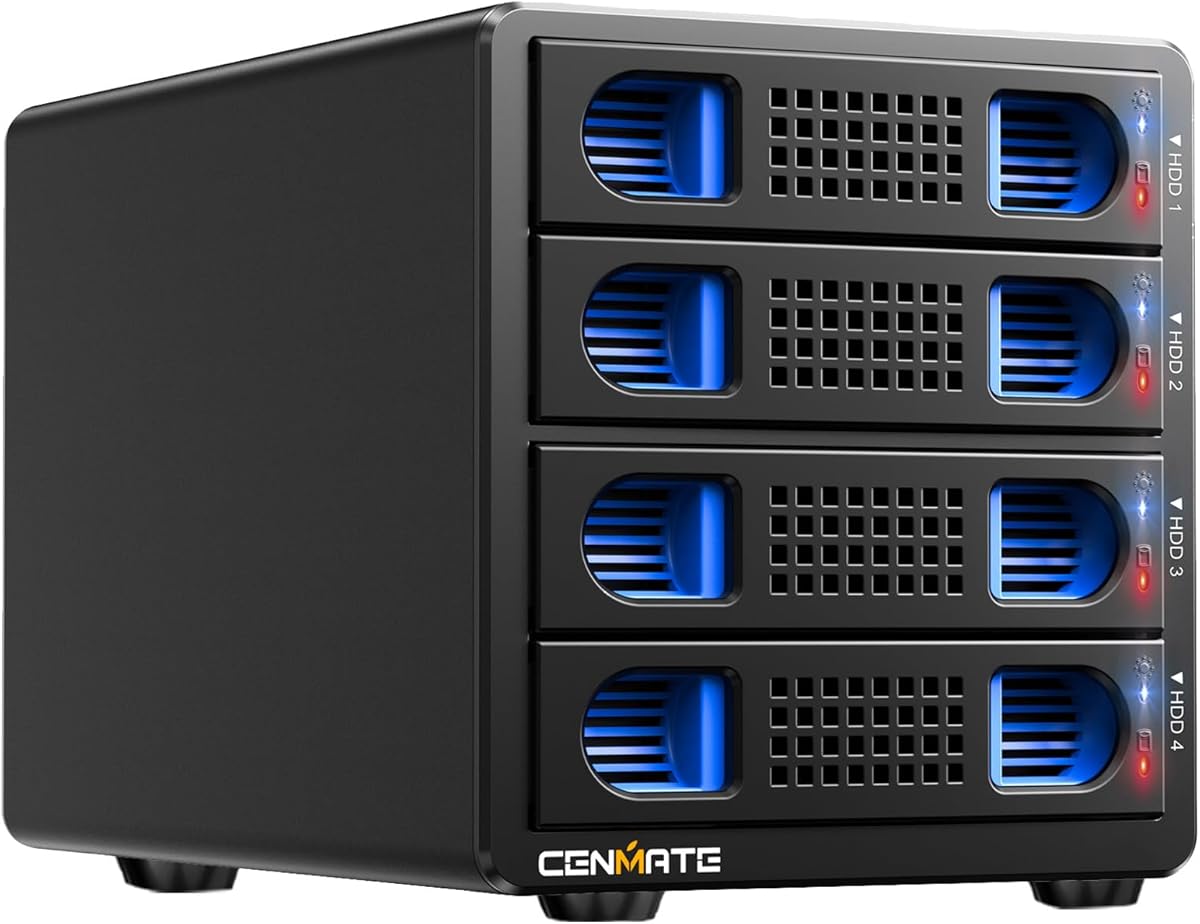
The CENMATE Aluminum 4 Bay Hard Drive RAID Enclosure is designed for users who want more configuration choices than a basic two-bay unit. It supports 2.5-inch and 3.5-inch SATA HDDs or SSDs, offers a stated maximum of 20TB per drive, and has a 3.9 rating. Its four-bay format gives users a practical middle ground between desktop portability and larger storage arrays.
We may earn a commission when you buy through this link, at no additional cost to you.
RAID 0, RAID 1, RAID 3, RAID 5, RAID 10, Clone, Large, and Normal modes cover a broad range of needs. The supplied USB 3.0 and eSATA cables provide flexible connectivity, although the eSATA port cannot be used with a generic computer SATA-to-eSATA adapter. The host must offer a native eSATA port with RAID support to expose multiple bays correctly.
An aluminum-alloy enclosure and two two-inch fans help manage heat, with stated noise around 40–50 decibels. A DC 12V adapter supplies stable power, while the JMS567 and JMB393 chips support the enclosure's USB 3.0 interface up to 5Gbps. Hot-swapping is not supported, so the enclosure should be powered down before removing drives.
This model suits media professionals, businesses, and advanced home users who value flexible RAID layouts and have suitable eSATA hardware. It may be unnecessary for a simple mirrored backup, but it offers a stronger feature set for larger working sets. Buyers using USB can still connect the enclosure, while eSATA users need to verify host compatibility before ordering.
The range from RAID 0 and RAID 1 to RAID 3, RAID 5, RAID 10, Clone, Large, and Normal makes the enclosure adaptable to different storage goals. Users changing an existing array should return to Normal first and follow the stated switch procedure.
The eSATA connection is valuable only when the computer provides compatible RAID functionality. Without it, the supplied guidance indicates that only one drive bay may be accessible, so USB remains the more universally convenient connection method.
We may earn a commission when you buy through this link, at no additional cost to you.
The CENMATE Aluminum 2 Bay Hard Drive 10Gbps RAID Enclosure is a refined two-bay option built around the ASM1352R chip. It supports 2.5-inch and 3.5-inch SATA HDDs or SSDs, a stated capacity of up to 20TB per drive, and four operating modes. Its 4.7 rating is the highest among the products in this guide.
We may earn a commission when you buy through this link, at no additional cost to you.
The principal upgrade over basic 5Gbps two-bay designs is the 10Gbps USB 3.2 interface, paired with the ASM1352R controller. RAID 0, RAID 1, Normal, and JBOD offer a balanced selection for striped performance, mirrored redundancy, independent operation, and combined access. USB A and USB C cables are included, supporting plug-and-play use with compatible Windows, Mac, and Linux systems.
The aluminum-alloy body and two-inch cooling fan help address heat generated by two spinning disks. As with the other fan-cooled CENMATE models, the stated sound level is around 40–50 decibels, which may be noticeable in a quiet workspace. Mac users are explicitly told that macOS RAID software is not provided, and changing RAID modes requires care because data loss can occur.
This is a strong recommendation for a two-drive user who values a higher-rated controller and faster host interface over the extra bay count of larger systems. It is also well suited to users who already own mixed-size SATA drives. Those needing more than two disks, multi-drive RAID 5, or eSATA should look to the higher-bay alternatives.
The 10Gbps USB specification can reduce interface bottlenecks compared with 5Gbps models, although real transfer speed still depends on the drives, computer, connection, and selected RAID mode. It is a meaningful distinction for systems built around fast SATA SSDs.
The ASM1352R chip is presented as offering improved stability and compatibility. Combined with tool-free installation and an aluminum shell, it gives this compact enclosure a more purposeful design than a basic passive drive reader.
We may earn a commission when you buy through this link, at no additional cost to you.
The Yottamaster PS500RC3 combines five drive bays with a broad collection of RAID modes, making it the most versatile option in this guide. It supports 2.5-inch and 3.5-inch SATA HDDs and SSDs, accepts up to five 22TB drives according to the supplied information, and has a 4.5 rating. Its removable trays make installation and replacement more convenient than fixed bays.
We may earn a commission when you buy through this link, at no additional cost to you.
RAID 0, RAID 1, RAID 3, RAID 5, RAID 10, and JBOD or SPAN cover most common external-storage workflows. Clone mode is also available, while hardware and software RAID options give users different ways to configure the system. The USB 3.1 Type-C interface supports transfer rates up to 5Gbps and is compatible with most Windows, Mac, and Linux systems.
Cooling comes from an aluminum-alloy shell, front and rear ventilation openings, and an 80mm fan that automatically adjusts its speed based on drive temperature. One important limitation is power consumption: the five installed drives must not collectively exceed 78W, and additional external power may be necessary for high-power hard drives. New disks may also require formatting and partitioning.
This enclosure is a strong fit for photographers, video editors, studios, and businesses that want a broad mix of RAID capabilities without moving to an eight- or ten-bay chassis. It is also a sensible choice for users assembling a large external direct-attached storage system. Buyers should check drive power requirements carefully, especially when combining several high-capacity spinning disks.
Five removable trays provide enough capacity for substantial media libraries, backups, and working sets while remaining more manageable than very large arrays. The included screws secure each drive in its tray, helping protect the drive and connector during handling.
The temperature-responsive 80mm fan is designed to increase airflow as drive temperatures rise while remaining quiet at lower levels. The aluminum shell and ventilated front and rear panels complement that cooling arrangement.
We may earn a commission when you buy through this link, at no additional cost to you.
The CENMATE ASM1156R 2-Bay enclosure is a compact RAID system for two SATA drives. It accepts 2.5-inch and 3.5-inch HDDs or SSDs, supports up to 20TB per drive, and has a 4.7 rating. Like the 10Gbps CENMATE model, it centers on a specified RAID controller and includes a cooling fan in an aluminum-alloy body.
We may earn a commission when you buy through this link, at no additional cost to you.
Its operating modes are RAID 0, RAID 1, Normal, and JBOD. The array can be changed through the reset control, but the product guidance specifically warns that pressing and holding Reset after establishing the RAID array can be hazardous to data. RAID setup and reconfiguration may result in data loss, so a separate copy of valuable files should always be maintained.
The ASM1156R chip is described as an advanced controller intended to provide stability and compatibility. Connectivity is handled by USB 3.0 at up to 5Gbps, with USB A and USB C cables included. That interface is suitable for many hard-drive arrays, though it does not match the 10Gbps capability of the ASM1352R alternative.
This model is best for users who want a highly rated controller, tool-free access, and support for both 2.5-inch and 3.5-inch SATA drives in a two-bay format. It works well for personal backup arrays, shared project storage, or a compact mirrored working set. Users prioritizing the newest interface speed should instead examine the ASM1352R model.
The ASM1156R controller distinguishes this model from generic dual-bay drive readers. The supplied product information positions it as a more stable and compatible option for users who intend to manage their storage as an array rather than simply attach two disks.
Tool-free installation reduces the inconvenience of assembling the enclosure, while the aluminum shell aids heat dissipation. A built-in two-inch fan adds active cooling, although the stated 40–50 decibel range is less attractive for acoustically sensitive spaces.
We may earn a commission when you buy through this link, at no additional cost to you.
The MAIWO 4 Bay RAID Enclosure is a four-bay direct-attached storage system focused on 3.5-inch SATA hard drives. It supports up to four 24TB disks, providing a stated maximum capacity of 96TB, and has a 4.1 rating. The enclosure's defined support for larger hard drives makes it suitable for extensive media libraries, backups, and business storage.
We may earn a commission when you buy through this link, at no additional cost to you.
Normal, RAID 0, RAID 3, RAID 5, RAID 1/10, Clone, and Large or JBOD modes give users numerous ways to organize data. The USB A and USB C 3.1 interface supports transfer rates up to 5Gbps. LED indicators provide visible drive-status information, which is useful when monitoring a multi-disk system in a studio or office.
Two built-in cooling fans maintain airflow and can be turned on or off with a switch. This gives the user more direct control over operating conditions than a fully automatic fan arrangement, though it also places more responsibility on the owner. Because the enclosure is designed specifically for 3.5-inch SATA hard disks, it will not accept 2.5-inch drives.
The MAIWO is a good candidate for users who want a four-drive array with many RAID choices but do not require eSATA, smaller-laptop drive support, or a 10Gbps interface. It is especially relevant to professionals who work with large collections of files. The lack of 2.5-inch compatibility makes it less versatile for mixed-drive portable workflows.
The stated 96TB maximum allows users to populate four bays with high-capacity 3.5-inch drives. That scale is useful for photographers, editors, and organizations that prefer to keep large working sets connected to a single direct-attached enclosure.
Two fans support cooling across four hard drives, and a dedicated switch lets the user enable or disable them. This makes it easier to tailor noise and cooling to the environment, though the enclosure cannot accommodate smaller 2.5-inch SATA drives.
We may earn a commission when you buy through this link, at no additional cost to you.
The Dual Bay Raid SSD Enclosure is the specialist choice for users working with NVMe SSDs rather than conventional 3.5-inch hard drives. Designed around 2280 M.2 PCIe drives, it offers RAID 0, RAID 1, JBOD, and Clone modes, supports transfer speeds up to 20Gbps, and carries a 4.4 rating. Its focus is high-speed SSD workflows and offline duplication.
We may earn a commission when you buy through this link, at no additional cost to you.
Clone mode can copy one SSD directly to another, while RAID 1 provides a mirrored copy of files and RAID 0 prioritizes performance. JBOD treats the drives independently when that is more appropriate. The tool-free cover is especially useful during cloning because SSDs can be removed and replaced without reaching for a screwdriver.
The compact aluminum housing is designed for heat dissipation and portability. An additional USB-C input helps provide stable operation when two high-capacity SSDs, including 8TB and 16TB models, are used together. Unlike the hard-drive enclosures elsewhere in this list, this unit requires compatible M.2 NVMe SSDs and does not accept SATA hard disks.
This is an appealing enclosure for editors, photographers, system builders, and backup users who want quick access to portable NVMe storage. It is particularly useful when direct SSD-to-SSD duplication is a regular task. Buyers who need large-capacity spinning disks or a conventional 3.5-inch bay should select a SATA enclosure instead.
A 20Gbps interface and support for 2280 M.2 PCIe SSDs distinguish this unit from conventional SATA RAID boxes. The design is best suited to users with fast portable SSDs who want array, cloning, and independent-access functions in a compact enclosure.
Tool-free installation reduces downtime when changing SSDs, particularly during a clone operation. The extra USB-C input is intended to help maintain stability with power-hungry combinations of high-capacity drives.
We may earn a commission when you buy through this link, at no additional cost to you.
The CENMATE Aluminum 10 Bay Hard Drive RAID Enclosure is the highest-capacity enclosure in the guide by drive count. It supports 2.5-inch and 3.5-inch SATA HDDs and SSDs, carries a 3.9 rating, and has a stated maximum of 200TB based on ten 20TB drives. The product is a direct-attached storage system rather than a NAS, so it connects directly to a computer.
We may earn a commission when you buy through this link, at no additional cost to you.
Its eight-mode list includes Clone, Large, Large*2, Normal, RAID 0*2, RAID 5*2, RAID 50, and RAID 00. USB 3.0 and eSATA cables are included, along with a DC 12V power adapter. Changing the RAID layout requires disconnecting power, moving a mode selector with a screwdriver, and holding the reset control for ten seconds after returning the unit to Normal or PM10.
The enclosure has strict drive-population rules: at least one drive must be installed in HDD1 through HDD5 and at least one in HDD6 through HDD10, making two drives the stated minimum. The supplied guidance also says WD 20TB hard drives are not compatible, while Seagate 20TB drives are supported. Drive compatibility should therefore be confirmed before assembling a large array.
This model is intended for users who need the greatest expansion possible from a desktop enclosure, including large studios, archives, and professional media workflows. Its complexity and power requirements make it less suitable for a simple personal backup. It is more appropriate for a fixed workstation setup where ten bays, larger fans, and a stable external power supply can be accommodated.
Ten drive positions allow the enclosure to consolidate a large collection of SATA disks into one direct-attached system. This is valuable for users managing extensive media, project archives, or backup sets who prefer to add capacity in smaller increments.
The maximum capacity figure is not the only consideration: drive population rules and model restrictions matter. Testing drives individually and checking manufacturer compatibility can help avoid confusing behavior when multiple disks are installed.
We may earn a commission when you buy through this link, at no additional cost to you.
The CENMATE Aluminum 8 Bay Hard Drive RAID Enclosure offers a middle ground between the five-bay PS500RC3 and the larger ten-bay system. It supports 2.5-inch and 3.5-inch SATA drives, offers eight RAID operating modes, and has a stated maximum capacity of 160TB with a 3.9 rating. Tool-free installation helps with initial setup and later drive changes.
We may earn a commission when you buy through this link, at no additional cost to you.
Available modes are Clone, Large, Large*2, Normal, RAID 0*2, RAID 5*2, RAID 50, and RAID 00. The JMS567 and JMB393 chips support USB 3.0 output at up to 5Gbps, and the supplied USB A, USB C, and eSATA cables offer several connection paths. As with the other large CENMATE units, hot-swapping is not presented as a supported feature.
Two 2.9-inch fans provide active cooling, and a DC 12V 20A adapter supplies stable power. Stated fan noise is around 40–50 decibels, so the enclosure may be better suited to a studio or office than a quiet recording room. The drive-population requirement calls for at least one disk in HDD1–HDD4 and another in HDD5–HDD8.
WD 20TB hard drives are listed as incompatible, whereas Seagate 20TB drives are supported. Buyers should also confirm their individual drives before filling the enclosure and should test them one at a time if a fault is suspected. For users wanting nearly the same expansion as a ten-bay unit but with one fewer drive position, this model offers a practical alternative.
Eight bays can provide substantial storage without reaching the size and power demands of a ten-bay chassis. The enclosure is suited to users who want room for future expansion while keeping a relatively manageable number of drives.
Two 2.9-inch fans move air through the larger aluminum enclosure, and the high-output power adapter supports stable operation. Buyers should account for the stated fan noise when deciding where to place the system.
We may earn a commission when you buy through this link, at no additional cost to you.
The MAIWO Hard Drive RAID Enclosure is a portable two-bay solution for 2.5-inch SATA HDDs and SSDs. It supports 7mm and 9.5mm drives, provides a combined capacity of up to 16TB, and has a 3.8 rating. Its compact aluminum body and tool-free installation make it appealing for mobile workflows that do not require full-size hard drives.
We may earn a commission when you buy through this link, at no additional cost to you.
Normal, RAID 0, RAID 1, and Large or JBOD modes cover the main two-drive arrangements. The USB 3.1 Gen 2 interface can reach 10Gbps in RAID 0, according to the supplied information, and UASP support is included. The ASM1352 controller manages the enclosure, while the stated maximum installation is one 8TB drive per bay.
Hot-swapping and plug-and-play operation are listed as supported features. Unlike many bus-powered compact enclosures, this one requires additional power, and a power cable is included. That requirement makes the system less convenient for spontaneous use, but it can provide more consistent operation with power-hungry portable SSDs.
This is a good recommendation for mobile professionals, students, and home users who want mirror or striped storage from two compact SATA drives. Its 10Gbps connection is more future-oriented than many 5Gbps competitors, while tool-free access simplifies drive changes. Users with 3.5-inch hard drives should choose a larger SATA enclosure instead.
The enclosure accepts 7mm and 9.5mm 2.5-inch SATA drives, making it suitable for mobile laptops and portable SSDs. Its small aluminum format is easier to transport than the multi-bay hard-drive systems in this guide.
USB 3.1 Gen 2, UASP, and the stated 10Gbps RAID 0 capability provide a strong interface foundation. The included independent power connection is essential because the enclosure cannot rely solely on standard bus power.
We may earn a commission when you buy through this link, at no additional cost to you.
The most useful RAID enclosure is one that matches the drive form factors, controller modes, interface, power limits, and physical environment you actually need. These factors help narrow a large market of external storage boxes to a practical match.
Begin with the number and type of drives you already own or plan to buy. Two-bay units are ideal for mirroring, striping, or combining a pair of drives, while four-, five-, eight-, and ten-bay systems support more advanced layouts and larger archives. The CENMATE models and Yottamaster PS500RC3 accept both 2.5-inch and 3.5-inch SATA devices, while the MAIWO 4-Bay is limited to 3.5-inch HDDs and the MAIWO portable model accepts only 2.5-inch drives. The NVMe enclosure is a different category altogether, designed for 2280 M.2 PCIe SSDs.
RAID 0 can improve sequential performance but offers no redundancy, RAID 1 mirrors data across two drives, and larger RAID levels add capacity with different redundancy requirements. Large, Normal, JBOD, and Clone modes provide non-array access or duplication workflows. The PS500RC3 and several CENMATE models support broad mode selections, while the compact products use simpler four-mode controllers. Mac users should note the supplied warning that the CENMATE products do not include RAID software for macOS.
The host interface determines how much data the enclosure can deliver before drive or RAID limitations become dominant. Most models in this guide use USB 3.0 or 3.1 at up to 5Gbps, the CENMATE ASM1352R supports 10Gbps, the portable MAIWO uses USB 3.1 Gen 2 with UASP, and the NVMe enclosure claims 20Gbps. eSATA is available on selected four-, eight-, and ten-bay CENMATE models, but the computer must provide a compatible native eSATA port with RAID support. USB is generally the more convenient choice for cross-platform use.
Maximum capacity figures are useful for planning, but they depend on drive size, model, and the enclosure's stated restrictions. The large CENMATE models list up to 20TB per drive and explicitly exclude WD 20TB drives while supporting Seagate 20TB drives. The MAIWO 4-Bay lists four 24TB drives, and the Yottamaster PS500RC3 lists five 22TB drives. Check the exact drive model before purchasing, and remember that a new disk may need to be formatted or partitioned before recognition.
Multiple spinning hard drives generate heat, so active cooling is valuable in larger arrays. The CENMATE units use one or two fans, the MAIWO 4-Bay has a switch-controlled pair, and the PS500RC3 uses a temperature-responsive 80mm fan. Several CENMATE models state fan noise around 40–50 decibels, which may be distracting in a quiet office or recording space. Aluminum construction helps dissipate heat in the compact NVFe and portable products as well, but fan noise and room placement still matter.
Power requirements can determine where a large enclosure can be used and which drives it can support. The CENMATE four-, eight-, and ten-bay models include DC 12V adapters, with the eight-bay model listing a 12V 20A adapter. The PS500RC3 supports five drives as long as their combined power consumption does not exceed 78W and may require additional external power for high-power disks. The compact MAIWO enclosure also requires its included power cable rather than relying solely on bus power.
Tool-free trays and covers make installation and drive replacement easier, particularly when a failing disk must be swapped quickly. The two-bay CENMATE models and the NVMe enclosure advertise tool-free access, while the larger CENMATE systems use mode switches that require a screwdriver. Hot-swapping is explicitly supported by the portable MAIWO product, but it is not supported by the four-bay CENMATE model. Users of large enclosures should power down and follow the stated reset procedure before changing RAID modes.
Begin by confirming that every installed drive is compatible with the enclosure's bay size, supported interface, stated capacity, and RAID controller. Back up important files before inserting disks or creating an array, then power the enclosure down before changing its mode. For models that require a screwdriver-operated selector, follow the exact sequence supplied with the product: disconnect power, return the enclosure to Normal or PM10 when required, select the new mode, and use the reset control as directed.
Install drives securely, connect the appropriate power adapter and interface cable, and then check the system for recognized storage. A new hard drive may need formatting and partitioning. Test each drive individually when troubleshooting, particularly in the eight- and ten-bay CENMATE models, because the supplied guidance notes that a faulty drive can affect how the array appears to the computer. Never remove a drive while data is being written, and follow the enclosure's hot-swap guidance only when that feature is explicitly supported.
Place the enclosure on a stable, ventilated surface and leave adequate clearance around its intake and exhaust openings. Monitor drive temperature and performance during sustained transfers, and do not block the fans or overload an inadequately powered outlet. Keep an independent backup of irreplaceable data even when using RAID 1 or another redundant mode, because redundancy is not a substitute for backups. Before unplugging the unit, stop active transfers and safely eject any mounted volumes from the host computer.
RAID 0 can combine the drives' capacity and favor performance, but it provides no redundancy if one drive fails. RAID 1 mirrors data between two drives, allowing one drive to fail without losing the stored copy, but it effectively halves the usable capacity. Neither mode replaces a separate backup of important files.
No. Several models accept both 2.5-inch and 3.5-inch SATA hard drives and SSDs, but others support only 3.5-inch hard disks or only compact 2.5-inch SATA devices. The dedicated NVMe enclosure requires compatible 2280 M.2 PCIe SSDs, so drive protocol and form factor both need to be checked.
It requires a computer with a compatible native eSATA port that supports accessing multiple drive bays in RAID mode. The supplied guidance for the four-bay CENMATE product states that a SATA-to-eSATA adapter cannot be used and that only one bay may be accessible if the host lacks proper RAID support. USB is the simpler option for broad compatibility.
A new drive may need to be formatted and partitioned before the computer can use it. If one disk in a multi-bay array is faulty, the enclosure may also fail to present all drives normally. Testing the disks one at a time and checking the model-specific compatibility notes can help isolate the problem.
Do not assume a mode change is non-destructive. The supplied product guidance warns that designing or replacing RAID arrays can result in data loss and provides specific reset procedures for certain models. Back up the array before changing modes, and follow the manufacturer's instructions exactly.
No. The CENMATE models specifically described in the data are direct-attached storage systems, meaning they connect to a computer for access. A NAS is a standalone network storage device that serves files to multiple clients, so a RAID enclosure is a different type of system.
The four-, eight-, and ten-bay CENMATE models include DC 12V adapters, while the five-bay Yottamaster has a combined drive-power limit of 78W and may need extra power for high-power drives. The portable MAIWO model also requires its included power cable. Use a suitable outlet and avoid unpowered adapters or undersized connections.
First confirm the enclosure's supported drive size, protocol, and model-specific capacity limits. Some large CENMATE models exclude certain 20TB drives, so a drive that fits physically may not be listed as compatible. In a mirrored array, understand the rebuild procedure before adding or replacing a disk, and keep an independent backup throughout the process.
The Yottamaster PS500RC3 is the most well-rounded recommendation because it combines five removable bays, a broad selection of RAID modes, temperature-responsive cooling, and support for mixed 2.5-inch and 3.5-inch SATA drives. The CENMATE ASM1352R 2-Bay stands out for its higher-rated controller and 10Gbps interface, while the original CENMATE two-bay model provides a more budget-conscious route into external RAID.
Prioritize the factors that affect daily use: drive compatibility, required RAID mode, interface speed, power capacity, and acceptable fan noise. Compact users may prefer the portable MAIWO or high-speed NVMe enclosure, while large archives and professional workflows point toward the five-, eight-, or ten-bay systems. Always check the product instructions and confirm that your chosen disks are explicitly supported.
Market conditions, product details, and pricing can change, so readers should check the current listing and manufacturer information before ordering. Regardless of the enclosure selected, maintain a separate backup of irreplaceable data and use the correct mode-switching and shutdown procedure whenever the array configuration changes.