
Nillkin Rugged Detachable Keyboard Case
4.2Editor score
Four working modes
Zero-to-180-degree stand
Multi-touch trackpad
A rugged keyboard case for iPad should do more than add a keyboard. It should protect a valuable tablet, provide comfortable typing, support multiple working positions, and transition cleanly between laptop and tablet use. The right model depends on your exact iPad generation, stylus habits, workspace, and tolerance for cables or wireless connections.
This guide compares ten keyboard cases based on the supplied protection ratings, compatibility details, keyboard layouts, stands, trackpads, connectivity options, backlighting, battery claims, and everyday-use features. It covers cases designed for current and older iPad models, including physically connected, Bluetooth, and hybrid approaches, without suggesting that every option suits every tablet.
Each review explains who benefits most from that particular design and where compromises may appear. The leading choices include the ZAGG Rugged Book for iPad 11-inch A16 and 10.9-inch Generation 10, the feature-rich Nillkin for the same models, and the lighter CHESONA alternative. Product availability and prices can change, so confirm the current listing before buying.
4.2Editor score

4.1Editor score

4.4Editor score
As an Amazon Associate we earn from qualifying purchases.
The comparison highlights major differences in iPad compatibility, impact protection, stand flexibility, pointing-device support, and connection style. It also shows which models emphasize backlighting, battery life, stylus storage, accessory ports, and classroom-oriented durability.


The ZAGG Rugged Book iPad 11-inch (A16)/10.9-inch (Gen 10) Keyboard Case is a balanced general-purpose choice for users who want meaningful physical protection alongside a capable wireless keyboard. Its supplied rating is 4.1, but the more important distinction lies in its combination of a detachable keyboard, magnetic adjustable hinge, multi-device pairing, and protection from drops up to 6.6 feet.
We may earn a commission when you buy through this link, at no additional cost to you.
The case stands out because it supports several working styles without forcing the iPad into one permanent arrangement. The keyboard can be removed for tablet use or paired with the case for a laptop-like setup. Its magnetic hinge provides adjustable viewing angles, while seven backlight colors and a detachable Apple Pencil holder make the setup more useful in classrooms, offices, and low-light travel environments.
There are some limits to consider. The product information specifically targets the 11-inch A16 and 10.9-inch Generation 10, so buyers with another iPad should not assume a fit. A trackpad is not mentioned, meaning navigation will likely remain touch-led. The stated battery endurance of the detachable keyboard is also less clearly documented than some competing models' active-use figures.
This is a strong recommendation for someone who values proven drop protection, physical-key typing, and an Apple Pencil holder without needing a built-in trackpad. It is especially suitable for students and mobile workers who can manage a wireless keyboard and want the freedom to remove it when the task becomes primarily visual.
The rugged shell and stated 6.6-foot drop resistance are the main selling points. That level of protection is particularly relevant when the iPad travels in a backpack, rides on public transportation, or becomes a shared classroom device.
The removable keyboard creates a cleaner tablet-only experience, while the magnetic hinge supports a stable laptop-like position. Multi-device pairing also makes it possible to switch the keyboard between the iPad and another paired device.
We may earn a commission when you buy through this link, at no additional cost to you.
The Macally Rugged Keyboard Case for iPad 11th Gen (A16) and 10th Gen (A14) combines a substantial trackpad, military-oriented protection, and a detachable magnetic shell. With a 4.1 rating, it fits well among the strongest all-around options for users who want laptop-style navigation in addition to physical typing.
We may earn a commission when you buy through this link, at no additional cost to you.
Its large multi-touch trackpad is the defining feature. The supplied information says it supports iPadOS gestures, which is useful for scrolling, pinching, selecting, and app navigation. Tactile scissor switches, three backlight brightness levels, landscape or portrait positioning, and a 750mAh rechargeable battery round out a practical productivity-focused design.
The dual-layer shell and impact-resistant edges are described as meeting US Military Spec 810G standards. That makes the case more compelling for commuters and students, although protection claims do not make it indestructible. The keyboard's listed battery life of up to 22 days also depends on use, and buyers who need a long color range may find three brightness levels more practical than elaborate backlighting.
The Macally is a good fit for an iPad owner who frequently navigates documents, spreadsheets, or educational applications and dislikes reaching for the screen. It is also a logical choice for people who want the freedom to detach the keyboard but still want a trackpad to remain in the assembled protective shell.
A large multi-touch surface is especially useful for cursor movement, selection, and gestures. It reduces the need to lift a hand from the keyboard, which can feel more natural during long editing or research sessions.
The built-in 750mAh battery and USB-C charging simplify daily use, while three brightness levels make the keys easier to read in dim rooms. The claimed battery duration will vary with typing volume, backlight use, and connection activity.
We may earn a commission when you buy through this link, at no additional cost to you.
The ZAGG Rugged Book Keyboard Case for iPad Air 11-inch (M4)/(M3)/(M2) is a rugged typing solution aimed specifically at several iPad Air generations. Its 4.1 rating reflects a solid overall package built around a protective shell, ergonomic keyboard, magnetic hinge, and Bluetooth multi-device pairing.
We may earn a commission when you buy through this link, at no additional cost to you.
Protection comes from a combination of polycarbonate and soft silicone, with stated resistance to drops up to 6.6 feet and coverage against scratches and scuffs. The Pro keyframe is designed to provide smooth, accurate key travel, while seven backlight colors make the low-profile laptop-style keys easier to see in dim conditions. A stylus holder and forward-facing speaker openings add practical refinements.
The primary tradeoff is model specificity. Although the product information also mentions iPad 10.9-inch and iPad Pro 11-inch models in its compatibility description, the title centers on M2, M3, and M4 iPad Air versions. It should not be treated as a universal case for current 11-inch A16 tablets. There is also no listed trackpad, so touch gestures remain important.
This case is a strong recommendation for an iPad Air owner who prioritizes physical-key quality, long battery life, and drop protection. It is less suitable for someone who specifically needs a trackpad or a case confirmed for the newest A16 generation.
The low-profile Pro keyframe and smooth key travel are intended to approximate the feel of a conventional laptop keyboard. That makes the case appealing for extended writing, note-taking, and email tasks rather than occasional short taps.
Bluetooth multi-device pairing lets the keyboard connect to up to two devices and switch between them. This is useful for users who alternate between an iPad and a second compatible device during a workday.
We may earn a commission when you buy through this link, at no additional cost to you.
The Nillkin Rugged Detachable Keyboard Case for iPad A16 and 10th Gen is the most feature-rich selection in this guide. It carries a supplied rating of 4.2 and distinguishes itself with a 0-to-180-degree steel hinge, a multi-touch trackpad, four working modes, seven backlight colors, and a claimed 100 hours of active typing.
We may earn a commission when you buy through this link, at no additional cost to you.
Its protection system combines a heavy-duty TPU frame, reinforced polycarbonate back, corner air-cushion bumpers, and 1.2-meter drop testing. The faux-leather exterior is described as stain resistant, while a sliding camera cover protects the lens and offers privacy. These details make the case feel purpose-built for campus environments, workshops, and frequent travel.
The stand is the true centerpiece. It supports laptop mode, a low-angle drawing position, upright landscape or portrait viewing, and keyboard-free tablet use. The trackpad supports common iPadOS gestures and includes palm rejection, while the 1.4mm scissor-switch keys provide visible travel and tactile feedback. Three backlight brightness levels and iPadOS shortcut keys round out the typing experience.
The principal caveat is that the Apple Pencil shown as a supported accessory is sold separately. Compatibility also requires checking the exact model number, especially for owners comparing different iPad 10th Generation variants. Even so, this is the most versatile premium pick for someone who alternates among typing, drawing, presentations, and ordinary tablet use.
The hinge moves from an upright presentation position to a 110-degree typing position and down to a shallow drawing angle. This flexibility allows the same setup to support writing, sketching, streaming, reading, and portrait-oriented browsing.
The 1.4mm scissor keys provide more travel than a very thin membrane keyboard, and the multi-touch trackpad reduces dependence on direct screen touches. A 500mAh battery is claimed to provide up to 100 hours of active typing, with automatic sleep after inactivity.
We may earn a commission when you buy through this link, at no additional cost to you.
The CHESONA Rugged Keyboard Case for iPad 11th (A16, 2025)/10th (2022) Generation is an appealing balance of portability and features. Its supplied 4.4 rating is the highest among the listed products, and its specification of 1.31 pounds makes it a notable option for commuters and students who carry an iPad throughout the day.
We may earn a commission when you buy through this link, at no additional cost to you.
A magnetic detachable design allows the keyboard to remain with or separate from the protective case. The stand adjusts from 15 to 180 degrees, supporting landscape, portrait, and carry-on use. The keyboard includes a multi-gesture trackpad, iOS shortcut functions, seven backlight colors, three brightness levels, and storage for an Apple Pencil.
One of the weaker parts of the supplied information is battery endurance. It says the included USB-C charger supports three to four hours of use and refers to standby, but it does not provide a clearly quantified active-typing figure like the Nillkin and Macally listings. Users who type continuously should therefore treat charging frequency as something to verify. The Apple Pen slot should also face upward or to the right in landscape and portrait modes.
This is a strong recommendation for a current A16 or 10th Generation owner who wants a light, detachable keyboard case with a trackpad and flexible stand. It may be especially attractive to students who want one accessory to support typing, note-taking, viewing, and travel.
The detachable layout lets users carry only the keyboard when the iPad is being used as a handheld tablet. Its stated 1.31-pound weight helps reduce the burden compared with carrying a permanently attached laptop-style case.
Seven backlight colors and three brightness levels provide useful control in different environments. A multi-gesture trackpad, shortcut keys, and an enclosed stylus slot create a more complete mobile workstation than a basic folio.
We may earn a commission when you buy through this link, at no additional cost to you.
The ZAGG Rugged Book iPad Pro 11-inch (M5)/Pro 11-inch (M4) Keyboard Case is designed for owners of recent 11-inch iPad Pro models. Its 4.1 rating reflects a solid feature set centered on 6.6-foot drop protection, detachable typing, adjustable positioning, and multi-device wireless pairing.
We may earn a commission when you buy through this link, at no additional cost to you.
The rugged polycarbonate and silicone shell is the main source of physical security. The keyboard detaches for tablet use, and its seven backlight colors improve visibility in low-light settings. Pairing with two devices at once provides flexibility for users who alternate between the iPad and a smartphone or other supported device.
The supplied information notes that the initial fit may feel tight because the case is engineered to hold the iPad securely. That snug approach benefits protection but may take some adjustment for people accustomed to looser cases. No trackpad is listed, so this remains a physical-key-focused product rather than a full laptop replacement.
This ZAGG model is a straightforward recommendation for an iPad Pro M4 or M5 owner who wants a durable shell and detachable wireless keyboard. Buyers using a different Pro generation should verify fit, while trackpad-dependent users may be better served by the Nillkin or Macally alternatives.
The case is engineered around the dimensions and controls of the listed M4 and M5 models. Its tight fit helps keep the tablet protected and aligned, although owners should expect a more secure than featherlight feel.
The detachable keyboard supports both protected tablet use and a conventional typing arrangement. Two-device pairing reduces the need to re-pair when moving between supported devices throughout the day.
We may earn a commission when you buy through this link, at no additional cost to you.
The Logitech Rugged Combo 3 for iPad 7th and 8th Generation is a purpose-built education accessory with a supplied rating of 4.5. Its strongest attributes are physical Smart Connector reliability, sealed keys, silent typing, and a durable shell that meets MIL SPEC 810G drop-standard tests with stated protection from 4.5-foot drops.
We may earn a commission when you buy through this link, at no additional cost to you.
Smart Connector technology pairs and powers the keyboard through a physical connection, avoiding the setup and reconnection issues associated with wireless accessories. Sealed, pry-resistant keys help block crumbs and other classroom debris, while a full row of iPadOS shortcut keys provides quick access to volume and media controls.
Its adjustable kickstand and foldable keyboard create five modes covering typing, viewing, sketching, reading, and camera use. The magnetic latch includes storage for Logitech Crayon or a first-generation Apple Pencil. A large asset-tagging window also supports device-management environments where schools or organizations need to track hardware.
This is a compelling choice for an iPad 7th- or 8th-generation owner, especially in a school managed by IT staff. It is not intended for newer iPads and lacks a trackpad, but its connector-based reliability and sealed keyboard construction make it particularly suitable for demanding shared-device use.
Smart Connector technology pairs and powers the keyboard through a physical interface. This can be preferable in a classroom where multiple Bluetooth devices share a room and quick, repeatable connections are essential.
Sealed keys resist crumbs and attempted removal, while the 4.5-foot drop protection targets backpacks, desks, and busy learning environments. The asset-tagging window adds another layer of administrative usefulness.
We may earn a commission when you buy through this link, at no additional cost to you.
The ZAGG Rugged Book Connect iPad 11-inch (A16)/10.9-inch (Gen 10) Keyboard Case takes a different approach from most wireless models. It uses a physical USB-C direct connection for data and power, and its supplied rating is 3.8. That makes it especially relevant to buyers who prioritize dependable connectivity over a completely wireless design.
We may earn a commission when you buy through this link, at no additional cost to you.
The direct connection eliminates concerns about dropped Bluetooth signals and a depleted keyboard battery. The keyboard also includes a precision multi-touch trackpad for iPadOS gestures, while the outer case provides stated 6.6-foot drop protection and an IP57 water-resistant rating. Interlocking KeyLock keys are designed to remain attached during heavy use.
The main compromise is that the physical connection makes the setup less flexible. Users cannot simply detach the keyboard and continue using it as a conventional Bluetooth accessory, and cable management may be inconvenient in travel situations. The accessory configuration is also extensive, with two USB-C ports and a 3.5mm audio jack, which can be useful but may not be necessary for every buyer.
This case is a strong fit for students, professionals, or shared-device operators who prefer a constant physical link and do not want to manage a separate keyboard battery. For current A16 or Generation 10 owners who need a trackpad and value spill resistance, it offers a distinctive alternative to conventional detachable Bluetooth cases.
The physical USB-C connection provides both data and power, removing wireless pairing and charging from the setup. For fixed desks, carts, or shared workflow stations, this can produce a more consistent experience.
Polycarbonate construction, stated 6.6-foot drop protection, IP57 water resistance, and interlocking keys address common hazards. The trackpad adds more precise control without changing the case's physical connection design.
We may earn a commission when you buy through this link, at no additional cost to you.
The Logitech Rugged Combo 3 Touch expands the education-focused Rugged Combo design with a high-precision multi-touch trackpad. Compatible with iPad 7th, 8th, and 9th Generation models, it carries a supplied rating of 4.5 and combines classroom-oriented protection with a more laptop-like control surface.
We may earn a commission when you buy through this link, at no additional cost to you.
The trackpad supports swiping, pinching, and double-tap gestures, while the physical Smart Connector supplies keyboard power and data without wireless pairing. The case also provides 4.5-foot drop protection, MIL SPEC 810G test performance, sealed pry-resistant keys, quiet typing, and a full row of iPadOS shortcut keys.
The adjustable kickstand and foldable keyboard allow five modes, including typing, viewing, sketching, reading, and camera access. This makes the product adaptable to lesson formats and student activities. The limitation is its model range: owners of recent A16, M4, M5, or other newer iPads will need a different case.
This is a particularly good choice for an eligible iPad used in education, particularly when trackpad navigation is important. It combines Logitech's rugged classroom construction with gesture support and a reliable connector, making it more versatile than a basic keyboard-only school case.
The multi-touch trackpad supports common gestures for navigating educational applications, documents, and creative software. It can reduce repetitive screen touches and provide a more familiar computer-like workflow.
Sealed keys, drop protection, and quiet typing are valuable in shared classrooms. The foldable keyboard and adjustable kickstand let the device move between active lessons, reading, demonstrations, and testing.
We may earn a commission when you buy through this link, at no additional cost to you.
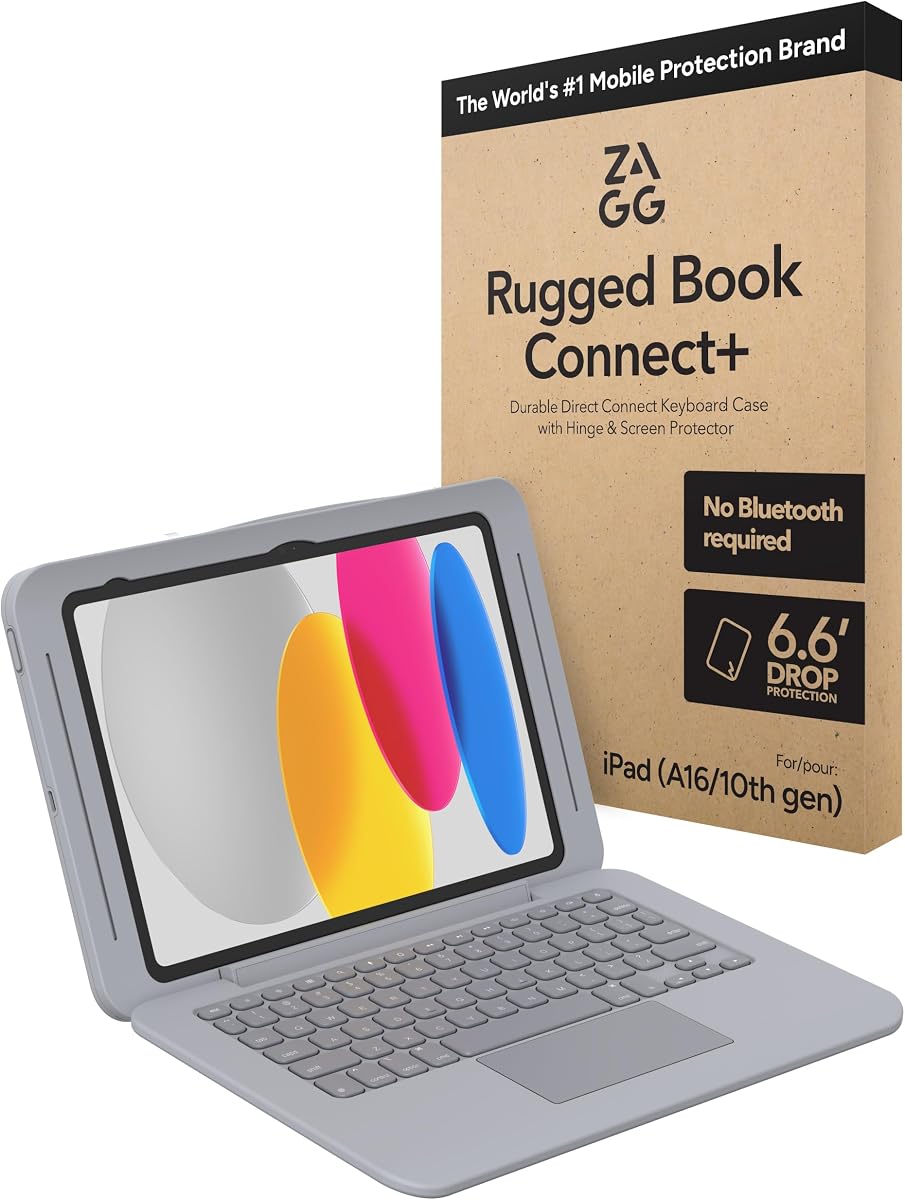
The ZAGG Rugged Book Connect+ iPad 11-inch (A16)/10.9-inch (Gen 10) Keyboard Case is the most heavily equipped member of the ZAGG Connect family in this roundup. Its supplied rating is 3.8, while its defining features include a snap-on screen protector, chemical-resistant materials, IP67 water resistance, and a physical USB-C connection.
We may earn a commission when you buy through this link, at no additional cost to you.
The integrated screen protector extends the case's protection beyond the tablet body. Together with the stated 6.6-foot drop protection and polycarbonate construction, it is designed to provide broad day-to-day coverage. The keyboard's interlocking KeyLock keys are intended to stay in place during intensive use, and its water resistance provides added confidence around spills.
This model is especially relevant to healthcare and industrial environments because the supplied information says its chemical-resistant materials are suitable for frequent cleaning and sanitizing. It also offers two USB-C ports and a 3.5mm audio jack, allowing charging and accessory connections while the main keyboard link remains in use.
The trade-offs are meaningful. No trackpad is listed, the direct connection reduces wireless freedom, and the supplied rating is lower than those of several alternatives. Even so, buyers who need integrated screen protection, sanitation-friendly construction, and a wired keyboard in demanding environments may find this model especially appropriate.
The snap-on screen protector completes the protective coverage around the display. Combined with the rugged shell and stated drop resistance, it targets environments where both the tablet body and screen face everyday hazards.
Chemical-resistant materials and frequent-cleaning suitability make the case relevant to healthcare and industrial settings. The IP67 keyboard rating adds spill resistance, while accessory ports broaden connection options.
We may earn a commission when you buy through this link, at no additional cost to you.
Choosing the best rugged keyboard case for iPad requires balancing exact model compatibility, physical protection, typing quality, stand behavior, and connection reliability. The most heavily protected case is not automatically the best choice if it does not fit your tablet or if its controls do not suit your work.
Compatibility is the factor to verify before every other consideration. A case marketed for the 11-inch A16 iPad may not fit the 10.9-inch 10th Generation despite their similar dimensions, and cases for older Logitech Smart Connector models are limited to specific generations. Check the model number on the back of the iPad or in Settings, then compare it with the exact identifiers in the product listing. Also verify the positions of the camera, buttons, speakers, charging port, and Apple Pencil attachment.
In short, match the complete model number and generation before considering appearance or features.
Drop-protection figures are useful but should be interpreted alongside the construction. Cases claiming 6.6 feet of protection often combine a rigid polycarbonate shell with softer silicone or TPU at impact points. The Nillkin adds corner air-cushion bumpers, while the ZAGG Connect models emphasize durable polycarbonate and interlocking keys. For classrooms, child use, workshops, or frequent travel, sealed keys, raised edge protection, and a secure tablet fit may matter as much as the headline drop distance.
Prioritize the protection features that match the environments where the iPad will actually be carried and used.
A wireless detachable keyboard provides the cleanest transition between tablet and laptop modes, but it introduces pairing, reconnection, and battery-management considerations. USB-C direct-connect cases provide power and data through a physical link, which can be more dependable at a fixed desk or in a shared classroom. Logitech Smart Connector models occupy the iPad's connector port with a physical keyboard attachment. Choose the connection style that best matches your mobility and reliability priorities.
Wireless favors freedom, while physical connections favor consistency and immediate readiness.
A keyboard should be judged by key travel, feedback, layout, and backlighting rather than by the word scissor alone. The Nillkin specifies 1.4mm scissor-switch keys, while the Macally and CHESONA cases include multi-touch trackpads and gesture shortcuts. If your workload involves spreadsheets, text editing, or app navigation, a trackpad can significantly reduce screen reaching. If you mainly type short messages, a well-spaced keyboard without a trackpad may provide better value and portability.
Choose a precise keyboard for typing-heavy work and add trackpad support when cursor navigation is equally important.
A good stand should hold a stable viewing angle while resisting wobble. The Nillkin offers a 0-to-180-degree steel hinge, the CHESONA adjusts from 15 to 180 degrees, and several ZAGG models use magnetic hinges for multiple positions. Consider whether you need upright landscape viewing for video calls, portrait support for reading, or a shallow angle for Apple Pencil drawing. Wider ranges add versatility but can also make a case bulkier than a simple folio.
Match the viewing range to your most common tasks, especially drawing, portrait reading, and hands-free viewing.
Backlighting is valuable for evening travel, low-light study, and shared rooms where a bright screen would be disruptive. Seven backlight colors and three brightness levels provide detailed control, while simpler models may offer fewer options. Battery claims are not directly comparable because some refer to active typing, some to standby, and others to a short included charging session. A 100-hour active-typing claim and a multi-week standby claim describe different use patterns and should not be treated as equivalent.
Compare like-for-like battery conditions and prioritize backlight settings that suit your typical lighting.
Apple Pencil or stylus support can include a simple side holder, an enclosed holster, or a full storage channel. A side holder keeps the stylus accessible but offers less protection than a closed compartment. Several cases also include USB-C ports or a 3.5mm audio jack, making it possible to connect storage, a mouse, wired headphones, or charging equipment while the keyboard is attached. These additions improve the case's role as a compact workstation but may add weight or complexity.
Choose enclosed or magnetic stylus storage for security, and confirm ports match the accessories you plan to use.
Protection, battery, stand, and keyboard components all add bulk. A permanently attached or physically connected design can feel more substantial but remains ready immediately. A detachable magnetic keyboard lets you carry only the tablet and accessory pieces separately, and lighter constructions are easier to hold during long reading or drawing sessions. Compare the case's weight and dimensions against the size of your bag, the frequency of travel, and whether your hands will hold the iPad for extended periods.
Frequent travelers may prefer detachable and lightweight designs, while fixed workstations can favor fuller protection.
Begin by confirming the model number, installing any supplied screen protector if the case includes one, and attaching the iPad according to the manufacturer's instructions. For a magnetic detachable case, align the keyboard with the intended attachment points before applying pressure. For a direct USB-C or Smart Connector design, seat the connector fully and avoid pulling it sideways when repositioning the tablet. Raise the stand to the desired angle only after the connection is secure.
Use the stand to match the task. Choose an upright angle for typing, video calls, or presentations, a shallower position for sketching and annotation, and a stable portrait angle for reading. Keep the keyboard detached when the iPad is being used as a handheld tablet if the design allows it. When a trackpad is included, use short movements rather than reaching for the screen, and avoid placing the iPad in a position where the palm could press trackpad buttons while typing.
Protect the case by avoiding prolonged direct heat, sharp objects, and charging liquids. Clean the exterior with a soft, lightly dampened cloth, and consult the product instructions before using stronger cleaners, particularly on medical-oriented or chemical-resistant models. Do not charge the iPad through a case if the connector or port does not fit securely. Keep the keyboard away from water even when the product has a water-resistance rating, and allow the case to dry fully if it becomes wet.
Exact model compatibility is the most important factor. A case must match the iPad's generation, dimensions, port position, camera placement, and physical controls. Even visually similar 10.9-inch and 11-inch models can have different fit, so check the model number before purchasing.
A detachable keyboard offers more freedom because you can carry the iPad without typing whenever that is more convenient. Permanently attached or connector-based designs can be faster to deploy and may maintain a more stable connection. The best choice depends on how often you switch between tablet and laptop modes.
No. Several cases in this guide focus on physical typing, stands, stylus storage, and protection without listing a trackpad. The Nillkin, Macally, CHESONA, Logitech Rugged Combo 3 Touch, and ZAGG Rugged Book Connect include trackpad functionality in their supplied descriptions.
It means the manufacturer states that the case can withstand a drop from up to 6.6 feet under its tested conditions. Real-world outcomes can vary with impact angle, surface, age, and damage, so the figure should be treated as a design and testing feature rather than a guarantee against every possible fall.
A case with an IP rating has been designed to resist specified water exposure, but that does not make it appropriate for every spill or immersion scenario. Keep ports closed, avoid charging while wet, dry the product according to its instructions, and follow the manufacturer's limits even when a water-resistance rating is listed.
Wireless cases provide greater freedom to detach the keyboard and move the iPad between modes. USB-C direct-connect cases avoid pairing and keyboard-battery concerns, making them attractive for fixed workstations and shared educational environments. Consider how often you will type away from a desk before choosing.
Use a soft microfiber cloth to remove fingerprints and avoid abrasive cleaners or sharp tools. Do not press unnecessarily on the protector, and check that the case is properly seated around the display edges. If the protector lifts or develops bubbles, follow the manufacturer's replacement guidance.
Some listings cover multiple closely related models, but many are restricted to one generation or a specific chipset designation. The iPad Air M2, M3, and M4 models have a dedicated ZAGG option, while the listed A16 and Generation 10 cases are separate. Always check the exact compatible identifiers rather than relying on screen size alone.
The ZAGG Rugged Book iPad 11-inch A16/10.9-inch Generation 10 case is the best overall choice because it combines substantial stated drop protection, a detachable wireless keyboard, adjustable positioning, multi-device pairing, and seven-color backlighting. The Nillkin stands out as the best premium option, with a particularly wide 0-to-180-degree stand, multi-touch trackpad, multiple working modes, and long claimed typing battery. The CHESONA delivers the most approachable design for current A16 and 10th Generation owners.
Prioritize exact compatibility first, followed by the connection style that suits your environment. Choose a trackpad if navigation and editing are central, a physical connector if setup reliability matters more than wireless freedom, and a detachable layout if you regularly move between typing and handheld use. Protection should be evaluated from the case materials, sealed-key design, and stated drop testing rather than from one number alone.
Finally, revisit current prices, availability, warranty details, and the latest compatibility information before ordering. Product listings and device support can change over time, and a case that appears identical may receive revised fit information. Confirm the model number, ports, accessories, and included components on the current page to ensure that the selected rugged keyboard case for iPad meets your needs.