
Dell Latitude 7220 Rugged Tablet
4.3Editor score
1000-nit outdoor display
Glove-capable Gorilla Glass
Core i5 and 16GB memory
Rugged Windows 11 tablets are built for people who cannot afford a fragile device in the field. They combine drop resistance, sealed ports, long battery life, readable displays, and familiar Windows software in a portable form suited to warehouses, construction sites, field service, classrooms, vehicles, and public spaces.
This guide compares all ten featured tablets by durability, performance, display quality, battery strategy, connectivity, expansion options, specialized hardware, and suitability for different jobs. The list includes general-purpose Windows models, compact enterprise handhelds, barcode-focused systems, and rugged tablets designed for mobile work.
Each placement reflects the supplied specifications, ratings, and product descriptions rather than a claim of hands-on testing. The selections show which devices stand out for particular workflows, while features, configuration availability, and manufacturer support can change. Confirm the latest listing details before purchasing.
4.3Editor score

5.0Editor score

3.6Editor score
As an Amazon Associate we earn from qualifying purchases.
The table below places every featured rugged tablet side by side, emphasizing its most consequential traits: operating platform, display, rugged certification, core performance, battery approach, connectivity, and specialized work features. It is designed to make the differences between general-purpose, scanning-focused, compact, and business-rugged models easier to understand.


The Fusion5 FWIN232 PRO combines Windows 11 Professional, an Intel 13th Gen Alder Lake N100 processor, 12GB of memory, and a 256GB SSD in a rugged 10.1-inch tablet. Its 4.0 rating reflects a balanced package for users who need more protection than a conventional slate without moving into a specialized handheld form factor.
We may earn a commission when you buy through this link, at no additional cost to you.
The most useful qualities are practical rather than flashy. A 1920-by-1200 IPS touchscreen reaches up to 500 nits, while protected Micro HDMI, USB Type-C, and USB 3.0 ports help guard frequently used connections. The 6000mAh battery, included 30W Type-C charger, hands-free strap, and adjustable back mount support extended mobile work and quick deployment.
This version is limited to 256GB of internal storage, although a 512GB MicroSD card can add capacity. It does not include an integrated barcode scanner, RFID reader, or GPS, so buyers whose daily work centers on inventory or location tracking may need a specialized alternative. The 256GB configuration is still adequate for Windows applications, documentation, communication, and local workflow tools.
The Fusion5 is a strong choice for field technicians, educators, facilities teams, contractors, and mobile users who want a familiar Windows interface in a shock-, dust-, and spill-resistant enclosure. The two-year warranty with accidental-damage coverage adds meaningful reassurance, making this a well-rounded pick for organizations standardizing on Windows 11.
The N100 processor and 12GB of memory provide a more capable platform than many basic Windows tablets without turning the device into a bulky workstation. The 256GB SSD is practical for installed applications, local documents, and offline records, while MicroSD expansion provides a straightforward way to manage larger files.
Shockproof and dustproof construction, covered ports, a hands-free strap, and an adjustable back mount make the tablet easier to use in active environments. The stated two-year full warranty and accidental-damage coverage also help distinguish it from models that offer only a basic return window.
We may earn a commission when you buy through this link, at no additional cost to you.
This 512GB Fusion5 FWIN232 PRO is the storage-focused version of the same capable 10.1-inch Windows 11 platform. It retains the 4.0 rating, Intel 13th Gen N100 processor, 12GB of memory, 500-nit Full HD display, and rugged construction, making it appealing to users who routinely carry extensive local data.
We may earn a commission when you buy through this link, at no additional cost to you.
The larger internal capacity reduces reliance on removable storage for application libraries, media, photographs, records, and offline field documents. That is valuable for field-service teams, inspectors, students, and mobile personnel who may work beyond dependable network coverage. Expansion remains available through a 512GB MicroSD card.
Its trade-offs are the same ones associated with a larger general-purpose tablet. There is no integrated barcode scanner, RFID reader, GPS, or cellular radio, and the 10.1-inch footprint is less pocketable than a six-inch enterprise handheld. Protected ports, dual cameras, speakers, WiFi, Bluetooth, a 6000mAh battery, a strap, and a stand cover the basics of a flexible mobile workstation.
Choose this model when storage headroom matters more than maximum one-handed portability. For users who will carry large project files, install field applications, and maintain a substantial offline dataset, it is a more versatile member of the Fusion5 line without sacrificing the familiar Windows Pro experience.
The 512GB SSD gives teams room to place important applications, customer records, maps, media, and documents directly on the device. This is especially helpful where crews synchronize at the end of a shift or work in locations where continuous cloud access is impractical.
The 10.1-inch Full HD IPS panel, Windows 11 Professional, dual cameras, and dual speakers create a conventional tablet experience that remains easier to use for document review and communication than a very small handheld. Covered ports preserve connectivity while reinforcing the rugged design.
We may earn a commission when you buy through this link, at no additional cost to you.
The Fusion5 FWIN232 PRO N5 pairs 12GB of memory and 512GB of storage with Windows 11 Professional and an Intel 13th Gen Alder Lake N100 processor. Its 3.9 rating is slightly below the two related Fusion5 configurations, but the core specification makes it a credible general-purpose rugged Windows tablet.
We may earn a commission when you buy through this link, at no additional cost to you.
Its 10.1-inch 1920-by-1200 IPS touchscreen is protected by 2.5D G+G glass and can reach 500 nits, offering reasonable visibility both indoors and outside. Dual Full HD cameras, dual speakers, dual-band WiFi, and Bluetooth 5.0 cover communication and accessory needs, while a 6000mAh battery and 30W charger support mobile schedules.
The device is marketed as shockproof and dustproof, with covered USB Type-C, USB 3.0, and Micro HDMI ports. A 24-month warranty that includes two accidental-damage incidents improves the ownership proposition. Nevertheless, buyers needing barcode capture, NFC, RFID, GPS, or cellular connectivity must look beyond this core configuration.
This model fits organizations that want a standard Windows 11 Pro interface, roomy storage, and a full-size touch display in a durable enclosure. It is especially suitable for classroom management, inventory documentation, sales support, maintenance records, and mobile office tasks where advanced enterprise peripherals are unnecessary.
Twelve gigabytes of memory supports multitasking, while 512GB of internal storage reduces pressure on external media. Together with the N100 processor, this creates a balanced platform for mainstream business applications, browsing, communications, and document-heavy workflows.
The 500-nit IPS display, protected glass, dual cameras, and covered interfaces balance readability with physical resilience. Dual-band WiFi and Bluetooth 5.0 make it easy to connect to scanners, keyboards, headphones, or other peripherals encountered during a normal working day.
We may earn a commission when you buy through this link, at no additional cost to you.
The Vanquisher 6.5-inch handheld combines Windows 11 IoT Enterprise with a Honeywell N3680 scan engine, making it one of the most specialized devices in this guide. Its 4.6 rating is among the strongest, reflecting a configuration aimed directly at inventory, logistics, retail, manufacturing, and enterprise mobility tasks.
We may earn a commission when you buy through this link, at no additional cost to you.
The integrated scanner reads common 1D and 2D formats, including UPC/EAN, Code 128, Code 39, Code 93, Interleaved 2 of 5, PDF417, Data Matrix, and QR codes. A 13.56MHz RFID reader, NFC support, camera, GPS, WiFi, and Bluetooth reduce the need to carry multiple handheld devices for a typical field workflow.
Durability is a major advantage. IP65 sealing protects against water and dust, while the stated construction can withstand drops of up to 1.5 meters onto a wooden floor. The 6.5-inch 20:9 TFT display is designed for one-hand use, though it is less suitable than a 10-inch or 11-inch screen for reading dense forms or working with complex desktop software.
This is a compelling choice for warehouse teams, delivery drivers, store associates, manufacturing staff, and asset auditors who need a Windows-based scanner with location and identification functions. The included hand strap, wall adapter, and USB cable support deployment, while the 18-month warranty and lifetime technical and after-sales support add service value.
The Honeywell engine reads standard linear, two-dimensional, and QR symbologies without requiring a separate scanner. Integrated RFID, NFC, GPS, and camera functions turn the handheld into a consolidated tool for asset tracking, stock movement, location-aware work, and field documentation.
A 6.5-inch 20:9 display fits comfortably in one hand, while the supplied strap improves control during repeated scans. IP65 sealing and the stated 1.5-meter drop capability are particularly relevant in warehouses, loading areas, stores, and industrial environments.
We may earn a commission when you buy through this link, at no additional cost to you.
The HIGOLEPC J4105 is a 10.1-inch Windows 11 Pro tablet built around mobility, environmental protection, and field connectivity. Its 3.6 rating is the lowest among the ten products, but the supplied specifications identify it as a serious option for users who value sealed construction, cellular service, GPS, and a large battery.
We may earn a commission when you buy through this link, at no additional cost to you.
The high-strength plastic enclosure is described as MIL-STD-810G grade, with no effect claimed after a 1.2-meter fall test. IP67 waterproofing and dustproofing add meaningful protection in wet, dusty, or dirty conditions. Dual-band WiFi, Bluetooth 5.0, 4G LTE, and GPS create a flexible connection package for field navigation and communication away from fixed networks.
Performance comes from an N4120 processor with 8GB of RAM and 128GB of storage. The product information describes this as suitable for lightweight tasks and smooth multitasking, and the tablet also supports Linux and Ubuntu. It lacks a higher-capacity storage configuration, high-brightness display specification, and integrated enterprise scanner.
The J4105 is best suited to survey crews, construction teams, agricultural work, warehouse supervisors, and mobile maintenance staff who need navigation, offline maps, and long operating intervals. A magnetic docking connection, 8000mAh battery, and extensive interface selection reinforce its field-oriented design.
Integrated 4G LTE allows the tablet to remain online away from WiFi, while GPS supports positioning and offline navigation after maps are downloaded. Dual-band WiFi and Bluetooth improve flexibility for technicians working around vehicles, temporary sites, and remote facilities.
The 8000mAh battery and magnetic bottom charging interface are useful during extended shifts or mounted operation. HDMI, USB 3.0, USB Type-C 3.1, DB9 serial, headphone, and TF card ports provide broad support for displays, accessories, legacy equipment, and storage expansion.
We may earn a commission when you buy through this link, at no additional cost to you.
The Arrvel I17J earns the highest supplied rating in the guide at 5.0. It combines Windows 11 Pro, a 10.1-inch 700-nit display, a Honeywell N4680 scan engine, and a removable 5000mAh battery in an IP65 industrial enclosure built for warehouse, retail, logistics, and field-service work.
We may earn a commission when you buy through this link, at no additional cost to you.
The N4680 engine is configured for rapid reading of 1D and 2D barcodes, including Code 128, UPC-A, EAN-13, and PDF417, with the product description emphasizing its ability to handle damaged, smudged, or poorly printed codes. The Intel Celeron N5100, 8GB RAM, and 128GB storage are specified for ERP, WMS, ArcGIS, SAP, and other enterprise applications.
Its removable battery can be swapped for longer shifts, while battery-free operation allows power through USB-C in fixed-station or forklift use. Dual-band WiFi, Bluetooth 5.0, 4G LTE, a 700-nit sunlight-readable display, an 8MP rear camera, and a 5MP front camera create a comprehensive field package. The stated 1.2-meter concrete-drop capability and IP65 sealing strengthen the rugged proposition.
This tablet fits organizations that need fast barcode capture, outdoor visibility, and flexible battery deployment in one device. The modest 8GB memory and 128GB storage should be considered for large local databases, although SD-card expansion and external battery options are mentioned. It remains a leading choice for dedicated inventory and logistics workflows.
The Honeywell N4680 engine supports common 1D and 2D symbologies and is designed for demanding inventory and fulfillment work. Keeping scanning hardware inside the tablet reduces the need to carry a separate terminal, particularly for teams focused on WMS, ERP, retail, and logistics tasks.
The removable 5000mAh battery can be changed during extended work, and the stated eight-hour runtime gives a practical baseline. Battery-free mode supports USB-C-powered fixed installations, while the included documentation points to an additional battery and charging dock for longer operations.
We may earn a commission when you buy through this link, at no additional cost to you.
The Dell Latitude 7220 Rugged Tablet combines a business-focused Core i5 platform with a large, exceptionally bright 11.6-inch Full HD display. Its 4.3 rating and Windows 11 Pro license make it a premium-oriented choice for organizations that need a conventional PC experience in demanding outdoor and mobile environments.
We may earn a commission when you buy through this link, at no additional cost to you.
The i5-8365U is a quad-core, eight-thread processor with a stated turbo speed of 1.60GHz and a 15-watt power envelope. Memory totals 16GB of integrated LPDDR3, while a 256GB Class 35 M.2 PCIe NVMe SSD provides fast, business-oriented storage. Windows 10 Pro is listed as the installed system, with a Windows 11 Pro license included.
The defining feature is the 1000-nit, outdoor-readable, glove-capable touchscreen protected by Gorilla Glass. That specification makes it especially attractive for utility crews, transportation teams, inspectors, and field personnel who need to read dense information in glare or cold conditions. The larger display also provides more room for forms, maps, and desktop software than a compact handheld.
The Latitude 7220 is a good match for enterprise buyers prioritizing display quality, memory capacity, and a familiar Dell business platform. It does not list an integrated barcode scanner, NFC radio, cellular connectivity, or removable battery, so teams centered on continuous scanning should examine the Vanquisher or Arrvel instead. For general mobile computing, however, this is a standout rugged Windows slate.
A 1000-nit display offers a major advantage when sunlight, reflections, or bright warehouse lighting interfere with standard panels. Glove-capable touch operation further supports field teams that cannot conveniently remove gloves while interacting with forms, maps, and applications.
The Core i5-8365U and 16GB of LPDDR3 memory create a solid platform for professional Windows applications, remote access, documentation, and multitasking. A PCIe NVMe SSD adds responsive storage, while the included Windows 11 Pro license supports an enterprise-oriented rollout.
We may earn a commission when you buy through this link, at no additional cost to you.
The Microsoft Surface Go 4 offers a portable Windows 11 Pro experience in a 10.5-inch slate form. Its 4.0 rating reflects a compact, familiar design, although it lacks the explicit impact, dust, and water-resistance specifications associated with the rugged devices higher in the guide.
We may earn a commission when you buy through this link, at no additional cost to you.
Its slate construction is designed for comfortable carrying, while the 10.5-inch screen balances media viewing with reasonable workspace for documents and communication. A quad-core processor, 8GB of memory, and 128GB of storage suit routine productivity and light multitasking. The listed 12.5-hour battery runtime adds useful portability between charging points.
Bluetooth and NFC provide convenient short-range communication and tag-related functions. The supplied specifications do not mention an integrated barcode scanner, cellular radio, GPS, protected connectors, glove support, high-nit outdoor visibility, or military-grade environmental testing. It should therefore be considered a portable Windows tablet rather than a specialist field terminal.
The Surface Go 4 works for travel, presentations, note-taking, light office tasks, inventory review, and deployments where low weight and simple Windows operation matter more than extreme durability. Buyers who expect drops, dust, rain, or warehouse impacts should choose a device explicitly engineered and certified for those conditions.
The 10.5-inch display offers a practical middle ground between a phone and a laptop-sized tablet. Windows 11 Pro, 8GB of memory, and 128GB of storage support routine applications, browsing, presentations, and communication while preserving easy portability.
NFC, Bluetooth, a stated long battery runtime, and the compact slate design suit travel and intermittent work away from a desk. The device should be protected with a suitable case and kept away from conditions where certified industrial sealing would be important.
We may earn a commission when you buy through this link, at no additional cost to you.
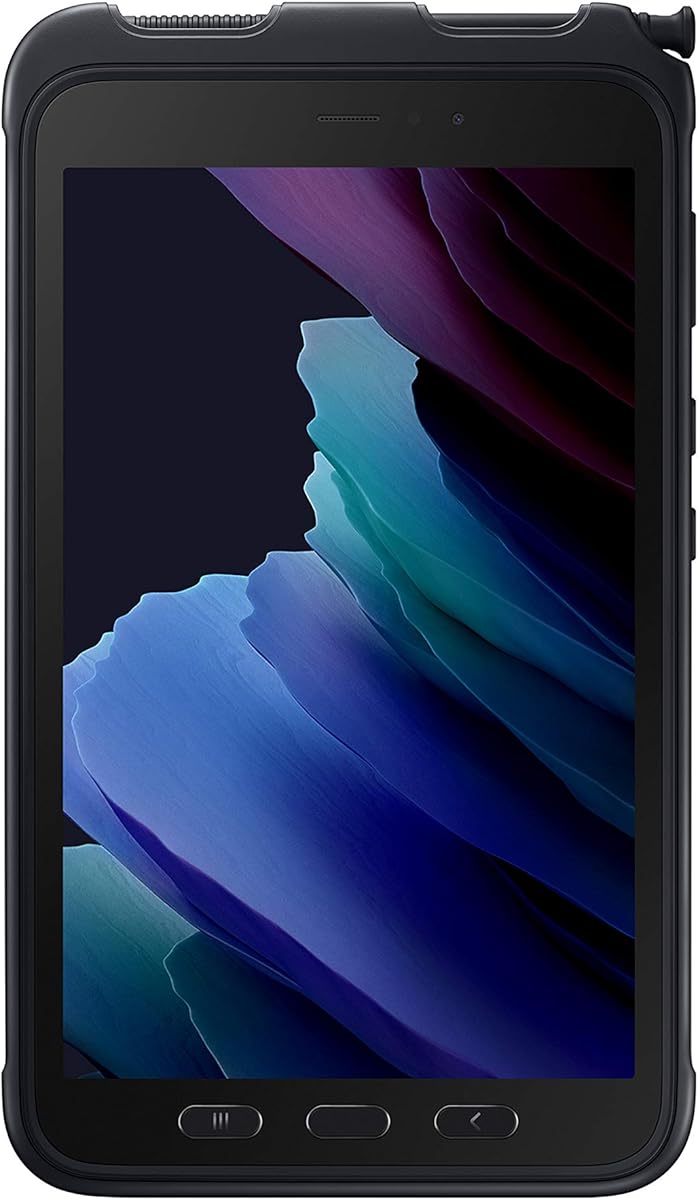
The Samsung Galaxy Tab Active3 is a highly rated 8-inch rugged enterprise tablet with 64GB of storage, WiFi, unlocked LTE, biometric security, and a replaceable battery. Its 5.0 rating matches the highest score in the guide, although the device is an Android-based Galaxy Tab rather than a Windows 11 tablet.
We may earn a commission when you buy through this link, at no additional cost to you.
The enclosure is described as MIL-STD-810H compliant, with IP68 protection, anti-shock construction, and a 1.5-meter drop capability. It also supports no-battery mode when connected to a dedicated power source, making it useful in vehicles and fixed kiosks. Wireless DeX provides a PC-like workflow, while enhanced touch settings allow operation while wearing gloves.
Cellular compatibility with Verizon, AT&T, and T-Mobile networks is a major advantage for organizations deploying tablets without tying each unit to one carrier. The replaceable, fast-charging battery supports long field use, and biometric security adds a layer of identity protection for enterprise workflows.
This tablet is worth considering for rugged Android applications, mobile device management, retail, logistics, and field teams whose software is developed for Android. It is not a direct substitute for a Windows 11 product, so buyers should confirm application compatibility before treating it as part of a Windows rollout.
MIL-STD-810H-oriented construction, IP68 sealing, anti-shock protection, and the stated 1.5-meter drop capability suit harsh work environments. Unlocked LTE support across three major United States networks gives teams greater carrier flexibility during mobile deployments.
The fast-charging replaceable battery reduces downtime when spares are available, while no-battery mode supports powered vehicle and kiosk installations. Wireless DeX expands productivity options, and glove-enhanced touch controls help preserve usability in cold or messy environments.
We may earn a commission when you buy through this link, at no additional cost to you.
The Samsung Galaxy Tab Active3 SM-T577UZKDN14 is a specifically identified version of the 8-inch Active3 enterprise tablet. It provides 64GB of storage, WiFi, unlocked LTE, and biometric security, earning a 4.2 rating. Like the preceding Active3 listing, it is Android-based rather than a Windows 11 model.
We may earn a commission when you buy through this link, at no additional cost to you.
Its rugged credentials include MIL-STD-810H compliance, IP68 sealing, anti-shock protection, and the ability to absorb a stated 1.5-meter drop. The replaceable fast-charging battery and no-battery mode provide options for both mobile teams and fixed installations. Wireless DeX and enhanced glove-compatible touch further broaden its use cases.
Unlocked compatibility with Verizon, AT&T, and T-Mobile makes the tablet practical for distributed organizations that want cellular flexibility. The model number is particularly useful for procurement and device-management teams that need a clearly identified configuration, while biometric security supports managed access and identity workflows.
The SM-T577 is well suited to fleet deployments, retail associates, warehouse personnel, construction teams, and other mobile users who need resilience and connectivity more than a Windows-specific application environment. Confirm that required line-of-business applications, peripherals, and management tools support Android before purchasing.
The specific SM-T577 model number, 64GB capacity, unlocked cellular support, and biometric functions give fleet managers a clearly described device identity. That is useful when deploying a consistent hardware configuration across employees, locations, or mobile work groups.
Rugged environmental specifications, replaceable battery power, and no-battery operation allow the tablet to shift between field use, vehicle installation, and kiosk duty. Enhanced touch capability supports work in environments where gloves are necessary.
We may earn a commission when you buy through this link, at no additional cost to you.
A rugged tablet should be judged by the work it must perform, not by rugged labeling alone. Screen visibility, sealed construction, battery strategy, wireless coverage, specialized sensors, and software performance can matter more than processor class on a given job.
In short, verify specific IP and drop claims instead of relying on the word rugged alone.
In short, prioritize brightness and usable touch input for outdoor work, then choose a screen size that suits the required software.
In short, choose enough memory and storage for real multitasking, especially when field systems must remain usable offline.
In short, compare usable runtime and serviceability, not just milliamp-hour figures, and plan for charging or battery swaps.
In short, choose integrated scanning and identification hardware when barcode or RFID capture is central rather than occasional.
In short, confirm cellular, positioning, peripheral, charging, and expansion requirements before deployment.
In short, balance display workspace against one-handed comfort and the accessories required for each task.
In short, compare warranty coverage, support access, included accessories, and management needs alongside the hardware itself.
Before deployment, configure Windows 11, enterprise management, device tracking, and required applications on each tablet. Install the required Windows 11 Pro license where applicable, sign in with the appropriate organizational account, and test the barcode, NFC, RFID, GPS, or cellular functions in the actual work environment. Enterprise systems may need specific device drivers or settings that are not obvious from the hardware specifications alone.
For charging, use the supplied compatible charger and follow the battery guidance provided by the manufacturer. If the tablet supports removable batteries, maintain charged spares and inspect contacts before swaps. Fixed installations can benefit from a dock or no-battery mode, while field users should preserve some battery reserve for navigation, scanning, and emergency communication. Avoid leaving a tablet in a sealed vehicle or exposed to extreme heat for extended periods.
Cleaning should follow the manufacturer's instructions. Use a soft, lint-free cloth and a lightly dampened surface, avoiding harsh chemicals and allowing ports to dry fully before charging. Inspect straps, seals, covers, and connector caps after drops, and keep case openings closed in dusty or wet locations. Periodic software updates, storage checks, battery-health reviews, and application testing help preserve long-term reliability.
A genuinely rugged tablet should have documented drop, shock, dust, and water-resistance specifications, along with protected connectors. IP ratings indicate resistance to dust and water, while MIL-STD-oriented testing can cover multiple environmental stresses. The exact test conditions and any operating limitations should be reviewed before deployment.
It can be enough for focused enterprise tasks, especially when the tablet runs a defined set of scanning, inventory, communication, and documentation applications. Eight gigabytes is less comfortable for heavy browser use, large local databases, or numerous simultaneous programs. Devices with 12GB or 16GB offer more headroom for multitasked workflows.
The Arrvel I17J and Vanquisher are the strongest dedicated choices in this list because both integrate Honeywell scanning engines. The Arrvel combines its N4680 scanner with a larger 10.1-inch display and 700-nit brightness, while the Vanquisher uses a compact 6.5-inch form with additional RFID, NFC, and GPS functions.
No. The HIGOLEPC and Arrvel I17J list 4G LTE, while the Samsung Galaxy Tab Active3 listings are unlocked and compatible with major United States carriers. Other models do not specify cellular connectivity, so teams should confirm the radio and carrier requirements before purchasing.
Brightness is especially valuable outdoors, in loading areas, and under strong industrial lighting. The Dell's 1000-nit display, Arrvel's 700-nit screen, and Fusion5's 500-nit display are strong among the listed options. A brighter panel can improve readability, although battery use, viewing angles, and glove response should also be considered.
No. The two Samsung Galaxy Tab Active3 listings are rugged Android enterprise tablets included for comparison because of their strong environmental ratings, replaceable batteries, cellular connectivity, and 5.0 and 4.2 ratings. Organizations requiring Windows-specific applications should choose one of the Windows 11 models instead.
A removable battery allows a worker to swap in a charged pack without waiting for the tablet to recharge. This can improve uptime during long shifts, especially when the device is used continuously for scanning, mapping, or communications. The Arrvel I17J explicitly supports battery swapping, while the Samsung Active3 also uses a replaceable battery design.
Choose a 6.5-inch device when one-handed scanning, compact storage, and rapid mobility matter most. Choose a 10-inch or larger model for forms, detailed maps, desktop software, and more simultaneous information. The screen size should follow the workload rather than serving as a substitute for adequate processing power, memory, and connectivity.
The strongest all-around Windows options in this guide are the Fusion5 FWIN232 PRO configurations, with 12GB of memory, an N100 processor, a 500-nit Full HD display, and useful accidental-damage coverage. The Arrvel I17J is the leading dedicated scanning tablet, while the Dell Latitude 7220 stands out for its 1000-nit display, 16GB of memory, and Windows 11 Pro license.
Buyers should prioritize the features their teams will use every day. Warehouses and logistics operations may need Honeywell scanning, RFID, GPS, and cellular service; field inspectors may value sunlight readability and glove touch; and mobile offices may favor balanced performance, storage, and battery life. Compact handhelds, full-size 10-inch tablets, and the larger 11.6-inch Dell serve distinctly different workflows.
Before purchasing, verify the latest configuration, compatibility of required business applications, wireless coverage, accessory availability, warranty activation, and support terms. Product details and availability can change, so checking the current listing and comparing it with the intended daily workflow will help prevent an under-equipped purchase.