
Anpviz 5MP PoE Turret Camera
4.3Editor score
5MP 2880×1620 video
110-degree wide-angle lens
98-foot infrared night vision
PoE and ONVIF support
Blue Iris and iSpy compatibility
Explore the best Security Cameras for Blue Iris, comparing compatibility, resolution, night vision, power options, detection features, and installation needs.
Blue Iris is most useful when you choose cameras that can stream reliably into its recording and automation environment. The best Security Cameras for Blue Iris combine compatible network protocols, clear video, dependable low-light performance, and flexible storage options. Models with ONVIF, RTSP, or documented Blue Iris support can make setup smoother.
This guide compares ten indoor and outdoor cameras based on their documented Blue Iris compatibility, resolution, viewing options, night vision, wired or wireless power methods, detection features, and recording support. It includes Wi-Fi, PoE, and continuously powered models for different homes, shops, driveways, and outdoor monitoring needs.
Each pick highlights a distinct use case, from a budget-friendly fixed turret to a premium outdoor pan-tilt-zoom camera. Ratings and product details reflect the supplied information, while availability, firmware, software updates, and third-party compatibility can change. Always verify the current camera protocol and Blue Iris version before installation.
4.3Editor score

4.2Editor score
4.3Editor score
The comparison below highlights each camera's documented Blue Iris pathway, core resolution, low-light capability, and power or viewing style. The list spans budget Wi-Fi models, PoE bullet and turret cameras, indoor pan-tilt units, and premium continuous-recording options.


The VIKYLIN 4K 8MP Starlight PoE IP Camera stands out for combining high-resolution outdoor recording with documented Blue Iris and iSpy compatibility. Its 4.2 rating reflects a capable 8MP sensor, a 112-degree wide-angle lens, and an IP67 metal enclosure designed for exterior use. The supplied specifications also identify ONVIF support, RTSP access, and a 98-foot infrared range.
We may earn a commission when you buy through this link, at no additional cost to you.
Image quality is the main attraction. The 1/2.8-inch 8MP CMOS sensor records at 4K resolution, while Starlight technology is intended to preserve usable detail under low-light conditions. The camera can record continuously or in response to motion to an SD card, NVR, or FTP destination. Its H.265+ coding can reduce bandwidth and storage demands while retaining smoother footage for Blue Iris workflows.
AI human and vehicle detection is another useful feature, with the stated accuracy reaching 99 percent. Detection types can be configured before alerts are sent, which helps reduce irrelevant notifications. The built-in microphone provides one-way audio rather than a full two-way conversation, and PoE installation requires compatible power and network infrastructure. These are meaningful limitations for users expecting talkback or a simple Wi-Fi setup.
This is a strong choice for a driveway, side yard, entrance, or business perimeter where high-resolution evidence and dependable night coverage matter most. Buyers should prepare a PoE switch or injector and a network path that Blue Iris can reach. For users wanting an outdoor camera with 4K detail, extensive night reach, and explicit third-party support, it offers an especially well-rounded feature set.
The combination of an 8MP sensor, Starlight processing, and 98-foot infrared illumination gives this camera a strong foundation for overnight monitoring. Blue Iris users can use that extra detail for identification and event review, particularly around entrances or vehicle areas.
Documented ONVIF and RTSP support simplifies the decision-making involved in third-party integration. Confirm the correct stream path, resolution, and authentication details after adding the camera to the local network.
We may earn a commission when you buy through this link, at no additional cost to you.
The BOAVISION 2K Security Camera Outdoor is a flexible wireless option for users who want broad pan-and-tilt coverage without running Ethernet. It has a 4.1 rating and documented integration with Blue Iris, iSpy, Synology, and TinyCam. Its 350-degree pan, 120-degree tilt, motion tracking, and two-way talk make it more versatile than a basic fixed indoor camera.
We may earn a commission when you buy through this link, at no additional cost to you.
The supplied specifications list 1080P video with 4x digital zoom, even though the product title uses the term 2K. Buyers should therefore treat 1080P as the stated operating resolution. The camera includes a floodlight and alarm siren that can activate with motion detection, while full-color night vision is designed to preserve scene detail after dark.
The most important benefit for a Blue Iris installation is the documented third-party software support. A camera with a broad field of view can reduce the number of units needed to cover a room, yard, or parking area, although the digital zoom is not a substitute for optical detail at long distances. Two-way audio adds practical value for checking on family, pets, or visitors when the camera is placed near an entry point.
This model is best for people who need broad wireless coverage and interactive communication more than maximum native resolution. Dual-band Wi-Fi can also help avoid congestion on a crowded 2.4GHz network. Confirm the precise Blue Iris connection method and network-band support during setup, and consider whether a higher-resolution wired alternative would better serve a critical recording area.
A 350-degree pan and 120-degree tilt let the camera cover a larger area than a fixed bullet or dome design. Automatic tracking adds another layer of coverage by following movement when that behavior is enabled.
Dual-band Wi-Fi support gives this camera more routing flexibility than a 2.4GHz-only model. Its position should still be evaluated for signal strength, especially when walls separate it from the router.
We may earn a commission when you buy through this link, at no additional cost to you.
The Anpviz 5MP PoE Camera is a sensible fixed-camera choice for users who prioritize straightforward networking and broad outdoor coverage. Its 4.3 rating is supported by a 2880×1620 sensor, a 110-degree 2.8mm lens, and a listed night-vision distance of 98 feet. Unlike many wireless cameras, it is designed around PoE and third-party recording environments.
We may earn a commission when you buy through this link, at no additional cost to you.
The camera is listed as working with ONVIF NVRs and third-party software including iSpy, Blue Iris, and Milestone. It also supports Synology NAS over NFS and QNAP NAS. This makes it a practical candidate for a centralized Blue Iris system in which cameras should connect through a dependable wired network rather than depend entirely on consumer Wi-Fi.
Smart dual-light night vision combines infrared illumination with warm integrated lights for full-color low-light viewing. Human detection can separate people from other motion such as animals or moving leaves, although vehicle detection is not supported. The IP66 housing, metal body, and 4000V lightning protection suit exterior deployment, and dual H.265/H.264 compression gives Blue Iris users storage-efficient recording options.
The principal trade-off is that the camera requires an NVR or compatible network setup, and the product explicitly has no app support. That limitation is less relevant when Blue Iris is the intended control and recording platform. Choose this model when you need a 5MP outdoor turret, broad entry coverage, PoE reliability, and clear ONVIF compatibility without paying for unnecessary app-driven features.
PoE carries power and network data through one cable, which simplifies large installations. H.265 support is particularly useful when several high-resolution cameras are recording continuously to Blue Iris.
Human detection can reduce false alarms caused by foliage or animals. Drivers should not select this model when automated vehicle classification is a requirement, because that feature is not supported.
We may earn a commission when you buy through this link, at no additional cost to you.
The Amcrest 1080P WiFi Camera ASH21-B is aimed at indoor monitoring, with particular appeal for families and pet owners. Its 4.0 rating reflects a useful set of features: 1080P streaming, pan, tilt, zoom, human detection, object tracking, adjustable sound alerts, and a 93-degree viewing angle. Blue Iris compatibility is supported through RTSP and third-party software integration.
We may earn a commission when you buy through this link, at no additional cost to you.
Unlike cloud-dependent detection systems, the camera's AI human-detection function is built into the hardware chipset. That means the filtering feature can operate without a cloud subscription, while local microSD recording and third-party recording remain available. Automatic tracking can begin recording and follow a moving subject, and the baby-monitor sound mode can issue notifications at adjustable thresholds, such as when a child cries or a dog barks.
The camera supports local microSD storage up to 256GB, Amcrest NVRs, and third-party software through SDK integration or RTSP. Compatibility with Amcrest View Pro is limited to RTSP, and the product is not compatible with Amcrest Cloud. It also operates only on 2.4GHz Wi-Fi, so it cannot join a 5GHz network. These limitations deserve attention in a modern mixed-band home network.
This is a good fit for a nursery, playroom, living space, or pet area where a movable indoor view is more important than outdoor durability. Its 33-foot night-vision range is suitable for ordinary rooms and hallways. Buyers should confirm RTSP access and local storage behavior before installing, while those wanting 5GHz support or a broader integration should look elsewhere.
Processing human detection on the camera's chipset avoids a subscription requirement for that function. It can also reduce the number of event notifications that need manual review.
The adjustable VOX sound mode turns the camera into a practical monitor for a baby, dog, or other indoor subject. Setting the threshold carefully helps balance important alerts against routine background noise.
We may earn a commission when you buy through this link, at no additional cost to you.
The Pan Tilt Outdoor Security Camera is a broad-coverage wireless option with a 3.9 rating. It records 1080P video, pans across 355 degrees, tilts 90 degrees, and includes two-way audio. The stated compatibility with Blue Iris, iSpy, ZoneMinder, SecuritySpy, VLC, and ONVIF NVRs makes it versatile for mixed third-party environments.
We may earn a commission when you buy through this link, at no additional cost to you.
A 5dBi Wi-Fi antenna is included to improve the camera's connection over distance. Motion detection can trigger snapshots and alerts through a phone app, email, or FTP, while a light and audible alarm provide an active response. Four infrared LEDs and four white LEDs support the camera's day-and-night imaging, with the white light contributing to color visibility.
The IP66 alloy housing is designed for indoor or outdoor use and has a stated operating range of -4°F to 140°F. Support for microSD cards up to 128GB adds a local storage option. The key limitation is that this camera does not work with a web interface. That may make it less convenient for browser-based management, although Blue Iris can still provide the primary viewing and recording interface.
This camera makes sense for a porch, yard, garage, or broad indoor room where a single movable unit can cover several directions. Its pan and tilt are especially useful compared with a fixed camera. Users who depend heavily on web interfaces or want higher-resolution output should consider a more specialized alternative, but the documented third-party support is a meaningful strength.
The combination of 355-degree horizontal rotation and 90-degree vertical adjustment minimizes the blind spots common in fixed outdoor cameras. It can cover entrances, open rooms, and yard sections with fewer units.
The IP66 housing and broad stated temperature tolerance suit exterior use. A sheltered mounting position can still improve image clarity by reducing rain glare and direct environmental exposure.
We may earn a commission when you buy through this link, at no additional cost to you.
The Amcrest 4MP ProHD Indoor IP Camera combines a 4MP sensor with pan, tilt, two-way audio, and remote viewing. Its 4.0 rating is supported by a 2688×1520 stream at 30fps and a 90-degree field of view. The documentation specifically identifies Blue Iris Professional as a compatible desktop recording environment.
We may earn a commission when you buy through this link, at no additional cost to you.
The camera can send motion notifications, provide two-way communication through the Amcrest View app, and record to a PC through Amcrest Surveillance Pro or Blue Iris Professional. It also supports microSD storage, Amcrest NVRs, Synology and QNAP NAS, FTP, and Amcrest Cloud. H.265 compression is included to reduce file sizes and bandwidth consumption compared with less efficient coding.
Low-light performance comes from a progressive 1/3-inch CMOS sensor and built-in infrared LEDs, with a listed night-vision range of 32 feet. One limitation is that the digital zoom is only available in the Amcrest View Pro app because of hardware constraints. The camera is also limited to 2.4GHz Wi-Fi, which may require network planning in a dual-band household.
This is a useful indoor choice when 4MP detail matters and you want the ability to redirect the view remotely. It works particularly well for a small business, child or pet room, or front-of-home interior. Users wanting a narrow, fixed outdoor bullet or a camera with a much longer night range should look to the PoE models in this guide instead.
Remote pan and tilt let a single indoor camera cover a wider area without moving its physical position. The 90-degree viewing angle is broad enough for most rooms while preserving more pixel detail than a standard 1080P sensor.
Blue Iris, NVRs, NAS systems, FTP, and microSD media give administrators several ways to retain footage. Users can keep routine events local while considering cloud backup for a separate copy.
We may earn a commission when you buy through this link, at no additional cost to you.
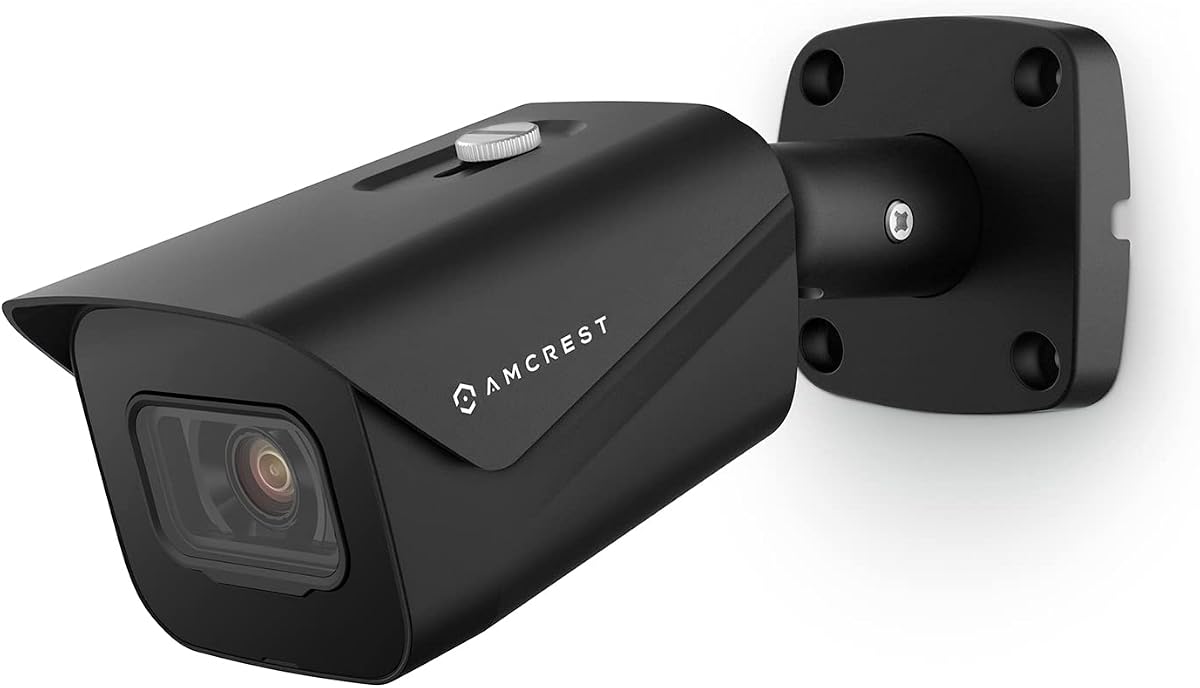
The Amcrest UltraHD 4K Outdoor Bullet Camera is the premium outdoor selection in this guide. Its 4.3 rating pairs with 8MP 3840×2160 recording, a 125-degree viewing angle, and 98-foot night vision. The product information also confirms compatibility with Blue Iris Professional, making it appropriate for a high-resolution Blue Iris installation.
We may earn a commission when you buy through this link, at no additional cost to you.
The 2.8mm lens and 125-degree field of view allow the bullet camera to cover a broad exterior area from a single mounting point. Enhanced low-light performance comes from a 1/2.7-inch progressive CMOS sensor, while infrared illumination handles darkness. Intelligent video features include tripwire and intrusion events involving human or vehicle crossings, adding useful structure to recorded activity.
PoE simplifies wiring by carrying network data and power together, but the required injector or switch is not included. The camera supports dual H.265/H.264 compression, Amcrest Cloud, microSD recording up to 256GB, Amcrest NVRs, Synology and QNAP NAS, FTP, and multiple browsers. Users should ensure their network, recording hardware, and storage can accommodate 4K streams, especially when operating several cameras.
This is the strongest choice in the group for a user who wants premium 4K detail, wide outdoor coverage, and long-range night visibility in a wired system. It is particularly compelling for driveways, warehouse approaches, and other areas where identifying small visual details may justify a premium camera. Pair it with suitable PoE infrastructure and appropriate Blue Iris recording settings for best results.
The 8MP sensor provides more spatial detail than a 1080P camera, helping when a person or vehicle occupies only part of a wide scene. That detail is most useful when the camera is mounted at a sensible distance and the recording stream is not downscaled unnecessarily.
The IP67 housing and PoE design reduce the need for nearby power outlets and support dependable exterior installation. A proper weatherproof cable route and secure mounting bracket remain important for long-term operation.
We may earn a commission when you buy through this link, at no additional cost to you.
The VIMTAG 4MP Cameras for Home Security is a connected indoor-outdoor option with a 4.4 rating. It supports 2.4GHz and 5GHz dual-band Wi-Fi, Wi-Fi 6, continuous plug-in power, two-way audio, and color night vision. Its broad feature set makes it appealing for users who want modern wireless flexibility, but the supplied data does not explicitly identify Blue Iris compatibility.
We may earn a commission when you buy through this link, at no additional cost to you.
The camera delivers a stated 2.5K visual resolution and uses a built-in LED light to create full-color nighttime footage. Smart detection can identify motion, people, or sound within 33 feet, while an IP65 rating supports use in rain, snow, heat, and cold. The app allows remote viewing and sharing, and the Canny Cam app can manage multiple Vimtag cameras together.
Footage can be recorded continuously to a microSD card up to 512GB, while cloud storage is offered as a subscription for expanded history. Two-way audio supports communication with visitors or family members, and the 24/7 wired power removes the charging interruptions associated with battery cameras. The absence of explicit Blue Iris support is the major issue for shoppers focused on this particular platform.
This camera is best for a household that primarily uses a mobile app and wants strong wireless features, color night viewing, and continuous power. Someone building a Blue Iris system should first verify the current integration method, supported stream type, and firmware behavior. It may be a good front-door or garage camera, but the lack of documented Blue Iris compatibility prevents a stronger platform-specific recommendation.
Support for both 2.4GHz and 5GHz networks gives users more freedom in choosing a connection path. Wi-Fi 6 can improve efficiency on compatible routers, although real performance still depends on distance and obstructions.
Constant wired power supports uninterrupted monitoring without battery charging. The microSD option provides local retention, while cloud access expands storage only when the applicable subscription is selected.
We may earn a commission when you buy through this link, at no additional cost to you.
The eufy Security Floodlight Camera E30 combines 2K recording with a bright exterior floodlight and automated tracking. Its 4.4 rating reflects a strong consumer feature set: 360-degree coverage, AI detection for humans and vehicles, 2,000-lumen motion-activated lighting, and 24/7 hardwired recording.
We may earn a commission when you buy through this link, at no additional cost to you.
The camera can patrol on a schedule or be controlled manually, while AI detection and automatic panning follow relevant movement. Full-color nighttime footage is supported by the integrated floodlights, helping reveal color and detail in a driveway or entry area. A power amplifier is included to strengthen 2.4GHz Wi-Fi penetration and extend the stated signal range compared with a standard connection.
Its IP65 rating and hardwired power suit continuous outdoor use. The trade-offs are installation complexity and platform uncertainty. Hardwiring requires a suitable power location, and the supplied product information does not explicitly confirm RTSP, ONVIF, or Blue Iris compatibility. That makes the E30 less certain for a Blue Iris-specific purchase than the models in this guide that explicitly document third-party support.
The E30 is well suited to a driveway, back entrance, or side yard where light and active tracking are priorities. Its combination of illumination, 2K clarity, and continuous power is especially useful for users who want a camera to do more than capture a dark scene. Blue Iris shoppers should verify current integration documentation and stream access before purchasing.
The 2,000-lumen floodlight can expose more color and detail when movement occurs. Positioning can influence how quickly the light activates and how much of the surrounding area it covers.
Scheduled patrol mode offers broad coverage without constant manual control, while AI tracking follows people or vehicles. These consumer-oriented features may be useful even if the camera is later integrated into a broader recording platform.
We may earn a commission when you buy through this link, at no additional cost to you.
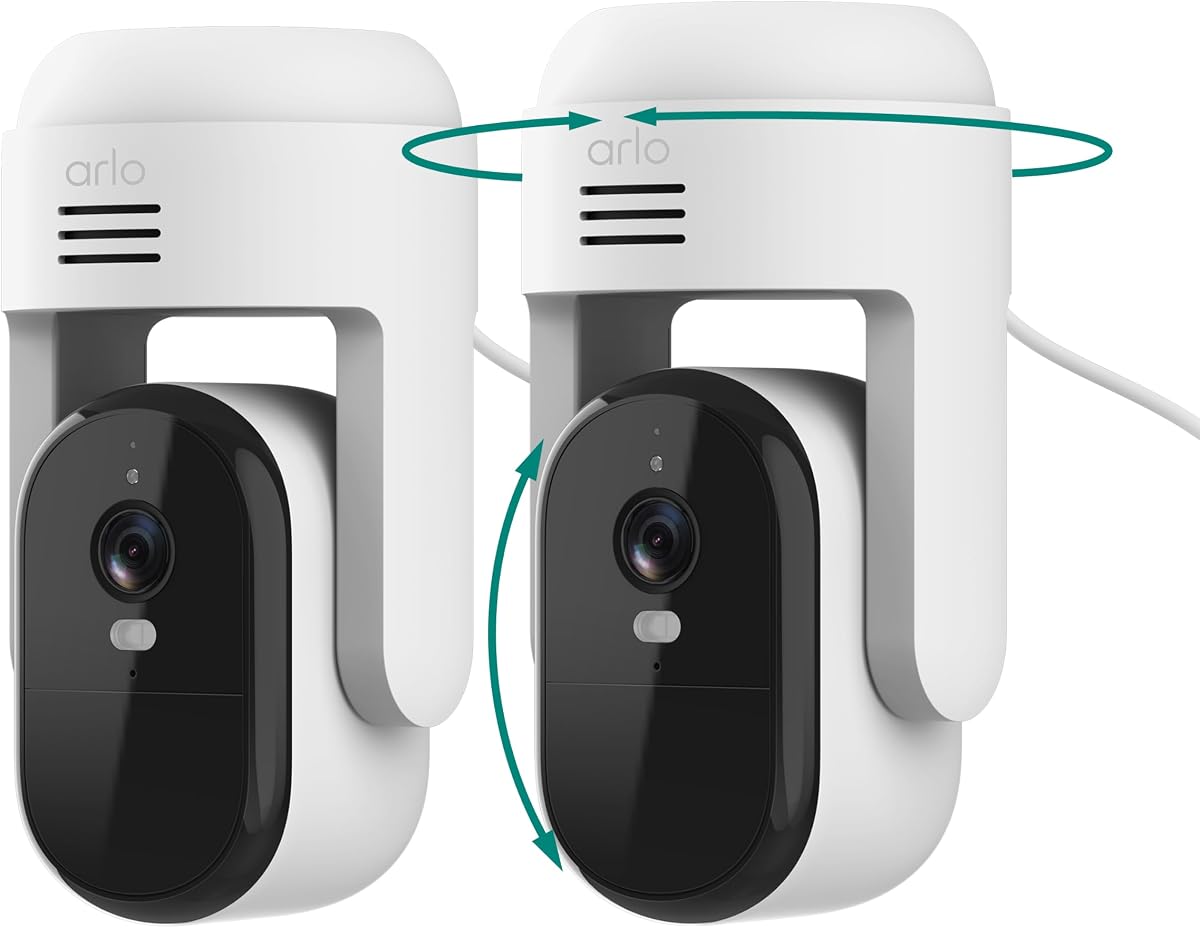
The Arlo Essential Outdoor Pan Tilt Zoom Security Camera 2K Wired is a two-camera package for broad outdoor monitoring. It carries a 4.4 rating and provides 2K video, 360-degree pan, 180-degree tilt, 12x zoom, dual-band Wi-Fi, and uninterrupted plug-in power. The two included cameras can cover separate areas around a home or property.
We may earn a commission when you buy through this link, at no additional cost to you.
Smart Detection identifies people, vehicles, pets, and packages, while Advanced Audio Detection can recognize sounds such as breaking glass, barking, or a child screaming. Color Night Vision and an integrated spotlight improve low-light visibility. The Arlo Secure app supports live viewing, alerts, remote siren control, and a patrol-style movement pattern, while included 16-foot power cables support flexible placement.
Live streaming and basic alerts work without a subscription, but the broader Arlo Secure plan is required for advanced capabilities such as AI detection, extended video history, and emergency response. The product information does not explicitly state Blue Iris compatibility. This is the clearest example in the guide of a polished consumer ecosystem whose first-party features may be more closely integrated than third-party options.
The two-camera bundle is appealing for buyers who want immediate pan-tilt-zoom coverage in two locations. It is less compelling for a Blue Iris-specific setup unless the current Arlo integration path is confirmed. Consider this product for flexible wireless outdoor coverage and a polished mobile experience; choose a documented ONVIF or RTSP model for a more predictable third-party recording workflow.
The two-camera set can cover two separate exterior areas without requiring two separate product configurations. Placement planning is still essential because each unit's field of view and notification settings should be tailored to its location.
Detection categories for people, vehicles, pets, and packages make alerts more useful than basic motion notifications. The availability of advanced features depends on the service plan, so review those terms before installation.
We may earn a commission when you buy through this link, at no additional cost to you.
The right Blue Iris camera depends on verified protocol support, the recording workflow, scene coverage, and installation environment. Resolution and detection features matter, but reliable streaming, authentication, and suitable power should take priority.
Prioritize cameras with documented Blue Iris integration and a stream method that matches your software setup.
Match native resolution to the scene, while confirming that your network and Blue Iris setup can sustain the selected stream.
Choose infrared or color night vision based on the scene, and verify that the stated range matches the area you need to cover.
Use PoE or other wired power for dependable fixed coverage; use Wi-Fi when placement flexibility outweighs network reliability concerns.
Choose fixed or movable coverage based on the area, and avoid expecting digital zoom to equal optical detail.
Prioritize accurate subject filtering and useful audio, while keeping Blue Iris event rules as part of the final workflow.
Calculate retention for the real stream settings, use efficient codecs where appropriate, and maintain a separate backup plan.
Match the enclosure to the location, reduce reflective surfaces, and check the nighttime image from the final mounting position.
Begin by updating the camera firmware and Blue Iris software, then connect the camera to the intended local network. Give the device a static IP address if possible, and note the RTSP or ONVIF connection details in a secure record. Test the live stream before changing recording rules, motion zones, or retention settings. For PoE installations, verify the switch or injector and confirm that the camera is receiving both network connectivity and adequate power.
Build the Blue Iris workflow around distinct areas rather than placing every camera under identical rules. Establish motion boundaries that exclude roads, trees, and moving shadows. Adjust sensitivity for outdoor scenes, use subject detection where available, and test alerts during both daylight and darkness. Schedule any floodlight or siren behavior to avoid startling neighbors, and verify that recorded clips can be found, exported, and viewed without relying on the camera's own app.
Maintain the installation by cleaning the lens, checking cables, tightening mounts, and confirming that each camera can still reach its recording destination. Review storage growth and test representative clips for focus, color, and time synchronization. Keep default credentials changed, use strong local authentication, restrict remote access, and apply firmware updates after reviewing release notes. A maintenance schedule is especially important for outdoor units because weather, moving branches, and changing light can alter footage quality without producing an obvious device failure.
No. Blue Iris support depends on the camera's protocols, firmware, stream implementation, and authentication method. Look for explicit Blue Iris, RTSP, or ONVIF documentation, and verify that the model supports the features you need, such as recording, audio, pan-tilt control, or event metadata.
PoE is often preferable for fixed installations because it combines data and power in one cable and avoids Wi-Fi instability. It does require compatible networking equipment and careful cable placement. Wireless cameras can still work well when the signal is strong and flexible positioning is more important.
Higher resolution can preserve more detail when a subject occupies a small part of a wide frame. A 4K or 8MP camera may be useful for a driveway or business entrance, but it also requires more bandwidth, processing, and storage. Choose resolution based on scene size and system capacity rather than maximum specification alone.
Blue Iris can record to local storage without cloud storage, and some cameras also offer microSD, NAS, or FTP options. Cloud storage can add a separate backup layer, but it may require a subscription and depends on the camera manufacturer's ecosystem. Local storage remains important even when remote viewing is available.
The exact integration depends on the camera and the information it exposes through RTSP, ONVIF, SDK, or another supported method. Some cameras provide basic detection events, while others expose richer metadata. Blue Iris also has its own detection and event tools, so the two systems can sometimes overlap.
It can work as long as the router provides a compatible 2.4GHz network and the camera is within a reasonable signal range. It cannot join a 5GHz-only network, so check the router configuration before installation. Dual-band models offer more flexibility but still depend on adequate signal strength.
Requirements depend on resolution, frame rate, codec, bitrate, and how much movement appears in view. H.265 and H.265+ generally reduce storage needs compared with H.264. Before enabling 24/7 recording, estimate retention using the actual stream settings and leave room for events, updates, and changing compression conditions.
Draw motion zones around the relevant area, exclude roads and vegetation, and tune sensitivity to the scene. Camera-side human or vehicle filtering can further reduce irrelevant events. Test the rules at different times because lighting and environmental conditions can substantially change what triggers an alert.
The VIKYLIN 4K 8MP PoE camera stands out for detailed 4K recording, long infrared coverage, and documented ONVIF, RTSP, and Blue Iris support. The Anpviz 5MP PoE turret offers a practical outdoor balance with a wide lens and efficient compression, while the Amcrest UltraHD 4K PoE bullet represents the premium option for high-resolution, broad-angle exterior monitoring.
For most Blue Iris installations, prioritize verified protocol support, dependable power, stable streaming, and storage that matches the chosen resolution. Wider views and motorized movement help cover more area, while strong low-light performance remains essential outdoors. Indoor users can prioritize pan-and-tilt control, sound alerts, and on-device human detection to support family, pet, and small-business monitoring.
Check the current camera documentation, Blue Iris release notes, network configuration, and local recording requirements before finalizing a purchase. Product details, software behavior, and market conditions can change, so verify the present specifications and compatibility information at the time of installation. This guide is intended to simplify that decision without overlooking the practical details that determine whether a camera becomes a reliable part of a Blue Iris security system.
