
Handbrake Sim Racing USB
4.5Editor score
64-bit Hall sensor
Driver-free USB setup
Two-meter braided cable
SIM Racing Handbrakes compared for precision, construction, compatibility, adjustability, and realism to help you choose the right device.
A sim racing handbrake adds a tactile dimension to rally, drift, and off-road driving, but the strongest unit is not simply the one with the most features. Sensor resolution, lever construction, resistance, travel, mounting options, and software compatibility all influence how a handbrake feels and performs over time.
The ten products in this guide range from straightforward USB handbrakes for Windows to a configurable hydraulic model with advanced electronics. We compared their stated sensor technology, materials, adjustment options, platform support, steering-wheel compatibility, cable designs, and intended uses to identify a sensible option for different setups.
Each review identifies the strongest benefits and the practical compromises revealed by the supplied specifications. The ratings, product details, and availability information can change, so readers should confirm the latest listing and current price before purchasing or deciding which model best fits their rig.
4.5Editor score

4.4Editor score

This side-by-side comparison highlights the major differences in sensor resolution, construction, adjustment, mounting, connectivity, and platform support among the ten handbrakes reviewed.




The aikeec USB Sim Racing Handbrake is a straightforward USB accessory for PC racers who want a separate progressive lever without installing a complicated control system. Its stated rating is 4.3, and the product information emphasizes broad compatibility with popular Logitech and Thrustmaster wheels, automatic Hall-sensor calibration, and direct connection to a Windows PC.
We may earn a commission when you buy through this link, at no additional cost to you.
Its main appeal is the combination of an independently mounted lever and flexible physical setup. The handle can be adjusted for height and angle, allowing the device to suit different wheel seats, brackets, and cockpit arrangements. A USB connection and driver-free operation reduce setup friction, while the listed support covers games including Euro Truck Simulator 2, American Truck Simulator, Assetto Corsa, Forza Horizon titles, DiRT Rally 2, Project CARS 2 and 3, and WRC entries.
The trade-off is that this is explicitly a PC-only model, with no support claimed for Xbox One, PlayStation 4 or 5, or Mac. Although automatic calibration and a non-contact Hall sensor are positive design choices, the supplied information does not describe interchangeable springs, configurable damping, advanced lighting, or software-based dead-zone adjustment. It is therefore better suited to convenience and physical adjustability than deep customization.
This handbrake is a good choice for a Windows user with a supported Logitech or Thrustmaster wheel who wants a dedicated lever for rally, drifting, or truck simulation. It is less appropriate for console racers or buyers who need a high-end hydraulic unit. For ordinary PC setups, its straightforward installation and adaptable mounting make it a practical mid-tier choice.
The handbrake operates as an additional game controller rather than a replacement for the steering wheel. Connecting its USB cable and calibrating the sensor avoids complicated software setup, which can be particularly useful for users moving between different rigs or wanting a portable addition.
Height and angle adjustments help position the lever in a way that feels natural beside a wheel. That physical flexibility is important because even an electronically capable handbrake can be awkward to use when the grip, seat, and wheel are poorly aligned.
We may earn a commission when you buy through this link, at no additional cost to you.
The CXCESNS Sim Racing Handbrake is built for PC racers who value a progressive lever, robust construction, and minimal setup. It carries a 4.2 rating and uses a 16-bit non-contact Hall sensor with automatic calibration. The product description also emphasizes high-rigidity compression springs and a body that is approximately 95 percent metal.
We may earn a commission when you buy through this link, at no additional cost to you.
Progressive behavior is the defining feature because it lets drivers pull, hold, and release the lever through a graduated range instead of relying on a binary switch. The automatic calibration is designed to establish a stable baseline, while the non-contact sensor is intended to maintain accuracy over extended use. That combination is particularly relevant for rally titles, drifting, and other situations where controlled handbrake modulation matters.
The metal body and compression springs make the unit feel more purpose-built than a very lightweight plastic alternative. It supports Logitech G25, G27, G29, G920, and G923 wheels, plus Thrustmaster T300 and T500 models. The 63-inch nylon cable is generous for many desk or cockpit arrangements, although it is shorter than the 78-inch cable offered by another aikeec model in this comparison.
Buyers should note that the device works only with Windows PC and does not support PlayStation, Xbox, or Mac. Game setup also varies by title. It is best for a Windows user who wants a substantial, conventional USB handbrake with a 16-bit progressive sensor, rather than someone seeking interchangeable springs, hydraulic resistance, or a wide-grip design.
A 16-bit progressive axis provides finer control than a simple on-off input. That is useful when initiating a slide, holding a rear-wheel lock, or making small corrections during a drift, where abrupt lever movement can disrupt the vehicle.
The mostly metal chassis and rigid springs are intended to withstand repeated pulling and releasing. This construction is especially appealing for racers who use a handbrake frequently across rally, touring, and drift sessions rather than occasionally in a single game.
We may earn a commission when you buy through this link, at no additional cost to you.
The PXN HB S Handbrake stands out as the most balanced all-around option in this guide. It has a 4.4 rating, an aluminum alloy body, and a 16-bit Hall-effect sensor. More importantly, it lets users alter both force and stroke, making it unusually adaptable for different vehicles, mounting positions, and personal preferences.
We may earn a commission when you buy through this link, at no additional cost to you.
Force is adjusted by changing springs or damping rubber, while the default 16 millimeters of travel can be reduced to 10 millimeters by replacing the relevant part. Those changes allow the lever to feel lighter for quick inputs or more resistant for deliberate control. The dual-mode grip can be installed vertically or horizontally, with the horizontal position presented as closer to a real-car arrangement and the vertical position useful in other scenarios.
Windows support covers versions 7 through 11, and the wheel list includes PXN V3, V900, V9, V10, and V12 products alongside Logitech G27, G29, G920, G923, and Thrustmaster T500 and T300 models. The fixed clip aids mounting. As an important limitation, it is a PC-only device, so console and Mac racers should choose elsewhere.
This is the strongest recommendation for a Windows racer who wants meaningful physical customization without moving into advanced hydraulic hardware. The combination of sensor resolution, adjustable travel, alternate force components, flexible grip orientation, and a 12-month warranty makes it a convincing all-purpose choice for rally, drifting, and general simulation use.
Adjustable resistance and stroke let the lever change with the task. A shorter, firmer setup can support rapid corrections, while longer travel and softer resistance can produce a more deliberate, realistic pull for rally cars.
Switching between horizontal and vertical configurations makes the product easier to integrate with different cockpits. The horizontal arrangement resembles a conventional car handbrake, while the vertical option offers a compact alternative for constrained rigs.
We may earn a commission when you buy through this link, at no additional cost to you.
The aikeec 64 Bit USB Handbrake is a well-supported PC option with a 4.4 rating. It combines lightweight CNC-machined aluminum with mild steel, a 64-bit Hall-effect sensor, automatic calibration, and a fixing clamp. Its design is aimed at sim racers who want a more precise input and a secure attachment to a cockpit.
We may earn a commission when you buy through this link, at no additional cost to you.
The 64-bit specification is the headline feature, indicating a high-resolution digital measurement path. Automatic calibration records the sensor's operating range, while the non-contact Hall technology is intended to maintain consistent readings. The clamp is particularly useful because it allows the lever to sit beside a wheel rather than relying on an improvised desktop placement.
Compatibility is broad within the Windows ecosystem. The listing names Logitech G25, G27, G29, T300, and T500 wheels, as well as FANATECOSW equipment, and identifies numerous games including Assetto Corsa, DiRT Rally, several Forza titles, Euro Truck Simulator 2, WRC 9, Richard Burns Rally, Project CARS, Live for Speed, and TOCA Pro Race Driver.
The main limitation is also its main strength: this is designed for Windows PC, not consoles or Mac. It does not advertise the same force or stroke customization found on the PXN HB S. It is therefore a particularly good fit for PC gamers who prioritize sensor specification, rigid materials, and clamp-based installation over modular tuning.
The 64-bit Hall sensor is designed to represent lever movement with fine granularity. In practical use, that can support smoother modulation, although the game still determines how the input axis is interpreted and displayed.
A supplied clamp gives the handbrake a more permanent home beside the wheel. This is preferable for a fixed cockpit because it reduces the chance of the device shifting during strong steering and braking inputs.
We may earn a commission when you buy through this link, at no additional cost to you.
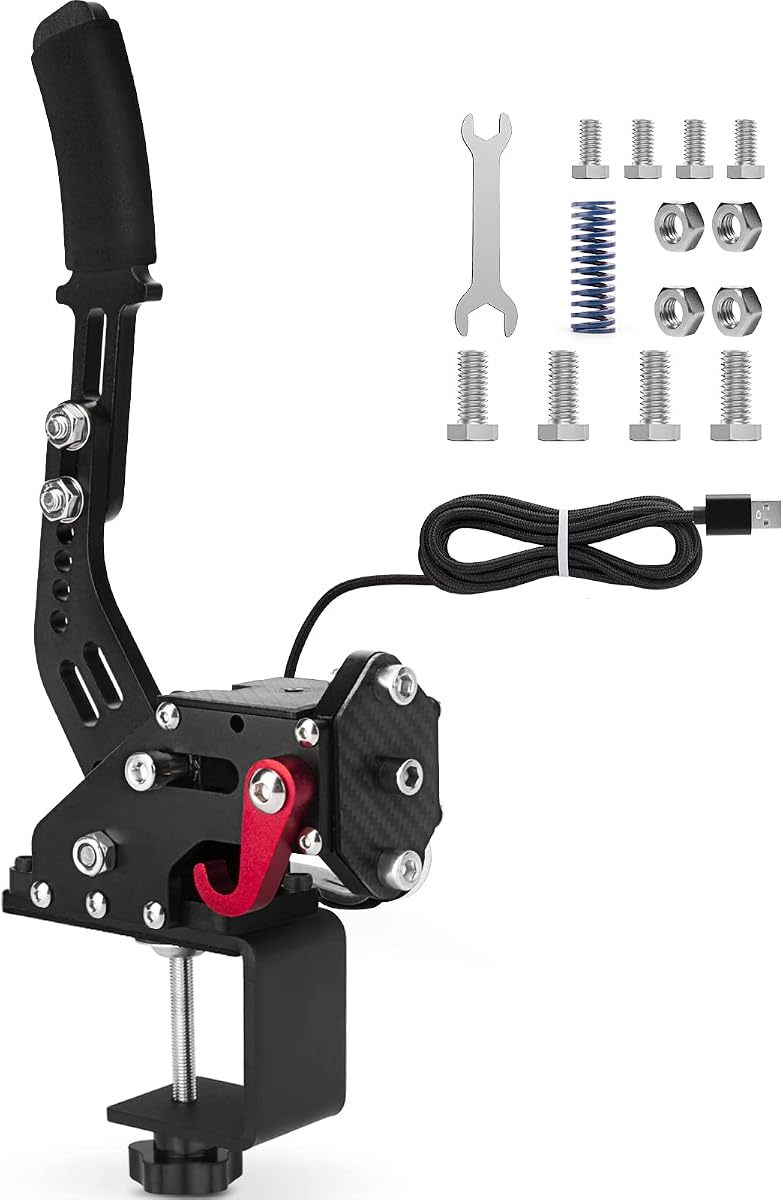
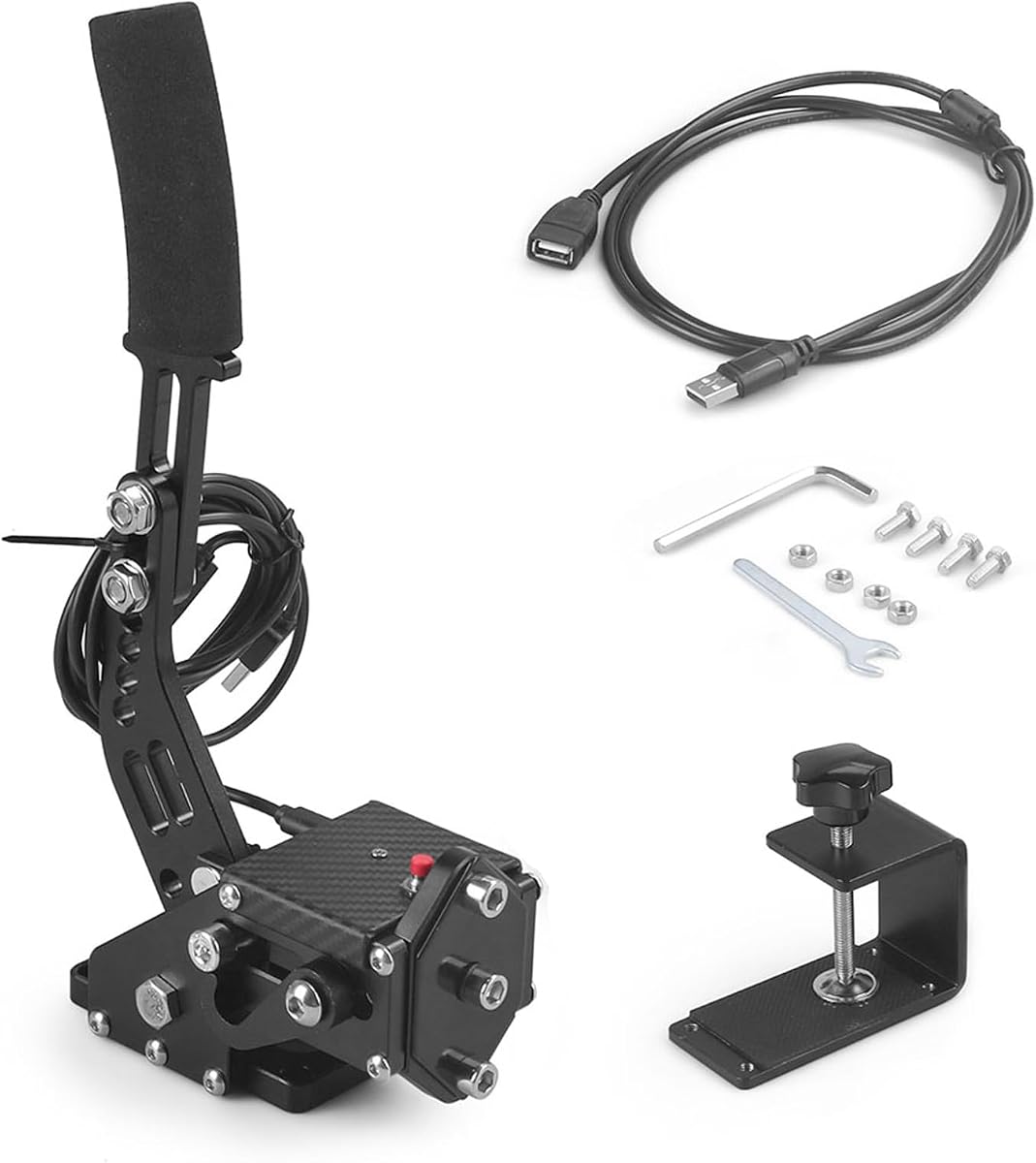
The Handbrake Sim Racing USB model is a compelling entry-level choice, combining a 4.5 rating with a 64-bit Hall-effect sensor and an easy USB setup. It is built from lightweight CNC-machined aluminum and mild steel, with an integrated motherboard connection intended to remain secure during use.
We may earn a commission when you buy through this link, at no additional cost to you.
Its curved handle and two-meter USB cable are practical features for a desk or cockpit installation. The cable is long enough to reach a PC from many common arrangements without being as unwieldy as some longer alternatives. No driver installation is required, which makes the product accessible to users who do not want to navigate operating-system configuration before entering a game.
Compatibility covers Logitech G920, G923, G27, G25, G29, and Thrustmaster T500 and T300 wheels on PC. The listed applications include WRC 7, 8, and 9, Assetto Corsa, ETS2 and ATS, DiRT Rally 2, and Project CARS 2 and 3. The product does not support PlayStation, Xbox, or Mac.
Although the supplied information does not highlight adjustable springs, alternate travel, or software settings, its core combination of a 64-bit sensor, durable materials, and uncomplicated installation is strong. It is a good match for a Windows user who wants a capable dedicated handbrake without moving to a highly configurable premium model.
The handbrake connects directly to USB and does not require a separate driver. A new user can therefore spend more time learning the in-game controls and less time troubleshooting operating-system software.
A two-meter lead is a useful middle ground between compact desktop devices and very long cockpit cables. It provides enough reach for common PC arrangements while remaining easier to route and manage.
We may earn a commission when you buy through this link, at no additional cost to you.
The 64-Bit Universal Handbrake is distinctive because it explicitly supports both PC and PlayStation ecosystems. Its 3.0 rating is the lowest among the rated products, but the core specification includes a 64-bit Hall sensor, automatic calibration, a reinforced spring, a fixing clip, and direct USB operation.
We may earn a commission when you buy through this link, at no additional cost to you.
Console support makes this model relevant to a racer who moves between a Windows PC and PlayStation 4 or PlayStation 5. The 1.8-meter cable is shorter than the two-meter and 78-inch leads offered by several rivals, although the included fixing clip can help maintain a stable position beside the wheel.
The product uses an aluminum body and advertises compact dimensions, which are useful for limited spaces. Its non-contact Hall sensor is designed to maintain precision without a conventional potentiometer. The button mentioned in the description allows a user to disengage or switch the handbrake without unplugging the USB cable each time.
The important restriction is that PC use is limited to Windows 10, while console compatibility is claimed for PS4 and PS5. Its lower rating gives prospective buyers more reason to scrutinize current customer feedback and verify their particular game and wheel combination. It remains a distinct option for users who need console support and value a reinforced, compact design.
Unlike PC-only models in this guide, the handbrake can also be used with PlayStation 4 and PlayStation 5 systems. This makes it more versatile for a gamer whose racing sessions regularly move between a home computer and console.
The fixing clip and reinforced spring help maintain a consistent lever position, while the relatively small chassis can fit more easily into a compact rig. Its shorter cable is the main routing compromise.
We may earn a commission when you buy through this link, at no additional cost to you.
The aikeec 64 Bit USB PC Handbrake in red combines a 4.3 rating with a particularly long 78-inch USB cable. It supports Logitech G25, G27, G29, G920, G923, and Thrustmaster T300 and T500 wheels, using a 64-bit Hall sensor and automatic calibration.
We may earn a commission when you buy through this link, at no additional cost to you.
The cable length is the defining practical advantage for larger cockpits. It can run from a wheel-mounted lever to a PC positioned farther away without adding an extension or creating a tight cable path. The included clamp complements that arrangement by giving the handbrake a stable mounting point near the seat.
The handbrake also offers height and angle adjustment, allowing the grip to be aligned with the user's seating position and steering wheel. Automatic calibration and non-contact sensing are intended to support repeatable progressive input, while direct USB connection removes the need for separate driver installation.
Its limitations mirror those of many straightforward PC handbrakes. There is no claimed support for PlayStation, Xbox, or Mac, and the supplied information does not mention interchangeable springs, damping adjustments, or configurable dead zones. It is best for a PC user with a roomy rig who values cable reach and secure placement more than advanced tuning.
A 78-inch lead offers considerable freedom when the computer sits away from the driver position. This is especially helpful for metal-frame rigs where a short cable would need to cross the user's lap or run through moving steering components.
The 64-bit Hall sensor is designed to capture gradual lever movement more precisely than a basic switch. Automatic calibration helps establish the usable range, supporting smoother handbrake inputs in compatible games.
We may earn a commission when you buy through this link, at no additional cost to you.
The CNRAQR PC Racing Game USB Handbrake is a compact 16-bit option with a 4.2 rating. Its control system is made primarily from low-carbon steel, while a 16-bit non-contact Hall sensor is intended to deliver smooth, linear input with greater precision than a 14-bit handbrake.
We may earn a commission when you buy through this link, at no additional cost to you.
The curved handle shape is intended to improve the feel of the grip, and the height adjustment lets users place it more naturally beside different wheel and cockpit combinations. A fixing clip and plate are included, providing more mounting options than a simple freestanding desktop design.
Setup is straightforward because the device connects through USB and does not require a driver. The two-meter cable offers useful reach for most desks and many compact cockpits. Compatibility is listed for Logitech G920, G923, G27, G25, G29, and Thrustmaster T500 and T300 wheels, along with FANATECOSW equipment on PC systems.
The device supports Windows 11 and earlier Windows versions, but not consoles or Mac. It also does not advertise the force, spring, or damping customization found on the PXN models. CNRAQR is therefore a sensible choice for a Windows racer who values steel construction, compactness, and a 16-bit progressive axis without expecting software tuning.
The 16-bit non-contact sensor provides a graduated axis for controlled pull and release. This allows a driver to use smaller handbrake inputs instead of treating the lever like a simple on-or-off control.
The relatively small body and included mounting hardware make the handbrake easier to integrate with limited desk space. Its two-meter cable is long enough for many arrangements without creating the routing complexity of a much longer lead.
We may earn a commission when you buy through this link, at no additional cost to you.
The SIMSONN HB Pro V2 is the premium and most technically advanced handbrake in the guide. Unlike the other models, it uses a hydraulic mechanism and an elaborate four-chip control system with two independent 32-bit processors, a dedicated 16-bit high-resolution analog-to-digital converter, and a fully differential signal amplifier.
We may earn a commission when you buy through this link, at no additional cost to you.
That processing architecture is intended to provide stable, low-latency, high-precision input. It connects directly to a PC through USB-C or to a compatible wheelbase through its CAN port, making it suitable for advanced cockpits rather than only simple desktop arrangements. The all-new V2 structure also supports the addition of SIMSONN's vibration feedback module, unlike the older HB Pro model.
Customization goes beyond lever placement and resistance. The included 70HA rubber damper can fine-tune braking force, SIMSONN Manager can adjust the dead zone, and RGB lighting dynamically represents handbrake pressure. Lighting can be synchronized with other SIMSONN devices, while the handbrake can operate in horizontal or vertical configurations with three angle settings.
The standard 13-centimeter non-slip handle can be supplemented with an optional 20-centimeter extended handle, and flat bearings are used in key components to reduce play. This is the most compelling choice for an enthusiast who wants hydraulic realism, sophisticated electronics, and integration with a premium rig. Its lack of a published rating, software dependency, and greater complexity make it less suitable for a first-time casual user.
Hydraulic resistance offers a different feel from a spring-loaded USB lever, while the custom 70HA damper allows the resistance to be personalized. Software-controlled dead-zone adjustment complements the mechanical tuning by refining when the game begins registering the input.
CAN connection to a compatible wheelbase and USB-C PC access provide low-latency communication in serious rigs. The pressure-reactive lighting also adds useful visual feedback, particularly during deliberate handbrake pulls.
We may earn a commission when you buy through this link, at no additional cost to you.
The PXN HBS PC Handbrake is a tunable 16-bit model built around a full aluminum alloy chassis. It has a 4.0 rating and weighs about 900 grams, a deliberate weight intended to improve stability. Interchangeable 3 kg, 5 kg, and 10 kg springs make it one of the more approachable options for users who want to alter resistance.
We may earn a commission when you buy through this link, at no additional cost to you.
The lever stroke is adjustable between 10 and 16 millimeters, allowing the response to be matched to a faster or more deliberate driving style. A damping gel can also be changed, and vertical or horizontal installation accommodates different rigs. The 16-bit magnetic Hall sensor provides smooth linear analog input and is presented as more durable and stable than an ordinary potentiometer.
The accessory kit includes screws, wrenches, springs, damping gel, a USB cable, and a clamp. That level of supplied hardware is useful for a permanent cockpit installation. Compatibility covers Windows 7, 8, 10, and 11, PXN V3, V9, V10, and V12 wheels, and Logitech G27, G29, G920, T300, and T500 devices.
Compared with the earlier PXN HB S, this model shares the same broad customization concept and adds a full accessory kit and a more detailed spring specification. However, it remains PC-only and does not offer the hydraulic system, RGB pressure display, CAN connection, or advanced processing of the SIMSONN. It is a strong fit for a customizable, stable PC handbrake without premium complexity.
Three included spring strengths let the user tune the lever for lightness, balance, or stronger resistance. This is particularly useful because personal hand strength and the required control style vary considerably between drivers.
The approximately 900-gram aluminum body is designed to resist wobbling during sustained use. A stable base improves consistency because the lever is less likely to shift as force is applied.
We may earn a commission when you buy through this link, at no additional cost to you.
The right handbrake depends on your platform, wheel, mounting space, and preferred level of control. Sensor quality, resistance, travel, and setup convenience should be considered together rather than in isolation.
Choose a Windows-only model if you race exclusively on a computer. Consider the Universal 64-Bit model instead if you regularly switch between Windows and PlayStation 4 or 5.
Prioritize progressive Hall sensing and reliable calibration. Use the listed resolution as supporting evidence, not as the only measure of quality.
Select adjustable springs when you share a rig or use several vehicle types. Choose fixed resistance for a simpler setup with fewer parts to tune.
Adjustable travel and angle are valuable across different rigs. Match the lever to your seating position before focusing on minor electronic differences.
Fixed rigs should prioritize a sturdy clamp or plate. Desktop users should balance footprint, grip adjustment, and cable length.
Aluminum suits portability, steel suits stability, and hydraulic construction serves high-end realism. Choose based on the environment and level of customization you need.
Match cable reach to your rig rather than choosing the longest option. For advanced setups, consider CAN or USB-C support as well as standard USB.
Choose software tuning and lighting when they improve your setup. Prefer a straightforward plug-and-play model for simplicity and quick setup.
Begin by mounting the handbrake securely beside the wheel, using the supplied clamp, clip, or plate when available. Position the grip within comfortable reach and align the lever angle with the natural motion of your arm. Connect the USB cable without creating a tight bend, then allow the sensor to complete its automatic calibration before starting a session. If the product uses interchangeable springs, damping, or travel parts, make one adjustment at a time so you can understand how each change affects resistance and endpoint feel.
Open the chosen game's controller or input settings and confirm that the handbrake appears as an analog or progressive input device. Assign it to the game's handbrake, parking brake, or equivalent control according to the developer's instructions. Test the full range of movement in a low-speed practice environment, checking that the screen reflects a smooth pull, hold, and release. Avoid abrupt full-force inputs until you are familiar with the lever's travel, spring resistance, and game-specific mapping.
For care, keep the mechanism free of dust, liquid, and debris, and avoid pulling the handbrake by its cable. Wipe the metal and grip with a soft, dry or lightly damp cloth, but do not spray cleaner directly into the handle. Check the mounting hardware and spring attachment periodically, particularly after moving the rig. For hydraulic, software-enabled, or wheelbase-connected models, follow the manufacturer's instructions for fluid, firmware, and configuration maintenance.
Most of the handbrakes in this guide are designed for Windows PC only. The 64-Bit Universal Handbrake explicitly supports PlayStation 4 and PlayStation 5, but its PC use is restricted to Windows 10. For any console model, check the current listing and game instructions because platform and title support can change with product revisions.
Many models in this roundup advertise plug-and-play USB operation and automatic calibration without additional drivers. The SIMSONN HB Pro V2 is different because advanced features such as dead-zone adjustment, lighting, and vibration-module support are managed through SIMSONN Manager software. Basic USB handbrakes may still require in-game axis mapping even when no operating-system driver is required.
A higher stated resolution can support more precise movement, but it does not determine the entire experience. Spring force, lever travel, rigidity, mounting stability, game support, and mapping all influence the feel. A well-adjusted 16-bit model may therefore feel better for one racer than a poorly configured unit with a higher-resolution sensor.
A progressive analog handbrake is generally the most useful because it allows controlled pull, hold, and release rather than a simple switch action. Look for Hall sensing, automatic calibration, and adjustable resistance or travel. The PXN HB S and PXN HBS are particularly versatile for tuning, while the SIMSONN HB Pro V2 targets users wanting hydraulic resistance and advanced feedback.
Use the included clamp, clip, or plate whenever possible, and place the unit beside the driver's seat where the arm can move naturally. Make sure the grip does not obstruct steering-wheel or pedal movement. A fixed cockpit benefits from a rigid mount because it prevents the lever from shifting when strong pressure is applied.
The right length depends on where the computer sits relative to the wheel. A two-meter cable works for many desks and compact rigs, while 63-inch and 78-inch options provide more freedom in larger cockpits. Route the cable so it does not cross the driver's legs, interfere with the pedals, or pull against the mounted handbrake.
Yes, as long as the wheel and operating system are included in the manufacturer's compatibility list. Popular Logitech G25, G27, G29, G920, and G923 models, along with several Thrustmaster and PXN wheels, are supported by multiple products here. The handbrake generally operates as an independent USB controller rather than connecting directly to the wheel.
Possibly. Even when the device connects automatically and requires no driver, a game may not recognize the input axis correctly or may use a different parking-brake control. Consult the current product instructions and the game's controller settings, then test the full lever range in a safe practice environment.
The PXN HB S is the strongest all-around recommendation because it combines a 16-bit Hall sensor, aluminum construction, adjustable force and travel, and two grip orientations. The Handbrake Sim Racing USB model is a capable budget-focused option with a 64-bit sensor and simple installation, while the SIMSONN HB Pro V2 represents the premium choice for hydraulic force, advanced electronics, pressure lighting, and cockpit integration.
Prioritize the platform and games you play, then choose a sensor and resistance system that match your driving style. PC-only users should consider compatibility, mounting hardware, cable length, and whether fixed or adjustable force best suits their rig. More specialized features are worthwhile only when they solve a real setup or control issue.
Ratings, product specifications, and availability can change, so review the latest listing before ordering. Current prices also fluctuate, meaning the best handbrake is not always the most expensive one. Compare the stated platform support, included mounting parts, adjustment range, and return terms, and choose the model that integrates most cleanly with your equipment and games.