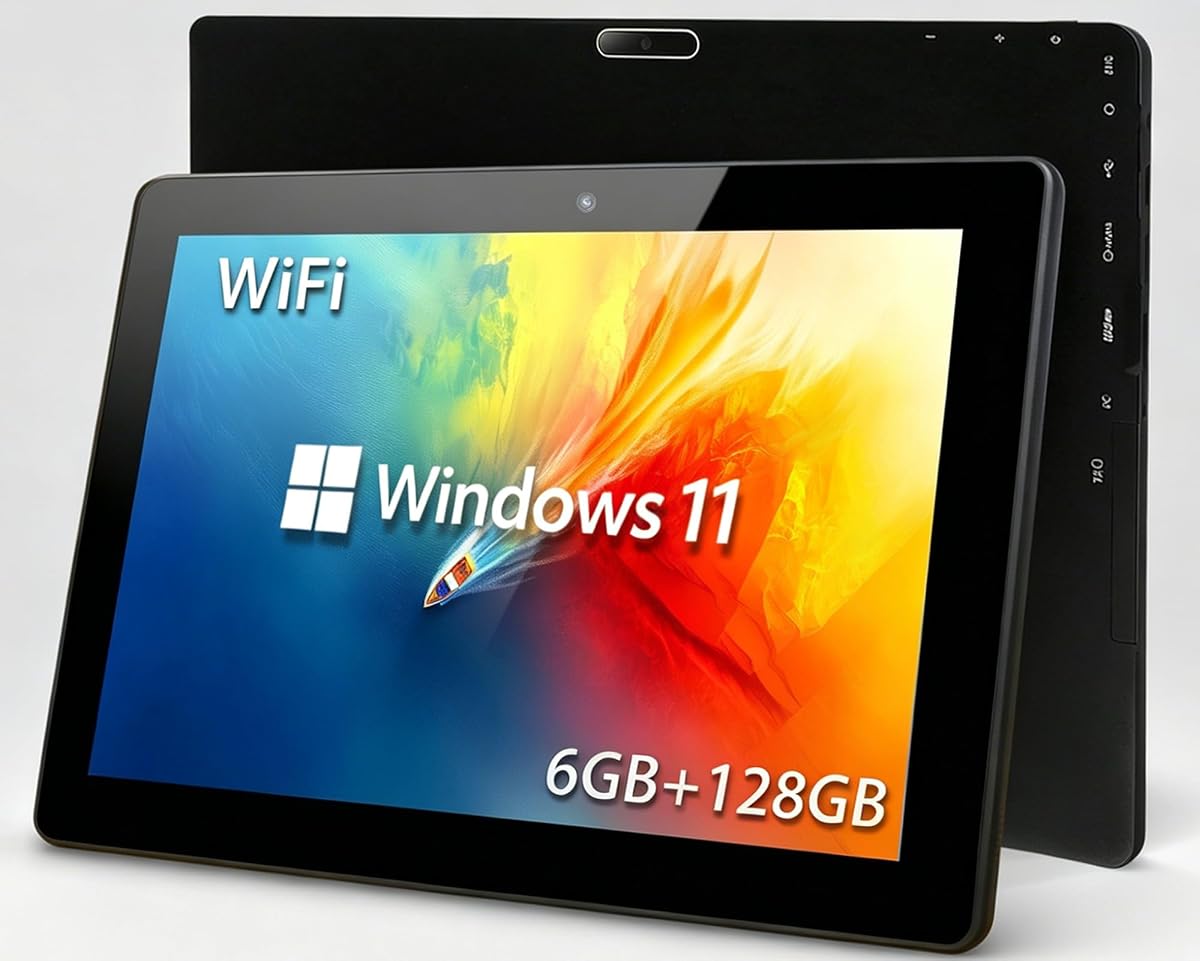
10.1-Inch Windows 11 Touchscreen Tablet PC
2.7Editor score
Activated Windows 11 Home
Intel Celeron quad-core processor
Dual-band Wi-Fi and Bluetooth
Expandable TF card storage
A Touch Screen Windows 11 Tablet combines the portability of a tablet with the familiar applications, file management, and accessory support of a Windows computer. The best models balance a responsive display, capable processor, adequate memory, useful ports, and enough battery life for work, study, travel, or presentations.
We compared all ten listed devices by examining processor class, memory, storage, screen size and resolution, operating-system edition, connectivity, battery claims, included accessories, and specialized features such as rugged construction or VESA mounting. The list covers general-purpose 2-in-1 computers, portable Windows tablets, renewed models, and an industrial panel PC.
Each review identifies the strongest reasons to consider a particular model and the compromises buyers should understand. Ratings, configurations, availability, and prices can change, so check the current listing and confirm that its specifications match your needs before purchasing.
2.7Editor score

5.0Editor score

4.3Editor score
As an Amazon Associate we earn from qualifying purchases.
The comparison below highlights the major differences in display, performance, memory, operating system, connectivity, and intended use, helping you distinguish a compact productivity tablet from a rugged field computer or fixed industrial panel.


This 10.1-inch Windows 11 tablet is positioned as an affordable general-purpose device for browsing, schoolwork, office documents, media, and light editing. Its 2.7 rating is the lowest among the listed products, so buyers should interpret it as a caution rather than a reason to dismiss the model. The supplied specifications indicate that it includes an activated Windows 11 Home system rather than a barebones tablet operating system.
We may earn a commission when you buy through this link, at no additional cost to you.
Its principal advantages are practical rather than premium. An Intel Celeron 1.6GHz quad-core processor, 6GB of RAM, and 128GB of internal storage are aimed at office applications, online courses, daily browsing, and light video editing. The 1280 x 800 capacitive screen supports multi-touch, while HDMI output and OTG make it possible to connect a monitor, projector, or peripheral. Storage can also be expanded with a TF card.
The trade-offs are substantial. A 2.7 rating may reflect customer dissatisfaction, although the supplied information does not reveal the reasons, so potential issues cannot be attributed to a specific fault. The modest screen resolution, entry-level processor, and limited built-in storage also place it below the AE86 and the Fusion5 models for demanding multitasking. Its 6GB of memory and 128GB storage may feel restrictive as files accumulate.
This tablet makes the most sense for shoppers seeking the core Windows 11 experience at the lower end of this list, especially for basic study, document viewing, and occasional travel. It is less convincing for intensive office work, creative applications, or environments where dependable support and stronger performance are priorities. Consider the low rating carefully and read current customer feedback before ordering.
Windows 11 Home compatibility with mainstream applications makes the tablet relevant to users who want a conventional desktop interface rather than a limited mobile-only experience. It can support office work, coursework, browsing, and light media editing when expectations are realistic.
Dual-band Wi-Fi, Bluetooth 4.2, HDMI output, and OTG support expand the practical value of the device. You can connect a keyboard, mouse, headphones, external display, or projector without relying on the touchscreen alone.
We may earn a commission when you buy through this link, at no additional cost to you.
The AE86 combines a 10.1-inch Windows 11 Pro tablet with a detachable keyboard and stylus, creating one of the most complete packages in the roundup. It carries a 5.0 rating, the highest listed figure, and its Intel Core m3-8100Y processor, 12GB of RAM, and 256GB SSD give it a more convincing productivity foundation than the entry-level first model.
We may earn a commission when you buy through this link, at no additional cost to you.
The supplied package includes the tablet, keyboard, stylus, manual, and power adapter, reducing the need to purchase several accessories immediately. Office 2024 is preinstalled, while USB-C, a dedicated USB-C power input, micro HDMI, Bluetooth 5.0, and WiFi 5 provide practical connectivity. The 10.1-inch 1280 x 800 screen and keyboard touchpad make the device usable in tablet, notebook, and compact desktop modes.
Its limitations center on display resolution, battery capacity, and the inherent constraints of a small 2-in-1. The listed 7.6V/3400mAh battery is smaller than those in the 10.1-inch Fusion5 devices, and the screen is not as detailed as the 1920 x 1200 Fusion5 panels or the high-resolution Surface displays. The Core m3 is suitable for everyday tasks and light creative work, but it is not positioned as a high-end workstation processor.
Overall, the AE86 is the strongest all-around choice for students, travelers, and home-office users who want a ready-to-use Windows tablet with physical input options. Its complete bundle, 12GB memory, storage, and strong rating outweigh the modest screen and battery specifications. It is especially useful when portability and convenience matter as much as raw performance.
Office 2024, a detachable keyboard, and a responsive stylus make the AE86 useful for documents, browsing, media, and light creative tasks right out of the box. The 12GB of RAM also provides more headroom for multiple open applications than most entry-level Windows tablets.
You can use the display directly, attach the keyboard for a notebook-like setup, or employ the on-screen keyboard for quick input. That flexibility makes the device well suited to travel, commuting, presentations, and compact workspaces.
We may earn a commission when you buy through this link, at no additional cost to you.
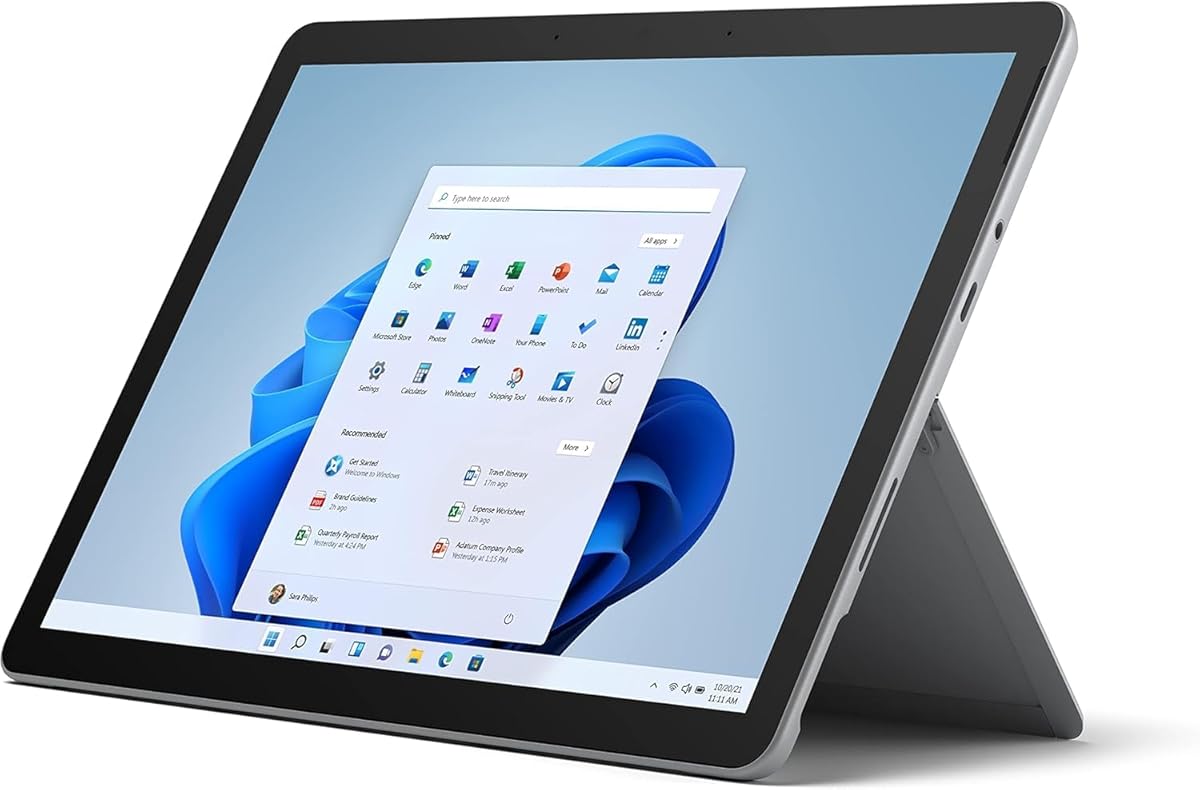
The renewed Surface Go 2 combines a compact 10.5-inch form with Microsoft Surface design, a high-resolution 1920 x 1280 PixelSense display, and Windows 11 Pro. Its 4.3 rating is strong, and the listed weight starts at just 1.15 pounds, making this a particularly portable choice for students and commuters.
We may earn a commission when you buy through this link, at no additional cost to you.
Inside, an Intel Core m3 processor, 8GB of memory, and 128GB SSD are intended for everyday productivity, browsing, media, and communication. The tablet supports 10-point touch and includes USB-C, a 3.5mm headphone connection, Surface Connect, a Type Cover port, and a microSDXC reader. The product listing also mentions up to nine hours of unplugged use, making it suitable for a typical school or workday when power is not readily available.
Because this is a renewed configuration, buyers must account for refurbishment history rather than assuming the condition of a new device. Storage is relatively compact, memory cannot be upgraded, and the Type Cover and other accessories are sold separately. Older Core m3 hardware also does not compare with newer Snapdragon X Plus or Elite systems for demanding workloads.
The Surface Go 2 is a good fit for buyers who prioritize Microsoft ecosystem familiarity, portability, and a sharper display than most 10.1-inch alternatives. It is less suitable for intensive work, large local media libraries, or anyone who wants a complete keyboard bundle included. Verify the renewed condition, battery expectations, included accessories, and warranty details before purchase.
At 1920 x 1280, the Surface Go 2 offers substantially more detail than the 1280 x 800 panels used by the AE86 and first tablet in the list. That makes it a comfortable choice for reading documents, browsing detailed pages, and viewing media in a compact body.
Windows 11 Professional adds management and security features relevant to business and remote-access environments. The combination of USB-C, microSD expansion, Surface Connect, and headphone connectivity keeps the tablet practical for a variety of mobile workflows.
We may earn a commission when you buy through this link, at no additional cost to you.
This Fusion5 is built for buyers who need a Windows tablet to tolerate demanding work environments rather than remain a delicate entertainment slate. It has a 4.0 rating, Windows 11 Pro, a rugged shockproof and dustproof design, and a stated two-year warranty that includes protection for up to two accidental-damage incidents after registration.
We may earn a commission when you buy through this link, at no additional cost to you.
The Intel 13th Gen Alder Lake N100 processor, 12GB of RAM, and 256GB SSD form a capable everyday platform. Its 10.1-inch 1920 x 1200 IPS touchscreen uses 2.5D G+G glass and reaches up to 500 nits, a useful brightness level for outdoor visibility. Dual full-HD cameras, dual speakers, dual-band Wi-Fi, Bluetooth 5.0, and a 6000mAh battery broaden its field and media capabilities.
The main drawback is that rugged protection and included accessories can make the package less compact than a conventional slim tablet. Covered ports, a hands-free strap, and a back mount improve usability in industrial sites, classrooms, and outdoor settings, but they may feel unnecessary for desk-based use. Storage is also limited to 256GB internally, though a microSD card can add capacity.
Choose this model for field work, logistics, education, construction, or other settings where drops, dust, and accidental contact are realistic concerns. The warranty, bright screen, battery capacity, and modern processor make it a strong productivity tool. For ordinary home use, its protective design offers more ruggedness than necessary.
The shockproof and dustproof shell is paired with covered connections, a hands-free strap, and a mounting stand. These details make the tablet better suited to warehouses, job sites, classrooms, and outdoor assignments than a slim consumer tablet.
The IPS panel combines a 1920 x 1200 resolution with brightness of up to 500 nits. That combination gives it a useful advantage when documents, camera previews, or instructional material must be read in brighter surroundings.
We may earn a commission when you buy through this link, at no additional cost to you.
The 15.6-inch industrial panel PC is fundamentally different from the portable tablets in this roundup. It is an all-in-one Windows 11 Pro touchscreen built for embedding into equipment, mounting on a wall, or operating as a fixed control terminal. Its 4.5 rating is among the strongest listed, which is notable for a specialized industrial design.
We may earn a commission when you buy through this link, at no additional cost to you.
The Intel Celeron N5095 processor, 8GB of RAM, and 128GB ROM support basic industrial computing, while the 15.6-inch 1920 x 1080 IPS panel offers a large workspace. High-sensitivity 10-point G+G capacitive touch supports wet hands and gloves. Four USB 3.0 ports, full-featured USB-C, HDMI, 1000M LAN, Wi-Fi 5, and Bluetooth 5.0 cover common data and peripheral needs.
Its fanless aluminum-alloy enclosure and sealed, moisture-resistant back are designed to reduce dust, vibration, and noise. Operation is specified across a wide temperature range from -10°C to 55°C. However, 12V power, mounting hardware, and the lack of a battery mean it is not a roaming tablet. The 128GB storage capacity and N5095 platform may also be limiting for complex local datasets.
This is the right option for machine operators, factory personnel, kiosk developers, and facilities teams that need a permanently mounted touchscreen running Windows. It is a poor substitute for a personal tablet because it is designed around installation rather than handheld use. Confirm enclosure requirements, power availability, mounting dimensions, and software compatibility before purchasing.
The fanless design eliminates the need for a cooling fan, while the waterproof front and moisture-resistant back improve resistance to dust and vibration. Its broad temperature range also supports use beyond ordinary indoor office conditions.
Standard PPC mounting hooks and VESA-compatible holes allow integration into cabinets, walls, or desktop arrangements. This installation flexibility makes the panel well suited to embedded control interfaces and dedicated operational stations.
We may earn a commission when you buy through this link, at no additional cost to you.
This Fusion5 shares the rugged design and core platform of the 256GB version but doubles the internal SSD capacity to 512GB. That distinction is meaningful for buyers who need to store extensive project files, media, offline applications, or field data without constantly relying on external memory. It maintains a 4.0 rating and includes the same two-year accidental-damage protection.
We may earn a commission when you buy through this link, at no additional cost to you.
Windows 11 Pro, an Intel 13th Gen Alder Lake N100 processor, and 12GB of RAM make it suitable for office applications, browsing, communication, and field workflows. The 10.1-inch 1920 x 1200 IPS screen supports up to 500 nits, while the 6000mAh battery, dual cameras, dual speakers, and dual-band Wi-Fi provide a balanced mobile package. MicroSD expansion offers further storage flexibility.
The low-power N100 platform is suitable for general productivity but is not intended to replace a high-end workstation. The rugged enclosure, covered ports, strap, and stand also add bulk compared with a conventional tablet. Buyers who do not need the substantial internal capacity may find limited practical benefit over the 256GB Fusion5 configuration.
This tablet is best for mobile professionals who need both ruggedness and generous local storage. It is particularly relevant for field service, inventory work, offline education, and media-heavy jobs. Confirm that the added capacity addresses a real workflow need, and verify the included accessories and accidental-damage registration requirements.
The 512GB SSD provides ample room for offline files, media, and applications in a portable device. It is especially helpful when connectivity is inconsistent or large files must remain available on the tablet itself.
The second Fusion5 configuration preserves the dust resistance, covered connections, 500-nit IPS display, 6000mAh battery, hands-free strap, and two-year accidental-damage cover. Buyers do not sacrifice field-oriented durability for the larger storage capacity.
We may earn a commission when you buy through this link, at no additional cost to you.
The renewed Surface Pro 5 remains attractive for buyers who prioritize a large, exceptionally detailed display and familiar Surface design. Its 3.4 rating is modest compared with the rest of the field, and the absence of a keyboard reduces its value as a complete portable workstation, but the 12.3-inch 2736 x 1824 touchscreen remains unusually sharp.
We may earn a commission when you buy through this link, at no additional cost to you.
Its Intel Core i5-7300U processor has two cores, four threads, and speeds listed from 2.6GHz to 3.5GHz. With 8GB of DDR4 memory and a 256GB SSD, it can handle everyday documents, browsing, communication, and several applications. Full-size USB 3.0, a microSD reader, a headphone connection, Mini DisplayPort, a charging port, and a cover port provide useful expansion.
The principal trade-off is age. This is a renewed generation of Windows hardware, and its rating may reflect condition, battery health, or customer satisfaction concerns that cannot be diagnosed from the supplied information. Memory is capped at 8GB, and no keyboard is included. The old processor also lacks the efficiency and AI capabilities associated with newer Snapdragon-based Surface Pro models.
Choose the Surface Pro 5 if a high-resolution screen, Core i5 performance, and the Surface form factor matter more than the newest internal hardware. It can serve as a compact desktop when paired with a separately purchased keyboard. Buyers should carefully review the refurbishment condition, battery status, warranty, and included accessories.
The 2736 x 1824 resolution provides a crisp workspace for documents, image review, and media. Its larger proportions also make touch navigation and viewing more comfortable than on smaller 10.1-inch models.
Despite its large display, the Surface Pro 5 remains a portable 2-in-1. USB 3.0, Mini DisplayPort, headphone support, microSD expansion, and front and rear cameras provide a useful range of functions for travel and creative work.
We may earn a commission when you buy through this link, at no additional cost to you.
The 2025 Microsoft Surface Pro 12-Inch combines a flexible 2-in-1 design with a modern Snapdragon X Plus platform and Copilot+ PC capabilities. Its 4.4 rating places it among the highest-rated products in the guide, while 16GB of RAM and 512GB of storage provide a generous configuration for mobile productivity and media.
We may earn a commission when you buy through this link, at no additional cost to you.
The device can be used as a handheld tablet, supported by its built-in kickstand, or adapted into a laptop with a separately sold Surface Pro Keyboard. The 12-inch PixelSense display is designed for work and entertainment, and the listed Copilot+ PC features include AI tools for writing, summarizing, and multitasking. A claimed battery life of up to 16 hours makes it particularly relevant to commuters and travelers.
As with other Surface Pro devices, the keyboard is not included, and the overall product tier is higher than most conventional tablets in the roundup. Application compatibility may also require attention when relying on specialized x86 software, although the supplied data does not detail specific compatibility limitations. Actual runtime depends on workload and settings, so the maximum figure should not be treated as a guarantee.
This Surface Pro is a strong recommendation for users who want a premium Windows tablet with ample memory, substantial storage, and modern AI-oriented features. It is particularly suitable for students, professionals, and frequent travelers who value flexibility. Ensure that you budget for the optional keyboard if a physical typing experience is important.
The Snapdragon X Plus processor and Windows 11 Copilot+ platform provide a contemporary foundation for mobile work. Built-in AI tools can assist with writing and summarizing, while 16GB of RAM supports heavier multitasking than most compact alternatives.
The built-in kickstand supports hands-free viewing, while the touchscreen allows direct interaction. Adding the separately sold keyboard converts the device into a more conventional notebook for prolonged typing and heavier productivity.
We may earn a commission when you buy through this link, at no additional cost to you.
The Surface Pro 13-Inch OLED is the premium display choice in this roundup. Its 13-inch OLED touchscreen delivers a stated 1M:1 contrast ratio, wider colors, and crisp visual detail, while the Snapdragon X Elite 12-core processor and 16GB of memory provide a powerful foundation for Windows 11 Copilot+ workloads. Its 4.3 rating is solid.
We may earn a commission when you buy through this link, at no additional cost to you.
The flexible design lets the device serve as a tablet, media viewer, sketchbook, or laptop when paired with the separately sold Surface Pro Flex Keyboard. Copilot+ PC features are intended to accelerate tasks such as writing, summarizing, and multitasking. A stated battery life of up to 14 hours and fast charging through a 65W power supply via Surface Connect or USB-C support extended mobile use.
The trade-offs are the premium tier and relatively compact 256GB storage. Buyers who save large media libraries or extensive project collections locally may prefer the 512GB configurations elsewhere in the guide. The optional keyboard is another separate purchase. As with other ARM-based Windows systems, checking the requirements of specialized software is advisable before committing to a workflow that depends on it.
This model is ideal for users who want the richest visual experience, a large touch canvas, and top-tier portable performance. It works particularly well for creative review, media consumption, presentations, and productivity when a premium display is a priority. Choose it for display quality and power, then add the appropriate keyboard if you need extensive typing.
The OLED panel's 1M:1 contrast ratio and broad color range make it especially compelling for movies, images, and detailed creative work. The 13-inch canvas also offers more room for editing, annotation, and multitasking than the smaller tablets in the roundup.
The 12-core Snapdragon X Elite processor and 16GB of memory provide substantial capability for productivity and multitasking. Fast charging through USB-C or Surface Connect adds flexibility when the claimed battery advantage is not enough for a full day.
We may earn a commission when you buy through this link, at no additional cost to you.
The Platinum Surface Pro 12-Inch is a balanced modern 2-in-1, combining the same 12-inch format and Snapdragon X Plus platform as the Ocean configuration with a substantial 512GB of storage. Its 4.4 rating is tied for the highest listed rating, making it one of the strongest customer-rated options in the guide.
We may earn a commission when you buy through this link, at no additional cost to you.
Sixteen gigabytes of RAM gives the device comfortable multitasking capacity, while the 512GB drive reduces the need to manage local files through external storage. The Windows 11 Copilot+ platform supplies AI-oriented writing, summarizing, and multitasking tools. Its PixelSense touchscreen can be used directly, propped on the built-in kickstand, or combined with a separately sold Surface Pro Keyboard.
This model is not the OLED option in the list, so buyers prioritizing maximum contrast and color depth may prefer the larger Surface Pro 13-Inch. The keyboard remains an additional purchase, and specialized software compatibility should be checked when using an ARM-based Windows platform. Claimed battery life of up to 16 hours will vary with workload and settings.
It is a strong recommendation for users who want generous storage, abundant memory, a modern Windows experience, and exceptional portability without choosing the flagship display. Students, commuters, and mobile professionals can use it for coursework, media, communications, and document workflows. Confirm accessory needs and application requirements before purchase.
The 512GB configuration gives this Surface room for a substantial local collection of documents, media, and applications. Combined with its relatively compact 12-inch form, it is well suited to users who want storage without moving to a conventional laptop.
The Platinum finish differentiates this listing from the otherwise similar Ocean configuration. More importantly, it pairs that color option with 16GB of memory, modern Copilot+ features, and one of the highest ratings among the products reviewed.
We may earn a commission when you buy through this link, at no additional cost to you.
The most useful Windows tablet is defined by the environment in which it will operate. Display detail, processor capability, memory, storage, battery endurance, ports, durability, and included accessories should be matched to your workload rather than compared only by headline specifications.
Windows 11 Home is appropriate for everyday personal use, web browsing, school assignments, mainstream applications, and light creative work. Windows 11 Professional adds features described in the supplied listings as useful for security, management, virtualization, remote access, and business or professional environments. The Surface Pro models and the AE86 run the Pro edition, while the first budget tablet includes Windows 11 Home.
Choose the edition based on the software and account controls you actually need. A Home device can satisfy many consumers, but an organization may require Pro management features. Confirm that essential applications support the operating-system edition and the selected processor architecture.
Processor capability ranges from the first tablet's 1.6GHz Intel Celeron quad-core to the Surface Pro 13-Inch's 12-core Snapdragon X Elite. The Intel N100 Fusion5 models and the N5095 industrial panel occupy the middle ground, while the AE86 uses a Core m3-8100Y with turbo speeds up to 3.40GHz. Modern Snapdragon models also introduce Copilot+ PC features and strong efficiency.
Prioritize enough processing power for your heaviest applications, but do not assume a high core count makes every device suitable. Specialized or legacy software may require x86 compatibility, making processor architecture more important than simple specifications. For general study and office use, current midrange hardware is usually the more sensible target.
Memory determines how comfortably a Windows tablet can hold multiple applications, browser tabs, and background services open. The list ranges from 6GB in the first tablet to 16GB in the Surface Pro models. The AE86 and both Fusion5 tablets use 12GB, a useful balance for productivity and multitasking. Storage ranges from 128GB to 512GB, with microSD or TF expansion offered by several models.
Aim for at least 8GB when keeping several productivity applications open, and consider 12GB or 16GB for heavier multitasking. For local media or large project files, prioritize at least 256GB. Expansion support is useful, but it should not replace adequate internal storage for an operating system and frequently used applications.
Screen selection involves balancing portability against viewing comfort. The 10.1-inch and 10.5-inch models are easy to carry, the 12-inch and 12.3-inch options provide more room for reading and editing, and the 15.6-inch industrial panel is intended for permanent installation. Resolution ranges from 1280 x 800 on the AE86 and first tablet to 2736 x 1824 on the renewed Surface Pro 5.
For documents, web browsing, and presentations, a higher-resolution panel reduces tiny text and makes detailed content easier to inspect. An OLED panel offers especially strong contrast and color, while IPS screens on the Fusion5 models emphasize outdoor brightness. Choose the size that fits your carrying method before deciding how much screen detail you need.
The listed battery specifications vary considerably. The first tablet has a 6000mAh battery with a claim of up to 12 hours of standby or video playback, the Fusion5 models use 6000mAh cells, the AE86 has a smaller 3400mAh battery, and the Surface Pro models advertise up to 14 or 16 hours. The industrial panel requires 12V power and is not designed for roaming use.
Battery capacity alone does not determine runtime; screen brightness, processor efficiency, workload, wireless connections, and battery condition all matter. Renewed devices deserve particular attention because their battery may have experienced more of the device's life. For all-day mobile work, prioritize an efficient processor and credible endurance claim over raw cell size alone.
A good Windows tablet should connect to the equipment you already use. USB-C is common among the AE86, Fusion5 models, and Surface Pro devices, while the industrial panel adds four USB 3.0 ports, HDMI, full-featured USB-C, and 1000M LAN. Micro HDMI appears on the AE86 and Fusion5 models, and the renewed Surface Pro 5 includes full-size USB 3.0 and Mini DisplayPort.
Dual-band Wi-Fi is preferable in busy environments because it can reduce interference compared with a 2.4GHz-only connection. Bluetooth 5.0 is available on the AE86, Fusion5 tablets, industrial panel, and modern Surface Pro models. Check the port mix and wireless standards before purchasing, particularly if you rely on wired peripherals, external storage, or wired networking.
A slim consumer tablet is appropriate for commuting, desks, home use, and presentations, while a ruggedized design is more valuable in warehouses, classrooms, laboratories, repair environments, and outdoor fieldwork. Both Fusion5 models emphasize shockproof and dustproof construction, protected ports, a hands-free strap, and accidental-damage coverage. The industrial panel adds a sealed, fanless, wide-temperature design.
Durability is not simply another specification category; it changes how the device can be carried and operated. A rugged tablet may be heavier and bulkier, while a fixed panel has no battery and requires installation. Consider drops, spills, glove use, dust, temperature, mounting needs, and whether mobile use is essential before choosing a specialized design.
Touch input is useful for navigation, reading, and presentations, but many Windows workflows benefit from physical typing. The AE86 includes a detachable keyboard and stylus, while the Surface Pro family uses a separately sold keyboard. The Fusion5 models include a 30W Type-C charger, strap, and stand, and the industrial panel includes mounting hooks. The renewed Surface devices do not include a Type Cover.
Compare the complete package rather than focusing only on the tablet. If a stylus is important for drawing or note-taking, the AE86 bundle is notably convenient. If you type extensively, budget for a compatible Surface keyboard. Industrial purchasers should also confirm cables, power adapters, mounting arrangements, and peripheral requirements.
Begin by completing Windows setup, connecting to Wi-Fi, signing into your preferred account, and applying updates before moving important files onto the device. Check the battery, storage, display resolution, and accessibility settings. If the tablet includes a detachable keyboard or stylus, install any required drivers and confirm that pen input, gestures, rotation, and external-display functions work correctly.
For mobile use, keep the charging port clear, use a protective case, and avoid leaving the tablet in extreme heat, direct sun, or damp conditions. Clean the screen with a soft microfiber cloth and avoid abrasive cleaners. Do not use the touchscreen as the only input for long typing sessions when a keyboard is available; pairing it can improve comfort and reduce accidental taps.
For a fixed industrial panel, follow the mounting instructions, verify the 12V power source, seal connected cables appropriately, and test touch input with the gloves or wet hands used in the actual environment. For renewed devices, periodically check battery behavior and storage health. Keep backups of important data, especially when using older hardware or specialized equipment where failure could interrupt work.
A 10.1-inch or 10.5-inch model is best for portability and light note-taking, while 12-inch and 13-inch screens offer more comfortable document viewing and creative work. A 15.6-inch industrial panel is intended for fixed installation rather than handheld use. Choose based on how often the device must be carried and the amount of on-screen workspace required.
Windows 11 Home is generally sufficient for personal browsing, coursework, mainstream applications, and media. Windows 11 Pro is more appropriate when security policies, device management, virtualization, remote access, or business software matter. The correct edition is ultimately determined by your applications and organizational requirements, not by the tablet label alone.
At least 8GB of RAM is sensible for regular multitasking, while 12GB or 16GB provides more comfort when many browser tabs and productivity applications remain open. Storage needs depend on whether you keep media and large projects locally. At least 256GB is more flexible than 128GB, and an additional microSD or TF card can help with files that do not need to remain on the internal drive.
Several models explicitly support display or peripheral expansion. The first tablet includes HDMI output and OTG, the AE86 offers USB-C and micro HDMI, the Fusion5 models include protected HDMI and USB-C connections, and the industrial panel includes HDMI and USB 3.0. Surface models also provide USB-C or video connectivity, although adapter requirements should be checked for the exact display and keyboard setup.
They can be worthwhile when the display, performance, and portability you want are available at a notably lower cost. The trade-off is uncertainty about prior use, battery condition, cosmetic wear, included accessories, and warranty terms. Review the refurbishment description and current customer feedback carefully, and confirm the operating system, storage capacity, and accessories before ordering.
It depends on your workflow. Touch controls are excellent for reading, browsing, drawing, and presentations, but a keyboard improves accuracy and comfort during long documents, email, coding, or spreadsheet work. The AE86 includes one, while modern Surface Pro models generally require a separate compatible keyboard and the renewed Surface Pro 5 listing explicitly excludes a cover.
The Fusion5 models are the most directly oriented toward field use because they emphasize shockproof, dustproof construction, protected ports, a hands-free strap, a bright 500-nit screen, and accidental-damage coverage. The industrial panel is even more specialized for harsh fixed installations and supports glove or wet-hand operation. Neither is automatically the best choice for ordinary home use because both add unnecessary bulk or installation requirements.
No. Maximum battery-life claims generally reflect particular test conditions and may differ from real usage. Screen brightness, video playback, processor load, wireless connections, and battery age all affect runtime. For a renewed tablet, actual endurance may vary further, so current owner feedback and the condition of the battery are worth checking.
The AE86 stands out as the best overall option because it combines a 12GB/256GB configuration, Windows 11 Pro, Core m3 hardware, and a complete keyboard-and-stylus package. The first tablet serves as a budget-focused alternative for basic study and office use, while the Surface Pro 13-Inch OLED provides the highest-end visual experience with a large OLED display and flagship Snapdragon X Elite performance.
Your use environment should drive the decision. Choose a Surface Pro for modern mobility and Copilot+ features, a Fusion5 for rugged field work, the industrial panel for permanent installation, or the Surface Pro 5 and Surface Go 2 when a compact Microsoft tablet and high-resolution screen are priorities. Prioritize processor capability, memory, usable storage, ports, and accessories over secondary features that you will not use.
Configurations, ratings, availability, and prices can change, so confirm the current listing before buying. Check the operating-system edition, processor architecture, accessory inclusion, screen resolution, battery condition, and warranty carefully. That final verification ensures the selected Touch Screen Windows 11 Tablet fits your budget, workflow, and mobility requirements.