
Nikon Super Coolscan 4000 ED
5.0Editor score
4,000 dpi optical resolution
48-bit color capture
Slide and film support
A scanner for Kodachrome slides should preserve fine detail, reproduce colors faithfully, and make the conversion process straightforward enough for a large family collection. The right device also needs compatible holders, dependable illumination, useful editing controls, and a practical way to save or transfer the resulting digital files.
The products in this guide span compact tabletop units, computer-free scanners with large touch displays, and professional Nikon models designed for demanding film workflows. Their ratings, supported formats, resolution figures, storage options, connectivity, displays, and editing features are compared without making unsupported claims about results on any particular slide type.
Each review explains who the scanner is best suited for, why its features matter, and where its compromises may affect your collection. The leading options include a versatile Kodak, a touch-focused HP, and a premium Nikon model, while prices and availability can change at any time.
5.0Editor score

4.1Editor score

4.1Editor score
As an Amazon Associate we earn from qualifying purchases.
This side-by-side comparison covers the essential differences in scan resolution, viewing screens, film-format support, storage, connectivity, and intended workflow across all ten scanners.
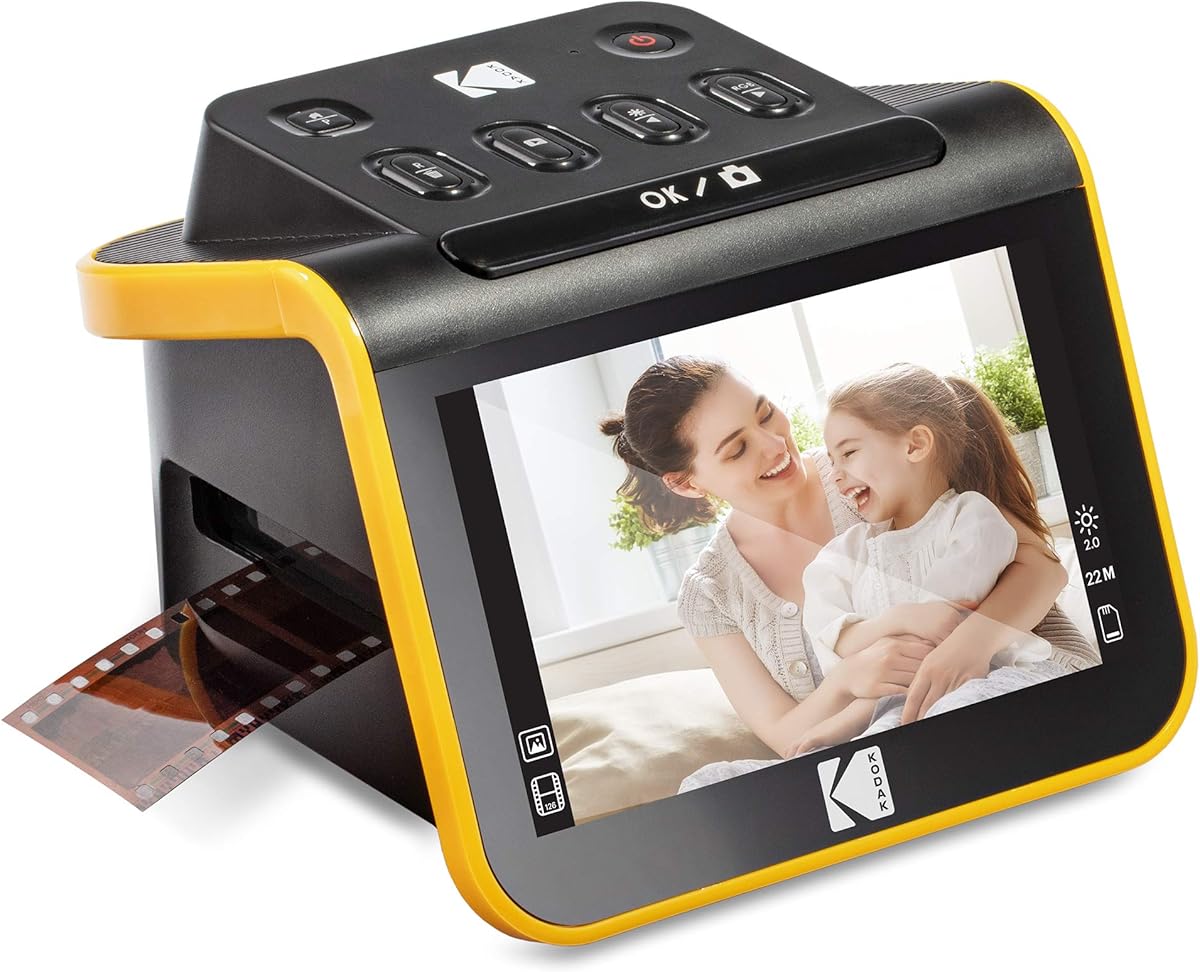


The KODAK Slide N Scan Max combines a large seven-inch tiltable LCD with a quick-feeding tray and standalone editing controls. Its 4.1 rating reflects a practical balance of convenience and capability, while the display makes it particularly attractive for people who want to inspect each frame before deciding whether to keep or rescan it.
We may earn a commission when you buy through this link, at no additional cost to you.
The scanner supports 135mm, 110mm, and 126mm film, which makes it useful for mixed collections rather than a single narrow format. Digital files can be saved directly to SD or SDHC cards up to 32GB, reducing the need to connect the unit to a computer for every slide. Its one-touch tools resize, convert, and adjust images without requiring complicated menu navigation.
The important trade-off is that the maximum stated card capacity is lower than that offered by several competitors. Buyers also need an appropriate card because one is not specified as included. Even so, the large screen, quick-feed workflow, and accessible controls make these limitations reasonable for a household archive that benefits more from a clear viewing and editing process than from very high storage limits.
This is our leading recommendation for most home users who want to scan Kodachrome slides without turning the process into a computer project. It suits collectors and families alike, particularly when the collection contains several supported formats. The combination of a sizable screen, straightforward operation, and direct card saving gives it broader day-to-day usefulness than a minimal phone-based device.
The seven-inch tiltable LCD provides a more comfortable way to frame, preview, edit, and share images. Because it can also function as a digital picture frame, the scanner can remain useful after the conversion work is complete.
The quick-feeding tray supports a smoother workflow by reducing the need to reposition each frame. That makes long sessions more practical, especially when many slides need color, brightness, or crop adjustments.
We may earn a commission when you buy through this link, at no additional cost to you.
The Nikon Super Coolscan 4000 ED is the premium option in this guide, with a perfect 5.0 rating and specifications aimed at serious digitization work. Its headline strength is 4,000 dpi optical resolution, paired with 48-bit color, making it the most explicitly resolution-focused model among the ten products compared.
We may earn a commission when you buy through this link, at no additional cost to you.
The LED light source is designed to provide consistent color illumination, while a reported scan time of 38 seconds helps make the device efficient once a workflow is established. It accepts film strips, mounted slides, and Advanced Photo System formats, providing useful flexibility for a mixed physical archive.
Its main limitation is the older computing arrangement. The included IEEE 1394 FireWire interface and older Mac and PC compatibility mean it is less convenient for modern users than a standalone scanner with USB connectivity or an SD card workflow. It also lacks the built-in display and one-touch editing found in the Kodak and HP models.
The Super Coolscan 4000 ED is best for a dedicated enthusiast, institutional archive, or serious photographer willing to manage a computer-based workflow in exchange for exceptional stated resolution and color depth. It is less suitable for someone who wants a simple family project with minimal technical setup, but it represents the most specialized choice in the guide.
The 4,000 dpi optical specification is the key reason to choose this model for large, detailed archives. It provides more stated sampling capacity than the lower-resolution consumer scanners in the list, though actual detail also depends on the original slide and handling.
Unlike standalone units, this scanner works through a computer interface and does not provide its own display. That makes it better suited to users who already understand file organization, color management, and post-scan editing.
We may earn a commission when you buy through this link, at no additional cost to you.
The BEONEGLOBAL ClearScan P7 is the most complete budget-oriented package in the comparison, with a 4.1 rating, a seven-inch LCD, 24MP scanning, and an SD card included. That bundled storage removes one of the most common sources of frustration when beginning a home slide-digitization project.
We may earn a commission when you buy through this link, at no additional cost to you.
Its upgraded interface places controls beneath the display for a more natural operating position, while one-touch operation handles scanning, editing, and color enhancement. A premium one-half-inch CMOS sensor is specified for scans up to 24MP, and the scanner converts supported slides and negatives to JPEG files without requiring a computer.
The product supports 35mm, 135mm, 126mm, 110mm, and Super 8 formats, making it versatile for mixed collections. As with many affordable scanners, the editing tools are less comprehensive than those found in professional desktop software, and the product's rating is slightly below the highest-rated options. Users seeking extensive manual correction may prefer a computer-based workflow.
The ClearScan P7 is best for families and casual collectors who want a large screen, useful resolution, and a genuinely ready-to-use package. It is also a compelling choice when the goal is to convert a manageable number of slides first, then build a digital archive without investing in a computer-based professional scanner.
The included SD card allows a new owner to begin organizing digital copies without first buying compatible storage. This simplifies setup and keeps the scanner's total cost of ownership more straightforward.
The seven-inch screen makes image review and adjustment comfortable, while the revised control placement reduces awkward hand movements. One-touch functions keep the workflow approachable for users with limited scanning experience.
We may earn a commission when you buy through this link, at no additional cost to you.
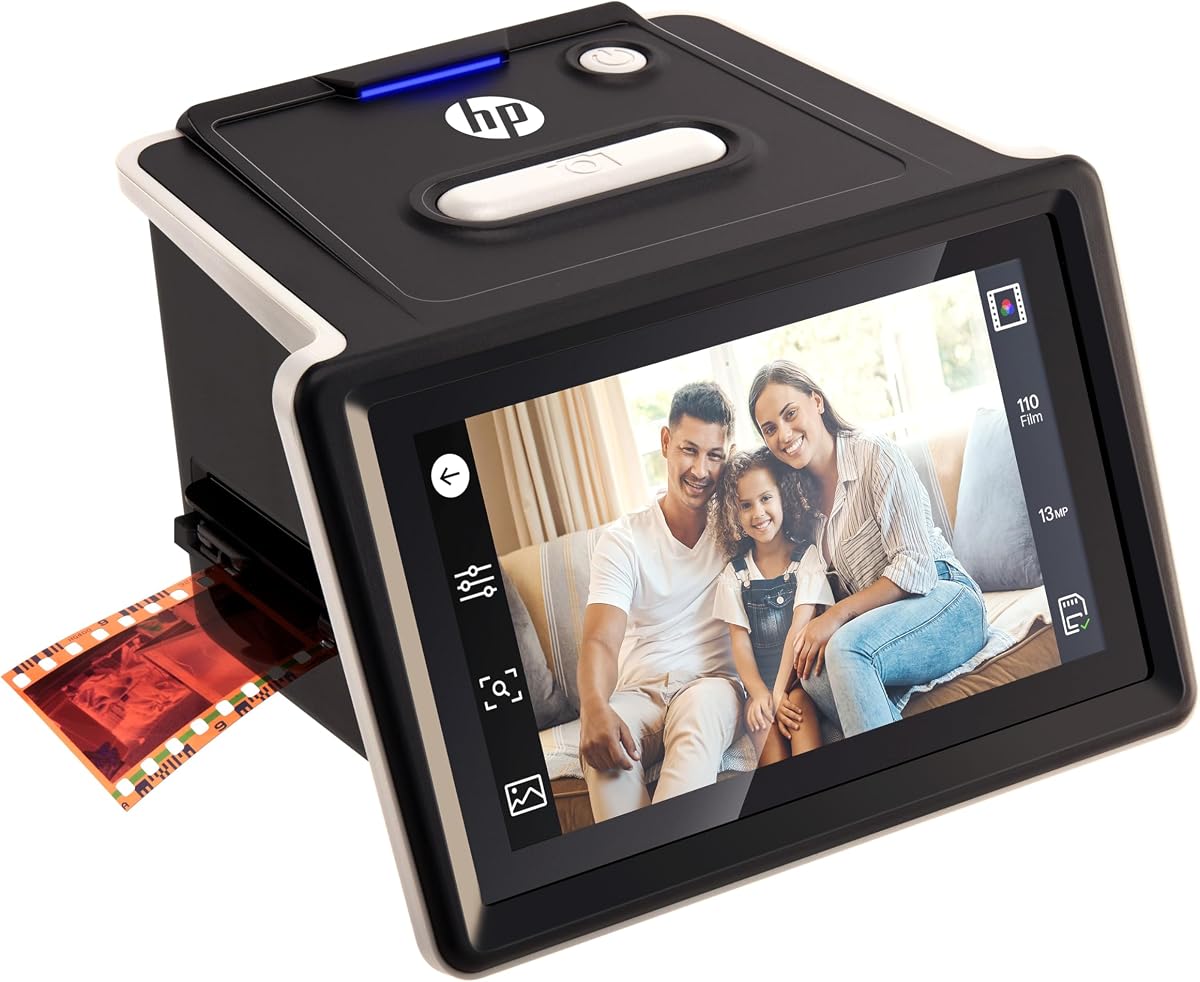
The HP FilmScan HPFS500 pairs a 4.3 rating with a compact five-inch all-angle touchscreen. Its 13MP CMOS sensor can provide 22MP interpolated output, while the touchscreen lets users preview and edit directly on the unit without relying on a separate computer.
We may earn a commission when you buy through this link, at no additional cost to you.
A quick-load tray is intended to streamline batches, and support for 135, 126, and 110 negatives and positive slides gives it enough flexibility for common family archives. Standalone operation is a major strength because it keeps the basic conversion process self-contained and approachable.
The five-inch display is smaller than those on the HP FilmScan seven-inch model, the KODAK Slide N Scan Max, and the ClearScan P7. The supplied information also does not spell out the exact removable-storage method or maximum card capacity, so buyers seeking direct card-based saving should verify the current package details before ordering.
This HP is an attractive choice for users who prefer touch controls over buttons and want a compact standalone device. It is especially suitable for mixed collections and relatively smooth batch sessions, although people who strongly prefer a larger display may find the seven-inch HP alternative more comfortable.
Direct touchscreen control makes it possible to inspect and adjust an image before moving on to the next frame. This reduces the need to sort out a full computer-based workflow during the initial conversion.
The 13MP physical sensor provides the stated source for 22MP interpolated output. Buyers should understand that interpolation does not create new photographic detail, even though it can produce a higher output file dimension.
We may earn a commission when you buy through this link, at no additional cost to you.
The KODAK SCANZA is a broad-format scanner with a 4.2 rating and a useful maximum SD card capacity of 128GB. It supports 35mm, 126, 110, Super 8, and 8mm negatives and slides, making it relevant to collectors whose archive extends beyond standard 35mm material.
We may earn a commission when you buy through this link, at no additional cost to you.
Its 14MP native resolution can be interpolated to 22MP, and the built-in three-and-a-half-inch TFT LCD has adjustable brightness and a tilting design. One-touch buttons simplify capture and save, while the interface allows RGB and resolution editing, gallery browsing, and other basic adjustments.
The compact display is the main drawback for users who want to scrutinize fine details before scanning. The included data also emphasizes that the unit will not convert formats beyond its listed supported types, so compatibility should be confirmed before committing to it for an unusual collection. Despite that limitation, the card capacity and adapter selection are strong points.
This scanner is best for mixed archives centered on the listed film formats and for users who value included accessories and a familiar Kodak workflow. It is a sensible choice when storage capacity and format breadth matter more than having the largest possible screen.
Support for SD cards up to 128GB is notably useful for extensive collections. It allows more scans to remain on the card between transfers, reducing the frequency of computer connections.
A film cleaning brush is included and can also be used on the light box. Keeping the optical surface clean can help prevent dust and speckles from appearing in finished scans.
We may earn a commission when you buy through this link, at no additional cost to you.
The HP FilmScan seven-inch touch model offers a large color touchscreen and a 4.0 rating. It is designed for users who want to preview, crop, adjust, and present images directly on the scanner, with a 13MP color CMOS sensor for converting color and black-and-white negatives.
We may earn a commission when you buy through this link, at no additional cost to you.
Its quick-feed tray and included 50mm adapter support 135, 126, and 110 formats, helping reduce pauses between frames. Built-in editing tools eliminate the need to open every capture in a separate program, while USB and HDMI connections provide ways to transfer images or display slideshows on a television.
The main weakness is that its 4.0 rating is the lowest among the three HP scanners in this guide, and the 13MP sensor specification is lower than the interpolated figures or maximum output offered by several alternatives. That does not make the scanner unsuitable, but it matters if maximum digital resolution is the overriding priority.
This model is best for households that want a generous display, touch-based editing, and flexible presentation options. It suits users who intend to use the scanner as a digital frame or connect it to a television, as well as collectors who appreciate an efficient tray-based workflow.
The seven-inch display gives more room to inspect framing, crop boundaries, and adjustments. That makes the unit appealing for slide showings as well as digitization.
USB can move files toward a computer, while HDMI supports slideshow viewing on a television. These connections make the scanner useful beyond the period required for initial capture.
We may earn a commission when you buy through this link, at no additional cost to you.
The Magnasonic FS71 has a 4.3 rating and emphasizes speed, direct control, and no-computer operation. Its 24MP output and advertised scan time of less than five seconds per photo make it appealing for users with many slides and a preference for a streamlined, repeatable process.
We may earn a commission when you buy through this link, at no additional cost to you.
A five-inch LCD allows films, slides, and finished images to be viewed on the device, while direct brightness, RGB correction, flip, and mirror controls reduce reliance on outside editing software. The fast-loading trays support 35mm, 126, and 110 negatives plus 135, 126, and 110 slides.
SD cards up to 128GB are supported, but no card is included, and an HDMI cable is also not included for connecting the scanner to a television or monitor. Those are additional purchases, and the five-inch screen is less expansive than the seven-inch displays on the Max, ClearScan P7, and HP touch model.
The FS71 is best for families and hobbyists who value quick conversion, direct controls, and large storage support without computer setup. It also works well for users willing to add an SD card and, if needed, an HDMI cable, making the initial package less complete but the core workflow highly practical.
The stated sub-five-second scanning time and fast-loading trays are central to the product's appeal. These characteristics can make short, frequent sessions less tiring than workflows involving repeated computer transfers.
Brightness, RGB, orientation, and mirroring adjustments are available directly on the scanner. This gives first-time users a practical baseline before moving files into optional editing software.
We may earn a commission when you buy through this link, at no additional cost to you.
The KODAK Mobile Film Scanner is the smallest and most experimental option here, with a 3.7 rating. It uses a smartphone camera and a battery-powered LED backlight to capture 35mm color negatives, 35mm black-and-white negatives, and 35mm color slides, avoiding the need for a conventional desktop scanner.
We may earn a commission when you buy through this link, at no additional cost to you.
A collapsible cardboard platform and film tray unfold for use and fold down for storage or travel. The provided Android app supports scanning, editing, and sharing, while the workflow is simple: place the film in the tray, position the phone camera over the opening, and tap to focus and capture.
Image quality depends on the slide, camera, lighting, and focusing. The product information explicitly notes that users may need to tap for autofocus and try again if a result appears blurry. Its 3.7 rating is the lowest among the products reviewed, and the app description is specifically tied to Android rather than a broad cross-platform promise.
This device is best for experimentation, travel, or a small casual collection rather than a serious high-fidelity archive. It can be useful as a supplementary way to view and capture slides, but anyone expecting the consistency and resolution claims of a dedicated scanner should look at one of the tabletop or computer-based models.
The design removes the need for a powered desktop unit and relies on a familiar phone camera. That makes the process approachable and portable, though it also transfers more responsibility to the user for focus and framing.
Because the hardware is simple, beginners can experiment with positioning, exposure, and editing before committing to a larger project. It is also a compact way to share a few newly digitized slides with family or friends.
We may earn a commission when you buy through this link, at no additional cost to you.
The Nikon Coolscan IV ED earns a 5.0 rating and offers 2,900 dpi optical resolution with a stated scan time of 42 seconds. Those specifications, together with a 3.6 dynamic range, position it as a professional-style choice for users who care about tonal detail and consistent output.
We may earn a commission when you buy through this link, at no additional cost to you.
Its Color Management System is designed to support vivid and accurate color matching, while the LED light source promotes consistency between scanning sessions. USB provides straightforward plug-and-play connectivity to a computer, making the device more approachable than the FireWire-equipped Super Coolscan 4000 ED.
There is no built-in display or standalone editing system, so the scanner depends on a suitable computer and scanning software. The model also comes from an older hardware generation, which may matter to buyers who want contemporary ports, touchscreens, or direct removable-storage support.
The Coolscan IV ED is best for a dedicated enthusiast or professional archive that values resolution, color management, and repeatable illumination over an all-in-one display. Its perfect rating and detailed specifications make it a compelling specialist alternative to the higher-resolution Super Coolscan 4000 ED.
The built-in Color Management System is one of the defining features of this scanner. It is intended to support accurate color matching, which is important when preserving slides for long-term display or further editing.
A stated dynamic range of 3.6 helps represent detail across a broad range of tones. That makes the model relevant to archives containing slides with difficult shadows, highlights, or strong tonal transitions.
We may earn a commission when you buy through this link, at no additional cost to you.
The Nikon Super Coolscan 4000 ED is the highest-resolution model in this comparison, with 4,000 dpi optical resolution and a perfect 5.0 rating. Its 48-bit color specification is designed to preserve a wide range of color information during capture, while the LED light source supports consistency from one scan to the next.
We may earn a commission when you buy through this link, at no additional cost to you.
The scanner accepts film strips, mounted slides, and Advanced Photo System formats, giving it flexibility across several kinds of originals. A stated scan time of 38 seconds keeps it efficient for serious batch work, although a full workflow still requires loading, previewing, saving, and organizing the resulting files.
The most significant practical obstacle is the included IEEE 1394 FireWire interface card. Although the unit is described as compatible with PC and Mac systems, modern computer selection and setup require more care than they do with a current USB-only consumer scanner. It also has neither a built-in display nor touch controls.
This scanner is best for an advanced archive where resolution and color depth are the leading priorities and the operator is comfortable with a computer-based system. For anyone seeking a simple, self-contained family workflow, one of the standalone Kodak, HP, Magnasonic, or BEONEGLOBAL models will be easier to use.
The 4,000 dpi optical specification is particularly relevant when fine slide detail, text, or small subjects must be retained. Actual quality still depends on the condition and optical characteristics of the original.
Capturing 48-bit color provides a broad tonal palette for editing. While many viewers cannot display every advantage, the additional data can be useful when preparing files for print or more demanding post-processing.
We may earn a commission when you buy through this link, at no additional cost to you.
The right scanner depends on the size and type of your collection, the importance you place on image quality, and how much technical setup you are willing to manage. These factors narrow the choice before comparing individual models.
A scanner intended for film must have a holder that securely supports mounted slides, including the standard cardboard or plastic frames commonly found in Kodachrome collections. Some devices advertised for film scanning emphasize negatives or strips, so buyers should check whether a slide holder and the necessary film types are explicitly supported.
Confirming mounted slide compatibility prevents frustrating interruptions after a collection has been unpacked and sorted.
A model's headline resolution may describe the final output file rather than the physical sensor's native detail. The HP FS500 uses a 13MP CMOS sensor with 22MP interpolation, while the KODAK SCANZA lists 14MP native resolution and 22MP interpolation. Interpolated dimensions can be useful for flexible output, but they do not restore detail that the sensor and optics did not capture.
Prioritize optical resolution and clean optics when fine detail matters, then treat interpolated resolution as a separate file-size feature.
A large screen makes it easier to confirm focus, framing, color, and cropping before accepting each scan. The KODAK Slide N Scan Max and BEONEGLOBAL ClearScan P7 have seven-inch displays, while the HP models use five-inch touchscreens. Smaller screens can still work, but they are less comfortable for detailed inspection and slideshow use.
Choose a larger display when reviewing many originals or showing the collection to family members; prioritize touchscreen controls when you prefer direct menu interaction.
Collections often include more than one format. The KODAK Slide N Scan Max and KODAK Slide N Scan Film & Slide Scanner support 135mm, 110mm, and 126mm material, while the SCANZA adds Super 8 and 8mm support. The BEONEGLOBAL ClearScan P7 likewise covers 35mm, 110mm, 126mm, and Super 8 formats.
List the formats already in your possession and compare them with each unit's supported media before purchasing.
Standalone scanners that save to SD cards are convenient because the computer is not needed for every capture. Capacity differs significantly: the KODAK Slide N Scan Max supports SD or SDHC cards up to 32GB, while the SCANZA and Magnasonic FS71 support up to 128GB. The ClearScan P7 includes an SD card.
Choose based on archive size and transfer habits, while remembering that a card with greater capacity can also reduce the frequency of backups or file transfers.
One-touch editing and on-device adjustments can make a scanner much easier to use. The Kodak Max, HPFS500, HP seven-inch model, Magnasonic, and ClearScan all provide some form of direct preview or editing. Professional Nikon scanners shift more responsibility to a computer, which can be advantageous for users who already manage color and file organization.
If the scanner will be used by several family members, simple physical controls and a clear interface are often more valuable than advanced menu depth.
Digitizing a slide creates a file that still needs protection. A computer-based scanner benefits from organized folders and redundant storage, while removable-card workflows should include a second card or a disciplined transfer schedule. Whichever device is selected, preserving the original slide is wise even after a successful scan.
Plan to make at least two copies of the digital files and keep an unmodified set separate from edited versions.
Adapters, cleaning tools, cables, and storage cards can materially affect the setup. The KODAK SCANZA includes a cleaning brush, the ClearScan P7 includes an SD card, and the Nikon Super Coolscan 4000 ED includes a FireWire interface card. By contrast, the Magnasonic FS71 does not include an SD card or HDMI cable.
Review the package contents and compatibility requirements so you can buy only the accessories that are genuinely missing.
Begin by assembling the correct holder and confirming that the slide is clean, flat, and securely supported. Dust on the original or scanner optics can appear in every resulting image, so handle slides by the edges and use a suitable cleaning method for the film itself. Power the scanner, select the appropriate film type, and check the preview before processing a full batch.
Load one frame at a time when learning the controls, then optimize brightness, color balance, orientation, and crop settings before scanning an entire box. When a slide appears dark, unusually color-shifted, or soft, check the holder, illumination, and focus rather than immediately accepting the file. The supplied product information does not establish a dedicated Kodachrome color profile for any model, so careful visual comparison is essential.
After capture, transfer files to more than one reliable location and keep the originals in archival sleeves in a cool, dry environment. Periodically inspect both the physical slides and digital archive for missing files, damaged images, or storage errors. Clean the scanner's light box and film path according to the manufacturer's instructions, and avoid placing abrasive tools or liquid directly on optical surfaces.
A capable slide scanner can digitize Kodachrome slides, provided its holder supports the mounted format and the original fits safely in the scanning path. Optical quality, color calibration, clean optics, and correct settings all influence the result. Check the supported media list rather than assuming a device labeled for film will handle every slide or holder type.
The HPFS500 lists a 13MP sensor with 22MP interpolation, while the KODAK Slide N Scan Max and HP seven-inch model use a 13MP sensor. For professional needs, the Nikon Coolscan IV ED and Super Coolscan 4000 ED provide 2,900 and 4,000 dpi optical resolution. For normal family use, screen quality, accurate color, clean optics, and consistent handling may matter more than the largest interpolated number.
The KODAK Slide N Scan Max, HPFS500, HP FilmScan seven-inch model, Magnasonic FS71, and BEONEGLOBAL ClearScan P7 are designed for standalone use. They provide built-in controls and can save or transfer digital files without making a computer necessary for every scan. The two Nikon models, the KODAK Mobile Film Scanner, and some optional editing steps still depend on a computer or smartphone.
The BEONEGLOBAL ClearScan P7 is a strong choice for families because it combines a seven-inch display, one-touch controls, no-computer operation, and an included SD card. The KODAK Slide N Scan Max offers a similar standalone approach with a quick-feed tray, while the Magnasonic FS71 emphasizes fast scanning and direct adjustments. The best choice depends on which included features matter most to your household.
Most models in the guide support several negative formats as well as positive slides. The KODAK Slide N Scan Max and KODAK Slide N Scan Film & Slide Scanner list 135mm, 110mm, and 126mm support, while the SCANZA and ClearScan P7 also list Super 8 or 8mm depending on model. Always use the supplied holder for each format and confirm the exact list in the current product information.
Sensor resolution describes the physical image data captured by the scanner, while interpolation calculates additional pixel values to produce a larger output file. The KODAK SCANZA's 22MP output, for example, is based on 14MP native capture. Interpolation may aid certain uses, but it cannot create detail that was never recorded optically.
An SD-card model is usually easier for household use, shared scanning sessions, and users who want to review images on the built-in screen. A computer-based Nikon model suits a dedicated workflow where software control, color management, and maximum optical resolution matter more than convenience. Consider your existing equipment and willingness to manage files before choosing.
Handle mounted slides carefully by the edges, inspect them for fingerprints, dirt, fungus, or scratches, and use archival sleeves for storage. Keep the original away from heat, humidity, and direct sunlight. Scanning creates a useful digital copy, but the physical slide should still be retained because no digital file can fully replace the original.
The KODAK Slide N Scan Max is the most balanced overall recommendation for home users because it combines a large tilting display, quick-feed scanning, direct editing, and standalone operation. The Nikon Super Coolscan 4000 ED leads the premium specialist category with 4,000 dpi optical resolution and 48-bit color, while the BEONEGLOBAL ClearScan P7 offers the strongest ready-to-use budget package with a large screen and included SD card.
Prioritize confirmed mounted-slide support, clean illumination, comfortable controls, and the format mix actually present in your collection. A large screen and direct editing will improve the everyday experience, while professionals with established computer workflows may value optical resolution and color management more than standalone convenience.
Before ordering, verify the current package contents, storage requirements, connection standards, and supported formats. Prices and availability change frequently, so checking the current listing can prevent surprises and help ensure that the selected scanner suits both your archive and your budget.