
Yilador Webcam Cover Slide
4.3Editor score
Three thin camera sliders
Works across many device types
Simple adhesive installation
Laptop camera covers compared for privacy, fit, thickness, installation, device compatibility, and everyday convenience for many devices.
Laptop camera covers provide a simple physical barrier between a webcam and the people or software around you. The best options combine a reliable privacy shutter, a low-profile fit, and an installation method that suits the device. Compatibility details matter because camera placement, bezels, and lid clearance vary considerably.
This guide compares ten laptop camera covers using the specifications and product information supplied for each item. The list includes adhesive sliders, adhesive-free clips, multiple-size sets, decorative patterns, and a specialized cover for Logitech webcams. It also considers thickness, camera visibility, device support, and ease of use.
The selections show which covers suit different priorities: CloudValley offers a slim general-purpose option, Yilador provides a versatile adhesive slider, and the Logitech cover targets specific external webcams. Other reviews highlight the benefits and limitations of each design. Availability and current prices can change, so confirm fit and details before purchasing.
4.3Editor score

4.5Editor score

4.6Editor score
The comparison below places all ten covers side by side, focusing on their installation style, thickness, device coverage, and distinguishing features. The table makes it easier to identify a universal laptop slider, an adhesive-free clip, a multi-size set, or a specialized external-webcam cover.



The CloudValley Laptop Camera Cover Slide combines a metal slider with a 0.023-inch profile and a 4.5 rating. Its stated dimensions are only 0.6 millimeters thick, making it one of the more compact options in this guide. The aluminum alloy construction also gives the cover a refined appearance that is intended to blend into a laptop bezel rather than dominate it.
We may earn a commission when you buy through this link, at no additional cost to you.
Compatibility is the strongest part of the product proposition. The supplied information lists MacBook, HP, Dell, Asus, Acer, and Lenovo laptops, all-in-one PCs, and tablets such as iPad, Surface Pro, Galaxy Tab, Fire HD, and Google Pixel Tablet. Installation is straightforward: align the slider with the webcam, attach it, and press firmly for 15 seconds. The cover is also described as compatible with webcam use and the camera indicator light when open.
The principal trade-off is that the adhesive base is permanent until deliberately removed, so buyers who expect to move the cover frequently may prefer a clip-on alternative. The product information says the thin design should not interfere with closing a laptop, yet individual chassis tolerances can still affect fit. A careful comparison of the camera location and bezel shape is advisable before attachment.
This is the strongest all-around recommendation for someone seeking a slim cover that balances laptop compatibility, understated styling, and straightforward operation. It is especially useful for users who want a spare cover for a second computer, since each package contains two units. Choose it when a low-profile adhesive slider and broad device support are the priorities.
The 0.023-inch construction is designed to preserve normal lid closure. That makes the cover practical for frequent travel, where a thicker attachment could catch on the display or affect the closing position.
The subtle aluminum design resembles a small piece of the device rather than a conspicuous accessory. Sliding it over the lens provides a visible physical barrier when the camera is not in use.
We may earn a commission when you buy through this link, at no additional cost to you.
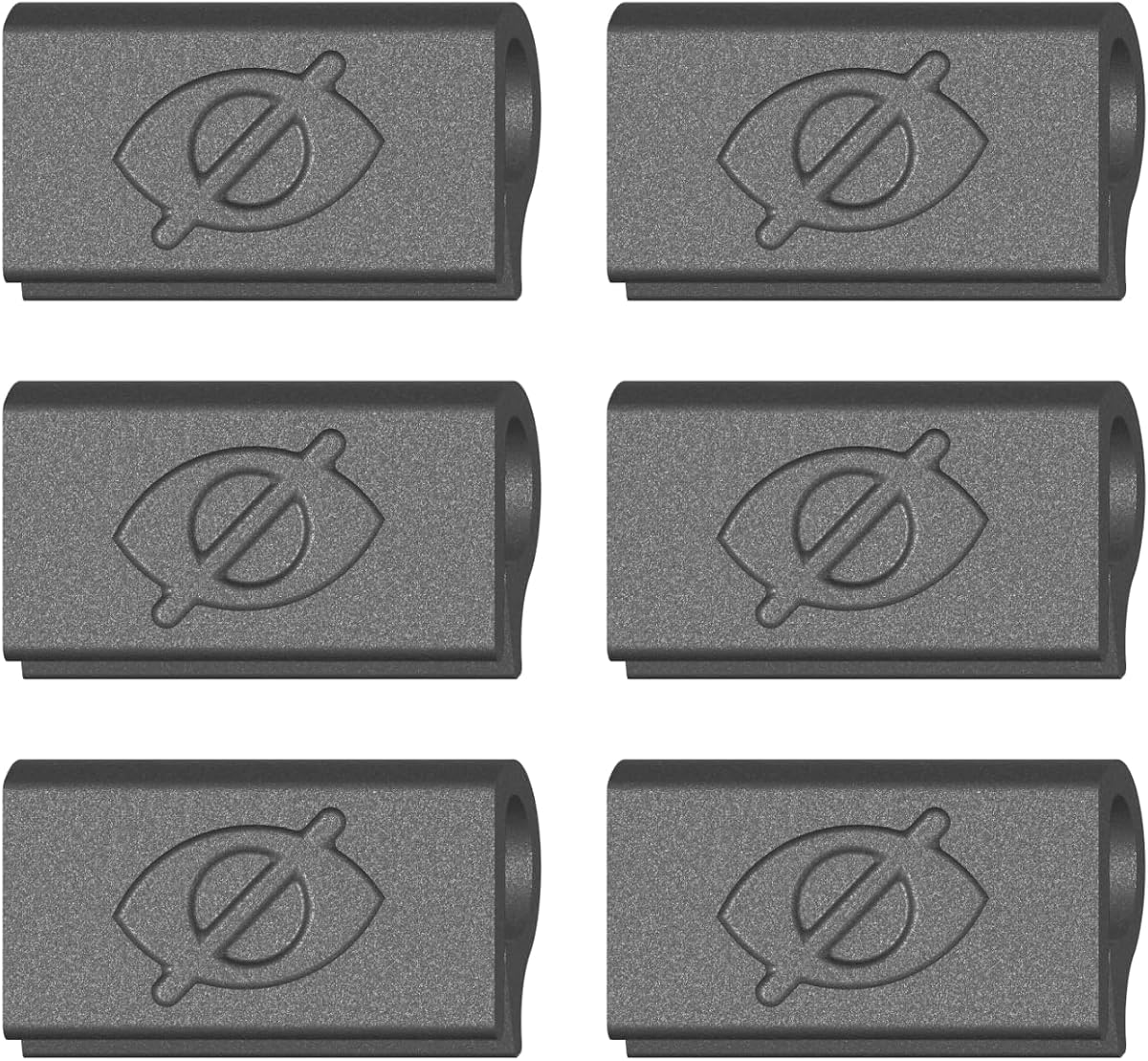
The Yilador Webcam Cover Slide carries a 4.3 rating and is sold as a three-pack of thin camera covers. Its 0.027-inch profile is designed to sit close to the bezel without interfering with the laptop lid. The product information also describes the adhesive as an upgraded 3.0 formula intended to provide a stable hold without damaging the device.
We may earn a commission when you buy through this link, at no additional cost to you.
Installation follows a clear four-step process: clean the surface, apply the adhesive, align the cover with the camera lens, and press for 10 seconds. Once attached, the cover can be moved with one finger. The listed device coverage is broad, including Apple and MacBook devices, iPhone, iPad, HP, Lenovo, Dell, Acer, Asus, and Samsung products. The three-piece format also gives users a spare or an option for a second device.
Compatibility caveats are important. The listing explicitly says the cover is not suitable for MacBooks released after 2023, devices with a protruding front camera, full-screen or notch-style tempered-glass screen protectors, or a phone's rear camera. Users with newer hardware should compare the camera position and opening shape before relying on the general compatibility claim.
Yilador is a practical pick for a laptop owner who wants a simple adhesive shutter and may also cover a tablet or phone. It combines a compact profile, simple operation, and multiple units without adding a complicated mounting process. The product remains best suited to flat camera areas that match the slider dimensions.
Cleaning the bezel before attaching the slider helps the adhesive establish a more consistent bond. The short press-and-align process makes the cover practical for users who do not want a complicated bracket or clip.
The stated exclusions are unusually clear for a general-purpose cover. Checking your laptop model and camera position can prevent the most common installation disappointment.
We may earn a commission when you buy through this link, at no additional cost to you.
The Cute Pattern Laptop Camera Cover Slide is a three-pack with a 4.4 rating and a large-size format. It combines privacy coverage with a decorative finish, making it more visually expressive than a conventional solid-color privacy shutter. The product title identifies MacBook Pro, laptops, desktop PCs, and other compatible devices as intended applications.
We may earn a commission when you buy through this link, at no additional cost to you.
Its supplied information highlights an enlarged opening of approximately 0.43 by 0.35 inches. The goal is to avoid blocking normal camera operation while the cover is open, which is particularly helpful for video calls. The rotating opening can also be turned to different angles, allowing the camera view to be adjusted while the cover remains attached to the bezel.
Installation requires cleaning the surface, removing the adhesive backing, positioning the base over the camera, and holding it for 30 seconds. The listing recommends waiting 24 hours before sliding the cover to allow maximum adhesion. The text notes that some MacBook Pro 16-inch Model A2141 configurations and Samsung Galaxy devices are not compatible, so model-specific verification remains important.
This cover is best for a buyer who wants a webcam shutter with more personality than a plain metal or black slider. It also makes sense for people who regularly use their camera and appreciate the ability to reposition the opening. The trade-off is a more involved adhesion step and narrower device support than some general-purpose alternatives.
The larger aperture is intended to preserve a normal view of the camera when the slider is open. That can make the cover more comfortable for frequent video calls than a very small opening.
The cute pattern gives the accessory more personality than a standard black slider. It still provides the same practical benefit: a movable physical barrier over the lens.
We may earn a commission when you buy through this link, at no additional cost to you.
The MESMOS Laptop Camera Cover Slide is a decorative six-pack designed for plant enthusiasts. It has a 4.4 rating and a large format intended to fit devices including MacBook Pro, MacBook Air, iPad, iMac, Echo, Surface, and tablets. Its plant motif provides a noticeable alternative to conventional black webcam covers.
We may earn a commission when you buy through this link, at no additional cost to you.
The cover is described as thin enough to allow laptops to close comfortably. The supplied information emphasizes easy application and removal, including the claim that it can be taken off without leaving sticky residue. That makes the product more attractive to users who dislike permanent adhesive or who may need to move a cover between devices.
Because the cover is large, the camera opening and bezel dimensions should be checked before installation. The listing calls it a large size and includes it among accessories for several device categories, but device-specific fit can still vary. The adhesive mechanism also means buyers should clean the target area before applying it to reduce trapped debris and improve adhesion.
MESMOS is a good choice when decorative design, a generous pack count, and broad Apple-device positioning matter. It is also a practical gift option for someone who wants several matching camera covers. For a purely functional plain cover or a device with an unusually tight bezel, a smaller or purpose-fit alternative may be easier to place.
The six-count pack supports multiple devices, shared use, or a simple replacement supply. It reduces the need to buy separate covers for every computer in a household.
The plant design turns a privacy accessory into a small personal detail. It is especially suited to users who want a laptop webcam cover to look less purely utilitarian.
We may earn a commission when you buy through this link, at no additional cost to you.
The Gadget Ray Webcam Cover Slide is a four-pack built around an adhesive-free clip-on design. It has a 3.6 rating, lower than the other products in this comparison, but it addresses a distinct concern: avoiding sticky residue on the screen or bezel. The cover is described as flexible, durable, and able to grip the edge of a device without scratching it.
We may earn a commission when you buy through this link, at no additional cost to you.
Instead of applying a permanent base, the clip attaches directly to the bezel. It slides open when the camera is needed and closed when it is not. The product is intended for standard bezels on MacBook Pro, MacBook Air, iPad, Dell, HP, Lenovo, and other laptops and tablets. The supplied information specifically notes that it is best suited to slim devices without heavy protective cases.
The trade-off is that a clip depends on the geometry of the device edge. A narrow bezel, uneven case design, or thick case may prevent it from gripping securely. Since the product is intended to be used while the laptop is open, it may also need to be removed before the lid is closed, depending on the machine and case.
This is the option to consider for someone who strongly prefers no adhesive and wants a reusable cover. The four-pack is useful for several devices, while the no-residue claim makes it attractive for people who lend, sell, or regularly move their computers. Confirm that the bezel and case provide a suitable edge for clipping before buying.
The clip-on approach avoids applying a bonded backing to the display or bezel. That can be valuable on premium devices where adhesive marks and trapped adhesive are unwelcome.
A flexible grip needs enough exposed edge to hold the cover in place. Users with thick cases or unusually narrow frames should verify the geometry before installation.
We may earn a commission when you buy through this link, at no additional cost to you.
The Six-Pack Ultra-Thin Webcam Cover has a 4.2 rating and measures just 0.022 inches thick. It is made from flexible ABS rather than rigid metal, which can be easier to position around different camera bezels. The pack contains six black sliders, making it a broad household or multi-device option.
We may earn a commission when you buy through this link, at no additional cost to you.
The cover is designed to slide over a camera and close without scratching the laptop. The supplied information says strong adhesive keeps it in place, and installation requires removing the backing, aligning it with the camera, and pressing hard for 10 seconds. Listed compatible devices include MacBook Pro, MacBook Air, iMac, Mac mini, iPad, and front cameras on several Apple phones.
As with other adhesive covers, placement accuracy and surface cleanliness matter. The slider must have enough room to travel across the lens, and the adhesive should not cross an uneven section of the bezel. The listing also associates the design with several Apple device categories, but it does not provide the same detailed model exclusions offered by some competing products.
This is a strong choice for users who own multiple devices or want spare covers readily available. Its particularly thin profile and flexible material make it useful for laptops where lid clearance is important. It is less suited to buyers seeking a no-residue design, but it offers a straightforward, visually discreet privacy control.
Flexible ABS can conform more readily to varied bezel surfaces than a rigid metal slider. The 0.022-inch profile also helps minimize interference with a closing lid.
The six-piece count makes it easy to cover a laptop, tablet, and secondary computer. It also provides replacements if a cover is removed or becomes dirty.
We may earn a commission when you buy through this link, at no additional cost to you.
The California JOS set includes nine webcam covers in three large ovals, three medium rectangles, and three standard ovals. It has a 4.1 rating and a 0.03-inch profile. The assortment is the defining feature, providing multiple shape options for laptops, tablets, phones, desktop webcams, and other camera placements.
We may earn a commission when you buy through this link, at no additional cost to you.
The curved edges are designed to blend into a device bezel without feeling bulky. Installation involves cleaning the camera surface, removing the adhesive strip, aligning the slider, and pressing for 15 seconds. The listing says the adhesive can be applied and removed without traces. A large oval in the assortment is also specifically identified for the interior cabin camera in the Tesla Model 3 and Model Y.
The set's disadvantages are its greater thickness compared with the 0.022- and 0.023-inch alternatives and its adhesive-based design. Because it contains several shapes, buyers must match the correct cover to the camera opening and ensure the slider has enough travel to open and close.
California JOS is the most flexible choice for a household with unusual or varied camera shapes. The nine-piece assortment reduces the risk that one standard size will not work across several devices. It is especially useful for users who want spare covers and do not mind a slightly more substantial profile than the slimmest metal and plastic sliders.
Oval and rectangular formats give users options for different camera housings. Matching the camera shape can help the opening align more cleanly with the lens.
Three copies of each shape make the set useful for multiple devices, shared households, and future replacements. It is a versatile package for camera hardware that does not follow one standard size.
We may earn a commission when you buy through this link, at no additional cost to you.
The Push-On Webcam Cover is a six-pack of thin, flexible TPU clips made specifically for laptop cameras. Its 4.3 rating reflects a design that focuses on MacBook, PC laptop, and Chromebook bezels. Unlike adhesive sliders, it attaches by pressing the clip onto the edge of a screen with one finger.
We may earn a commission when you buy through this link, at no additional cost to you.
The product information states that the cover leaves no adhesive or residue and can remain attached when the laptop closes, provided the device's geometry allows it. Sliding the cover closed or open provides straightforward camera control. The six-pack makes it possible to equip several computers, replace a missing unit, or share the covers with coworkers and family members.
This is not a universal device accessory. The listing explicitly says it is not designed for tablets, phones, or devices in thick cases. The bezel must also provide a suitable edge for the TPU grip. A case that surrounds the display or changes the frame profile may stop the clip from sitting flush or may prevent the laptop from closing properly.
Push-On is a strong alternative for laptop users who want to avoid adhesive while retaining a thin profile. It is clearer and more focused than many universal listings because it identifies laptops, PCs, and Chromebooks as the intended market. Buyers should still confirm the case and bezel dimensions before installing it.
The one-finger push-on method removes the need to line up adhesive backing and hold it under pressure. That makes the cover convenient to add, remove, or move between compatible devices.
The narrow product scope makes the design more purposeful for laptop bezels. It avoids attempting to claim compatibility with phones and tablets that may have completely different edges.
We may earn a commission when you buy through this link, at no additional cost to you.
The Six-Pack Dual-Size Webcam Cover includes three pieces measuring 1.10 by 0.43 by 0.027 inches and three measuring 0.71 by 0.36 by 0.027 inches. It has a 4.0 rating and is made from high-strength ABS plastic. The two dimensions provide more flexibility than a single-size set while keeping the package compact.
We may earn a commission when you buy through this link, at no additional cost to you.
The supplied information lists compatibility with MacBook Pro, MacBook Air, Mac, laptops, Surface Pro, iPad Pro, Android tablets, PCs, all-in-one desktops, and cell phones. Installation requires removing the backing, aligning the slider with the webcam, and pressing for 15 seconds. The cover can then be moved with one finger, while its removable base is designed to come away without sticky traces.
The listing specifies that the lens cover must be placed on a flat surface and is not suitable for full-screen devices. It also explains that the slider is designed to detach from its base and be reattached if separated. This removable relationship is intentional, helping preserve the overall 0.027-inch thickness, but users should ensure both parts are correctly aligned before sliding.
This set is a good general option for people who want to cover several kinds of devices but prefer two sizes rather than three. The main strengths are its low profile, broad stated compatibility, and useful spare quantity. Confirm that your device's camera sits on a flat bezel before applying the adhesive base.
The larger and smaller formats accommodate different camera and bezel arrangements. That balance is helpful when a household owns a mix of laptops, tablets, and phones.
The adhesive base needs a smooth, level surface to sit properly. Curved, full-screen, or irregular camera areas may not provide suitable contact.
We may earn a commission when you buy through this link, at no additional cost to you.
The CloudValley Webcam Cover has a 4.6 rating, the highest among the ten products in this guide, and is purpose-built for several Logitech webcam models. It fits the C920x, C920, C922x, C922, and C930e. The modeled design gives it a more integrated appearance than a generic adhesive strip placed over an external camera.
We may earn a commission when you buy through this link, at no additional cost to you.
Its flip mechanism can rotate through 180 degrees for normal camera use. The cover can be taken off when flipped beyond that position, making it easy to move between privacy and open-camera states. Attachment is described as secure and residue-free, and the package includes a webcam privacy shutter, direction booklet, and after-sales support.
The limitation is obvious but important: this is not a general laptop camera cover. It is intended for the specified Logitech external webcams, so it will not serve a MacBook, notebook, or tablet user. Its model-specific design is the reason the attachment and opening can feel more purpose-built than a universal slider.
This is the premium recommendation for a Logitech C920-series, C922-series, or C930e owner. It combines a refined fit, a simple flip action, and added lens protection with a secure, residue-free attachment. Buyers should confirm the exact webcam model before selecting it over a universal laptop cover.
Designing the cover around named Logitech models allows the shutter and camera opening to work as a coordinated set. It avoids the dimensional uncertainty found with generic adhesive covers.
The 180-degree flip makes it easy to alternate between an open lens and a covered position. Removing the cover beyond that angle adds further flexibility when the camera is not needed.
We may earn a commission when you buy through this link, at no additional cost to you.
A useful laptop camera cover depends on your exact hardware, how often you use the camera, and whether you prefer a permanent or removable installation. The most important factors are fit, profile, attachment method, camera visibility, and the kinds of devices you need to cover.
Compatibility should be checked at the camera level rather than by brand name alone. Some covers fit a standard laptop bezel but cannot accommodate a protruding camera, a notch, a full-screen tempered-glass protector, or a camera positioned near a curved edge. The Yilador listing, for example, explicitly excludes newer MacBooks and protruding front cameras, while the clip-on products are better suited to devices with a graspable bezel edge.
Slim covers reduce the chance that a closed lid will catch on the attachment. The products in this guide range from 0.022 to 0.03 inches, with the thinnest examples using flexible ABS and the slightly thicker ones using metal or more structured shapes. A thin profile is especially useful for frequent travelers, but the device's own lid tolerances should still be checked after installation.
Adhesive sliders are compact and easy to position, but they leave a bonded layer on the device. Clip-on covers avoid residue and can be reused, yet they depend on bezel geometry and may not work with thick cases. Users who lend or frequently move their devices may value the removable approach, while those who want a low, secure profile may prefer adhesive.
A privacy shutter must fully cover the lens when closed but leave a clear view when open. The Jungle Deer cover highlights a larger opening intended to avoid blocking the normal camera image, while rotatable designs allow more flexible camera angles. Compare opening dimensions with the camera and any nearby indicator light before making a final choice.
Multi-packs serve several purposes: covering more than one device, keeping spares, and sharing with family or coworkers. Mixed-shape sets can handle unusual cameras, as demonstrated by the California JOS assortment of large ovals, medium rectangles, and standard ovals. A dual-size set is a more compact compromise when a household only needs two common formats.
The case surrounding a laptop can alter the bezel edge, display angle, and available clearance. Gadget Ray says its clip works best on slim devices without heavy cases, and the push-on TPU cover excludes devices in thick cases. Adhesive sliders can also interfere with a case that rises above the camera. Check whether your case is designed to leave the webcam area unobstructed.
A model-specific cover may be the better choice when you use a named external webcam. The CloudValley Logitech shutter is designed around specific C920, C922, and C930e models, enabling a fitted appearance and a 180-degree flip. It is a stronger fit than a generic sticker-style block, but it is not intended for a built-in laptop camera.
Some users want a cover that visually blends into the bezel, while others prefer a decorative pattern. Aluminum and solid black sliders offer a restrained appearance, while the Jungle Deer and MESMOS products use cute or plant-themed designs. Decide whether discreetness or personality matters more, but do not sacrifice secure alignment or complete lens coverage for aesthetics.
Before installation, identify the exact camera opening and compare its shape with the cover. Clean the target area with an appropriate wipe, allow it to dry, and avoid placing the slider over dust, moisture, or a raised screen protector. For adhesive models, align the opening directly with the lens before pressing so the slider can travel smoothly in both directions.
Follow the attachment method supplied with your chosen product. Adhesive covers generally require firm, sustained pressure for 10 to 30 seconds, and one listing recommends waiting 24 hours before operating the slider. Clip-on covers need only be pressed onto a suitable bezel edge. After fitting, open the camera and confirm a clear image, then close the shutter and check that the lens is fully concealed.
For care, open the slider before cleaning the bezel or screen so debris does not collect beneath it. Use a dry, soft cloth and avoid pulling the adhesive base away at an angle. Store unused covers in a clean, dry place, and periodically check that a clip remains secure or that an adhesive slider has not shifted with repeated lid movement.
It depends on the cover's thickness and the laptop's bezel clearance. Products in this guide measure about 0.022 to 0.03 inches, and the thinnest options are specifically designed to allow the lid to close. Check the laptop and case for raised edges, then test the cover carefully after installation. Remove or reposition it if the lid catches.
They can usually be removed, although the result depends on the surface, adhesive, and time left in place. The Yilador and California JOS listings describe their adhesive as removable without traces, while other products provide more limited guidance. Peel slowly and carefully if removal is necessary, and avoid scraping the display.
Many general-purpose covers are marketed for laptops, tablets, and phones, but only when the camera sits on a flat surface with enough room for the slider. Some explicitly exclude full-screen devices or protruding cameras. The Clip-On and Push-On models are more narrowly designed for laptop bezels, so check the product's stated scope before applying them.
An adhesive slider is fixed to a flat bezel and usually offers a very low profile. A clip-on cover grips the edge of a device, avoiding adhesive residue and allowing repeated removal. Clips are convenient for people who move devices frequently, but they require enough exposed bezel and may not work with thick protective cases.
A properly aligned slider should allow normal camera use and the indicator light when the lens is open, as stated by several of the selected products. When closed, the shutter is intended to block the lens rather than the indicator. Check alignment after installation so the cover does not remain over either the camera or its light.
A larger cover can accommodate a wider camera opening, but it may also need more space to slide and could interfere with a lid or case. Mixed-size packs are often more useful because they let you match the shape to the device. The California JOS nine-pack, for example, includes large ovals, medium rectangles, and standard ovals.
Close the slider over the lens and confirm visually that no part of the glass remains exposed. Then open it and check that the camera image is clear. If the camera appears dark while open, the slider may be misaligned or positioned too close to the lens. Realign the base and make sure the moving piece has not become detached.
A generic laptop bezel slider is not designed to fit an external Logitech webcam. The CloudValley Logitech cover is modeled for the C920x, C920, C922x, C922, and C930e and uses a flip mechanism. Confirm your exact model before purchasing a purpose-fit cover, since similarly named Logitech products may differ in design.
The CloudValley Metal Cover is the strongest overall choice because it combines a very slim 0.023-inch profile, broad laptop and tablet compatibility, and a subtle aluminum finish. The Yilador Webcam Cover is a versatile three-pack with a clear installation process, while the CloudValley Logitech cover stands out for owners of specific C920-series, C922-series, or C930e external webcams.
Prioritize exact fit, low-profile construction, and the attachment method that suits how you use your devices. Choose an adhesive slider for a compact fixed installation, a clip-on model for residue-free removal, and a mixed-size set when your camera hardware is unusual. A purpose-fit external webcam cover is more reliable than forcing a generic laptop slider onto a separate camera.
Before buying, verify the model, camera position, bezel surface, protective case, and lid clearance. Product listings and current prices can change, so check the latest details and availability on the linked listing. With those checks completed, the right cover provides a simple, visible way to control webcam privacy whenever you need it.