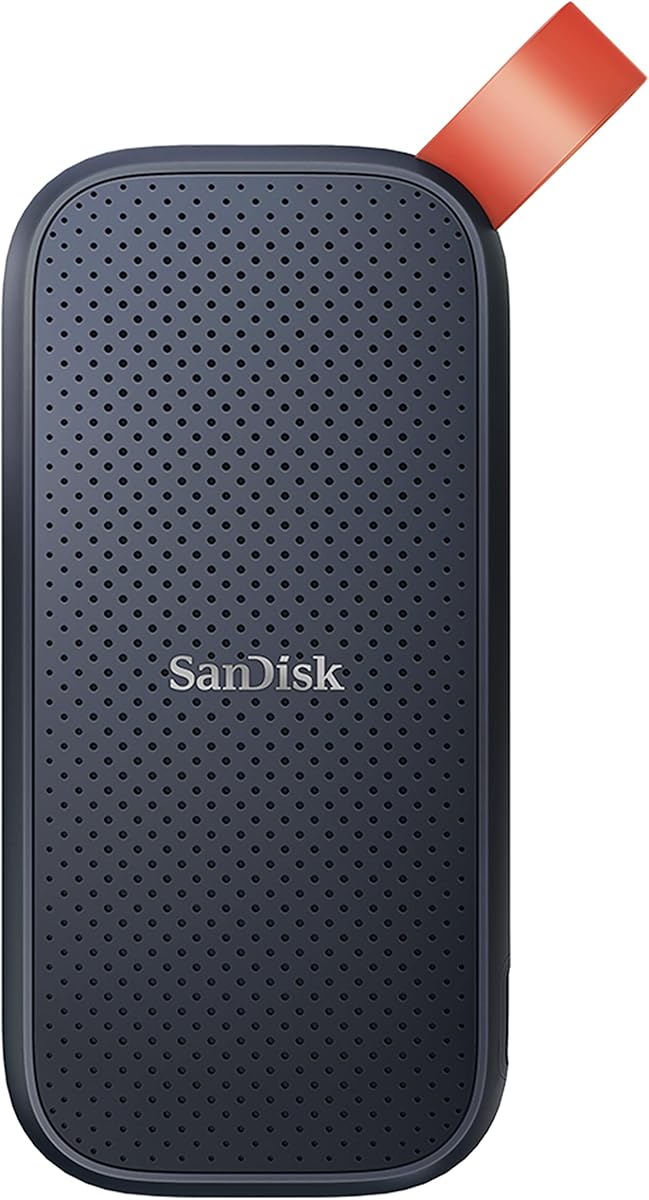
Sandisk 1TB Portable SSD
4.5Editor score
Up to 800MB/s reads
One terabyte capacity
Two-meter drop protection
Portable rubber-hook design
External SSD for MacBook Neo guide compares ten portable drives for speed, capacity, durability, security, compatibility, and everyday Mac storage needs.
An external SSD can give a MacBook Neo more room for large project files, finished videos, photo libraries, and frequent backups without tying up valuable internal storage. The right drive should balance fast transfers, dependable construction, useful security features, and a format that works smoothly with macOS and your everyday devices.
The drives in this guide were compared using the specifications and product information supplied for each model, including interface generation, stated read and write speeds, capacity, portability, durability, encryption, and cross-device compatibility. The list also highlights important distinctions that headline speed figures can conceal on a Mac.
Each review identifies the strongest use for the product, along with the compromises that prospective buyers should understand. The top picks range from a value-oriented option to high-performance models for demanding workflows. Prices and availability can change, so confirm the current listing and your MacBook Neo's connection options before purchasing.
Choosing external storage for a MacBook Neo starts with understanding how you will actually use the drive. Some people need a simple, affordable place to keep documents and backups, while others move large media collections between a laptop, camera, phone, and desktop. The interface supported by the MacBook Neo is especially important because a fast SSD cannot deliver its full potential through a slower connection.
This roundup covers ten USB-based portable SSDs designed for storage expansion, file transfer, media recording, and backup workflows. Rather than treating every specification as equally important in every situation, the recommendations consider the balance between speed, capacity, durability, security, size, and ecosystem support.
The numbered entries follow the supplied ranking, while three standout recommendations appear in the top-picks section. Each review also explains who is likely to benefit most and where an alternative may make more sense. As always, ratings, product details, and retailer listings can change over time, so verify current information before making a final decision.
4.5Editor score

4.7Editor score
4.6Editor score
This side-by-side comparison highlights each drive's stated interface, performance, portability, and practical strengths, making it easier to identify the right external SSD for a MacBook Neo and the devices used alongside it.



The Sandisk Extreme 2TB combines generous storage, a high-speed USB 3.2 Gen 2 interface, and unusually strong environmental protection. Its 4.6 rating reflects a well-rounded product that is equally useful for active work, portable backups, and storing a large media library. The two-terabyte capacity gives MacBook Neo users room to expand without relying on cloud storage.
We may earn a commission when you buy through this link, at no additional cost to you.
Stated performance reaches up to 1,050MB/s for reads and 1,000MB/s for writes, which is well suited to large files and fast working copies. More importantly, the drive adds up to three-meter drop protection, an IP65 water and dust rating, a carabiner loop, and password protection with 256-bit AES hardware encryption. The included SanDisk Memory Zone app supports file management and automatic space freeing.
Its main limitation is the interface generation. USB 3.2 Gen 2 is sufficient for everyday MacBook Neo transfers and remains broadly compatible, but it cannot exploit the faster USB 3.2 Gen 2×2 pathway available to newer premium drives. Actual results also depend on the host device, interface, workload, and other conditions. The product is therefore a strong general-purpose choice rather than a speed-record holder.
This is an excellent recommendation for someone who needs substantial capacity, dependable portability, and security without moving to the newest interface standard. It suits photographers, editors, students, and travelers particularly well. Choose it when balanced durability and useful features matter more than attaining the highest possible transfer rate.
The IP65 rating and three-meter drop protection provide meaningful reassurance when the drive travels between a home, office, classroom, or production location. The integrated carabiner loop also makes it easier to attach the drive to a backpack or belt loop without adding a separate pouch.
Password protection using 256-bit AES hardware encryption is especially relevant for a portable drive containing client work, personal photographs, or financial documents. Activating the protection helps prevent unauthorized access if the drive is lost or borrowed.
We may earn a commission when you buy through this link, at no additional cost to you.
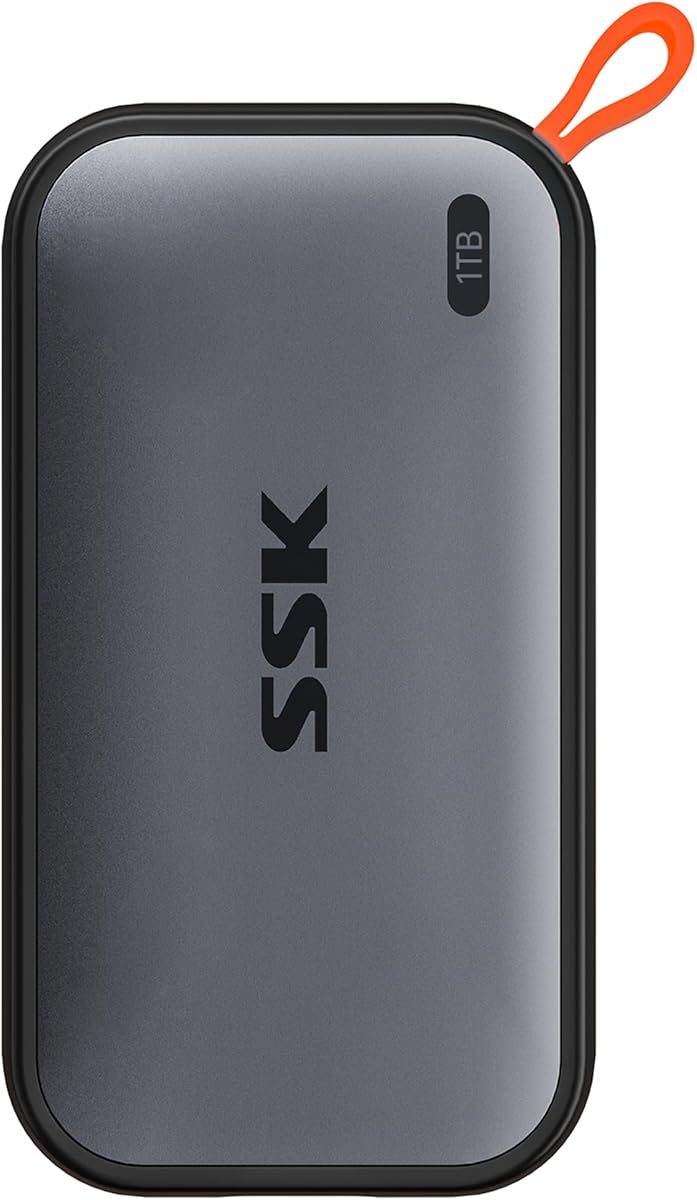
The SSK Portable SSD 1TB delivers useful speed and exceptional portability at a budget-oriented tier. Its 4.5 rating is supported by a compact aluminum enclosure, a stated 1,050MB/s read speed, and a broad device-oriented feature set. For a MacBook Neo owner who wants fast everyday expansion without a larger premium drive, it is an appealing option.
We may earn a commission when you buy through this link, at no additional cost to you.
The drive includes USB-C and USB-A cables, both supporting rapid USB 3.2 Gen 2 connections. Its 36.6-gram weight and dimensions of 2.6 by 1.5 by 0.5 inches make it easy to carry. The listed features also cover S.M.A.R.T. health diagnostics, adaptive TRIM, an activity LED, 4K ProRes support for compatible iPhone workflows, and an aluminum case designed for heat dissipation.
The important limitation is the SLC cache. The manufacturer states that 25 percent of available capacity is allocated as high-speed cache, so very large or sustained write jobs may eventually operate outside that faster zone. The drive also lists no hardware encryption, which makes it less suitable for sensitive data unless you rely on software-level protection. MacOS capacity reporting may show the full advertised terabyte, unlike the binary presentation some users see on Windows.
Choose the SSK when you need a small, fast, general-purpose drive for documents, projects, media, and backups. It is particularly convenient for people moving between newer and older devices because both cable standards are included. For confidential files or continuous massive write operations, a model with hardware encryption or a larger sustained-write cache deserves consideration.
At 36.6 grams, the SSK is among the lightest options in the roundup. Its slim aluminum body can be carried between a laptop bag and camera kit without taking up much room, while the included activity light provides a quick indication of drive operation.
The drive's high-speed cache is allocated from available capacity, which helps short transfers feel responsive. Buyers planning to copy several multi-gigabyte projects in succession should allow for the possibility that write performance will be lower once the cache fills.
We may earn a commission when you buy through this link, at no additional cost to you.
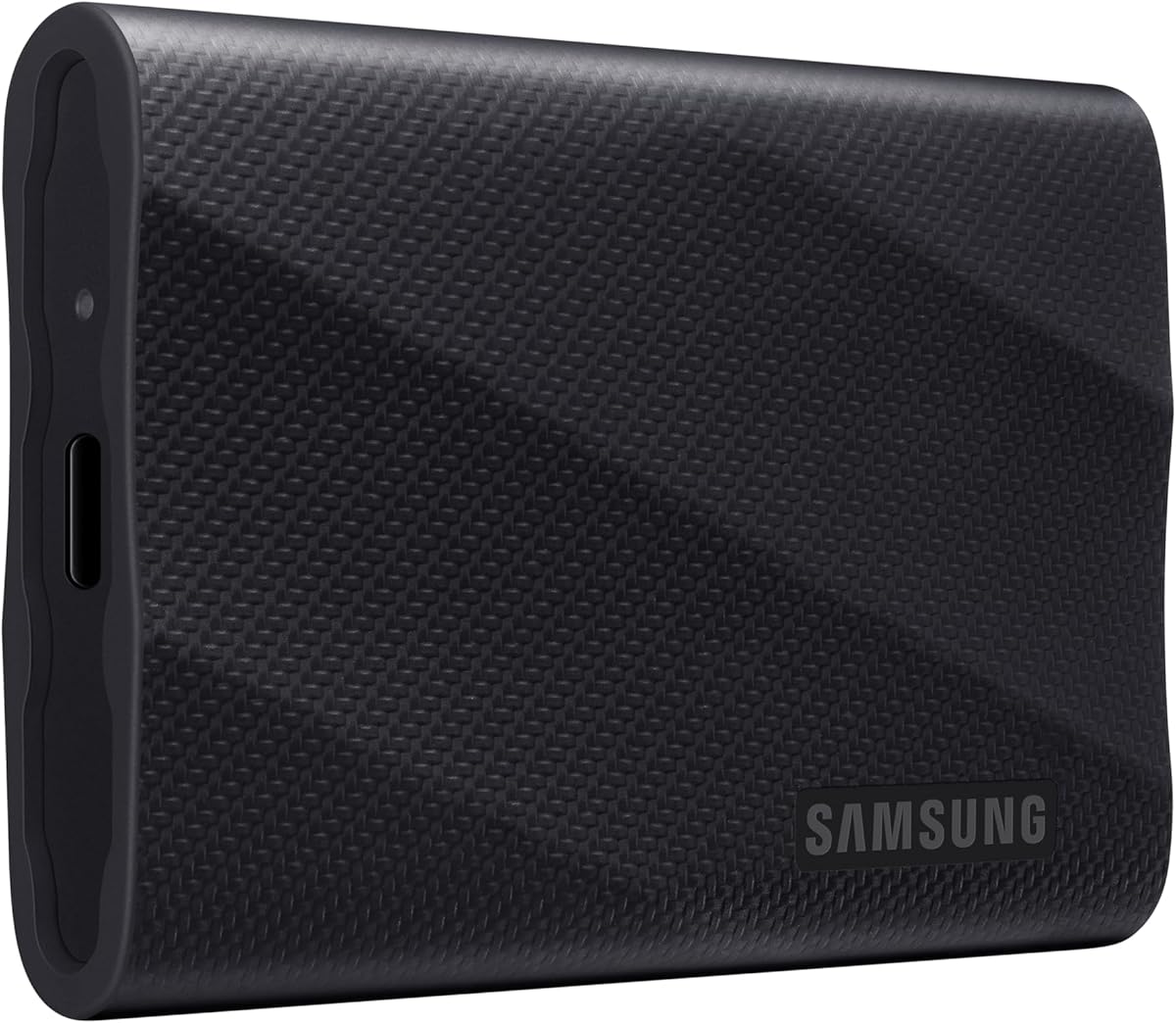
The Samsung T9 1TB is the premium performance selection in this guide. Its 4.6 rating and stated speeds of up to 2,000MB/s make it a compelling choice for editors, photographers, and other users who routinely move large files. The USB 3.2 Gen 2×2 interface gives it a clear advantage over Gen 2 drives when the Mac and cable support it.
We may earn a commission when you buy through this link, at no additional cost to you.
Samsung emphasizes sustained read and write performance rather than relying only on a short transfer peak. Dynamic Thermal Guard helps control heat during extended work, which is particularly important when a drive repeatedly moves large project files. Magician Software supplies firmware updates, encryption options, and ongoing drive-health monitoring, while the product supports iPhone 15 ProRes 4K at 60fps with the recommended cable.
This performance is conditional. A MacBook Neo connected through a USB port or cable that cannot support Gen 2×2 will see lower speeds, and the listed 2,000MB/s is an up-to figure rather than a guaranteed result in every setting. The one-terabyte capacity can also become restrictive for users assembling multi-project media libraries, so larger-capacity versions may better suit professional archives.
Pick the T9 when throughput is a priority and your equipment can support its fastest interface. It is a particularly strong choice for active editing, large backups, and time-sensitive transfers. Users who only need modest everyday expansion can accept a slower premium elsewhere in the roundup and may receive better capacity value.
Sustained performance matters more than a brief speed burst when copying a large project, shuttling footage, or maintaining a working edit library. Samsung's thermal design is intended to preserve speed during longer processes rather than allowing the drive to heat up and throttle prematurely.
Magician Software adds firmware updates, encryption features, and health monitoring to an already capable drive. That management layer is useful for buyers who expect the SSD to remain part of a regular production or backup system for years.
We may earn a commission when you buy through this link, at no additional cost to you.
The Lexar ES3 1TB Silver is a compact general-purpose SSD with a strong emphasis on portability and file security. Its 4.4 rating is supported by USB 3.2 Gen 2 performance, a thin 10.5-millimeter profile, and a 42-gram weight. It fits easily into a pocket or small laptop sleeve while providing a terabyte of storage.
We may earn a commission when you buy through this link, at no additional cost to you.
Read speeds are stated at up to 1,050MB/s and write speeds at up to 1,000MB/s, making it well suited to documents, photographs, and moderately large project transfers. Lexar DataShield provides 256-bit AES encryption, a meaningful advantage over basic portable models. A Type-C cable is included for plug-and-play use, and the listed compatibility extends to Mac, Android, cameras, game consoles, and newer iPhone models.
Compatibility details deserve attention. The product is not listed for iPhone 14 or older models, and this silver version does not include MagSafe. Mac performance may also be lower if the connected port or system does not support the stated USB generation. These restrictions do not affect ordinary MacBook Neo storage use, but they matter for a planned multi-device setup.
The ES3 is a good recommendation for users who prioritize a slim drive, clear software-based security, and broad everyday compatibility. It is especially useful as a mobile working drive or a separate encrypted archive. Buyers seeking the newest speed standard may prefer a Gen 2×2 alternative.
At only 10.5 millimeters thick and 42 grams, the ES3 can be carried without adding noticeable bulk. Its simple Type-C connection also helps keep desk and travel setups uncomplicated when used primarily with a MacBook Neo.
Lexar DataShield adds a useful privacy layer to a drive intended to travel. It is particularly relevant for students, freelancers, and professionals who carry confidential coursework, client material, or personal media between locations.
We may earn a commission when you buy through this link, at no additional cost to you.
The Samsung T7 1TB Blue earns the highest product rating in this roundup at 4.7. It is a well-rounded portable SSD with a compact aluminum body, strong stated transfer rates, and broad use-case support. Rather than pursuing one extreme specification, it balances speed, durability, size, and capacity in a form that works well with a MacBook Neo.
We may earn a commission when you buy through this link, at no additional cost to you.
The drive reaches up to 1,050MB/s read and 1,000MB/s write speeds through USB 3.2 Gen 2. Its PCIe NVMe technology supports rapid working-file access, while the solid aluminum unibody provides a durable enclosure with shock resistance and fall protection up to six feet. It is also listed for direct 4K 60fps recording and iPhone 15 ProRes workflows with suitable equipment and cables.
Its main limitation is that the T7 uses an older USB 3.2 Gen 2 interface rather than the newer Gen 2×2 standard. It therefore will not match the T9 or D70E when a host device supports their higher theoretical throughput. The one-terabyte capacity can also be filled quickly by high-resolution footage or extensive project libraries.
For most MacBook Neo users, however, the T7's faster real-world performance remains more important than a headline benchmark. Choose it for daily creative work, direct recording, game storage, student projects, or general backups where a proven, compact design is desired. It is a particularly well-rounded recommendation for users who do not need maximum transfer speed.
The aluminum unibody is small enough for a laptop sleeve but sturdy enough for regular transport. Six-foot drop protection adds confidence for users who move the drive between a desk, studio, classroom, or home without using a dedicated enclosure.
Support for high-resolution recording makes the T7 useful beyond conventional file storage. It can act as a working media drive for compatible cameras and phones, reducing the need to move footage onto a MacBook Neo before every task.
We may earn a commission when you buy through this link, at no additional cost to you.
The Sandisk 1TB Portable SSD is the straightforward value option for expanding a MacBook Neo. Its 4.5 rating indicates a well-regarded product, while the up-to-800MB/s read rate remains fast enough for routine backups, documents, photo libraries, and moderate media work. The drive prioritizes affordability and simplicity rather than the newest interface standard.
We may earn a commission when you buy through this link, at no additional cost to you.
Its portable construction includes a tough rubber hook that can secure the SSD to a belt loop or backpack. Sandisk states up to two-meter drop protection, adding a useful level of resilience for mobile use. As the listing identifies this as an old model, buyers should compare current pricing and availability against newer Sandisk options with faster interfaces before committing.
The main performance trade-off is speed. Its maximum 800MB/s read rate is below the 1,050MB/s stated for several USB 3.2 Gen 2 drives and well below the up-to-2,000MB/s claims of premium models. That difference can appear during transfers of large video files, but it may be inconsequential when moving documents or maintaining routine backups. The product description does not highlight hardware encryption or extensive management software.
Choose this drive when you need a straightforward one-terabyte external SSD and the fastest possible transfer rate is not the priority. It is well suited to students, casual creators, and travelers who want a reputable portable drive for everyday storage. Security-focused users should consider a model with clearly stated encryption features.
For routine document backups, photo transfers, and a separate media archive, 800MB/s is generally responsive. The drive's primary appeal lies in making additional terabyte-scale storage uncomplicated and easy to carry.
The integrated rubber hook provides a straightforward way to keep the drive attached to a bag or belt loop. This reduces the chance of leaving a small external SSD behind in a pocket or on a desk.
We may earn a commission when you buy through this link, at no additional cost to you.
The Lexar ES3 2TB combines one of the larger capacities in the guide with mainstream USB 3.2 Gen 2 performance. Its 4.5 rating reflects a practical combination of speed, storage, and durability. It is a natural fit for MacBook Neo users who want enough room for an expanded photo library, several video projects, or layered backups.
We may earn a commission when you buy through this link, at no additional cost to you.
The drive is rated at up to 1,050MB/s for reads and 1,000MB/s for writes. Double-layer graphite sheets conduct heat away from the internals to support performance during fast transfers, while drop resistance up to two meters is intended for everyday and office use. The included two-in-one USB-C and USB-A cable makes it convenient to connect with a MacBook Neo, tablet, smartphone, or PC.
Compared with the one-terabyte ES3 Silver, this version chiefly offers additional capacity while retaining similar real-world transfer class. It does not offer the newest Gen 2×2 interface, and no hardware encryption is stated in the supplied information. Buyers carrying sensitive information should therefore plan for a separately encrypted backup or select a drive with explicit hardware protection.
Choose the two-terabyte ES3 when capacity is the central requirement but you still want responsive everyday performance. It is well suited to active media libraries, student archives, and creative professionals who dislike splitting a workflow across several smaller drives. The result is a versatile high-capacity option that does not require a premium interface.
A two-terabyte drive can hold a substantial working collection without becoming full during a large edit or backup cycle. This makes it useful for photographers, editors, and users who retain multiple versions of active projects on external storage.
The double-layer graphite construction is designed to move heat away from the memory and controller. That thermal strategy helps the drive maintain its stated transfer class during sustained file movement rather than relying on speed only for brief bursts.
We may earn a commission when you buy through this link, at no additional cost to you.
The Lexar D70E 1TB stands out for its cable-free dual-connector design and very high stated USB-C speeds. It holds a 4.7 rating and supports up to 2,000MB/s reads and 1,800MB/s writes through USB 3.2 Gen 2×2. Integrated USB-C and USB-A connectors make it one of the most convenient options for moving between modern and older systems.
We may earn a commission when you buy through this link, at no additional cost to you.
The direct-plug design eliminates the need to carry a separate cable, reducing the chance of arriving somewhere without the right connector. A metal enclosure, integrated lanyard loop, and 55-gram weight keep it portable. The Lexar App can automatically back up photographs and videos, adding a convenient way to keep portable media synchronized with a phone, tablet, or computer.
Performance depends on the connection. USB-C users with compatible ports can access the advertised Gen 2×2 class, while USB-A is listed at up to 1,000MB/s reads and 900MB/s writes. The product information also cautions that performance may be lower when a Mac or other system does not support the relevant USB standard. The one-terabyte capacity is modest for users assembling very large archives.
Choose the D70E if you value speed and connector convenience, especially when alternating between USB-C and USB-A devices. It is particularly attractive for mobile photo workflows, fast scratch storage, and users who want an automatic backup path. Users needing more room should compare the two-terabyte options in this guide.
The built-in USB-C and USB-A connectors make the D70E especially convenient for travel or shared workspaces. MacBook Neo users can connect directly, while older systems can be reached without searching through a bag for another adapter.
The included Lexar App can automate photo and video backups, reducing the routine of manually transferring every clip. This is useful for creators who regularly import large batches of mobile media into a working library.
We may earn a commission when you buy through this link, at no additional cost to you.
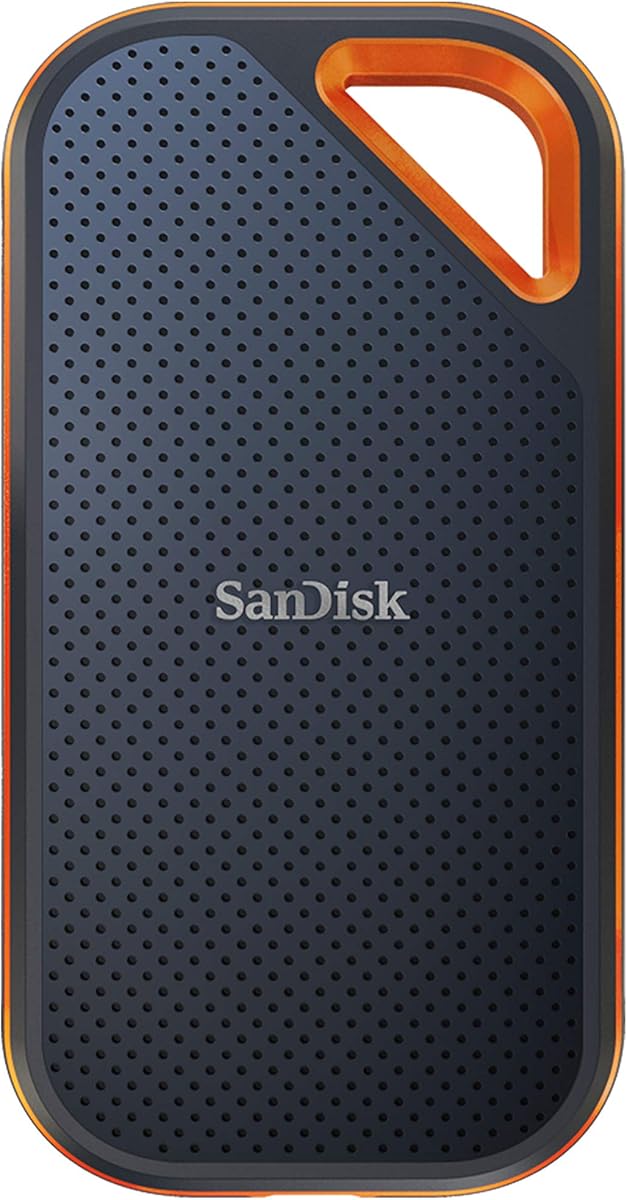
The Sandisk Extreme PRO 1TB pairs high stated transfer performance with serious physical protection. Its 4.5 rating makes it one of the strongest rugged options in the guide. The forged aluminum chassis serves as a heatsink, while the drive is rated for up to 2,000MB/s read and write speeds through a compatible high-speed USB-C connection.
We may earn a commission when you buy through this link, at no additional cost to you.
Sandisk specifies up to three-meter drop protection and an IP65 water and dust rating. A built-in carabiner loop makes it easy to secure the SSD to a bag, while 256-bit AES hardware encryption helps protect private content. The SanDisk Memory Zone app provides file management, automatic space freeing, and download-and-install-based drive management features.
The word speed still needs context. These are up-to figures that can decline depending on the host, interface, workload, and other factors, so a MacBook Neo must support the relevant USB generation to benefit fully. The listing also identifies this as an old model, so current availability and pricing should be checked against newer Extreme products. A single terabyte is another constraint for high-volume media.
Choose the Extreme PRO when you need both speed and rugged protection, particularly for field recording, travel, or production work. It is a strong match for photographers and videographers who want a durable high-performance drive without sacrificing hardware encryption. Buyers prioritizing capacity may prefer a two-terabyte alternative.
The forged aluminum body is designed to conduct heat away from the internal components. That construction supports the drive's high-speed positioning while preserving a relatively compact, travel-friendly form.
The integrated carabiner loop and stated IP65 protection are useful features for field use. The drive can remain attached to a backpack or production bag and still have resistance to dust, moisture, and accidental drops.
We may earn a commission when you buy through this link, at no additional cost to you.
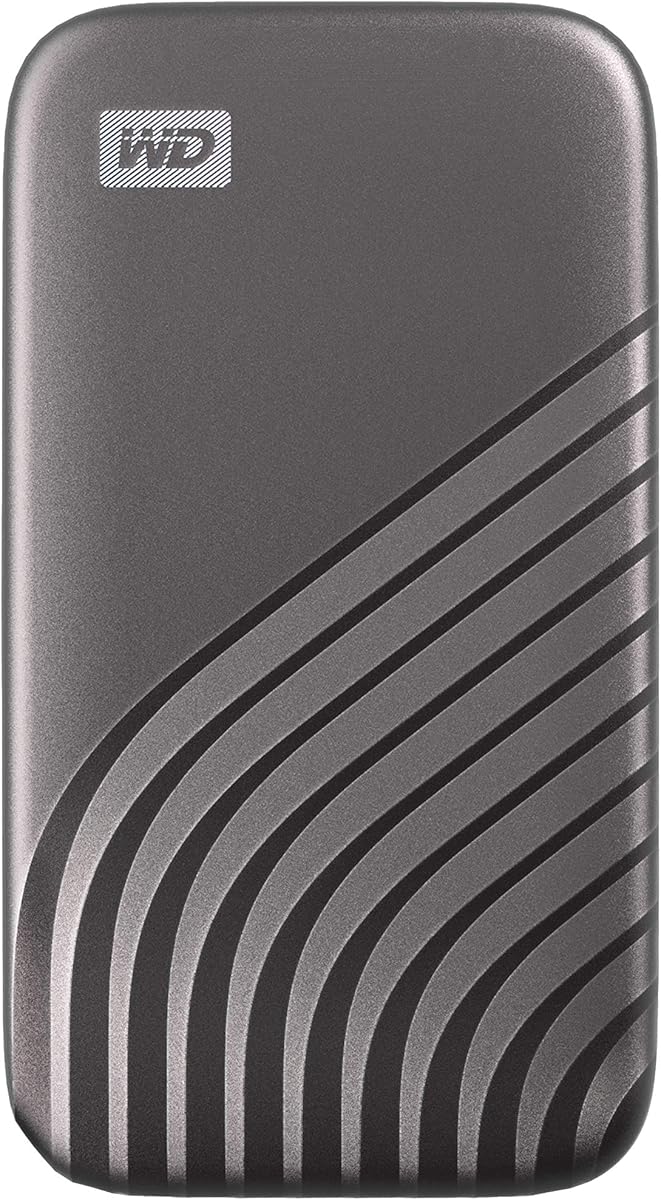
The Western Digital 1TB My Passport SSD is a security-conscious portable drive with strong mainstream performance. Its 4.5 rating reflects a balanced product that reaches up to 1,050MB/s reads and 1,000MB/s writes while emphasizing physical protection and password-enabled encryption for files that travel with the user.
We may earn a commission when you buy through this link, at no additional cost to you.
NVMe technology provides the performance foundation, and the drive supports USB 3.2 Gen 2 as well as USB-C connectivity, with USB-A support for older systems. Shock and vibration resistance make it suitable for regular mobile use, while drop protection extends to 6.5 feet, or approximately 1.98 meters. The gray enclosure follows the recognizable My Passport portable form.
Compared with premium Gen 2×2 models, the My Passport cannot offer the same peak transfer rate. It also lacks a stated IP rating for water and dust, making the included drop and shock figures the main environmental protections. A one-terabyte capacity can be limiting for large video archives, although it remains appropriate for many MacBook Neo users who need a working drive or private backup.
Choose the My Passport when portable security is a top priority and conventional USB 3.2 Gen 2 speed is sufficient. It is a good fit for professionals carrying sensitive documents, students with important coursework, and users who want hardware-backed protection in a simple external drive. Those seeking maximum throughput should examine a Gen 2×2 model instead.
Password-enabled 256-bit AES hardware encryption is the standout feature of this drive. It provides a stronger privacy foundation than relying on the MacBook Neo's login password, especially when the SSD is carried away from the computer.
Shock resistance, vibration resistance, and 6.5-foot drop protection cover common travel and handling risks. Although the drive does not claim environmental sealing, its construction is designed for use in bags and workspaces where movement is routine.
We may earn a commission when you buy through this link, at no additional cost to you.
The most useful external SSD is the one that matches your MacBook Neo's connection, your file sizes, and your security needs. Review interface support, usable capacity, thermal behavior, durability, and management features before choosing a model.
Check the port specification before buying, especially for a high-speed model. Also consider whether the included cable supports the required interface and bandwidth. In short, match the drive, cable, and Mac to the same USB generation to avoid paying for speed the system cannot use.
For large media libraries, sustained write performance matters more than a brief benchmark. Look for statements about sustained transfers, cache behavior, and thermal management. Choose a fast interface for repeated large files, but prioritize reliability and adequate capacity for routine document or photo storage.
Choose enough room that the drive will not become a second bottleneck during a project. A drive filled almost to capacity can also perform less consistently, especially with write-heavy tasks. Match capacity to your active library, not merely the files you expect to back up today.
For confidential work or sensitive personal media, favor a model with a clearly documented encryption feature. Confirm how protection is enabled and managed before placing important files on the drive. Hardware-backed protection is especially convenient for a drive that regularly leaves the MacBook Neo.
For frequent travel, field recording, or outdoor use, prioritize environmental sealing and drop resistance. For a drive that stays on a desk, weight may matter less than cable convenience, encryption, or capacity. Integrated loops, hooks, and dual connectors can also reduce the chance of leaving essential storage behind.
For routine document transfers, thermal design may not be a deciding factor. For sustained video copying, large project duplication, or repeated media offloads, choose a drive with a clearly stated cooling strategy. Allow adequate airflow around the enclosure during long operations.
Do not assume every portable SSD supports every device. Review operating-system requirements, connector type, formatting, and any model-specific restrictions. When a drive will serve as a shared media tool, cable flexibility and broad compatibility may be worth more than the highest possible peak speed.
Choose software support that matches your comfort level and workflow. Frequent creators may value automatic backup and health monitoring, while others simply need a drive that mounts and works without extra setup. Verify that the software is available for your operating system and compatible with the selected capacity.
Before transferring important files, confirm that the SSD is formatted in a filesystem compatible with your MacBook Neo and the other devices in your workflow. APFS is native to modern macOS and works well for a drive dedicated primarily to a Mac. ExFAT is often more convenient when the same drive must move between macOS and Windows without reformatting. Back up existing files before changing a drive's format.
Connect the SSD with the appropriate USB-C or USB-A cable, let the system mount it, and use the drive's included or recommended management application for firmware, encryption, or backup setup. For large media projects, begin with a smaller test transfer to confirm stable performance. Keep the enclosure ventilated during long transfers and avoid moving the drive while the operating system is actively reading or writing files.
Eject the SSD from macOS before unplugging it, especially when copying large projects or recording directly to it. Use the drive's password and encryption features for sensitive material, and maintain at least one separate backup of data that cannot be replaced. Periodically inspect available space, run health diagnostics where supported, and replace the drive if it develops errors, unusual noise, or repeated disconnections.
The drive should use a filesystem that macOS can read, with APFS being a natural choice for a Mac-focused workflow. ExFAT is convenient when files also need to move between macOS and Windows. Format a new drive before using it for important files, and avoid changing the format without first copying the contents to another location.
No. The fastest available connection is limited by the MacBook Neo's port, the cable, the drive, and the files being transferred. A USB 3.2 Gen 2×2 drive can reach up to 2,000MB/s in suitable conditions, but a connection limited to USB 3.2 Gen 2 will reduce the result. Verify both the Mac's port specification and the cable standard.
For documents, active projects, and selective backups, one terabyte can be sufficient. High-resolution video, large photo libraries, and multiple project versions may require the two-terabyte options in this guide. Choose enough space for the working set plus temporary transfer files so the drive does not become completely full.
The SSK Portable SSD is especially compact at 36.6 grams, while the Lexar ES3 Silver weighs 42 grams and is only 10.5 millimeters thick. The Lexar D70E also offers convenience by integrating both USB-C and USB-A connectors, eliminating the need to carry a separate cable for either interface.
Encryption is highly advisable if the drive contains sensitive work, financial records, private photographs, or personal documents. The Sandisk Extreme, Sandisk Extreme PRO, and WD My Passport list hardware-backed 256-bit AES protection, while the Lexar ES3 includes encryption software. Set up and test the protection before relying on the drive for important data.
Several models list direct recording support, including the Samsung T7, Samsung T9, SSK Portable SSD, and compatible mobile workflows. Support depends on the camera, phone model, resolution, frame rate, and cable. Confirm the exact device requirements and use the recommended cable before relying on a drive for a production recording.
Most USB-C and USB-A drives listed here support multiple platforms, but the filesystem determines whether both systems can read the volume. A drive formatted as exFAT is generally convenient across operating systems, while APFS is designed for macOS. Check the current format and backup it before switching devices.
Use the drive as one part of a backup plan rather than the only copy of important material. Keep a separate backup on internal storage, a second external drive, or an appropriate cloud service, and eject the SSD properly before unplugging it. Encryption, health monitoring, and sufficient free space add further protection for long-term use.
The Sandisk Extreme 2TB is the most balanced overall recommendation because it combines generous capacity, strong environmental protection, and hardware encryption without moving to a newer premium interface. The Sandisk 1TB Portable SSD serves budget-conscious buyers, while the Samsung T7 offers a refined, compact all-round design and the Samsung T9 leads the premium performance category.
Prioritize the features your workflow actually requires. A Gen 2×2 interface matters for very large files and compatible modern hardware, while a one-terabyte Gen 2 drive may be more than enough for documents, photographs, and routine backups. Capacity, encryption, direct-recording support, connector convenience, and durability can be equally important depending on whether the drive stays at a desk or travels every day.
Before ordering, verify that the MacBook Neo supports the intended USB generation and that the supplied or included cable matches the connection. Review current ratings, software requirements, and the retailer's latest listing, as specifications and prices can change. With the right interface, adequate capacity, and sensible care, any well-matched drive can become a valuable extension of the MacBook Neo's storage system.