
Microsoft Surface Pro 2-in-1 Laptop/Tablet (2024)
4.3Editor score
13-inch OLED touchscreen
Snapdragon X Elite processor
16GB memory and 512GB storage
Up to 14-hour battery life
A tablet for Microsoft Office should feel comfortable for document editing, spreadsheet analysis, presentations, email, and video calls while remaining lighter and more versatile than a conventional laptop. Screen quality, memory, processor capability, battery life, keyboard support, and port selection all influence how comfortably it handles real productivity tasks.
This guide compares ten Microsoft Surface tablets and 2-in-1 models using the information available for each listing. It considers processors, memory, storage, displays, operating systems, connectivity, portability, battery claims, and whether accessories such as a keyboard are included, while giving particular attention to the demands of Microsoft Office.
The selections range from compact renewed devices to newer Copilot+ PCs with larger displays and more capable processors. The list illustrates how different priorities lead to different recommendations, including portability, screen space, performance, and value. Prices and availability can change, so readers should verify the current listing before purchasing.
4.3Editor score

4.4Editor score
4.3Editor score
As an Amazon Associate we earn from qualifying purchases.
The table below places all ten candidates side by side, emphasizing the specifications that matter most for Microsoft Office: processor, memory, storage, display, operating system, connectivity, and portability.


The 2025 Surface Pro shown here combines a 12-inch PixelSense touchscreen, a Snapdragon X Plus eight-core processor, 16GB of memory, and 512GB of storage. Its 4.4 rating is the highest among the Surface models in this guide, and the specification mix is especially well suited to a user who wants one device for Word, Excel, PowerPoint, browsing, meetings, and general entertainment.
We may earn a commission when you buy through this link, at no additional cost to you.
Sixteen gigabytes of memory gives the device comfortable headroom for multiple Office documents, browser tabs, and communication tools. The 512GB SSD also provides more room for local project files, email archives, and media than the smaller configurations in the roundup. Its listed battery life of up to 16 hours makes it a sensible companion for travel or a full day of note-taking away from a charger.
The main caveat is that the detachable keyboard is not included, so buyers who want a conventional typing setup must account for that extra component. In addition, Windows on a Snapdragon processor may not handle every older or specialized x86 application with the same degree of convenience as an Intel-based system. For mainstream Microsoft Office workloads, however, the balance of memory, storage, screen size, and endurance is particularly attractive.
This is our leading recommendation for a buyer who wants one modern tablet to cover Office productivity without moving to a full-size laptop. It is also a strong choice for students, travelers, and hybrid workers because the kickstand supports multiple viewing angles and the touchscreen allows annotation, navigation, and presentations without always depending on a physical keyboard.
The combination of 16GB memory and 512GB storage makes this configuration better suited to sustained Office sessions than lower-memory alternatives. It leaves room for several applications and working files to remain open together, reducing the need to close documents during a busy work period.
The stated battery life of up to 16 hours supports the idea of using this Surface Pro away from a desk. Its 12-inch screen also offers more room for spreadsheets and side-by-side reference material than the compact Go models without reaching the dimensions of a conventional laptop.
We may earn a commission when you buy through this link, at no additional cost to you.
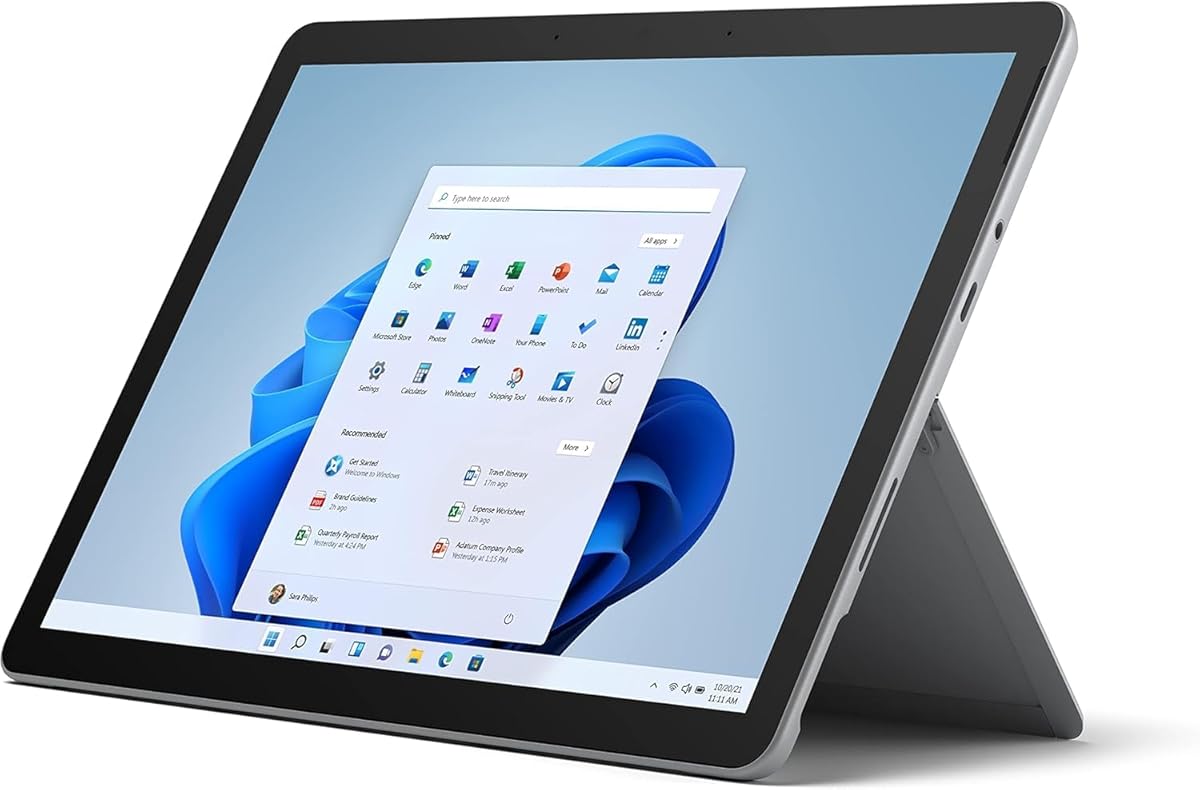
This 2024 Surface Pro takes the premium route with a 13-inch OLED touchscreen, a 12-core Snapdragon X Elite processor, 16GB of memory, and 512GB of storage. It carries a 4.3 rating and is the strongest fit in the group for users who prioritize display quality and expansive workspace over the smallest possible footprint.
We may earn a commission when you buy through this link, at no additional cost to you.
The OLED panel is particularly relevant to Office work because it can improve contrast and provide deeper blacks when reading long documents, reviewing presentation slides, or working in dark environments. At 13 inches, the screen offers ample space for complex spreadsheets, multiple application windows, and writing with a stylus. The Snapdragon X Elite configuration adds processing resources for demanding multitasking.
Its stated up-to-14-hour battery life, fast charging through a 65W power source, and flexible kickstand make it useful for mobile presentations and extended work sessions. The compromises are physical and financial rather than functional: this model is larger than the 10.5-inch and 12-inch alternatives, and the detachable Surface Pro Flex Keyboard is sold separately. As with other Snapdragon-based Windows devices, demanding legacy or specialized software deserves careful compatibility checking.
Choose this model if color, contrast, screen area, and a high-end configuration matter more than minimum weight. It is well suited to creative professionals, executives, students studying visual material, and anyone who wants a Surface that can alternate between a polished presentation tablet and a capable laptop.
The 13-inch OLED display provides more usable area for complex layouts while improving the appearance of text, charts, and presentation slides. It is a meaningful upgrade for users who regularly compare documents or edit visually rich spreadsheets.
The 12-core Snapdragon X Elite platform includes a neural processing unit and Windows Copilot+ features described in the listing. Those tools can complement writing, summarizing, and multitasking, while 16GB of memory helps the device sustain a varied workload.
We may earn a commission when you buy through this link, at no additional cost to you.
The renewed Surface Pro 5 offers a recognizable Microsoft tablet design with a 12.3-inch 2736 by 1824 anti-glare touchscreen, an Intel Core i5-7300U processor, 8GB of DDR4 memory, and a 256GB SSD. Windows 11 Pro is installed, making this an interesting lower-cost route to a full desktop operating system and a sizeable 3:2 workspace.
We may earn a commission when you buy through this link, at no additional cost to you.
For Office applications, the high-resolution display is one of its strongest assets. Documents are easier to read, spreadsheets can show more rows and columns, and the anti-glare treatment can help in bright surroundings. Intel architecture also provides a broad application base, while the full-size USB 3.0 port, mini DisplayPort, headphone jack, charging port, and optional microSD reader give it practical connectivity.
Its 3.4 rating is the lowest in the roundup and should not be overlooked. The i5-7300U is a two-core, four-thread processor from an older generation, so heavy multitasking, demanding spreadsheets, and many background applications will be less comfortable than on the newer Snapdragon X models. Buyers should also expect renewed hardware to have signs of previous use and should review the listing, warranty, and condition information carefully.
This Surface Pro 5 makes sense for a budget-conscious buyer who prioritizes the familiar Intel platform, a large high-resolution display, 256GB of storage, and Windows 11 Pro. It is less attractive for demanding work or for anyone wanting a long remaining service life, but it can still deliver a capable Microsoft Office experience for everyday documents and presentations.
The 2736 by 1824 resolution provides enough detail for small spreadsheet text and document editing. Its 3:2 proportions also offer a useful balance between width for tables and height for pages, making it practical for keyboard-assisted Office use.
Full-size USB 3.0, mini DisplayPort, a headphone connection, and the Surface charging port reduce the need for adapters. The optional microSD reader also makes file transfer and storage expansion more convenient when supported accessories are available.
We may earn a commission when you buy through this link, at no additional cost to you.
The Amazon Exclusive Surface Pro configuration combines a 13-inch OLED touchscreen with a Snapdragon X Elite 12-core processor and 16GB of memory. Storage is 256GB rather than 512GB, but the device retains a 4.3 rating and the same productivity-focused strengths that make the 2024 Surface Pro line appealing for Microsoft Office.
We may earn a commission when you buy through this link, at no additional cost to you.
The OLED display provides a vivid, high-contrast workspace for writing, reviewing slides, and presenting. A one-million-to-one contrast ratio is cited in the product information, while the generous 13-inch dimensions reduce visual clutter in complex documents. The 12-core platform and 16GB memory offer enough resources for a professional mix of Office applications, browser tabs, and communication tools.
The main difference from the premium 2024 model is storage. With 256GB, it can still hold a substantial local collection of documents, though heavy users of large project files, media libraries, or installed applications may prefer more capacity. The detachable keyboard is also sold separately. Buyers who rely on older x86 utilities should verify application compatibility before committing to the Snapdragon architecture.
This exclusive model is a strong selection for someone who wants the large OLED canvas and capable processor but does not need 512GB of storage. It suits professionals, students, and creative users who value screen quality and flexible tablet use, with the trade-off that additional accessories and local storage planning may be necessary.
A high-contrast 13-inch OLED panel makes this a good match for reviewing visual presentations, editing charts, and working with text in varied lighting. The large canvas also helps when a user needs the Word document and source spreadsheet visible together.
The Snapdragon X Elite processor, built-in AI engine, and up-to-14-hour battery claim support a modern mobile workflow. USB-C fast charging adds flexibility when the user needs to replenish power between meetings or classes.
We may earn a commission when you buy through this link, at no additional cost to you.
This Platinum Surface Pro 2025 uses a 12-inch PixelSense touchscreen, an eight-core Snapdragon X Plus processor, 16GB of memory, and 256GB of storage. Its 4.2 rating reflects a capable configuration, and the balance of screen size, memory, and battery life is especially relevant to users who need Microsoft Office away from a desk.
We may earn a commission when you buy through this link, at no additional cost to you.
Sixteen gigabytes of memory is the standout specification. It allows a user to keep multiple Office files, browser tabs, and messaging applications open with less concern about limited working memory. The 256GB SSD remains adequate for active documents and downloaded project files, although high-volume creative storage could fill it more quickly than the 512GB alternative.
The listing describes AI tools for writing, summarizing, and multitasking, along with up to 16 hours of battery life. These capabilities complement a mobile productivity setup, but they should be viewed as supplements rather than substitutes for checking whether essential business applications run natively or through emulation. The keyboard remains an optional purchase, and the 12-inch screen is less expansive than the 13-inch OLED models.
This configuration is a good middle ground for students, hybrid employees, and frequent travelers. Select it when 16GB of memory and long stated endurance matter more than a 512GB drive or OLED-level contrast. For ordinary Microsoft Office work, it delivers a balanced feature set without moving to the largest or most storage-heavy configuration.
The 16GB memory allocation is generous for a Windows tablet and supports simultaneous work across Word, Excel, Outlook, browser sessions, and meetings. It is a more comfortable configuration than models limited to 8GB or 4GB.
The up-to-16-hour battery claim makes the device attractive for flights, commuting, and days spent away from an outlet. Its built-in kickstand and touchscreen also allow quick reference or annotation without setting up a full laptop.
We may earn a commission when you buy through this link, at no additional cost to you.
The renewed Surface Pro 7 combines a 12.3-inch PixelSense display with an Intel Core i7-1065G7 processor, 16GB of memory, and a 256GB SSD. Windows 11 Pro is installed, and the 3.8 rating places it in the middle of this roundup. Its most compelling Microsoft Office feature is the generous 16GB memory paired with a familiar Intel platform.
We may earn a commission when you buy through this link, at no additional cost to you.
The 2736 by 1824 display provides sharp detail and a productive 3:2 aspect ratio. At the same time, the 10th-generation Core i7 has four cores and eight threads, giving it useful multitasking capability within the Intel ecosystem. Wi-Fi 6, Bluetooth 5.0, USB-C, USB-A, a headphone jack, Surface Connect, and a microSD reader provide a versatile set of connections for an Office-focused mobile device.
As a renewed model, its condition will vary, and the 3.8 rating suggests that customer experiences are not uniformly positive. Buyers should review cosmetic details, battery condition, included accessories, warranty coverage, and return terms. Although 256GB is sufficient for many users, an active library of large files may require external storage or cloud synchronization.
This Surface Pro 7 is best for an Office user who prefers Intel compatibility, needs substantial memory, and wants a high-resolution tablet without moving to the newest Copilot+ generation. It is especially compelling for owners of established Windows software ecosystems, provided they are comfortable buying renewed hardware.
The combination of an Intel Core i7 and 16GB of memory is well suited to established Windows application environments. It provides a familiar platform for business software while retaining enough memory for several productivity applications at once.
Having both USB-A and USB-C simplifies peripheral use because older accessories and newer devices can be connected without relying on the same adapter. Surface Connect and the microSD reader further extend the device's flexibility.
We may earn a commission when you buy through this link, at no additional cost to you.
The renewed Surface Pro 7+ pairs a 12.3-inch PixelSense display with an Intel Core i3-1114G5, 8GB of memory, and a 128GB SSD. Its 4.2 rating is among the stronger results in the guide. For a buyer who values the familiar Intel platform, Windows 11 Pro, and a high-resolution screen, it offers a straightforward productivity-oriented configuration.
We may earn a commission when you buy through this link, at no additional cost to you.
The screen's 2736 by 1824 resolution and 3:2 proportions are especially useful for documents and spreadsheets. The device weighs approximately 1.70 pounds, includes both USB-C and USB-A, supports Wi-Fi 6 and Bluetooth 5.0, and has Surface Connect plus a microSD reader. Those details make it practical for travel, campus, and hybrid work.
The central limitation is the 8GB memory and 128GB storage combination. It can handle standard Office documents, but intensive multitasking may reach the limits of the available memory, while a large local collection of files may consume the internal storage quickly. The Core i3 processor is suitable for routine productivity, though it is not designed to match the higher-tier Snapdragon X Plus and Elite configurations in this roundup.
Choose the Surface Pro 7+ when Windows 11 Pro, an Intel processor, and a compact high-resolution display are priorities. It is best for general Office use rather than heavy data analysis, large media libraries, or users who routinely keep numerous applications open at the same time.
The 12.3-inch 267-PPI PixelSense panel gives Office users a clear view of text, formulas, and charts. Its 3:2 shape closely matches a conventional document canvas, which helps when working in Word or reviewing a full-page layout.
At approximately 1.70 pounds, the device is light enough to carry regularly. Windows 11 Pro adds business and management features, while USB-A and USB-C make it easier to connect to existing office peripherals.
We may earn a commission when you buy through this link, at no additional cost to you.
The Surface Pro for Business combines a 12-inch touchscreen, a Qualcomm Snapdragon X Plus processor, 16GB of memory, 256GB of storage, and Windows 11 Pro. Its 5.0 rating is the highest listed here, making it a noteworthy option for organizations and individuals that prioritize mobile management, security, and a lightweight form factor.
We may earn a commission when you buy through this link, at no additional cost to you.
Its eight-core processor and 16GB of memory support rapid application switching and multiple productivity tasks, while the 12-inch screen provides a practical area for spreadsheets, presentations, and document review. The listing emphasizes responsive performance, built-in security, remote management capabilities, and a stated 16-hour battery runtime. Those features align well with fleets of mobile Windows devices.
The 1.51-pound weight is among the most portable specifications in the guide, and the LCD display is described as power-efficient with minimal heat production. The trade-off is that LCD does not offer the same contrast characteristics as the OLED panels in the newer premium Surface Pro models. Buyers should also verify whether their required business applications, add-ins, and accessories support the Snapdragon-based Windows platform.
This model is a strong recommendation for business users who need Windows 11 Pro, substantial memory, all-day portability, and management-oriented features in a compact device. It is less appropriate for buyers whose priority is maximum display contrast or whose essential workflow depends on specialized legacy software, but for mainstream mobile Office work it appears especially well aligned.
Remote management, built-in security, and Windows 11 Pro make the configuration particularly relevant to organizations deploying tablets to employees. The lightweight design also supports use across offices, client sites, and travel schedules.
The octa-core Snapdragon X Plus processor and 16GB of memory are well matched to switching among Office applications, email, browsers, and communication tools. A claimed 16-hour runtime reduces dependence on a charger during a typical workday.
We may earn a commission when you buy through this link, at no additional cost to you.
The renewed Surface Go 2 offers one of the most portable ways to use Microsoft Office on a Windows tablet. It has a 10.5-inch 1920 by 1280 PixelSense touchscreen, an Intel Core m3 processor, 8GB of memory, a 128GB SSD, and Windows 11 Pro. Its 4.3 rating indicates broad appeal despite its entry-level configuration.
We may earn a commission when you buy through this link, at no additional cost to you.
The display reaches 216 pixels per inch and supports ten-point touch input, making it suitable for reading, handwriting, and presenting. At only 1.15 pounds, the device is easy to carry between meetings or use as a secondary screen. USB-C, a headphone jack, Surface Connect, a Type Cover port, and a microSD reader provide a useful mix of everyday connections.
Its limitations are significant. The 8GB memory and 128GB storage leave less headroom for intensive multitasking, large Excel workbooks, or extensive local media collections. The Intel Core m3 is intended for routine work rather than demanding performance. Also, the Type Cover and other accessories are sold separately, and renewed condition should be evaluated through the seller's warranty and return policy.
The Surface Go 2 is best for a student, traveler, or casual Office user who values compactness over maximum performance. Those who spend most of the day typing may find the 10.5-inch screen cramped, but as a lightweight device for email, reading, short documents, annotations, and presentations, it remains a highly portable option.
A 1.15-pound body and 10.5-inch touchscreen make the Go 2 easy to carry and operate in confined spaces. It offers the convenience of a tablet for reading and annotation while retaining a full Windows environment for Office applications.
The 128GB SSD is modest, so users should rely on cloud storage, external media, or the microSD reader for larger files. The available 8GB of memory is appropriate for focused Office tasks but is less ideal for keeping many applications open simultaneously.
We may earn a commission when you buy through this link, at no additional cost to you.
The original renewed Surface Go is the smallest and lightest option in the guide, with a 10-inch PixelSense display, Intel Pentium Gold processor, 4GB of memory, and 64GB of storage. Its 4.1 rating indicates that it remains recognizable and appealing, especially for people who prioritize portability over demanding Microsoft Office performance.
We may earn a commission when you buy through this link, at no additional cost to you.
The display can be viewed, touched, and written on, while a 3:2 aspect ratio offers a familiar document shape. USB-C supports multitasking and fast charging through Surface Connect, and the listed battery life reaches up to nine hours unplugged. At 1.15 pounds, it is easy to use as a lightweight note-taking, reading, and presentation device.
The software and hardware limitations deserve close attention. It comes with Windows 10 in S mode, and its 4GB of memory is modest by current productivity standards. A 64GB drive leaves very little room for downloaded documents or Office files, so users will need cloud storage or external media. Heavy web use, large spreadsheets, and sustained multitasking are not its strongest use cases.
This Surface Go is best for light Office tasks, note-taking, document reading, and travel where minimal weight matters most. It is also a reasonable companion device for someone who already stores files online. Buyers seeking serious editing or multitasking should move up to a model with more memory and storage, but the Go remains a highly portable member of the Microsoft tablet family.
The 10-inch PixelSense screen supports a natural blend of browsing, document review, and handwritten input. Carrying less than a pound and a quarter of device makes the Surface Go particularly convenient for travel and short sessions away from a desk.
Windows 10 in S mode supports a focused approach to online productivity, while USB-C and fast charging help keep the device ready to use. The limited memory and storage mean that keeping files in the cloud and avoiding many simultaneous applications is the most practical setup.
We may earn a commission when you buy through this link, at no additional cost to you.
The best tablet for Microsoft Office depends on how you work. Screen size, memory, processor capability, storage, battery life, connectivity, and operating-system compatibility should be matched to the documents, applications, and mobile routines that matter most.
Choose a compact screen for mobility and a larger screen for sustained office work.
For a multi-application Office workflow, favor 16GB over a smaller memory allocation.
Choose the processor that supports your required software, not merely the one with the longest specification.
Choose 256GB or 512GB when you keep Office files and applications locally.
Prioritize a long claimed runtime when your workday regularly happens away from an outlet.
List the peripherals you already own before choosing a tablet, then account for any missing keyboard or adapter.
Windows 11 Pro is generally the more flexible choice for professional Office use.
For renewed models, verify condition, warranty, accessories, and return terms before buying.
Begin by configuring Windows, signing into your Microsoft account, and installing the current Office applications or the web versions you need. Update the operating system and Office software before moving large files onto the device. If your work depends on desktop-only add-ins, specialist utilities, or line-of-business applications, test those programs first and keep a compatible computer available when necessary.
To improve comfort and battery life, use the kickstand or compatible keyboard to raise the screen slightly, reduce unnecessary brightness, and disconnect unused peripherals. Keep files organized in folders that synchronize with cloud storage. For spreadsheets and presentations, the larger 12-inch and 12.3-inch screens offer more practical workspace, while a 10-inch model benefits from a compact keyboard and disciplined use of multiple windows.
Care for the device by using a protective case, a screen cover, and a supported charger. Avoid leaving a tablet in direct heat or extreme cold, and clean the display with a soft, lint-free cloth. Renewed devices require particular attention to battery aging and connector wear. Periodic backups, current security updates, and a reliable storage plan help protect both documents and long-term productivity.
Yes, Microsoft Surface tablets run Windows and are designed to work with Microsoft's Office ecosystem. The best model depends on screen size, memory, storage, and application compatibility. Modern Surface Pro models offer the strongest balance for demanding work, while compact Go devices are more appropriate for light productivity and portability.
A keyboard is strongly recommended for sustained typing, although it is not essential for reading documents, browsing, presenting, or making light edits with touch. Most Surface Pro and Go listings in this guide do not include the keyboard or Type Cover. Add the cost and compatibility of the intended accessory to the purchase decision.
Eight gigabytes can handle standard documents and modest multitasking, while 16GB is more comfortable for large spreadsheets, many browser tabs, and several applications open together. The 4GB original Surface Go is best for light tasks. Storage needs are separate, so a device with 16GB memory and only 128GB storage may still require active file management.
Microsoft's main Office applications are designed to work on modern Windows devices, but users should check add-ins and specialized software. Older x86 utilities and some organization-specific applications may depend on compatibility layers. A short trial with essential tools is advisable before committing when legacy software is central to the workflow.
A 10-inch display can work for focused spreadsheet tasks, but it offers less visible area than a 12-inch or 12.3-inch model. Wide tables, many columns, and on-screen keyboard work can feel cramped. Frequent spreadsheet users should prioritize a larger display and consider a keyboard, while light editing is better served by the more portable models.
The Surface Go 2 is smaller, lighter, and equipped with less powerful memory and storage configurations, making it most suitable for light or highly mobile work. Surface Pro models offer larger screens, more powerful processors, and greater memory options for intensive Office use. The most portable device is not necessarily the best device for a full spreadsheet-heavy workday.
A renewed Surface can be a practical choice when the hardware still meets your performance needs and the seller provides clear condition details and a reliable return policy. Review battery condition, warranty coverage, ports, screen, keyboard inclusion, and operating-system status. For managed deployments, confirm that the device's security and management configuration fits organizational requirements.
The Office applications themselves require only a portion of a modern drive, but local documents, media, mail archives, and updates can use substantial space. A 256GB SSD is a practical starting point for many users, while 512GB provides more freedom. Compact models with 64GB or 128GB work best when files are synchronized online or stored on removable media.
The 2025 Surface Pro with 16GB of memory and 512GB of storage is the most balanced overall recommendation, combining a useful 12-inch display, modern Copilot+ features, and up to 16 hours of stated battery life. The 2024 13-inch OLED model is the premium option for buyers who prioritize screen contrast and workspace, while the Surface Go 2 offers the most accessible way to carry a full Windows Office tablet at minimal weight.
Before choosing, prioritize the factors that affect your actual work. Frequent spreadsheet editing calls for memory, screen area, and a keyboard; travel benefits from low weight and long battery life; established business software may favor Intel; and heavy local file use calls for 256GB or 512GB of storage. Software compatibility deserves a direct check whenever specialized tools or add-ins are involved.
Finally, remember that product listings, inventory, and prices can change. Review the current specification, package contents, condition, warranty, and accessory requirements at the time of purchase. A tablet that fits your workflow, operating system, and application needs will deliver a more useful Microsoft Office experience than a more expensive model with features you never use.
