
Pipishell Full Motion TV Wall Mount
4.6Editor score
Single-stud installation design
Wide 90-degree swivel
Up to 80-pound capacity
Retracts to 2.36 inches
An adjustable TV wall mount can make a room feel more open, improve viewing angles, and keep cables organized, but the right bracket depends on your television, wall construction, and viewing habits. The best models combine secure support with smooth articulation, useful extension, straightforward installation, and a low-profile finish when retracted.
This guide compares ten adjustable and tilting TV wall mounts across screen-size compatibility, VESA support, weight limits, swivel and tilt ranges, extension distances, installation requirements, and included hardware. It covers full-motion articulating brackets, a long-arm corner option, and a simpler fixed tilting design for shoppers with different room and installation needs.
Each review highlights the features that distinguish the mount, along with practical trade-offs to consider before buying. Ratings and specifications reflect the supplied product information, while prices and availability can change, so readers should verify current listings and confirm that their television and wall are compatible before purchasing.
4.6Editor score

4.8Editor score

4.8Editor score
As an Amazon Associate we earn from qualifying purchases.
The table below provides a quick comparison of all ten mounts, emphasizing supported television sizes, load limits, movement, installation considerations, and the practical use cases that distinguish each option.


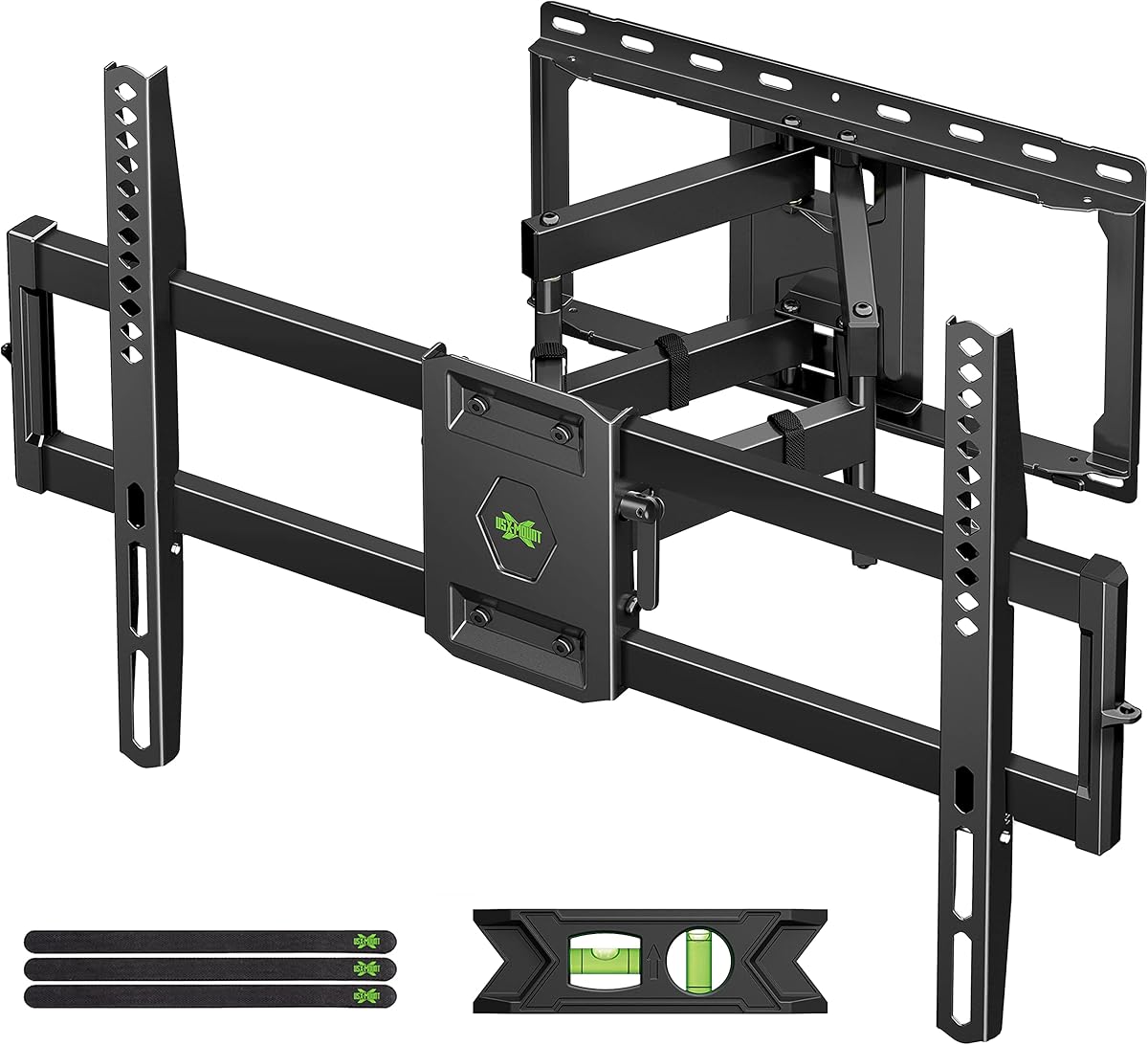

The USX MOUNT Full Motion TV Wall Mount is a broad-spectrum option for households that want to reposition a television without giving up strong load support. It carries a 4.7 rating and accommodates most 37- to 84-inch flat-screen televisions up to 120 pounds. Dual articulating arms offer practical movement while a maximum 600x400mm VESA range covers many modern television patterns.
We may earn a commission when you buy through this link, at no additional cost to you.
The bracket extends as far as 15.16 inches and retracts to 2.74 inches, allowing users to bring the screen forward for angled viewing or push it close to the wall for a neat appearance. It tilts from 5 degrees upward to 15 degrees downward, swivels up to 45 degrees in either direction, and offers 4 degrees of post-installation leveling. The actual swivel range can vary according to the dimensions of the connected television.
Installation is presented as a three-step process, with detailed instructions, a bubble level, cable ties, and hardware divided into labeled bags. It is intended for 12- or 16-inch wood-stud spacing and can also be installed on concrete with appropriate anchors. Concrete anchors are not supplied, so buyers using that wall type should obtain the specified hardware separately rather than attempting unsupported installation.
This mount is a good choice for large televisions in flexible living spaces where moderate side-to-side movement and glare control are desired without the very long reach of a corner bracket. Its limitations are the excluded concrete anchors and a 45-degree swivel that is less expansive than models designed to rotate 90 or 130 degrees. For buyers prioritizing broad size compatibility, sturdy construction, and useful everyday articulation, it remains a strong recommendation.
The combination of extension, swivel, tilt, and leveling gives the mount enough movement for different seats, glare control, and cable access. It is particularly useful in rooms where the television is viewed from several positions rather than one fixed chair.
Its 120-pound capacity and 600x400mm maximum VESA make it suitable for many larger televisions, while the 15.16-inch extension keeps the screen from projecting excessively into the room.
We may earn a commission when you buy through this link, at no additional cost to you.
The Perlegear Full Motion TV Wall Mount stands out as the most versatile option in this roundup, earning a 4.8 rating while addressing installation convenience, height positioning, and flexible movement. It fits most flat or curved televisions from 26 to 74 inches, supports displays up to 99 pounds, and covers VESA patterns from 100x100mm to 400x400mm.
We may earn a commission when you buy through this link, at no additional cost to you.
Its most distinctive feature is the set of three height configurations, allowing the screen to be raised or lowered without fully removing the television. This is useful for improving eye-level positioning, accommodating a soundbar, or changing the layout for seasonal decorations. The mount also provides tool-free adjustment of 5 degrees upward or 15 degrees downward tilt, plus 45-degree swivel, 4-degree leveling, and 17.3 inches of extension.
Pre-assembled bracket arms, a drilling template, divided hardware, and a claimed installation process that can take less than 15 minutes help make this design approachable for DIY installers. Six articulating arms, a wider wall plate, security locks, and an anti-drop edge add stability-oriented features. The product data also states that it passed 60,000 motion cycle tests and four-times load testing.
The central trade-off is its 400x400mm maximum VESA, which is smaller than the 600x400mm limits offered by some larger-screen models. It is intended for standard 12- or 16-inch stud spacing, while owners with wider spacing need a separate extension bracket. Even so, its height adjustment, tool-free controls, and installation-friendly design make it the most balanced overall pick for many rooms.
Three mounting heights create room for a soundbar, improve sight lines from different seats, and make it easier to adapt the installation. That flexibility distinguishes this model from brackets that offer movement but no vertical repositioning.
The articulated arms arrive assembled, and the included template and divided hardware help simplify wall preparation. Installers can still verify the wall structure and use appropriate anchors for the chosen surface.
We may earn a commission when you buy through this link, at no additional cost to you.
The ECHOGEAR MaxMotion TV Wall Mount is a premium choice for buyers who want extensive movement from a large television. It has a 4.8 rating, is UL listed, and supports screens from 42 to 90 inches weighing no more than 125 pounds. Its heavy-duty steel frame is designed for prominent displays such as 75-inch Samsung or 85-inch Vizio models.
We may earn a commission when you buy through this link, at no additional cost to you.
The standout specification is the ability to swivel up to 130 degrees, offering a much wider viewing arc than conventional 45- or 90-degree mounts. It can also extend 22 inches from the wall, swivel to face different areas of a room, and retract to 2.4 inches for a low-profile appearance. These ranges make it useful in open-plan living areas, rooms with varied seating, and installations where the screen may be viewed from more than one direction.
The package includes a drilling template and a comprehensive hardware kit, with the stated goal of completing installation in under 30 minutes. Compatibility with major television brands and a broad VESA-oriented design reduce the chance of finding the mounting pattern unsuitable. Buyers should still confirm their television's exact dimensions, weight, and mounting pattern before ordering.
This is not the most compact option when extended, and the powerful movement range requires a securely positioned wall structure. Some viewers may also prefer a model with a smaller footprint. Even with those considerations, the ECHOGEAR MaxMotion is the strongest premium option here for a large screen, an unusually broad swivel arc, and substantial extension when the room layout calls for it.
The 130-degree swivel allows the television to turn toward different sections of a room, making the mount more adaptable than standard 45-degree models. This is particularly valuable in open spaces with multiple seating areas.
The steel frame, 125-pound limit, and compatibility with screens as large as 90 inches position this mount for demanding installations. Wall anchoring and television compatibility should be checked before drilling.
We may earn a commission when you buy through this link, at no additional cost to you.
The Amazon Basics Full Motion Articulating TV Wall Mount is a compact option for smaller displays, with a 4.6 rating and support for 26- to 55-inch televisions up to 80 pounds. It covers VESA dimensions from 3.9 by 3.9 inches through 15.7 by 15.7 inches, making it a common-format choice for living rooms, bedrooms, and offices.
We may earn a commission when you buy through this link, at no additional cost to you.
Its most useful feature is the claimed 180-degree swivel range, which can direct the screen toward different areas of a room. The mount extends from 2.6 to 16.3 inches and tilts 10 degrees upward or 5 degrees downward. The broad swivel and extension should make it easier to reduce glare, share a display between seating positions, or access cables behind the television.
Unlike many dual-arm mounts, this design is intended for a single stud. It can also be fitted to concrete or brick walls when suitable anchors and installation methods are used. The package includes mounting hardware, a bubble level, a drilling template, and a user manual, giving buyers the basic tools needed for a careful installation.
The 55-inch upper limit and 80-pound capacity restrict its appeal compared with the larger mounts in this guide. It is also advisable to read the included design guidance before installation because wall type and anchoring are central to safe use. For a smaller television, limited wall space, or a desire for a wide swivel from one stud, however, it remains a practical and uncomplicated choice.
The 180-degree movement gives a compact television the ability to face widely different parts of a room. That makes the mount more flexible than its smaller screen size might initially suggest.
The single-stud format can help when the television must be centered over an obstruction or placed near a room corner. Buyers should still locate the stud and confirm that the selected wall can support the load.
We may earn a commission when you buy through this link, at no additional cost to you.
The Mounting Dream Full Motion TV Wall Mount has a 4.8 rating and the highest listed load capacity in the group at 154 pounds. It supports most 42- to 90-inch televisions and accommodates mounting holes up to 600x400mm. That combination makes it an appealing option for large displays, provided the wall and television specifications are suitable.
We may earn a commission when you buy through this link, at no additional cost to you.
Its six articulating arms support extension to 16.6 inches and retraction to 2.5 inches. The screen can tilt 5 degrees upward or 15 degrees downward, while post-installation leveling adjustment of 4 degrees in either direction helps compensate for imperfect alignment. The resulting motion is practical for glare reduction and changing the viewing direction without losing the clean appearance of a wall-mounted display.
The bracket uses high-quality cold-formed steel and includes clear instructions, a paper template, three cable-management straps, and hardware organized in labeled bags. Concrete anchors of the specified size are available upon request rather than automatically included. The mount is explicitly not designed for drywall-only installation, an important limitation for anyone considering an unsupported partition.
Its 154-pound rating should not be treated as permission to exceed other limits, including television size, VESA pattern, wall structure, or manufacturer guidance. A mount is only as strong as its installation. For buyers with a large television who want extensive movement and a very high stated capacity, this model offers a compelling combination, especially when the wall can be properly anchored.
The 154-pound capacity provides additional room above the weight of many mainstream televisions. Buyers should still cross-check the manufacturer's requirements and their wall structure.
Multiple articulating arms distribute the load through the bracket and help it maintain its position as the television is moved. A secure wall connection remains the foundation of stability.
We may earn a commission when you buy through this link, at no additional cost to you.
The Perlegear Corner TV Wall Mount Long Arm is built for installations where reach matters more than a compact footprint. It has a 4.8 rating, supports 37- to 75-inch televisions, and holds up to 100 pounds. VESA compatibility runs from 200x100mm to 600x400mm, covering many popular large-screen patterns.
We may earn a commission when you buy through this link, at no additional cost to you.
Its signature feature is the 32.37-inch extension, the greatest reach among the listed full-motion mounts. The arm retracts to 3.12 inches, giving owners a much smaller wall gap when the television is not in use. A 90-degree swivel, tilt from 15 degrees downward to 5 degrees upward, and 4-degree post-installation leveling round out the adjustment range.
The bracket is UL listed and uses a solid hinge pin intended to provide a firm hold and smooth movement. Its long reach makes it especially useful in living rooms, bedrooms, kitchens, conference rooms, and other spaces where a television can be pulled into a better viewing position or angled around a corner obstruction.
That same reach creates the principal trade-off. The screen projects significantly into the room when extended, and the wall must have adequate structural support. The product is expressly unsuitable for drywall-only installation, and appropriate anchors for masonry surfaces should be confirmed. For corner placement or an unusually flexible viewing position, this is the most specialized and capable option here.
The extended arm can bring the screen out from a corner or around a nearby obstruction, providing a viewing angle that a short articulating arm may not reach.
Because the arm extends more than 32 inches, furniture placement and walking clearance deserve attention. Retracting the mount provides a low-profile alternative when the television is not being repositioned.
We may earn a commission when you buy through this link, at no additional cost to you.
The USX Mount Full Motion TV Wall Mount is a balanced large-screen option, carrying a 4.7 rating and supporting most 42- to 90-inch televisions up to 132 pounds. Its VESA range of 200x100mm to 600x400mm offers broad compatibility, while the dual-arm design provides extension and tilting without relying on a very long reach.
We may earn a commission when you buy through this link, at no additional cost to you.
The television can pull out to 16.49 inches and retract to 2.4 inches. Tilt ranges from 5 degrees upward to 15 degrees downward, swivel extends up to 45 degrees in either direction, and 3 degrees of post-installation adjustment help level the screen. The actual swivel may vary according to the television's size, so checking the manufacturer's guidance is important.
Installation is supported by detailed instructions and standard hardware sorted into labeled bags. For 16-inch wood-stud spacing, the instructions recommend using the outermost edges of the wall-plate holes. A bubble level and three cable ties are included. Concrete anchors are not part of the standard package and can be requested separately.
This model does not offer the extreme swivel of the ECHOGEAR, the vertical height choices of the Perlegear, or the long reach of the corner bracket. Its appeal lies in the balance of a 132-pound capacity, large-screen support, 600x400mm VESA capacity, and moderate 45-degree articulation. It is a sound general-purpose choice when those qualities align with the room and television.
The 132-pound limit comfortably accommodates many large televisions, while the dual articulating arms provide practical positioning. Actual suitability still depends on VESA pattern and correct wall anchoring.
Pulling the bracket back to 2.4 inches reduces the visual gap when the display is not being moved. That is especially helpful in smaller rooms or along frequently used walkways.
We may earn a commission when you buy through this link, at no additional cost to you.
The Pipishell Full Motion TV Wall Mount is a budget-focused alternative for owners of smaller or mid-size televisions. It has a 4.6 rating and accommodates most 26- to 65-inch LED, LCD, OLED, and plasma flat or curved screens up to 80 pounds. VESA patterns from 75x75mm through 400x400mm provide broad coverage for common television sizes.
We may earn a commission when you buy through this link, at no additional cost to you.
Its single-stud design is particularly useful in corners or locations where only one stud is available. The screen tilts 5 degrees upward or 15 degrees downward, swivels 90 degrees in either direction, and offers 4 degrees of leveling adjustment. It extends 17 inches for angled viewing and retracts to 2.36 inches for a clean, close-to-wall appearance.
The product data describes arms that are 33 percent thicker than other mounts, along with a heavy-duty steel construction, durable faceplate, and security screws. It is designed for wood studs, concrete, and brick, with the important restriction that it must not be installed on drywall alone. Mounting hardware and detailed instructions are included.
The 80-pound weight limit and 400x400mm maximum VESA make this a less appropriate choice for very large or heavy displays, and the single-stud layout can mean the television projects farther from the wall than a dual-stud model. Within its stated limits, however, it delivers a useful range of motion, simple installation logic, and a compact retracted profile. It is an accessible way to add adjustability without moving beyond the wall-mounting basics.
The one-stud configuration makes placement easier in corners and around obstructions where centering across two studs may not be possible. The television should be positioned with the wider profile in mind.
A 90-degree swivel, 15-degree downward tilt, and 17-inch extension provide meaningful adjustment. The 80-pound rating remains the key specification to confirm against the television.
We may earn a commission when you buy through this link, at no additional cost to you.
The USX MOUNT UL Listed Full Motion TV Mount is a compact, center-focused design for 26- to 65-inch televisions. It carries a 4.7 rating, supports displays up to 77 pounds, and covers VESA mounting patterns from 75x75mm to 400x400mm. It is intended for wood studs and solid concrete walls, but not drywall alone.
We may earn a commission when you buy through this link, at no additional cost to you.
Adjustment includes 90-degree swivel in either direction, tilt of 5 degrees upward or 15 degrees downward, and 5 degrees of post-installation leveling. The television can extend 16.7 inches from the wall and retract to 2.81 inches. The center-focused design is useful when a centered screen is more important than shifting the entire assembly laterally.
The supplied hardware is extensive, including multiple TV screw lengths, spacers, and washers. A bubble level and three cable ties round out the package, while detailed instructions and labeled bags support the installation process. Concrete anchors are deliberately excluded, and buyers can request M8x50mm screws separately when required by the installation configuration.
The 77-pound limit is the lowest load rating in this roundup and will exclude some larger televisions, even when the screen size seems acceptable. That limitation is worth checking before purchase, along with the television's exact VESA pattern. For lighter displays, however, the mount offers solid articulation, a useful low-profile position, and a straightforward center-mounted installation.
The articulated design lets the display turn toward different parts of a room while remaining centered on the wall. This is useful when the available mounting position is fixed.
The 77-pound capacity is adequate for many smaller screens but leaves less margin than the 99-, 120-, 125-, and 132-pound alternatives. Check the television label and mounting guidance before installation.
We may earn a commission when you buy through this link, at no additional cost to you.
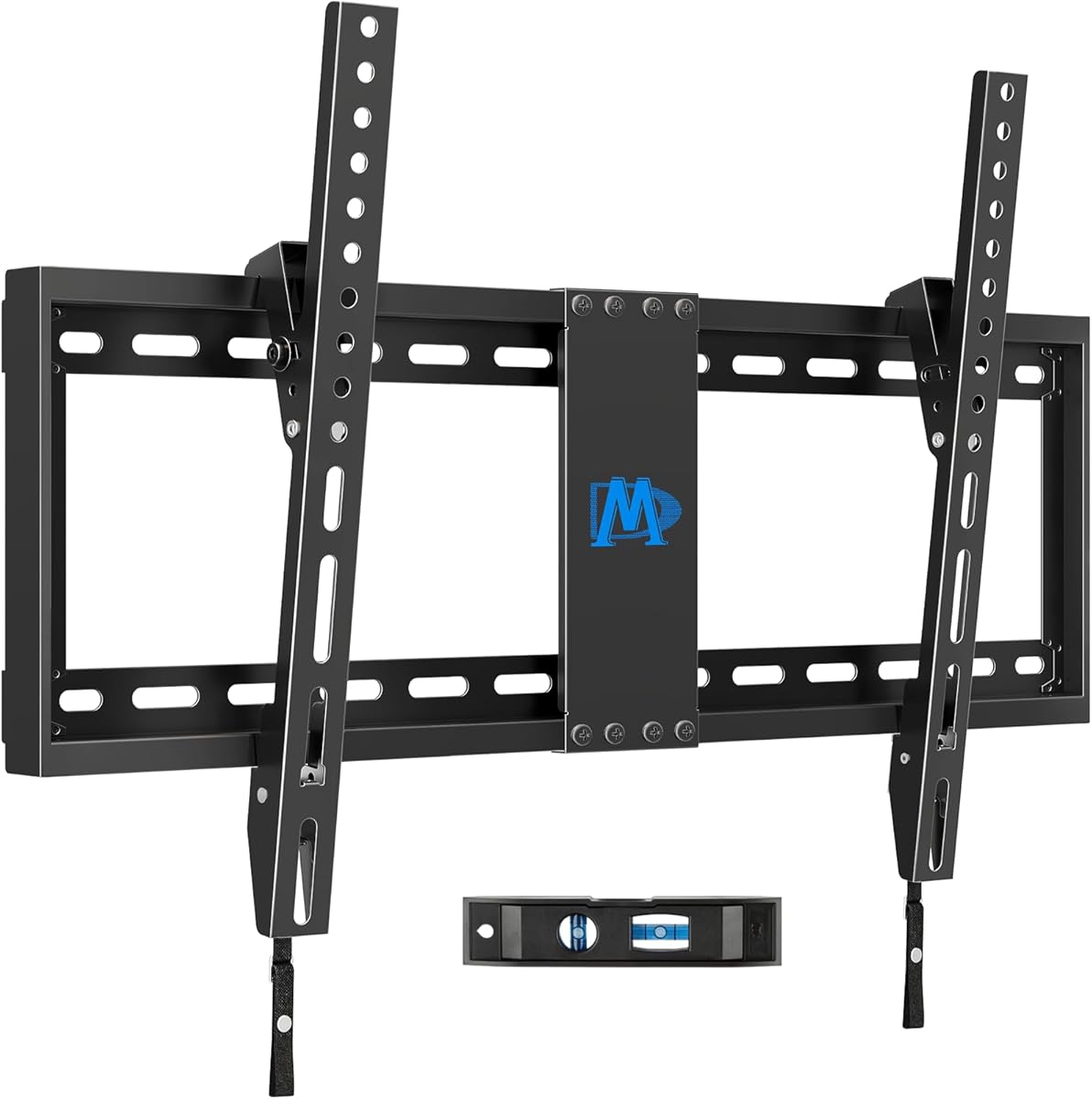
The Mounting Dream Tilting TV Wall Mount is the streamlined option in the roundup. It has a 4.7 rating and supports most 37- to 90-inch televisions up to 132 pounds, with a maximum VESA pattern of 600x400mm. Unlike the articulating brackets, it focuses on a compact profile and a modest forward tilt rather than side-to-side movement.
We may earn a commission when you buy through this link, at no additional cost to you.
Its narrow 1.5-inch wall gap is the defining advantage. The mount can tilt the screen forward by up to 8 degrees, which can help reduce reflections from windows or lighting. Because it does not swivel or pull out, it suits installations where the viewing position is fixed and a clean, nearly flush appearance matters more than articulated access.
The bracket supports wood-stud spacing up to 24 inches and is intended for a three-step installation with clear instructions and a leveling tool. It is not suitable for drywall-only mounting, and concrete anchors in the specified 10x50mm size may need to be obtained through the manufacturer. Buyers should also check blocked television inputs, since a tight wall gap can limit connector access.
The main limitation is obvious: it cannot swivel, extend, or change height. That makes it unsuitable for people who want to watch from different parts of a room or reach behind the television for cables. For a fixed viewing position, however, the very low profile, large weight capacity, and broad size compatibility make this a practical and uncluttered choice.
A 1.5-inch gap creates a visually tidy installation and can make the television appear closer to the wall. Access to side-mounted ports should be checked before finalizing the position.
The 8-degree forward tilt is a straightforward solution for certain lighting conditions. It is ideal for fixed seating but does not offer the freedom of a full-motion bracket.
We may earn a commission when you buy through this link, at no additional cost to you.
Choosing an adjustable TV wall mount requires matching the bracket to the television, wall structure, room layout, and desired movement. Compatibility comes first, followed by load support, articulation range, installation requirements, and the amount of space the screen needs when extended.
Begin with the television's actual screen size and weight rather than selecting solely by diagonal measurement. The listed brackets accommodate different combinations, such as 26 to 55 inches at up to 80 pounds, 37 to 90 inches at up to 132 pounds, or 37 to 75 inches at up to 100 pounds. Screen size and weight are separate limits: a large display may fit within the dimensional range but exceed the bracket's load rating, while a heavier set may fall outside the stated size range even when its mounting holes fit.
Check the product listing and the television manual for the manufacturer's weight and mounting guidance. Leave the load figure as a ceiling, not a target, and never assume a bracket can safely support a television it does not explicitly cover. Also consider the combined movement of the mount, because large arms and extended screens create leverage against the wall connection.
VESA describes the distance between a television's four mounting holes. The brackets in this guide cover different ranges, from 75x75mm or 100x100mm up to 400x400mm, and some reach 600x400mm. Measure the horizontal and vertical spacing between the holes and compare it with the mount's stated maximum and minimum supported patterns rather than looking only at the maximum number.
A compatible bracket also needs the correct screws and spacers for the television's back. The included hardware lists, particularly on the USX MOUNT UL Listed model, show why buyers should check both screw length and spacer configuration. If the television has a curved back, unusual mounting shape, or an obstructed center section, confirm that the bracket's plate can attach without preventing the display from sitting flat.
A bracket is only as secure as the material behind it. Wood studs are common, but some models are specifically designed for 12- or 16-inch spacing, while the Mounting Dream Tilting model supports up to 24 inches. Concrete and brick installations require suitable anchors, and several products in this guide intentionally exclude masonry anchors from the standard package. Drywall alone is repeatedly identified as unsuitable for the listed brackets.
Use a stud finder or another reliable method to locate framing, then verify the center-to-center spacing and the number of studs available. For a single-stud design, account for the greater distance between the screen and wall. If the wall type is uncertain, obtain qualified installation help rather than selecting anchors based on appearance alone.
Swivel determines how far the television can turn left and right, while tilt controls its vertical angle. The listed models range from 45-degree swivels to a 130-degree ECHOGEAR arc. Tilt commonly extends 15 degrees downward and 5 degrees upward, although the Mounting Dream Tilting model uses a narrower 8-degree forward movement. Larger ranges can improve glare control and sight lines but may also increase the chance of collision with nearby walls or furniture.
The direction of installation can restrict the effective swivel, and some manufacturers note that the maximum angle depends on television size. Treat the published range as a maximum, observe the television and bracket for interference, and make small adjustments gradually. Tool-free tilt mechanisms are convenient for frequent changes, while fixed or screw-secured tilt settings may be better for a permanent viewing position.
Extension determines how far the display can move away from the wall, and retraction determines the gap it leaves behind. Standard full-motion brackets in this guide extend roughly 16 to 23 inches, while the Perlegear Corner Long Arm reaches 32.37 inches. The Mounting Dream Tilting bracket does not extend, but it retracts to just 1.5 inches for a very clean appearance.
Longer reach gives more freedom to pull the screen around a corner, reach cables, or reduce reflections, but it also projects farther into the room. Consider walking paths, furniture, speakers, and nearby walls. A shorter extension may be preferable in a compact room or when the display is viewed from one fixed location.
The most helpful installation features include pre-assembled arms, drilling templates, labeled hardware, leveling tools, and clear instructions. Perlegear's pre-assembled design is particularly approachable, while other brands provide templates and organized bags. Even so, pre-assembly does not remove the need to locate studs, drill accurately, select the correct anchors, and account for power and signal cables.
Read the manual before drilling and compare the wall plate dimensions with the available space. Check that the television's ports will remain accessible in the intended position. Concrete anchors may need to be requested from some sellers, and special M8 screws are mentioned for certain USX MOUNT configurations. Gathering all required hardware before beginning helps prevent interrupted installations.
Steel construction, multiple articulating arms, security locks, anti-drop edges, and UL listing can add confidence in a bracket's design. The ECHOGEAR MaxMotion, Perlegear Corner Long Arm, and USX MOUNT UL Listed model each highlight formal listing or specialized security features. Other mounts emphasize welded or cold-formed steel and testing, which can also be useful indicators of construction quality.
Build quality should not replace correct installation. Follow the specified fasteners, torque the connections as directed, and avoid improvising anchors or wall attachments. For long-arm models, pay particular attention to the hinge, wall plate, and surrounding framing because the extended screen creates a longer lever arm than a fixed bracket.
The best mount is one that matches how the room is used. A wide-swivel model is useful when viewers sit in different areas, a corner arm can overcome an awkward fireplace or corner placement, and a tilting bracket works well when the television has one permanent seat. Vertical adjustment can help with soundbar clearance, blocked views, and seated eye level, but only the Perlegear PGMF21 among the adjustable full-motion selections provides three explicit height configurations.
Think about the position of windows, lamps, speakers, game consoles, and doors before selecting the movement range. Remember that a television can be turned without being watched, and cable access matters when devices are connected. The most useful bracket is the one whose adjustments solve a real layout need without creating daily obstacles.
Before installation, identify the wall material, locate the framing, confirm stud spacing, and compare the television's weight, dimensions, and VESA pattern with the mount's specifications. Install the wall plate and articulating arms according to the included instructions, using the anchors appropriate for the wall. Keep the television disconnected or supported while attaching the bracket and tightening the television-side hardware.
After mounting, make small adjustments rather than forcing the arms through their range. Check for interference with walls, furniture, doors, and cables. Use tilt to reduce glare, swivel to face the main viewing area, and extension only when the room has sufficient clearance. Do not exceed the stated load or VESA limits, and avoid hanging items from the bracket or television.
Periodically inspect the fasteners, wall connection, hinge points, and cable paths for loosening or signs of strain. Keep the mounting hardware clean and dry, and follow the television manufacturer's ventilation and servicing guidance. If the display begins to sag, develop unusual play, or make unexpected noise, stop adjusting it and have the installation inspected before using the mount again.
Most of the mounts in this guide should not be installed on drywall alone because drywall provides insufficient structural support. They are intended for properly located wood studs or suitable concrete and brick installations. Even when the wall plate fits into drywall, the fasteners must reach secure framing or use anchors rated for the specific wall type. Follow the manual and do not substitute generic anchors without confirming their load rating.
Measure the horizontal and vertical distance between the four mounting holes on the back of the television, or check the manual and product specifications. The measurement is commonly expressed in millimeters as a VESA pattern such as 400x400mm. It must fall within the mount's complete supported range, and the television's weight and screen size must also meet the bracket's limits.
Choose a full-motion mount if you want to turn the television, pull it forward, reduce glare from different positions, or reach cables behind it. A tilting mount is better for a fixed viewing location where a clean, close-to-wall appearance matters more than side-to-side movement. Full-motion models need more clearance and can be more visible when the television is retracted.
Allow enough space for the arm to extend, swivel, and tilt without striking a wall, door, window, or piece of furniture. Long-arm and corner models need considerably more room than fixed or tilting brackets. The listed extension distances are maximum reaches, so the available floor space should comfortably accommodate the bracket at its intended extended position rather than merely touching another object.
Masonry walls require anchors specifically designed for masonry and sized according to the mount's instructions. Several products in this guide do not include concrete anchors in the standard package, and the Mounting Dream full-motion model offers specified 10x50mm concrete anchors upon request. Confirm the wall type before ordering and use compatible hardware rather than relying on the wall plate alone.
Many universal mounts can support curved televisions, but the mounting pattern and back-plate clearance must be compatible. The Perlegear PGMF21 is specifically described as fitting most flat or curved screens, and the Pipishell mount also supports curved displays. Check the shape, hole spacing, screw clearance, and any raised rear housing before choosing a bracket.
Tilt angles the screen upward or downward, commonly helping reduce glare. Swivel turns the screen left or right. Extension pulls the television away from the wall, while retraction pushes it back. Leveling corrects small imbalances after installation. A mount may offer all four adjustments, but the size of each range varies significantly among these models.
Plan the cable route before mounting so the television can move without pulling cords taut. Several brackets include cable ties, and the Mounting Dream full-motion model includes three cable-management straps. Leave enough slack for swivel and extension, route permanent cables through a wall raceway when practical, and check that connectors remain accessible in the television's most frequently used position.
The Pipishell Full Motion TV Wall Mount is the budget-focused choice for smaller displays and single-stud installations, while the Perlegear PGMF21 is the most well-rounded option because it combines three height settings, tool-free adjustment, pre-assembled arms, and broad compatibility. The ECHOGEAR MaxMotion is the premium pick for large televisions, long extension, and an unusually broad 130-degree swivel range.
Prioritize television weight, VESA pattern, wall construction, and stud spacing before considering motion. A sophisticated swivel or extension range is useful only when the television can be supported correctly and the room has enough clearance. Corner owners may prefer the Perlegear Long Arm, fixed-position shoppers may appreciate the Mounting Dream Tilting bracket, and large-screen buyers with wide viewing needs should closely examine the ECHOGEAR.
Ratings, specifications, prices, and availability can change, so check the current listing and manufacturer instructions before making a purchase. Confirm all compatibility details, obtain any required masonry anchors or special screws, and plan the installation around furniture, doors, lighting, cables, and the primary viewing position.
