
Dell SE2426HG
4.7Editor score
240Hz native refresh rate
0.5ms stated response time
FreeSync Premium and HDMI VRR
A 240Hz monitor can give competitive Valorant players smoother movement, clearer targets, and less visual stutter than conventional gaming displays. The right model also needs low response time, adaptive synchronization, accurate color, and a panel large enough to spot enemies without making the entire interface feel crowded.
This guide compares ten 240Hz-capable monitors using their stated specifications, connectivity, panel characteristics, gaming features, and customer ratings. It covers Full HD and Quad HD models, flat and curved screens, IPS and VA panels, native refresh rates, and selected higher refresh-rate overclocks for competitive play.
Each review explains where a monitor is strongest, where compromises may appear, and which type of player it may suit best. The recommendations range from straightforward high-refresh displays to feature-rich models with motion-blur reduction, game presets, wider color coverage, and adjustable stands; current prices and availability can change.
4.7Editor score

4.8Editor score

4.6Editor score
As an Amazon Associate we earn from qualifying purchases.
The comparison below places each display's refresh rate, panel, resolution, response specification, and headline gaming capabilities side by side. It is designed to clarify the major technical differences among the ten shortlisted models for competitive Valorant.




The Dell SE2426HG combines the features competitive players need most with a straightforward 23.8-inch Full HD IPS design. Its 240Hz native refresh rate, stated 0.5ms response time, and 4.7 customer rating make it an especially accessible route into high-refresh Valorant. The display is built around smooth movement rather than elaborate customization.
We may earn a commission when you buy through this link, at no additional cost to you.
FreeSync Premium and HDMI VRR are central to the package because Valorant can produce frame pacing that looks uneven when a high-refresh display is driven without synchronization. The Dell also provides DisplayPort 1.4 and two HDMI connections, giving a desktop PC and secondary console room. Its 99% sRGB coverage and IPS viewing angles make it more versatile than a barebones esports panel.
The main limitation is physical flexibility. Only tilt adjustment is specified, so players cannot readily raise, lower, swivel, or rotate the panel without a separate stand or arm. The 23.8-inch Full HD format also provides less physical space than the 27-inch choices in this list, although competitive shooters often favor compact screens that keep important information within a focused field of view.
This is a strong recommendation for a player who wants 240Hz performance, low-latency movement, and broad connectivity without paying for a large feature set. It may be especially suitable for a dedicated Valorant station where screen size is less important than consistent frames and responsive aiming. Those who need height adjustment or a larger canvas should consider the ASUS or AOC alternatives.
A 240Hz native refresh rate and stated 0.5ms response time form an effective foundation for Valorant. These specifications support fluid motion and minimize visible blur, while the 23.8-inch footprint can keep characters, minimap details, and weapon indicators compact and visually organized.
FreeSync Premium and HDMI VRR help maintain a more consistent presentation, while DisplayPort 1.4 and dual HDMI ports support several device arrangements. The included eye-comfort certification adds another practical consideration for players who spend long sessions at the desk.
We may earn a commission when you buy through this link, at no additional cost to you.
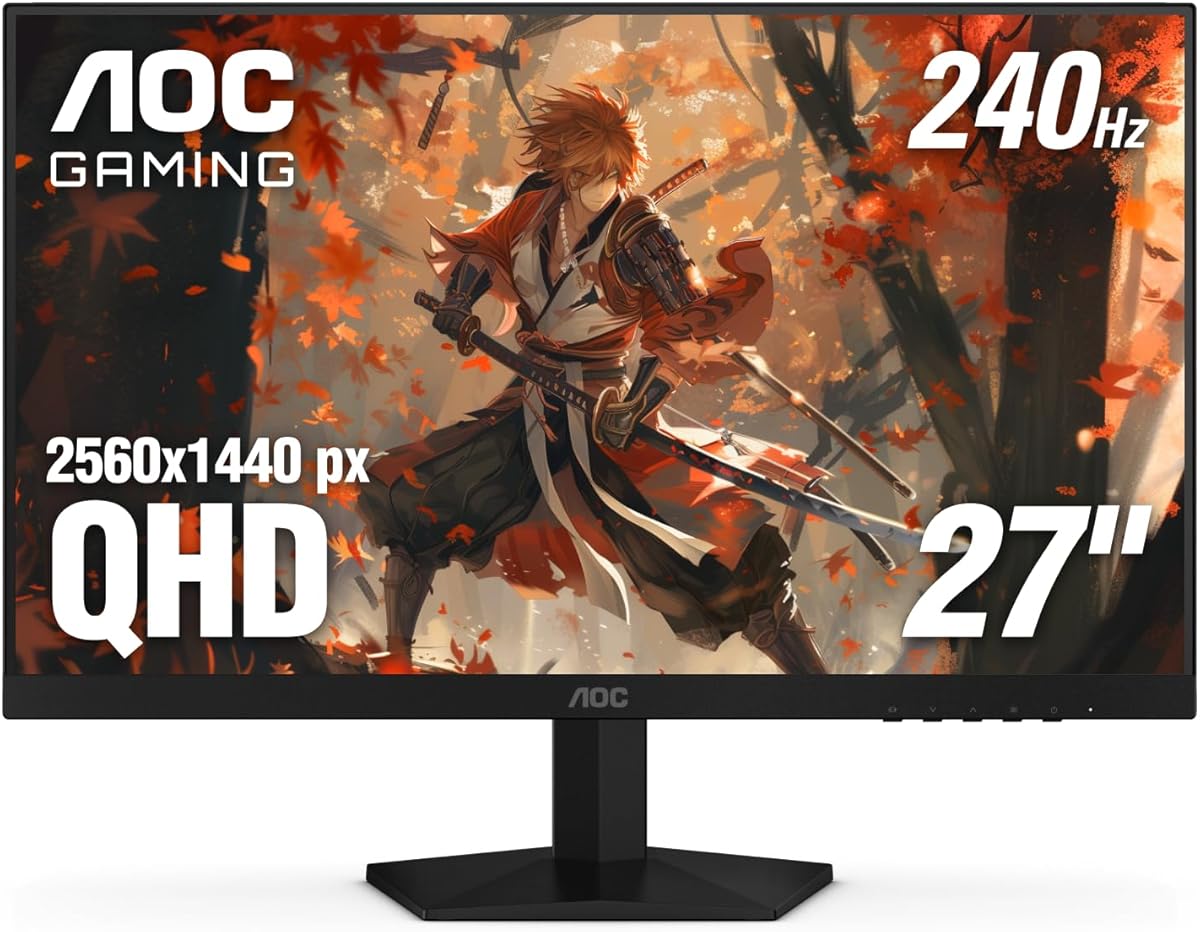
The AOC Q27G41ZE is the list's most detailed option because it combines a 27-inch Quad HD IPS panel with a 240Hz refresh rate over DisplayPort. Its product name advertises a 260Hz overclock, while the supplied specifications identify 240Hz as the primary mode. That distinction matters for players who want a high-refresh desktop experience without giving up extra visual detail.
We may earn a commission when you buy through this link, at no additional cost to you.
A listed 0.3ms MPRT makes this display especially compelling for fast movement and precise target acquisition. Adaptive Sync support, Game Mode presets, Shadow Control, and an accessible graphical OSD give players several ways to tailor the image. DisplayPort 1.4, dual HDMI 2.0 connections, and audio output also make it suitable for a multi-device gaming desk.
Competitive Valorant is often played at Full HD, so the Quad HD panel's additional pixels may not directly improve aiming. At higher graphical settings, however, the sharper presentation can make interface elements, weapon models, and distant map details more defined. The 300-nit brightness and 1000:1 contrast ratio provide a respectable visual foundation, although no HDR capability is listed in the supplied information.
The AOC is best for gamers who want more screen detail and useful competitive features in one package. It is also a logical choice for a PC that is used for work, browsing, and Valorant rather than solely for matches. Players who insist on a native 260Hz mode may prefer the AOC 27G51Z, while those who require height adjustment should investigate the ASUS TUF options.
Quad HD resolution gives the 27-inch panel 2560 x 1440 pixels, which can produce a more detailed desktop and improve the presentation of Valorant beyond the standard Full HD canvas. The 240Hz DisplayPort mode preserves the high-refresh priority required for competitive movement.
Game Mode presets, Shadow Control, and a graphical OSD reduce the effort required to establish a preferred look. The reported 0.3ms MPRT is particularly attractive for players who prioritize fast transitions and minimal motion blur.
We may earn a commission when you buy through this link, at no additional cost to you.
The SANSUI 24.5-inch model stands apart with support for both 240Hz and 300Hz modes. Its primary competitive appeal is extra refresh headroom: DisplayPort 1.4 connections can reach 300Hz, while the two HDMI 2.0 ports support up to 240Hz. The 4.5 rating indicates solid customer reception, although the feature set is unusually broad for this class of display.
We may earn a commission when you buy through this link, at no additional cost to you.
The fast IPS panel has a stated 1ms MPRT response time, FreeSync Premium, and 99% coverage isn't claimed; instead, the supplied details state 120% sRGB, 300-nit brightness, HDR support, and eight-bit color. Crosshair, RTS, FPS, and racing game assistants can help players configure the display, while noise reduction and dynamic luminous control offer additional image controls.
The maximum refresh mode should be treated as an extra option rather than automatically superior to native 240Hz. A competitive player will need a compatible graphics card and connection, and the operating system or game must also support the selected mode. The larger 24.5-inch format is familiar to many FPS users, but Full HD still provides less desktop space than Quad HD.
This monitor suits a player who wants flexibility between 240Hz and 300Hz and appreciates several gaming-oriented display helpers. It is less compelling for someone whose priority is the lowest stated response figure, since the 1ms MPRT is slower than the 0.3ms and 0.5ms claims elsewhere in the list. The included DP cable, VESA compatibility, and tilt adjustment make it a versatile desk-bound setup.
The ability to run at up to 300Hz over DisplayPort creates an upgrade-friendly ceiling, while the HDMI connections retain 240Hz support. This makes the monitor useful for a high-performance gaming PC even when the most competitive configuration is not required every day.
Built-in crosshair and game assistant options can shorten setup time for FPS titles. Its stated 120% sRGB coverage, 300-nit brightness, HDR support, and anti-flicker design broaden the appeal beyond competitive matches.
We may earn a commission when you buy through this link, at no additional cost to you.
The Amzfast 24-inch curved gaming monitor combines a 240Hz refresh rate with a 1ms MPRT response specification and Adaptive Sync. It targets competitive players who appreciate a curved format, extensive display settings, and a compact base. Unlike most established models in the list, however, it has no available customer rating, which makes objective buyer confidence more difficult.
We may earn a commission when you buy through this link, at no additional cost to you.
The supplied specifications highlight 124% sRGB coverage, a 3000:1 contrast ratio, 300-nit brightness, and HDR technology. A five-way joystick provides direct access to crosshairs, refresh-rate information, and game presets. Standard, FPS, and RTS modes, professional black-level adjustment, and low-blue-light, flicker-free, and anti-glare protections make it a feature-oriented display.
Both HDMI 2.0 and DisplayPort 1.4 are said to support 240Hz, and the ultra-slim base is designed to allow under-keyboard storage. The curved panel may pull peripheral action slightly toward the player, although competitive shooters should always be tested in actual multiplayer conditions. Its 1ms MPRT is less aggressive than the 0.3ms and 0.5ms figures offered by several IPS alternatives.
The Amzfast is a reasonable choice for a player who values desk organization, curved immersion, and convenient OSD control over having the fastest published response specification. The lack of a rating means shoppers should review the current customer feedback carefully. Those seeking a sharper competitive specification sheet may find the Dell, MSI, or ASUS models more straightforward.
The curved 24-inch format and ultra-slim base create a distinctive setup that preserves usable space beneath the keyboard. The 240Hz capability remains available through both of the monitor's main digital video connections.
A five-way joystick puts game presets, crosshairs, and refresh information close at hand. This can be useful when a competitive player wants to change settings between Valorant sessions without navigating a dense menu.
We may earn a commission when you buy through this link, at no additional cost to you.
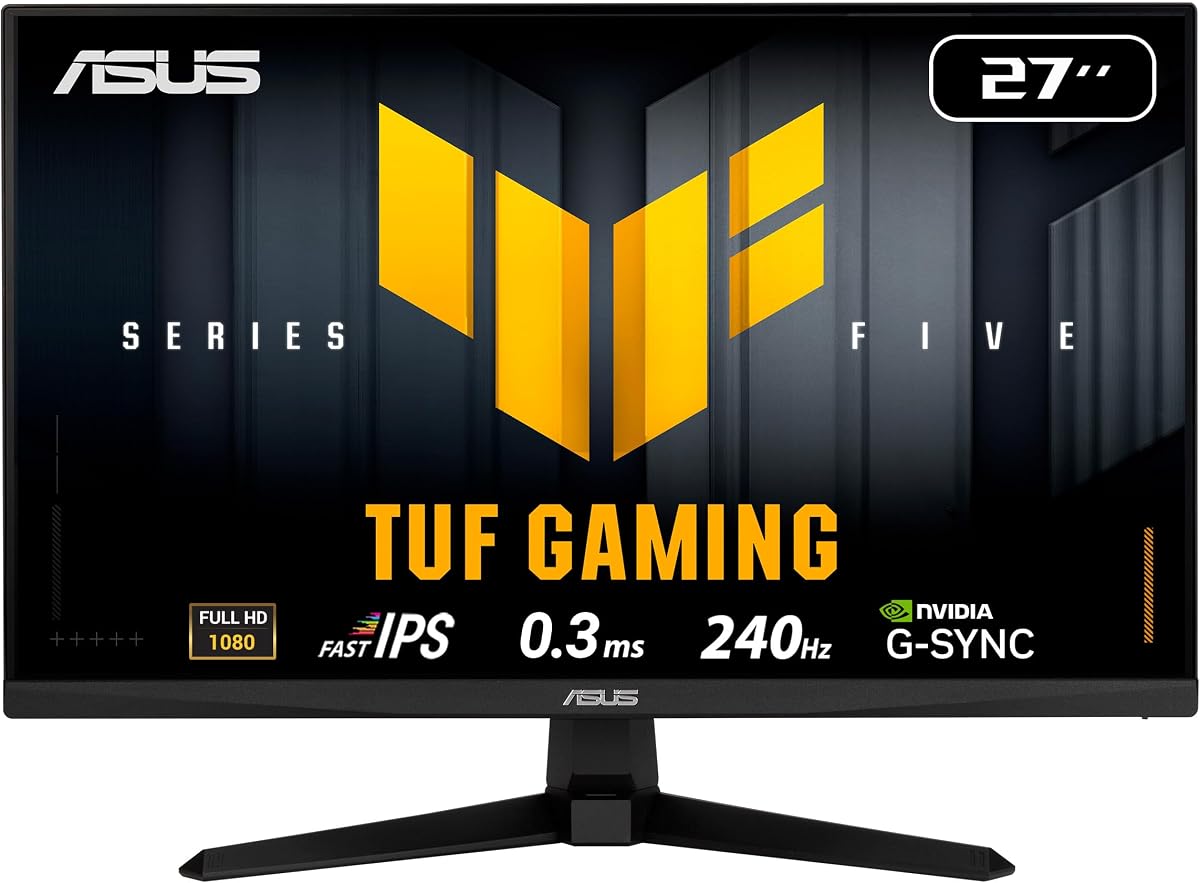
The ASUS TUF VG279QM5A is a 27-inch Full HD gaming monitor built around a 240Hz Fast IPS panel. Its stated 0.3ms minimum response time is among the strongest specifications in the guide, and compatibility with both FreeSync Premium and G-SYNC makes it flexible across AMD and NVIDIA graphics-card systems. The 4.5 rating reflects a generally positive customer response.
We may earn a commission when you buy through this link, at no additional cost to you.
ASUS Extreme Low Motion Blur Sync is a notable addition because it can combine ELMB with variable refresh for sharper visuals and reduced tearing. DisplayWidget Center provides an alternative to using physical buttons, while TUF Gaming A.I features are intended to enhance the gaming experience. The monitor also covers 99% sRGB and includes a DisplayPort cable, power cord, screwdriver, guide, and warranty card.
For Valorant, the core advantage is the combination of a high native refresh rate and very low published latency. The 27-inch size can make characters and HUD information feel less cramped than a 24-inch model, while the Fast IPS panel should offer broad viewing angles. The included three-year warranty and broader software support separate it from simpler alternatives.
This is a strong option for a player who wants a mature competitive feature set and values rapid pixel response, motion-blur reduction, and broad graphics-card compatibility. It is less rational to pay for every premium feature if basic 240Hz performance and simple tilt adjustment are the only goals. The Full HD resolution also means it will not provide the extra desktop detail of the AOC Q27G41ZE.
The combination of Fast IPS, a 0.3ms minimum response claim, and ELMB SYNC targets a clean presentation during abrupt movement. Adaptive Sync support also helps reduce tearing when frame delivery and the monitor's refresh timing fall out of step.
DisplayWidget Center, wide color coverage, included accessories, and a three-year warranty make the VG279QM5A a well-rounded package. Its support for FreeSync Premium and G-SYNC is particularly useful for players who may change graphics-card brands.
We may earn a commission when you buy through this link, at no additional cost to you.
The msi MAG 274CF X24 is the strongest customer-rated option in this guide, carrying a 4.8 rating. It pairs a 27-inch Full HD rapid VA panel with a native 240Hz refresh rate and a stated 0.5ms GtG response time. Those core traits align closely with the demands of competitive Valorant while giving the player a slightly roomier screen than a conventional 24-inch model.
We may earn a commission when you buy through this link, at no additional cost to you.
AMD FreeSync Premium is the principal synchronization feature, making it especially natural for an AMD-based gaming PC. The specification also lists HDMI and VGA, VESA compatibility, tilt adjustment, and HDR Ready support. MSI's AI Vision feature is described as revealing details in dark areas while enhancing brightness and color saturation, potentially helping players distinguish subtle map details.
The principal technical decision is the use of a rapid VA panel rather than IPS. VA panels can provide strong contrast, but their viewing characteristics and response behavior may differ from IPS models. Because response-time figures also use different measurement methods across the market, the stated 0.5ms GtG value should not be compared directly with another product's MPRT claim without considering panel type.
This monitor is our Editor's Choice because it combines a highly favorable rating, a proven competitive refresh rate, a fast minimum response specification, and a useful 27-inch format. It is especially compelling for an AMD gaming system and players who want more visible workspace than a compact 24-inch display. Buyers who strongly prefer IPS viewing angles should compare the Dell and ASUS alternatives.
A 27-inch Full HD panel can provide a more comfortable view of Valorant's HUD while preserving a familiar competitive aspect ratio. The 240Hz native refresh rate keeps the display focused on fluid motion rather than resolution upgrades.
The 4.8 customer rating is the highest listed in this roundup, providing the clearest established player feedback among the recommendations. FreeSync Premium, AI Vision, HDR Ready support, and multiple connection options round out the feature set.
We may earn a commission when you buy through this link, at no additional cost to you.
The AOC 27G51Z offers a 240Hz native refresh rate with an option to overclock to 260Hz. Its 27-inch Full HD IPS panel, 178-degree viewing angles, and 0.5ms MPRT response specification make it a well-known format for competitive shooters. The 4.6 rating provides favorable customer feedback without claiming a perfect score.
We may earn a commission when you buy through this link, at no additional cost to you.
Both HDMI and DisplayPort can carry the higher overclocked mode according to the supplied details, a useful feature for different gaming PC configurations. Adaptive Sync keeps the display compatible with synchronized frame delivery, while the three-sided frameless design supports a clean multi-monitor arrangement. Tilt adjustment and 100 x 100mm VESA compatibility provide basic positioning options.
As with the AOC Q27G41ZE, the overclock should be understood as an additional option rather than the display's native operating rate. Competitive users should verify that their graphics card, cable, and system configuration support the desired mode. The monitor also includes HDMI and power cables and offers AOC's graphical OSD and G-Menu software for adjustments.
The 27G51Z is a strong alternative for a player who wants Full HD, a 27-inch format, and an optional 260Hz boost. It is particularly useful when a PC is capable of exceeding 240Hz in some titles, although Valorant players may not consistently generate enough frames to benefit from the extra mode. Those who need greater screen detail should look toward the Quad HD AOC model.
The 240Hz native mode provides a standard high-refresh target, while the 260Hz setting offers additional headroom for compatible hardware. This flexibility makes the display relevant to PC owners who may upgrade their graphics card during its ownership.
Adaptive Sync, flicker-free operation, wide viewing angles, and a frameless design support smooth and comfortable use. The 100 x 100mm VESA support offers more mounting flexibility than the stated tilt-only adjustment.
We may earn a commission when you buy through this link, at no additional cost to you.
The SANSUI 24-inch curved monitor combines a 1500R panel with a native 240Hz refresh rate, targeting players who want both competitive speed and a more immersive display shape. It has a 4.4 customer rating, a 1ms MPRT response claim, and FreeSync support. Shadow-boost-style black-level adjustment, game presets, and a crosshair are included for competitive use.
We may earn a commission when you buy through this link, at no additional cost to you.
The visual specification is unusually rich for a gaming monitor. Stated coverage includes 124% sRGB and 93% DCI-P3, alongside a 3000:1 contrast ratio, 300-nit brightness, and HDR. Anti-flicker and anti-glare features are also included, which can be helpful during long competitive sessions. The supplied information does not list built-in speakers.
Connectivity consists of one HDMI 2.0 connection, one DisplayPort 1.4 connection, and an audio jack, with both digital video inputs supporting up to 240Hz. The monitor supports 75 x 75mm VESA mounting and a stated tilt range. Its curved surface may enhance the sense of immersion, but players sensitive to edge distortion should compare it with a flat model.
This SANSUI model is most appealing to someone who prioritizes color, contrast, and a curved 240Hz experience. Its 1ms MPRT is less aggressive than several competitors' published figures, and its 24-inch size is compact by modern standards. It is a sensible alternative to the SANSUI 300Hz model, but it does not offer that model's additional DisplayPort refresh-rate ceiling.
The 1500R curve gives the 24-inch panel a more enveloping appearance while retaining a 240Hz refresh rate. For players who also watch movies or stream content, the stated 3000:1 contrast ratio and broad color coverage add value beyond competitive matches.
Game mode presets, crosshair support, and black-level adjustment can help players make rapid visual changes. FreeSync, dual high-speed digital inputs, VESA compatibility, and eye-comfort features make the monitor broadly practical.
We may earn a commission when you buy through this link, at no additional cost to you.
The ASUS TUF VG249QML5A is a 23.8-inch Full HD Fast IPS monitor designed around a native 240Hz refresh rate. It combines a stated 0.3ms minimum response time with FreeSync Premium, G-SYNC compatibility, and ELMB SYNC. Its height-adjustable stand is a meaningful advantage for players who want to position a compact screen precisely at desk level.
We may earn a commission when you buy through this link, at no additional cost to you.
DisplayWidget Center enables mouse-based changes to monitor settings, and the 99% sRGB coverage supports accurate and vibrant imagery. ELMB can work with variable refresh to reduce ghosting and tearing in fast scenes. ASUS also includes a three-year warranty and a complimentary three-month Adobe Creative Cloud subscription with an offer valid through the stated date.
Its 23.8-inch size is compact enough for a focused competitive field of view, and Full HD is a common Valorant resolution. Nevertheless, the smaller screen gives less space for general desktop work than the 27-inch options. The height adjustment also does not imply that every other ergonomic movement is included, so buyers needing swivel or rotation should confirm the stand's full movement range.
The VG249QML5A is a strong all-round option for a competitive PC that uses both AMD and NVIDIA graphics hardware. It offers the same core 240Hz, 0.3ms, and ELMB feature pattern as the larger ASUS VG279QM5A, but in a more compact and height-adjustable package. It is particularly appealing when desk depth is limited and rapid OSD changes are valued.
The 0.3ms minimum response claim, 240Hz native refresh, and ELMB SYNC offer a strong specification combination for motion-heavy shooters. Compatibility with both major adaptive-sync approaches gives the monitor broad GPU flexibility.
The height-adjustable stand can bring a 23.8-inch display closer to eye level and reduce the need for a separate riser. Its narrow footprint is useful for small desks where a 27-inch monitor would crowd the player's mouse area.
We may earn a commission when you buy through this link, at no additional cost to you.
The ASUS TUF VG259QM5A offers a carefully sized 24.5-inch Full HD Fast IPS panel with a 240Hz native refresh rate. It combines a stated 0.3ms minimum response time with FreeSync Premium, G-SYNC compatibility, and ELMB SYNC. The 4.6 rating and three-year manufacturer warranty strengthen its position as a premium-focused competitive option.
We may earn a commission when you buy through this link, at no additional cost to you.
At 24.5 inches, the display sits between a traditional 24-inch screen and the roomier 27-inch models. That can provide enough space for a comfortable HUD without making peripheral map activity feel distant. The monitor also supports 99% sRGB coverage, and DisplayWidget Center provides mouse-based control over settings for quick changes between sessions.
Its most significant feature is ELMB SYNC working in combination with variable refresh, which addresses ghosting and tearing in high-speed scenes. The fast IPS response claim and 240Hz native rate reinforce that competitive focus. The supplied details do not list every physical adjustment or port, so buyers should verify current stand movement and connectivity against their setup.
The VG259QM5A is our Best Premium recommendation for players who want a refined balance of screen size, rapid response, motion clarity, broad graphics-card compatibility, and warranty coverage. It is an excellent alternative to a 27-inch display for players who prefer a slightly tighter view. Its advantage over simpler 240Hz models is the deeper feature set, while its Full HD resolution remains focused on competitive performance.
The 24.5-inch format provides more room than a 23.8-inch model without expanding to the scale of a 27-inch display. That middle ground can make Valorant's HUD and surrounding action easier to read while preserving a focused competitive sightline.
Fast IPS technology, a 0.3ms minimum response claim, and ELMB SYNC form a compelling high-speed package. FreeSync Premium and G-SYNC compatibility provide broad platform coverage, while a three-year warranty supports long-term ownership.
We may earn a commission when you buy through this link, at no additional cost to you.
The best competitive Valorant monitor balances refresh rate, low-latency panel behavior, synchronization, visual clarity, and desk ergonomics. Rather than treating any one specification as decisive, buyers should consider how their graphics card, resolution, and preferred game settings interact with the display.
A native 240Hz refresh rate provides a stable target and is the core requirement for this roundup. Models such as the SANSUI 24.5-inch and AOC 27G51Z can reach 300Hz and 260Hz respectively in supported configurations, but an overclocked mode is not automatically better for every player. It may require more capable hardware, a suitable connection, and a game that consistently produces enough frames to take advantage of the extra refresh headroom.
Prioritize a reliable native 240Hz mode first, then consider overclocking as a bonus. Stable operation matters more than a headline maximum, especially in a competitive game where visual consistency supports target tracking.
Fast response reduces the likelihood of blurred movement as weapons, characters, and abilities cross the screen. The listed response claims range from 0.3ms minimum response on the ASUS Fast IPS models to 1ms MPRT on the SANSUI and curved Amzfast displays. These numbers are not perfectly interchangeable because MPRT and GtG measurements describe different aspects of pixel behavior.
Compare response specifications within the same measurement method whenever possible, and also look for motion-blur reduction. ELMB SYNC on the ASUS models is a notable addition, while the 0.5ms claims from Dell, MSI, and AOC provide useful competitive benchmarks.
IPS is the dominant choice among the Dell, AOC, SANSUI 300Hz, and ASUS models, generally associated in the supplied specifications with wide viewing angles and accurate color. The MSI selection uses a rapid VA panel, which may offer strong contrast but has different viewing and response characteristics. Curved models add another visual variable that should be assessed for comfort rather than assumed to improve performance.
For a dedicated competitive setup, prioritize a panel whose viewing angles, contrast, and motion behavior suit your room and seating position. The ability to view angles and enemy movement clearly is more important than an extra software feature.
FreeSync Premium, G-SYNC compatibility, and generic Adaptive Sync help keep the display aligned with the frames delivered by the graphics card. This can reduce visible tearing and make motion feel more consistent. The MSI model is specifically identified with AMD FreeSync Premium, while the ASUS TUF monitors support both FreeSync Premium and G-SYNC, making them convenient for mixed or changing hardware platforms.
Check which synchronization standard your graphics card supports and confirm that the monitor is connected through an appropriate port. VRR is most useful when the game renders above the display's refresh rate, so it complements rather than replaces a capable CPU and GPU.
Most displays in this guide use 1920 x 1080, while the AOC Q27G41ZE offers 2560 x 1440. Full HD is a common competitive Valorant resolution because it keeps elements compact and places less rendering demand on the graphics system. Quad HD provides more desktop detail and can make text and interface elements appear sharper, but it does not inherently make crosshair placement or reaction time better.
Choose Full HD when competitive consistency, familiar HUD scale, and GPU headroom matter most. Choose Quad HD when a monitor will also handle productivity or you prefer a more detailed image, and ensure your system can drive the additional pixels comfortably.
The list ranges from 23.8 inches to 27 inches, with a 24.5-inch 1500R option and a 25-inch ASUS model between those extremes. Smaller displays can provide a focused competitive view and leave more desk space for mouse movement. Larger 27-inch screens can make the HUD and surrounding map activity easier to inspect but may feel less concentrated to players accustomed to smaller monitors.
Avoid choosing solely by diagonal size. Consider desk depth, viewing distance, personal preference, and the layout of Valorant's interface. A display that feels comfortable and allows consistent crosshair placement is more valuable than a larger panel used at an awkward angle.
Tilt is common throughout the group, but the ASUS VG249QML5A specifically includes a height-adjustable stand. VESA support is also widespread, with 75 x 75mm mounting listed for the Dell, SANSUI, and Amzfast models and 100 x 100mm listed for the AOC 27G51Z. A monitor arm can be useful if the included stand does not provide the correct height or angle.
Leave enough space for mouse movement and keep the top of the display near eye level. The Amzfast's ultra-slim base is designed with under-keyboard storage in mind, which may be advantageous in a compact setup.
DisplayPort 1.4 is present across the major competitive choices and should be favored for high-refresh PC use, while HDMI 2.0 is useful for consoles and other devices. Game presets, crosshair overlays, shadow controls, OSD software, eye-protection features, and HDR readiness can simplify setup, but they do not compensate for weak core specifications. Warranty length may also matter, with the ASUS models listing three-year coverage.
Choose the model that covers the essentials first, including the connections you need, a synchronized mode, comfortable adjustment, and an appropriate warranty. Treat elaborate gaming features as a refinement rather than the main reason to buy.
Connect the PC through DisplayPort 1.4 when possible, particularly when using a 240Hz or higher mode. Select the highest refresh rate offered by both the graphics card and monitor, then confirm that Windows and Valorant recognize the intended resolution and refresh combination. Enable the appropriate adaptive-sync mode in the graphics software and OSD before changing other image settings.
Begin with a clean image rather than an extreme brightness or contrast setting. Use a game preset as a starting point, then adjust color, shadow visibility, and black-level controls in a normal room. A crosshair can improve visibility, but it should not obscure agents, floor indicators, or the minimap. Keep motion-blur and in-game effects consistent with your preferred competitive setup.
For care, dust the panel with a soft, dry cloth and avoid pushing fluid into the vents or around the bezel. Do not use cleaning products directly on the display, and handle the stand carefully when adjusting the viewing angle. If the image flickers, the refresh setting disappears, or a high-refresh mode is unstable, reconnect the cable and recheck the graphics-card output and monitor OSD.
A 240Hz monitor can make rapid movement and weapon animations appear smoother while reducing visible stutter when the game is rendering near the display's full refresh capability. The improvement is most visible with a capable system and an adaptive-sync implementation that works properly. It still requires good aim, low system latency, and a stable connection to feel as responsive as the specifications suggest.
A stable native 240Hz mode is often more valuable than a higher overclocked maximum because competitive consistency depends on maintaining the selected rate. A 260Hz or 300Hz mode can help if the PC and game regularly exceed 240 frames per second. Otherwise, the additional refresh headroom may have little practical effect during a match.
A 24-inch model generally offers a more focused field of view and leaves more room for mouse movement. A 27-inch screen provides additional space for the HUD and general desktop use, which some players find easier to inspect. The best choice depends on desk depth, viewing distance, and personal comfort rather than one universally superior size.
Full HD is common in competitive Valorant because it creates a familiar HUD scale and places a lighter rendering demand on the graphics system. Quad HD can look sharper and offer more desktop detail, but it does not inherently improve reaction time or crosshair placement. Choose Quad HD if the monitor will also support work and entertainment or if you prefer a more detailed interface.
Adaptive Sync is highly useful because it can reduce tearing and keep the image more synchronized with the frames delivered by the GPU. FreeSync Premium is the more specific option offered by several AMD-oriented systems, while some ASUS models support both major standards. Compatibility must be confirmed with the graphics card and the selected connection.
Look for a fast published response specification and, ideally, a measurement method that can be compared with competing products. The 0.3ms minimum claims on the ASUS Fast IPS panels and the 0.5ms claims on the Dell, MSI, and AOC models look competitive on paper. Remember that GtG and MPRT are different measurements, so numerical comparisons require context.
Curvature can create a more immersive image, but it does not automatically improve aim or reaction time. Some players find the curved edge engaging, while others notice distortion or prefer the straighter geometry of a flat panel. Reviewing the monitor in person, if possible, is the best way to determine whether the curve feels natural during long sessions.
First set the monitor to its desired high-refresh mode through the OSD. Then choose the corresponding resolution and refresh rate in the operating system's display settings and verify it inside Valorant's graphics options. Finally, check the graphics-card control panel for the correct adaptive-sync setting and confirm that the game is actually rendering at a sufficiently high frame rate.
The Dell SE2426HG stands out as the straightforward budget recommendation, combining a native 240Hz IPS panel, stated 0.5ms response time, FreeSync Premium, and modern connectivity. The msi MAG 274CF X24 is the Editor's Choice because its 4.8 rating, 27-inch format, 240Hz rate, and 0.5ms GtG claim form an especially persuasive competitive package.
Prioritize the fundamentals above all else: a reliable native 240Hz mode, fast response, working adaptive sync, and a screen size that feels comfortable without forcing eye or neck strain. Advanced features such as ELMB, game presets, crosshairs, and higher overclocked modes can be useful, but they should complement rather than replace a capable panel and a smooth gaming PC.
Finally, check the current price, availability, warranty terms, and graphics-card compatibility before buying, because these details can change over time. The best 240Hz monitor for competitive Valorant is the one that maintains a consistent high-refresh image, supports your hardware, and lets you play comfortably at the settings you prefer.