
Anker 45W USB C Charger Block
4.8Editor score
45W fast charging
Two-pack configuration
Two five-foot cables
Discover the best Anker USB C Fast Charger options, comparing wattage, port counts, portability, compatibility, safety features, and ideal everyday use cases.
Anker USB C fast chargers combine compact construction, intelligent power delivery, and broad device compatibility in chargers designed for phones, tablets, and modern laptops. The right model depends on your device mix, available outlet space, and whether you value portability, multiple ports, a readable charging display, or the ability to recharge several gadgets at once.
We compared all ten featured chargers using their stated output, port configurations, physical dimensions, included accessories, safety systems, and supported device profiles. The list covers single-device wall chargers, compact multi-port models, display-equipped options, and high-output designs intended for demanding USB-C laptop workflows.
Each review identifies the charger that best fits a particular use case rather than treating one product as universal. Ratings and technical details reflect the supplied product information, while availability and pricing can change, so readers should verify current listings and device requirements before purchasing.
4.8Editor score
4.7Editor score

4.7Editor score
The table below compares the ten Anker USB C fast chargers by their maximum output, port count, portability, and most notable feature, making it easier to identify the right model for phones, tablets, notebooks, and travel.




The Anker 45W USB C Charger Block is a practical two-pack for anyone who wants fast USB-C charging without moving to a premium multi-port model. It holds a 4.8 rating in the supplied data and stands out because the package includes two 45W charger blocks, two five-foot USB-C cables, two cable organizers, and an 18-month warranty. That combination makes it particularly useful for separating a charger between home and work, keeping one in a travel bag, or equipping two different rooms.
We may earn a commission when you buy through this link, at no additional cost to you.
Its headline capability is 45W Super Fast Charging 2.0, which the product information says can power a Samsung S24 Ultra to 50% in 20 minutes. MultiProtect adds high-voltage and short-circuit protection, while broad compatibility covers Samsung devices and other USB-C products. The included USB-C cables are rated to handle up to 100W and are tested for more than 10,000 bends, so the bundle is not dependent on finding suitable cables elsewhere.
The main limitation is that this is a two-pack of single-purpose USB-C chargers rather than one charger with several ports. There is no display for monitoring output, and the supplied information does not identify it as a notebook charger. A buyer who regularly powers a laptop or charges several unrelated devices at once may prefer the 65W three-port or 100W smart-display alternative.
This is our Best Budget pick because it delivers a strong 45W charging profile, useful accessories, and the option to place chargers in multiple locations. Choose it for fast phone and tablet charging, especially if the included two-pack and cables materially simplify your setup. It is less compelling as a one-device travel solution for a power user who needs maximum laptop output or real-time charging information.
Most competing listings offer only one wall block, while this package provides two 45W chargers and two five-foot USB-C cables. The additional organizers make the long cables easier to coil and store, improving the experience for anyone who keeps a charger in a bag or drawer.
The stated 45W Super Fast Charging 2.0 performance is well suited to modern USB-C phones, including the ability to charge a Samsung S24 Ultra to 50% in 20 minutes. MultiProtect adds high-voltage and short-circuit safeguards to the fast-charging profile.
We may earn a commission when you buy through this link, at no additional cost to you.
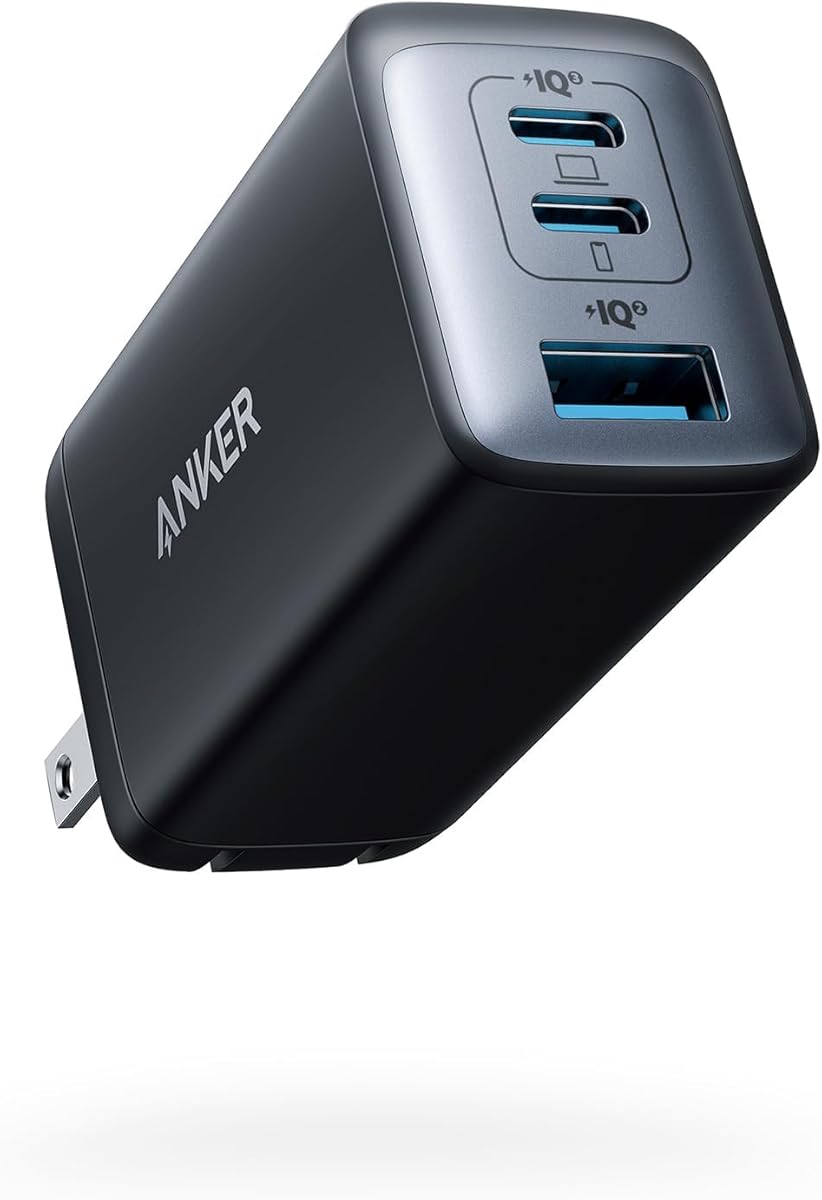
The Anker 65W Max 3-Port USB C Charger Block is the most balanced all-around option in this guide. It carries a 4.7 rating and is designed to replace separate phone, tablet, and USB-C notebook chargers with one compact unit. Its rough AirPods Pro case size, foldable plug, and three-port layout make it a natural choice for a desk, carry-on, or mixed mobile setup.
We may earn a commission when you buy through this link, at no additional cost to you.
The charger can deliver up to 65W when one device is connected, enough for the product information to identify full-speed charging of a 2020 MacBook Pro 13-inch. With three devices attached, power is distributed efficiently among the ports. This makes it a better fit for users who sometimes need maximum laptop speed and other times want to top up a phone, tablet, and accessory without carrying three adapters.
GaN II technology is the enabling feature behind the small footprint. Anker describes a 100% increase in operating frequency, a stacked design, and an upgraded circuit board structure that allow high output without the size of a conventional power brick. The trade-off is the absence of a display and detailed port telemetry, which may matter more to technical users than they do to someone simply seeking a dependable charger.
We selected this model as the Editor's Choice because it balances power, portability, and flexibility without becoming oversized. It works well for frequent travelers, hybrid laptop-and-phone users, and anyone trying to simplify a collection of older wall adapters. If real-time wattage feedback is essential, the 100W smart-display model offers that feature; otherwise, this 65W charger is the more restrained and versatile choice.
Up to three devices can use the charger at once, and Anker's power-management system distributes available power among connected ports. Single-device use unlocks the full 65W output, making it possible to handle both lightweight accessories and a USB-C notebook.
The stacked GaN II construction compresses the electronics into a body roughly the size of an AirPods Pro case. A foldable plug further reduces packing volume and helps prevent the prongs from catching on other items inside a bag.
We may earn a commission when you buy through this link, at no additional cost to you.
The Anker Nano 65W GaN II PPS USB C Charger specializes in doing one job with minimal bulk: providing high-power USB-C charging from a tiny foldable wall plug. It has a 4.7 rating and is listed as the Anker 715 Charger (Nano II 65W). At 58% smaller than an original 61W USB-C charger, it is especially appealing for travelers who want laptop-class power without carrying a large adapter.
We may earn a commission when you buy through this link, at no additional cost to you.
The stated charging performance covers several demanding device categories. Anker says it can charge a 2020 MacBook Air in less than two hours, a 13-inch MacBook Pro at full speed, an iPhone 13 up to three times faster than with the original 5W charger, and the latest Samsung phones with Samsung Super Fast Charging. PPS support further broadens its usefulness across compatible USB-C phones and tablets.
Its trade-offs are straightforward. There is only one port, so multiple devices must take turns, and a USB-C cable is not included. A buyer who needs a display, several ports, or a full desktop charging hub will find a better match elsewhere in the list. Even so, the Nano 65W offers more output than most ultra-compact alternatives and does not sacrifice power to achieve its smaller size.
This model is a compelling choice for frequent travelers, hybrid workers, and owners of a USB-C notebook who want a single adapter for a trip. It also suits anyone who prefers to carry one dedicated fast charger instead of a multi-port block. For multi-device households, the similar 65W three-port charger adds flexibility at a similar maximum output, but the Nano remains the stronger portability choice.
The 65W maximum is enough for full-speed charging of a 13-inch MacBook Pro according to the supplied information, while also supporting fast charging for current iPhone and Samsung models. This makes the charger useful beyond ordinary phone replenishment.
PPS support is especially relevant to compatible Android devices because the charger can communicate with the device to manage an appropriate charging profile. The result is a compact adapter that serves both USB-C notebook owners and users of modern fast-charging phones.
We may earn a commission when you buy through this link, at no additional cost to you.
The Anker Nano 70W Max 3-Port Fast Charger is a modern, all-USB-C alternative to the 65W three-port model. It has a 4.7 rating and raises the headline output to 70W per USB-C port. According to the supplied data, either port can charge a 14-inch MacBook Pro from 0% to 50% in 35 minutes, and the charger is positioned to support the latest M4 models.
We may earn a commission when you buy through this link, at no additional cost to you.
Its dimensions of 2.09 by 1.68 by 1.24 inches make it 41% smaller than a standard 70W USB-C charger. Despite that reduction, the product information claims 70W maximum output from each of the three USB-C ports. The included four-and-nine-foot USB-C cable and foldable design add convenience for a travel or desk setup built around modern USB-C equipment.
ActiveShield 4.0 provides thermal monitoring, and the charger carries TÜV Rheinland certification. Anker states that surface temperatures can measure up to 50°F, or 10°C, lower than international safety benchmarks. That feature is important for a compact high-output charger, although it does not eliminate the need to use a compatible cable and a sound wall outlet.
Choose this model when you want three USB-C ports, current laptop charging capability, and a very small body. It is a strong upgrade for users who have moved away from USB-A accessories but do not need a display. The 140W four-port option is better for heavier multi-device workloads, while this Nano model is more appropriate for a smaller collection of USB-C phones, tablets, and notebooks.
The unusual feature of this model is its claimed 70W maximum from each USB-C port. That gives buyers a higher per-device ceiling than the 65W three-port option while retaining the convenience of a three-port travel charger.
ActiveShield 4.0 continuously monitors thermal behavior, while TÜV Rheinland certification provides an additional layer of assurance. Anker also says the charger can run cooler than international safety benchmarks under the conditions described in its product information.
We may earn a commission when you buy through this link, at no additional cost to you.
The Anker 100W Max USB C Charger is a premium desktop charger for people who want more than fast power. It combines a 3-Port GaN design, 100W maximum output, and a high-definition smart display that reports charging status, temperature, and port performance. The display is the distinguishing feature for users who want to see how power is being allocated in real time.
We may earn a commission when you buy through this link, at no additional cost to you.
Anker says advanced GaN technology provides steady 100W output on any USB-C port and sustains peak performance longer than the average 100W charger. The charger also measures 2.72 by 2.17 by 1.34 inches and has a foldable plug, making it relatively practical for a backpack, shoulder bag, or coat pocket despite its higher output class.
The smart display is genuinely useful, but it is not the only reason to buy. A USB-C2 or USB-A output automatically enters a 95W plus 5W low-current mode when output remains at or below 5W for one minute, allowing earbuds and similar low-power accessories to charge safely. One limitation is that the supplied information does not specify a USB-A port, so buyers with legacy accessories should confirm their connector needs before ordering.
This is the best choice for a desk where visibility and power control matter, particularly if you regularly move between a notebook, phone, and small accessories. It also suits buyers who want future headroom at 100W. Those who simply want the smallest possible charger can choose the Nano models, and those needing several high-output ports may prefer the 140W or 160W designs.
The high-definition display provides live information about charging status, temperature, and port performance. That visibility makes it easier to see which device is receiving power and whether the charger is operating as expected.
The 100W ceiling gives a USB-C notebook substantial charging headroom, while three ports reduce the need for separate adapters. Automatic low-current adaptation adds support for earbuds and other small devices that should not always receive full charger output.
We may earn a commission when you buy through this link, at no additional cost to you.
The Anker iPhone Charger is a straightforward 45W wall adapter designed for fast phone charging and broad use across Apple and Samsung devices. It carries a 4.7 rating, uses GaN technology, and includes a six-foot USB-C to USB-C cable. For buyers searching by the charging protocol of their phone rather than by laptop output, the product is refreshingly simple.
We may earn a commission when you buy through this link, at no additional cost to you.
The 45W ceiling gives compatible phones access to Super Fast Charging while remaining more capable than many low-wattage adapters. ActiveShield helps prevent overheating, and additional built-in safety features are intended to reduce electrical hazards. The charger is also described as supporting a wide range of devices, making it a reasonable option for households that alternate between Apple and Android hardware.
Its pocket-sized body and foldable plug prioritize portability, but the single-port format prevents simultaneous charging. There is also no display for monitoring output or temperature, so buyers who value telemetry should consider the 45W Nano Smart Display charger. The six-foot cable is generous enough to reach across a desk or nightstand, which helps offset the lack of multiple ports.
This charger is best for a person who primarily needs a reliable, fast wall adapter for a phone and occasionally wants to top up a compatible tablet. Its broad device support and included cable make it a safe, uncomplicated choice. Those who regularly charge a notebook or several devices at once should move to a higher-output, multi-port model.
The product is designed to provide Super Fast Charging through a 45W USB-C output. It supports both Apple and Samsung devices, avoiding the need to maintain separate chargers when your household or work setup includes both.
The lightweight, pocket-sized enclosure and foldable plug are ideal for travel. A six-foot USB-C cable is included, allowing immediate use at a desk, nightstand, or other charging location.
We may earn a commission when you buy through this link, at no additional cost to you.
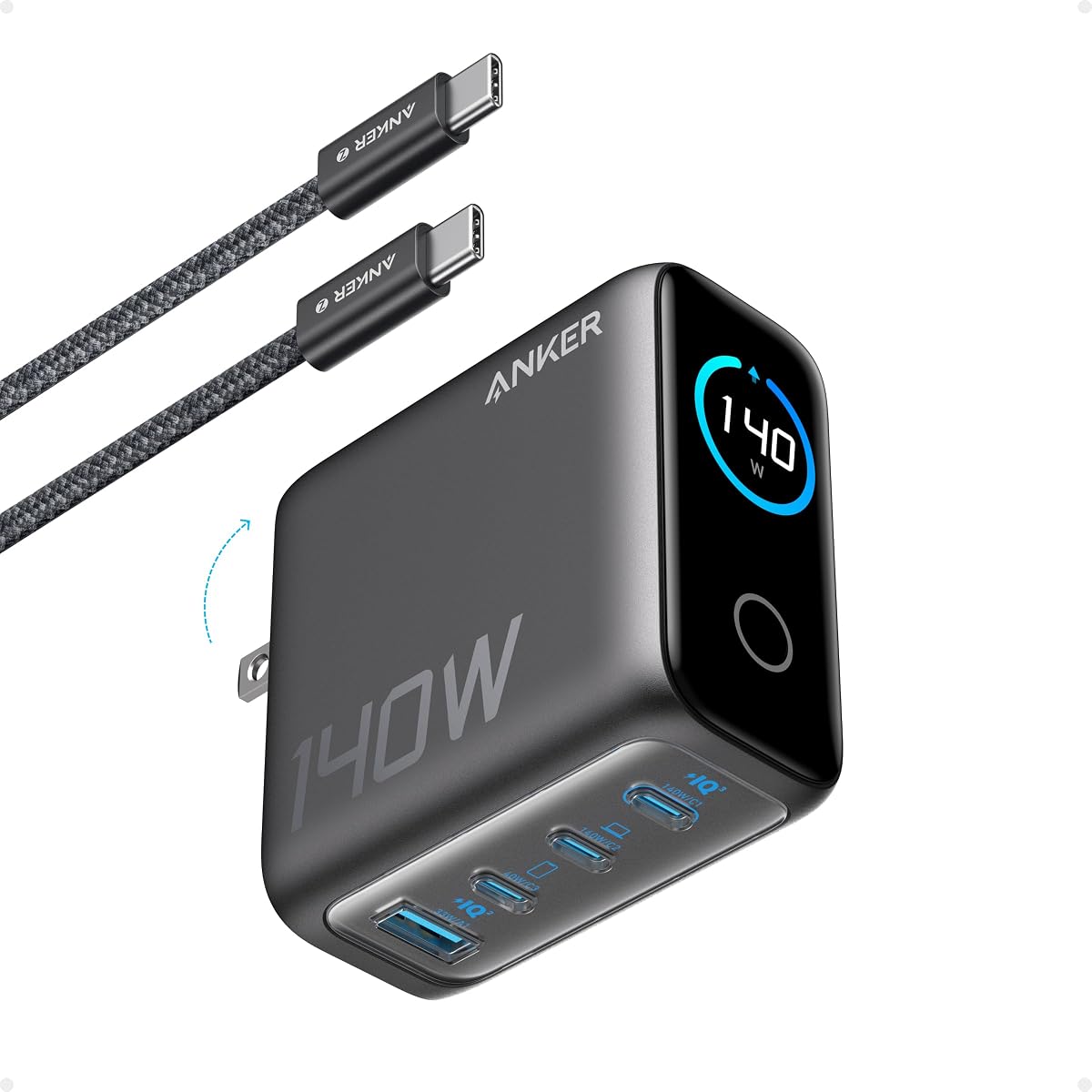
The Anker 140W Max 4-Port GaN Charging Block is built for demanding desks with several connected devices. It has a 4.4 rating, the highest rating among the four-port choices, and a 140W maximum output available from each of its two USB-C ports. Four total ports let it serve a notebook, phone, tablet, and another USB-C device at the same time.
We may earn a commission when you buy through this link, at no additional cost to you.
The product information states that a 15-inch MacBook Air can reach 50% in 30 minutes through either high-speed USB-C port. A high-definition color display keeps users informed about charging status, temperature, and port details, while the included five-foot 240W USB-C cable is designed for demanding high-power connections.
Safety is handled by ActiveShield 4.0, which the product information says monitors device temperatures more than 10 million times per day. This is a substantial charger, measuring 2.72 by 2.72 by 1.42 inches and weighing 9.7 ounces. It therefore trades the tiny footprint of the Nano products for a broader port selection, more output, and detailed visual feedback.
Choose this model for a power user's desk where several devices need sustained charging and output visibility matters. It is especially appropriate for users who regularly work with a larger USB-C notebook. Travelers can still use it, but a more compact model will pack more easily. Buyers who need even more total power across three ports can consider the 160W Prime charger.
Two of the four USB-C ports can each deliver up to 140W, giving high-priority devices serious charging headroom. The remaining connections make it practical to keep everyday accessories powered without swapping the main laptop adapter.
The color display provides charging status, temperature, and port information at a glance. Combined with ActiveShield 4.0 temperature monitoring, it gives users both passive and system-level visibility into the charging process.
We may earn a commission when you buy through this link, at no additional cost to you.
The Anker Nano Smart Display Charger is a feature-focused 45W model for users of recent Apple hardware. It automatically recognizes supported iPhone and iPad models, adjusts charging based on battery level, and includes a Care Mode intended to reduce charging temperature. Unlike the other products with displays in this guide, its navigation depends on taps and a press rather than touch input.
We may earn a commission when you buy through this link, at no additional cost to you.
Anker states that the charger can charge an iPhone 17 Pro to 50% in 20 minutes under internal laboratory conditions, while noting that real results vary with usage. The smart display shows real-time charging status, and its controls allow the user to view information, switch modes, and rotate the screen. Care Mode is TÜV-certified and is described as operating up to 9°F cooler than a standard 45W charger.
Compatibility is specific rather than universal. The listed supported devices include the iPhone 17, 16, and 15 series, several 11-inch, 12.9-inch, and 13-inch iPad Pro models, but not the iPhone 17e. The display rotates 180 degrees but not 90 degrees and is not a touchscreen, so buyers who expected a full tablet-style interface may find the controls more limited than the word smart suggests.
This is a compelling choice for a compatible iPhone or iPad owner who values cooler overnight charging and likes seeing charging status on the charger itself. The supplied rating is not available, so the product's rating cannot be compared numerically with the other models. It also serves as a compact single-device charger, but users with mixed USB-C accessories should consider a multi-port alternative.
The charger identifies supported iPhone and iPad models and modifies its delivery according to the connected device and battery level. This makes it more tailored to compatible Apple hardware than a generic fixed-output wall adapter.
TÜV-certified Care Mode is designed to lower charging temperature by as much as 9°F compared with a standard 45W charger. That focus makes the model appealing for prolonged charging near a bedside table or during an unattended overnight session.
We may earn a commission when you buy through this link, at no additional cost to you.
The Anker Zolo USB C Charger Block stands out because it combines two USB-C ports with two USB-A ports. It has a 4.8 rating and is sold as a two-pack, giving buyers a convenient way to equip multiple locations while supporting both modern USB-C devices and older accessories that still rely on USB-A connectors.
We may earn a commission when you buy through this link, at no additional cost to you.
Maximum output is 50W. According to the product information, USB-C1 maintains 30W when both USB-C ports are in use, while USB-C2 delivers 20W. The four-port design is therefore well suited to phones, earbuds, older accessories, and mixed-device travel kits. It is not the strongest option for modern notebooks because the maximum output is much lower than that offered by the 65W, 70W, 100W, 140W, and 160W models.
Despite its four-port capability, the charger remains compact. Built-in foldable plugs help it fit into a pocket or bag, while ActiveShield 4.0 provides 24-hour monitoring and an upgraded GaN architecture supports efficient operation. The package includes two Zolo chargers, a welcome guide, and warranty coverage, making the bundle particularly useful for travel or multi-room use.
Choose the Zolo model when connector variety matters more than maximum laptop wattage. It is a strong option for households with several USB-A accessories, older power banks, or peripherals alongside newer USB-C phones. If your main device is a USB-C notebook, move up to a higher-output model; if your priority is one dependable charger for a mixed collection of small electronics, this four-port design is hard to overlook.
The two USB-A ports preserve compatibility with accessories that have not moved to USB-C. That combination can eliminate an otherwise common travel problem: carrying one modern adapter alongside several older cable standards.
The 50W total ceiling is divided across the active connections, but the stated behavior is clear: USB-C1 can provide 30W while USB-C2 supplies 20W when both are occupied. It is designed primarily for everyday device charging rather than full-power notebook use.
We may earn a commission when you buy through this link, at no additional cost to you.
The Anker Prime Charger is the highest-output model in this guide and the most advanced in terms of monitoring and control. It carries a 4.6 rating, provides 160W total output across three ports, and uses AnkerSense View with Bluetooth app support. The result is a charger aimed at users who regularly operate a demanding USB-C notebook alongside a phone and tablet.
We may earn a commission when you buy through this link, at no additional cost to you.
The key differentiator is 140W single-port output without derating, meaning a device connected to the primary USB-C port can receive the full stated output even during long sessions or heavy loads. Anker says a 16-inch MacBook Pro can charge from 0% to 50% in 25 minutes. The compact body, compared in the product information to an AirPods Pro 3 case, makes this surprising amount of power easier to carry than the dimensions alone might suggest.
PowerIQ 5.0 distributes power intelligently across a 16-inch MacBook Pro, iPhone 16 Pro Max, and 11-inch iPad Pro, with the supplied distribution listed as 140W, 35W, and 35W. The smart display and companion app let users monitor real-time power, switch modes, and unlock custom modes. These are meaningful features for a workstation where the user wants visibility into a multi-device session.
The trade-off is that the 160W Prime is a premium platform, and a USB-C cable is not included. It also offers only three ports despite its greater power capacity. This is the best choice for demanding mobile professionals who want maximum laptop speed, detailed controls, and a single high-output system. Buyers with lighter needs can get similar convenience from the 100W smart-display model at a lower output level.
The 140W single-port output is the focal point, allowing compatible notebooks to receive the full rating without a stated reduction. Anker's claimed 50% charge in 25 minutes for a 16-inch MacBook Pro makes this model suitable for intensive workdays and short turnaround periods.
AnkerSense View presents live power information on the display, while Bluetooth connectivity through the app enables mode changes and custom configurations. This is particularly useful when several high-draw devices are connected and intelligent power allocation matters.
We may earn a commission when you buy through this link, at no additional cost to you.
The best charger depends first on the devices you need to power, followed by output requirements, port count, physical size, and the value of charging information. A phone-only user needs far less capacity than a laptop-focused mobile professional, so the most powerful model is not automatically the most convenient choice.
Start with the power demands of the most demanding device in your routine. The 45W models are positioned around fast phone and tablet charging, while the 65W and 70W options can serve compatible USB-C notebooks. The 100W, 140W, and 160W chargers provide progressively greater headroom for demanding computers and mixed high-power setups. Always verify the charging requirements of your specific device and confirm that it uses a USB-C connection that supports the desired protocol.
A single-port charger is simple and compact but only charges one device at a time. The 65W and 70W three-port designs support a phone, tablet, and computer, while the 100W model combines three ports with a display. Four-port options add flexibility for heavily equipped desks, and the Zolo 50W model is especially useful for households that still depend on USB-A accessories. Multi-port chargers distribute available power, so more ports do not guarantee that every connected device receives its maximum rating.
Wall-plug chargers with foldable prongs take up less bag space and are less likely to catch on other items. The Nano 45W, Nano 65W, and Nano 70W products emphasize compact dimensions, while the 140W and 160W models prioritize higher output and additional electronics. A charger for a nightstand or permanent desk can be larger without inconvenience, but a travel charger should be easy to fit beside a phone, notebook, and cables.
A smart display is valuable when you want to see real-time status, temperature, and port performance. The 100W, 140W, and 160W models provide detailed screens, while the Nano 45W uses a smaller display designed around Apple device recognition. Displays add useful information but can also make a charger seem more complicated than necessary. If you only need reliable power, a screen-free model is usually quieter, simpler, and more compact.
USB-C describes the connector, but it does not guarantee identical charging behavior across every device. PPS support can improve charging on compatible Android phones, while the 65W Nano is also described as supporting Samsung Super Fast Charging. Apple compatibility varies by charger because current iPhone models require a USB-C power adapter and appropriate USB-C cable. The 45W Nano Smart Display has a more limited supported-device list, including specific iPhone and iPad Pro families while excluding iPhone 17e.
The 45W two-pack includes two five-foot cables and cable organizers, and the 45W iPhone charger includes a six-foot cable. The Nano 65W does not include a cable, and the 160W Prime also arrives without one. The 100W and 70W models include USB-C cables, while the 140W model includes a five-foot 240W cable. Counting the cables you already own can prevent an unnecessary purchase or reveal that a compatible high-power cable is still needed.
MultiProtect, ActiveShield, and ActiveShield 4.0 are central safety features across the range. The models with the newest system emphasize thermal monitoring, and the 70W and 45W Care Mode options are associated with TÜV Rheinland certification. These systems cannot make an incompatible device or cable safe, but they add meaningful protection when using high-output GaN chargers. Proper ventilation, intact cables, and a sound wall outlet remain important for every model.
The 160W Prime adds Bluetooth app control and custom modes, while the 100W and 140W chargers provide display-based status information without requiring an app for their basic functions. The Nano 45W offers single-tap status viewing, double-tap mode changes, and a two-second press to rotate the screen, but it is explicitly not a touchscreen. More advanced controls can be helpful in a dedicated workspace, yet they are rarely necessary for someone who simply plugs in a phone before bed.
Before first use, confirm that the charger is compatible with your device and that any connected USB-C cable supports the intended charging level. Insert the charger into a properly grounded wall outlet, connect the device, and use the display or manufacturer instructions to confirm that charging has begun. For models with multiple ports, connect the highest-priority device first so that intelligent power allocation can give it the appropriate share.
Treat the charging surface as a heat-management area. Place the charger on a hard, open surface rather than beneath a pillow, between soft materials, or in a tightly enclosed space. Do not use a charger with a damaged cable, bent prongs, discoloration, or unusual odor, and avoid pulling the plug by the cord. When folding the prongs, move them only when the charger is unplugged.
For overnight charging, use a supported device and the charger's applicable charging or Care Mode, and remove the charger from the outlet if you will be away for an extended period. Clean the enclosure with a dry or lightly damp cloth, avoid liquids near the electrical contacts, and never open the housing. Store the charger in a dry place with its prongs retracted, and inspect the unit periodically for physical or heat-related changes.
The right charger depends on the MacBook model and how quickly you want it to recharge. The 65W and 70W models are positioned for compatible 13-inch notebooks, while the 100W, 140W, and 160W options provide more headroom for demanding setups. The 140W charger is stated to charge a 15-inch MacBook Air to 50% in 30 minutes, and the 160W Prime can reportedly do the same with a 16-inch MacBook Pro in 25 minutes. Verify your notebook's exact charging requirements before choosing.
All the listed products use USB-C connections and are generally intended for compatible modern iPhones, but the best experience comes from a model with enough output for Super Fast Charging. The 45W iPhone Charger and 45W Nano Smart Display are explicitly focused on current Apple devices. The Nano Smart Display supports specified iPhone 15, 16, and 17 series models, as well as listed iPad Pro generations, but it excludes iPhone 17e and is not a universal Apple charger.
A modern phone will negotiate an appropriate charging profile with a compatible charger rather than accepting every watt unconditionally. Anker's safety systems add high-voltage, short-circuit, and thermal protections, while power-management systems determine how output is shared among devices. You should still use a supported phone, an undamaged compatible cable, and a sound outlet. A higher-wattage charger can be useful, but it does not guarantee that every phone will charge faster than it would with a lower-rated adapter.
GaN, or gallium nitride, lets manufacturers place switching components closer together and operate at higher frequencies than traditional silicon-based designs. Anker uses GaN II in the 65W three-port and Nano 65W models, and newer GaN architecture appears in several other products. In practical terms, the technology supports smaller housings and high power density. It does not change the need to match a charger and cable to the device's supported input.
A smart display is helpful if you want to monitor charging status, temperature, and port performance, but it is not required for fast charging. The 100W, 140W, and 160W models add detailed visibility, while the 45W Nano has a more specialized display for compatible Apple devices. If your priority is the smallest and simplest charger for a phone or tablet, a screen-free model is usually the more practical choice.
The multi-port models can charge several devices simultaneously, but available power is distributed among the active connections. The 65W three-port charger can deliver its full 65W to one device, while three connected devices receive an efficient shared allocation. The 140W model has two USB-C ports that can each offer up to 140W, and the 160W Prime uses PowerIQ 5.0 to distribute power among a notebook, phone, and tablet.
Yes, many older accessories still use USB-A, making the 50W Zolo a practical choice for mixed-device households. It combines two USB-C connections with two USB-A ports and can charge four devices together. Users whose accessories have all moved to USB-C may prefer a smaller three-port GaN model with more available power per USB-C connection. Check the connector type of every regularly used accessory before deciding.
Choose a model with a compact body and foldable prongs, then store it in a dry pocket or dedicated pouch with its cable coiled loosely. Do not place the charger under heavy objects, and allow adequate ventilation during use. High-output models such as the 100W, 140W, and 160W chargers are still portable, but the 45W, 65W, and 70W options will generally be easier to pack when you only need moderate charging power.
The Anker 45W USB C Charger Block is the strongest budget-oriented choice because two chargers and two five-foot cables provide an unusually complete package. The 65W Max 3-Port charger is the most balanced model for people who need one compact adapter for a notebook and other devices, while the 100W smart-display charger stands out as the premium pick for real-time visibility and high-output flexibility.
Prioritize the requirements of your largest device before considering extra features. Choose 45W for straightforward phone charging, 65W or 70W for a compact notebook-friendly setup, and 100W to 160W for demanding computers or intensive multi-device work. Port type, supported fast-charging protocols, included cables, and physical dimensions can matter more than the largest number printed on the box.
Before making a final purchase, check the current listing to confirm output, port details, device compatibility, and included accessories. Product designs and current prices can change, so the information available at the time of purchase should guide your decision. With those checks complete, there is an Anker charger in this guide for nearly every USB-C charging setup.
