
CORSAIR RS120 ARGB 120mm PWM Fans
4.6Editor score
72.8 CFM maximum airflow
2,100 RPM PWM control
Daisy-chain ARGB connectivity
Our Corsair Case Fans guide compares ten models for airflow, static pressure, acoustics, lighting, connectivity, and radiator cooling performance in 2026.
Corsair case fans come in several distinct families, each designed for a different combination of airflow, static pressure, lighting, and installation convenience. The right choice depends on your case clearance, cooling layout, motherboard controls, and whether quiet operation or a coordinated RGB ecosystem matters most.
This guide compares ten current Corsair models using the supplied specifications, customer ratings, fan sizes, bearing designs, lighting systems, and connection methods. It covers standard and thick 120mm fans, 140mm airflow and high-pressure models, reverse-rotor options, and iCUE Link systems.
Each pick highlights the role it is best suited to perform, from economical case ventilation to premium radiator cooling and synchronized RGB lighting. Product prices and configurations can change over time, so compare the current listing details and system requirements before ordering.
4.6Editor score

4.6Editor score
4.7Editor score
The table below compares the ten shortlisted Corsair case fans by size, cooling output, pressure capability, lighting, connectivity, and intended installation role.



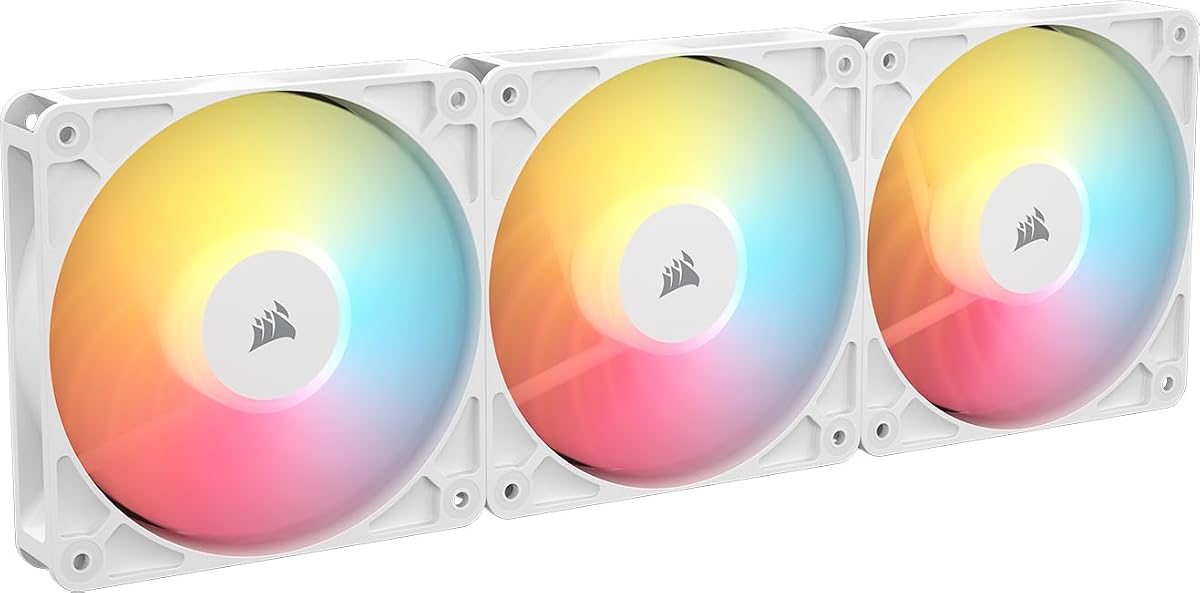
The CORSAIR RS120 ARGB is a strong all-around choice for builders who want recognizable lighting, straightforward wiring, and capable standard-size 120mm performance. Its customer rating is 4.6, while the supplied specifications list up to 2,100 RPM, up to 72.8 CFM of airflow, and 2.8 mm-H2O of static pressure. Those figures place it squarely in the middle ground between a basic case fan and a specialized radiator model.
We may earn a commission when you buy through this link, at no additional cost to you.
The triple pack is particularly useful for a common case layout because multiple fans can be linked through daisy-chain connections. A single four-pin PWM connector handles speed control, while a +5V ARGB connection serves the lighting. This simplifies the physical arrangement compared with giving every fan a separate set of cables. The eight LEDs in each fan also provide visible illumination without requiring a separate Corsair ecosystem hub.
Its AirGuide vanes are designed to concentrate and direct airflow toward components, whether the fan serves as an intake, exhaust, radiator fan, or heatsink fan. The Magnetic Dome Bearing is another worthwhile feature because it is intended to reduce friction and noise. The trade-off is that its 2.8 mm-H2O pressure rating is below that of the LX120, RX140, and RS120 MAX models, making it less specialized for restrictive radiator positions.
This is the most accessible recommendation in the guide for a standard 120mm installation. Choose it when you want ARGB, daisy-chain convenience, and high airflow without committing to the iCUE Link ecosystem. It is also a sensible default for intake and exhaust positions in a case that does not require maximum static pressure.
Daisy-chain support lets a group of RS120 fans share a single PWM and ARGB connection. That can reduce cable clutter at the motherboard, especially in a tightly packed case with several intake or exhaust positions.
AirGuide vanes help direct air through the fan frame and toward intended components. This makes the RS120 suitable for general case cooling as well as mounted heatsink and radiator use.
We may earn a commission when you buy through this link, at no additional cost to you.
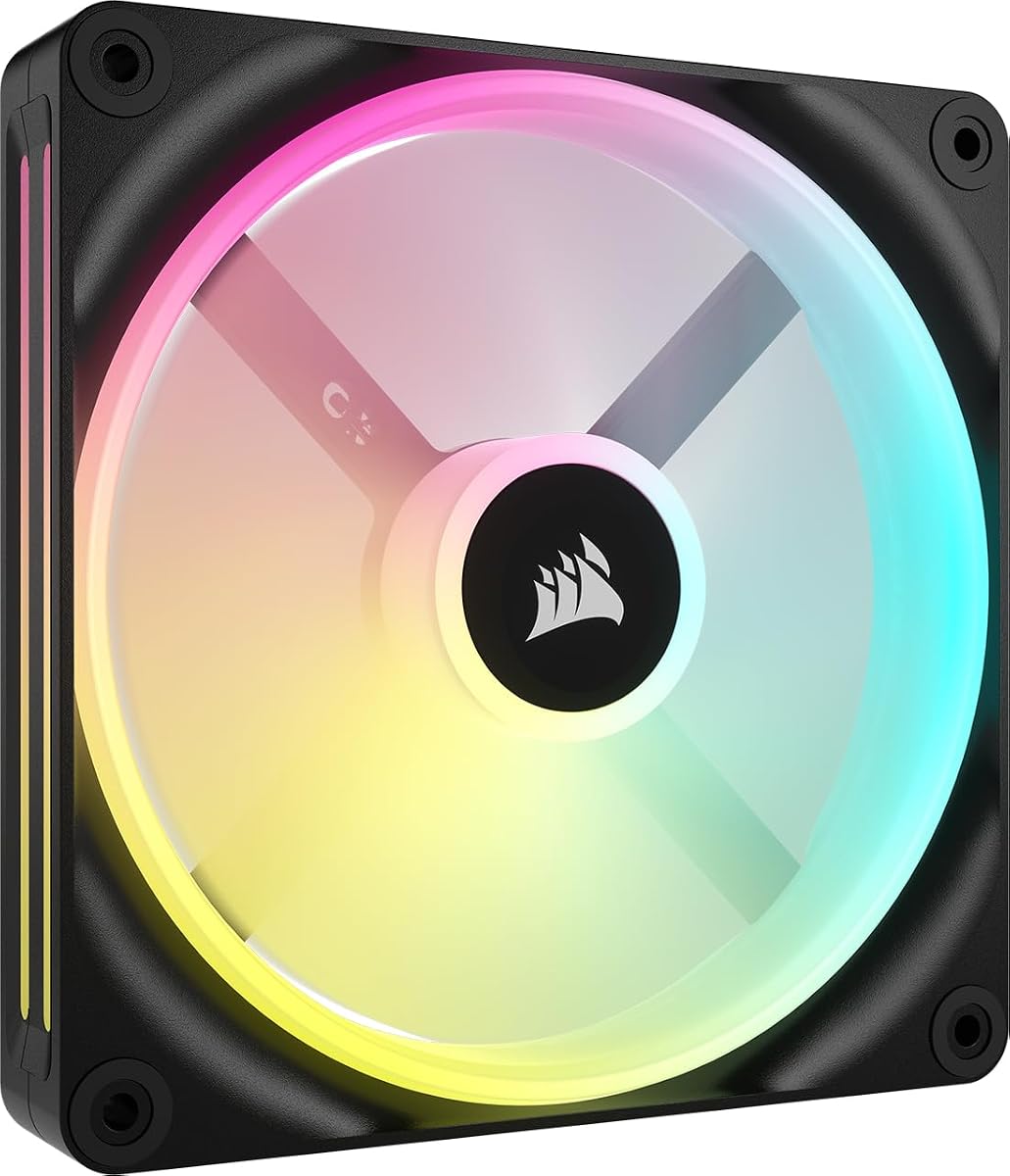
The CORSAIR iCUE Link LX120 RGB is the editor's choice for builders who want more than basic ARGB. It combines a 4.6 customer rating with up to 2,400 RPM, 69.9 CFM of airflow, and an impressive 5.22 mm-H2O static-pressure rating. Among the standard-thickness 120mm fans listed here, that pressure is especially useful for radiator installations.
We may earn a commission when you buy through this link, at no additional cost to you.
The included iCUE Link System Hub and bridge connectors are central to the product's appeal. Instead of routing separate PWM and lighting leads for every fan, users can connect a bank of compatible fans and then link the group to the hub with a single cable. The result is a cleaner installation and a foundation for synchronizing lighting with other iCUE Link devices throughout the system.
Each fan carries 18 LEDs arranged across inner and outer light loops. The dual-loop arrangement can create a layered appearance that is more involved than a single conventional RGB ring. AirGuide vanes support focused airflow, while the Magnetic Dome Bearing is designed to reduce friction and operating noise. PWM control gives users room to tune speed according to workload and cooling demands.
The main commitment is ecosystem-related: an iCUE Link System Hub is included in this kit, so the essential controller is present, but the system must be built around Corsair's Link platform. Maximum-speed operation may also create more sound than a slower-running alternative. Even so, the combination of pressure, lighting, and clean multi-fan integration makes the LX120 one of the most complete choices in the guide.
The listed 5.22 mm-H2O static pressure gives the LX120 an advantage when air must pass through a radiator or another restrictive component. It is a stronger candidate for radiator duty than most standard 120mm options in this roundup.
Bridge connectors and the included system hub allow multiple fans to form a coordinated bank. This pairing supports both visual consistency and more practical cable routing.
We may earn a commission when you buy through this link, at no additional cost to you.
The Corsair RS120-R ARGB White stands out with a 4.7 customer rating and a reverse-rotor design intended to keep the RGB lighting visible when the fan is used as an intake. It reaches up to 2,100 RPM and produces up to 65.8 CFM, with a listed static pressure of 2.81 mm-H2O.
We may earn a commission when you buy through this link, at no additional cost to you.
Reverse-rotor construction is an aesthetic choice as much as a cooling choice. On compatible intake positions, it prevents the fan body from obscuring the illuminated side of the frame. The white version can work particularly well in pale or glass-sided systems where the standard black fan blade would stand out prominently. Eight ARGB LEDs per fan provide customizable lighting through a compatible motherboard controller.
The package also supports Zero RPM operation, allowing the fans to stop completely when the PWM signal supports that function. Daisy-chain connections simplify adding the included group of fans, while the Magnetic Dome Bearing is designed to reduce friction and noise. Static-pressure performance is sufficient for radiator placement, although the LX120 offers a higher stated pressure in the standard 120mm category.
Choose the white RS120-R when appearance, visible intake lighting, and standard motherboard-based ARGB control are the priorities. It offers a cleaner premium look than many conventional fans without requiring the more elaborate iCUE Link hub system. Builders should confirm that the case's intake positions can accommodate the reverse orientation and that their motherboard offers the required +5V ARGB connection.
The reversed rotor exposes the illuminated face when the fan is mounted as an intake. This makes the RS120-R especially useful for builders who want lighting to remain visible from a side panel.
Zero RPM mode can stop the fan when supported by the connected PWM controller. This is useful during light workloads when sustained cooling is not required.
We may earn a commission when you buy through this link, at no additional cost to you.
The black Corsair RS120-R ARGB is a natural choice for dark-themed systems that want visible intake lighting without moving away from conventional 120mm dimensions. It holds a 4.6 customer rating and shares the reverse-rotor design of the white version, with up to 2,100 RPM, up to 65.8 CFM, and 2.81 mm-H2O of static pressure.
We may earn a commission when you buy through this link, at no additional cost to you.
Its key benefit is the visible RGB face. When mounted as an intake, the reverse rotor helps keep the illuminated portion of the fan in view instead of presenting the less decorative rear side. Eight LEDs per fan are controlled through a compatible motherboard's built-in ARGB system, allowing the user to match the lighting with other standard ARGB hardware.
Daisy-chain connections make the triple set easier to deploy as a group. Zero RPM mode can also eliminate fan movement during suitable low-load periods if the motherboard provides the appropriate signal. Airflow and static-pressure figures indicate that the fans can handle general case circulation and radiator mounting, although they are not the strongest choices in the roundup for maximum pressure.
This model is best for builders who prioritize a coordinated black RGB appearance and reverse intake styling. It suits users who do not want to purchase a separate iCUE Link hub but still value a clean, illuminated setup. Check case clearance, fan orientation, and motherboard ARGB support before installation.
The black finish blends well with dark cases, black frames, and other standard ARGB components. The reverse rotor keeps the lighting face prominent at the front of the chassis.
Daisy-chain support and a three-fan package make this set convenient for common front-intake, top-exhaust, or rear-exhaust arrangements.
We may earn a commission when you buy through this link, at no additional cost to you.
The CORSAIR iCUE Link QX140 RGB is a feature-rich 140mm fan for builders who want large-format airflow and elaborate lighting. Its customer rating is 4.4, and the specifications list PWM control from 400 RPM up to 2,000 RPM, up to 82.5 CFM of airflow, and 3.5 mm-H2O of static pressure.
We may earn a commission when you buy through this link, at no additional cost to you.
The QX140 differentiates itself through its Time Warp lighting mode. Thirty-four RGB LEDs are distributed across two distinct zones on either side of the fan, creating a more dimensional display than a conventional single-ring design. Lighting is powered through iCUE Link, and the bridge connectors allow additional compatible QX140 fans to be chained into a bank with fewer visible cables.
Magnetic Dome Bearing technology is intended to reduce friction, particularly at low fan speeds. Zero RPM mode can remove fan noise entirely when the connected controller and workload allow it. The specified pressure also makes the QX140 suitable for radiator use, although the RX140 RGB and thicker RX140 MAX offer different airflow-versus-pressure characteristics.
This is an attractive option for a 140mm-focused build that already uses iCUE Link or is prepared to add the required hub. Its two lighting zones and strong airflow rating make it more visually expressive than the RX140. The main limitations are physical size, the need for compatible Link hardware, and the absence of a hub in this single-fan package.
Thirty-four LEDs divided across two side zones support dedicated effects such as the Time Warp mode. This makes the QX140 particularly appealing in a glass-sided case where fan lighting is a major part of the visual design.
The combination of up to 82.5 CFM and 3.5 mm-H2O gives the QX140 enough capability for both general case airflow and radiator mounting. PWM and Zero RPM controls also allow it to adapt to changing workloads.
We may earn a commission when you buy through this link, at no additional cost to you.
The CORSAIR iCUE Link LX120-R RGB is one of the strongest premium choices in the guide. It combines a 4.7 customer rating with a reverse rotor, dual RGB light loops, up to 2,400 RPM, 66.7 CFM of airflow, and 4.72 mm-H2O of static pressure. These characteristics make it suited to both appearance-focused builds and radiator installations.
We may earn a commission when you buy through this link, at no additional cost to you.
Unlike basic motherboard-controlled ARGB, the LX120-R uses the iCUE Link platform. Bridge connectors allow the three included fans to connect directly to one another before reaching an iCUE Link System Hub. The hub is not included in the supplied product information, so buyers should account for that separate requirement when planning the wiring and software setup.
Each fan uses 18 LEDs across inner and outer loops, allowing synchronization with other iCUE RGB devices. The reverse rotor keeps the lighting face visible during intake placement. CORSAIR QuikTurn screws are also included as a feature intended to make installation easier, while the Magnetic Dome Bearing and Zero RPM mode support quieter operation.
The LX120-R is a strong recommendation for builders who want reverse styling, robust radiator-capable pressure, and a polished Link-based lighting system. Compared with the RS120-R, it offers more sophisticated lighting and a higher stated pressure, but it also adds ecosystem and component requirements. It is best for a deliberate iCUE Link build rather than a plug-in-and-play upgrade.
A 4.72 mm-H2O pressure rating gives the LX120-R stronger radiator potential than most conventional 120mm fans. The reverse rotor preserves the attractive lighting face at the same time.
The included bridge connectors let the three fans form one connected group. A compatible iCUE Link System Hub then provides a central connection and supports synchronized lighting effects.
We may earn a commission when you buy through this link, at no additional cost to you.
The CORSAIR iCUE Link RX140 MAX RGB is built around a 140mm frame with a blade that is 5mm thicker than a standard fan. Its customer rating is 4.5, and the listed specification of up to 102.9 CFM gives it the highest airflow figure in this roundup. Maximum speed is listed at 1,600 RPM, allowing substantial airflow without requiring the highest possible rotational speed.
We may earn a commission when you buy through this link, at no additional cost to you.
The thicker-blade approach is intended to move more air while producing less noise at a given output. Since it can reach the desired airflow at a lower speed than a thinner design, the MAX concept can be useful in users who prioritize strong case ventilation and comparatively restrained acoustics. The trade-off is physical clearance, as the thicker frame may not fit every radiator or mounting position.
The RX140 MAX also provides 2.38 mm-H2O of static pressure, making it suitable for high-density radiators, although the standard RX140 RGB has a higher listed pressure figure at 3.79 mm-H2O. Eight RGB LEDs and a window in the frame make the lighting easier to see from the side. Magnetic Dome Bearing technology supports smoother operation, while bridge connectors allow a multi-fan Link chain.
Choose the RX140 MAX when maximum bulk airflow is the goal and your case has room for a thick 140mm fan. It is particularly compelling as a case intake or exhaust in a spacious chassis. Verify radiator clearance, add an iCUE Link System Hub if your setup does not already include one, and review the current listing before purchasing.
The thicker blade is designed to move more air than a conventional fan of the same size. Because the RX140 MAX can produce that airflow at a lower RPM, it may offer a better balance of cooling and noise than simply running a standard fan at maximum speed.
A window built into the frame allows the RGB lighting to be viewed from the side. This improves the visual impact of the fan in a glass-sided enclosure.
We may earn a commission when you buy through this link, at no additional cost to you.
The CORSAIR RS120 MAX focuses on cooling performance rather than lighting, making it a compelling option for a radiator or a builder who does not need ARGB. It has a 4.6 customer rating, a 30mm frame, PWM control up to 2,000 RPM, up to 72 CFM of airflow, and 4.2 mm-H2O of static pressure.
We may earn a commission when you buy through this link, at no additional cost to you.
Its 5mm increase over standard fan thickness allows a larger blade, which supports the fan's cooling output. The liquid crystal polymer construction is described as strong, rigid, and resistant to blade vibration. That rigidity is particularly relevant for high-speed fans because it helps the blade maintain its shape under operating loads.
The 4.2 mm-H2O pressure figure gives the RS120 MAX a clear advantage over conventional 120mm options such as the standard RS120. It is therefore well suited to pushing air through obstructions such as a dense radiator. AirGuide anti-vortex vanes help direct the airflow toward components, whether the fan is used for intake, exhaust, radiator cooling, or a heatsink.
This is a focused performance recommendation for users who care more about pressure and material quality than synchronized RGB lighting. The missing lighting is not a flaw for a plain radiator or airflow build, but it makes the MAX less suitable for a display-oriented system. Confirm that the 30mm frame fits the intended location, and use PWM control to balance cooling with noise.
The 4.2 mm-H2O rating and thicker frame make the RS120 MAX a stronger choice than a standard 120mm fan for radiator positions. Its ability to move air through obstructions is the defining feature.
Liquid crystal polymer construction provides the rigidity needed to limit blade vibration. This supports consistent cooling behavior while the PWM controller permits speeds up to 2,000 RPM.
We may earn a commission when you buy through this link, at no additional cost to you.
The CORSAIR iCUE Link RX140 RGB combines a 4.7 customer rating with one of the strongest performance profiles among the standard-thickness 140mm options. It is rated for PWM speeds up to 1,700 RPM, up to 95.7 CFM of airflow, and 3.79 mm-H2O of static pressure. Those figures make it a convincing choice for large case ventilation and radiator duty.
We may earn a commission when you buy through this link, at no additional cost to you.
The white finish gives builders an alternative to the predominantly black fans on the market, while the side window allows the RGB lighting to be seen from a glass panel. Eight LEDs provide the illumination, and bridge connectors allow the RX140 to join a larger iCUE Link bank. The system hub is sold separately, so buyers should verify whether their existing hardware includes one.
Magnetic Dome Bearing technology is intended to reduce friction and improve longevity, particularly at lower operating speeds. AirGuide anti-vortex vanes focus airflow in the intended direction when the fan is mounted on a radiator or heatsink. PWM control allows the fan to run at lower speeds during less demanding periods.
The RX140 RGB is a versatile middle ground in the 140mm range. It offers more airflow than the QX140 while carrying a higher pressure figure than the thick-bodied RX140 MAX. It therefore fits builders who want a balanced fan for multiple positions. Choose it when a white 140mm design, strong airflow, and radiator suitability all matter.
Up to 95.7 CFM provides strong case airflow, while 3.79 mm-H2O adds enough pressure for restrictive radiator positions. That balance makes the RX140 useful in several roles.
The white frame and side lighting window suit pale builds and glass-sided cases. The result is a less conventional alternative to a standard black 140mm fan.
We may earn a commission when you buy through this link, at no additional cost to you.
The CORSAIR iCUE Link QX140 Starter Kit is a two-fan bundle in white, supplied with an iCUE Link System Hub. Its main distinction is convenience: a buyer receives the fans, the central Link controller, and the fundamental components needed to begin building a coordinated iCUE Link cooling group without sourcing the hub separately.
We may earn a commission when you buy through this link, at no additional cost to you.
The title identifies the fans as 140mm Magnetic Dome RGB models. Their larger format is generally suited to moving substantial volumes of air through a case, while the included hub makes it easier to manage PWM and lighting connections. This makes the bundle a sensible starting point for a new Link-based system, particularly for a builder who wants two matching fans rather than a full multi-fan bank.
Because this is a renewed product, condition and packaging should be checked carefully when it arrives. The supplied data does not include a customer rating or detailed bullet-point specifications, so buyers should review the current listing, warranty information, included accessories, and physical condition before purchasing. It is also important to distinguish this package from the standard single-fan QX140 listing that has a separately sold hub.
The starter kit is best for a white-themed build that is ready to adopt the iCUE Link ecosystem. Its included hub removes an important compatibility and purchasing barrier, while the two-fan format is a practical starting quantity. Confirm the condition, accessories, and current product details before finalizing the order.
The included iCUE Link System Hub is the key advantage of this bundle. It provides the central piece needed to manage compatible fans and their lighting connections.
A matched pair of white 140mm fans is a practical way to begin a coordinated setup. Additional compatible Link fans can be introduced as the build develops.
We may earn a commission when you buy through this link, at no additional cost to you.
The best Corsair case fan depends on airflow, pressure, size, lighting, wiring, and the physical space inside your chassis. Use the following factors to narrow the options before checking current configurations and availability.
Fan size is the first practical constraint because the chassis, radiator, and mounting positions determine which dimensions are usable. The 120mm options in this guide provide broad compatibility and are available in standard, reverse-rotor, and thick-frame formats. The 140mm choices offer greater listed airflow and may be preferable in spacious cases or radiators designed around 140mm mounts. A 140mm fan is not automatically better because it may require more clearance and may not fit a particular radiator or narrow intake.
Measure the available opening and account for the complete frame, not merely the nominal diameter. Thick 120mm and 140mm models also need additional space beyond standard fan dimensions.
Airflow describes the volume of air a fan can move under specified conditions, while static pressure indicates its ability to push air through restrictions such as radiators, dense filters, and heatsink fins. A high-airflow case fan can move plenty of air through an open case, but a radiator may require more pressure. The RX140 RGB offers a balanced 95.7 CFM and 3.79 mm-H2O, while the thicker RX140 MAX prioritizes airflow and the LX120 reaches 5.22 mm-H2O within the 120mm range.
Choose high airflow for open case ventilation and higher pressure for radiators or obstructed paths. Always consider both specifications rather than treating either number as a universal measure of cooling quality.
Corsair offers both standard +5V ARGB fans and iCUE Link products with more elaborate integration. The RS120 and RS120-R use motherboard-controlled ARGB, making them convenient for users who already have compatible headers. The iCUE Link LX120, LX120-R, QX140, and RX140 families use Link bridge connectors and a system hub. The LX120 triple pack and the QX140 starter kit include a hub according to the supplied information, while several single-fan listings require one separately.
Check the exact lighting ecosystem before ordering. Choose standard ARGB for broad motherboard compatibility or iCUE Link for coordinated Corsair lighting and cleaner multi-fan wiring.
A reverse rotor changes which side of the fan faces the primary viewing area. The RS120-R and LX120-R are intended to keep their RGB lighting visible when mounted as intake, which makes them useful behind a glass side panel or at the front of a display-oriented case. This benefit is primarily visual and should be considered alongside airflow direction, mounting orientation, and the case's intake and exhaust layout.
Select a reverse model when visible intake lighting is important. Standard models remain appropriate when the decorative face is not prominent or when the required mounting orientation does not benefit from reversal.
The RS120 MAX and RX140 MAX use thicker frames to accommodate larger blades. The supplied specifications indicate that this approach can move more air and may allow a given airflow target to be reached at a lower speed. It also creates a major installation consideration: the extra thickness can conflict with radiators, reservoirs, cable routes, or other fans. The two MAX models serve different needs, as the RS120 MAX emphasizes pressure while the RX140 MAX emphasizes bulk airflow.
Use a thick fan when the case has generous clearance and the cooling location benefits from a larger blade. Confirm radiator offsets and physical fit before purchase rather than assuming a nominal fan size guarantees compatibility.
Many of the listed models use Corsair's Magnetic Dome Bearing, which is described as a refinement of magnetic levitation technology intended to reduce friction and noise. Fans also support PWM speed control, allowing lower RPM values during lighter workloads. Zero RPM mode is specifically called out for the RS120-R and LX120-R, while the QX140 also supports it. These controls can reduce noise when the cooling load is low, provided the motherboard or controller sends the appropriate signal.
Look for PWM control, a compatible four-pin header, and Zero RPM support if quiet operation is important. Remember that maximum RPM figures are limits rather than a required operating setting, and maximum speed may not be appropriate in a noise-sensitive build.
A technically capable fan will not help if it is installed in the wrong position. Work out an intake and exhaust pattern, note whether the radiator will use push or pull configuration, and identify where the visible faces should point. A triple pack can suit a complete front intake, top exhaust, and rear exhaust arrangement, but airflow direction should be planned before mounting. Reverse fans also need to be oriented deliberately so their lighting remains visible.
Map each position to the fan's role before purchasing. Verify the number of mounting holes, available headers, cable paths, radiator dimensions, and any clearance restrictions.
Connection requirements can determine the total system cost. Standard ARGB models generally need a compatible +5V ARGB header and a four-pin PWM header, with daisy-chain support simplifying multi-fan arrangements. iCUE Link fans require compatible bridge connectors and a System Hub. The LX120 RGB triple pack includes that hub, the QX140 starter kit includes it, and the product information for the QX140 single fan, RX140 RGB, RX140 MAX, and LX120-R states that the hub is sold separately.
Read the current listing carefully to confirm included cables, bridges, screws, and controllers. This prevents a compatible-looking fan from becoming an incomplete installation.
Before installation, switch off and unplug the computer, then plan the fan positions, airflow direction, cable route, and lighting connection. Check mounting-hole spacing, radiator dimensions, case clearance, and header availability. Standard ARGB fans require a compatible +5V ARGB header, while iCUE Link fans need their bridge connectors and a suitable System Hub. Connect the hub according to its instructions and use the supplied hardware rather than forcing incompatible connectors.
Mount the fans with the airflow arrows facing in the intended direction, paying special attention to reverse-rotor models. Attach the fan to the radiator, heatsink, or case position before connecting cables so the housing can be oriented correctly. Route power and lighting cables away from sharp edges, hot exhaust paths, and moving parts. Firmly seat the connectors, but avoid pulling on the wire itself.
For ongoing care, power down before cleaning and use compressed air to remove dust from the blades and frame. Do not wet the motor, bearings, or electronic controls. If a fan becomes noisy, check for cable contact, obstruction, uneven mounting, and accumulated dust before adjusting the PWM curve. Connect the system to its lighting and fan-control software, set conservative starting curves, and increase speed only as required by temperature and noise limits.
iCUE Link fans use their own Link connection system and require a compatible iCUE Link System Hub for the relevant control and lighting setup. They should not be treated as ordinary +5V ARGB fans. The LX120 RGB triple pack and QX140 starter kit include a hub, while some individual-fan listings state that the hub is sold separately. Always confirm the current package contents before buying.
The LX120 RGB has the highest listed static pressure in this group at 5.22 mm-H2O, making it a strong standard-thickness 120mm radiator choice. The LX120-R and RS120 MAX also provide strong pressure figures of 4.72 and 4.2 mm-H2O, respectively. The correct selection also depends on radiator size, case clearance, lighting, and the rest of your cooling layout.
The RX140 RGB is a standard-thickness 140mm fan listed at up to 95.7 CFM and 3.79 mm-H2O, with PWM control up to 1,700 RPM. The RX140 MAX uses a thicker frame and larger blade, reaching up to 102.9 CFM at speeds up to 1,600 RPM, with 2.38 mm-H2O of pressure. The MAX emphasizes bulk airflow, while the standard RX140 has the higher listed pressure.
Reverse rotor fans reverse the orientation of the rotor and fan blades relative to conventional models. Their main purpose is to keep the illuminated side visible when the fan is installed as an intake. Corsair's RS120-R and LX120-R are designed around this visual benefit. They still move air and can be controlled normally, but mounting orientation determines whether the intended effect is achieved.
No. Actual performance depends on blade design, speed, pressure, frame construction, and the installation location. The listed Corsair 140mm models generally have higher airflow figures than many 120mm options, but they also require more space and may not fit a particular radiator. Compare CFM, static pressure, RPM, dimensions, and mounting compatibility rather than relying on diameter alone.
Standard ARGB models can use a compatible motherboard's built-in ARGB control for lighting, while their speed is managed through PWM. iCUE Link models require the Link System Hub and Corsair's iCUE software for their intended control experience. Confirm the connector type, hub availability, and software support before installation so every lighting zone and fan bank behaves as expected.
The thick RS120 MAX and RX140 MAX are designed with larger blades that can produce more airflow at a given speed. According to the supplied specifications, this allows them to run slower than thinner fans when producing the same airflow, which can help reduce noise. Actual sound levels depend on the system, speed curve, mounting, and operating conditions, and a thicker frame also requires more clearance.
It may be a practical way to obtain two matching white QX140 fans together with an iCUE Link System Hub, especially if you are beginning a Link-based build. The main consideration is the renewed condition, so inspect the listing for condition details, included accessories, warranty coverage, and return terms. No customer rating was supplied for this specific package, making careful listing review especially important.
The CORSAIR RS120 ARGB is the best balanced budget-oriented choice because it combines strong listed airflow, motherboard-controlled ARGB, and daisy-chain convenience. The iCUE Link LX120 RGB is the strongest all-round premium performance pick, with 2,400 RPM, 5.22 mm-H2O of static pressure, dual light loops, and an included system hub. For a polished build with visible intake lighting, the white RS120-R ARGB provides reverse-rotor styling, Zero RPM support, and a high customer rating.
Prioritize size and fit before any other feature. Then match the fan to its job: use high-airflow models for open case ventilation, higher-pressure models for radiators, and reverse-rotor designs when the visible RGB face matters. Builders committed to coordinated lighting should also decide between conventional +5V ARGB and the more integrated iCUE Link ecosystem before assembling the cable layout.
Prices, package contents, renewed status, and availability can change, so check the current product listing before ordering. Confirm dimensions, included controllers or bridge connectors, required headers, warranty details, and compatibility with your motherboard and case. With those checks complete, the right Corsair fan can deliver a cleaner installation and more effective cooling for the system.