
UGREEN USB Bluetooth 5.3 Adapter
4.4Editor score
Bluetooth 5.3 with EDR
Five simultaneous device types
Compact Windows plug-and-play design
This guide compares the best Bluetooth adapter for keyboards, covering compatibility, range, device capacity, setup, and everyday performance.
A Bluetooth adapter for keyboards can give an older desktop or laptop the wireless connectivity needed for compact peripherals, cleaner desks, and flexible workspaces. The right dongle must match your computer, keyboard, operating system, and preferred range while providing a stable connection without conflicting with built-in Bluetooth hardware.
We compared ten adapters and keyboard converters using their stated specifications, platform support, connection capacity, wireless standards, size, and setup requirements. The list covers standard USB Bluetooth receivers, long-range models, and converters designed to turn wired keyboards and mice into wireless peripherals.
Each review explains who benefits most from a particular design, where limitations matter, and which technical details deserve attention before purchase. Product ratings and availability can change, and current prices should be checked at the linked retailer, so the guide focuses on enduring features rather than temporary pricing.
4.4Editor score
4.5Editor score

4.4Editor score
The comparison highlights each adapter's Bluetooth version, Windows compatibility, connection capacity, and form factor, making it easier to distinguish a simple keyboard receiver from a long-range or wired-to-wireless converter.


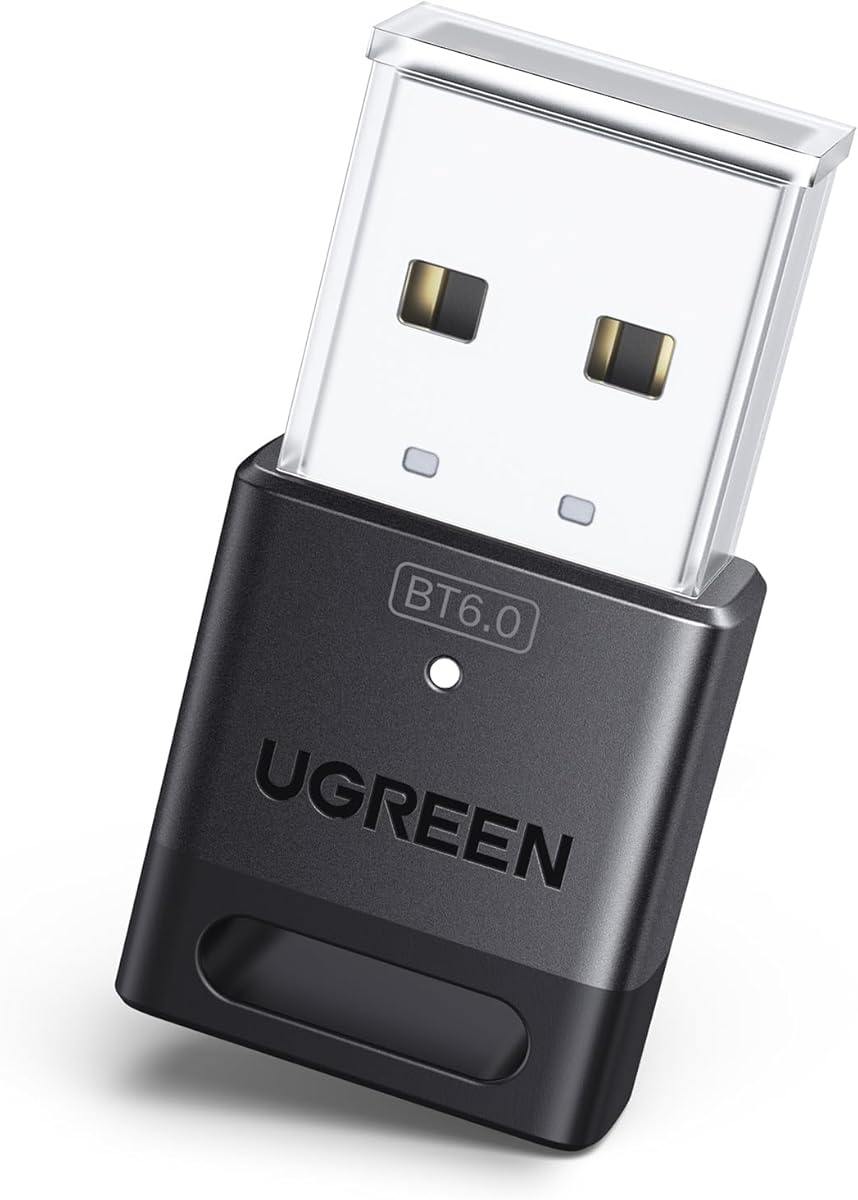


The UGREEN USB Bluetooth 5.3 Adapter is a compact receiver for Windows computers that lack usable Bluetooth, and its 4.4 rating reflects a generally favorable reception. It combines Bluetooth 5.3, enhanced data rate, broad backward compatibility, and support for several different device types without taking up much room in a USB port.
We may earn a commission when you buy through this link, at no additional cost to you.
Its strongest feature is flexibility. The adapter can maintain connections to as many as five different types of Bluetooth devices at once, including a keyboard, mouse, phone, and headphones. That makes it practical for a desktop where several wireless accessories are needed, although two Bluetooth audio devices of the same type cannot stream simultaneously.
The main complication involves computers with built-in Bluetooth. UGREEN recommends disabling existing Bluetooth devices in Device Manager before inserting the adapter, which helps prevent the operating system from selecting the wrong radio. Range can also be reduced by walls, interference, and physical obstructions, and the receiver cannot transmit to consoles, televisions, or cars.
This is a strong recommendation for someone seeking a straightforward, inexpensive way to add a Bluetooth keyboard to a modern Windows desktop or laptop. It is less suitable for Mac, Linux, or Windows 7 users, and it is not the right tool for pairing two computers directly. For the intended platform, however, it offers a useful balance of capacity, compactness, and simple setup.
Support for five different device types means the adapter can handle more than a keyboard without forcing repeated manual reconnection. That is especially useful for users who alternate between typing, pointing, listening, and occasional phone connectivity in the same workspace.
Modern supported versions of Windows recognize the receiver without additional drivers. Users whose computers already contain Bluetooth should disable the internal module in Device Manager before connecting, reducing the chance of conflicts.
We may earn a commission when you buy through this link, at no additional cost to you.
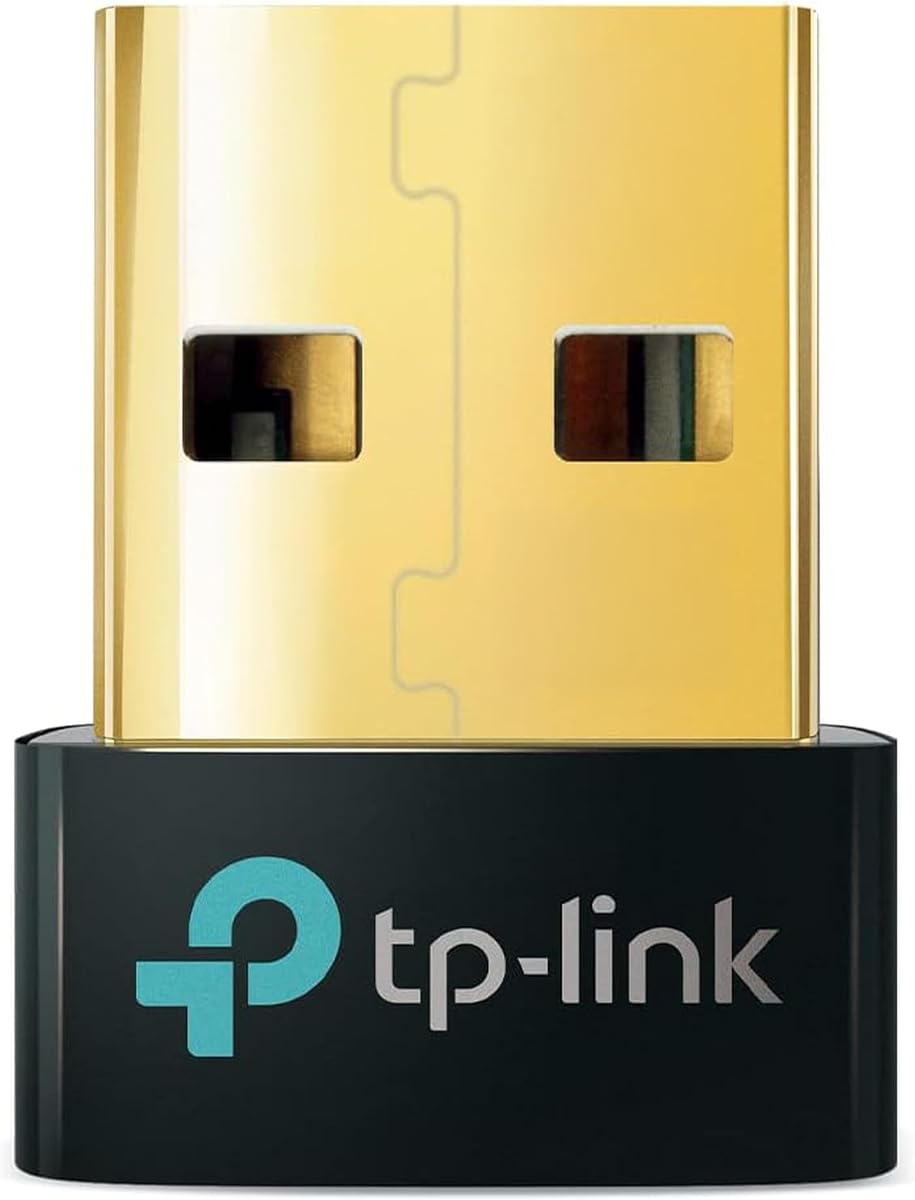
The TP-Link USB Bluetooth 5.4 Adapter, also identified as the UB500, is the strongest all-around choice in this guide. Its 4.5 rating is the highest among the products with detailed Windows compatibility information, while Bluetooth 5.4, EDR, and BLE support give it a modern technical foundation.
We may earn a commission when you buy through this link, at no additional cost to you.
The adapter is backward compatible with Bluetooth versions from 5.3 down to 1.1, which is valuable for older peripherals that may not support the newest standard. It is designed for wireless communication with desktop and laptop computers, printers, phones, headsets, keyboards, mice, and other compatible Bluetooth equipment. Its nano receiver can remain inserted during travel without protruding significantly.
Setup is generally straightforward on Windows 8.1, 10, and 11, although internet access is required. Windows 7 is supported through a driver downloaded from TP-Link. As with other USB Bluetooth receivers, existing internal Bluetooth should be disabled in Device Manager to avoid driver conflicts. The adapter is not for macOS, Linux, TVs, Windows 8, or direct console use.
This is the best general recommendation for a Windows user who wants a small, dependable receiver with current Bluetooth capabilities. It suits both newer wireless keyboards and legacy Bluetooth devices, while avoiding the larger footprint of an antenna-equipped model. The platform limitation is substantial, but within Windows it offers an attractive mix of compatibility, convenience, and customer satisfaction.
Supporting Bluetooth releases back to 1.1 means the UB500 can serve as a bridge for more than just recent keyboards. This broader support is useful when replacing one peripheral at a time rather than updating an entire wireless desktop set immediately.
The nano-sized housing is designed to fit into a USB port and remain there. It is a better match for a frequently used desktop than a temporary adapter, while still being easy to carry between home and office systems.
We may earn a commission when you buy through this link, at no additional cost to you.
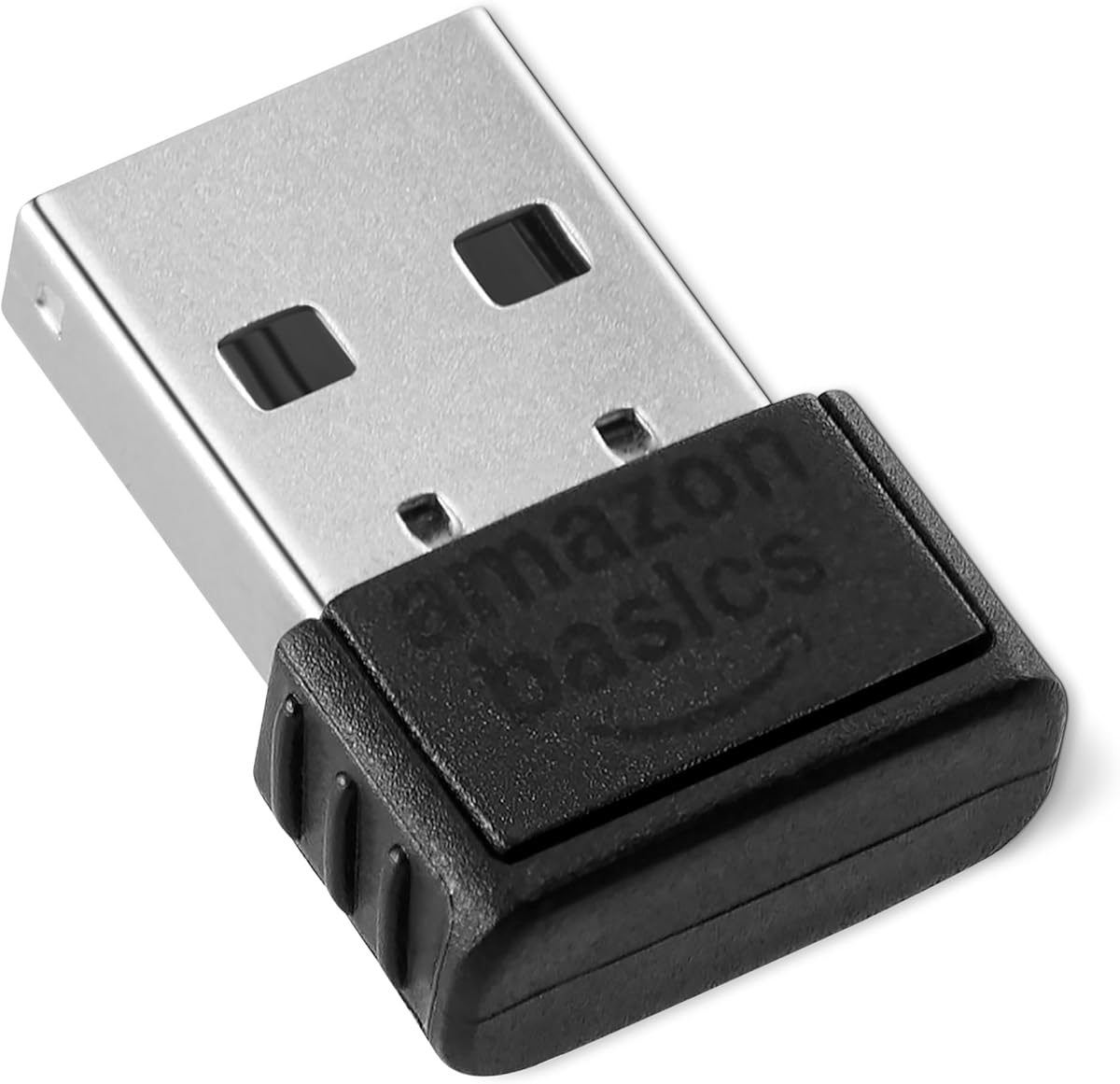
The Amazon Basics Bluetooth 5.4 USB Adapter is a straightforward Windows receiver with a 4.3 rating and a useful six-device connection capacity. It is designed to add Bluetooth capability to a compatible PC through a standard USB port, making it a practical option for a keyboard, mouse, or a collection of wireless accessories.
We may earn a commission when you buy through this link, at no additional cost to you.
Its support for six simultaneous devices is more generous than several competing compact adapters. Bluetooth 5.4 is combined with EDR and BLE, supporting faster data rates and lower energy consumption. Backward compatibility extends through Bluetooth 5.3, 5.2, 5.1, 5.0, 4.2, 4.0, 3.0, 2.1, 2.0, and 1.1.
The receiver is limited to Windows 8.1, 10, and 11. It does not support Mac, Linux, Chrome, Unix, PlayStation systems, or Windows 7 and earlier. Built-in Bluetooth should be disabled before use according to the product instructions. Its generic nano form also provides less visual distinction than some branded receivers.
Choose this adapter when the priority is accommodating a larger number of connected peripherals on a modern Windows computer. It is particularly appropriate for a desk with several Bluetooth input devices. Users needing cross-platform support or console connectivity should look elsewhere, because no amount of simultaneous-device capacity can overcome those operating-system limits.
Six simultaneous connections give users room to maintain a keyboard, mouse, headphones, phone, printer, and another supported accessory. Each peripheral still has to be compatible with the adapter and its own Bluetooth implementation.
The operating-system requirement is narrower than the hardware compatibility list might initially suggest. Buyers using Windows 8.1, 10, or 11 should find the basic setup straightforward, while users of other systems should choose a different product category.
We may earn a commission when you buy through this link, at no additional cost to you.
The cablecc 2.4G Bluetooth Converter is a different solution from a standard PC Bluetooth receiver. With a 3.9 rating, it is best suited to users who want to retain a wired USB keyboard or mouse while making it wireless across laptops, tablets, or phones.
We may earn a commission when you buy through this link, at no additional cost to you.
Its central feature is flexible device switching. The adapter supports eight computers and phones in Bluetooth mode, while a physical button and keyboard shortcuts allow users to change targets quickly. A separate shortcut combination switches between Bluetooth and 2.4G operation, with a blue indicator representing Bluetooth and a red indicator representing 2.4G.
The package includes a wireless adapter and a 2.4G receiver according to the supplied listing information, but the description also notes that an additional 2.4G receiver must be purchased separately and that only one receiver is included. That ambiguity makes the package contents worth checking carefully before ordering, especially for users who need more than one 2.4G destination.
This converter is a compelling choice for a multi-device workspace built around existing wired peripherals. It is not a direct substitute for a compact Windows PC dongle, and its lower rating reflects the more involved setup. Buyers should confirm keyboard and mouse compatibility, power requirements, and included accessories before committing.
Eight stored profiles allow a user to move between several computers, tablets, or phones without reconnecting the physical keyboard each time. Shortcuts make the selection immediate once the profiles have been configured.
Bluetooth mode works with paired devices, while 2.4G mode uses a dedicated receiver. Supporting both approaches is useful when switching between modern mobile systems and computers that favor low-latency receiver-based peripherals.
We may earn a commission when you buy through this link, at no additional cost to you.
The TP-Link UB600 Bluetooth 6.0 adapter targets users who want the newest stated Bluetooth generation in a tiny Windows receiver. Its 4.2 rating indicates a positive but less emphatic reception than the TP-Link 5.4 model, which may reflect its position as a more recent or less established option in the category.
We may earn a commission when you buy through this link, at no additional cost to you.
Bluetooth 6.0 is presented as improving transfer speed, connection stability, interference handling, streaming quality, and responsiveness. The adapter supports up to seven different types of Bluetooth devices simultaneously, including keyboards, mice, smartphones, tablets, controllers, and printers, making it appropriate for a multi-accessory workstation.
Its operating-system support is unusually broad for a Windows-focused product, covering Windows 7, 8.1, 10, and 11. Windows 10 and 8.1 offer plug-and-play installation, while Windows 11 and 7 require a driver downloaded from TP-Link. The tiny housing is designed to remain in a USB port without blocking adjacent ports.
This is a compelling option when a Bluetooth 6.0 keyboard is already part of the purchase plan or when future compatibility is a priority. For a conventional keyboard, a 5.4 receiver may deliver a more mature buying experience without changing the basic user experience. Either way, users should check whether their existing Bluetooth equipment can take advantage of the newer standard.
The newest protocol can be valuable for users assembling peripherals around current hardware. However, a keyboard that only supports an earlier standard will still communicate through the adapter's backward-compatible capabilities.
Seven supported device types are meaningful for a desktop with varied peripherals. The nano-style enclosure keeps the receiver visually and physically unobtrusive, even when it remains connected permanently.
We may earn a commission when you buy through this link, at no additional cost to you.
The UGREEN USB Bluetooth 6.0 Adapter is a compact receiver that combines the latest Bluetooth generation with the familiar UGREEN plug-and-play approach. It carries a 4.2 rating and offers EDR, BLE, and backward compatibility with Bluetooth 5.4 and 5.3 for use with modern keyboards and other wireless devices.
We may earn a commission when you buy through this link, at no additional cost to you.
It can connect up to five different device types at the same time, including keyboards, mice, phones, and headphones. As with other multi-device adapters, simultaneous audio use remains subject to the limitation that only one device of the same audio type may play at once. The receiver is aimed particularly at streaming, file transfer, and general desktop productivity.
The adapter supports Windows 8.1, 10, and 11 without driver installation. Windows 7, Linux, and macOS are explicitly unsupported. Users with built-in Bluetooth should disable it through Device Manager before inserting the receiver. It also cannot be used directly with game consoles, and it is not compatible with televisions or car systems.
This UGREEN model makes sense for users who want Bluetooth 6.0 without giving up the brand's compact form and familiar setup process. It is less flexible than the UGREEN 5.3 model on operating systems, but it offers a newer standard for compatible hardware. For Windows users planning a current wireless keyboard or multi-device desk, it is a credible upgrade-oriented choice.
The receiver combines Bluetooth 6.0 with enhanced data rate and Bluetooth low energy, which are intended to improve transfer efficiency and power consumption. Backward compatibility allows it to work with earlier 5.x peripherals as well.
The design follows the same compact, leave-it-connected approach as UGREEN's other PC adapters. Setup is simple on supported Windows versions, provided the computer's internal Bluetooth is disabled first when necessary.
We may earn a commission when you buy through this link, at no additional cost to you.
The TP-Link USB Bluetooth 5.3 USB Long Range Receiver is the premium choice in this roundup, earning a 4.4 rating. Unlike tiny plug-and-forget receivers, it includes an adjustable multi-direction antenna that can be rotated to find a better position and improve reception in different environments.
We may earn a commission when you buy through this link, at no additional cost to you.
The receiver uses Bluetooth 5.3 with EDR and is backward compatible with Bluetooth 4.2, 4.0, 3.0, 2.1, 2.0, and 1.1. TP-Link states that the advanced technology can provide up to twice the speed and four times the coverage of Bluetooth 4.0, making the antenna-equipped design particularly relevant for keyboards positioned across a large desk or in a separate room.
It supports Windows 8.1, 10, and 11 with plug-and-play setup when the computer is connected to the internet. Windows 7 also works with a downloadable driver. The larger antenna and housing are less discreet than nano dongles, but they make the receiver easier to orient and potentially more dependable when signal conditions are unfavorable.
Buy this model if range or placement flexibility matters more than having the smallest possible receiver. It is ideal for a workstation where the keyboard sits unusually far from the computer, or for a room where walls and furniture may affect a standard adapter. For a compact desk where the keyboard is nearby, a nano receiver will usually be less visually intrusive.
The rotating antenna gives users a way to optimize the receiver's direction. That control can be valuable when the computer is behind a monitor, beneath a desk, or positioned in a way that creates a less direct path to the keyboard.
The extended-coverage design gives it a clear advantage over basic receivers in spacious offices or home setups. It is particularly relevant when a wired keyboard is not practical but a USB receiver must remain on the computer.
We may earn a commission when you buy through this link, at no additional cost to you.
The Bluetooth 6.0 Mini USB Adapter has the highest listed customer rating in the roundup at 4.6. It combines a compact low-profile housing, Bluetooth 6.0, broad peripheral support, and a stated open-environment range of up to 65 feet, making it an attractive choice for a wireless keyboard used at a distance.
We may earn a commission when you buy through this link, at no additional cost to you.
The receiver supports keyboards, mice, headphones, speakers, printers, and game controllers. It is backward compatible with Bluetooth 5.4, 5.3, 5.2, and 4.0 devices, so it can accommodate both current and earlier peripherals. The product positions Bluetooth 6.0 as providing faster pairing, lower latency, stronger interference handling, and more stable connections.
Windows 11 and 10 are presented as true plug-and-play platforms. Windows 7 can be used with driver installation for audio support, although Windows 7 is already an aging system and should be checked against the user's peripheral needs. Actual range will vary with walls, interference, and device placement, so the 65-foot figure is best viewed as an open-area condition.
This adapter is a strong candidate for users who want both a small footprint and unusually generous stated range. It may be particularly helpful in larger rooms or on desks where the keyboard regularly moves farther from the computer. Buyers should still verify that their keyboard supports the appropriate Bluetooth profile and confirm the adapter's platform support before purchasing.
A stated range of up to 65 feet in open environments offers room to place the keyboard comfortably away from the computer. Walls and other radio obstructions can reduce that distance, so placement still matters.
Support for input devices, audio, printers, and controllers makes this more versatile than a keyboard-only receiver. The low-profile form is suitable for a frequently used Windows laptop or desktop.
We may earn a commission when you buy through this link, at no additional cost to you.
The Wireless Keyboard and Mouse Converter is designed for users who want to reuse wired USB keyboards and mice across several computers, tablets, or phones. Its 2.8 rating is the lowest among the listed products, making careful review of compatibility and package contents especially important.
We may earn a commission when you buy through this link, at no additional cost to you.
The converter can operate in Bluetooth or 2.4G mode and supports switching among eight devices. A physical button selects among four targets, while keyboard shortcuts using Ctrl, Alt, Shift, and a number from one through eight can access all eight profiles. Another shortcut switches between Bluetooth and 2.4G, with blue and red LEDs identifying the active mode.
The product includes a wireless adapter and a 2.4G receiver, according to one portion of the description, but it also states that only one receiver is in the package and that an extra receiver must be purchased separately. Users planning to use multiple 2.4G destinations should confirm exactly what arrives before ordering. The Type-C power connection may also be less convenient with setups built around other connector types.
This converter makes sense for a shared multi-device workspace in which the user already owns good wired keyboards and does not want to replace them. It is less attractive for a conventional Windows PC that only needs one simple Bluetooth keyboard receiver. The lower rating and somewhat ambiguous accessory details make clear compatibility verification the priority.
The main advantage is the ability to preserve familiar wired keyboards and mice while removing the direct USB cable from the device. That can make a multi-computer desk cleaner and more portable.
Dedicated keyboard shortcuts make it possible to move among eight saved Bluetooth or 2.4G profiles. Once configured, this is convenient for users who regularly alternate among a laptop, tablet, and multiple desktop systems.
We may earn a commission when you buy through this link, at no additional cost to you.
The Avantree DG45 is a Windows-focused USB Bluetooth adapter with a 4.3 rating and support for pairing as many as seven Bluetooth devices. It is a practical option for adding a Bluetooth keyboard, mouse, headphones, printer, phone, tablet, smartwatch, or supported controller to a compatible PC.
We may earn a commission when you buy through this link, at no additional cost to you.
One of its clearest benefits is the ability to use multiple non-audio devices simultaneously. A keyboard, mouse, and other input peripherals can remain connected together, while only one Bluetooth audio device can actively stream at a time. The adapter also supports stereo music and voice calls through compatible Bluetooth headphones, including calls in applications such as Skype, Zoom, and Teams.
Compatibility is intentionally restricted. It works with Windows 8, 8.1, 10, and 11, but not macOS, ChromeOS, Linux, Windows 7 or earlier, televisions, car stereos, or gaming consoles. It cannot communicate with 2.4G wireless peripherals that rely on a proprietary USB receiver, nor can it provide Wi-Fi functionality.
The DG45 is a good fit for users who know their peripherals use Bluetooth rather than 2.4G. Its seven-device capacity and clear compatibility boundaries make it especially suitable for a shared Windows desk containing several input devices. Anyone using an older keyboard with a USB wireless receiver should look for a different solution because Bluetooth and 2.4G are not interchangeable.
The adapter works with genuine Bluetooth accessories, including many keyboard and mouse models, but it cannot receive the proprietary USB dongles used by some 2.4G peripherals. Checking the original keyboard or mouse packaging is an essential first step.
Seven paired devices offer room for a keyboard, mouse, printer, phone, and other accessories. Multiple input devices can operate at once, although only one Bluetooth audio stream is active at a time.
We may earn a commission when you buy through this link, at no additional cost to you.
The best adapter depends less on the newest protocol than on the peripheral's connection type, computer operating system, physical layout, and willingness to configure a multi-device network. These factors help separate a straightforward keyboard receiver from a more complex converter.
Always verify genuine Bluetooth support before purchasing. Neither a 2.4G receiver nor Wi-Fi can be converted by adding a Bluetooth USB adapter.
Choose an adapter whose supported systems exactly include your computer. Check both the computer version and any special driver requirements before ordering.
For nearby desks, prioritize compactness and stability. For distant placement, consider extended coverage or an adjustable antenna.
Count simultaneous peripherals, not just the total pairing slots. For audio, confirm whether only one active stream is supported.
Prioritize a protocol your keyboard supports, then use backward compatibility to cover older accessories. Newer is not always more important than reliable.
Use a standard receiver for a compatible wireless keyboard. Choose a converter when the goal is to reuse wired peripherals across several devices.
If the PC already has Bluetooth, disable the internal radio in Device Manager before setup. This is a common troubleshooting step, not a sign of a defective adapter.
Choose a permanent nano receiver for travel, or an antenna model for easier signal positioning. Verify driver and internet requirements before setup.
Begin by confirming that the keyboard genuinely supports Bluetooth, checking the computer's operating system, and determining whether the PC already has an active internal Bluetooth radio. On supported Windows systems, insert the USB receiver into an available port. For the best starting point, use a direct USB port on the computer rather than an unpowered hub, especially when pairing an external keyboard.
Open the system's Bluetooth settings and put the keyboard into pairing mode. Select the keyboard from the list of discovered devices, complete any confirmation prompt, and test typing in a document. If an existing internal Bluetooth radio is enabled, disable it in Device Manager and reconnect the USB adapter as the manufacturer recommends. If the keyboard does not appear, re-enter pairing mode, move it closer to the computer, and reconnect the receiver.
For converters, connect the wired keyboard's USB plug to the converter, provide the specified power, and configure the desired Bluetooth or 2.4G profile before switching systems. Keep receivers in a dry location, avoid repeated bending of an exposed antenna, and do not push a nano dongle sideways in a tight port. When traveling, remove loose receivers from bags and keep the keyboard powered off or unpaired if it will remain unused for a long period.
No. The keyboard must support Bluetooth itself, not merely use a wireless USB receiver. Many keyboards communicate through a proprietary 2.4 GHz connection, and a PC Bluetooth adapter cannot pair with that receiver. Check the keyboard's documentation or device list for an explicit Bluetooth option before buying.
Most standard PC adapters in this roundup are designed only for supported Windows versions. The listed UGREEN, TP-Link, Amazon Basics, and Avantree options have Windows-focused compatibility, with some individual models also supporting Windows 7. macOS and Linux users should select a receiver specifically designed for those operating systems rather than assuming a generic dongle will work.
Many Windows laptops and newer desktops include an internal Bluetooth radio, making a USB adapter unnecessary. If the internal radio is faulty, limited, or incompatible with the desired keyboard, an external receiver can provide an alternative. The included instructions generally recommend disabling the internal Bluetooth device in Device Manager so Windows does not manage two competing radios.
It can provide a newer connection standard and broader compatibility, but the keyboard's own radio remains the limiting factor. Older Bluetooth keyboards may work through backward compatibility, while they will not gain capabilities their hardware and firmware do not support. For a straightforward wireless keyboard, a mature 5.3 or 5.4 receiver can be entirely sufficient.
The listed capacity varies from five to seven devices or device types, while the two converters support profiles for eight computers and phones. A keyboard and mouse can normally operate simultaneously. Many receivers allow only one active audio device of the same type, so check the product's audio limitation if you plan to use multiple speakers or headphones.
A keyboard used on the same desk generally works with a compact standard receiver. Long-range adapters or adjustable antennas are more useful when the computer is several meters away, in another room, or obstructed by furniture and walls. Even long-range products perform best without physical barriers, and their stated maximum range usually assumes an open environment.
Choose a standard Bluetooth adapter when adding a compatible wireless keyboard to a computer without Bluetooth. Choose a converter when you want to retain a wired USB keyboard and make it wireless, especially across multiple computers, tablets, or phones. Converters add pairing and power-management steps, so they suit multi-device users rather than someone seeking the simplest setup.
Confirm that the keyboard supports Bluetooth, is in pairing mode, and is close enough to the computer. Disable any internal Bluetooth radio in Device Manager, reconnect the USB receiver, and try searching again. The computer must also run an operating-system version supported by that adapter, and some models require a current driver or internet access during setup.
The TP-Link Bluetooth 5.4 adapter is the best general recommendation because it combines a strong customer rating, current wireless capabilities, broad backward compatibility, and a nano receiver that is easy to keep connected. UGREEN's Bluetooth 5.3 model stands out as a balanced budget option, while the TP-Link long-range receiver is the premium choice for users who need an adjustable antenna and greater placement flexibility.
The right decision starts with the keyboard rather than the adapter headline. Confirm that it uses Bluetooth, check the computer's operating system, and consider where the keyboard will be used. Buyers with one nearby keyboard can prioritize compactness, while multi-device users should count simultaneous connections and audio limits. Those wanting to reuse a wired keyboard should choose a dedicated converter instead.
Ratings, driver availability, product details, and prices can change, so check the latest product page and manufacturer support information before ordering. Reviewing the included manual and checking Windows Bluetooth settings in advance can prevent most common setup problems. With those checks complete, the right adapter can deliver a cleaner, more flexible wireless keyboard experience without compromising compatibility.