
XWEIRYN 1080P USB Webcam
4.4Editor score
Crisp 1080p at 30fps
Automatic low-light correction
Driver-free USB setup
Braided five-foot cable
Wide platform compatibility
Our expert guide compares 10 cheap webcams for streaming, evaluating video quality, microphones, autofocus, privacy features, platform compatibility, and setup.
A webcam can determine how clear and professional your stream looks, yet streamers do not always need an expensive flagship camera. The right budget model should deliver stable 1080p video, understandable audio, reliable computer compatibility, and convenient controls. We compare ten affordable options across resolution, microphones, lighting assistance, privacy, mounting, and setup.
The models in this guide range from simple 1080p plug-and-play cameras to advanced 4K devices with autofocus and wider fields of view. We considered the stated resolution, frame rates, lens coverage, built-in microphones, operating-system support, major streaming applications, privacy covers, and setup requirements. The list includes models suited to first-time streamers, remote workers, and creators who need more capable hardware.
Each review explains the product's strongest qualities, practical limitations, and ideal user. Our top picks highlight the strongest budget, all-around, and premium choices for readers with different priorities. Product ratings and availability can change over time, and prices also fluctuate, so confirm the current listing and specifications before purchasing.
4.4Editor score

4.4Editor score

4.5Editor score
This side-by-side comparison highlights each webcam's resolution, audio, privacy design, mounting options, and platform support, making it easier to identify the right model for a particular streaming setup.


The Logitech Brio 101 is a 1080p webcam designed for streaming, meetings, and everyday video communication. It carries a 4.4 rating and stands out for its balanced approach: a recognizable Logitech design, a physical privacy cover, automatic brightness correction, and a built-in microphone are all included without requiring complicated setup. It is also compatible with Nintendo Switch 2's GameChat mode.
We may earn a commission when you buy through this link, at no additional cost to you.
Its main advantage is the combination of useful streaming features at an approachable cost. RightLight boosts brightness by as much as 50% compared with previous-generation Logitech webcams and reduces shadows, which can help when a room lacks strong frontal lighting. The built-in USB-A cable supports plug-and-play use with Microsoft Teams, Zoom, Google Meet, and other major calling platforms. Creators can fine-tune zoom, framing, and camera settings through Logi Options+.
The trade-offs are modest rather than dramatic. The product description does not quote a frame rate, so buyers seeking a specific high-frame-rate delivery target may need more information before ordering. Its built-in microphone is useful for calls and casual streaming, but streamers who want greater control over voice quality may still prefer a separate USB microphone. The integrated slide cover is a clear advantage over webcams that depend entirely on software privacy controls.
The Brio 101 is a strong recommendation for first-time streamers, remote workers, and anyone who values dependable 1080p video with straightforward setup. It works particularly well as a general-purpose webcam because it combines a physical privacy shutter, flexible software controls, and broad application support. For most buyers seeking a balanced cheap webcam for streaming, it is easier to recommend than a bare-bones model with fewer visible controls.
RightLight automatically compensates for dim conditions and can raise brightness by up to 50% compared with earlier Logitech webcams. That makes the camera more practical for evening streams or home offices, although dedicated lighting can still improve overall image quality.
The integrated sliding cover blocks the lens directly, while the built-in USB-A cable removes the need for an adapter on compatible PCs. The result is a practical webcam for users who want simple hardware and immediate platform access.
We may earn a commission when you buy through this link, at no additional cost to you.
The XWEIRYN 1080P USB Webcam is a budget-oriented option for online classes, meetings, live streaming, and gaming. Its 4.4 rating reflects a capable general-purpose specification sheet: 1920 by 1080 video at up to 30 frames per second, a no-driver USB connection, an adjustable clip, and support for widely used communication and streaming platforms.
We may earn a commission when you buy through this link, at no additional cost to you.
The webcam is especially appealing for creators who want a functional camera without a complicated installation process. It supports Zoom, Teams, FaceTime, Google Meet, and YouTube, while its compatibility list covers Mac, Windows XP through Windows 11, PC, and laptop systems. The upgraded 1.5-meter braided cable gives users more freedom when positioning the camera on a monitor or laptop screen.
Automatic low-light behavior is one of its most useful stated features. Rather than requiring manual color changes, the camera adapts to darker conditions, reduces noise, and attempts to restore more vibrant colors. A stable transmission chip is also designed to synchronize audio and video and prevent dropped frames, although real-world results will still depend on the computer, connection, lighting, and streaming software.
This model is a sensible choice for students, remote workers, and first-time streamers who prioritize 1080p output, plug-and-play convenience, and broad compatibility. Its specification does not mention a physical privacy cover or detail the built-in microphone, so privacy-focused users may want to verify those details. Even so, it delivers one of the most complete low-cost feature sets in this guide.
No drivers or separate setup software are required, so the camera can move quickly from unboxing to a working call or stream. Its support for familiar platforms reduces the chance that a new creator will encounter an unnecessary compatibility barrier.
The camera automatically adjusts to dim conditions, reduces visual noise, and restores color. This helps preserve image clarity when a room is not evenly lit, though positioning the camera facing a light source remains important.
We may earn a commission when you buy through this link, at no additional cost to you.
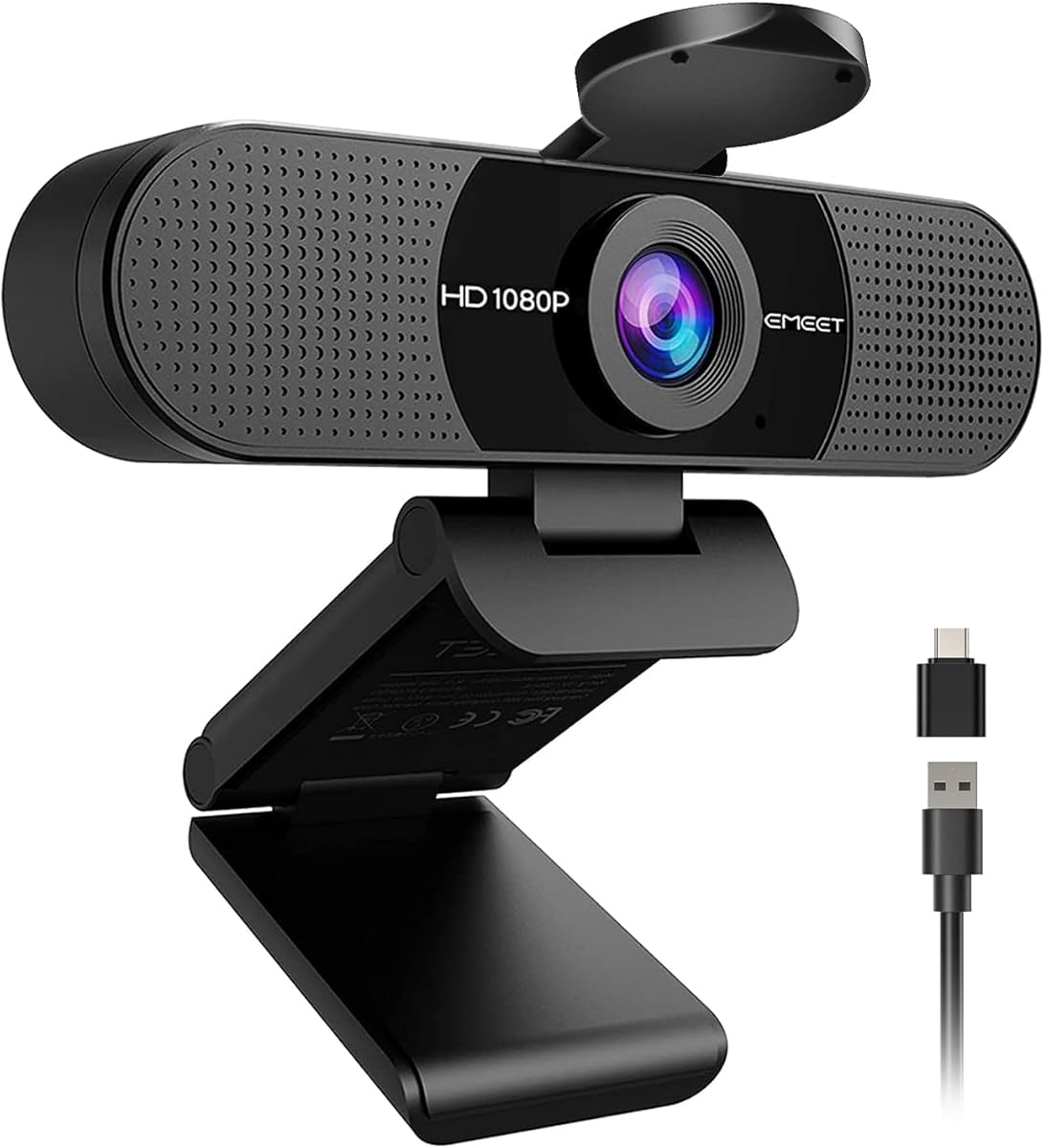
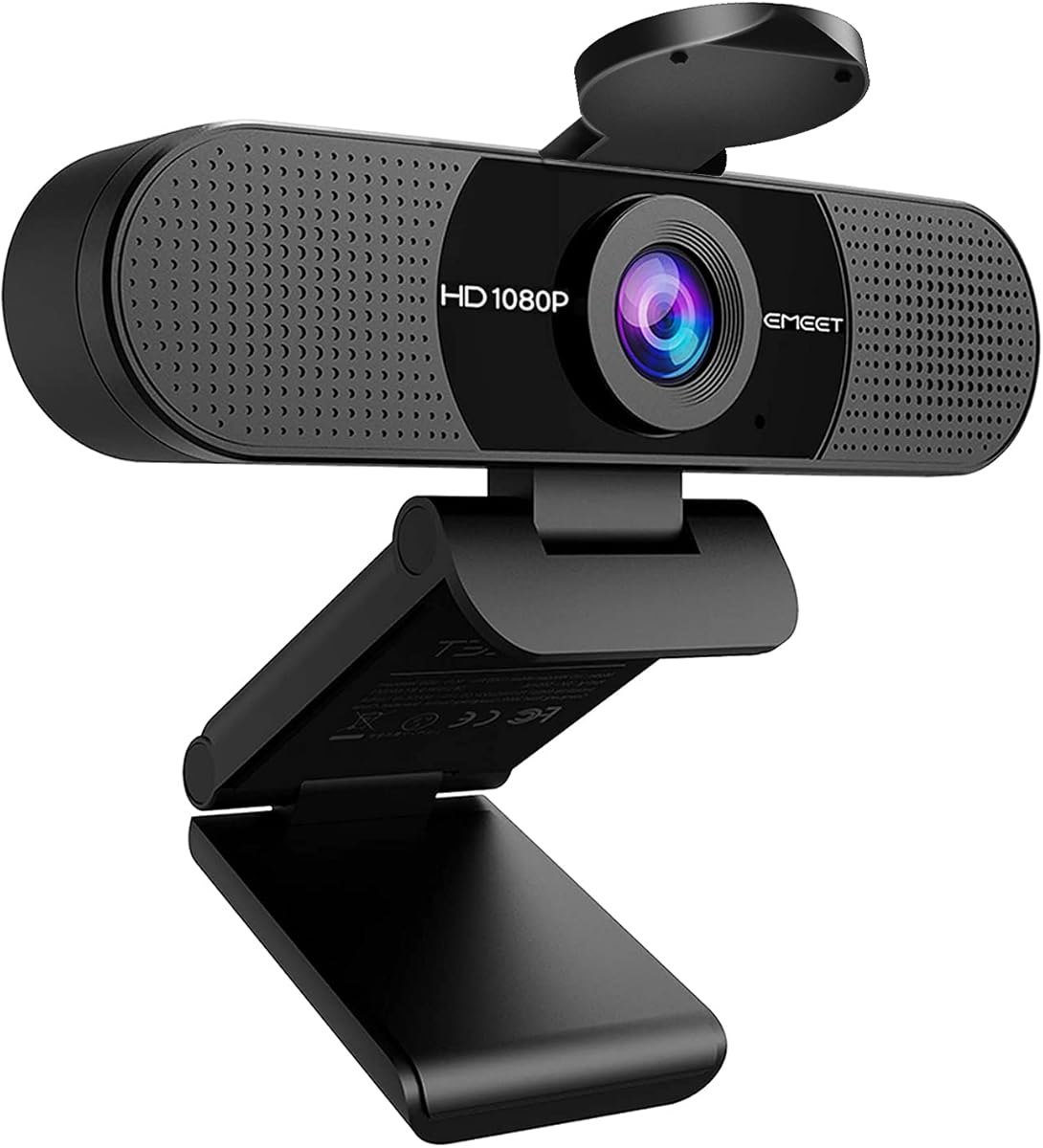
The EMEET C960 is a 1080p computer camera designed around clear video, dual microphones, and broad indoor coverage. It has a 4.4 rating and uses a five-layer anti-glare lens with fixed focus across a stated 11.8 to 118.1-inch range. Its 90-degree field of view is one of its most useful characteristics for streamers who want more of their desk or surroundings in frame.
We may earn a commission when you buy through this link, at no additional cost to you.
Two built-in omnidirectional microphones provide two ways to pick up the user's voice. The device supports Zoom, Teams, FaceTime, Google Meet, YouTube, and other applications, but users must select the C960 as the default microphone and camera and grant the necessary permissions. Automatic exposure, color adjustment, and optimization help create a more balanced image without requiring constant manual changes.
The updated C960 supports both USB Type-A and an A-to-C adapter, making it a flexible choice for different computers. Connecting directly to a main USB port is recommended for stable performance, especially when a hub or dock might not provide sufficient power or data bandwidth. The removable cover provides physical privacy, although Windows Hello is not supported and the model does not include built-in speakers.
The C960 makes sense for streamers who want a wider composition, physical privacy, and a pair of onboard microphones without moving to a 4K model. Fixed focus is less suitable for people who repeatedly move toward and away from the lens, and Windows Hello users will need a different option. For standard desktop streaming and conferencing, it remains a capable and flexible 1080p choice.
The 90-degree field of view captures additional participants, desk space, and environmental detail. It reduces the need to reposition the camera when a conversation involves more than one person or when a creator wants to show a second item in frame.
A removable cover physically conceals the lens, while USB Type-A and A-to-C options simplify connection across different machines. Direct connection to the computer is advised for the most consistent performance.
We may earn a commission when you buy through this link, at no additional cost to you.
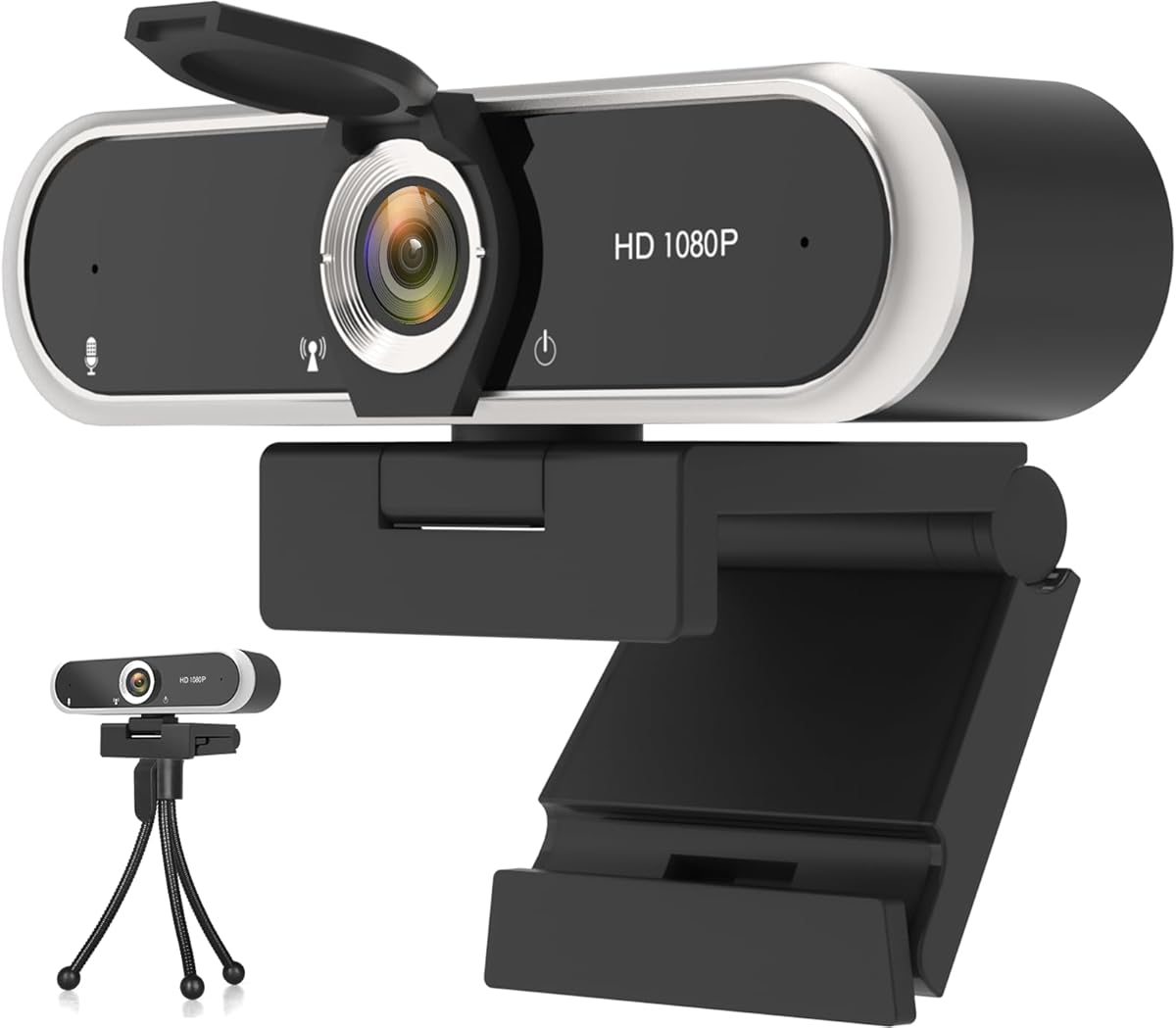
The 1080P Privacy Webcam is a plug-and-play option for PC and laptop users who want Full HD video, microphones, and a physical privacy cover. It has a 4.3 rating and captures 1920 by 1080 video at 30 frames per second. Its stated HDR support is designed to retain visible facial detail in low-light and backlit situations.
We may earn a commission when you buy through this link, at no additional cost to you.
Audio comes from dual digital noise-reducing microphones and an audio processor intended to capture stereo sound while filtering background noise. The rotating head offers 360-degree adjustment, and the adjustable clip can sit on a monitor or stand independently. Automatic light correction and fixed focus help maintain a sharp, balanced image without requiring extensive camera adjustment.
The sliding privacy shutter is a particularly practical hardware feature. It blocks the lens physically and can also help keep it free from dust when the webcam is not in use. Compatibility covers Windows, Mac, Linux, and Android, while support is listed for Skype, Zoom, Twitch, YouTube, and other services. The device uses USB 2.0 and requires no drivers for basic operation.
This webcam is a strong fit for budget-conscious streamers and office users who want more than a bare minimum. The main limitation is its reliance on fixed focus, which may not suit a presenter who moves around substantially. Actual HDR appearance can also vary by the application and computer. Even with those caveats, the combination of privacy, dual microphones, and automatic correction makes it a versatile low-cost option.
The integrated sliding shutter physically blocks the lens rather than relying on a software setting. It offers a clear visual confirmation that the camera is covered and helps protect against unwanted use.
Dual digital microphones use noise reduction to favor the user's voice in distracting rooms. Automatic light correction adds further flexibility when the webcam faces a window or a dimly lit wall.
We may earn a commission when you buy through this link, at no additional cost to you.
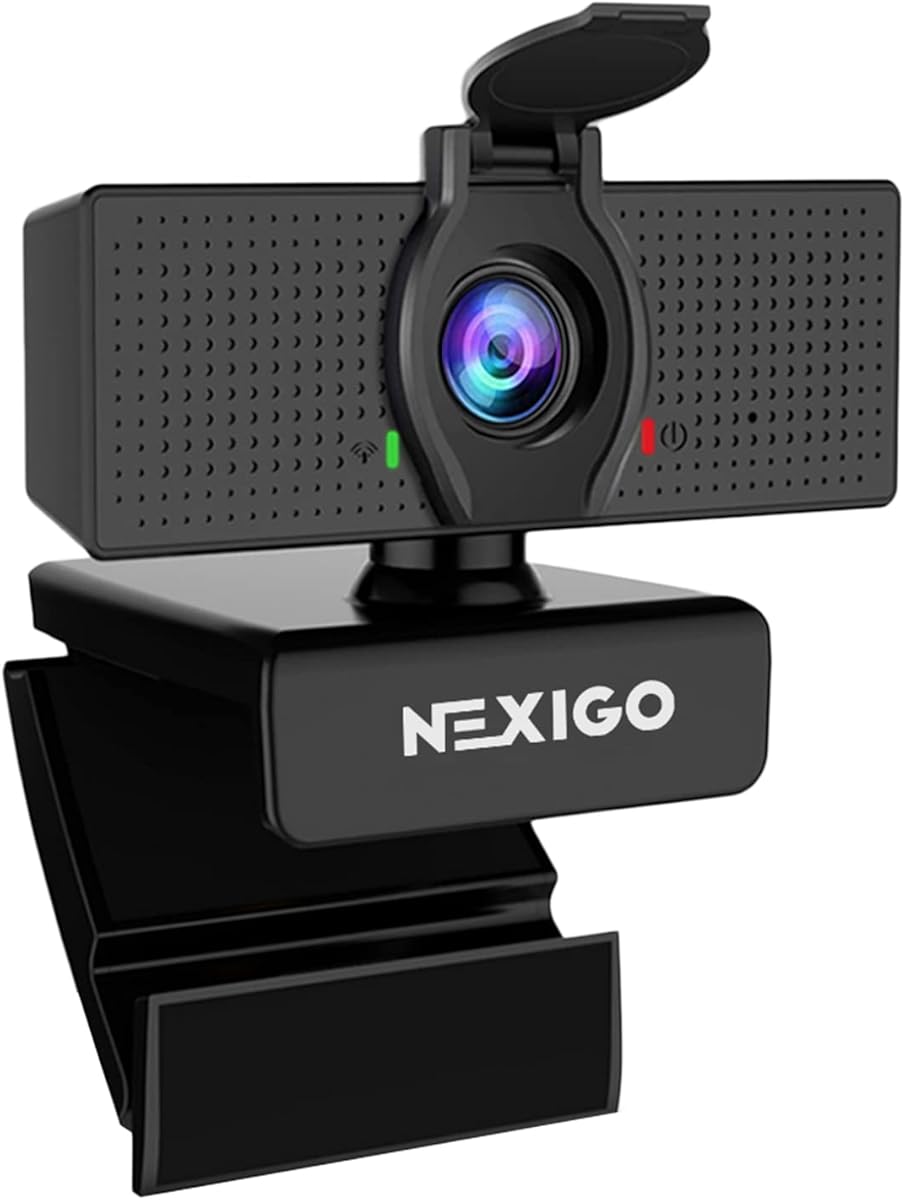
The NexiGo N60 is a 1080p webcam that combines a two-megapixel CMOS sensor, a 3.6mm glass lens, software controls, and a physical privacy cover. Its 4.3 rating and broad application support make it a solid option for online meetings, classes, recording, and conventional computer-based streaming.
We may earn a commission when you buy through this link, at no additional cost to you.
The N60 outputs video at up to 1920 by 1080 and 30 frames per second. Its fixed-focus lens is optimized for subjects between 19.6 inches and 13 feet, covering both a close desk position and a wider indoor setup. Software control gives users another way to adjust the image, while the noise-canceling microphone reduces ambient sound for clearer communication.
Compatibility is one of the model's strongest attributes. It works with USB 2.0 and 3.0 systems without additional drivers and supports Mac OS X 10.7 and later, Windows 7, 8, 10, and 11, Android 4.0 and later, Linux 2.6.24, Chrome OS, and Ubuntu. It is not compatible with Xbox, PlayStation 4, or PlayStation 5, so console-focused streamers should look elsewhere.
The N60 suits streamers who want direct control over camera settings and a physical privacy solution without moving beyond 1080p. Its fixed focus is appropriate for most desk-based content, while its microphone is convenient for standard calls. It is also a good fit for remote teaching, conferencing, and everyday recording. A separate microphone and more advanced autofocus would be preferable for a dedicated production workflow, but the N60 covers the essentials well.
The supplied software control expands the options available to creators compared with a completely driverless model. It provides a practical middle ground between minimal hardware and a complex production camera.
Support for major desktop and mobile operating systems makes the N60 adaptable across work, school, and streaming environments. It requires no additional drivers and is ready to use on compatible systems in about a minute.
We may earn a commission when you buy through this link, at no additional cost to you.
The AOC 4K Webcam is a premium-resolution option for creators who want more image detail than a standard 1080p camera provides. It has a 4.4 rating and centers its appeal on 4K video, an 80-degree field of view, flexible positioning, a physical lens cover, and a noise-reducing microphone.
We may earn a commission when you buy through this link, at no additional cost to you.
Its mounting flexibility is notable. The camera supports 180-degree tilt and 360-degree swivel rotation, allowing it to sit on a monitor, stand on a desk, or attach to a tripod. The 80-degree lens captures more of the scene than a narrow office-style webcam, making it useful for showing a desk setup, multiple people, or a product from a seated position.
The built-in sliding lens cover provides direct physical privacy. Automatic brightness correction is designed to make the subject more visible in poor lighting, while the noise-reducing microphone helps keep speech clear. A USB-A-to-USB-C adapter supports modern and legacy devices, and no drivers are required for basic use on major platforms such as Zoom, Teams, and Skype.
The AOC model is best for a creator who values 4K detail, broad scene coverage, and flexible mounting more than explicitly specified high frame rates. Its listing does not quote a frame rate or mention autofocus, so those details deserve confirmation for fast movement or action-focused streams. Subject to that caveat, it is a well-rounded premium webcam with practical privacy and connection features.
4K capture provides substantially more image detail than 1080p, which can be useful when framing is tight or the final video is displayed on a large screen. The advantage is clearest when the computer and streaming application support the selected resolution.
Combining an 80-degree lens with 180-degree tilt and 360-degree swivel makes the camera adaptable to monitor, desk, and tripod placements. This is particularly useful for creators who alternate between face-focused and wider product shots.
We may earn a commission when you buy through this link, at no additional cost to you.
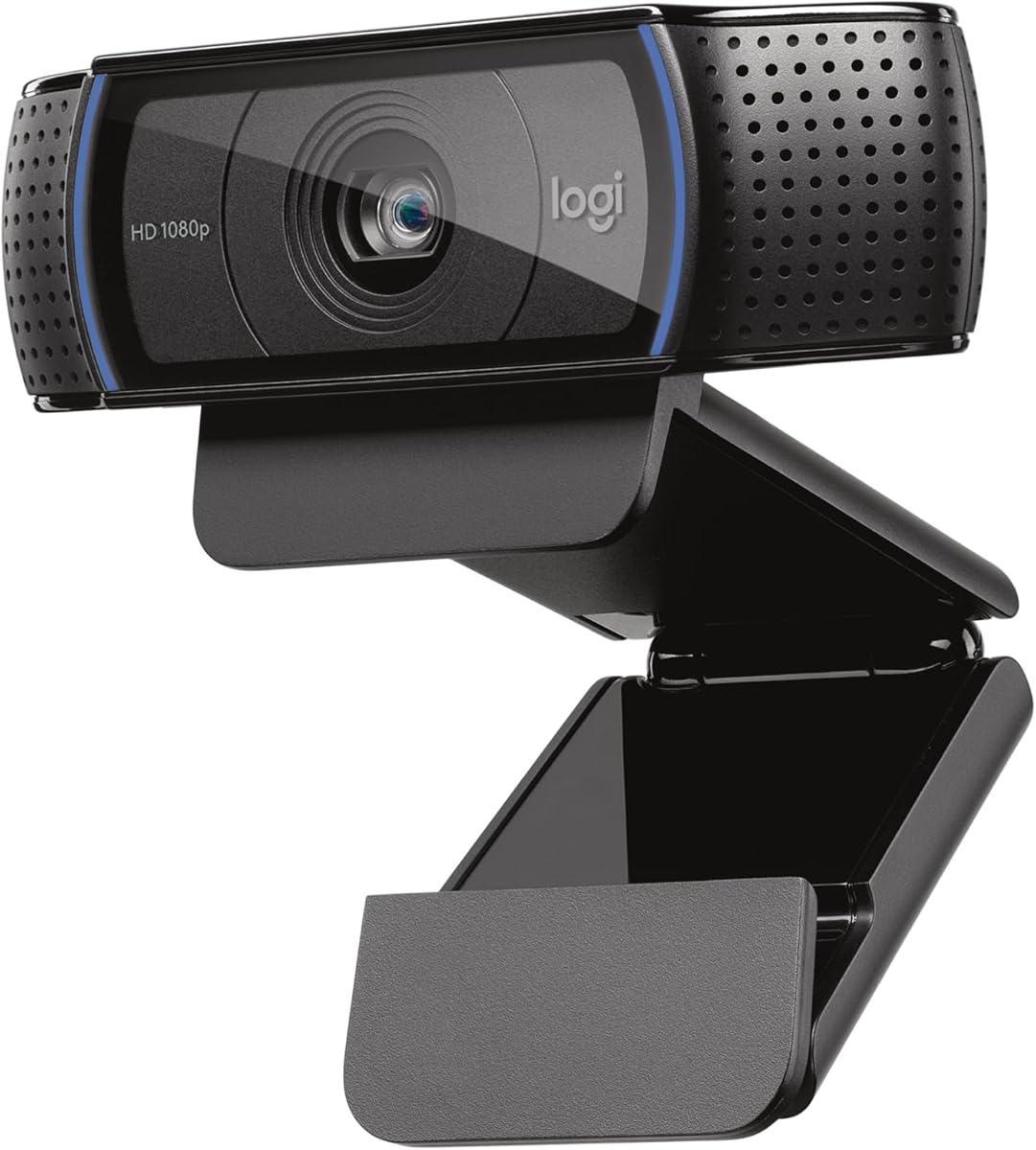
The Logitech C920x is a Full HD webcam with a 4.6 rating, the highest among the ten products compared here. It delivers 1080p video at 30 frames per second, automatic autofocus, and automatic HD lighting adjustments. It is also compatible with Nintendo Switch 2's GameChat mode and fully compatible with Windows 11.
We may earn a commission when you buy through this link, at no additional cost to you.
The C920x is a familiar choice for streamers and video-call users because it combines dependable autofocus with a fixed-focus alternative is not required. Dual microphones provide natural stereo audio, while the lighting system automatically fine-tunes brightness in dim rooms. Advanced capture software supports content creation, desktop use, and installation on a monitor.
The package includes a three-month XSplit VCam license, which can remove, replace, or blur a background without requiring a green screen during that period. That makes it more versatile for calls and broadcasts than a basic camera that only captures the physical background. The important drawback is the lack of an integrated privacy shutter, which distinguishes it from several less expensive models in this guide.
The C920x is a strong premium choice for creators who prioritize a proven feature set, automatic behavior, and polished background options over 4K resolution. It is also fully suitable for ordinary 1080p streaming at 30 frames per second. Those who require a physical privacy cover or very high frame rates should consider alternatives, but for a balanced 1080p workflow this remains a compelling recommendation.
Automatic focus is particularly helpful when a presenter leans closer, shifts in a chair, or moves an object toward the camera. It reduces the need for manual focus adjustments during a live broadcast.
The included XSplit VCam license provides background removal, replacement, and blur options for a limited period. It is a useful extra for creators who want a more designed broadcast appearance without installing a separate backdrop.
We may earn a commission when you buy through this link, at no additional cost to you.
The EMEET S600 is the most technically advanced streaming webcam in this guide, with a 4.5 rating, a Sony 1/2.55-inch sensor, PDAF autofocus, and both 4K and high-frame-rate 1080p options. It can record at 4K and 30 frames per second or 1080p and 60 frames per second, giving creators a choice between detail and motion smoothness.
We may earn a commission when you buy through this link, at no additional cost to you.
Its phase-detection autofocus is designed to be faster, more precise, and more stable than common autofocus systems. Automatic light balancing manages shadows and highlights in low-light environments. At 1080p, the field of view can be adjusted from 40 to 73 degrees, allowing a creator to alternate between a tight presenter shot and a wider view. At 4K, it remains fixed at 73 degrees for consistent image quality and reduced distortion.
Audio is handled by microphones that use a proprietary algorithm to filter background noise. Noise cancellation is enabled by default but can be disabled in EMEETLINK. The software also allows image and sound customization, while basic operation remains plug-and-play. A built-in cover protects the lens, and the clips and joints are designed to support flexible rotation and tilting while remaining securely positioned.
The S600 is a premium recommendation for streamers who want genuine 4K detail, 1080p at 60 frames per second, and advanced autofocus. It is also suitable for content creators who will use EMEETLINK to tune their setup. Remember that actual output depends on the camera software and streaming application, and the narrower 40-degree framing option applies at 1080p rather than 4K.
The camera supports 4K at 30 frames per second and 1080p at 60 frames per second. Game creators can favor the smoother 1080p mode, while presenters and product-focused videos can benefit from the greater detail of 4K.
PDAF focuses quickly and is designed to remain stable across changing scenes. It is especially useful when the presenter's distance changes, providing a more controlled image than a basic fixed-focus webcam.
We may earn a commission when you buy through this link, at no additional cost to you.
The XOCLON 1080P Webcam is a straightforward streaming camera for laptop and desktop users. It has a 4.4 rating and offers 1920 by 1080 video at 30 frames per second. Its strongest selling points are ease of installation, stable everyday performance, a built-in noise-canceling microphone, and automatic brightness adjustment.
We may earn a commission when you buy through this link, at no additional cost to you.
The webcam needs no drivers or software installation, so connecting it and selecting it in the relevant application should be the primary setup process. It works with Zoom, Teams, Skype, and Google Meet, making it suitable for professional meetings, online teaching, family calls, and live streaming. The 1080p output at 30 frames per second is a conventional format for conversations and standard broadcasts.
Automatic brightness adjustment is intended to keep the user's image visible in poor lighting, while the microphone's noise-canceling function helps speech remain clear in busy surroundings. These automatic features reduce the need for frequent changes during a call. The information provided does not highlight a physical privacy cover or extensive manual controls, so streamers who require advanced framing or hardware-level privacy should compare those features before buying.
The XOCLON model is a strong choice for anyone who wants a dependable basic webcam with little setup. Its sharp 1080p target, no-driver connection, and major platform support cover the core requirements for streaming and video communication. A dedicated microphone, a privacy shutter, and advanced image controls are available in more specialized alternatives, but for uncomplicated everyday use this camera remains a practical recommendation.
The absence of required drivers or installation software makes this an accessible choice for less technical users. After connecting the camera, the main task is selecting it in the preferred meeting or streaming application.
The built-in microphone uses noise cancellation to emphasize the user's voice in distracting environments. Automatic brightness adjustment complements that feature by maintaining visibility when lighting changes.
We may earn a commission when you buy through this link, at no additional cost to you.
The EMEET 1080P C960 is a capable conference and streaming webcam with a 4.4 rating. It records at 1920 by 1080 through a five-layer anti-glare lens and uses a fixed focal length optimized for distances from 11.8 to 118.1 inches. Its 90-degree wide view makes it especially useful for group calls, home-office work, teaching, and streams that show more than a tight head-and-shoulders composition.
We may earn a commission when you buy through this link, at no additional cost to you.
Two omnidirectional noise-reduction microphones are designed to capture the user's voice and reduce background interference. The removable privacy cover blocks the lens and can also be taken off when privacy protection is not required. Automatic low-light correction, low-light boost, color boost, and exposure adjustment help produce a clearer image in dim or harsh conditions, including scenes with bright windows behind the subject.
Installation is driver-free, and the foldable design makes the camera portable. Compatibility includes Windows 10 and 11, macOS 10.14 or later, Linux, and Android TV 7.0 or later. The webcam works with Zoom, Teams, FaceTime, Google Meet, YouTube, and other major software. Windows Hello is not supported, so users relying on that sign-in feature need a different camera.
The C960 is a versatile recommendation for office users, educators, and streamers who want a wide view and a physical privacy cover. Fixed focus is less useful for close-up product demonstrations that change focal distance, and a separate microphone may provide a more polished broadcast sound. Within a conventional desktop setup, however, it remains a flexible and well-equipped 1080p option.
Low-light correction, brightness boost, color boost, and exposure adjustment work together to improve scenes that would otherwise look dim or uneven. These features are especially helpful when a strong window sits behind the subject.
The 90-degree lens includes more participants and desk space, reducing the need to reposition the webcam during a group conversation. Its foldable construction also supports use across different locations.
We may earn a commission when you buy through this link, at no additional cost to you.
The right streaming webcam balances image quality, microphone usefulness, compatibility, privacy, and mounting flexibility. Consider how and where you stream before choosing a specification, because the most expensive option is not automatically the most practical one.
Choose 1080p for a practical standard, or consider 4K and 60fps when fast motion and finer detail matter.
Choose autofocus for movement; choose fixed focus for a stable, consistently positioned broadcast desk.
Built-in microphones are convenient for getting started; use a separate microphone when voice quality is the priority.
Automatic correction helps, but front-facing room light produces the most reliable and natural-looking image.
Choose a physical cover when privacy, shared spaces, or accidental activation concerns matter most.
Match the field of view to your content: wider for group scenes, tighter for presenter-focused streams.
Confirm the connector, operating system, and streaming application before ordering to avoid setup delays.
Prioritize a stable mount, then add software controls only if you will actually use them.
Begin by connecting the webcam with its supplied cable and placing it at eye level or slightly above. A monitor clip, desk stand, or tripod can provide a more stable image than balancing the camera on the display. Select the webcam as the camera and microphone in your streaming or meeting software, and grant the required privacy permissions before testing the feed.
Check the composition before going live. Frame your face and upper body with a little space above your head, remove distracting objects from the background, and adjust the lens or field of view so the image communicates what you intend. Test brightness in both dim and bright conditions, use a stable internet connection, and listen with headphones to determine whether the built-in microphone is adequate or whether a separate microphone would improve the stream.
For maintenance, gently wipe the lens with a soft, lint-free cloth and avoid abrasive cleaners. Keep the camera's cable free from sharp bends and do not pull it when repositioning the unit. Use the physical privacy cover whenever appropriate, update the associated software when updates are offered, and periodically test the microphone, video feed, mounting clip, and application permissions.
For most beginner streamers, 1080p at 30 frames per second is a practical and widely supported format. It provides more detail than standard-definition cameras and works well for talks, tutorials, calls, and many games. Consider 4K or 1080p at 60 frames per second when your production needs greater detail or smoother motion, and verify that your computer and streaming application can handle the selected setting.
A built-in microphone is usually sufficient for testing a stream or joining online meetings, but it often sits far from your mouth and can pick up room noise. A separate USB microphone gives you a better chance of controlling vocal clarity and placement. If your goal is casual streaming, use the included microphone initially and upgrade only if the audio does not meet your standards.
1080p is the most practical budget target because it balances image clarity with broad computer and application support. The XWEIRYN, EMEET C960, NexiGo N60, XOCLON, and Logitech Brio 101 all provide 1080p output. If you want more resolution, the AOC and EMEET S600 offer 4K, but higher output may also require a capable computer, sufficient bandwidth, and compatible streaming software.
Autofocus is helpful when your distance from the camera changes during a broadcast. It keeps your face clearer without requiring manual adjustment and is particularly helpful for demonstrations involving movement. A fixed-focus camera is perfectly adequate for a stable desk setup, provided you position it at the intended distance and keep the subject in that focus area.
Most of the models listed support the major computer platforms used for streaming, including Zoom, Teams, Google Meet, YouTube, and OBS. After connecting the webcam, select it as the default camera and microphone and allow application permissions. Support for special features such as Windows Hello is not universal, so check the exclusions in the product description.
Position the camera near a soft light source facing your face, avoid backlighting from a bright window, and clean the lens before recording. Use a stable mount at eye level and frame the shot deliberately. Built-in automatic lighting and exposure can help, but balanced room lighting usually produces a better result than relying entirely on digital correction.
A physical cover is worthwhile if you share a room, work with sensitive information, or want visible assurance that the lens is blocked. Several models in this guide include slides or removable covers. If privacy is not a priority, the Logitech C920x still offers software controls, but it does not include an integrated shutter.
No. Good lighting, stable framing, clear audio, and a reliable connection often affect the viewing experience more than the difference between 1080p and 4K. A dependable 1080p camera is a sensible starting point, while 4K becomes more valuable if your content includes close-up products, detailed demonstrations, or a presentation format that benefits from extra image information.
The XWEIRYN 1080P USB Webcam is the strongest straightforward budget choice, combining 1080p at 30 frames per second, automatic low-light correction, broad platform support, and driver-free setup. The Logitech Brio 101 is the most balanced all-around recommendation, adding an integrated privacy cover, RightLight brightness control, and Logi Options+ customization. For creators able to stretch their budget, the EMEET S600 provides 4K, 1080p at 60 frames per second, and phase-detection autofocus.
Prioritize the features that directly affect your content. Choose 1080p for standard streaming, 4K or a higher frame rate for greater detail and motion, autofocus if you move, and a wide field of view if you show a desk or multiple people. Physical privacy matters in shared spaces, while a separate microphone is often the most effective way to improve broadcast audio.
Finally, check the current product listing before buying because prices, ratings, availability, and specifications may change. Confirm operating-system support, the connector on your computer, and compatibility with your streaming application. With those details verified, you can choose a cheap webcam that meets your present needs without paying for features your workflow will never use.