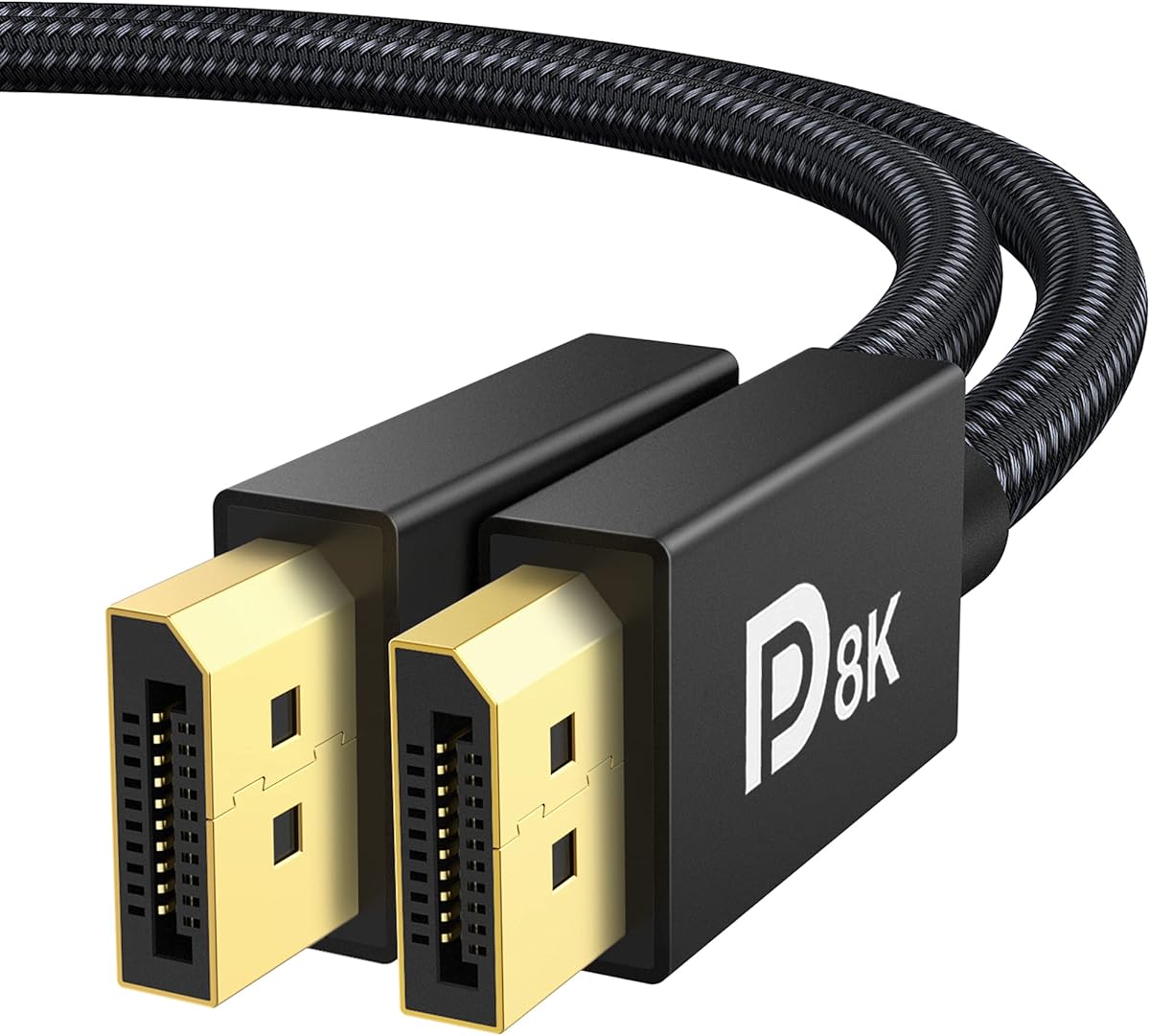
iVANKY VESA Certified 8K DisplayPort Cable 1.4
4.7Editor score
VESA-certified DisplayPort 1.4
Supports 4K at 240Hz
Backwards-compatible design
Braided 6.6-foot construction
Explore the best Displayport Cable for 144Hz options, comparing bandwidth, refresh rates, HDR, durability, gaming features, and compatibility for gamers.
A DisplayPort cable for 144Hz must do more than fit the correct port. It should provide the bandwidth, shielding, and signal integrity required by the resolution, color format, and refresh-rate combination configured on your monitor. A capable cable also reduces the likelihood of flickering, dropped frames, and synchronization problems during demanding gaming sessions.
The products in this guide were compared using their stated VESA standards, supported resolutions, maximum bandwidth, connector construction, shielding, gaming features, and device compatibility. The list covers DisplayPort 1.4, DisplayPort 2.1, DP54, and DP80 models, while emphasizing products explicitly advertised for 144Hz and other high-refresh scenarios.
Each review explains who should consider the cable, what makes it useful, and where its specifications may be unnecessary. The first eight entries include detailed product information, while the final two products have limited listing data. As with all shopping selections, current prices, availability, warranty terms, and technical claims can change over time.
4.7Editor score

4.7Editor score

4.6Editor score
The comparison highlights the cable standard, maximum stated bandwidth, key 144Hz-related resolution support, and major construction or compatibility features. This makes it easier to distinguish practical DisplayPort 1.4 options from higher-bandwidth DP2.1 models designed for advanced displays and multi-GPU or multi-monitor configurations.


The Silkland 54Gbps 16K DisplayPort Cable 2.1 is a versatile high-refresh cable with a 4.6 rating. Its stated DisplayPort 2.1 capabilities cover 4K at 120Hz, 144Hz, 165Hz, and 240Hz, as well as 8K at 120Hz and 2K at 360Hz. That makes it a strong match for a modern 144Hz gaming monitor while leaving considerable performance available for higher-bandwidth displays.
We may earn a commission when you buy through this link, at no additional cost to you.
The cable combines VESA certification, 54Gbps bandwidth, HBR3, and DSC 1.2a support. It also lists Dynamic HDR, HDCP 2.2, 3D imaging, and uncompressed 7.1, 5.1, and 2.0 audio pass-through. G-Sync, FreeSync, Adaptive-Sync, and multi-stream transmission support make it relevant to systems using more than one display, while the listed compatibility includes widely used gaming monitors and current high-end graphics cards.
Construction details focus on signal integrity and everyday handling. Silkland specifies 28AWG tinned-copper conductors, triple shielding, a double nylon-braided exterior, and 24K gold-plated connectors. The no-buckle or groove design avoids the locking mechanism found on many traditional DisplayPort cables, which can be convenient in tight spaces and helps prevent accidental damage to a monitor port. The stated durability is ten times that of PVC cable.
This is a good general recommendation for someone who wants more headroom than a standard 144Hz mode requires. It may be more bandwidth than a 144Hz 1080p or 1440p setup can use, but that does not prevent it from serving that setup well. Choose it when you want a current-generation cable, extensive feature support, and compatibility with high-end monitors without moving to the DP80 standard.
The explicit support for 4K at 144Hz makes this cable appropriate for high-refresh 4K gaming, while its listed 240Hz capability is useful when paired with a compatible faster monitor. The graphics card, monitor interface, and selected color format must all support the desired mode.
Triple shielding, tinned-copper conductors, and gold-plated connectors form a practical signal-protection package. The latch-free housing also makes frequent reconnections less risky when the cable must be removed in a confined desk area.
We may earn a commission when you buy through this link, at no additional cost to you.
The iVANKY VESA Certified 8K DisplayPort Cable 1.4 carries a 4.7 rating and is a practical choice for 144Hz setups. It supports 4K at 240Hz, 2K at 240Hz, 1080p at 240Hz, 5K at 60Hz, and 8K at 60Hz. These limits provide ample headroom for 144Hz monitors, including many 1440p configurations that a lesser cable might not handle.
We may earn a commission when you buy through this link, at no additional cost to you.
Its HBR3 link provides 32.4Gbps of stated bandwidth and supports Dynamic HDR, HDCP 2.2, G-Sync, and FreeSync. The product is designed for a direct connection between a DisplayPort-equipped computer and monitor. It is not an HDMI cable, Mini DisplayPort adapter, or USB cable, so users should verify the physical ports before ordering.
The cable uses 30AWG tinned-copper conductors, which the manufacturer describes as more flexible and slimmer than 28AWG construction. A nylon-braided jacket is stated to withstand more than 28,000 bends, while 24K gold-plated connectors support durability and heat dissipation. Its latch-free design is particularly useful for avoiding accidental damage to a monitor's DisplayPort socket.
This is an excellent option for a gamer who wants a reliable 144Hz connection without paying for a cable whose bandwidth goes far beyond the current display. It also works for 240Hz-compatible monitors and 8K productivity screens. The 6.6-foot length should be measured against the planned route, and the included support commitment should be reviewed under its stated conditions.
DisplayPort 1.4 with HBR3 comfortably covers the common 144Hz configurations used by 1080p and 1440p gaming displays. It also allows a simple upgrade path for compatible monitors that operate at 240Hz.
The braided jacket, flexible conductor gauge, gold-plated contacts, and latch-free connectors create a useful replacement for a basic stock cable. These details matter most when the cable is regularly moved, routed behind a desk, or connected to a display with limited clearance.
We may earn a commission when you buy through this link, at no additional cost to you.
The Silkland 80Gbps DisplayPort Cable 2.1 is the strongest all-around choice in this roundup, earning a 4.7 rating. It is advertised as a VESA-certified DP80 cable with 80Gbps of bandwidth. Stated modes include uncompressed 4K at 240Hz, 8K at 60Hz, and 2K at 540Hz, plus 16K at 60Hz, 8K at 240Hz, and extremely high refresh rates when DSC is enabled.
We may earn a commission when you buy through this link, at no additional cost to you.
Its high-end capabilities do not detract from 144Hz use. A compatible 144Hz gaming display can benefit from a cable engineered for a much larger data pipeline, while backward compatibility allows it to work with DisplayPort 2.0 and 1.4 equipment. The listing includes UHBR20, Dynamic HDR10+, HDCP 2.3, DSC 1.2a, VRR, FEC, ALLM, and MST support.
The physical design uses 28AWG tinned-copper conductors, triple shielding, a nylon exterior, and 24K gold-plated connectors. A no-latch design simplifies installation and reduces the possibility of harm from a connector being pulled sideways. The 6.6-foot length is consistent with many desk-to-monitor arrangements, although users with deeper desks should measure before ordering.
This cable makes the most sense for someone building a high-end system, adding a fast monitor now, or wanting one connection that will not constrain future display upgrades. It may be excessive for 1080p or 1440p gaming at 144Hz, but the excess bandwidth is forward-looking rather than harmful. For buyers who prioritize maximum capability, this Silkland model is the most complete option here.
DP80 provides substantially more bandwidth than a typical DisplayPort 1.4 cable. That capacity is useful for future high-resolution, high-refresh displays, although actual performance always depends on the graphics card, monitor, and selected resolution.
HDR, 3D, HDCP 2.3, uncompressed surround audio, DSC, VRR, ALLM, and MST create a broad feature set. Those extras make the cable suitable for gaming, content creation, high-end entertainment, and multi-monitor productivity.
We may earn a commission when you buy through this link, at no additional cost to you.
The UGREEN 16K 6.6FT VESA Certified DisplayPort Cable 2.1 has a 4.7 rating and combines 54Gbps bandwidth with a wide collection of display features. It supports 4K at 240Hz, 8K at 240Hz, 1080p at 540Hz, and 16K at 30Hz with DSC 1.2a, making its 144Hz capability part of a much broader refresh-rate range.
We may earn a commission when you buy through this link, at no additional cost to you.
The cable also lists HDR, HDCP 2.2, FEC, UHBR10, FreeSync, G-Sync, VRR, ALLM, and Multi-Stream Transport. Those specifications are relevant to gamers who use adaptive synchronization and to users who may later add another display. Its 6.6-foot length offers a common option for desktop placement, and the 20-pin issue is explicitly described as disabled in the supplied listing.
For physical reliability, UGREEN uses 28AWG tinned-copper conductors, a tinplate layer, triple shielding, and a nylon-braided jacket. The aluminum-alloy connector housing is designed to resist rust and improve heat dissipation. A no-buckle connector design helps avoid accidental port damage and makes removal from tightly arranged equipment easier.
The UGREEN is an attractive middle ground between a standard DP1.4 cable and a premium DP80 model. It has enough bandwidth for high-end 4K refresh rates while remaining more approachable for a display setup that will not immediately use 80Gbps. It is especially suitable for a 144Hz or 240Hz gaming monitor, provided both the graphics card and display support the desired mode.
The 54Gbps link provides substantial room for 4K gaming and high-refresh displays without requiring the very latest DP80 standard. It is a practical target for users who want a modern cable for 144Hz now and additional headroom later.
The no-buckle connector, braided jacket, and aluminum housing are helpful in frequently used setups. MST support can also simplify certain multi-monitor arrangements when the computer, display, operating system, and graphics configuration all cooperate.
We may earn a commission when you buy through this link, at no additional cost to you.
The Capshi 8K 4K DisplayPort Cable 1.4 is a straightforward option for a dedicated 144Hz gaming setup. It carries a 4.6 rating and is VESA-certified, with stated support for 4K at 144Hz, 2K at 240Hz, 8K at 60Hz, and 5K at 60Hz. Those limits cover the requirements of many high-refresh displays without requiring DisplayPort 2.1 equipment.
We may earn a commission when you buy through this link, at no additional cost to you.
Dynamic HDR and HDCP 2.2 are included for image quality and protected-content transmission. The cable also lists DSC 1.2, FEC error correction, 32-channel audio, mirror and extended modes, and plug-and-play operation. Its HBR3 link is specified at 32.4Gbps, which aligns with the data demands of its advertised display modes.
The 6.6-foot product is built with tinned-copper conductors, multiple shielding layers, and 24K gold-plated connectors. It is designed for direct DisplayPort-to-DisplayPort connections and is compatible with major gaming-monitor and graphics-card families listed by the manufacturer. The maker specifically advises against extensions and adapters because signal conversion may reduce performance.
This cable is best for a gamer with a 4K 144Hz monitor, a 2K high-refresh display, or a standard setup that values straightforward installation. It does not offer the extreme refresh ceilings of DP2.1 options, but that limitation is unlikely to matter if the intended display does not use those modes. It is a focused, well-specified choice for common high-refresh configurations.
DisplayPort 1.4 provides the bandwidth required for 4K at 144Hz, subject to the graphics card, display, and color settings. It remains a relevant standard for a large number of current gaming systems.
Using a direct DisplayPort connection gives the system the best chance of reaching the cable's stated modes. Adapters and extensions may introduce additional conversion stages that are not covered by the cable's supported specifications.
We may earn a commission when you buy through this link, at no additional cost to you.
The Ubluker 10K 8K DisplayPort 2.1 Cable provides 54Gbps bandwidth and has a 4.6 rating. Its title explicitly highlights 4K operation at 120Hz, 144Hz, 165Hz, and 240Hz, as well as 8K at 120Hz and 10K support. That range makes it relevant for a 144Hz gaming display and for users who want one cable to cover several high-resolution modes.
We may earn a commission when you buy through this link, at no additional cost to you.
The stated technology includes UHBR, HBR3, DSC, HDR, 12-bit color depth, HDCP 2.3, FreeSync, and G-Sync. It also supports single-stream and multi-stream transmission and optional forward error correction. The listed protocol details reference 8b/10b encoding and four data channels, providing a technical foundation for high-speed DisplayPort signaling.
Compared with several competing listings, the Ubluker description provides less detail about its physical internals. The product title identifies a nylon-braided construction, but the supplied information does not specify conductor gauge, connector plating, shielding layers, latch design, or a stated bend rating. Buyers who prioritize a detailed construction breakdown may find another model in this guide easier to evaluate.
The cable is still worth considering for its broad 144Hz-oriented mode list and 54Gbps capacity. It is suited to a gaming system with a modern graphics card and compatible display, especially when the intended refresh rate exceeds what a basic 4K cable is designed to handle. Confirming the exact resolution, refresh rate, color depth, and compression setting on both endpoints remains essential.
Listing 120Hz, 144Hz, 165Hz, and 240Hz at 4K gives users flexibility across several 144Hz-class displays. The actual maximum mode depends on DSC, color depth, graphics output, and monitor specifications.
The product is described as compatible with previous DisplayPort versions. This makes it a reasonable choice for a mixed equipment collection, provided each source-to-display combination is connected with the correct physical DisplayPort interface.
We may earn a commission when you buy through this link, at no additional cost to you.
The iVANKY VESA Certified 80Gbps DisplayPort Cable 2.1 is a premium high-refresh option with a 4.6 rating. It supports 16K at 60Hz, 10K at 60Hz, 8K at 120Hz or 240Hz, 4K at up to 960Hz, and 2K at 360Hz. That makes 4K 144Hz an easily accommodated mode within a much broader specification range.
We may earn a commission when you buy through this link, at no additional cost to you.
UHBR20, DSC 1.2a, HDR, 3D, HDCP 2.3, FEC, VRR, ALLM, FreeSync, and G-Sync give the cable a comprehensive feature set. The manufacturer also lists 32-bit audio, Dolby and eARC support, and multi-screen technology. Backward compatibility extends to DisplayPort 2.0, 1.4, 1.3, and 1.2, so it can serve both current and earlier-generation equipment.
Physical construction uses 30AWG tinned-copper conductors with triple shielding. The listing describes this gauge as flexible and slim, while an aluminum-alloy housing helps with heat dissipation. A double nylon-braided jacket is stated to last ten times as long as traditional PVC, and the latch-free design is intended to protect device ports during removal.
This is a compelling premium choice for an enthusiast who expects to move to very high refresh rates or multiple demanding displays. It is not the most necessary purchase for a 144Hz monitor at 1080p or 1440p, but its extra capability creates a useful upgrade path. Make sure the equipment has full-size DisplayPort connectors, since the cable does not adapt HDMI or Mini DisplayPort.
The 80Gbps link and 960Hz stated 4K ceiling position this cable for advanced display hardware. It also remains fully capable of the much more common 144Hz mode when paired with compatible equipment.
The 30AWG tinned-copper construction, triple shielding, aluminum housing, and braided exterior work together to support high-speed transmission and repeated handling. The latch-free plug is useful where accidental sideways pulls are a concern.
We may earn a commission when you buy through this link, at no additional cost to you.
The Silkland 54Gbps DisplayPort Cable 2.1 with Secure Latch is a 4.7-rated alternative for 144Hz gamers. It supports 4K at 144Hz, 2K at 360Hz, and uncompressed 8K content, with additional 8K at 165Hz and 4K at 240Hz, 360Hz, and 480Hz modes when DSC is enabled. That is ample capability for a conventional high-refresh gaming display.
We may earn a commission when you buy through this link, at no additional cost to you.
Its other stated features include Dynamic HDR10+, 3D, HDCP 2.3, VRR, FEC, ALLM, DSC 1.2a, and MST. The product supports uncompressed 7.1, 5.1, and 2.0 audio pass-through, while G-Sync and FreeSync are listed for adaptive-refresh gaming. Compatibility is broad across common gaming monitor and graphics-card families.
The defining feature is the secure locking latch. The manufacturer says it helps prevent signal interruptions caused by accidental tugs from pets or foot kicks. Unlike a latch-free connector, it remains physically secured until the release button is pressed, making it especially useful where the cable might be exposed to movement.
Internally, the cable uses 28AWG tinned-copper conductors, triple shielding, a tinplate interference barrier, and a double-braided nylon exterior. The 6.6-foot length suits many desk arrangements. This model is worth considering for a permanent gaming installation where a secure physical connection is more important than effortless removal in a crowded space.
A locking connector can keep a cable seated when a gaming station is exposed to pets, foot traffic, or frequent desk movement. It reduces the chance that a tug will interrupt the display signal or stress the socket.
The 54Gbps link, 4K 144Hz support, adaptive-refresh support, HDR, DSC, and ALLM cover the major requirements of a modern gaming display. Backward compatibility makes it useful across a broader collection of equipment.
We may earn a commission when you buy through this link, at no additional cost to you.
The ninth listing has an available Amazon address and ASIN, but the supplied product record contains no product title, rating, image, or description. As a result, its DisplayPort version, physical length, connector type, bandwidth, shielding, and supported refresh rates cannot be verified from the available information.
We may earn a commission when you buy through this link, at no additional cost to you.
The lack of details makes it impossible to establish whether this product supports 144Hz, let alone whether it can handle 4K at 144Hz, HDR, adaptive refresh, or high-color-depth output. Its position in the list should therefore be treated as an unresolved option rather than evidence of a particular performance level or feature set.
A shopper interested in this listing should open the product page and verify the cable's VESA certification, DisplayPort version, maximum bandwidth, supported resolution and refresh combinations, connector type, and physical length. It is also important to confirm that it is a direct DisplayPort-to-DisplayPort cable rather than an adapter or cable intended for another connector.
On the available evidence, this product cannot responsibly be recommended for a 144Hz setup because the relevant specifications are absent. A buyer should choose it only if the full listing confirms that the required mode, cable length, and connector arrangement are explicitly supported.
Look for a clearly stated DisplayPort version and VESA-certified bandwidth. A cable that merely says DisplayPort does not necessarily guarantee a particular resolution-and-refresh combination.
Confirm that both the computer and monitor use full-size DisplayPort, or that the listed product includes the correct native interfaces. Avoid assuming compatibility from an image or a broad product category alone.
We may earn a commission when you buy through this link, at no additional cost to you.
The tenth product record likewise provides only an ASIN and Amazon URL. There is no supplied name, rating, image, description, or specification from which to determine the cable's DisplayPort standard, maximum data rate, supported resolutions, or construction quality. It therefore cannot be evaluated as a confirmed 144Hz solution.
We may earn a commission when you buy through this link, at no additional cost to you.
A 144Hz requirement can vary significantly between displays. A 1080p 144Hz mode, 1440p 144Hz mode, and 4K 144Hz mode can place very different bandwidth demands on a cable, especially when high color depth, HDR, and compression settings are involved. Without a verified bandwidth figure, it is not possible to establish whether this cable can support the intended configuration.
Before considering this listing, check for the native connector arrangement, the advertised maximum bandwidth, the specific resolution and refresh-rate combinations, and whether any supported mode requires DSC. The length should also be compared with the distance from the graphics output to the monitor, including any desk routing or wall-mount cable management.
This option is best treated as one that requires independent verification rather than a ready recommendation. If the full listing confirms VESA certification, 144Hz support, and compatibility with the exact monitor mode, it may be considered alongside the fully documented products above. Until those details are clear, the specifications do not support a confident buying decision.
Start with the resolution, refresh rate, color depth, and compression setting supported by the monitor. A cable marketed generically as 8K may still be limited by its stated link rate or cable-generation specifications.
Some listings combine cable and adapter terminology, but an adapter can add conversion constraints. For the most direct path, verify that the product terminates in the exact DisplayPort connector used by the computer and monitor.
We may earn a commission when you buy through this link, at no additional cost to you.
The best DisplayPort cable for 144Hz is not determined by refresh rate alone. Resolution, color depth, HDR, compression, cable length, connector design, and the capabilities of the graphics card and monitor all influence whether a cable can deliver the intended display mode reliably.
Choose a cable that explicitly lists your intended mode, preferably with a higher stated ceiling.
Match the cable standard to your hardware, not just to the marketing label.
Confirm whether a high-refresh mode uses DSC and whether it can be enabled.
A valid 144Hz mode still needs enough bandwidth for the chosen color format.
For a permanent installation, a secure latch may help; for easy removal, choose latch-free.
Measure the complete route and allow enough slack for tidy management.
Favor layered shielding, solid conductors, and a durable outer jacket.
Treat gaming features as useful only when the complete system supports them.
Connect one end of the cable to the DisplayPort output on the graphics card and the other to the DisplayPort input on the monitor. If the monitor offers several inputs, select the correct one through its on-screen menu. After the connection is established, set the graphics card's output resolution and refresh rate to the desired 144Hz mode, then adjust the monitor's refresh setting if necessary. Windows users can find display options through system settings, while other operating systems and graphics-control utilities offer similar controls.
Check that the selected mode matches the cable's specification, particularly when using HDR, high color depth, or a 4K resolution. Enable DSC only when the graphics card, monitor, and cable all support it. If the available menu does not show the expected 144Hz option, verify that the graphics card is driving the display through its DisplayPort connection, update the relevant drivers, and check for a newer mode or color format that the equipment supports.
Route the cable without creating tight bends, and avoid placing it where chair wheels, pets, or desk movement could tug on the connector. For a locking connector, press the release mechanism before pulling it out. For a latch-free connector, pull straight rather than twisting. Keep both ends clean and inspect the housing for damage, and replace the cable if a connection becomes intermittent, audio and video stop synchronizing, or the display shows flickering that is not present on another input.
It depends on the resolution, color depth, and interface your monitor uses. A modern DisplayPort 1.4 cable can support many common 144Hz configurations, including 1080p and 1440p, and can also handle 4K 144Hz. Check the cable's stated maximum resolution and refresh rate, and make sure the graphics card and monitor provide the desired output.
Usually not. DisplayPort 1.4 is sufficient for many mainstream 144Hz displays because it provides a 32.4Gbps HBR3 link. DisplayPort 2.1 becomes more attractive when you want greater bandwidth headroom, unusually high refresh rates, newer link rates, or a cable that can accommodate future display upgrades without relying on compression for common modes.
Yes, when the cable, graphics card, and monitor all support the required combination. Bandwidth requirements increase with HDR and high color depth, and some configurations use DSC. A DisplayPort 1.4 cable with HBR3 can commonly carry 4K 144Hz, while DP54 and DP80 cables provide additional bandwidth headroom.
Not by itself. The frame rate is determined by the monitor's refresh rate, the graphics card's performance, the game's settings, and system bottlenecks. A higher-bandwidth cable prevents the connection from limiting the display mode, but it cannot make a computer render more frames or make a monitor physically refresh faster.
DSC is designed to provide visually lossless results for many supported content and display configurations. Its impact is generally difficult to perceive under normal viewing conditions, although the exact result depends on the source material, pixel density, color settings, and display quality. It also allows compatible systems to achieve modes that would otherwise exceed the available cable bandwidth.
A native DisplayPort-to-DisplayPort connection is the simplest and most predictable option. An adapter may introduce conversion limits, compatibility questions, or a less convenient physical connection, particularly for the highest bandwidth modes. If an adapter is necessary, confirm that it explicitly supports the exact resolution, refresh rate, color depth, and compression mode required by the display.
Choose a length that reaches the monitor with a small amount of slack for routing. The 6.6-foot options in this guide are suitable for many standard desk setups, but a larger desk or wall-mounted display may need a longer run. Measure the full path, including cable-management hardware, and avoid sharply bending the cable near either connector.
First, confirm that the computer is connected directly to the monitor through the intended DisplayPort port. Then check the monitor's manual for the supported resolution and refresh-rate combinations, and make sure the graphics card is set to output the desired mode. Drivers, cables, adapters, desktop scaling, color depth, and DSC settings can all affect which options appear.
The iVANKY VESA Certified 8K DisplayPort Cable 1.4 is the most straightforward value choice for a typical 144Hz setup, while the Silkland 80Gbps DisplayPort Cable 2.1 is the most complete high-end recommendation. The iVANKY 80Gbps model is another premium option with extensive refresh-rate and feature support. Together, these selections serve common 144Hz users as well as buyers who want exceptional future headroom.
Prioritize an explicit resolution-and-refresh specification, sufficient bandwidth for the selected color format, a native DisplayPort connection, and construction suited to the intended route. A 1440p 144Hz desktop is a different proposition from 4K 144Hz with HDR, so the cable should be chosen against the actual monitor mode rather than a general label. Avoid extensions unless their specifications clearly preserve the desired signal.
Finally, confirm the current product listing, price, availability, warranty terms, and technical claims before purchasing, because specifications and commercial details can change. The products with limited information in this guide should be evaluated directly on their pages. For the best documented options, compare bandwidth, physical construction, connector behavior, and compatibility with the complete graphics-card-and-monitor setup.