
SKitphrati 15 Inch Monitor
3.9Editor score
15-inch 1024×768 panel
Classic 4:3 proportions
HDMI and VGA connectivity
A small monitor can make a retro gaming setup feel more authentic while remaining practical in a compact workspace. The most important features are not merely screen size, but native 4:3 support, suitable legacy connections, readable pixel dimensions, and a panel capable of presenting classic console and PC output without unwanted stretching.
This guide compares ten compact monitors using the specifications and features supplied for each model. It examines aspect ratio, resolution, refresh rate, response time, HDMI and VGA compatibility, speakers, adaptive synchronization, mounting options, and suitability for classic consoles, Raspberry Pi systems, and older computers.
The selections range from dedicated 4:3 displays designed for nostalgic setups to modern high-refresh gaming monitors that can handle contemporary PC games as well as retro hardware. Each entry highlights a distinct use case, while product specifications and current pricing should be checked before making a final purchase.
3.9Editor score


4.8Editor score
As an Amazon Associate we earn from qualifying purchases.
This side-by-side comparison covers native 4:3 screens, modern gaming panels, legacy connectivity, motion features, built-in audio, and mounting flexibility. It shows that the most suitable choice depends on whether authentic proportions, modern responsiveness, or a balanced feature set matters most.


This 15-inch SKitphrati is built around the display format most closely associated with older consoles and 4:3-era computer graphics. Its native 1024×768 resolution preserves classic proportions instead of filling a widescreen panel, making it a natural fit for retro gaming where stretched or pillarboxed images can undermine the original presentation.
We may earn a commission when you buy through this link, at no additional cost to you.
HDMI and VGA provide the essential connection mix for a broad range of hardware. HDMI accommodates modern laptops, Raspberry Pi systems, and compatible consoles, while VGA supports older PCs, projectors, and control systems. The 60Hz refresh rate, 250-nit brightness, and 800:1 contrast ratio provide a practical specification set for text, classic games, and everyday computing.
Its strongest advantage is also its clearest limitation: authenticity is prioritized over modern motion performance. A 60Hz panel is appropriate for many retro titles and is less compelling for fast contemporary games. However, when the objective is to recreate the visual character of 4:3 hardware without adding complicated scaling software, that limitation is reasonable and easy to understand.
This is the top overall recommendation for a dedicated retro display because it combines the correct aspect ratio, broad input support, and a space-conscious size. Choose it when classic proportions matter more than high refresh rates, particularly for older consoles, emulators, Raspberry Pi projects, and legacy operating systems.
The 1024×768 4:3 panel is the defining feature. It is a better match for vintage game geometry than a widescreen monitor, especially when paired with a system that cannot easily apply aspect-ratio correction.
HDMI and VGA let one display serve both contemporary and older devices. That flexibility reduces the need for additional displays or adapters when switching between classic hardware and everyday computing.
We may earn a commission when you buy through this link, at no additional cost to you.
The SKitphrati 15-inch monitor offers a straightforward way to build a compact retro gaming station around a native 4:3 panel. Its 1024×768 resolution matches the visual language of many older consoles and PC configurations, while the included connection options allow it to serve modern and legacy devices.
We may earn a commission when you buy through this link, at no additional cost to you.
The supplied specification lists a 60Hz refresh rate, 250 cd/m² brightness, 800:1 contrast ratio, HDMI, VGA, and compatibility with PS2, Wii, and older PC games. VESA 75×75 support also allows the display to be wall-mounted or fitted to a suitable monitor arm when a smaller footprint is needed.
A TN panel and 60Hz refresh rate are not ideal for competitive modern gaming, and some retro titles may look sharper on a higher-resolution panel. The 1024×768 canvas is nevertheless authentic for many classic systems, so buyers who value period-correct proportions gain a more genuine result than a larger modern widescreen display would provide.
This is the budget-oriented recommendation for readers who want a simple, dedicated retro monitor without spending on high-refresh gaming features. It is particularly useful for smaller desks, Raspberry Pi builds, and classic consoles that output standard-definition or 4:3 video.
The monitor keeps the feature list focused on the elements retro setups need most: a 4:3 screen, familiar video inputs, and a compact enclosure. That simplicity can make the first build less complicated.
The stated PS2 and Wii compatibility makes this display relevant to players recreating the original 4:3 presentation. Its brightness and contrast are also suitable for general desktop use.
We may earn a commission when you buy through this link, at no additional cost to you.
The Sceptre E225W-FW144 Series provides a more modern take on the small-monitor category. Its 22-inch Full HD panel, refresh rate of up to 144Hz, and support for HDMI and DisplayPort make it suitable for contemporary PC gaming as well as consoles and other retro hardware.
We may earn a commission when you buy through this link, at no additional cost to you.
Integrated speakers are a useful feature for a compact gaming station because they reduce the need for separate desktop audio equipment. The slim bezel design also supports cleaner dual-monitor arrangements, while Blue-Light Shift is intended to reduce blue-light exposure during extended viewing sessions.
The primary compromise is its widescreen aspect ratio. Retro games designed for 4:3 displays may appear stretched or require aspect-ratio correction, depending on the source and console settings. A 144Hz refresh rate also does little to improve the presentation of old 2D games, although it makes this monitor far more versatile for modern titles.
This Sceptre display is a strong choice for a small gaming desk where one screen must handle both classic games and modern PC releases. Retro enthusiasts who insist on authentic proportions should favor a native 4:3 monitor, but mixed-use buyers will appreciate the higher resolution, faster motion, and built-in audio.
The 144Hz maximum refresh rate and Full HD resolution make the display much more capable with modern games than a basic 60Hz retro panel. It is a practical way to combine nostalgic and current libraries on one compact screen.
Built-in speakers keep the center of a gaming desk uncluttered. They also make the monitor convenient for quick console sessions, office use, and situations where external speakers would occupy additional space.
We may earn a commission when you buy through this link, at no additional cost to you.
This 17-inch 4:3 monitor combines the proportions associated with classic displays with a higher 1280×1024 native resolution. That makes it an appealing middle ground for retro gamers who want more usable desktop space and crisper text than a basic 1024×768 screen can offer.
We may earn a commission when you buy through this link, at no additional cost to you.
The stated 250-nit brightness and 1000:1 contrast ratio support clear visibility, while a 95-degree viewing angle provides flexibility away from a perfectly centered position. HDMI and VGA accept devices including laptops, PS3, PS4, Xbox 360, Nintendo Switch, Raspberry Pi, and older PCs, giving the display broad appeal.
Built-in dual 1.5W speakers and an additional audio output add convenience for multimedia and monitoring applications. A standard 100x100mm VESA pattern supports wall or arm installation, although the bracket and screws are sold separately, so buyers who require immediate wall mounting must account for that.
This is the premium retro recommendation because it improves on the basic 4:3 formula with more resolution, stronger contrast, integrated audio, and a wide range of compatible systems. It is a particularly good fit for a dedicated retro station that also needs to handle work, media, Raspberry Pi, or security displays.
The 1280×1024 panel preserves square-era proportions while offering more desktop room than 1024×768. It is a useful choice for emulation, light productivity, and games that reward a practical working area.
Dual speakers make this more than a basic console display. HDMI and VGA inputs, an audio output, and broad console compatibility support several gaming styles without requiring a permanent full-size television.
We may earn a commission when you buy through this link, at no additional cost to you.
The Thinlerian 19-inch monitor is distinguished less by modern gaming performance than by its unusually broad collection of connections. HDMI, VGA, USB, AV, BNC, audio input, and audio output allow it to serve retro consoles, PCs, surveillance equipment, and other specialized video sources.
We may earn a commission when you buy through this link, at no additional cost to you.
Its 1440×900 resolution provides a useful desktop canvas, while 250 cd/m² brightness, 72% sRGB color coverage, a 60Hz refresh rate, and 5ms response time are adequate for office tasks, casual gaming, and older applications. Two integrated speakers add value in workstation or monitoring environments.
Retro gaming is less straightforward because the display is not natively 4:3, and its 60Hz refresh rate is not designed for fast competitive play. On the other hand, the variety of legacy and analog connections may make it a better choice than a modern gaming panel for a multi-purpose setup involving cameras or specialist equipment.
Buyers who want one compact display to connect many generations of hardware will find this model particularly useful. It works best when broad input support matters more than authentic aspect ratio, high refresh rate, or modern gaming synchronization.
The unusual mix of digital, analog, USB, and BNC connections allows the monitor to move between console, computer, and surveillance roles. It is especially useful for retro builds involving equipment with older output formats.
A tilt range of negative five to positive 15 degrees helps position the screen comfortably. VESA 75×75 support also provides an alternate installation route for wall mounting or an articulated arm.
We may earn a commission when you buy through this link, at no additional cost to you.
The MSI PRO MP225 E12VL combines a compact 21.45-inch footprint with a 120Hz refresh rate, making it a versatile display for a gaming setup that includes both modern PC titles and older console games. Its 1920×1080 VA panel provides ample resolution for everyday work and current games.
We may earn a commission when you buy through this link, at no additional cost to you.
A 4000:1 contrast ratio, 178-degree viewing angles, and 1ms stated response time create a strong specification foundation. Adaptive-Sync and FreeSync compatibility help synchronize the refresh rate with supported graphics hardware, while HDMI 1.4b can carry Full HD video at 120Hz.
The monitor is not a dedicated 4:3 model, so classic games may require console-side aspect-ratio correction. D-Sub VGA adds useful support for older PCs, but the connection selection is less expansive than that of the Thinlerian. Its performance features are aimed more at current PC gaming than nostalgia alone.
This MSI is a good compromise for a small desk shared between modern gaming and occasional retro play. It is less suitable for someone focused exclusively on original 4:3 geometry, but its motion performance and adaptive synchronization offer a much more future-oriented experience.
The 120Hz refresh rate and Adaptive-Sync support make the display suited to fast PC games. Retro titles remain playable, while modern titles benefit from smoother movement and more responsive presentation.
The VA panel's wide viewing angles and high contrast can make the display comfortable for general computing. TÜV Rheinland certification for flicker-free operation and low blue light adds another layer of consideration for long sessions.
We may earn a commission when you buy through this link, at no additional cost to you.
The Samsung Odyssey G5 G51F is a high-performance QHD monitor that can accommodate retro games as part of a broader modern gaming library. Its 2560×1440 resolution provides substantially more detail than Full HD, making it a strong option for current PC games that benefit from additional space.
We may earn a commission when you buy through this link, at no additional cost to you.
A 180Hz refresh rate and stated 1ms response time support fast, fluid action. HDR10 adds brighter highlights and more nuanced shadows, while AMD FreeSync is intended to reduce choppiness, lag, and image tearing when used with compatible graphics hardware.
Its major limitation for the retro category is size and proportion. At 27 inches with a widescreen format, it occupies more desk space and does not reproduce 4:3 geometry natively. A retro-focused buyer should verify console scaling settings or consider whether the additional screen area benefits the older games being played.
This Samsung model suits a gamer who wants a capable all-around display rather than a period-specific recreation. The height-adjustable, pivotable, and tiltable stand improves comfort, making it practical for a desk that serves both modern games and occasional classic titles.
The 2560×1440 panel supplies considerably more workspace and visual detail than a standard Full HD display. That makes the G5 valuable when the setup includes current PC games, streaming, and desktop tasks.
The 180Hz refresh rate, stated 1ms response time, and FreeSync support form a strong feature set for competitive gaming. Black Equalizer also gives players greater control over visibility in dark scenes.
We may earn a commission when you buy through this link, at no additional cost to you.
The Samsung Odyssey OLED G6 G61SH represents the premium end of this guide, combining a 27-inch QD-OLED panel with QHD resolution, a 240Hz refresh rate, and a 0.03ms response time. It is designed primarily for modern gaming, but its image quality can also make classic games look unusually vivid.
We may earn a commission when you buy through this link, at no additional cost to you.
Pantone validation covering more than 2,100 colors and 110-plus skin-tone shades supports accurate reproduction, while HDR10 creates brighter highlights and more nuanced shadows. Glare Free technology is designed to limit reflections, and AMD FreeSync Premium helps reduce choppiness, lag, and tearing.
OLED Safeguard thermal modulation is included to help prevent burn-in, an important consideration for extended use. The stand supports height adjustment, pivoting, tilting, and swiveling, allowing users to position the large display comfortably without compromising the desired viewing angle.
This is the premium high-end option rather than the most authentic retro display. It lacks native 4:3 geometry, consumes more space, and assumes access to contemporary game hardware, but it delivers exceptional visual performance. Choose it when image quality and modern gaming take priority over a dedicated classic presentation.
The QD-OLED technology, extensive color validation, and HDR10 support create a display with unusually rich color and contrast. Classic pixel art remains pixel-based, but modern games and high-resolution retro re-releases can benefit from the improved presentation.
A 240Hz refresh rate and 0.03ms response time are intended for fast, precise play. FreeSync Premium helps maintain fluid motion when the connected system and graphics output support it.
We may earn a commission when you buy through this link, at no additional cost to you.
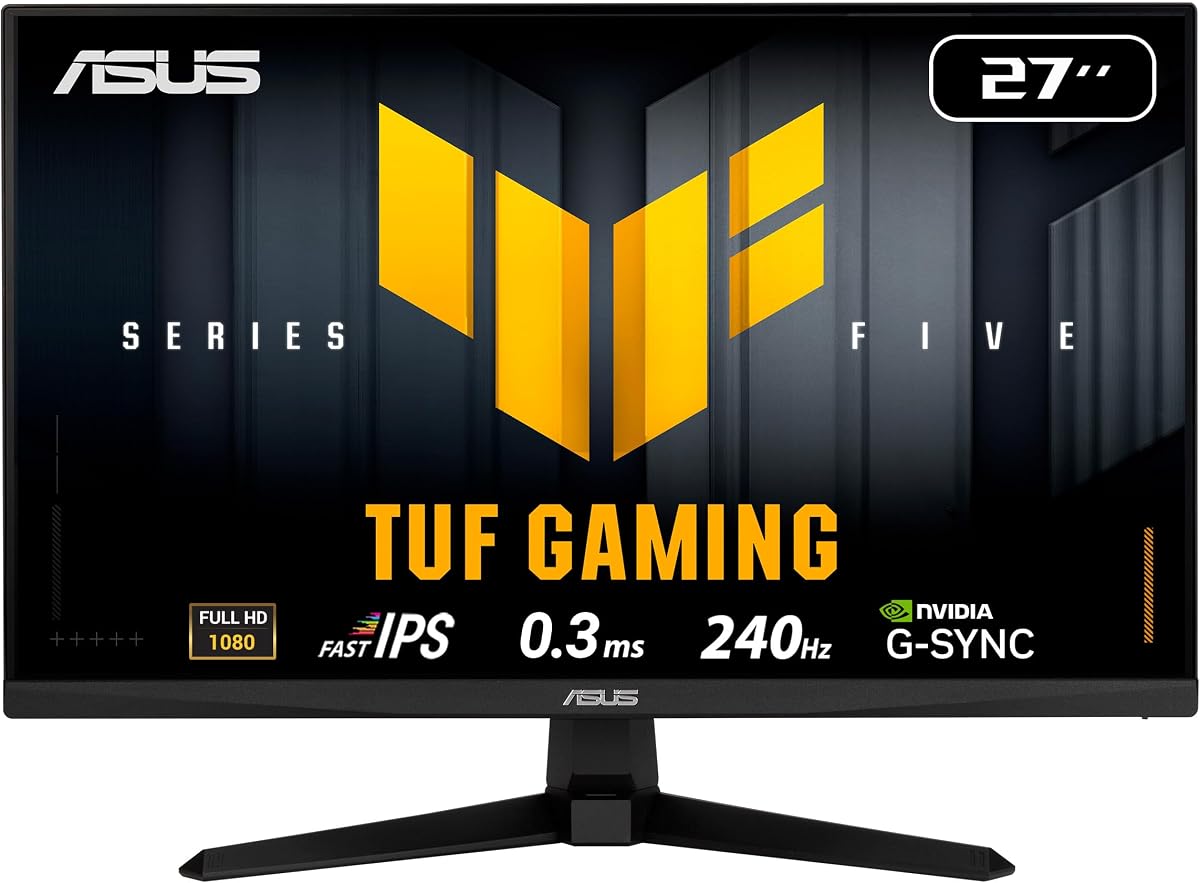
The ASUS TUF VG279QM5A is built around speed, making it best suited to modern competitive games. Its 27-inch Fast IPS panel combines 1920×1080 resolution with a 240Hz refresh rate and 0.3ms minimum response time, producing a specification set aimed at quick movement and precise feedback.
We may earn a commission when you buy through this link, at no additional cost to you.
Compatibility with both FreeSync Premium and G-SYNC gives it flexibility across different graphics platforms. ASUS Extreme Low Motion Blur Sync can work with variable refresh rates to reduce ghosting and tearing, while DisplayWidget Center provides mouse-based access to on-screen settings.
Retro content will not benefit from the extraordinary refresh rate, and the Full HD widescreen panel does not recreate 4:3 proportions. However, the monitor's low-latency behavior, broad color coverage, and synchronization features make it valuable when a compact desk is shared between classic games and demanding modern titles.
This ASUS display is a strong all-round choice for competitive PC gaming, with the added benefit of a three-year manufacturer warranty. Retro collectors focused on authenticity should look elsewhere, but hybrid users gain a monitor that is exceptionally well equipped for current games.
The 240Hz refresh rate and 0.3ms minimum response time prioritize rapid visual updates. These specifications are most meaningful in fast modern games rather than slow-paced classic software.
Support for FreeSync Premium and G-SYNC allows the monitor to work with a broad range of modern graphics systems. ELMB Sync adds a further tool for reducing motion blur in supported games.
We may earn a commission when you buy through this link, at no additional cost to you.
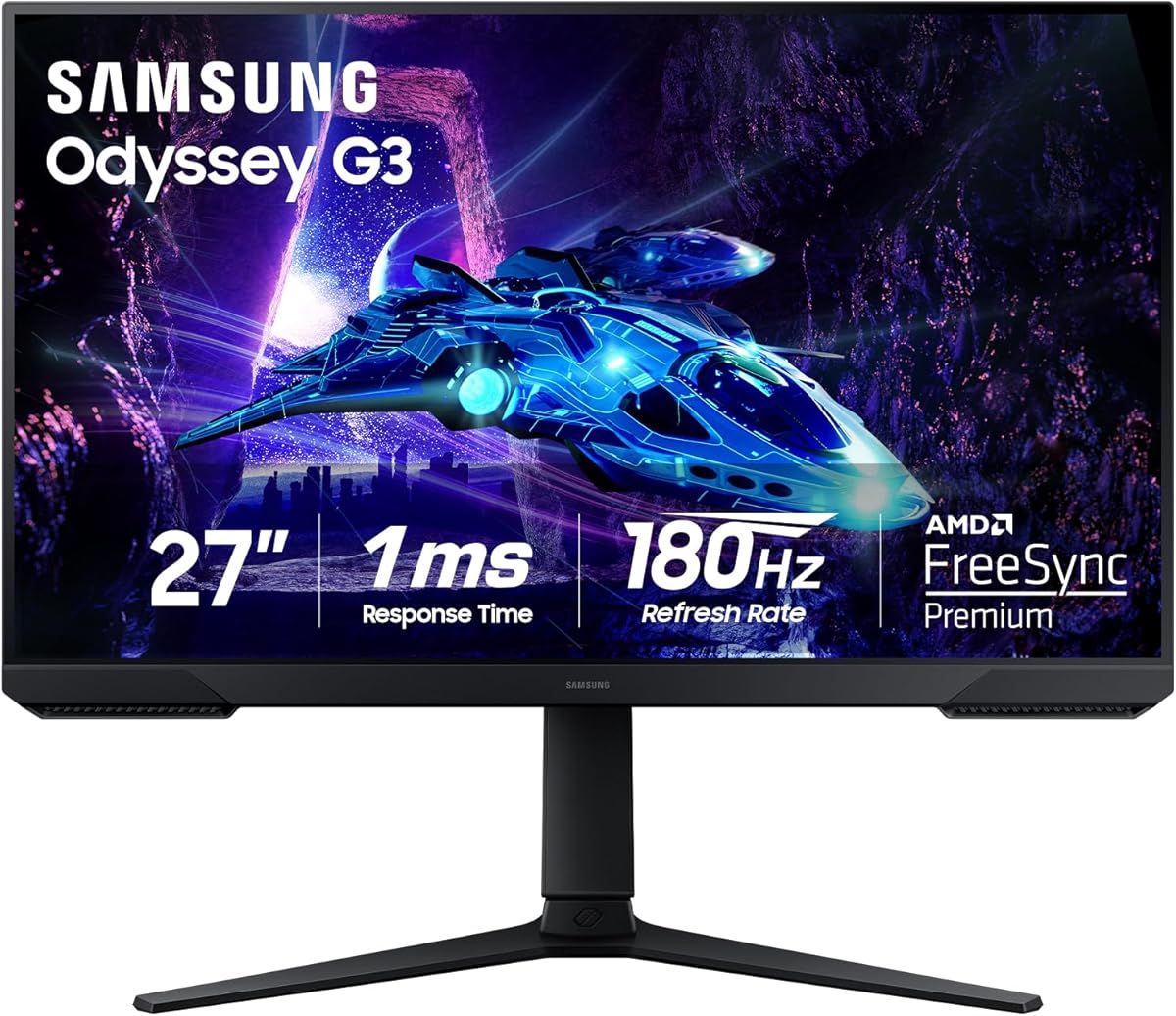
The Samsung Odyssey G3 G30D provides a high-refresh Full HD option for gamers who want strong motion performance without moving to QHD. Its 180Hz refresh rate and 1ms MPRT response are designed to produce smooth movement and minimal blur in fast-paced games.
We may earn a commission when you buy through this link, at no additional cost to you.
AMD Radeon FreeSync keeps the display and graphics card refresh rates synchronized to reduce tearing, while Black Equalizer, Virtual Aim Point, and Eye Saver Mode provide practical gaming and viewing tools. The three-sided borderless design also facilitates a tidy dual-monitor arrangement.
As a retro display, it lacks the square proportions and 60Hz simplicity that dedicated 4:3 monitors provide. Classic games will look widescreen, and most of its advanced features will not influence software designed for older consoles. Even so, it can serve as a capable second screen for emulation and lightweight retro gaming.
This Samsung is a well-rounded option for a gamer who wants a responsive general-purpose display. The adjustable stand supports swivel, tilt, pivot, and height changes, improving comfort during long sessions and making the 27-inch panel easier to position on a shared desk.
The 180Hz refresh rate provides a noticeable step above standard 60Hz displays. FreeSync support improves synchronization with compatible graphics hardware, helping keep motion clean during current games.
Height adjustment, swivel, tilt, and pivot give the large display considerable positioning flexibility. A nearly borderless design also helps it sit neatly beside another screen in a multi-monitor workspace.
We may earn a commission when you buy through this link, at no additional cost to you.
The most important decision is whether authentic 4:3 geometry matters more than modern resolution, motion performance, and gaming features. Retro systems, modern PC games, available space, and connection requirements should all shape the final choice.
A native 4:3 panel reproduces the proportions used by many classic consoles and older PC modes without requiring a widescreen image to be stretched or pillarboxed. The 15-inch and 17-inch 4:3 options in this guide are therefore especially relevant when authenticity is central to the setup. A 1024×768 or 1280×1024 panel can also make older menus, text, and low-resolution game scenes appear more natural.
Choose a native 4:3 display for classic console collections, 4:3 computer games, and emulation setups. Choose a widescreen panel only if modern gaming, a larger desktop, or one-monitor versatility matters more than period-correct geometry.
Resolution determines how much information the display can present and how much desktop space is available. A 1024×768 4:3 panel is appropriate for many vintage output modes, while 1280×1024 offers more room within the same shape. For modern PC games, 1920×1080 is the familiar Full HD baseline, and 2560×1440 offers additional detail for supported titles.
Match native resolution to the output of your most frequently used hardware. A higher-resolution retro monitor can improve desktop usability, but it does not automatically make low-resolution pixel art more authentic than a correctly sized 4:3 panel.
HDMI is essential for contemporary consoles, laptops, Raspberry Pi systems, and many modern PCs. VGA remains useful for older computers, projectors, industrial equipment, and some classic hardware. The most versatile small monitors include both, allowing the display to move between eras without requiring a permanent converter or dedicated screen.
Check the connectors on the intended source device before buying. Also consider whether the console can output the desired aspect ratio directly, since a 4:3 monitor cannot create 4:3 geometry from a signal that has already been stretched to widescreen.
Classic games rarely benefit from refresh rates above 60Hz, so a 4:3 display with a 60Hz panel can be entirely appropriate. Modern competitive games are a different matter, where 120Hz, 180Hz, and 240Hz models provide smoother movement and lower perceived latency. Fast response specifications can also make current action games feel more precise.
Prioritize native 4:3 for a dedicated retro display, but consider 120Hz or faster if the monitor will also run contemporary PC titles. For the latter, adaptive synchronization is another useful feature for reducing tearing with compatible graphics hardware.
TN panels can be practical for straightforward retro and office displays, but VA and IPS options often offer different combinations of contrast, viewing angles, and color behavior. The MSI model uses VA and states a 4000:1 contrast ratio, while the ASUS monitor uses Fast IPS and claims 99% sRGB coverage. OLED models deliver deeper contrast and fast response but are larger and focused on premium modern gaming.
Choose based on the role of the screen. A dedicated classic display benefits from correct proportions more than sophisticated color processing, while a mixed modern gaming setup benefits from contrast, wide viewing angles, synchronization, and careful dark-scene visibility features.
A small monitor with integrated speakers can simplify a compact gaming station by removing the need for separate desktop speakers. The 17-inch 4:3 model includes dual 1.5W speakers, while the Sceptre and Thinlerian models also provide integrated audio. The 17-inch 4:3 model further includes an audio output for more flexible sound arrangements.
Built-in speakers are a convenience rather than a substitute for a serious audio system. If sound quality is important, check whether the display includes a headphone or audio output and whether external speakers can be connected to the gaming device.
Screen size must be balanced against the dimensions of the desk, viewing distance, and any nearby television. Fifteen-inch 4:3 displays are especially compact, while a 17-inch 4:3 model offers a larger canvas without adopting a widescreen footprint. A 22-inch monitor provides more room for modern games, and 27-inch gaming panels demand considerably more desk space.
Look beyond the diagonal measurement and consider the stand, bezel, viewing angle, and mounting requirements. A display that fits physically but forces an uncomfortable viewing position may be less suitable than a smaller model with better ergonomics.
VESA compatibility can make a monitor easier to install in a confined or unconventional position. The 15-inch 4:3 displays support 75x75mm mounting, the 17-inch 4:3 model uses 100x100mm, and the MSI and Thinlerian units also support standard wall mounting. This allows wall installation or use of a monitor arm, although a suitable bracket may need to be purchased separately.
Choose a stand with tilt adjustment when the screen will be used for long sessions. Height adjustment, swivel, and pivot are more relevant for large 27-inch panels, while a compact retro display may benefit most from simple tilt control and the option to use a wall mount.
Begin by identifying the output resolution and aspect ratio of each gaming device. Connect the source with its native digital or analog cable, power on the monitor, and select the matching input through the on-screen controls. For a 4:3 panel, set the console or emulator to output an appropriate 4:3 mode rather than stretching the image to widescreen.
Adjust brightness and contrast after viewing the display in the room where it will normally be used. This is particularly helpful when comparing different CRT-era styles or moving between consoles with different output levels. Modern gaming monitors may also benefit from their preset modes, but using consistent settings makes switching between retro and current games less disruptive.
Keep the screen away from direct sunlight, excessive heat, dust, and moisture. Clean the panel with a soft microfiber cloth and avoid liquid cleaners that can seep into the bezel. Route cables away from the desk's movement area, check that ventilation openings remain clear, and use the supplied or appropriate power adapter and mounting hardware.
A 15-inch 4:3 display is often the most practical choice for a dedicated retro station because it recreates classic proportions and occupies relatively little space. A 17-inch 4:3 model offers more screen room and higher resolution while preserving the same shape. Larger widescreen monitors are preferable only when modern PC gaming and a multi-purpose desktop are equally important.
Yes, if faithfully recreating the original presentation is your priority. Classic games designed for 4:3 displays can look stretched on widescreen panels, and some systems do not offer straightforward aspect-ratio correction. A native 4:3 monitor avoids those complications, although a widescreen display remains more versatile for contemporary games and general desktop use.
Having both is the most flexible approach. HDMI works with modern consoles, laptops, Raspberry Pi systems, and many current PCs, while VGA supports numerous older computers and specialist displays. If all of your hardware uses one connection type, only that input is essential, but dual-input monitors make it easier to move between different generations of equipment.
For most classic console and PC games, 60Hz is entirely sufficient because the source material was generally created around that frame rate. Faster displays benefit modern competitive games more than retro titles. Choose a high-refresh monitor if the screen will also run current PC games, but it will not transform the inherent rendering or resolution of an older game.
A native 4:3 monitor can present classic game geometry more naturally, especially when the emulator is configured for integer scaling or an authentic aspect ratio. The result also depends on the original resolution, the emulator's rendering options, and the display's scaling behavior. A higher-resolution 4:3 panel can provide more desktop space and clearer text, although it will not increase the detail in original sprites.
Yes, and it can be the most practical single-display solution. Models with 120Hz or faster refresh rates, adaptive synchronization, and Full HD or QHD resolution handle contemporary games better than basic 60Hz screens. The main retro compromise is widescreen geometry, which may stretch some games unless aspect-ratio correction is available.
They are useful when desk space and simplicity are priorities. Integrated speakers can provide basic game audio without adding another device, while some compact monitors also include an audio output for headphones or external speakers. Dedicated gaming headsets or stereo speakers will still provide a better listening experience for games with detailed soundtracks.
A monitor arm can save desk space, improve the viewing angle, and make it easier to position a display near an existing console or television. The monitor must support a compatible VESA pattern, and the correct adapter or plate may be needed. If the arm lacks a standard mount, verify that the manufacturer supports the display's VESA specification before purchasing.
The SKitphrati 15-inch 4:3 model is the strongest all-around choice when classic proportions and a compact footprint are the main priorities. The 17-inch 4:3 monitor is the premium retro option because it adds higher resolution, stronger contrast, wider device support, and built-in audio for setups that also need to handle modern consoles, media, and office work.
If the monitor must cover both classic and current PC games, a higher-refresh widescreen model is the better direction. The MSI PRO MP225 E12VL offers a compact 120Hz option, while the Samsung Odyssey G3, Odyssey G5, ASUS TUF VG279QM5A, and Samsung OLED G6 provide increasingly capable modern gaming features.
Before purchasing, confirm the output resolution, aspect ratio, connectors, refresh needs, and available desk space of every intended device. Current pricing, availability, and product details can change, so checking the latest listing information will help ensure that the selected monitor remains the right fit for the complete retro gaming setup.