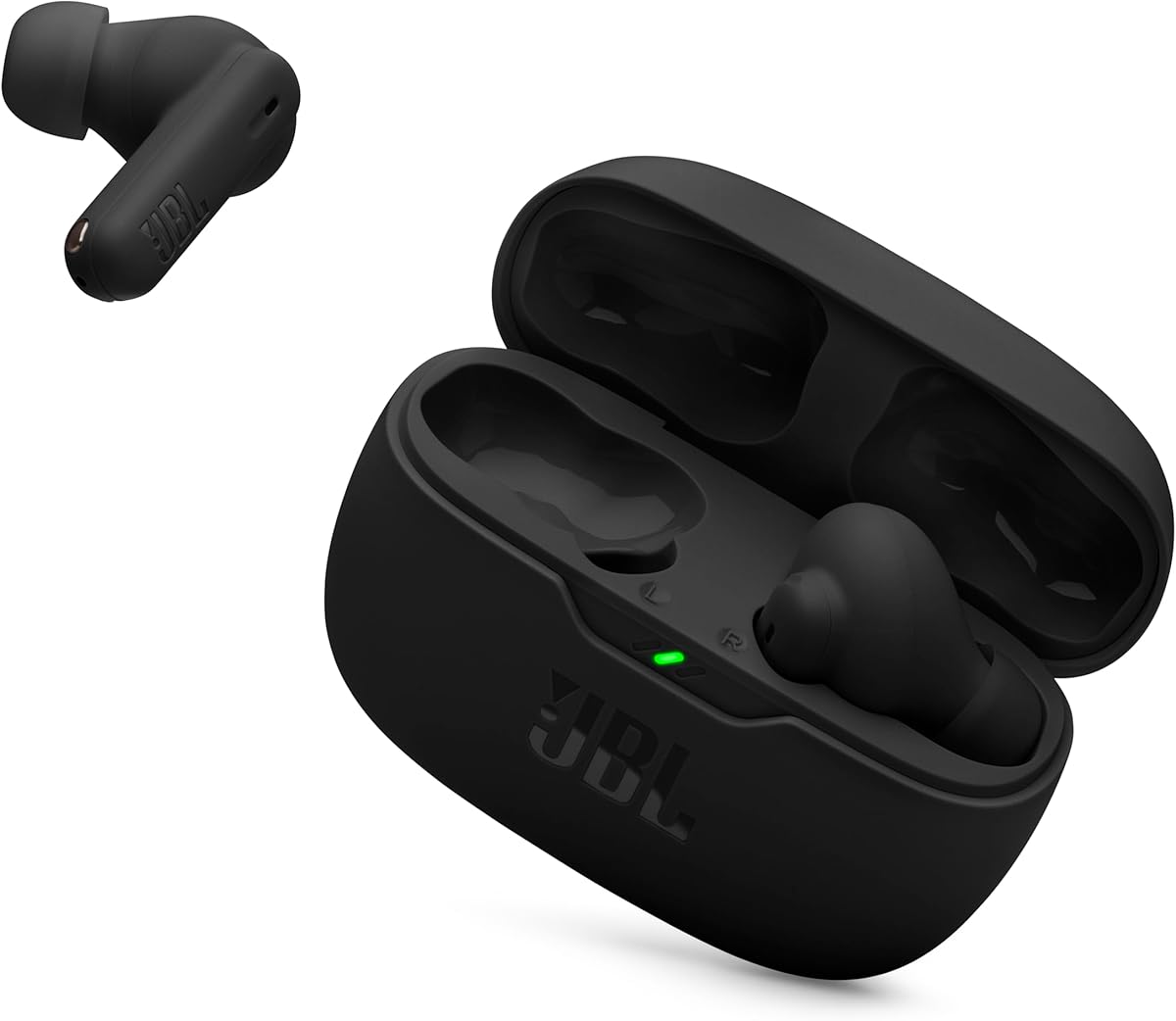
JBL Vibe Beam 2
4.1Editor score
Four-microphone call system
Active noise cancellation
Forty-hour total battery
Discover the 10 best earbuds for video conference in 2026, comparing mic clarity, noise cancellation, comfort, battery life, connectivity, and everyday call
Earbuds for video conference must do more than deliver good music. They need to capture your voice clearly, limit distracting background noise, support dependable wireless connections, and remain comfortable through long meetings. The right model can also help you hear colleagues more clearly while keeping office activity, household sounds, and connection noise under control.
This guide compares ten earbuds using the specifications and features listed in their product information, with particular attention to microphone systems, noise cancellation, transparency modes, call controls, battery life, comfort, and device compatibility. It covers premium models, capable midrange options, and affordable choices for students, remote workers, and anyone joining frequent online meetings.
Each review explains the product's strongest conference-day qualities, practical trade-offs, and ideal user. The first three receive dedicated award labels, while every remaining model offers a distinct balance of features. Product availability and pricing can change, so check the current listing and confirm important functions with your conferencing software before buying.
4.1Editor score

4.4Editor score

4.3Editor score
This side-by-side comparison highlights the microphone, noise-control, battery, comfort, and connectivity details that matter most during online meetings, helping readers compare premium, midrange, and budget models without overlooking practical call-day features.


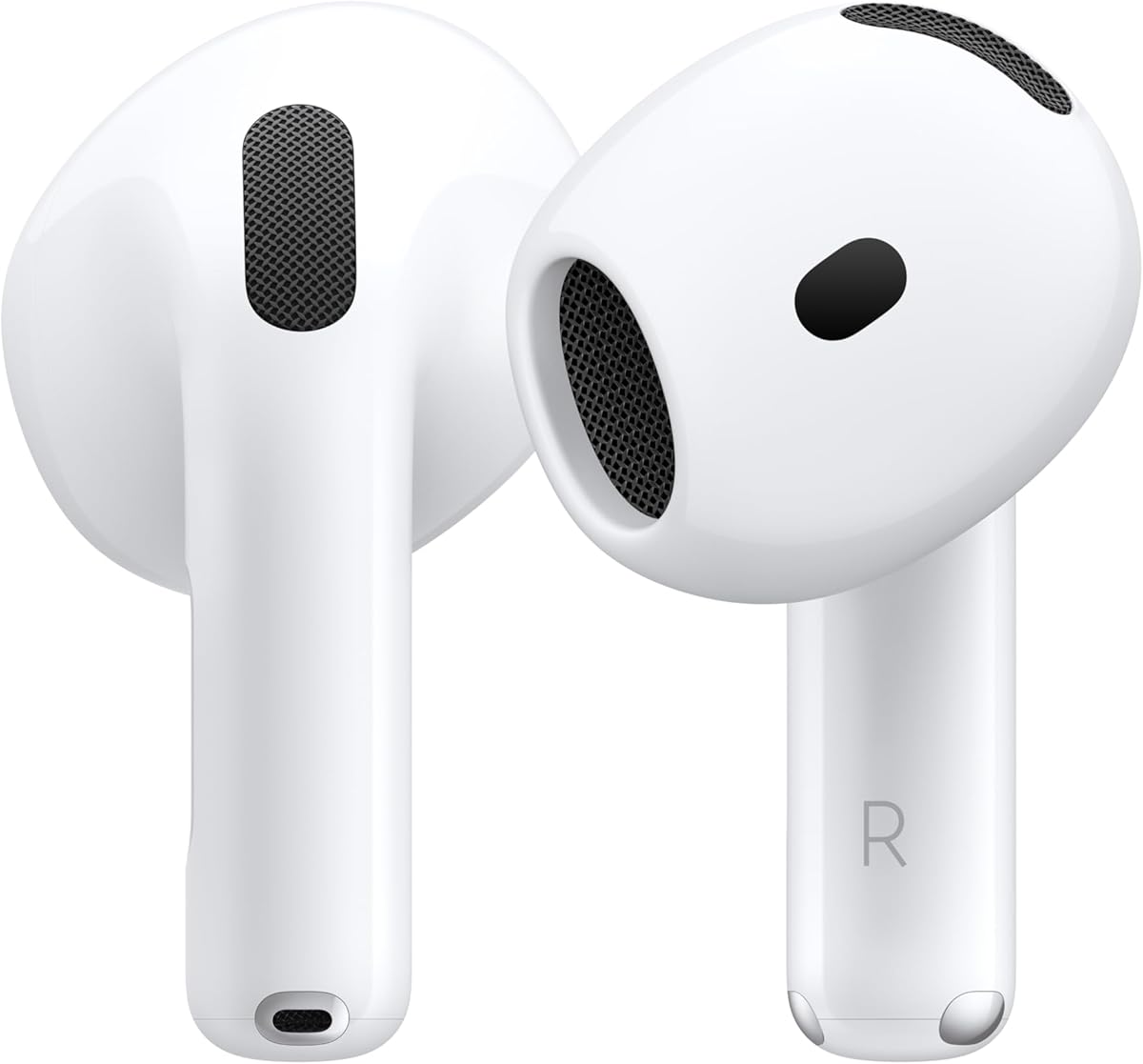
The Apple AirPods Pro 3 are the strongest all-around choice in this guide for video conferencing, earning a 4.4 rating from the supplied product information. Their standout combination of active noise cancellation, personalized listening, multiple ear-tip sizes, automatic device switching, and lengthy battery life makes them well suited to demanding meeting schedules. The result is a polished option for users who want one pair of earbuds to handle calls, focused work, travel, music, and media.
We may earn a commission when you buy through this link, at no additional cost to you.
The most conference-relevant feature is the upgraded active noise cancellation, which the listing says removes up to twice as much unwanted noise as AirPods Pro 2. That capability can reduce persistent distractions such as air conditioning, nearby conversation, and street noise. Inward-facing microphones measure what the user is hearing, while next-generation Adaptive EQ adjusts the sound signature to the fit and geometry of the ear. When a colleague's voice needs to enter the mix, Transparency mode provides a practical way to monitor the surrounding environment.
Automatic Switching is particularly useful for people who move between an iPhone, iPad, and Mac during a workday. Audio Sharing can also let two people listen to the same song or show from an iPhone, iPad, or Apple TV, though the most relevant meeting benefit is the easier movement between personal devices. The stated listening time reaches eight hours with active noise cancellation and ten hours in Transparency using the Hearing Aid feature, while the included case extends everyday use. Five ear-tip sizes and a new acoustic architecture also support comfort and consistent sound.
The main trade-off is ecosystem dependence. Automatic Switching and Audio Sharing are presented as Apple-device features, so users who regularly work across Windows, Android, macOS, and iOS may receive a more cohesive experience from a cross-platform alternative. Health and hearing features add value but do not replace the need to check regional availability and compatibility. Even so, for an Apple user who values distraction reduction, effortless device transitions, and polished call-day performance, the AirPods Pro 3 are the most complete recommendation here.
The upgraded active noise cancellation and adaptive sound system address two sides of the video-call experience: reducing incoming distractions and helping listeners hear colleagues consistently. Transparency mode gives users a quick alternative when awareness of a room or nearby alert becomes more important than complete isolation.
Five ear-tip sizes support a more secure and personalized fit, which is valuable during extended calls. Automatic Switching reduces the friction of moving between Apple devices, making it easier to answer a meeting on a phone, continue work on a tablet, or switch to a computer.
We may earn a commission when you buy through this link, at no additional cost to you.
The JBL Vibe Beam 2 are a practical budget selection for people who need dependable everyday earbuds for video meetings without moving into the premium category. They carry a 4.1 rating and offer the combination that matters most at a modest product tier: active noise cancellation, four microphones for calls, Smart Ambient awareness, and 40 total hours of playback. The 8mm dynamic drivers also support JBL Pure Bass sound for music and video playback between meetings.
We may earn a commission when you buy through this link, at no additional cost to you.
Call performance is supported by two microphones on each earbud. According to the product information, they pick up the wearer's voice while canceling ambient noise, making the earbuds a sensible choice for home offices, shared workspaces, and locations with regular street or environmental noise. Smart Ambient controls how much outside sound enters the mix, allowing users to hear a nearby person without completely removing the earbuds. This is useful when a colleague speaks from the side of the room or when an alert needs immediate attention.
Battery life is another reason these earbuds suit regular schedules. The stated playback reaches 10 hours per charge, with the case adding three full charges for 40 hours in total. A 10-minute USB-C charge provides another three hours when active noise cancellation is off. The JBL Headphones app adds EQ selection, custom EQ, battery prompts in multiple languages, and Relax Mode with five peaceful sounds. These extras are not essential for a meeting, but they make the earbuds more useful outside one.
The compromises are predictable for a budget model. There is no specially described platform-wide voice-isolation system, automatic cross-device switching, or advanced call sensor array comparable to the premium choices. The battery figures also depend on whether active noise cancellation is enabled, and some users may need the app to access sound and prompt settings. Even with those limitations, the Vibe Beam 2 prioritize microphone coverage, environmental control, and endurance at an accessible tier, making them a convincing value pick for regular remote workers.
Two microphones in each earbud give the Vibe Beam 2 a clear call-focused design. Their noise-reducing approach is intended to keep the user's voice clearer when household, office, or outdoor noise competes with the conversation.
Smart Ambient makes it easy to adjust how much surrounding sound is audible without taking the earbuds out. Combined with 40 total hours of playback and app-based EQ, the model covers both communication and personal entertainment needs.
We may earn a commission when you buy through this link, at no additional cost to you.
The Soundcore P30i are an attractive choice for video conference users who divide their attention between calls and mobile video. They have a 4.3 rating and combine four AI-enhanced microphones with adaptive noise cancellation, transparency mode, and a 2-in-1 charging case that doubles as a phone stand. That unusual case feature makes the earbuds particularly useful for travelers and hybrid workers who join calls from a desk, kitchen, or shared space.
We may earn a commission when you buy through this link, at no additional cost to you.
For meetings, the four-microphone arrangement and AI processing are the main attractions. The product information says the microphones capture the voice with precision, which supports clearer communication in home and outdoor environments. Adaptive noise cancellation automatically selects a level based on outside sound, while transparency mode lets users hear what is happening around them. The 10mm drivers and BassUp technology also add fuller sound for shared videos, music, and spoken content that benefits from more body than a basic conference headset.
The folding phone stand is a practical differentiator. Opening the back panel of the case creates a stable place to position a phone for hands-free viewing, reducing the need to prop a device against books or a household object. The model supports Bluetooth 5.4, automatically reconnects with the last paired device, and offers four-mic calls. The soundcore app provides EQ modes, adjustable noise cancellation, software updates, and over-the-air firmware improvements, allowing the earbuds to be tuned around different working conditions.
The trade-off is that noise cancellation reduces the quoted battery figures. Playback is listed at up to 10 hours with the earbuds alone and 45 hours with the case, while the corresponding ANC figures are six and 25 hours. A 10-minute charge adds two hours, which is helpful between meetings. The stand also depends on the size and shape of the user's phone. Even so, for a user who wants better microphone performance, adjustable focus, and a built-in way to watch mobile content, the P30i offer one of the most versatile combinations in the guide.
The two-in-one case transforms an otherwise ordinary charging accessory into a hands-free viewing station. It is especially helpful when a video conference is paired with a short presentation, lesson, or livestream viewed on a phone.
Adaptive noise cancellation adjusts to external sound, while transparency provides a fast way to monitor the room. The 10mm drivers and BassUp processing also make the earbuds useful for music and video between professional calls.
We may earn a commission when you buy through this link, at no additional cost to you.
The Samsung Galaxy Buds 4 Pro are a strong choice for Galaxy users, combining a 4.4 rating with high-resolution audio, adaptive noise cancellation, HD Voice, and touch controls. Their two-way speaker arrangement places a tweeter and woofer in each earbud, which should benefit music, presentations, and shared video as well as spoken conversations. The ear-hugging design and changeable ear tips also suggest a focus on stable, comfortable use during extended meetings.
We may earn a commission when you buy through this link, at no additional cost to you.
The conference feature that most directly differentiates the model is HD Voice with Galaxy S26 Series devices. The product information describes those combinations as delivering crisp and clear conversations. Adaptive Active Noise Cancellation 2.0 updates in real time as the environment changes, making it useful in shared offices, homes with intermittent distractions, and travel settings. A simple pinch or swipe handles calls, volume, and other functions without requiring users to open an app during a meeting.
The broader feature set is especially compelling for Galaxy owners. Galaxy Buds 4 Pro can deliver hands-free AI assistance, quick answers, and real-time translations when paired with Galaxy S26 Series devices. Live Translate is also highlighted. While these capabilities are not required for a conventional meeting, they can improve communication across language barriers. The 24-bit hi-fi codec is designed to preserve audio detail over Bluetooth, and the two-speaker setup gives the earbuds a stronger media identity than many basic conference alternatives.
Some advantages are closely tied to recent Galaxy hardware, particularly HD Voice and the advertised AI functions. Users on other platforms should verify supported features before expecting identical performance. The IP57 rating adds useful durability for commuting and exercise, but it is not the same as complete submersion protection. Within Samsung's ecosystem, however, the Buds 4 Pro offer an excellent combination of call clarity, adaptive focus, rich audio, smart controls, and polished everyday features.
HD Voice support with Galaxy S26 Series devices is designed to improve the clarity of conversations. Adaptive ANC 2.0 responds to changing surroundings, helping users maintain focus without making every environmental sound seem identical.
Hands-free AI assistance and real-time translation can make cross-language calls more approachable for Galaxy users. These features complement rather than replace the core microphone, noise-control, and touch-control functions needed for daily conferencing.
We may earn a commission when you buy through this link, at no additional cost to you.
The XIAOWTEK S58 Pro have the highest customer rating in this roundup at 4.9, along with a feature set aimed at long, connected workdays. Their strongest conference advantages are a four-microphone environmental noise cancellation system, low-latency Bluetooth 5.4, automatic pairing when the case opens, and broad compatibility with phones, tablets, and laptops. A dual digital display also shows the battery level of both the earbuds and their case.
We may earn a commission when you buy through this link, at no additional cost to you.
The stated 50-hour total music time is based on alternating the two earbuds and using a 470mAh case that provides four additional full charges. Each earbud is listed as lasting six hours on a single charge. That endurance is useful for people who cannot recharge daily or who use earbuds through a combination of meetings, calls, focused work, and entertainment. The product information also claims a stable connection within 15 meters and 35 percent stronger signal penetration than Bluetooth 5.3.
For voice communication, the four ENC microphones are intended to pick up speech accurately while blocking as much as 80 percent of background noise. Touch controls provide playback, volume, track changes, call management, and voice-assistant activation. Audio support includes triple-layer 13mm drivers, AAC and SBC codecs, and Qualcomm aptX Adaptive Audio. These qualities make the earbuds useful for online classes, team meetings, interviews, and casual calls where reliable audio and connection matter.
The 4.9 rating is encouraging, but the product does not advertise the sophisticated voice-isolation systems, platform-specific call processing, app-based ANC adjustment, or advanced device switching found in several premium options. IPX7 helps protect against water and dust in everyday use, but the rating does not indicate suitability for swimming or prolonged submersion. For buyers seeking simple pairing, long battery life, broad laptop and phone compatibility, and a capable four-microphone setup, the S58 Pro remain a highly rated value-oriented choice.
The 50-hour case-inclusive runtime and six hours per earbud make the S58 Pro suited to packed schedules. The charging case adds four full charges, while the external displays provide quick battery visibility without opening it.
Bluetooth 5.4, automatic pairing, and a claimed stable range within 15 meters simplify use across phones, tablets, and laptops. Low-latency behavior is also valuable for video, demonstrations, and call applications that depend on well-timed audio.
We may earn a commission when you buy through this link, at no additional cost to you.
These wireless earbuds are a simple, highly rated option for video conferences, with a 4.7 customer rating and a focus on stable connectivity, low latency, long battery life, and all-day comfort. Their headline benefits are easy: automatic reconnection to the last-used device, Bluetooth 5.4 performance, a digital battery display, and an ergonomic lightweight design. The product information is especially confident that the earbuds can support gaming, movies, and clear calls without a complicated setup.
We may earn a commission when you buy through this link, at no additional cost to you.
Because the earbuds reconnect when the case opens, a user can move from a call on a laptop to a meeting on a phone with less manual pairing. Touch controls handle play and pause, track skipping, calls, volume, and voice assistants. Three sizes of soft, flexible ear tips are included, and the low-weight construction is intended to reduce pressure during long work sessions. These qualities make the model a comfortable choice for students attending classes or employees handling back-to-back calls.
Battery life reaches seven to eight hours on a single charge and up to 50 hours with the high-capacity case. The case supports Type-C fast charging, while its digital display shows power status. An IPX7 rating adds resistance to sweat and light rain, expanding the earbuds beyond desk use. The hi-fi stereo design, balanced audio, and low-latency connection also make them useful for shared media and presentations, not merely voice calls.
The product information does not specify an exact microphone count or describe a dedicated adaptive noise cancellation system, so buyers should not assume the same speech-isolation performance as models with detailed call arrays. It also does not mention multipoint connection, platform-specific voice processing, or companion-app controls. Those omissions place it as a more general-purpose option. Its high rating, straightforward reconnection, strong runtime, and comfortable fit nevertheless make it a compelling choice for uncomplicated video conferencing.
The lightweight shell and three sizes of flexible ear tips are designed to distribute pressure more evenly. Users can select a tip that feels secure without relying on the earbuds being held in place throughout a lengthy meeting.
Opening the case reconnects the earbuds with the last-used device, removing a common source of meeting delay. A digital battery display and 50-hour case-inclusive runtime make the model practical for people who use earbuds throughout the day.
We may earn a commission when you buy through this link, at no additional cost to you.
The Soundcore Liberty 5 Pro are the premium call-focused option in this guide, earning a 4.3 rating and a feature set centered on speech clarity in difficult environments. Their most important conference asset is a 10-sensor matrix consisting of eight microphones and two bone-conduction sensors. Combined with the Thus AI Chip, this system is designed to keep the user's voice intelligible in extremely noisy settings as well as quiet rooms, where even minor movement and rustling can affect a call.
We may earn a commission when you buy through this link, at no additional cost to you.
Noise cancellation is similarly advanced. According to the product information, the earbuds process more than 384,000 noise signals per second and provide 100 percent more effective cancellation than the manufacturer's previous flagship. That level of control should help users concentrate on remote colleagues rather than nearby traffic, office activity, or household sound. HearID 5.0 adjusts the sound profile to the user's ears, and an AI Audio Enhancer provides additional tuning for a more personalized result.
Call and device control is designed to be efficient. The listing highlights 20 built-in commands for skipping songs, taking calls, and adjusting volume, with offline processing intended to eliminate delay. A five-minute charge provides four hours of listening, which is useful for recovering quickly before a meeting. The soundcore app provides HearID, EQ modes, Spatial Audio, adjustable ANC, software updates, and over-the-air firmware improvements, giving the earbuds a broad customization platform.
The major compromise is battery life. With ANC enabled, the stated maximum is six and a half hours per charge and 28 hours with the case. Using Extreme mode with multiple features can reduce that to two and a half hours, or 10.5 hours with the case. That is less convenient for all-day continuous wear, especially for users who want maximum cancellation throughout a long schedule. For users willing to balance endurance with the strongest voice and noise-control technology, the Liberty 5 Pro are the premium conference-day choice.
Eight microphones and two bone-conduction sensors create a more elaborate voice-pickup system than most alternatives. The stated goal is to capture speech in environments reaching 100 decibels or more, making the earbuds well suited to noisy shared workplaces and travel.
HearID 5.0 personalizes the sound profile, while the Thus AI Chip processes incoming noise continuously. A five-minute charge restores four hours of listening, providing a convenient answer when a short recharge is needed between calls.
We may earn a commission when you buy through this link, at no additional cost to you.
The Dell Pro Plus EB525 are designed with a clear professional-use proposition: clean voice communication, distraction control, and uncomplicated touch operation. They hold a 4.1 rating and emphasize workspace performance rather than entertainment extras. The AI-based noise-canceling microphone is intended to recognize and isolate the user's voice, while Adaptive ANC and enhanced transparency mode let users move between focused and aware listening states.
We may earn a commission when you buy through this link, at no additional cost to you.
The microphone system is central to the EB525's conference appeal. Its AI-based filtering is designed to reduce background noise while making speech easier for remote participants to hear. Touch gestures provide direct control over calls, volume, music, ANC, and transparency. A pinch can switch between deep focus and heightened awareness, which is especially helpful when a user needs to isolate a colleague's voice or quickly check something happening in the physical room.
The earbuds also benefit from a simple, professional design philosophy. Rather than depending on a complex array of controls, the product uses familiar pinches and swipes to handle core meeting tasks. Adaptive ANC is intended for sustained focus, and the enhanced transparency mode offers awareness without requiring complete removal of the earbuds. This makes the EB525 appealing for professionals who want conference-oriented controls without having to manage many companion settings.
The supplied information is comparatively compact, with no detailed microphone count, battery figures, codec list, or multi-device switching claims. That limits how confidently the earbuds can be compared with more extensively specified models, especially for buyers focused on media quality. Nevertheless, the combination of AI voice filtering, adaptive noise cancellation, transparency, and direct touch controls makes the EB525 a focused choice for office-based video meetings and focused work sessions.
The AI-based microphone is designed to recognize speech and filter competing background noise. This makes the EB525 a practical option for shared offices, customer calls, and other conversations where the remote listener's ability to understand the speaker is paramount.
Adaptive ANC supports concentrated work, while enhanced transparency provides quick access to surrounding sound. A simple pinch makes the transition direct enough to use during a meeting without navigating a phone or application.
We may earn a commission when you buy through this link, at no additional cost to you.
The Soundcore Liberty 4 NC offer a mature, feature-rich balance for video conference users, carrying a 4.2 rating and a broad set of tools for calls, travel, and everyday listening. Their 11mm custom-tuned drivers, LDAC support, and HearID 2.0 personalization make them more media-oriented than many competitors, while six beamforming microphones and an AI algorithm provide a clear focus on voice communication.
We may earn a commission when you buy through this link, at no additional cost to you.
The microphone arrangement is designed to amplify the user's voice and reduce background noise, making the earbuds suitable for calls from cars, shared rooms, and busy homes. Adaptive ANC 2.0 makes real-time calculations based on the user's ear canals and the surrounding environment. The listing states that the system can cancel up to 98.5 percent of noise, while the in-ear sensor helps support consistent isolation and adaptive performance.
Device flexibility is another meaningful advantage. Bluetooth 5.3 multipoint connection allows the earbuds to remain connected to more than one device, which is useful for users who move between a work computer and personal phone. Quick Android pairing, automatic play and pause when worn, and the soundcore app add further convenience. HearID 2.0 creates a personalized sound profile, while adjustable EQ and 22 presets provide control over the listening experience.
Battery life is listed at 10 hours per charge or 50 hours with the case in normal mode. With ANC enabled, the corresponding figures are eight and 40 hours. The earbuds also carry an IPX4 water-resistance rating for commuting and light exposure. The principal trade-off is that some of these advanced features make the product a more substantial investment than simpler models. For users who want strong calls, dependable multipoint connectivity, rich sound, and extensive customization, the Liberty 4 NC remain a well-rounded conference companion.
Six beamforming microphones work with an AI algorithm to isolate speech from environmental noise. This makes the earbuds a strong fit for mobile calls where road, wind, or shared-space noise can otherwise obscure the user's voice.
Multipoint connection through Bluetooth 5.3 helps users move between a computer and phone without repeatedly rebuilding the connection. Automatic wear-based playback and pause further streamline everyday use.
We may earn a commission when you buy through this link, at no additional cost to you.
The Apple AirPods 4 are a compact, polished option for video conferencing, with a 4.5 rating and an emphasis on comfort, call clarity, and simple Apple-device integration. The redesigned shape uses a refined contour and shorter stem, while quick-press controls make it easier to answer calls or manage playback. The H2 chip and computational audio support Voice Isolation, which is intended to clarify the user's voice in loud conditions.
We may earn a commission when you buy through this link, at no additional cost to you.
Voice Isolation is the defining conference feature. The product information says computational audio reduces background noise while isolating and clarifying speech for the person on the other end. That is particularly useful in a household, café, or shared office where the meeting environment is less controlled. The earbuds also support Personalized Spatial Audio with dynamic head tracking, which is not essential to a call but creates a more involving experience for films, television, games, and shared video.
The fit receives as much attention as the electronics. A refined contour, shorter stem, and redesigned construction are intended to provide all-day comfort and better stability. An optical in-ear sensor automatically plays audio when the earbuds are worn and pauses it when they are removed. Siri can handle calls, music, and schedule requests, and Audio Sharing allows two sets of AirPods to listen to the same content from an iPhone, iPad, or Apple TV.
The main limitation is the absence of active noise cancellation, which separates the AirPods 4 from the Pro-focused alternatives in this list. Battery life is also more modest, with up to five hours per charge and 30 hours through the case. Nevertheless, Voice Isolation, quick controls, automatic wear detection, and broad Apple integration make them convenient for shorter meetings and users who prefer a smaller, lighter design. The USB-C case is over 10 percent smaller by volume than the previous generation, adding to the overall portability.
The H2 chip and computational audio work together to reduce incoming background noise while clarifying speech. This makes the AirPods 4 useful when the call is important but the immediate environment is not perfectly quiet.
The shorter, refined design is intended to improve stability and reduce bulk during long wear. Quick-press controls provide direct access to calls and media, while wear detection helps prevent missed audio and unnecessary playback.
We may earn a commission when you buy through this link, at no additional cost to you.
A good conference earbud should prioritize speech capture, environmental noise control, reliable connectivity, and comfortable wear. The right balance depends on your room, device ecosystem, meeting length, and whether you also use the earbuds for music, travel, and exercise.
The most important test is whether your voice remains natural and intelligible to remote participants. A headset that makes your own voice sound heavily processed may still be effective in severe noise, while a more natural voice profile may suit quieter calls. Some products also provide dedicated transparency or ambient modes, allowing you to check whether the microphone is picking up unwanted sound. Consider the platforms you use, because some enhanced call features are described only for particular phone or computer combinations.
Transparency serves a different purpose from full cancellation. It keeps your earbuds in place while letting in surrounding sound, which helps when a colleague speaks nearby, when an alarm sounds, or when you need to order food without removing the earbuds. The best setup includes both functions: deep focus for protected concentration and quick awareness for environmental interaction. If your calls take place mostly at home, a simpler ambient mode may be enough, while frequent travelers gain more from sophisticated cancellation.
For all-day wear, check how the model behaves with multiple features enabled. Advanced ANC, spatial audio, voice assistants, and automatic device switching can affect power consumption. Users who speak continuously may also prefer models that allow the earbuds to be alternated, extending the total listening time. The case's charging connector and display are minor conveniences, but a USB-C case offers broader compatibility and a numeric charge display can help prevent unexpected shutdowns.
A good fit also supports the performance of noise cancellation because an inconsistent seal can let sound leak around the earbud. Users who wear glasses, work in warm environments, or have sensitive ears may prioritize weight and tip softness over every available audio feature. It is sensible to check return eligibility when possible and gradually increase wearing time after purchase. The goal is not simply to keep the earbuds secure but to remain comfortable while speaking and listening for an entire meeting.
The best experience is often found when the earbuds, phone, computer, calendar, and conferencing application belong to a connected ecosystem. Apple and Samsung models offer notable benefits within their respective device families, including automatic handoffs, assistant functions, translations, or enhanced voice modes. Cross-platform buyers should prioritize standard Bluetooth, multipoint, easy reconnection, and dependable low-latency behavior over features that require one particular phone.
Software control is worth considering as well. Companion apps may provide firmware updates, EQ settings, ANC levels, device management, and personalized listening profiles. App-based control is useful for preparing before a meeting, but it should not be required for essential daily functions. The ideal model lets users adjust noise mode, answer calls, and check battery status quickly while offering deeper customization when time permits.
Pay attention to both drivers and processing. Custom-tuned drivers can improve detail, while hearing tests and adaptive EQ can account for differences between users. For media, low-latency Bluetooth and synchronized audio are important, particularly when watching a video that a colleague references during the call. Buyers who plan to use one pair for work and entertainment should balance call-focused microphones with enough media capability to enjoy music without carrying a second pair of earphones.
Travel users should also consider the size and weight of the charging case, secure-fit ear tips, and battery endurance. A compact case is easier to carry between meetings, while a larger capacity may be more practical for long trips. Features such as a built-in phone stand can improve hands-free use, although compatibility with the phone's dimensions and case should be checked. Durable construction and reliable microphones are separate qualities, so assess both rather than assuming one implies the other.
Begin by fully charging both earbuds and the case, then update any available firmware through the manufacturer's companion application. Pair the earbuds with the computer or phone you expect to use most often, and confirm that the device recognizes them for both microphone input and sound output. Select the earbuds in the operating system's audio menu, perform a short recording test, and listen to a short playback to verify microphone placement, output balance, and latency before the meeting begins.
For a noisy call, use a seat where your voice is closer to the earbuds and away from obvious noise sources. If the earbuds offer ANC and transparency, start with moderate noise cancellation and switch to transparency when you need to follow a nearby conversation. Keep the microphones unobstructed, avoid touching them unnecessarily, and use a quiet keyboard or headset microphone if another person in the room is much louder. Test the final setup with a colleague, since remote participants can identify echo and background noise that may be less obvious locally.
After each call, remove the earbuds, wipe the tips and microphones with a dry or lightly damp soft cloth, and place them in the case. Do not use abrasive cleaners, immerse the earbuds, or charge them while wet. Keep the charging contacts clean, inspect the ear tips for debris, and replace damaged tips promptly. Store the case away from extreme heat and follow the manufacturer's instructions for battery care, water exposure, and service.
For maximum speech capture, the Soundcore Liberty 5 Pro stand out because their listed call system combines eight microphones with two bone-conduction sensors and AI processing. The Apple AirPods Pro 3 and Apple AirPods 4 are also strong for Apple users because of their computational voice processing, while the Dell Pro Plus EB525 focuses directly on AI-based voice filtering. The right model also depends on noise in your room, so testing a short recording is advisable before a critical meeting.
Active noise cancellation can help if your home includes air conditioning, family activity, street noise, or a shared workspace. It reduces the background sound competing with colleagues, making the conversation easier to follow. In a consistently quiet room, a good microphone and transparent awareness mode may be sufficient. If you occasionally need to hear a nearby person, choose a model that switches between cancellation and transparency without removing the earbuds.
Most Bluetooth earbuds in this guide can connect to compatible laptops, and the XIAOWTEK S58 Pro explicitly lists broad compatibility with phones, tablets, and laptops. The generic Bluetooth 5.4 model also supports Bluetooth devices generally. You may need to change the computer's input and output devices in system settings or the conferencing application. Test the microphone and speakers before the meeting, and keep a wired or built-in laptop microphone as a backup when software permissions cause problems.
Voice isolation primarily improves how the remote participants hear you, while active noise cancellation primarily controls what you hear. Both matter, but their value depends on the environment. Voice isolation is especially useful when other people are speaking or making noise nearby. Active noise cancellation is especially useful when colleagues' voices are obscured by steady background noise. A balanced model with both features provides the most adaptable conference experience.
A single charge lasting six to eight hours is generally practical for a workday of intermittent meetings. Battery use varies with ANC, spatial audio, and other features, so compare the quoted normal and ANC figures when possible. A case that supplies multiple recharges is valuable for travel or users who wear the earbuds continuously. Models with quick charging can also recover several hours of listening during a short break.
Noise cancellation reduces incoming environmental sound, helping you focus on the meeting and hear remote speakers more clearly. Transparency allows more outside sound into the earbuds so you can remain aware of your surroundings. Transparency is useful when someone speaks beside you, when you need to notice a timer, or when you want to check a physical room. The two modes are complementary rather than interchangeable.
Multipoint is valuable if you regularly move between a phone and computer during the day. It can keep both devices connected, reducing the need to disconnect and re-pair the earbuds. It is less essential if your calls always use one device or if your preferred model provides excellent automatic switching within a single ecosystem. Check platform compatibility, because the full benefit depends on the devices and operating systems involved.
Use the earbuds in a relatively soft, furnished space, keep the microphone away from a fan or open window, and avoid positioning the device directly behind the speaker. Confirm that the conferencing application is using the earbud microphone rather than the laptop's built-in microphone. Lowering the speaker volume also helps because the earbuds may pick up sound leaking from the computer. If a nearby person is much louder than you, ask them to use a separate microphone or join from another room.
The Apple AirPods Pro 3 stand out as the most complete recommendation, combining advanced noise cancellation, adaptive personalization, automatic Apple device switching, and strong battery life. The JBL Vibe Beam 2 are the best budget selection because four microphones, active noise cancellation, Smart Ambient, and 40 total hours cover the essentials. For premium users, the Soundcore Liberty 5 Pro offer the most ambitious speech-capture and noise-processing system in the group.
Prioritize the feature that matches your environment. Choose advanced voice isolation for shared or noisy spaces, robust ANC for distracting offices, and transparency for awareness of nearby activity. Bluetooth multipoint and automatic switching matter most for people moving between devices, while comfort and battery endurance determine whether the earbuds remain practical during long workdays. The Soundcore P30i add a useful phone stand, while the Galaxy Buds 4 Pro and Apple AirPods 4 stand out within their respective ecosystems.
Before purchasing, check current product availability, compatibility, and the latest feature details on the retailer's listing. Ratings and product information can change over time, and platform-specific functions may depend on the connected phone, tablet, or computer. Use the available selection to compare call microphones, noise modes, battery, comfort, and controls, then choose the model that best fits your conference routine.