
Ultra Clarity Cables HDMI Extender 15 FT
4.7Editor score
Fifteen-foot reach
HDMI 2.0b certification
Triple shielding
Gold-plated metal connectors
Our HDMI Male to Female Extension Cables guide compares ten options for length, HDMI version, resolution, gaming features, durability, and setup ease in 2026.
HDMI male to female extension cables add reach to an existing HDMI connection, making them useful for wall-mounted televisions, awkward furniture layouts, compact gaming stations, and streaming devices that are otherwise difficult to access. A capable cable should combine the right length, supported resolution, reliable connectors, and a construction suited to its route.
This guide compares ten extension cables across important considerations such as HDMI version, bandwidth, maximum resolution, refresh rate, cable length, connector design, shielding, and device compatibility. It includes short options for portable setups, longer runs for larger rooms, and HDMI 2.1 models for advanced gaming and high-resolution displays.
Each review identifies the purpose and strongest qualities of its featured cable while noting relevant limitations. The top selections cover high-performance, long-reach, and practical everyday use. Product details and promotional terms can change, so readers should confirm current specifications, device support, and the latest listing information before purchasing.
4.7Editor score

4.8Editor score

4.7Editor score
The table below compares all ten extension cables by their most relevant specifications, including supported signal standard, maximum stated resolution, cable length, and practical hardware features.




The Silkland 8K HDMI Extension Cable is a 3.3-foot male-to-female extender built around HDMI 2.1 features and a stated bandwidth of 48Gbps. It holds a 4.8 rating, the highest in this group, and stands out for supporting 8K at 60Hz and 4K at 120Hz. It is aimed particularly at users who want more than a basic extension for an existing HDMI cable.
We may earn a commission when you buy through this link, at no additional cost to you.
Its signal path combines 28AWG copper conductors with triple shielding, while the connectors use 24K gold plating. A nylon braid and fishnet-style winding add flexibility and resistance to everyday wear. Feature support includes dynamic HDR, 3D, eARC, and high refresh-rate gaming, making the cable suitable for modern televisions, consoles, projectors, and desktop displays when the rest of the connected equipment supports the same modes.
The principal trade-off is that an extension cannot independently guarantee the final output. Silkland specifically warns that a standard HDMI cable thinner than 32AWG can produce black screens or compatibility issues. The male connector also plugs into the source or display while the female end accepts a standard HDMI cable, so the setup differs from connecting two extension leads together.
This is a strong recommendation for a compact, high-performance extension in a modern entertainment or gaming setup. Choose it when bandwidth, high refresh rates, and a relatively short route matter more than maximum reach. Confirm that the source, display, and connected HDMI cable all support the intended resolution and refresh rate.
The HDMI 2.1 specification and 48Gbps bandwidth make this extender relevant to 8K displays and high-refresh 4K gaming. It is especially useful when the existing system already supports those modes and only the physical cable reach is preventing an ideal arrangement.
The braided exterior, reinforced construction, and shielded copper core are designed for repeated routing and handling. A female end can also reduce direct stress on a device's HDMI socket by providing a more convenient connection point in tight installations.
We may earn a commission when you buy through this link, at no additional cost to you.
The Highwings 8K 4K HDMI Extender is a one-foot male-to-female cable with a 4.7 rating. Its compact form makes it useful as a port saver, space saver, or short connector between a display and an existing HDMI lead. Despite its small length, the stated HDMI 2.1 performance supports demanding display and gaming use.
We may earn a commission when you buy through this link, at no additional cost to you.
The cable advertises 48Gbps bandwidth, 8K at 60Hz, 4K at 120Hz, 2K and 1080p support, 48-bit HDR color depth, Ethernet Channel, ARC, and 3D. Its 24K gold-plated ports and tensile nylon construction are designed to withstand repeated flexing, with the manufacturer stating that the cable has been tested to withstand 25,000 flexes.
Its greatest limitation is reach. One foot provides only a small amount of additional distance, so this is not the appropriate choice for bridging a large gap between a source and television. The male and female ends also follow the standard extension arrangement, with the female end receiving the user's regular HDMI cable rather than another extension.
Choose the Highwings when you need a very short extension, want to protect a display's port, or require high HDMI 2.1 bandwidth in a compact desktop or media-center arrangement. It is a focused connector accessory rather than a long-room solution.
The one-foot form provides enough separation to make a hard-to-reach port easier to access and to reduce strain from a sharply bent cable. It can also move a connector slightly forward from a tightly spaced wall-mounted display.
The extender carries the same stated headline modes as larger HDMI 2.1 models, including 8K at 60Hz and 4K at 120Hz. The attached source and display equipment must support the selected resolution and refresh rate for those capabilities to be realized.
We may earn a commission when you buy through this link, at no additional cost to you.
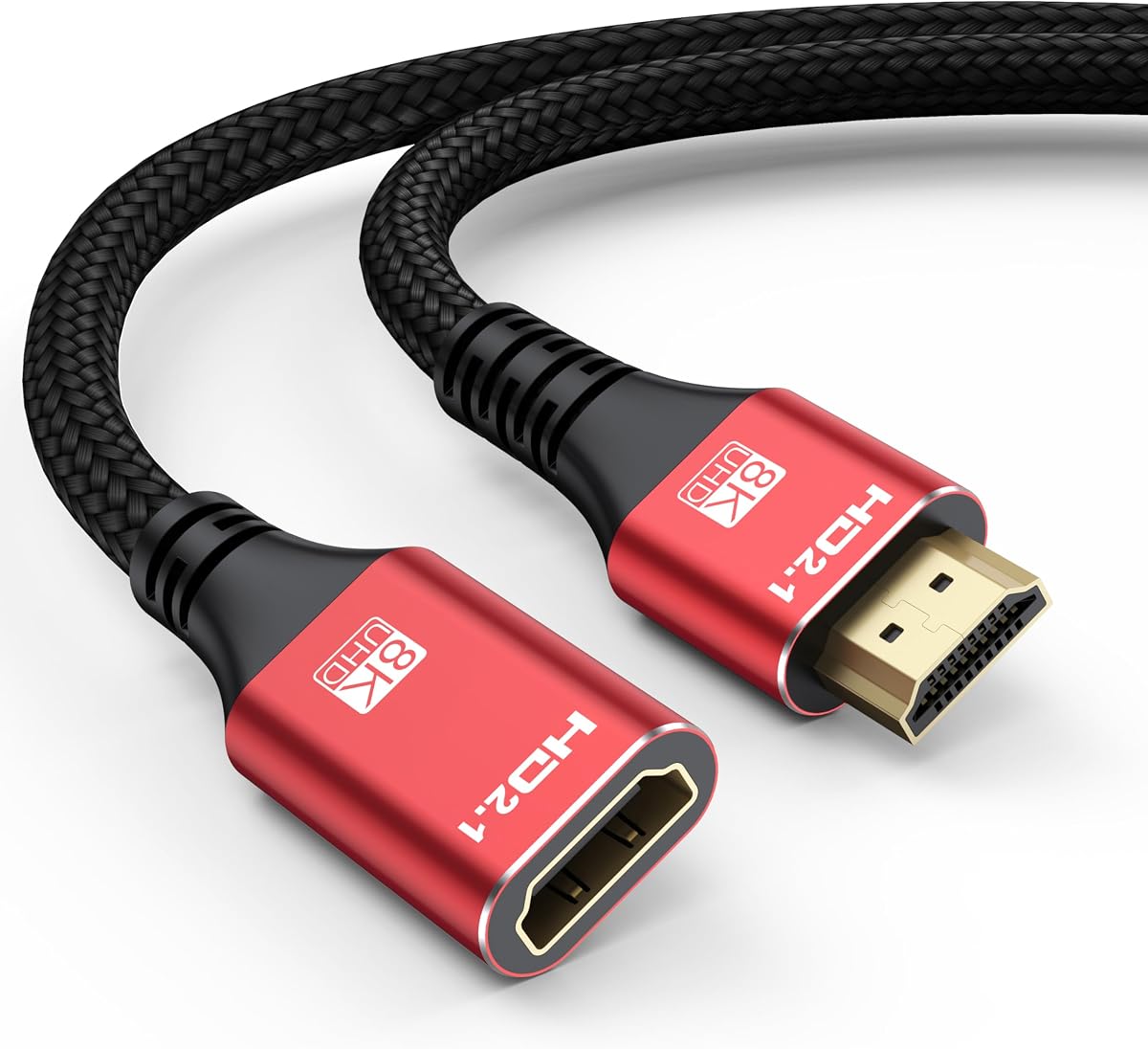
The Ultra Clarity Cables HDMI Extender provides 15 feet of additional reach and carries a 4.7 rating. Its male-to-female configuration extends an existing HDMI cable, allowing components that are farther away to connect to a television or display. It is especially relevant to larger rooms, entertainment furniture, and wall-mounted screens.
We may earn a commission when you buy through this link, at no additional cost to you.
The cable is described as a certified HDMI 2.0b high-speed product with backward compatibility for earlier HDMI versions. Its construction includes corrosion-resistant gold-plated connectors, a full metal jacket, 28AWG solid copper conductors, triple shielding, and a durable nylon braided sleeve. The manufacturer also states that each extender is tested for consistent signal behavior.
This is an HDMI 2.0-era option rather than an HDMI 2.1 extender, so buyers seeking 8K resolution or very high 4K refresh rates should look elsewhere. A 15-foot route also needs thoughtful routing to avoid pinching the cable or creating unnecessary strain at connectors.
The Ultra Clarity extender is a sound choice for conventional 4K home-theater and gaming systems that need meaningful additional distance. It combines a useful length with a mature, well-specified construction and a stated one-year replacement policy for defective or broken items.
Fifteen feet offers enough reach to solve many furniture and wall-mounting problems without moving into the longest-run category. The full metal jacket, shielded conductors, and braided exterior support a durable installation in a fixed route.
The extender is listed for HDTVs, Blu-ray players, Apple TV, Fire Stick, Roku, PS4, Xbox One, computers, cable boxes, and other standard HDMI devices. This makes it a versatile option for established entertainment setups rather than only specialized gaming equipment.
We may earn a commission when you buy through this link, at no additional cost to you.
The JSAUX HDMI Extension Cable is a 3.3-foot HDMI 2.0 extender with a 4.7 rating. It is designed for practical situations such as bringing a streaming stick forward from behind a wall-mounted television or giving a source device a little more clearance from a display or piece of furniture.
We may earn a commission when you buy through this link, at no additional cost to you.
Its stated 18Gbps bandwidth supports 4K at 60Hz, 1080p, 3D, ARC, Ethernet Channel, and 4K HDR. A nylon braid, reinforced strain relief, aluminum alloy housing, and 24K gold-plated connectors form the physical design. The manufacturer states that the cable has passed more than 20,000 bending tests.
JSAUX notes that achieving 4K HDR requires a connected HDMI 2.0 cable that also supports 4K HDR and that the total length remain under six meters. The 3.3-foot design otherwise has little reach, so it is best for close positioning rather than a large room or an entertainment console placed across the space.
This is a practical selection for 4K television viewing, streaming devices, projectors, monitors, and common console systems. It balances useful HDMI 2.0 functions, a short and flexible form, and broad compatibility without pursuing the headline bandwidth of HDMI 2.1 models.
A short male-to-female extension can move the actual cable connection away from a recessed television port. That extra access can make it easier to plug in a Fire Stick, Roku device, Chromecast, or another source without pulling on the device or display.
The nylon braid resists tangling and conforms to a preferred route, while reinforced strain relief protects the connector area. Gold plating and an aluminum housing create a durable enclosure for frequent reconnections.
We may earn a commission when you buy through this link, at no additional cost to you.
The Twozoh HDMI Extender is a compact 3.3-foot male-to-female cable with a 4.7 rating. It supports 4K UHD at 60Hz and is intended for users who want additional connection clearance without installing a long cable in a compact entertainment area.
We may earn a commission when you buy through this link, at no additional cost to you.
Its stated 10Gbps bandwidth covers 4K 2160p, 1440p, and 1080p output, with support for HDR and 3D. The cable uses a nylon braid, 24K gold-plated connectors, and a construction rated by the manufacturer for more than 15,000 bends. The stated compatibility list includes HDTVs, Blu-ray players, Apple TV, Fire TV, Roku, consoles, PCs, Xbox, and monitors.
Compared with newer 18Gbps and 48Gbps extension cables, this model's bandwidth is more limited. It is therefore better aligned with standard 4K at 60Hz use than with 8K, 4K at 120Hz, or 4K at 240Hz systems. Its 3.3-foot length also limits how far apart two components can be placed.
The Twozoh is a sensible option for everyday 4K viewing in a bedroom, hotel room, living room, or compact gaming area. It delivers the essential extension function with a flexible braided cable and broad device support, making it a straightforward choice for common entertainment setups.
The extender is designed around the most common home-entertainment target of 4K UHD at 60Hz. It provides enough reach for positioning adjustments while keeping the installation compact and easy to manage.
Twozoh states that every extender is inspected and visually checked before packaging. That manufacturing emphasis is useful for buyers who prioritize consistency in a simple cable accessory.
We may earn a commission when you buy through this link, at no additional cost to you.
The 8K HDMI Extension Cable 10 FT combines a relatively long route with stated HDMI 2.1 performance. It has a 4.7 rating and supports resolutions up to 8K at 60Hz and 4K at 144Hz, 120Hz, or 60Hz. It is a strong option when a modern display and source device need more separation.
We may earn a commission when you buy through this link, at no additional cost to you.
The stated 48Gbps bandwidth is accompanied by support for HDMI Ethernet Channel, ARC, eARC, HDCP, 3D, and Dynamic HDR. Its physical design uses 26AWG pure copper wire, gold-plated connectors, double nylon braiding, and aluminum alloy housings. The manufacturer states that the construction was bend-tested more than 20,000 times.
A ten-foot extension introduces more opportunities for poor routing or strain, so the cable should be laid out without tight bends and protected from crushing. The high bandwidth and refresh-rate claims also depend on the attached source, display, and standard HDMI lead all supporting the selected mode.
This extender is a good middle ground for users who want both HDMI 2.1 capabilities and more reach than a three-foot model. It suits larger television furniture, console areas, projectors, and other modern entertainment installations where both distance and high-resolution performance matter.
Ten feet gives the cable enough practical range to address a wider gap between equipment while retaining the stated capabilities of HDMI 2.1. That balance makes it useful in rooms where a compact extender cannot provide enough adjustment.
Pure copper wiring, shielding-related construction, and aluminum alloy connector housings are intended to support stable transmission. Double braid and reinforced connectors also help the cable tolerate routine handling and rerouting.
We may earn a commission when you buy through this link, at no additional cost to you.
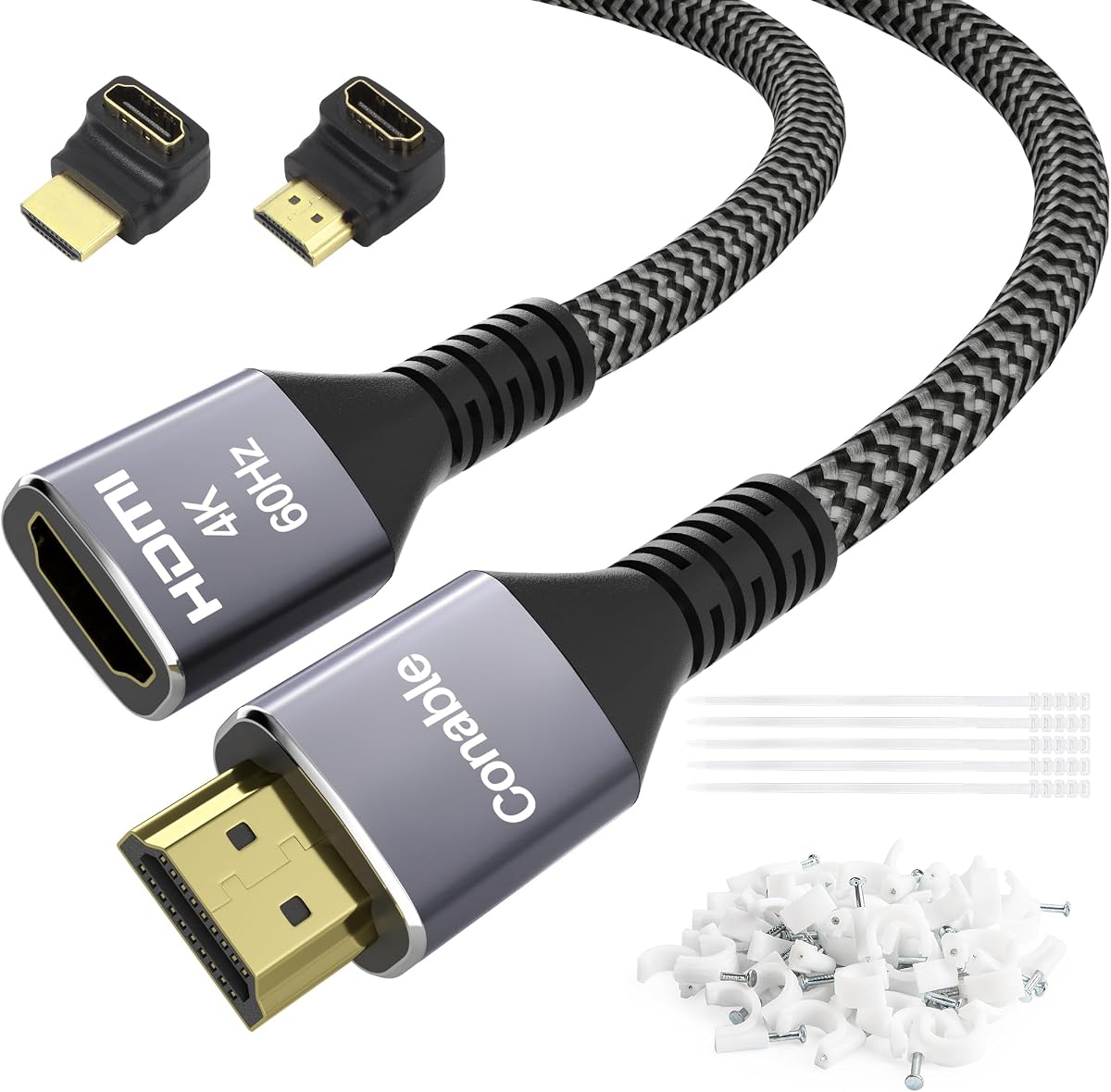
The Conable 4K HDMI Extension Cable is a 20-foot male-to-female extender built for setups where equipment sits well away from the display. It carries a 4.7 rating and supports 4K at 60Hz with an 18Gbps bandwidth, along with HDMI Ethernet Channel, ARC, HDCP, HDR, and full 3D.
We may earn a commission when you buy through this link, at no additional cost to you.
Its construction includes 26AWG pure copper wire, gold-plated connectors, aluminum shells, reinforced strain relief, nylon braiding, and multiple shielding. The package also includes 25 cable ties, 25 wall or floorboard nails, and 90-degree and 270-degree adapters, giving buyers several ways to route the cable and reduce strain at device ports.
Its long run calls for careful installation. A cable should not be sharply bent, pinched, or forced into a route that pulls against either connector. It also remains an HDMI 2.0 product, so buyers seeking 8K or very high refresh rates should choose a 48Gbps alternative instead.
The Conable is a well-equipped choice for large rooms, wall-mounted televisions, and installations in which a console, player, or receiver is substantially separated from the screen. The supplied routing hardware makes it especially appealing to buyers who want a more organized setup.
Cable ties, mounting nails, and right-angle adapters help turn a long run into a neater installation. These accessories can reduce visible clutter and create gentler connector angles around furniture and wall-mounted displays.
The cable is designed for common 4K at 60Hz equipment and remains backward compatible with several earlier HDMI standards. It supports numerous listed sources, including consoles, streaming devices, computers, projectors, and Blu-ray players.
We may earn a commission when you buy through this link, at no additional cost to you.
The VENTION HDMI Extension Cable is a five-foot male-to-female extender with a 4.7 rating. It fills a useful middle ground between compact port-saver cables and longer room-spanning extensions, making it appropriate for many common television and console arrangements.
We may earn a commission when you buy through this link, at no additional cost to you.
Its stated HDMI 2.0 capabilities include 4K at 60Hz, 2K at 120Hz, Ethernet Channel, ARC, and full 3D, with backward compatibility stated for HDMI 1.4. Thirty-AWG pure copper conductors and five-fold shielding are intended to minimize interference, while gold-plated connectors are designed for a longer service life.
The five-foot reach is sufficient for repositioning a streaming stick, console, laptop, or media player, but it cannot cover the distance to a far wall in a large room. Like every extender, it also remains limited by the standard HDMI cable it connects and the capabilities of the source and display.
The VENTION is a straightforward choice for users who want more flexibility than a very short adapter without moving to a long or high-bandwidth model. Its balanced length and broad device compatibility make it particularly useful for everyday living-room and gaming arrangements.
Five feet can provide meaningful placement flexibility around a television cabinet, media console, or wall-mounted screen. It is long enough to move a source away from a crowded port area but remains manageable in most rooms.
The female end can serve as the connection point for an existing HDMI cable, reducing repeated direct handling of the display's original socket. That can be helpful in installations where the device port is difficult to reach.
We may earn a commission when you buy through this link, at no additional cost to you.
The UGREEN 10K HDMI 2.1 Extender is a 3.3-foot male-to-female cable that combines compact placement with very high stated bandwidth. It has a 4.7 rating and supports 8K at 60Hz, 4K at 240Hz, Dynamic HDR, VRR, and ALLM, making it particularly relevant to modern gaming displays and entertainment systems.
We may earn a commission when you buy through this link, at no additional cost to you.
The cable is rated for 48Gbps transmission and uses triple tin shielding to reduce interference. Its aluminum housing is designed for heat dissipation, while nickel-plated corrosion-resistant connectors are stated to withstand 25,000 plug and unplug cycles. A high-quality nylon braid adds flexibility and reduces stress where the cable meets the connection.
The short length means this is not suited to bridging a large room, although the manufacturer highlights its value for a TV stick attached to a wall-mounted television. Achieving 8K, 4K at 240Hz, VRR, or ALLM requires compatible source equipment, a capable display, and an appropriate standard HDMI cable.
Choose the UGREEN for a compact gaming station, high-end television, or streaming setup that values feature support over maximum reach. It is a particularly relevant option when the other devices in the chain already support HDMI 2.1 capabilities.
Support for refresh rates up to 4K at 240Hz, VRR, and ALLM distinguishes this extender from conventional 4K cables. It can serve as the final connection piece in a setup designed around high-refresh gaming.
The aluminum case is intended to dissipate heat, while corrosion-resistant connector plating supports repeated use. A flexible nylon braid further reduces mechanical stress around the connector area.
We may earn a commission when you buy through this link, at no additional cost to you.
The UGREEN 4K HDMI 2.0 Extender is a three-foot male-to-female cable with a 4.7 rating. It is designed around conventional 4K at 60Hz performance and provides a simple way to add a small amount of reach to an existing HDMI connection.
We may earn a commission when you buy through this link, at no additional cost to you.
The extender offers 18Gbps bandwidth and supports HDMI Ethernet Channel, ARC, and full 3D. Thirty-AWG tinned copper conductors, triple shielding, and gold-plated connectors are included to support stable transmission and durability. Its compatibility list covers televisions, streaming devices, game consoles, media players, projectors, computers, selector boxes, and VR hardware.
UGREEN notes that the total length of the extension and the connected HDMI male cable should not exceed three meters when targeting 4K at 60Hz. This model does not provide the 48Gbps bandwidth of the newer HDMI 2.1 extenders, so 8K and very high refresh rates fall outside its intended feature set.
The UGREEN is a well-established option for standard 4K entertainment, routine gaming, and compact installations where only a short extension is needed. Its broad compatibility and familiar HDMI 2.0 feature set make it a useful alternative for users who do not require HDMI 2.1 performance.
Eighteen-Gbps bandwidth is well suited to 4K at 60Hz and the broad device base found in most living rooms. Triple shielding and tinned copper conductors help the cable maintain a steady connection in normal indoor routes.
The stated device list includes current and older consoles, streaming media players, Blu-ray equipment, computers, televisions, and projectors. That breadth makes the cable easy to integrate into a mixed household media system.
We may earn a commission when you buy through this link, at no additional cost to you.
The right extension cable depends on the distance between components, the resolution and refresh rate of the connected equipment, the route the cable must follow, and the features your entertainment system actually uses.
Measure the actual gap between the source device and the display, then add enough length for a gentle route and service loops. A cable that is stretched tightly or forced around sharp furniture corners can place unnecessary stress on the connectors. Conversely, an excessively long cable can make management more difficult and may create an unnecessary signal or compatibility challenge depending on the selected specification.
HDMI 2.0 extenders in this list are oriented toward 4K at 60Hz and conventional home-entertainment use, while HDMI 2.1 models advertise 48Gbps bandwidth, 8K at 60Hz, and higher 4K refresh rates. Match the extender to the weakest link in the chain. A newer cable cannot create capabilities that the source device, display, or standard HDMI cable does not support.
Resolution and refresh rate are separate considerations. A cable may support 4K at 60Hz but not 4K at 120Hz or 240Hz. For a conventional television and Blu-ray player, 4K at 60Hz may be sufficient, while a high-refresh gaming display can justify an extender with explicit support for the mode used by the console or computer.
The extension is only one part of the full connection path. The linked standard HDMI cable, the extension, and any additional adapters contribute to the total run. Some products include specific total-length guidance for their highest stated modes. Respect those instructions and avoid pushing beyond the supported length for the signal and refresh rate you need.
Gold-plated connectors, aluminum or metal housings, reinforced strain relief, and braided exteriors are useful indicators of attention to durability. These details matter more in installations that require repeated reconnections, tight routing, or long-term placement behind a television. A simpler cable may still be sufficient for a temporary or lightly handled setup.
Shielding helps reduce electromagnetic interference, while copper or tinned copper conductors support signal transmission. Models range from single-layer construction to triple or five-fold shielding. In ordinary home environments, the complete connection path and proper routing remain important, so shielding should complement rather than replace careful installation.
ARC, eARC, HDMI Ethernet Channel, HDR, 3D, VRR, and ALLM can be important depending on the system. ARC can return television audio through the same cable, while eARC supports a broader audio-return capability. HDR and gaming features require matching source and display support. The extension should not be treated as a substitute for a fully compatible source, display, and standard HDMI lead.
Right-angle adapters, cable ties, wall fasteners, and routing clips can make a long or compact installation easier. Right-angle adapters are especially useful near wall-mounted televisions because they reduce the immediate bend at the connector. They should not be used to force a tight route, and every accessory should support the signal mode you intend to use.
First, identify the source and display, then connect the extension's male plug to the appropriate HDMI port. Connect your standard HDMI cable to the female end of the extension, and connect the other end of that cable to the other device. Power the system off before rearranging a permanent installation, and avoid inserting the extension between two separate male-to-female extension cables.
Route the cable through open space rather than pinching it under furniture, behind sharp edges, or through tight door hinges. Keep gentle curves near the connectors and secure longer runs with appropriate ties or clips. If the signal is unstable, check the connector seating, inspect the standard HDMI cable, and confirm that the total length and connected equipment support the selected resolution and refresh rate.
For care, unplug the cable by its connector rather than pulling on the wire. Keep the contacts free from dust and avoid moisture or cleaning liquids. Periodically inspect the braid, strain relief, and connector shell, especially in portable or frequently rearranged setups, and replace the cable if a connector becomes loose or the protective covering is damaged.
An HDMI male to female extension cable adds length or connection clearance to an HDMI setup. The male end plugs into a source or display, while the female end accepts the standard HDMI cable already connected to the other device. It is commonly used with wall-mounted televisions, streaming sticks, gaming consoles, projectors, and entertainment furniture.
It is generally better to use one extension with one standard HDMI cable. Some manufacturers explicitly warn against inserting HDMI connectors between an extension and another standard cable because of possible black-screen or compatibility issues. A single properly supported extension also makes it easier to identify which connection is causing a problem.
Yes, an HDMI 2.1 extension can be used with compatible HDMI 2.0 equipment, but the final output is limited by the least capable part of the chain. You may still receive 4K at 60Hz or other HDMI 2.0 features, while 8K, 4K at 120Hz, 4K at 240Hz, VRR, or ALLM require matching support from the source, display, and standard HDMI cable.
Choose enough length to connect the devices without stretching the cable or creating sharp bends. A few extra feet can help with routing behind furniture, but unnecessary length may complicate cable management. Some products specify a maximum total length for their highest supported mode, so the extension and attached standard HDMI cable should be considered together.
First, reseat both ends and confirm that the extension's male and female connectors are on opposite sides of the standard HDMI cable. Check that the source and display are selected correctly and that the total cable length is supported. A thin standard HDMI cable, a loose connector, or unsupported high-resolution mode can also cause compatibility problems.
A properly matched extension should support its advertised resolution, refresh rate, and audio features. Problems can occur when the combined cable length exceeds the stated limit, the standard HDMI lead is too thin or poorly shielded, or the source and display do not share the required specifications. Using one supported extension with one standard cable is the most straightforward arrangement.
They are not always necessary, but they can help where space behind a television or cabinet is tight. A right-angle adapter reduces the immediate bend at the connector and may relieve strain on the device port. It should still allow a smooth cable path and support the same signal features required by the installation.
Yes, as long as each extension is compatible with the source, display, standard HDMI cable, and signal mode involved. A gaming setup may need 4K at 120Hz or 240Hz, while a television-only connection may only require 4K at 60Hz. Choose each cable according to the requirements of its individual connection path.
The Silkland 8K HDMI Extension Cable is the strongest all-around selection for buyers who want compact HDMI 2.1 performance, high refresh-rate support, and a well-protected construction. The Ultra Clarity extender stands out for dependable 15-foot reach and a mature HDMI 2.0b design, while the JSAUX cable provides a versatile 3.3-foot solution for everyday 4K viewing and easier access to wall-mounted television ports.
The right choice depends on the connection path. A short model is best for port clearance and compact installations, a five- to ten-foot cable handles more common furniture arrangements, and a 15- or 20-foot option addresses larger gaps. For advanced gaming, match 48Gbps bandwidth, refresh rate, VRR, and other features across the source, display, and attached standard HDMI cable.
Before ordering, verify connector orientation, supported resolution, total cable length, and the features your current equipment actually uses. Product specifications, availability, and promotional terms can change, so consult the current listing and manufacturer information to confirm that the selected extension remains suitable for your setup.