
MONTECH AIR 903 MAX
4.8Editor score
Four 140mm fans included
Front and top 360mm radiators
E-ATX and 400mm GPUs
Explore the best High Airflow PC Cases for 2026, comparing airflow design, included fans, radiator support, compatibility, build quality, and cable management.
High Airflow PC Cases prioritize a steady supply of cool intake air and an unobstructed path for hot exhaust air. The best designs pair well-ventilated panels with useful fan placement, spacious interiors, and practical support for powerful components. They can suit demanding gaming systems, workstations, and everyday builds that run warm or generate considerable heat.
The ten cases in this guide were compared using the supplied specifications, focusing on vent-panel design, included fans, radiator options, motherboard and graphics-card clearance, cable-management features, and ease of access. The list includes compact ATX models, conventional mid-towers, a spacious full tower, and a premium case built around unusually large fans.
Each review explains where a case stands out and where buyers may need to compromise. Ratings, configurations, and availability can change, and prices fluctuate over time, so readers should confirm the current listing and included components before ordering. The badges identify three particularly strong options for different priorities, not winners in every category.
4.8Editor score

4.7Editor score

4.8Editor score
The comparison below shows how the ten cases differ in ventilation approach, fan bundle, cooling hardware support, chassis scale, and component compatibility. It is a practical overview of the supplied specifications rather than a substitute for checking the current manufacturer details or retailer listing.




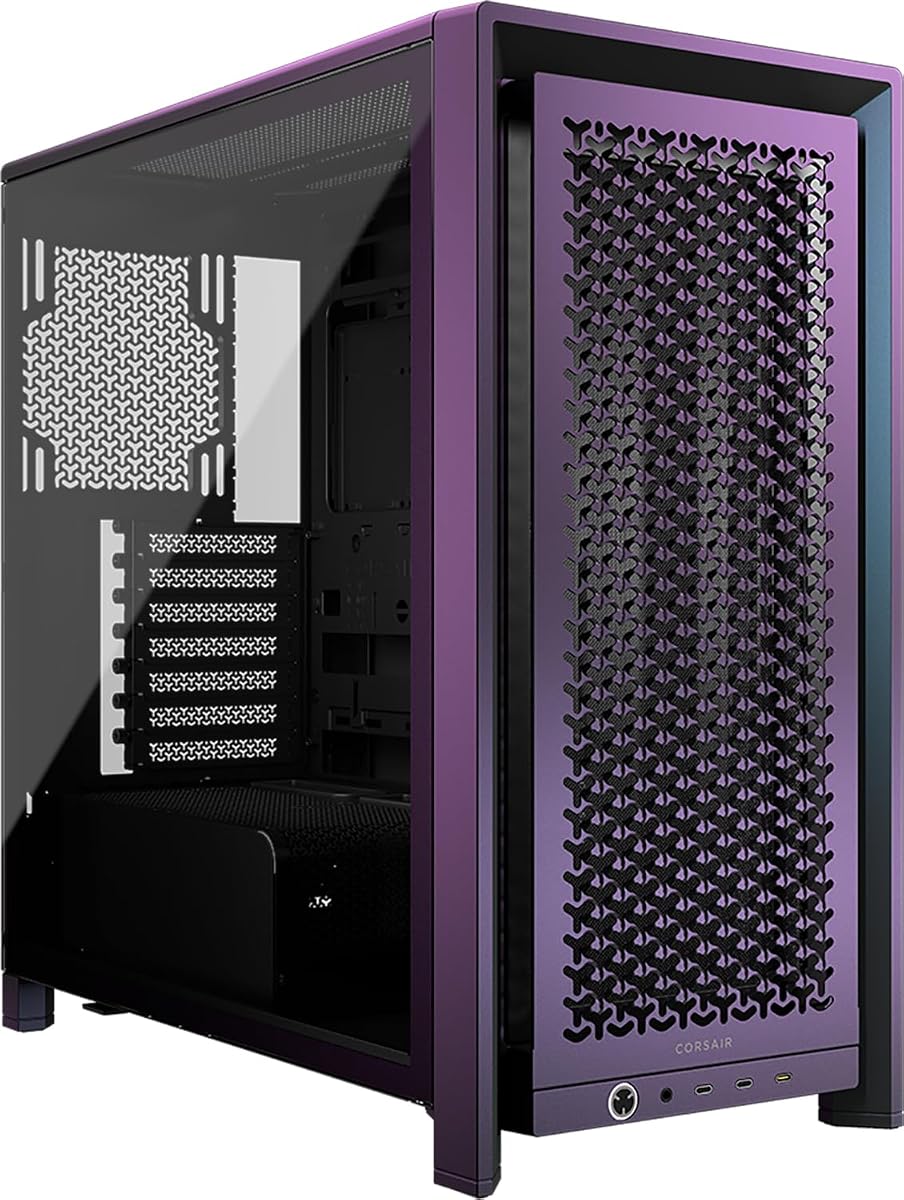
The CORSAIR 4000D RS ARGB earns a 4.7 rating and stands out as the most balanced high-airflow case in this roundup. Its defining feature is the perforated 3D Y-pattern steel front, which creates a low-obstruction route for incoming air. Three CORSAIR RS ARGB PWM fans are already installed, giving the case a practical cooling foundation without requiring immediate fan purchases.
We may earn a commission when you buy through this link, at no additional cost to you.
The InfiniRail system adds unusual flexibility for an ATX mid-tower. Its sliding, multipoint steel rails let builders position fans of different sizes across the front and roof, with support for up to 200mm fans at the front and 140mm fans overhead. That means the airflow path can be refined as component temperatures or hardware changes, rather than locking the build into one fixed fan arrangement.
Another thoughtful detail is the internal side panel beside the motherboard tray. It can remain in place as a cable-management cover, or it can be removed to create a side fan position and increase the available cooling potential. The FRAME modular system also allows future changes to components such as the motherboard tray or front I/O panel, although buyers who want absolute simplicity may prefer a more conventional case.
This is the strongest recommendation for a buyer who wants serious airflow, useful flexibility, and tidy construction in a familiar mid-tower format. It is particularly appropriate for a gaming system with a powerful graphics card, a creator machine, or any build expected to run warm. Those who want more fans from the outset or a more compact case may prefer the MONTECH AIR 903 MAX or NZXT H5 Flow.
The InfiniRail mounting system separates fan placement from a rigid factory layout. Builders can slide the rails to direct intake and exhaust fans toward particular components, while the three-dimensional front perforation helps maintain a useful volume of cool air moving through the chassis.
The removable side panel can conceal cables or become another cooling surface. Meanwhile, the FRAME approach gives the case room to evolve, making it a practical option for owners who expect to adjust their system after the initial build.
We may earn a commission when you buy through this link, at no additional cost to you.
The NZXT H5 Flow carries a 4.7 rating and targets builders who want an ATX mid-tower without giving up the ventilation priorities of a much larger chassis. Fine mesh covers the top, front, and side panels, while the power-supply shroud includes perforated sections along its side and bottom. Those openings provide additional paths for air to enter around components that might otherwise sit in a more enclosed area.
We may earn a commission when you buy through this link, at no additional cost to you.
Two 120mm Quiet Airflow fans are pre-installed, one at the front and one at the rear. Although four fans were not part of the supplied configuration, the ventilation-focused panels and shroud perforations make it easier to add cooling where a particular build needs it. The case also supports a 360mm radiator in front and a 240mm radiator at the top, giving water-cooling builders meaningful configuration options.
Compact dimensions are the H5 Flow's central advantage, but they also require attention to the cooling limit at the top. The perforated PSU shroud is more than decoration: it can draw air toward the lower chamber, complementing the front intake. Cable management is handled through broad channels, hooks, and straps, which helps preserve airflow by reducing loose wires that can obstruct fans or interfere with components.
The H5 Flow is a compelling choice for space-conscious gamers and builders who want a clean-looking system with dense mesh ventilation. It is less compelling for buyers who want a large fan bundle or the highest possible radiator capacity in a full tower. Within the compact mid-tower category, however, its combination of ventilation, radiator support, and cable organization is especially persuasive.
Mesh on the top and side panels reduces reliance on a single intake opening. Perforations in the power-supply shroud further encourage air movement around the lower section, helping the compact chassis make more effective use of the cooling hardware installed inside.
A front 360mm radiator offers enough capacity for a substantial liquid-cooling setup, while the top position supports up to 240mm. Buyers should plan the top arrangement around that smaller limit and use the front as the primary radiator location.
We may earn a commission when you buy through this link, at no additional cost to you.
The MONTECH AIR 903 MAX has a 4.8 rating and offers an unusually complete airflow package. The ventilated mesh front panel and 478 x 230 x 493 mm chassis are designed to move plenty of air, while the included fan bundle supplies three front-mounted 140mm HP140 ARGB PWM fans and one rear 140mm PWM fan. That gives the system a balanced intake-and-exhaust foundation immediately after assembly.
We may earn a commission when you buy through this link, at no additional cost to you.
Cooling expansion is one of its strongest qualities. Radiators up to 360mm can be mounted at both the front and top, allowing builders to reserve the front for a large radiator and use the roof for another cooling solution. The case accepts E-ATX, ATX, Micro-ATX, and Mini-ITX motherboards, plus graphics cards up to 400mm, so its dimensions are supported by broad component compatibility.
The AIR 903 MAX does not pretend to be a minimalist enclosure. Its generous dimensions, four 140mm fans, and strong radiator provisions make it more substantial than compact cases in the group. The front I/O panel includes USB Type-C, two USB 3.0 ports, microphone and audio jacks, power and reset controls, and an LED button, while dedicated routing space helps maintain a tidy interior.
For buyers seeking strong airflow and a large cooling foundation without assembling the fan bundle separately, this is the most convincing value-oriented recommendation. It is well suited to a gaming PC with an extended graphics card or a high-output processor. Those with limited desk space should compare its footprint carefully, but the supplied hardware and expansion room make it an excellent all-round high-airflow platform.
Three 140mm fans establish a broad front intake, while a matching-size rear exhaust helps move warmed air out of the chassis. The ARGB-equipped front fans add adjustable lighting without requiring separate illuminated components.
Support for E-ATX boards and graphics cards up to 400mm gives the chassis useful longevity. That compatibility is backed by room for large radiators, allowing a builder to choose powerful components without immediately confronting a cramped layout.
We may earn a commission when you buy through this link, at no additional cost to you.
The LIAN LI LANCOOL 216 RGB earns a 4.7 rating and combines a polished exterior with a focused airflow layout. A fine-mesh front panel, top panel, and side section above the power-supply shroud provide several routes for air movement. Inside, two 160mm ARGB front fans and one 140mm rear fan are pre-installed, creating a strong foundation without requiring a separate fan purchase.
We may earn a commission when you buy through this link, at no additional cost to you.
Its modular motherboard I/O is a notable feature. Moving the motherboard higher or lower can help accommodate air-cooled or water-cooled arrangements, and the case's frame and 4.0mm tempered glass provide a sturdy-looking structure. Dimensions of 480.9 x 235 x 491.7mm make it a conventional mid-tower, large enough for substantial components without reaching full-tower scale.
The design is not entirely without restrictions. The top radiator bracket is removable and includes a seal plate for smaller radiator or fan arrangements, but planning is still necessary. Graphics-card clearance reaches 392mm in length and 180mm in height in air-cooled mode. The case also provides dedicated mounts for two 3.5-inch hard drives and six 2.5-inch solid-state drives.
This is a well-rounded option for gamers who want large front fans, coordinated RGB lighting, and organized cable management in a familiar format. The side chamber and symmetrical layout help keep the interior tidy, while the grommet bar, straps, and clips support neat routing. Buyers primarily interested in the largest possible radiator should favor the MONTECH AIR 903 MAX, but the LANCOOL 216 offers a more polished and balanced approach.
The pair of 160mm intake fans can move a substantial volume of air through the fine front mesh. A 140mm rear exhaust fan completes the basic directional path, giving users a useful starting configuration for a demanding gaming build.
The modular I/O gives builders a way to shift the motherboard to suit the cooling layout. This can improve the relationship between the processor cooler, graphics card, and intake or exhaust positions.
We may earn a commission when you buy through this link, at no additional cost to you.
The Antec Flux Pro carries a 4.7 rating and is the most expansive high-airflow option here. Its full-tower format, multi-directional vent design, and support for as many as 12 fans make it appropriate for builders who intend to fit extensive cooling hardware. The supplied configuration already includes three 140mm Tranquil PWM fans at the front, one 140mm Tranquil PWM fan at the rear, and two P12R PWM reverse fans on the power-supply shroud.
We may earn a commission when you buy through this link, at no additional cost to you.
The reverse shroud fans are particularly interesting because their orientation can direct air through the lower section in a way that supports the main chamber. Removable brackets on the top, front, and shroud give the builder several routes for expansion. The case can also operate two large radiators simultaneously, with the supplied specifications confirming combined 420mm and 360mm installations.
A 90-degree power-supply mounting option helps make the lower area easier to manage, while the CPU and GPU dual temperature display adds useful at-a-glance information. Construction combines metal, glass, and wood to create a more distinctive appearance than a basic steel-and-mesh tower. Those features come with additional complexity, however, and the full-tower size will demand a large desk or floor area.
The Flux Pro suits high-output workstations, enthusiast systems, and builders who want the freedom to run many fans or substantial radiators. It is less attractive for anyone trying to minimize desk footprint or build a small, tidy system. Within its full-tower category, though, it offers one of the most ambitious airflow provisions in the roundup.
The front, rear, and power-supply-shroud positions create a multi-directional cooling layout. Reverse-oriented shroud fans help establish a path through the lower chamber instead of leaving that region dependent on a single large opening.
Support for twelve fans and two large radiators provides a generous upgrade ceiling. Removable cooling brackets make it more practical to vary the configuration as the processor, graphics card, and preferred cooling approach change.
We may earn a commission when you buy through this link, at no additional cost to you.
The CORSAIR 3500X RS ARGB has a 4.6 rating and combines a panoramic view with a respectable cooling layout. Its defining visual feature is wraparound glass, offering a clear view of the internal components, while the supplied configuration includes three RS120-R ARGB fans controlled through a 5V ARGB header.
We may earn a commission when you buy through this link, at no additional cost to you.
Cooling capacity extends well beyond the included fans. Side, roof, and power-supply-shroud mounting points can accommodate as many as ten 120mm fans, allowing builders to create a denser cooling arrangement than the stock setup requires. The chassis supports motherboards from Mini-ITX through EATX, making it useful for both compact and performance-oriented configurations.
The glass aesthetic introduces an important distinction from cases built primarily around exposed steel mesh. A transparent front and side can make a build look cleaner, but the listed ventilation emphasis is less direct than that of the MONTECH or Cooler Master cases. Removable tempered-glass panels help with initial access and later maintenance, which partly addresses the practical downside of building inside a display-focused enclosure.
The 3500X RS ARGB is most attractive to buyers who want their components to remain visually prominent while retaining solid airflow options. It makes sense for a showcase gaming PC where lighting, coordinated fans, and the view of the interior matter. Those who prioritize unrestricted front intake or a larger included fan bundle should choose one of the mesh-focused alternatives.
Wraparound tempered glass presents the internal layout from more than one angle. This makes the case a good match for systems with coordinated lighting, visible cable management, and carefully selected components that the owner wants to enjoy viewing.
Although three fans are included, the chassis supports up to ten 120mm installations. That gap leaves considerable room for a denser airflow configuration without changing the case or replacing its glass-paneled exterior.
We may earn a commission when you buy through this link, at no additional cost to you.
The Lian Li V100-ATX earns a 4.8 rating and emphasizes accessible airflow with a generous standard fan bundle. Four PWM-controlled 120mm ARGB fans are pre-installed, and their daisy-chain connectivity should simplify connections and lighting control. An integrated 26-LED ARGB strip adds another synchronized lighting element for builders who want a coordinated appearance.
We may earn a commission when you buy through this link, at no additional cost to you.
The case supports ATX, Micro-ATX, Mini-ITX, and back-connect ATX or Micro-ATX motherboards. That motherboard support is useful for newer layouts that route cables behind the tray, while the tool-less mounting mechanisms on both side panels make it easier to reach internal components during assembly or later adjustments. The practical emphasis is clear: reduce the friction of building and servicing a system.
Component clearance is generous for a mid-tower. The V100 accommodates graphics cards up to 420mm, CPU coolers up to 178mm, and a top radiator up to 360mm. Its cooling positions center on the standard 120mm format, so buyers who prefer 140mm or larger fans will have fewer options than they would in the Cooler Master HAF II 500 or MONTECH AIR 903 MAX.
The V100-ATX is a strong recommendation for builders who prioritize easy access, lighting, broad motherboard compatibility, and long graphics-card clearance. It is particularly well suited to systems using back-connect motherboards, where it can help produce a cleaner-looking interior. Its smaller fan format makes it less ideal for anyone seeking to maximize airflow with a small number of very large fans.
Tool-less side-panel mechanisms speed up both the initial build and later access. The back-connect motherboard support can also remove several front-panel cables, simplifying the area around the motherboard tray.
Support for graphics cards up to 420mm provides room for large modern designs. Combined with a 360mm top radiator, the chassis accommodates powerful components while retaining a conventional mid-tower footprint.
We may earn a commission when you buy through this link, at no additional cost to you.
The Cooler Master HAF II 500 has a 4.8 rating and makes the strongest case for using fewer, much larger fans. Its Mighty40 cooling system includes two 220 x 40mm front intake fans and one 180 x 40mm rear exhaust fan. Large fans can move substantial volumes of air at comparatively low speeds, which can be useful for users seeking strong cooling with a restrained acoustic profile.
We may earn a commission when you buy through this link, at no additional cost to you.
The chassis adds large front and rear ventilation openings designed to reduce airflow resistance. A split-level cable-management layout creates space around the oversized rear fan, while the MasterRail mounting system supports multiple fan and radiator sizes at the front and top. The supplied specifications also indicate support for a 420mm radiator, making the case suitable for a high-capacity liquid-cooling setup.
The Dual-Mode GPU Holder adds an unusual level of structural support. It can clamp a single graphics card for stability or accommodate two GPUs up to 3.6 slots thick each, based on the listed specification. A flexible storage cage supports both 3.5-inch and 2.5-inch drives in positions that can vary with power-supply length, adding further adaptability.
This is the premium choice for a large enthusiast system where airflow and component support take priority over a compact footprint. The enormous front fans and broad ventilation architecture are difficult to overlook, and they may appeal to builders who want an emphatic cooling solution. Buyers should verify desk clearance and ensure their motherboard and components fit the unusual case proportions before committing.
The two 220mm front fans and 180mm rear fan create a clear high-volume airflow path. Their larger size can reduce the need for a crowded fan array while leaving room for substantial radiators and other hardware.
The dual-mode graphics-card holder improves support for demanding configurations. Its ability to handle a single card or two multi-slot cards makes the chassis relevant to builders planning substantial upgrades.
We may earn a commission when you buy through this link, at no additional cost to you.
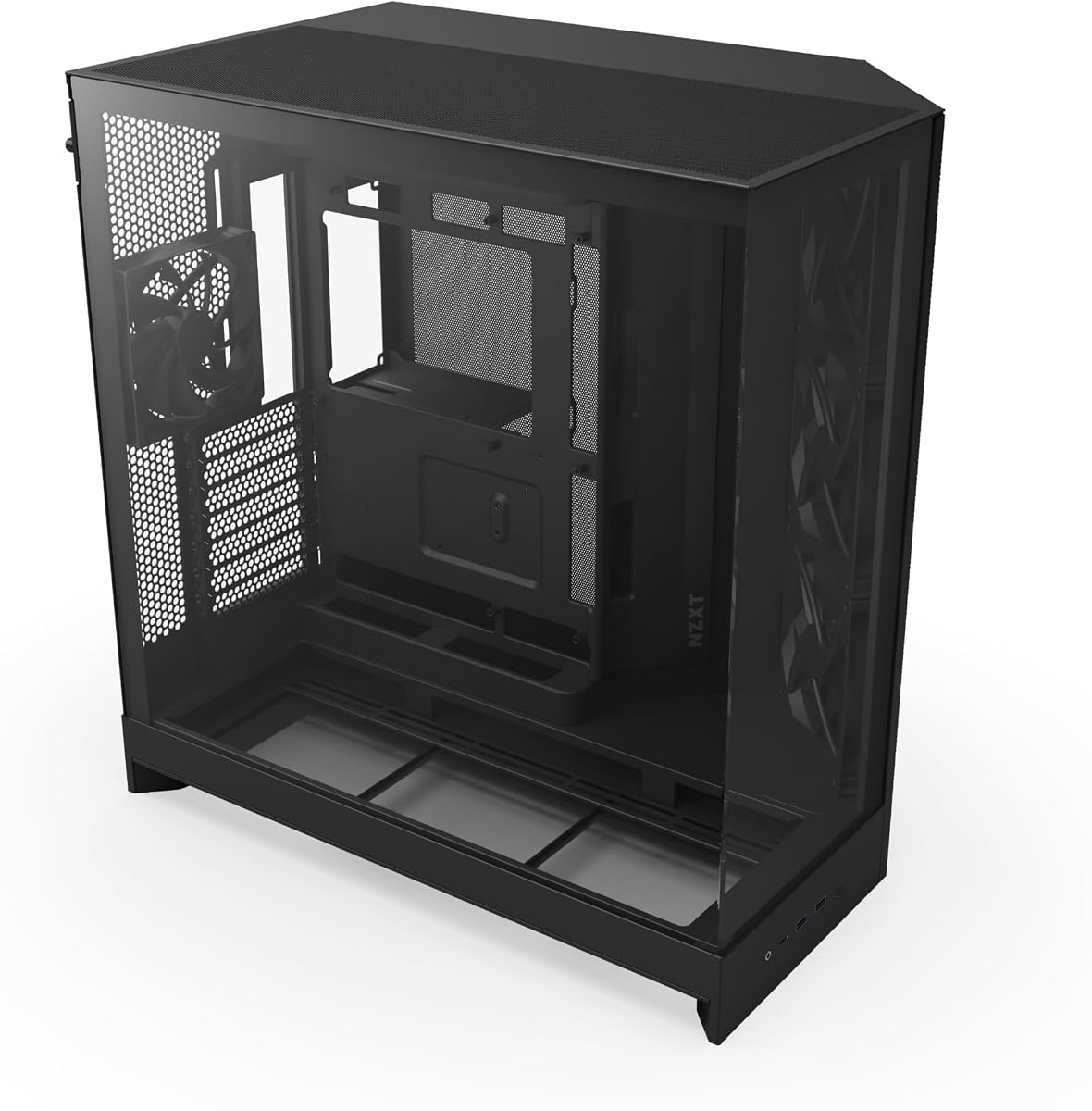
The NZXT H9 Flow carries a 4.7 rating and uses a dual-chamber layout to separate the main computing components from the power supply and drives. That arrangement is intended to improve thermal performance and cable management by keeping the lower chamber physically separated from the CPU, graphics card, and memory area.
We may earn a commission when you buy through this link, at no additional cost to you.
Its ventilation strategy combines perforated steel panels with angled front-right fans. The supplied bundle includes three F140Q case-version fans in the front-right position and one F120Q case-version fan at the rear. The supplied information identifies these as three-pin DC case fans, so builders should account for that electrical standard when checking controller and motherboard-header compatibility.
Expansion is generous. The case supports nine 140mm fans across the top, front-right, and bottom, plus one 120mm fan at the rear. It can fit 420mm radiators at both the top and front-right, providing room for two large liquid-cooling loops. Seamless wraparound tempered glass presents the separated chambers, while extra-wide channels, built-in Velcro straps, and tie-down points simplify routing.
The H9 Flow is ideal for a high-performance PC where organized internals and large cooling hardware are priorities. It also supports rear-connect motherboards such as ASUS BTF and MSI Project Zero, allowing builders to minimize visible cables. The segmented design is less adaptable than a conventional single-chamber chassis, and buyers must be comfortable with DC case fans, but the thermal and cable benefits justify that structure for the right build.
Keeping the power supply and drives in their own chamber reduces the number of heat-producing components in the main area. The result is a cleaner thermal layout and a more natural place to conceal cables behind the motherboard.
Nine 140mm positions plus a 120mm rear position allow a dense cooling array, while two 420mm radiator locations support ambitious water cooling. The unusual capacity makes the case suitable for enthusiasts who expect their cooling configuration to evolve.
We may earn a commission when you buy through this link, at no additional cost to you.
The CORSAIR FRAME 4000D Vault has a 4.4 rating and distinguishes itself with a limited-edition Galaxy finish. The Vault Series is described as a run of 1,337 individually numbered units, with the specific colorway intended never to be produced again. That collectible angle is unique within this group and may matter to builders who want a case that stands apart from standard black or white models.
We may earn a commission when you buy through this link, at no additional cost to you.
The underlying FRAME platform remains focused on airflow. A three-dimensional Y-pattern steel front panel provides a low-obstruction intake route, while the InfiniRail system allows sliding multipoint fan mounts across the front and roof. Fans up to 200mm can be used at the front, and the roof supports 140mm sizes. As with the 4000D RS, this gives users room to refine the cooling path after assembly.
The Vault's major technical advantage is dual 360mm radiator support. It offers three mounting locations for 360mm radiators at the front, roof, and side, and can accommodate up to twelve 120mm fans simultaneously. That configuration potential is exceptional for a mid-tower, although the supplied listing does not explicitly identify a fan bundle, so buyers should verify what is included before planning the build.
This case makes the most sense for an enthusiast who values a rare finish and a modular platform enough to accept the need for careful configuration. Its 4.4 rating is the lowest in the roundup, but ratings alone cannot determine the right choice for a distinctive collector's build. Those prioritizing immediate fan value may prefer the MONTECH AIR 903 MAX, while the standard CORSAIR 4000D RS offers a similar airflow concept with a larger confirmed fan bundle.
The individually numbered Galaxy release turns a functional chassis into a limited piece of PC hardware. It is most compelling when appearance and rarity are deliberate priorities rather than incidental features.
Front, roof, and side mounting points for 360mm radiators create remarkable cooling flexibility. The twelve-fan ceiling reinforces the case's suitability for elaborate custom configurations.
We may earn a commission when you buy through this link, at no additional cost to you.
A high-airflow case should do more than contain several fans. The most useful choice coordinates front intake, rear exhaust, perforated or mesh surfaces, radiator room, component clearance, and orderly cable routing while remaining practical to assemble and maintain.
Begin with the path air can actually take through the enclosure. A ventilated or perforated front panel provides a broad intake area, while rear and upper vents allow warm air to leave instead of accumulating around the processor and graphics card. Some cases add openings near the power-supply shroud to feed cooler air into the lower chamber. The MONTECH AIR 903 MAX uses a ventilated mesh front, the CORSAIR 4000D RS uses a perforated three-dimensional steel panel, and the NZXT H5 Flow places fine mesh across several surfaces. Perforation size, mesh density, and internal obstructions all influence real performance, so the presence of a vent alone is not enough. Buyers should also consider whether the front intake aligns with the intake fans and whether the rear position has a matching exhaust fan.
In short, look for a continuous route from a broad cool-air intake to a clear hot-air exit.
The included fan bundle determines how much additional spending and assembly is needed before the case has a complete cooling path. The MONTECH AIR 903 MAX includes four 140mm fans, while the Antec Flux Pro arrives with six PWM fans. The CORSAIR 4000D RS includes three ARGB fans, the NZXT H5 Flow includes two 120mm fans, and the HAF II 500 uses two 220mm front fans plus a 180mm rear fan. Fan size matters because larger models can move high volumes of air at lower rotational speeds, while more small fans can provide flexible positioning. Also check the electrical standard: the NZXT H9 Flow's supplied F-series case fans are identified as three-pin DC, which differs from four-pin PWM control.
Choose a bundle that already provides sensible intake and exhaust positions, then add fans only where measurements or temperatures justify them.
Liquid-cooling plans should begin with radiator size, not just case size. The MONTECH AIR 903 MAX and CORSAIR 4000D RS support 360mm radiators, while the NZXT H5 Flow accepts 360mm radiators at the front but only 240mm at the top. The Antec Flux Pro can operate a 420mm and a 360mm radiator simultaneously, the HAF II 500 supports up to 420mm, and the NZXT H9 Flow permits 420mm radiators at both the top and front-right. The CORSAIR Vault offers three 360mm positions, including the side. Buyers must also check thickness, tubing clearance, and the position of the power-supply shroud, since a nominal radiator width does not reveal whether every component will fit in the assembled system.
Match the radiator to the CPU, verify physical clearance, and leave room around cables and plugs.
The case must support the motherboard form factor and the height of the chosen CPU cooler. Most mid-towers in the list accept ATX, Micro-ATX, and Mini-ITX boards, but E-ATX support varies. The MONTECH AIR 903 MAX, LIAN LI LANCOOL 216 RGB, and Antec Flux Pro explicitly support E-ATX, while the CORSAIR 3500X RS supports motherboards from Mini-ITX through EATX. CPU-cooler limits are less frequently stated, making the Lian Li V100's listed 178mm allowance particularly useful. The LIAN LI LANCOOL 216 RGB's modular motherboard position can also influence cooler compatibility by changing the relationship between the board, rear panel, and intake area. Buyers using a large tower cooler should compare its exact width and height rather than relying on the case's general size category.
Verify the exact board, CPU cooler, and case combination before purchasing to prevent blocked fan positions.
Long graphics cards can restrict front intake fans and force cooling compromises. The Lian Li V100 supports cards up to 420mm, the MONTECH AIR 903 MAX accommodates 400mm, and the LIAN LI LANCOOL 216 RGB lists 392mm in length and 180mm in height for air-cooled mode. The Cooler Master HAF II 500 is designed for even more demanding arrangements and includes a dual-mode holder for one card or two cards up to 3.6 slots thick each. Storage is another less obvious constraint: the LANCOOL 216 provides dedicated mounts for two 3.5-inch drives and six 2.5-inch drives, while the HAF II 500 has a flexible cage whose positions depend on power-supply length. Check both the number and location of mounts before buying.
Measure the graphics card, cooler, drives, and power supply together because their combined footprint determines real fit.
Efficient cable management is an airflow feature because loose leads can block fans, interfere with component installation, and impede access. The NZXT H5 Flow includes wide channels, hooks, and straps; the H9 Flow adds extra-wide channels, built-in Velcro, and tie-down points. The CORSAIR 4000D RS can use its internal side panel as a cable cover, and the H9 Flow's dual-chamber design separates the power supply and drives from the main component area. Back-connect motherboard support, available with the Lian Li V100 and NZXT H9 Flow, can also reduce the number of cables that need to be routed at the front of the tray. Good cable management should be judged by access, visibility, and whether it obstructs any fan mounting point.
Favor routes that keep wires behind the tray without making the removable panels difficult to reinstall.
The final consideration is how the case fits the desk, room, and desired presentation. The NZXT H5 Flow is explicitly compact, while the Antec Flux Pro and Cooler Master HAF II 500 occupy much more space. The CORSAIR 3500X RS and NZXT H9 Flow use wraparound tempered glass for a showcase presentation, whereas the mesh-heavy cases prioritize visible airflow. Tool-less side panels on the Lian Li V100 and removable glass on the CORSAIR 3500X improve access after installation. Buyers should account for front-to-back case depth, nearby walls, and whether the visual emphasis should be internal components or a rugged ventilated exterior. A technically capable case is only a good purchase if it fits the intended environment.
Choose a footprint and exterior that suit the space and presentation, not just the hardware specifications.
Plan the fan layout before installing the motherboard or graphics card. Identify the intended intake, exhaust, radiator, and cable routes, then verify that every component can be installed without forcing a cable or bending a radiator tube. Connect four-pin PWM fans to an appropriate controller or motherboard header, and check that the supplied case fans and any added fans use compatible control methods. ARGB lighting should be connected only to a matching 5V header, with the lighting connector kept separate from proprietary fan-control connections.
After assembly, power the fans briefly before closing all panels. Listen for unusual scraping or vibration, confirm that each fan spins in the intended direction, and check that none of the cables interfere with blades. Once the system is operating, compare idle and sustained-load temperatures, inspect airflow at the front and rear, and make small adjustments to fan curves. If temperatures are high, first verify that all fans actually start and that intake or exhaust positions have not been reversed.
Dust can gradually obstruct the very vents that make a high-airflow case effective. Power down, disconnect the system, and use compressed air to clean removable panels, fan housings, filters, and vents while keeping fans from spinning freely. Clean filters according to the manufacturer's instructions, tighten any accessible screws that have loosened, and reconnect everything firmly. Avoid blocking case openings with objects or placing the chassis directly against a wall, and revisit fan curves when rooms become hotter or the system gains more demanding hardware.
Not always. Several cases already include a useful combination of front intake and rear exhaust fans, particularly the MONTECH AIR 903 MAX, Antec Flux Pro, and Cooler Master HAF II 500. Additional fans can improve airflow when the case has suitable open mounting positions, but more fans are not automatically quieter or more effective. Start with the supplied configuration, check component temperatures under realistic load, and add fans only where there is a clear thermal or acoustic benefit.
A properly designed mesh or perforated panel generally provides a less restrictive path for cool intake air than solid glass. It is not the only factor, because fan placement, fan size, internal obstructions, and the shape of the vents also matter. A glass-front case can still perform well if its intake layout is engineered effectively. The comparison in this guide includes both ventilation-first designs and panoramic cases with substantial fan capacity.
ATX is the most broadly supported standard in this group, while E-ATX support appears in cases such as the MONTECH AIR 903 MAX, LIAN LI LANCOOL 216 RGB, and Antec Flux Pro. Micro-ATX and Mini-ITX are also widely supported. The case size should match the board rather than the other way around, and buyers should also check CPU-cooler height, graphics-card length, radiator dimensions, and power-supply clearance before finalizing a purchase.
It can, but only when the airflow design lets fans move plenty of air at lower speeds. Large-fan configurations such as the Cooler Master HAF II 500 can be attractive for this reason, while a dense set of smaller fans may run quietly when controlled properly. Fan quality, curve settings, CPU and GPU temperatures, and component placement remain just as important as the case itself. No case can compensate for a poorly performing fan or excessive heat generated by the hardware.
The appropriate radiator depends on the processor, its power limit, case airflow, and the cooling system as a whole, so there is no universal size that guarantees a result. A 360mm radiator is supported by several of the listed cases and provides a substantial starting point for demanding systems. The Antec Flux Pro, Cooler Master HAF II 500, and NZXT H9 Flow go further with 420mm support. Always check radiator thickness, fan position, tubing clearance, and the case's mounting specification.
Larger fans can move a greater volume of air at lower rotational speeds, but they also require more room and can conflict with radiators, drive cages, or other fans. The LANCOOL 216 RGB uses large 160mm front fans, while the HAF II 500 uses 220mm and 180mm models. Smaller fans may be better when mounting flexibility and dense arrangements matter. Match fan size to the opening and the intended cooling hardware rather than choosing by diameter alone.
A dual-chamber design can improve organization and separate cooler main components from the power supply and storage. The NZXT H9 Flow combines this layout with perforated panels and angled front-right fans to maintain a directed airflow path. The result is particularly useful in high-performance builds, although the arrangement is less adjustable than a conventional single-chamber chassis. Consider it beneficial when clean routing, large radiators, and high-performance hardware are priorities.
Choose an all-mesh or heavily perforated design when maximum front intake and straightforward cooling are the main goals. Choose glass when the visual presentation of the internal components is equally important and the case still provides effective fan placement. The CORSAIR 3500X RS and NZXT H9 Flow prioritize panoramic views, while the MONTECH AIR 903 MAX and CORSAIR 4000D RS emphasize open front ventilation. Both approaches can work well when the internal layout is designed correctly.
The CORSAIR 4000D RS ARGB is the strongest all-round recommendation because it combines a genuinely open front-panel design, three included ARGB fans, flexible InfiniRail placement, and a removable side cooling position. The MONTECH AIR 903 MAX is the standout value choice, supplying four 140mm fans, two 360mm radiator positions, and generous component compatibility. For a premium large-fan design, the Cooler Master HAF II 500 uses two 220mm intake fans and a 180mm exhaust fan, paired with substantial radiator and graphics-card provisions.
Prioritize the complete airflow path rather than fan count alone. Check that the included fans occupy useful intake and exhaust positions, confirm that the case supports the exact motherboard, graphics card, CPU cooler, and radiator you plan to use, and make sure the cable-management layout will not obstruct any of it. A slightly larger but well-ventilated case may serve a demanding system better than a smaller model filled with tightly packed fans, while a glass-focused design may suit a showcase build better than a purely utilitarian mesh enclosure.
Ratings, configurations, and prices can change, and limited-edition finishes such as the CORSAIR Vault may not remain available. Check the current retailer listing, manufacturer specifications, and the exact contents of the package before purchasing. Confirm the dimensions against your available space and verify that every named component is supported, then select the case whose airflow design, included hardware, and physical layout best match the build you actually intend to complete.