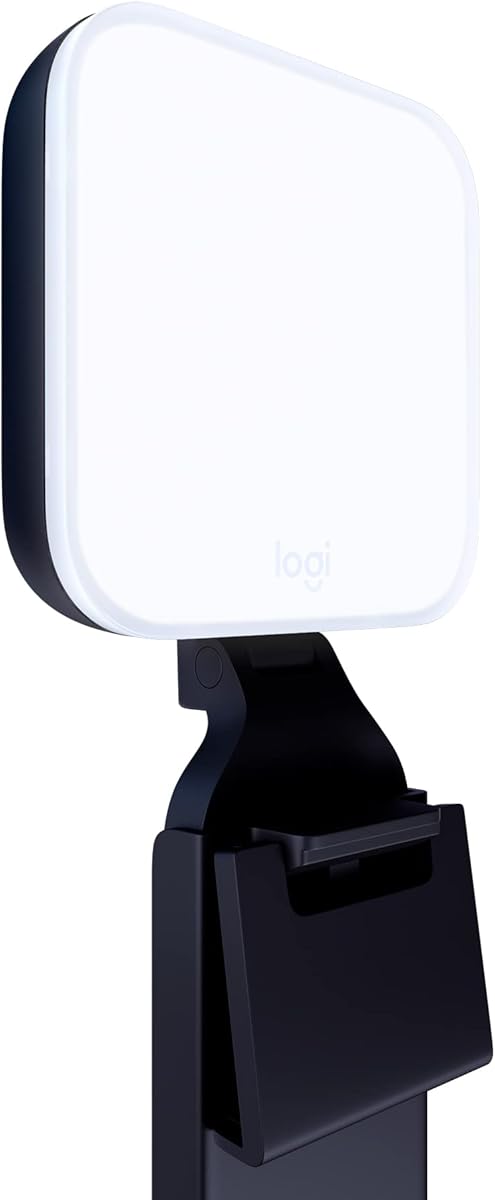
Logitech for Creators Litra Glow
4.5Editor score
Frameless wide, soft diffuser
Adjustable monitor mounting system
G HUB brightness and preset controls
A key light for streaming can transform an ordinary webcam setup by giving your face brighter, softer, and more consistent illumination. The right panel reduces harsh shadows, improves color rendering, and helps your audience see you clearly without requiring a large studio or complicated production system.
We compared ten lights based on the information supplied for each product, including light output, color-temperature range, dimming controls, diffusion, mounting hardware, power options, app support, and intended streaming applications. The list covers compact desk lights, clamp-mounted panels, freestanding studio kits, and multi-light packages for creators who need greater flexibility.
Each review highlights the strongest use case, practical trade-offs, and setup considerations. Our top picks emphasize value, control, and overall versatility, while the remaining recommendations cover different desk arrangements, production needs, and creator budgets. Product prices and availability can change, so confirm current details before purchasing.
4.5Editor score
4.7Editor score

4.5Editor score
As an Amazon Associate we earn from qualifying purchases.
The comparison below organizes all ten lights by their core specifications, mounting approach, and streaming features. It makes it easier to distinguish a simple USB desk panel from a sophisticated app-controlled studio light or a complete two-light kit.


The Elgato Key Light is a dedicated studio panel for creators who want strong, controllable illumination without building a complex rig. It carries a 4.5 rating and stands out for 2800 lumens of output, enough to illuminate an entire workspace while also dimming to a subtle glow. Its opal glass face creates balanced, glare-free diffusion across the panel.
We may earn a commission when you buy through this link, at no additional cost to you.
Color adjustment is another major strength. The light spans 2900K to 7000K, allowing a streamer to move from warm sunset amber to cool arctic blue as the room or camera look changes. Sixteen OSRAM LEDs provide the stated source of illumination while producing comparatively little heat, and the desktop app provides remote switching, dimming, and fine-tuning over Wi-Fi.
The main trade-off is physical scale. A full studio panel takes up more room than a compact monitor-mounted light, and its app-based control is less convenient when a creator only wants to tap a physical button. Nevertheless, the combination of substantial output, broad color range, even diffusion, and digital control makes this a strong premium choice for a permanent desk or streaming studio.
This is the most suitable recommendation for streamers who regularly appear on camera, record educational content, or want a light that can serve as a primary source and subtle background illumination. It is less ideal for a very small workstation or a creator who needs a completely self-contained portable kit, but its flexibility makes it a dependable long-term streaming fixture.
The opal glass face spreads the LED output across the panel instead of presenting a cluster of visible points. That broad diffusion can reduce glare and make facial illumination look more consistent, particularly when the panel is positioned close to your monitor.
The wide color-temperature range and app controls make it easy to match different times of day or established visual presets. You can also dim the panel for evening sessions without moving it away from its carefully chosen position.
We may earn a commission when you buy through this link, at no additional cost to you.
The Logitech for Creators Litra Glow is a compact, polished solution for a streamer who wants better facial lighting without filling the desk with a freestanding panel. It has a 4.5 rating and uses a wide, frameless diffuser to cast soft light that flatters the subject and helps reduce harsh shadows. Its monitor-friendly design is especially appealing for laptop and desktop setups.
We may earn a commission when you buy through this link, at no additional cost to you.
Logitech's TrueSoft technology is intended to provide balanced, full-spectrum illumination with cinematic color accuracy. The light includes adjustable brightness and color temperature, while the free G HUB application adds direct control over power, output, and saved presets. A patent-pending three-way mount allows height, tilt, and rotation changes for positioning the diffuser near the top or side of a display.
The compromises are modest. This is not intended to illuminate a large physical set in the same way as a high-output studio panel, and the mounted design is less convenient for moving between locations. The USB-powered construction also requires a dependable USB connection during use. Even so, it provides a particularly tidy way to upgrade the appearance of a small streaming desk.
Choose the Litra Glow for webcam streams, video calls, remote work, and compact creator stations where desk space matters. It is also a strong starting point for anyone new to lighting who wants useful controls and a broad diffuser without assembling a large stand. The result is an approachable, polished key light for everyday content creation.
The adjustable monitor mount keeps the light close to your camera and frees the surface below it. This is particularly helpful when your keyboard, microphone arm, and other equipment already occupy most of the available desk space.
Instead of concentrating illumination into visible LED points, the frameless diffuser radiates a wide field of soft light. That broad distribution can make skin tones appear more even and reduce the pronounced shadows associated with a bare light facing the camera.
We may earn a commission when you buy through this link, at no additional cost to you.
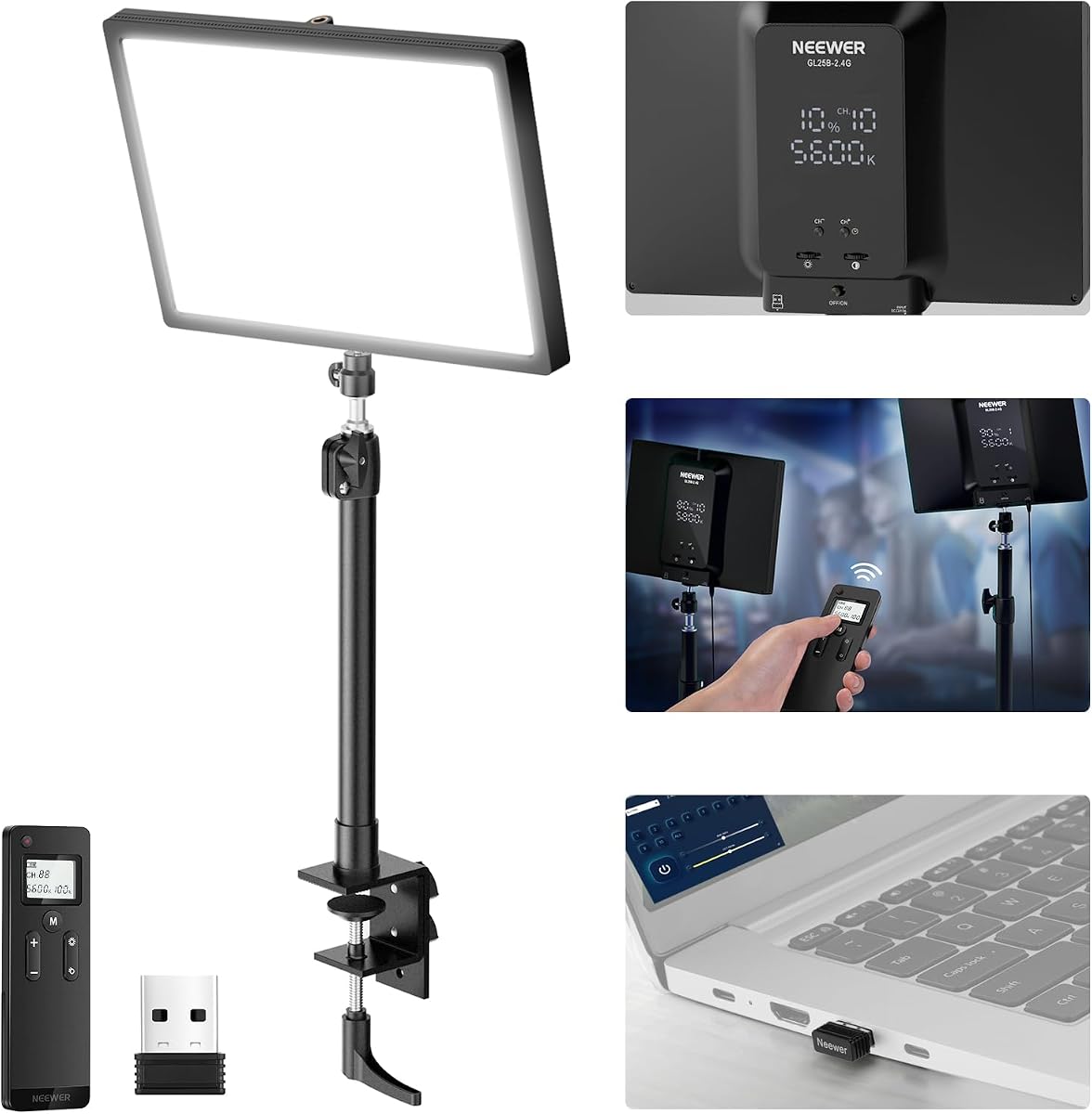
The NEEWER GL25B is our Editor's Choice because it balances useful output, accurate color, flexible controls, and a practical desktop mounting system. Its 4.7 rating is the highest among the lights in the supplied group. The 12.9-inch panel uses 176 LEDs behind a diffuser to produce bright, soft, continuous illumination with a stated CRI of 98+.
We may earn a commission when you buy through this link, at no additional cost to you.
The light can be operated from its panel, with the included RT100 remote, or from a Windows or macOS computer. Removing the built-in 2.4G USB transmitter and connecting it to a computer allows use of Neewer Control Center without requiring an internet connection. Brightness, color temperature, and power are also adjustable directly, while the range extends from 2900K to 7000K.
Its fanless cooling system is a meaningful consideration for streamers. Thermally conductive materials and edge vents dissipate heat without a cooling fan, avoiding mechanical noise during recording or live broadcasts. The adjustable stand and ball head make directional changes straightforward, although the clamp requires enough clear desk space and a compatible edge thickness.
This is an excellent general recommendation for streamers who want a dedicated panel, desktop control, and remote adjustment in one unit. It also suits creators making YouTube or TikTok videos, gaming content, and remote presentations. Although the software and transmitter may be unnecessary for a basic setup, they add meaningful flexibility once the lighting position is dialed in.
The GL25B supports panel buttons, a wireless remote, and computer-based management from the same lighting system. That range of controls is helpful when the panel is mounted out of easy reach or when a creator wants to operate multiple compatible lights.
The fanless design keeps the light electrically powered without introducing fan noise into a microphone pickup. Silent operation is especially valuable for close-mic podcasting, gaming commentary, and other formats where background noise can be immediately audible.
We may earn a commission when you buy through this link, at no additional cost to you.
The Elgato Key Light Air MK.2 combines a slim 15-inch panel with several flexible power options. It produces up to 2100 lumens and uses 256 LEDs with a CRI above 94, while its edge-lit, anti-glare construction is designed to provide flattering illumination. Its 3.8 rating is lower than those of the other products listed, making careful setup and power selection particularly relevant.
We may earn a commission when you buy through this link, at no additional cost to you.
Control is available through touch controls on the panel and through Elgato Control Center on desktop, tablet, or mobile devices. The desk clamp adjusts from 60 to 88 centimeters, and the detachable panel can be incorporated into another rig. Stream Deck support also allows lighting changes to be automated with a single keypress.
A notable feature is its flexible power arrangement. It can draw power from a laptop through USB-C, use a PD 3.0+ adapter for full output, or operate from a battery bank attached through the MagSafe ring. This makes the panel useful in fixed desks and more mobile productions, although maximum brightness depends on having an appropriate power source.
Consider this model if you want a slim Elgato panel, digital control, and more than one powering method. It is a sensible fit for a creator building a modular desk system or using Stream Deck workflows. Those who prioritize the highest customer rating in this group may prefer one of the better-reviewed alternatives, while those focused on thin construction and power flexibility will find this model compelling.
USB-C, a suitable PD adapter, and a MagSafe-connected battery bank give the panel options for different locations. This flexibility is especially useful for creators who alternate between a powered workstation and a more mobile recording setup.
The detachable 15-inch design can remain on the included desk mount or move into a custom setup. That versatility makes it easier to evolve a streaming arrangement without replacing the lighting panel as the desk and camera positions change.
We may earn a commission when you buy through this link, at no additional cost to you.
The Weilisi 10.2-inch ring light is a flexible desk fixture for streamers, remote workers, and content creators. It has a 4.5 rating and combines a full-screen diffused light with a metal C-clamp, telescoping stand, and multiple adjustment axes. This is a more specialized shape than a rectangular panel, but it can be useful where a compact light must sit close to a laptop or monitor.
We may earn a commission when you buy through this link, at no additional cost to you.
The light head rotates through 360 degrees and tilts through 180 degrees, allowing the direction of illumination to be changed without moving the entire clamp. Edge-lit LED technology provides a uniform glow, while ten brightness levels and three color temperatures offer basic scene matching. A 5V/3A power adapter is included with the light.
Its main limitation is the fixed ring format. The circular opening and surrounding light do not provide the same broad rectangular coverage or clean face illumination that a dedicated panel can offer. A ring can also create a recognizable visual signature if the camera angle includes the fixture. For a desk where the light will remain mostly out of frame, however, that shape is not a serious problem.
This model is best for a compact workstation, laptop streaming, reading, video calls, and other close-range tasks. The non-slip C-clamp can protect the desktop while opening up desk space, and the wide positioning range makes it easy to redirect light as the day changes. Choose it when adjustable placement and a compact footprint matter more than full studio output.
A ring light that can rotate and tilt lets you redirect illumination away from a monitor or toward your face. This makes it more adaptable to changing rooms, camera positions, and daytime ambient light than a fixed-angle fixture.
Mounting to the desk edge keeps the stand from occupying valuable surface area. The non-slip base helps guard against scratches, making the fixture practical for desks already crowded with a keyboard, mouse, and recording equipment.
We may earn a commission when you buy through this link, at no additional cost to you.
The NiceVeedi two-pack is a complete studio-light solution for creators who want more than one light. It has a 4.4 rating and includes two compact LED panels, two adjustable tripods, a remote, power accessories, and a storage bag. That bundled approach can make it easier to build a key-and-fill arrangement without assembling a list of separate components.
We may earn a commission when you buy through this link, at no additional cost to you.
Each panel uses 356 LED beads to provide 15 watts of output with a stated CRI of 97+. Brightness is adjustable from 10 to 100 percent, and three color-temperature settings—2800K, 4800K, and 6500K—cover warm, neutral, and cool looks. A thickened shell functions as diffusion, while the 10-by-7.8-inch panel format keeps each light relatively compact.
The main limitation is control granularity. Instead of a continuous color-temperature adjustment, the kit relies on three presets, which may be less useful for matching a changing room precisely. Its tripod stands also require floor space, and two separate lights mean more setup than a single mounted panel. Battery operation is not listed, so a reliable power source is necessary during use.
Choose this kit for new streamers who want a straightforward two-light foundation, small video productions, or a package that can cover both face lighting and fill duties. It is also attractive for creators who record from different locations and want to carry a complete setup. The included bag and folding tripods improve the value of the package for mobile use.
Two panels give you a practical way to reduce facial shadows by placing one light near the camera and another at an angle. The same pair can also separate a subject from the background or illuminate different areas of a small production space.
The folding aluminum tripods, removable panel design, and included storage bag make the kit easier to transport. That portability is valuable for creators who alternate between a home office, a larger studio, and temporary recording locations.
We may earn a commission when you buy through this link, at no additional cost to you.
The two-pack gooseneck streaming light earns the highest customer rating in this comparison at 4.8. It combines two 16-watt edge-lit panels with flexible gooseneck tubes and desktop clamps, making it especially useful for creators who want precise positioning around a dual-monitor station. The design supports key lighting, overhead fill, podcasting, gaming, and video-conference applications.
We may earn a commission when you buy through this link, at no additional cost to you.
Each panel offers brightness adjustment from 1 to 100 percent and a color-temperature range of 3200K to 5600K. With a stated CRI of 95+, it should support clean-looking skin tones and accurate detail. A high-definition LCD shows brightness, color temperature, power, and dimming information, while a memory function recalls the previous setting after the light is switched off.
The clamps fit desktop thicknesses from 0.3 to 3.3 inches, and the stands adjust from 12.2 to 21.3 inches. These broad ranges help the lights fit varied furniture while keeping the base stable. The goosenecks provide the most useful flexibility by allowing each panel to be angled close to a face without moving the entire stand.
This set is well suited to streamers who want two compact lights but lack room for floor-standing tripods. It is also compelling for remote presenters because the panel and controls sit close to the workstation. The limited color-temperature range may matter in rooms with strongly tinted ambient light, but for most indoor setups, the fine dimming and positioning controls are especially valuable.
One-percent increments make it easier to match a dim evening room or balance the panel against brighter daylight. The LCD gives immediate visual feedback, reducing the need to guess at a setting while the light is out of reach.
The gooseneck tubes separate the direction of the light from the location of the clamp. A creator can bring the panel close to the camera or angle it downward without relocating the base, which is useful on compact and crowded desks.
We may earn a commission when you buy through this link, at no additional cost to you.
The Godox ES45 is a desktop key light designed for streamers, esports players, and video-call users who value soft illumination and convenient remote control. It holds a 4.4 rating and uses an edge-lit panel with diffusion to reduce harsh shadows and uneven highlights. The result is designed to present smoother skin and a more polished on-camera appearance.
We may earn a commission when you buy through this link, at no additional cost to you.
Its magnetic remote attaches to the back of the panel when not in use. Once detached, the 2.4G wireless controller can adjust brightness and color temperature in real time, and returning it to the panel recharges it automatically. This removes the need to reach behind the light during a broadcast and avoids managing separate remote batteries.
The ES45 provides zero-to-100-percent dimming and a 2800K-to-6500K range, which gives it more continuous color-temperature control than several preset-based kits. It also supports the Godox Light App, and matching channels and groups can be used to control multiple ES45 lights. The included extendable clamp attaches to desks up to two inches thick without tools.
Choose the ES45 for a permanent desk setup that prioritizes soft facial light, organized cable management, and refined remote adjustments. It is particularly appropriate for creators already comfortable with a more advanced desktop fixture. The clamp cannot cover every desk thickness, so measure before ordering, and confirm that the multi-light app workflow aligns with your production plans.
The magnetic remote is designed to remain attached to the back of the light until a live adjustment is needed. Its automatic recharging behavior helps simplify operation and reduces the chance of interrupting a stream to find a separate controller.
App control and group settings make the ES45 relevant to creators building beyond a single-face-light setup. Matching multiple units can provide more even coverage, targeted background illumination, or separate control over different areas of the frame.
We may earn a commission when you buy through this link, at no additional cost to you.
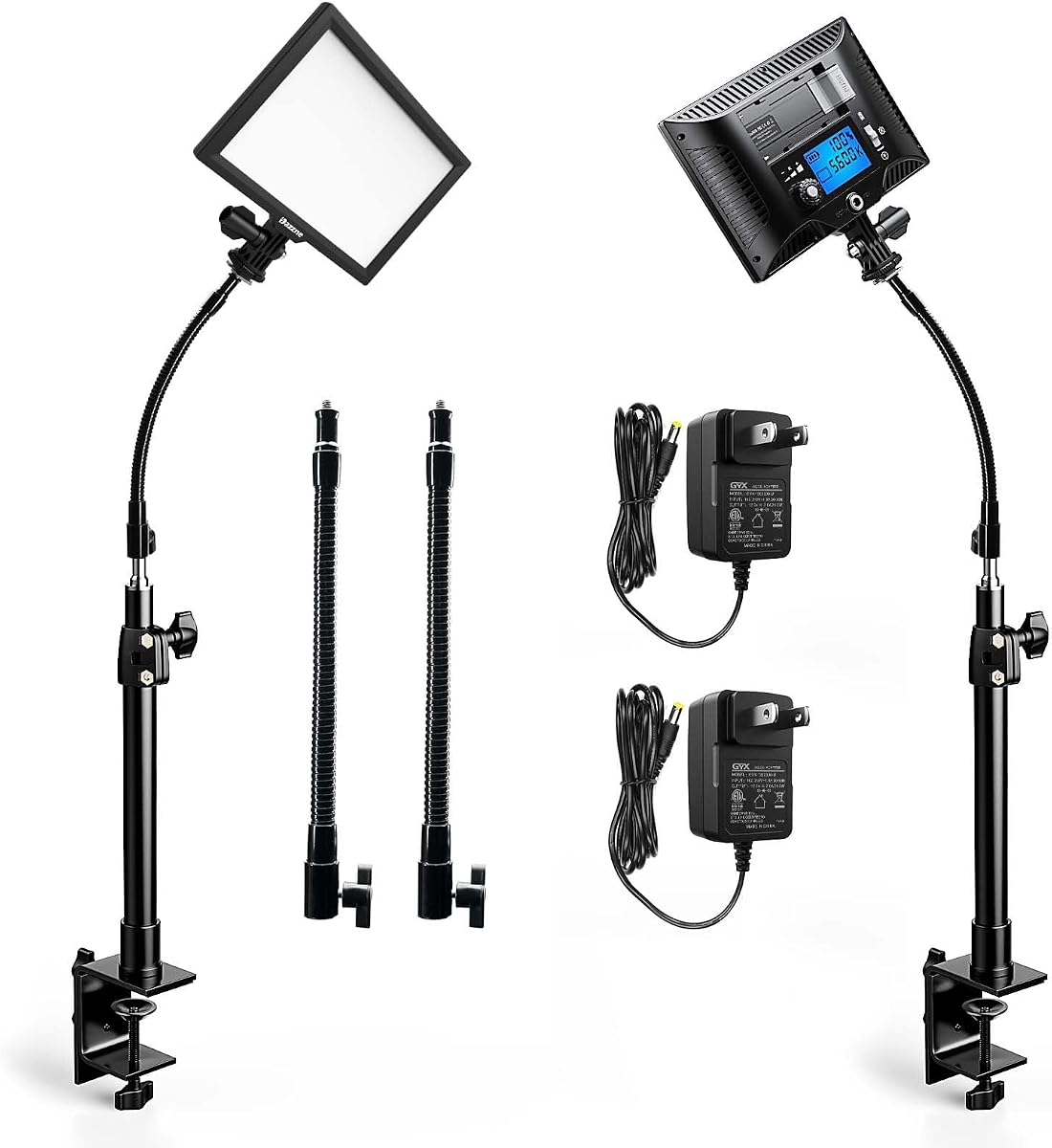
The Dazzne D20 two-pack is built around two compact panels, metal desktop brackets, and adjustable gooseneck tubes. It has a 4.4 rating and targets streamers, podcasters, gamers, and remote presenters who want a dedicated key light or overhead fill. Its 16-watt panels use 118 edge-mounted LED beads with a stated CRI of 95+.
We may earn a commission when you buy through this link, at no additional cost to you.
Brightness can be adjusted from 1 to 100 percent, and the color-temperature range extends from 3200K to 5600K. An LCD displays brightness, color temperature, power, and dimming information. The built-in memory records the most recent setting, which is useful when the same arrangement is used for daily streams or recurring video calls.
The desktop clamps accommodate surfaces from 0.3 to 3.3 inches thick, and their height adjustment spans 12.2 to 21.3 inches. The goosenecks provide several directions of adjustment, helping the user move from frontal key lighting to an overhead fill position. The package includes two panels, two brackets, two gooseneck tubes, and two adapters, although batteries are not included.
This is a practical recommendation for creators who want two panel lights without using floor stands. It is well suited to home studios where clamp placement and adjustable direction are important. The 3200K-to-5600K range is less broad than the ranges offered by some alternatives, and you should account for the need to supply power and any batteries if your chosen setup requires them.
One panel can serve as the main facial light while the second fills shadows or adds light to another part of the frame. The goosenecks make this arrangement possible without giving up valuable desk surface or requiring separate floor stands.
Saving the final configuration helps a creator recreate a familiar look after power cycling. This is particularly helpful for routine broadcasts where lighting should remain consistent from one session to the next.
We may earn a commission when you buy through this link, at no additional cost to you.
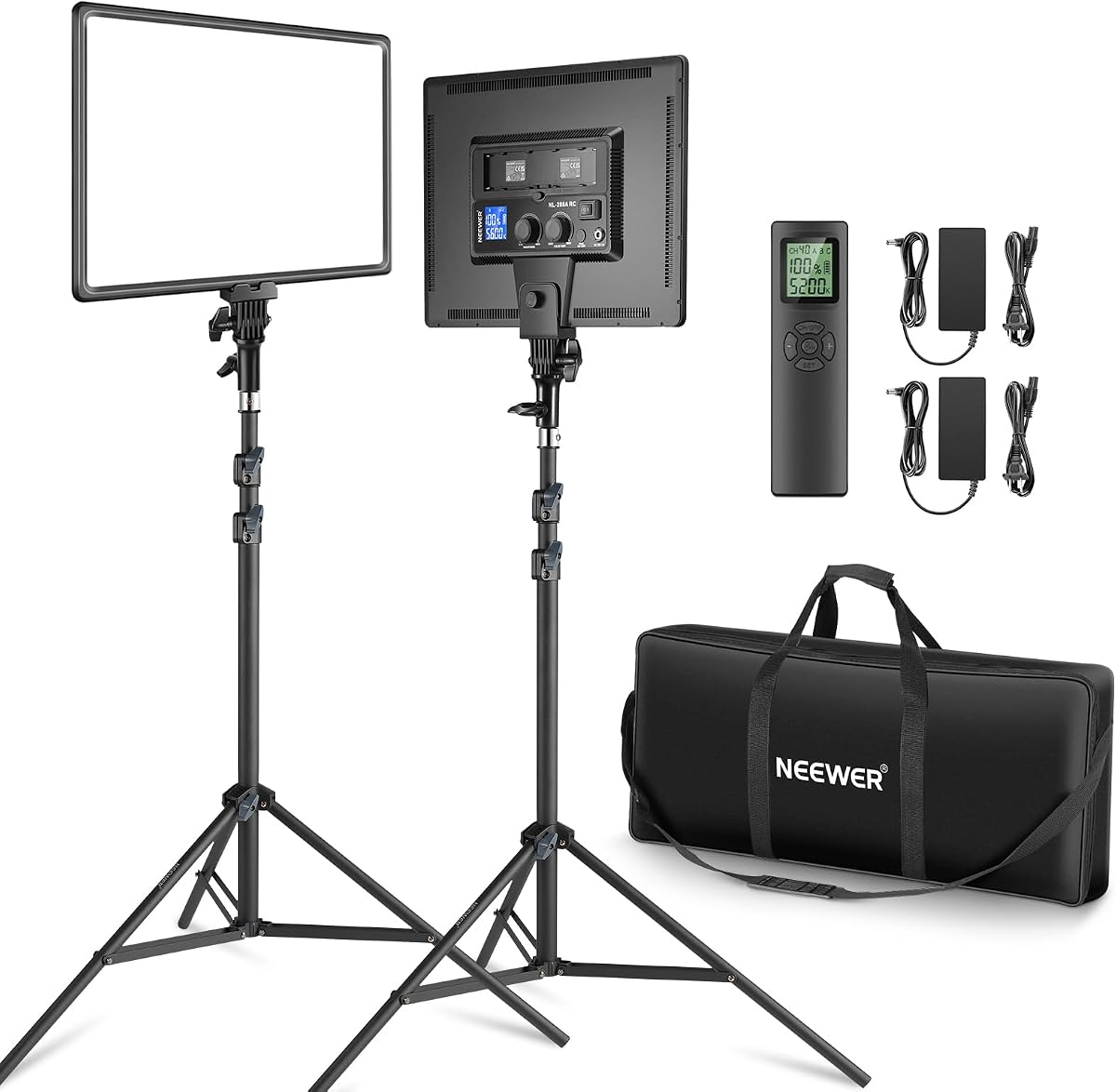
The Neewer NL-288ARC two-pack is the most substantial studio-style option in the comparison. It has a 4.6 rating and includes two 18-inch, 45-watt LED panels, each with 288 beads and a stated CRI of 97+. The panels deliver soft, continuous, flicker-free illumination and can serve as either key or fill lights.
We may earn a commission when you buy through this link, at no additional cost to you.
Brightness runs from 1 to 100 percent, while the color-temperature range spans 3200K to 5600K. The 2.4GHz remote can switch among 40 channels and four groups, including A, B, C, and ABC combinations, making it possible to manage multiple lights efficiently. This feature is particularly useful when the panels are positioned beyond easy reach.
Power flexibility is another advantage. Each light can operate from an AC power adapter or from two Sony NP-F batteries, although those batteries are not included. The package contains two aluminum-alloy tripod stands, power adapters and cables, a carrying bag, and the remote. This makes it a capable package for live streaming, studio photography, video recording, and makeup broadcasting.
Choose this kit when you need more light than a compact desk panel can provide or plan to develop a two-light production setup. Its tripod footprint and 18-inch panels require room, and battery users must purchase compatible cells separately. In return, it offers strong output, a high color-rendering specification, remote group control, and a complete package for creators who value studio capability.
The 45-watt output and large panel dimensions provide more flexibility than a compact light for illuminating a presenter, a product table, or a small production area. Two panels can be balanced for even coverage or used independently to shape the scene.
Forty channels and four group options make it possible to manage paired fixtures without walking to each one. The group controls are particularly valuable in a live production where rapid, coordinated lighting changes are needed.
We may earn a commission when you buy through this link, at no additional cost to you.
The right key light depends on your camera position, room conditions, available desk space, and the level of control you need. Consider output, diffusion, color rendering, mounting, power, and workflow features before making a selection.
Prioritize enough output to balance your room, not simply the brightest available specification. A panel that is excessively bright may be less pleasant to use at close range, while one with insufficient output can leave visible shadows.
Look for a broad diffuser and consider whether the light will sit close to the camera. Close-mounted lights benefit greatly from soft diffusion.
Choose continuous color-temperature control for a versatile setup, but do not overlook color-rendering quality. Natural-looking skin tones can matter more than reaching an extreme color setting.
Look for one-percent dimming, clear status displays, and useful memory functions. These details can make daily operation more consistent.
Measure your desk thickness and available clearance first. A mount that cannot attach securely will undermine an otherwise suitable light.
Match the power system to your recording location. A convenient USB connection is valuable only if it can deliver stable operation throughout the session.
Prioritize the controls you will actually use. Good automation should save time without making every routine adjustment unnecessarily complicated.
One well-positioned light may be sufficient for a simple stream. Add a second only when the first cannot deliver the coverage, shadow control, or visual separation your production needs.
Begin by positioning the light near your camera and slightly above eye level, then angle it downward toward your face. The diffuser should remain visible within the camera frame for the softest apparent source, although you can adjust the angle if the fixture is distracting. Turn the brightness down before switching on, increase it gradually, and then make smaller adjustments to match your skin tone and the rest of the room.
Choose a color temperature that complements your ambient light rather than creating an obvious mismatch. For example, begin near a neutral setting and move warmer or cooler as needed. If using a second panel, place it on the opposite side at a lower level to fill shadows. After establishing your preferred look, save the setting in the supporting app or use the panel's memory function where available.
Handle the panel and mount gently, keep ventilation openings unobstructed, and avoid placing the fixture where heat can build up. Clean the diffuser with a soft, dry cloth and disconnect power before inspecting the mount or changing cables. Periodically tighten clamps and tripod controls, inspect cables for damage, and confirm that the panel remains stable before each stream.
A key light provides the primary illumination on your face during a stream or video call. It helps reduce shadows, keeps your expression visible, and gives the camera a more consistent image. It is usually positioned near the camera and adjusted to complement the light already present in the room.
A rectangular panel usually offers a broader, more conventional face-light shape and can produce very even illumination across the frame. A ring light is more compact, rotates easily, and works well on crowded desks, but its circular form can create a distinctive look. Choose based on your available space, camera angle, and preferred diffusion.
One key light is enough for many basic streams, especially when it is large, diffused, and positioned close to the camera. A fill light can soften one-sided shadows or add coverage for a larger scene, but it is unnecessary if a single panel already produces an even appearance. Add another light only when the image requires more control.
Aim to match the color temperature of your room as closely as possible. Neutral-to-warm settings often work well with household lighting, while a cooler setting may suit a daylight-filled room or a crisp broadcast look. Continuous adjustment is useful because ambient conditions can change throughout the day.
Yes, because a high CRI helps the camera render skin tones and other colors more faithfully. The light's color-temperature range still matters, but good rendering quality ensures that the chosen setting produces a natural-looking result rather than shifting skin color unexpectedly.
Place it close to the camera and generally above eye level, angled down toward your face. This position creates flattering, relatively even light while keeping shadows from becoming overly deep. A clamp-mounted light or monitor-mounted panel is especially convenient for this arrangement.
Yes. Many of the listed lights are explicitly designed for video conferencing, gaming, podcasting, and streaming. Their broad diffusion, adjustable brightness, and compact desk mounts can improve a webcam image without requiring a separate studio setup.
No. Most can be operated with physical controls or a remote, although app control adds presets, computer-based adjustment, multi-light groups, or automation. Computer control is most useful for permanent installations and creators who want to integrate lighting changes into their streaming workflow.
The Logitech Litra Glow is the best budget-oriented choice for a compact, polished desk setup, while the NEEWER GL25B is the strongest all-around option for a streamer who wants detailed control and quiet operation. The Elgato Key Light takes the premium position with its high output, broad color range, and dedicated studio-panel design.
Prioritize diffusion, usable brightness, and a mount that suits your desk before considering extra features. Large panels suit permanent studios, clamp lights work well in crowded workspaces, and two-light packages become worthwhile when shadow control or broader coverage is important. Software is useful when it solves a recurring adjustment problem, but it should not outweigh comfort and reliable placement.
Check the current product specifications, compatibility, included accessories, and power requirements before buying. Product prices and availability change frequently, so compare the latest listings and confirm that the selected light will fit both your camera arrangement and your workspace.