
PHILIPS Ergonomic Wireless Mouse
4.3Editor score
Three-device wireless switching
Dual scroll wheel system
Anti-slip thumb support
Discover the best mouse with thumb rest options by comparing ergonomics, connectivity, tracking, controls, battery life, and comfort for work or gaming.
A mouse with thumb rest can make long work sessions feel more controlled by giving your thumb a stable support point instead of forcing it to brace against the mouse body. The best option depends on grip style, hand size, desk space, and whether you need wireless freedom, programmable controls, or gaming-focused performance.
We compared ten featured mice using their supplied specifications, customer ratings, comfort-oriented design details, connectivity options, tracking systems, controls, and power arrangements. The list covers conventional thumb-rest mice, vertical designs, trackballs, compact travel models, and gaming peripherals for different working styles.
Each review identifies the product's strongest qualities, practical limitations, and ideal user. Ratings reflect the information supplied with each listing, while product availability and pricing can change over time, so confirm current details before making a final purchase.
4.3Editor score

4.6Editor score
4.5Editor score
This side-by-side comparison highlights the major differences in grip style, connection method, control layout, tracking capability, and power management, helping you identify the most suitable thumb-rest mouse for your routine.



The Razer Basilisk V3 combines a recognizable ergonomic shape with a substantial thumb rest, 11 programmable buttons, and a 4.6 customer rating. It is especially compelling for gamers and advanced users who want a desktop mouse capable of handling detailed controls without sacrificing precise optical tracking.
We may earn a commission when you buy through this link, at no additional cost to you.
Its standout feature set goes well beyond standard left and right clicks. Users can assign macros and secondary functions across 11 buttons, while the HyperScroll tilt wheel can free-spin for rapid movement or provide tactile feedback for controlled navigation. The Focus Plus 26K DPI sensor offers pixel-precise tracking with no smoothing, making the mouse suitable for both fast-paced games and demanding desktop tasks.
Optical Gen 2 switches are rated for crisp response and up to 70 million clicks, while 11 Razer Chroma RGB lighting zones create extensive personalization. The main trade-off is its wired design, which keeps desk-bound setups simple but offers no battery management or cable-free flexibility. Its many gaming-oriented controls may also be unnecessary for basic document work.
This is the strongest all-around choice for a user who wants credible thumb support, high tracking precision, programmable commands, and rich customization in a stationary gaming or productivity setup. For occasional office users, the Razer Pro Glide is easier to recommend because it costs less and offers a more traditional shape, while Logitech's MX Master 3S stands out for quieter clicks and a more subtle appearance.
Eleven programmable buttons make the Basilisk V3 especially useful for games, creative applications, and productivity software. Assignments can cover essential actions such as push-to-talk, macros, navigation commands, and secondary functions.
The 26K DPI sensor and free-spinning HyperScroll wheel offer both accuracy and speed. The wheel can move rapidly through lengthy documents or tilt sideways, while the sensor provides responsive movement without smoothing.
We may earn a commission when you buy through this link, at no additional cost to you.
The Razer Basilisk V3 X brings the familiar Basilisk ergonomic form to a wireless setup and carries a 4.4 customer rating. It is a compelling choice for gamers who want low-latency wireless performance without giving up a supportive thumb rest, programmable controls, or adjustable tracking sensitivity.
We may earn a commission when you buy through this link, at no additional cost to you.
Razer HyperSpeed wireless and Bluetooth connectivity provide two ways to use the mouse, while multi-device support can simplify a setup that includes more than one computer. The 5G Advanced 18K optical sensor offers sensitive, precise tracking, and nine customizable controls allow common actions and macros to be assigned to accessible buttons.
Battery life is a major advantage, with up to 285 hours stated for HyperSpeed use and up to 535 hours over Bluetooth, although actual results vary with usage. Chroma RGB lighting adds visual customization, but it is not essential for everyone. Compared with the wired Basilisk V3, this model trades some maximum sensor specification for wireless convenience and multi-device flexibility.
Choose the Basilisk V3 X for a gaming desk where cable-free movement matters more than having the absolute highest listed DPI. It is also a logical upgrade for someone moving between a gaming PC and a laptop. Buyers who need a quieter, more subdued office tool should look instead toward the Logitech Lift, which offers a vertical posture and quieter clicks.
HyperSpeed provides a dedicated gaming-oriented wireless link, while Bluetooth offers a convenient option for everyday computing. Multi-device pairing makes the mouse useful for users who regularly switch between systems.
The stated endurance of up to 285 hours on HyperSpeed and 535 hours on Bluetooth reduces charging interruptions. Real-world runtime varies, but the specification clearly favors users who want dependable extended operation.
We may earn a commission when you buy through this link, at no additional cost to you.
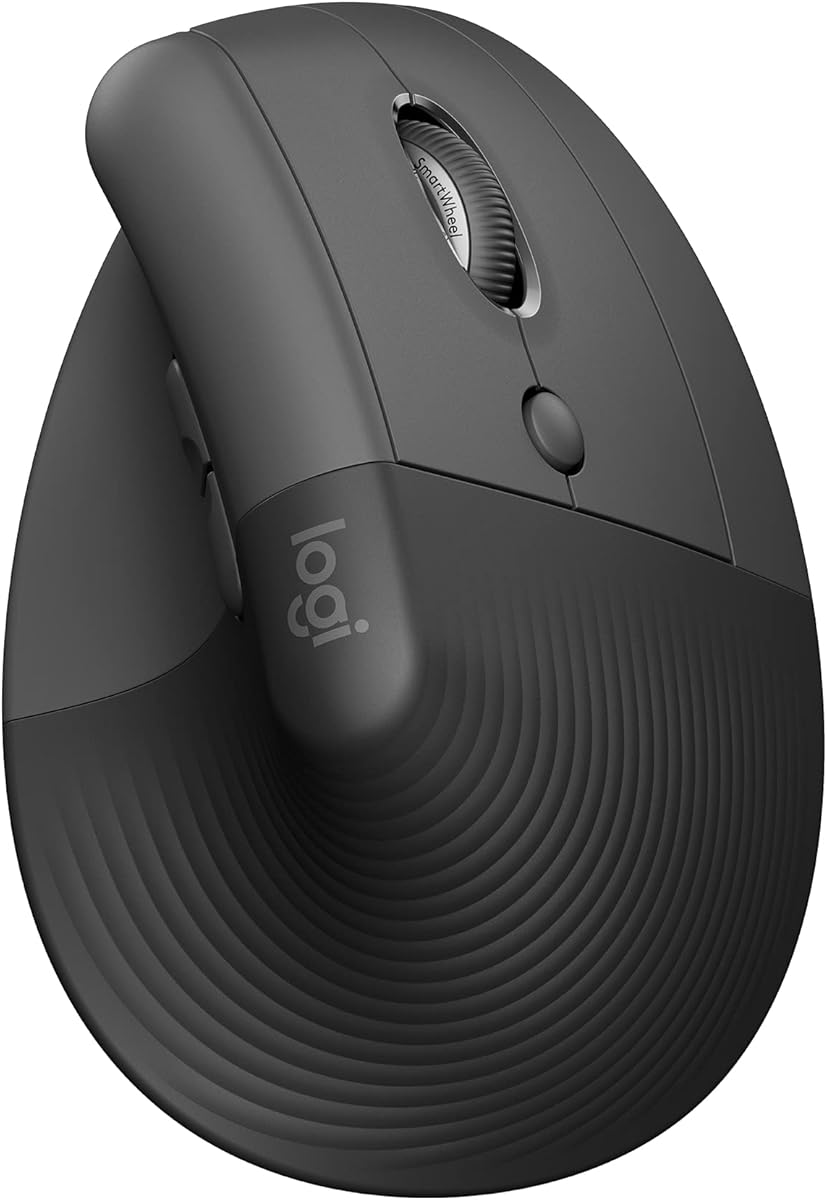
The Logitech Lift stands apart with a 57-degree vertical shape, a snug thumb rest, and an ergonomic design intended for small to medium right hands. Its 4.4 rating reflects a well-rounded option for users who want a more natural forearm posture during everyday computer work.
We may earn a commission when you buy through this link, at no additional cost to you.
The upright shape reduces the need to hold the forearm flat against the desk, while the softly textured grip and dedicated thumb support make prolonged use more comfortable. Quiet clicks minimize distractions, and the SmartWheel provides smooth scrolling that can transition according to the task. Customizable buttons add value for frequently used commands.
Connectivity includes Bluetooth Low Energy and the Logi Bolt USB receiver, with support for Windows, macOS, iPadOS, Chrome OS, and Linux. Logitech also states battery life of up to two years, which is a strong convenience benefit for a desk-based productivity mouse. The main limitation is handedness: this version is designed for right-hand use.
The Lift is best for small-to-medium right hands who spend substantial time editing documents, browsing the web, or working in shared spaces. Its vertical orientation may feel unusual during the first few days, so new users should adjust gradually. People with larger hands may find the Logitech MX Vertical or a full-size conventional model more suitable.
The 57-degree angle helps the forearm adopt a more natural posture than a traditional flat mouse. This can be especially useful for users who notice wrist or forearm discomfort during conventional mouse use.
The Lift is specifically offered for small-to-medium right hands. Its compact vertical body and snug thumb rest help keep the hand supported without requiring the palm to stretch across an oversized shell.
We may earn a commission when you buy through this link, at no additional cost to you.
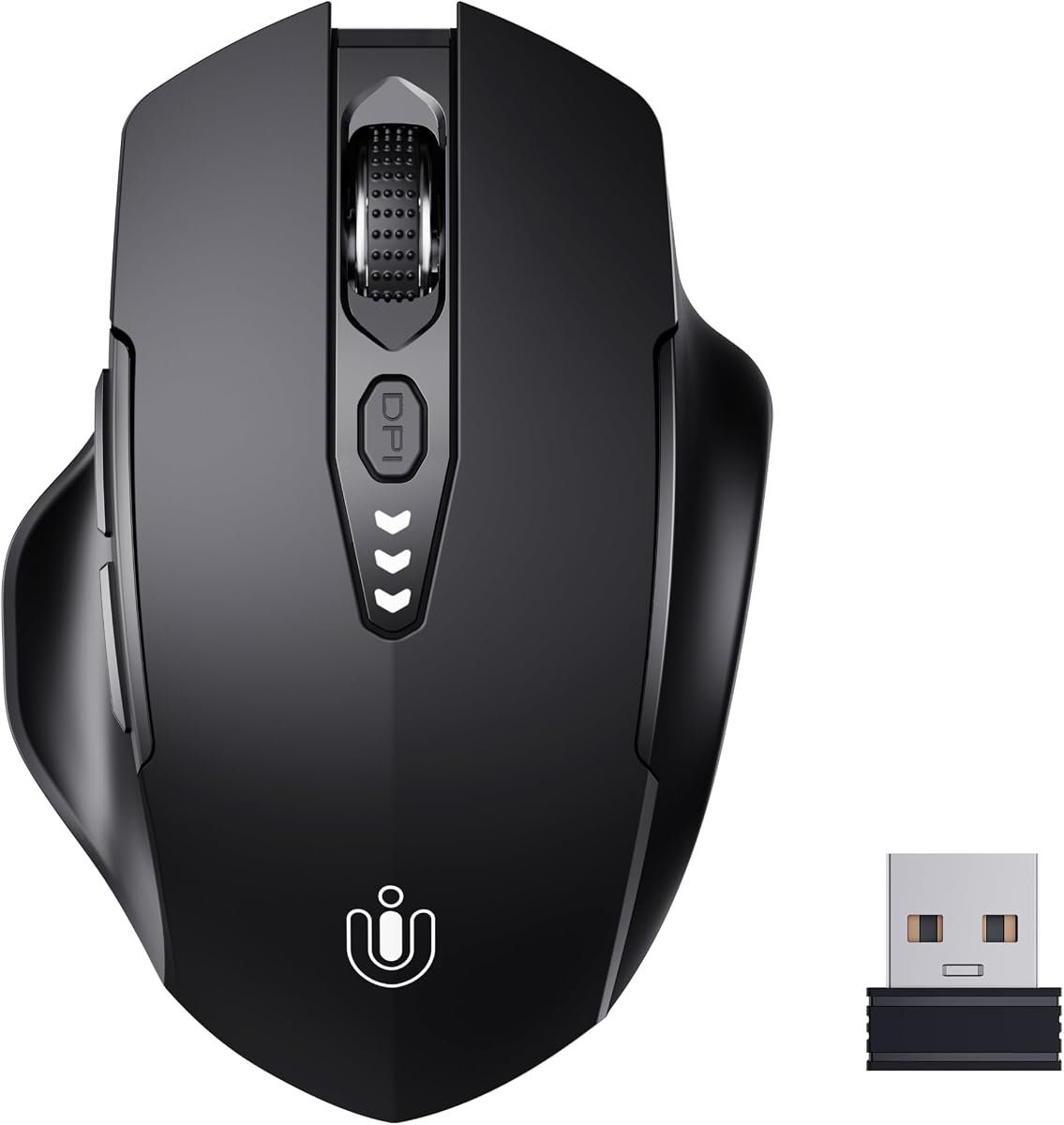
The Uineer Wireless Mouse provides one of the most approachable ways to add ergonomic shape and thumb support to a basic computer setup. Its 4.5 rating, rechargeable 2.4GHz connection, and four-level DPI adjustment make it a practical choice for everyday browsing and productivity.
We may earn a commission when you buy through this link, at no additional cost to you.
The contoured shell is designed to fit the shape of the hand, offering a comfortable grip for work and entertainment. A visible battery indicator removes the uncertainty associated with disposable cells, while the USB receiver provides a straightforward plug-and-play connection without driver installation.
Sensitivity can be set to 800, 1200, 1600, or 2400 DPI, allowing the cursor to move more slowly for detailed work or more quickly for general navigation. Compatibility covers Windows, Mac, and Linux. The limitation is its comparatively modest feature set: it does not offer Bluetooth, extensive programmable controls, or a dedicated scroll wheel with extra functions.
This mouse makes sense for students, home office users, and anyone seeking a comfortable rechargeable wireless option without paying for a highly specialized productivity peripheral. It is less suitable for users who alternate among several devices or need extensive remapping. The Microsoft Ergonomic Mouse is a stronger wired alternative for those who prioritize physical thumb support and programmable buttons without wireless complexity.
The built-in rechargeable battery and visible charge display remove the need to keep spare batteries nearby. Charging through the included mouse setup is convenient for a regular office or home station.
Four DPI levels cover a useful range of movement speeds. The selection is simple enough for a new user, while still allowing greater precision for detailed tasks or faster movement across a display.
We may earn a commission when you buy through this link, at no additional cost to you.
The PHILIPS Ergonomic Wireless Mouse is built for productivity users who juggle devices and work with wide spreadsheets. Its 4.3 rating is supported by a contoured right-handed shell, anti-slip thumb rest, silent main clicks, dual scroll wheels, and connectivity that can cover three devices.
We may earn a commission when you buy through this link, at no additional cost to you.
The included receiver contains both USB-A and USB-C connections, while Bluetooth expands compatibility to an iPad, Windows PC, and Mac. The main wheel provides tactile scrolling, and the thumb-side horizontal wheel is particularly useful for moving across broad spreadsheet columns. Forward, backward, and middle-click buttons can also be configured with custom macros through Philips software.
Five adjustable DPI levels span 800 through 4000, giving users both precise editing and rapid cursor movement. The 500mAh battery is designed for a stated 25-day workload at eight hours per day, with automatic sleep helping conserve power. A five-minute emergency charge provides one hour of tracking, which is helpful when a meeting begins before the normal charge is complete.
This is the pick for analysts, spreadsheet-heavy workers, and anyone who regularly moves among a laptop, tablet, and desktop. The right-handed design and software-dependent customization narrow its appeal, and the horizontal wheel may take some practice. For a quieter, more established productivity ecosystem, the Logitech MX Master 3S provides a similarly polished alternative.
A dual USB-A and USB-C receiver plus Bluetooth connectivity allows the mouse to manage three devices. Switching between them suits hybrid offices, shared workstations, and users who frequently alternate between a computer and tablet.
The thumb-side horizontal wheel makes wide worksheets easier to navigate without holding a modifier key. A tactile main wheel and customizable forward, backward, and middle-click controls support a broad range of daily tasks.
We may earn a commission when you buy through this link, at no additional cost to you.
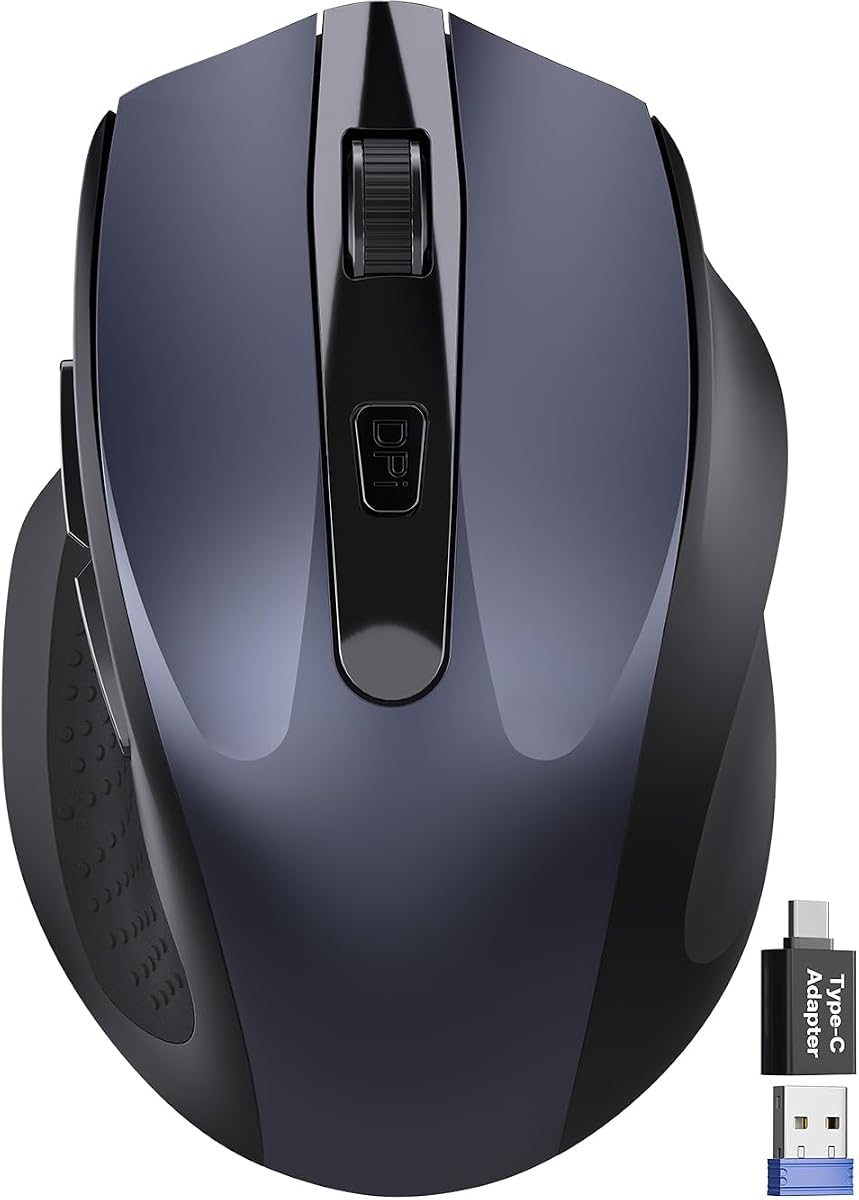
The Wireless Mouse for Laptop is a compact right-handed model built around portability and relaxed hand positioning. Its 4.4 rating and built-in thumb rest make it appealing for travelers, students, and users who work in confined spaces where a full-size ergonomic mouse may feel cumbersome.
We may earn a commission when you buy through this link, at no additional cost to you.
Measuring 4.09 by 2.68 by 1.49 inches, the mouse fits readily into laptop bags and travel cases. Its asymmetrical shape supports the palm, while the thumb rest helps reduce the need to grip the body tightly. The stated click noise reduction of up to 90 percent is useful in libraries, shared offices, and late-night sessions.
Three DPI levels provide straightforward control at 800, 1200, and 1600. Forward and backward buttons assist with page navigation, and the tactile rubber wheel offers a conventional scrolling experience. A USB-A nano receiver and USB-C adapter improve compatibility with Windows, Mac, Linux, Chrome OS, Android, and supported iOS devices.
Choose this mouse when portability is the priority and you need more thumb support than a basic travel mouse can provide. It is not the most advanced option for intensive spreadsheet work or detailed gaming, but its quiet operation and broad compatibility make it versatile. The Logitech Lift is a better fit for users prioritizing vertical posture and long-term ergonomic support.
The compact asymmetrical shell offers palm support in a much smaller footprint than many desktop ergonomic models. Its dimensions make it practical for carry-on bags, small desks, and temporary workspaces.
Reduced click noise supports focused work in shared environments. The included receiver adapters and broad platform compatibility make it useful for users who travel with different computers and occasionally connect a tablet.
We may earn a commission when you buy through this link, at no additional cost to you.
The TECKNET Wireless Trackball uses a thumb-operated ball to reduce the amount of hand movement required, and its 4.5 rating makes it a strong alternative for cramped workspaces. The 16-degree vertical angle and stated reduction in muscle strain make it especially relevant to users interested in trackball ergonomics.
We may earn a commission when you buy through this link, at no additional cost to you.
Unlike a conventional mouse, the trackball does not require continuous movement across the desk. That makes the device well suited to confined environments, accessibility needs, and users who prefer controlling a ball with the thumb. Five sensitivity levels ranging from 100 to 1200 DPI allow the response to be adjusted for different tasks.
The mouse can connect through two Bluetooth profiles and a 2.4GHz connection, supporting up to three devices and a stated signal range of 34 feet. A 500mAh rechargeable battery can provide a full day of use after a stated 15-minute charge. Its 5.5 by 4.1 by 2-inch body is specifically intended for medium-to-large hands.
This is a compelling choice for a compact desk, a user who wants to avoid repeatedly moving the entire mouse, or anyone who prefers trackball operation. It takes one to two weeks to become familiar with the controls, and the body is larger than a typical travel mouse. For a more established thumb-operated option, the Logitech Ergo M575S offers broad hand fit and quieter integration with everyday workflows.
The trackball approach lets the user generate cursor movement with the thumb rather than sliding the entire device. This reduces required desk space and may lessen the repetitive movement associated with conventional mouse use.
Two Bluetooth connections and a 2.4GHz option allow fast switching among three devices. The approach is useful for users who move between a desktop, laptop, and another Bluetooth-capable system throughout the day.
We may earn a commission when you buy through this link, at no additional cost to you.
The Microsoft Ergonomic Mouse delivers a straightforward wired design centered on comfort, physical thumb support, and reliable tracking. Its 4.5 rating makes it a sensible office option for users who want a dedicated thumb rest without gaming features or multi-device complexity.
We may earn a commission when you buy through this link, at no additional cost to you.
The shape is intended to support the hand throughout the day, and the thumb rest gives the thumb a natural resting point. Two programmable buttons let users assign frequently used actions, while the optimized scrolling wheel is designed for precise movement through documents and web pages. A precise tracking sensor works across a variety of desk surfaces.
Its wired USB connection is dependable and removes battery and wireless-pairing concerns. The construction is described as lightweight and durable, which suits an always-available office mouse. The trade-offs are a cable on the desk and a more modest feature set compared with contemporary multi-device productivity models.
Choose this mouse for a permanent workstation where reliable plug-and-play operation matters more than wireless freedom. It is especially suitable for office, school, or shared-computer environments. Users who regularly move between laptops or prefer a vertical shape should consider the Logitech Lift, while those who need horizontal scrolling may prefer the PHILIPS Ergonomic Wireless Mouse.
USB connectivity means there is no charging schedule, wireless interference, or pairing process. The mouse is immediately usable on compatible PCs, laptops, and desktops, making it dependable for stationary work.
Two programmable buttons are enough to streamline common tasks without creating a crowded control layout. The optimized scroll wheel adds precise document and web navigation for everyday productivity.
We may earn a commission when you buy through this link, at no additional cost to you.
The Lenovo Yoga Pro Mouse balances familiar full-sized proportions, a soft grip, and an integrated thumb rest. Its 4.4 rating and right-handed design make it a versatile choice for general productivity, creative work, and users who want comfortable support without a pronounced vertical angle.
We may earn a commission when you buy through this link, at no additional cost to you.
The shell has perfect symmetry, while soft material along the sides improves grip and comfort. Six buttons include silent left and right clicks, programmable side and top controls, and a configurable two-way metal scroll wheel. This layout offers useful customization while remaining less specialized than a high-button-count gaming mouse.
A blue optical sensor is designed to track across almost any surface, with three immediate DPI stages and software-adjustable sensitivity up to 4000. The rechargeable battery charges in under two hours and is stated to last two to three months, depending on use. Bluetooth 5.1 dual-host pairing allows convenient transitions between two devices.
This mouse is ideal for users who prefer a traditional full-size profile but want a supported thumb, quiet primary clicks, and stronger customization than a basic office mouse. It is less suitable for left-handed use, and people who prioritize a more pronounced ergonomic angle may prefer the Logitech Lift. Its understated balance makes it a strong all-purpose recommendation.
Soft side materials and a carefully balanced shell help keep the hand supported during extended sessions. The thumb-rest placement supports comfort without requiring a dramatically vertical or trackball-style approach.
The two-way scroll wheel, silent primary buttons, and programmable side and top controls allow the mouse to suit both office tasks and creative workflows. Software-based DPI configuration extends the control range to 4000.
We may earn a commission when you buy through this link, at no additional cost to you.
The Logitech Ergo M575S is a wireless thumb-operated trackball with a 4.6 rating, matching the highest customer score in this group. It provides a distinctive combination of space-saving operation, broad hand fit, and a shape designed to encourage a better forearm position.
We may earn a commission when you buy through this link, at no additional cost to you.
Because the ball is controlled with the thumb, the cursor can move without moving the user's hand across the desk. That makes the mouse effective in small workspaces and allows it to operate on nearly any surface. Three customizable buttons support shortcuts and Smart Actions, while the ergonomic shell supports the hand and realigns the forearm.
Connection options include Bluetooth and the included Logi Bolt USB receiver, and an AA battery is included. The plastic parts are made with certified post-consumer recycled plastic. Compared with conventional mice, the main learning curve is controlling the trackball, while the limitation is a smaller number of programmable controls than gaming-oriented alternatives.
Choose the Ergo M575S for a small desk, a preference for stationary hand movement, or a need to work on varied surfaces. It is suitable for most hand sizes and particularly valuable when a regular mouse would require a large mousepad. Users who want the same thumb-operated concept with a wider physical shell may prefer the TECKNET Wireless Trackball.
The thumb-operated trackball generates cursor movement while the hand remains relatively stationary. This saves surface space and allows use on a desk, pad, fabric, or other uneven area where conventional tracking may be less practical.
The shell supports the hand and is described as a good fit for most hand sizes. Its posture-supporting shape and focused button count offer a clean balance for users who want fewer controls and less desk movement.
We may earn a commission when you buy through this link, at no additional cost to you.
The right thumb-rest mouse should match your grip, hand size, workspace, and daily tasks. Consider how you move the device, which controls you use, and whether portability or stationary comfort matters most.
A conventional ergonomic mouse supports the hand with the palm and fingers while the thumb rests along the side or on a raised ledge. Vertical mice rotate the hand into a more upright posture, which can reduce the need to hold the forearm flat. Trackball mice use a stationary ball operated mainly by the thumb, requiring much less hand movement. These approaches feel very different, so a model that looks comfortable in a photograph may not suit your natural grip.
A mouse that is too large can force the fingers to stretch, while one that is too small may leave the palm unsupported. The Logitech Lift is specifically described for small-to-medium right hands, and the TECKNET Wireless Trackball is designed for medium-to-large hands. The Razer Basilisk models have a fuller gaming shape, while the Logitech Ergo M575S is stated to suit most hand sizes. Consider both the physical dimensions and the placement of the thumb support.
Wired mice provide dependable operation with no charging routine, while wireless models offer greater freedom and cleaner desks. Some support only a dedicated 2.4GHz receiver, while others add Bluetooth for easier switching among computers or tablets. The PHILIPS model supports three devices, the Lenovo Yoga Pro pairs with two, and the Razer Basilisk V3 X includes multi-device support. Confirm the receiver format and operating system compatibility before ordering.
Gaming users may prioritize very high adjustable sensitivity, pixel-precise movement, and switches designed for rapid clicking. Productivity users often care more about smooth scrolling, reliable cursor control, and tracking across different desk surfaces. DPI specifications provide a useful starting point, but they are not equally important to everyone. The standard Logitech, Microsoft, and Lenovo options prioritize general use, whereas the Razer models target more demanding control.
More buttons can accelerate repetitive tasks, but they also require learning and may create accidental inputs. The Razer Basilisk V3 provides 11 programmable buttons, the wireless Basilisk V3 X provides nine customizable controls, and the Lenovo Yoga Pro includes six buttons with programmable options. Simpler choices include two-button models or the Logitech Ergo M575S with three customizable controls. Think about the shortcuts you genuinely use rather than assuming more is always better.
The Razer HyperScroll wheel can free-spin or provide tactile feedback, while the PHILIPS mouse combines a standard vertical wheel with a thumb-side horizontal wheel for wide spreadsheets. The Lenovo Yoga Pro uses a two-way metal scroll wheel, and the Microsoft mouse offers a conventional wheel optimized for document navigation. A horizontal wheel can be valuable in design, spreadsheet, and timeline applications, whereas a free-spinning wheel is useful for rapidly crossing long documents.
Rechargeable and battery-powered wireless mice reduce cable clutter but require charging or replacement batteries. The Razer Basilisk V3 X claims up to 285 hours on HyperSpeed and 535 hours on Bluetooth, while the Philips model is designed around a 25-day workday at eight hours daily. The Logitech Ergo M575S includes an AA battery, and the Uineer mouse is rechargeable with a visual display. Wired options eliminate power management entirely.
Quiet clicks can make a noticeable difference in offices, libraries, shared homes, and recorded calls. The Philips mouse emphasizes library-quiet left and right buttons, the Lenovo Yoga Pro uses silent primary clicks, and the compact Wireless Mouse for Laptop states up to 90 percent noise reduction. Gaming mice may produce louder clicks and add switch options designed for responsiveness, so intended environment should influence the decision.
Begin by choosing a surface that suits the mouse. Conventional optical models generally perform best on a clean, moderately textured mousepad or desk, while trackball models can operate across a wider range of materials. Position the mouse so your forearm remains roughly level, avoid sharply bending the wrist, and allow the thumb to rest naturally rather than pressing it forcefully against the support.
Connect the mouse according to its instructions, then configure sensitivity, primary buttons, scroll behavior, and any programmable shortcuts before beginning a demanding task. Recharge wireless models on a regular schedule or replace disposable batteries as needed. For multi-device models, save the preferred switching button and learn how the operating system identifies each paired device.
Keep the underside and sensor free of dust, crumbs, tape residue, and hair. Wipe the shell with a soft, lightly damp cloth, and avoid abrasive cleaners or liquids near openings. When a trackball feels sluggish, remove and clean the ball according to its instructions, and check that the battery and wireless connection remain secure. Periodic cleaning preserves accurate tracking and smooth operation.
A thumb rest gives your thumb a stable place to settle instead of holding it against the side of the mouse. This can reduce the effort needed to keep the hand stable during long sessions. The benefit varies by person, so a comfortable grip and the right hand size remain more important than the presence of a support ledge alone.
They can be well suited to gaming because a fuller ergonomic shape can stabilize the hand while accessible buttons trigger commands. The Razer Basilisk V3 is especially notable for 11 programmable buttons, 26K DPI tracking, and a HyperScroll wheel. Players who prefer lightweight shapes or no thumb ledge may still find other mice better suited to their grip.
An ergonomic mouse moves across the desk as the hand changes position, while a trackball stays in place and uses a rotating ball. Thumb-operated trackballs require less desk space and work on many surfaces. Conventional ergonomic mice generally feel more familiar to users accustomed to standard mouse movement.
Many models support more than one device, but compatibility depends on the connection method. Bluetooth and Logi Bolt options can pair with multiple computers, while 2.4GHz models generally use one receiver at a time. Verify the listed operating systems and receiver format before purchasing.
A vertical mouse can encourage a more upright forearm position and reduce the need to keep the wrist flat. The Logitech Lift is a prominent example and is designed for small-to-medium right hands. Vertical shapes can feel unfamiliar initially, so consider hand size and give the mouse time to become accustomed to the new position.
Wireless models can be suitable when their connection technology is designed for low latency. The Razer Basilisk V3 X specifically uses Razer HyperSpeed wireless and supports gaming-focused controls. A standard 2.4GHz mouse may also work well, but check the manufacturer's latency and connection specifications if competitive play is the priority.
A supportive thumb rest may reduce the need to grip a mouse tightly, but it is not a medical treatment or guarantee against pain. Posture, desk height, breaks, stretching, and the overall grip also matter. Users experiencing persistent pain should consult a qualified medical or ergonomic professional for individualized guidance.
Gaming mice generally emphasize very high sensitivity, rapid switches, extensive remapping, lighting, and specialized scroll wheels. Productivity mice tend to emphasize quieter operation, multi-device switching, rechargeable batteries, and features such as horizontal scrolling. Choose based on your actual software and shortcuts rather than on the product category alone.
The Razer Basilisk V3 is the strongest overall choice for a stationary setup because it combines a well-supported thumb with precise tracking, 11 programmable buttons, and a versatile HyperScroll wheel. The PHILIPS Ergonomic Wireless Mouse is the most productivity-focused premium option, while the Uineer Wireless Mouse delivers the simplest budget-friendly path to a rechargeable, shaped mouse.
Prioritize the features that affect daily comfort: hand size, grip style, thumb position, desk space, and the types of controls you actually use. Trackballs suit confined spaces and users who prefer stationary hand movement, vertical designs encourage a more upright posture, and full-size conventional models remain the easiest transition from a standard mouse.
Before purchasing, confirm current specifications, connectivity, operating system support, and the latest listing details. Prices and availability change over time, so comparing the current offer alongside the comfort features covered in this guide will help you make the most informed choice.