
UGREEN DXP4800 GT 4-Bay NAS
4.6Editor score
Dual 10GbE network ports
Docker and virtual machine support
Built-in surveillance management
SD and high-speed USB backup
NAS Drives for Home Servers bring together local storage, centralized backups, shared media, and always-available file access in a single private system. A well-matched setup can protect valuable photos, simplify multi-device storage, and support advanced services without relying entirely on cloud subscriptions.
This guide compares ten NAS enclosures and internal hard drives selected for home-server use. We evaluated storage architecture, drive compatibility, networking options, processor capabilities, app support, RAID considerations, continuous-operation features, warranty coverage, and suitability for different household workloads.
Each review reveals where a product fits best, from simple personal storage to demanding multi-user environments. Product configurations and availability can change, so check current listings, enclosure compatibility, drive requirements, and software support before making a final purchase.
4.6Editor score
4.6Editor score
4.2Editor score
As an Amazon Associate we earn from qualifying purchases.
The table below compares complete NAS systems, budget-oriented enclosures, and individual storage drives according to the capabilities that most directly affect a home-server installation.


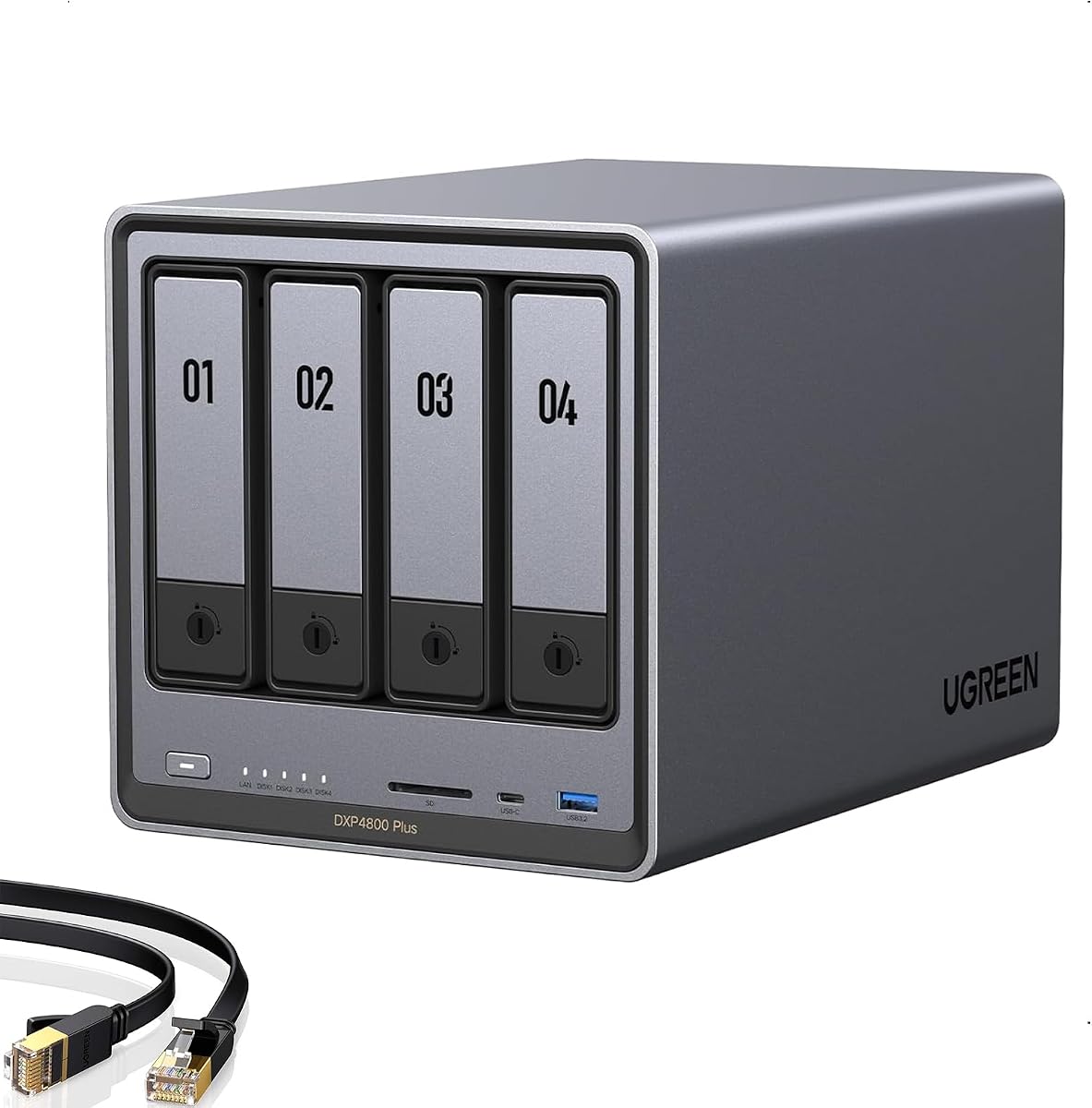
The UGREEN DXP4800 Plus is a well-balanced four-bay NAS that combines fast networking, expandable applications, strong privacy controls, and a generous storage platform. Its 4.6 rating reflects an appealing mix of performance and versatility for families, creators, and small teams, although buyers must provide their own compatible HDDs or SSDs.
We may earn a commission when you buy through this link, at no additional cost to you.
A major strength is the combination of a 10GbE port and 10Gbps USB connections, which can accelerate large backups and creative workflows. The system also supports Docker, virtual machines, remote access, automated backups, and flexible RAID options. AI-assisted photo albums can identify faces, scenes, objects, and locations, while permission management and encryption make the unit useful for private collaboration.
There are important limitations to consider. The enclosure is diskless, advertised capacity depends on compatible drives and RAID configuration, and actual transfer performance will vary with the router, storage devices, files, and network equipment. It uses wired Ethernet rather than built-in Wi-Fi, and Plex must be run through Docker rather than being presented as a directly supported media-server application.
This is our top general recommendation because it gives a home server room to grow without forcing buyers into an overly specialized design. It is particularly well suited to households that want fast media access, centralized family backups, containerized services, and a four-bay expansion path. Buyers who only need simple file storage may find more approachable alternatives in the list.
The 10GbE connection gives this NAS an advantage when moving multi-gigabyte photo libraries, RAW footage, archives, or virtual-machine images. A compatible client and network switch are necessary to realize the full benefit, so the complete network path deserves consideration before installation.
Docker and virtual machine support turn the enclosure into more than a remote file cabinet. Users can deploy compatible media, backup, home automation, and productivity services while retaining centralized control over their files.
We may earn a commission when you buy through this link, at no additional cost to you.
The UGREEN DXP4800 GT is the most technically advanced product in this guide, combining an AMD Ryzen Embedded R2514 processor, dual 10GbE networking, expandable memory, extensive application support, and dedicated surveillance tools. Its 4.6 rating makes it a compelling choice for creators, technology enthusiasts, and office teams with demanding storage workloads.
We may earn a commission when you buy through this link, at no additional cost to you.
The AMD processor provides four cores, eight threads, and speeds up to 3.70GHz, while the included 8GB DDR4 memory can be expanded to 64GB. Two 10GbE ports can support roughly 2.5GB/s aggregate throughput with compatible network equipment and link aggregation. Four SATA bays, U.2 NVMe expansion, and two M.2 slots provide flexible pathways for capacity and performance.
The built-in surveillance center is especially useful for compatible ONVIF or RTSP cameras. It supports live multi-view, pan-tilt-zoom control, event detection, recording, and timeline playback. The SD card slot, USB-A and USB-C 10Gbps ports, and 4K HDMI output also simplify direct media imports and expansion. However, ECC error correction requires a compatible upgrade because the installed memory is non-ECC.
Choose this model when network speed, container flexibility, professional media handling, or local surveillance are central to the home server. It offers the most ambitious feature set here, but that capability comes with greater complexity and a higher hardware commitment than a basic enclosure or standalone desktop drive.
Dual 10GbE interfaces are particularly valuable for simultaneous users, large media libraries, and rapid backups. Link aggregation can balance traffic across compatible networking equipment, although the full aggregate rate depends on storage, switch, cabling, and client capabilities.
The integrated surveillance center can consolidate compatible camera feeds, event detection, recordings, and playback. Keeping footage locally gives users more control over retention, access, and sharing than relying on separate camera applications.
We may earn a commission when you buy through this link, at no additional cost to you.
The UGREEN NAS DXP2800 brings advanced NAS features to a two-bay format, making it attractive for home users, remote workers, and creators who need more capability than a basic file server. Its Intel N100 processor, 8GB DDR5 memory, 2.5GbE networking, and dual M.2 NVMe slots support a broad range of storage and application tasks.
We may earn a commission when you buy through this link, at no additional cost to you.
This model can handle personal files, 4K video, RAW photographs, device backups, and compatible Docker or virtual-machine applications. The NVMe slots can provide fast scratch space, caching, or application storage, while the 2.5GbE port offers a meaningful improvement over basic 1GbE equipment. AI-assisted photo organization and local surveillance features broaden its usefulness beyond simple file sharing.
The main compromise is capacity expansion: only two full-size drive bays are available. HDDs and SSDs must be purchased separately, and the advertised storage maximum relies on compatible drives and RAID 0. Users also need suitable switches and clients for the fastest network performance, while Plex requires Docker setup.
This is a strong recommendation for advanced users who want a compact two-bay NAS without giving up modern application support. It fits particularly well in a home office or creative workspace where fast file handling, NVMe expansion, and containerized tools matter more than having four hot-swap bays.
The Intel N100 and 2.5GbE interface create a responsive foundation for common household and professional tasks. A two-bay model also uses less space than larger enclosures while retaining features usually associated with more advanced platforms.
The dual M.2 slots allow compatible SSDs to accelerate selected workloads. They can be useful for hot data, caches, or container and virtual-machine environments, depending on the software and intended configuration.
We may earn a commission when you buy through this link, at no additional cost to you.
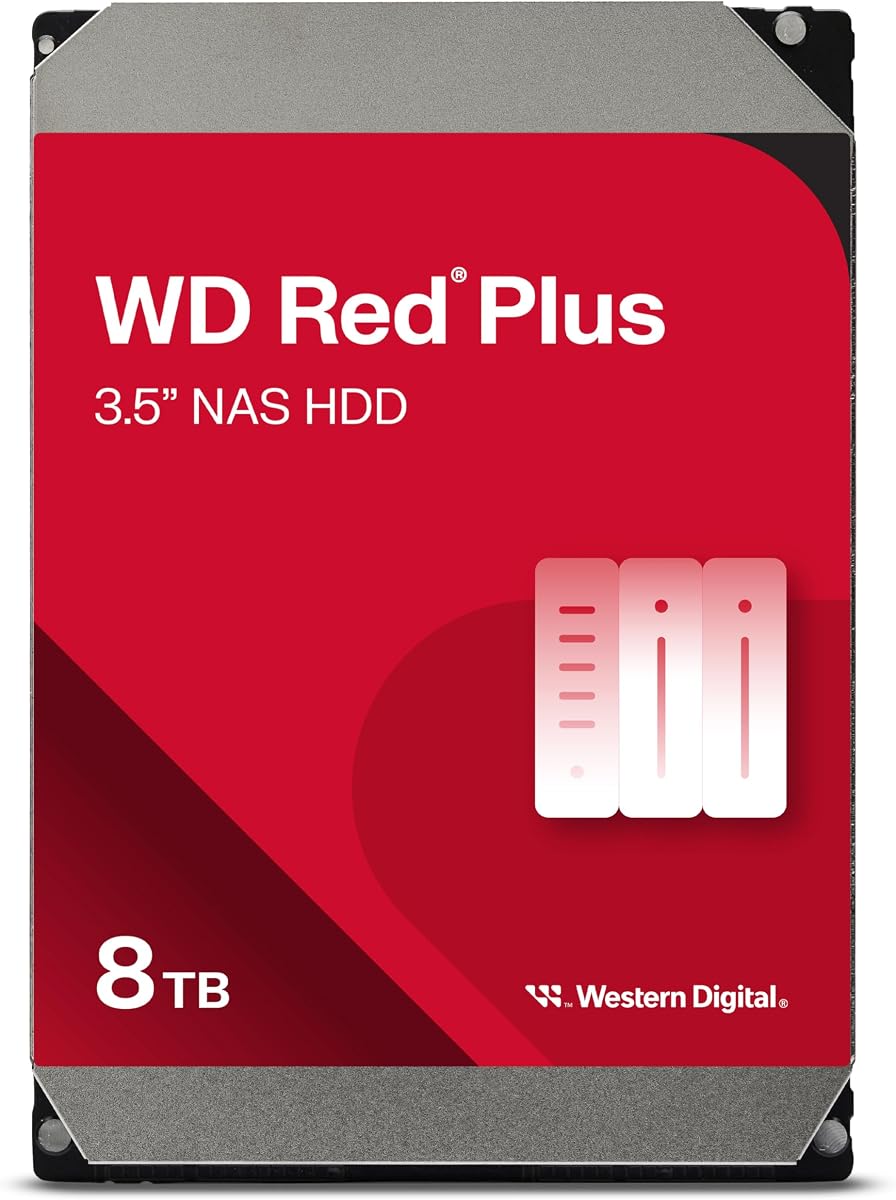
The Western Digital 8TB WD Red Plus is a practical capacity drive for a home server, combining NAS-specific firmware, CMR recording, a 180TB annual workload rating, and a three-year limited warranty. Its 4.2 rating is respectable for a specialized internal hard drive designed for continuous operation in small and medium business NAS environments.
We may earn a commission when you buy through this link, at no additional cost to you.
The drive's CMR format is a meaningful strength in RAID configurations because it avoids the more complex write behavior associated with SMR drives. Its 5640RPM spindle speed and 256MB cache make it better suited to NAS duties than a typical desktop drive. Compatibility extends to systems with as many as eight bays according to the supplied product information.
Like all mechanical hard drives, it introduces moving parts, vibration, and audible noise. Capacity claims can also appear larger than the space shown by an operating system, and performance depends on the enclosure, RAID layout, workload, and network. Buyers should pair it with a NAS that supports the relevant drive size and appropriate redundancy.
This is a sensible budget-oriented storage choice for a household that wants substantial capacity for archives, backups, family media, or surveillance recordings. It is less attractive as a standalone purchase unless you already have a compatible NAS, because its main purpose is to provide reliable storage inside one.
CMR recording supports consistent sustained writes and is especially valuable when rebuilding arrays or operating multiple disks. This makes the WD Red Plus a more considered RAID drive than a general-purpose desktop model.
Eight terabytes provides a useful balance for storing years of family photos, media collections, and versioned backups. Two matched drives can also provide redundancy when configured in an appropriate NAS RAID mode.
We may earn a commission when you buy through this link, at no additional cost to you.
The UGREEN NAS DH4300 Plus is an approachable four-bay NAS for families, beginners, and remote workers. Its 4.2 rating reflects a capable entry-level platform with 2.5GbE networking, 8GB LPDDR4X memory, Docker support, automatic phone backups, and an AI-assisted photo organization system.
We may earn a commission when you buy through this link, at no additional cost to you.
The enclosure can serve as a private file and media hub for Windows, macOS, Android, iOS, browsers, and compatible smart TVs. Automatic photo and video backups reduce the chance of losing mobile memories, while semantic search and recognition of people, objects, pets, and similar images help users locate content. The magnetic dust cover is a small convenience during routine drive access.
Compared with the DXP4800 Plus, this model omits virtual machines and uses a more modest platform. It is also limited to wired Ethernet, so accessing it over Wi-Fi requires routing through a connected network rather than a dedicated wireless radio. Storage drives are sold separately, and the maximum advertised capacity assumes compatible drives in RAID 0.
The DH4300 Plus is well suited to households wanting automatic family backups, private photo storage, shared media, and room to add more drives later. It offers enough capability for light Docker use but is not the first choice for virtualized servers or demanding professional workloads.
Real-time phone photo and video backups give families a simple way to preserve important moments without manually transferring every file. Cross-platform access also makes the stored library available from computers, tablets, browsers, and compatible televisions.
Four bays provide room for a mirrored pair plus future expansion or a larger array. The enclosure therefore suits users who want to start with a manageable configuration while preserving flexibility as their storage needs grow.
We may earn a commission when you buy through this link, at no additional cost to you.
The UGREEN NAS DH2300 is designed for beginners and personal users who want a simple alternative to scattered external drives and cloud storage. Its 4.5 rating is strong for an entry-level product, and its feature set centers on centralized family files, phone backups, photo organization, sharing, and privacy rather than advanced server applications.
We may earn a commission when you buy through this link, at no additional cost to you.
The enclosure uses a 1GbE network connection and includes 4GB of memory, which is sufficient for its stated role as a personal file and photo hub. AI tools can tag faces, locations, text, and objects, detect similar images, and back up live photos. RAID modes, two-factor authentication, permission controls, and encrypted transfers add useful safeguards for local data.
Its limitations are significant for users expecting a conventional server. It does not support Docker, virtual machines, or SAN Manager, and Plex cannot be run through Docker. The supplied information specifically describes it as a consumer and entry-level NAS rather than a business server. It also requires a wired connection, with no wireless network card included.
Choose the DH2300 for personal documents, photos, videos, and automatic device backups in a straightforward two-bay enclosure. It is a sensible first NAS for a student, individual, or small household, but users who need media-server containers or virtual machines should move up to a DXP-series enclosure.
Keeping photos and files on locally installed drives gives users direct control over storage and access. The interface is designed for people moving away from multiple cloud accounts and external disks without needing enterprise-level configuration.
AI tagging can identify faces, locations, text, and objects, making large personal libraries easier to navigate. Similar-photo detection also helps users clean up duplicates and reclaim space without searching manually.
We may earn a commission when you buy through this link, at no additional cost to you.
The Seagate IronWolf Pro 24TB is built for high-capacity NAS environments where sustained operation, workload endurance, and RAID-aware performance matter. Its 4.4 rating reflects a strong enterprise-oriented design featuring all-CMR recording, a 550TB annual workload rating, 2.5 million hours MTBF, and a five-year limited warranty.
We may earn a commission when you buy through this link, at no additional cost to you.
The drive operates at 7200RPM with 512MB of cache and uses AgileArray firmware with dual-plane balancing, time-limited error recovery, and rotational vibration sensors. Those features are relevant in multi-bay arrays where many drives must cooperate during rebuilds, backups, and simultaneous user access. IronWolf Health Management adds prevention, intervention, and recovery recommendations.
This is not a typical desktop drive, and its capabilities require a compatible NAS environment. Power, heat, noise, and sustained workload should be considered carefully. Capacity availability can also vary, so the operating system and application should be checked before relying on a particular usable figure. Rescue Data Recovery Services add useful support but do not replace routine backups.
The IronWolf Pro is ideal for demanding home servers storing extensive archives, media, camera footage, or business project files. It offers tremendous capacity in one enclosure, reducing the number of bays consumed compared with several smaller drives. Pair it with compatible NAS hardware and a deliberate redundancy and backup plan.
AgileArray features and rotational vibration sensors help the drive operate predictably in populated NAS chassis. This makes the model more suitable for continuous arrays than a general-purpose desktop hard drive.
Twenty-four terabytes in a 3.5-inch drive gives a four-bay NAS room for very large collections. That density can be valuable when physical expansion slots are limited or when keeping the number of disks low is a priority.
We may earn a commission when you buy through this link, at no additional cost to you.
The Western Digital 4TB WD Red Plus offers a smaller-capacity alternative for home servers where the priority is a straightforward, purpose-built NAS drive rather than maximum density. Its 4.2 rating aligns with a capable 5400RPM CMR model designed for continuous operation in RAID-optimized NAS systems with up to eight bays.
We may earn a commission when you buy through this link, at no additional cost to you.
NASware firmware provides drive-level features intended to improve compatibility and management within supported NAS environments. The 4TB capacity remains useful for family backups, documents, modest photo collections, and smaller media archives. A pair of compatible drives can support mirrored storage, while the lower spindle speed may contribute to a more moderate acoustic profile than some high-performance models.
The trade-off is straightforward: less capacity means a larger NAS may fill sooner, particularly with 4K video, camera footage, and versioned backups. Mechanical operation still brings noise and vibration, and using it outside a NAS may forfeit some of the firmware benefits. A system with sufficient backup power and a planned expansion strategy remains important.
This drive suits cost-conscious builders assembling a first two-bay NAS or supplementing an existing compatible array. It is less appropriate for users seeking to consolidate decades of high-resolution media, but it offers a more manageable way to create a dedicated, continuously available storage pool.
NASware firmware helps the drive behave predictably in compatible NAS environments. This focus is especially relevant for users who want a dedicated server disk rather than repurposing a general-purpose desktop drive.
Four terabytes can comfortably cover essential documents, phone backups, and an active family photo library. It also leaves a clear path toward larger drives when the data footprint grows.
We may earn a commission when you buy through this link, at no additional cost to you.
The Synology DiskStation DS224+ is a compact two-bay server built around the Synology DSM operating system. It is designed for home users who value a straightforward centralized file, photo, backup, and surveillance environment, with a Celeron J4125 quad-core processor, 6GB of memory, and two 1GbE LAN ports.
We may earn a commission when you buy through this link, at no additional cost to you.
Its stated configuration includes 36TB of HDD storage across two 18TB drives, although available capacity and included components should be confirmed from the current listing. Integrated security features support centralized access, while DSM provides management for files, photos, surveillance video, sharing, backup, and other server functions. Operational power use can be as low as 15 watts.
Synology states that the platform handles indexing in Synology Drive and Synology Photos more responsively than earlier models and performs better with demanding web applications. Nevertheless, two 1GbE ports will not deliver the transfer speeds possible with 2.5GbE or 10GbE equipment, and the supplied product data does not provide a numeric customer rating.
This DS224+ is most appropriate for buyers who prioritize the Synology software ecosystem and straightforward home data management over high-speed networking. It can serve as a dependable central repository for documents, photographs, shared folders, and supported surveillance workflows, provided the drives and network are appropriate.
Synology DSM brings storage, sharing, photo management, backup tools, and server administration into one interface. This cohesive approach can simplify setup for users who want guided management rather than assembling services individually.
A low operating power figure makes the DS224+ suitable for continuous availability in a home office or living area. Its processor and memory provide a balanced platform for common file, indexing, and application workloads.
We may earn a commission when you buy through this link, at no additional cost to you.
The Seagate BarraCuda 8TB is a general-purpose desktop hard drive that can provide useful storage capacity within a compatible home-server enclosure. Its 4.5 rating and stated sustained sequential transfer rate of 190MB/s make it appealing for large media libraries, archives, and less demanding storage pools.
We may earn a commission when you buy through this link, at no additional cost to you.
The drive is positioned for desktop PCs, gaming systems, music libraries, video, and photo editing. Its 8TB capacity offers useful density without requiring the highest-capacity enterprise model, and the SATA 6Gb/s interface is compatible with many NAS enclosures. It can also serve as a secondary desktop archive when a dedicated NAS operating system is not required.
The important caveat is that BarraCuda is not described as a NAS-optimized drive. It lacks the workload rating, NAS-specific firmware, health-management features, and multi-bay vibration support highlighted by the WD Red Plus and IronWolf Pro products. Intensive RAID rebuilds and constant operation are therefore less ideal use cases, even if the drive may function in some systems.
Choose the BarraCuda when cost, capacity, and straightforward sequential performance matter more than specialized NAS management. It can work well for secondary copies or lightly used storage, but a NAS-rated drive is usually the safer choice for the primary volume containing irreplaceable family or work data.
A stated 190MB/s sustained transfer rate suits large video files and folder-based media workflows. The actual result inside a NAS will depend on its network interface, file layout, RAID setup, and the performance of other installed drives.
The drive's desktop focus makes it versatile for gaming computers, media workstations, and local archives. Users should verify enclosure support and avoid assuming it carries the workload guarantees of a purpose-built NAS drive.
We may earn a commission when you buy through this link, at no additional cost to you.
Choosing the right home-server storage requires balancing enclosure capabilities, drive reliability, network speed, capacity, redundancy, and the applications you intend to run. The most important distinction is whether you need a complete NAS system, a disk to install in one, or a general-purpose drive that can supplement an existing setup.
Match the product to the role it will fill. A complete enclosure includes a NAS operating system, management interface, apps, and networking, while the individual Western Digital and Seagate products are internal drives that require a compatible chassis and operating environment.
Prioritize usable protected capacity rather than the largest advertised raw number. A configuration with redundancy and room to grow is usually more valuable than maximizing raw capacity with little protection.
Maintain a separate backup of irreplaceable data. RAID protects against individual drive failures, not accidental deletion, malware, enclosure failure, theft, or damage to the entire device.
Choose the network tier based on the files and users involved. Gigabit Ethernet is adequate for documents and routine backups, while 2.5GbE or 10GbE becomes more useful for large media libraries, compressed archives, virtual machines, and frequent local transfers.
Avoid paying for advanced application support you will never use. File storage, photo backup, and a modest media library need less processing power than container platforms, virtual machines, surveillance analytics, and simultaneous multi-user workloads.
For the primary home-server volume, favor a drive with explicit NAS compatibility, a suitable workload rating, and strong warranty support. Use desktop-oriented disks for secondary copies when their lack of NAS-specific features is acceptable.
Plan the security model before enabling remote access. Use strong authentication, two-factor protection where available, appropriate permissions, encrypted transfers, and current firmware. Surveillance retention also requires enough storage and a deliberate backup policy.
Extra ports are useful only if they match your devices and transfer routine. Prioritize the required connection standard, expected file volume, and whether your storage plan includes direct camera or card imports.
Start by unboxing the enclosure, checking the included components, and confirming that every installed disk or SSD appears on the manufacturer's compatibility list. Install drives according to the manual, connect the NAS to a wired network, and power it on before creating a storage volume. Choosing a RAID layout during setup determines how the drives work together, so avoid selecting a mode simply because it produces the highest capacity figure.
After the initial setup, create separate accounts for family members or collaborators and apply the narrowest permissions each user needs. Enable automatic backups for phones and computers, test a small file from every major operating system, and verify remote access. If the NAS will support cameras, media services, or containers, install and configure those services gradually, checking resource use and network performance as the workload expands.
For routine care, keep the enclosure in a cool, ventilated, dust-free location with its drives operating near their intended orientation. Review storage health, SMART information, backup status, and thermal conditions regularly. Keep the NAS operating system and applications updated, verify that important data is recoverable, and retain a separate offline or off-site copy of critical files. RAID reduces the effect of a drive failure, but it does not protect every form of data loss.
Yes. NAS-oriented drives are typically tuned for continuous operation, workload endurance, vibration tolerance, and predictable behavior in multi-bay arrays. The WD Red Plus and IronWolf Pro models include NAS-specific firmware and support, while the BarraCuda is positioned as a general-purpose desktop drive. A desktop drive may work in some NAS systems, but it is not the ideal choice for a primary volume that needs frequent access or RAID rebuilds.
Two matched drives are a common starting point because they can provide mirrored protection in a two-bay NAS. Four drives offer more capacity, expansion flexibility, and RAID options, but they do not automatically create four independent backups. Choose based on usable capacity, acceptable risk, performance, and the redundancy model your NAS supports.
Not for basic document storage or occasional backups. Gigabit Ethernet is usually sufficient for everyday file sharing, while 2.5GbE is a practical middle ground for large photos and media. A 10GbE connection is most valuable for frequent large transfers, editing workflows, virtual machines, and multi-user access, but every client and switch in the path must support the faster interface.
No. Plex can be run through Docker on the UGREEN DXP2800, DXP4800 Plus, DXP4800 GT, and DH4300 Plus, but it requires manual setup. The DH2300 does not support Docker, so Plex cannot be run that way. The supplied information does not establish direct Plex support for the Synology DS224+, and the standalone hard drives are not NAS systems themselves.
No. RAID is intended to maintain availability or recover from certain drive failures, not protect against accidental deletion, ransomware, defective firmware, theft, or loss of the whole NAS. Critical documents, photos, videos, and business files should also be copied to another system or location and tested regularly for restoration.
Buy a standalone hard drive when you already own a compatible NAS enclosure and need additional or replacement storage. Buy a complete NAS when you need the chassis, operating system, networking, remote access, backup applications, and management tools in one package. A bare internal hard drive cannot provide those server functions by itself.
For RAID and sustained write workloads, CMR is generally easier to manage because its behavior is more consistent and predictable. The 8TB and 4TB WD Red Plus models and the 24TB IronWolf Pro use CMR according to the supplied information. This makes them stronger choices for multi-drive arrays than an SMR drive whose performance can decline under sustained workloads.
Power consumption varies by enclosure, drive count, activity, networking, and processor load. The Synology DS224+ is specified as operating at as low as 15 watts, while the more powerful UGREEN DXP systems may consume more under heavy workloads. Always consult the current product documentation for operating and idle figures rather than estimating from drive capacity alone.
The UGREEN DXP4800 Plus is the strongest all-around choice for a home server because it combines four hot-swap bays, 10GbE networking, high-speed USB, Docker, virtual machines, and polished management features. The DXP4800 GT goes further for premium workloads with dual 10GbE, stronger processing, surveillance tools, and extensive expansion. For storage-only users, the 8TB WD Red Plus provides a well-aligned NAS drive at a more modest capacity.
Prioritize the parts of the system that match your workload. Choose a two-bay model for compact mirrored storage, a four-bay model for expansion, and high-capacity CMR drives for media or archives. Match the network interface to the devices that will access the server, and make sure the enclosure supports the applications you actually intend to run rather than judging it only by storage capacity.
Finally, check current listings and manufacturer documentation before ordering. Drive bundles, included storage, compatibility lists, software features, and hardware configurations can change, while pricing also varies by retailer and time. Confirm that your chosen drives are supported, plan your RAID layout and backup strategy, and verify the full network path before installing a system for long-term use.

