
VisionOwl 16-Inch 2.5K Monitor
4.8Editor score
Crisp 2560-by-1600 resolution
Fluid 144Hz refresh rate
Bright 470-nit IPS panel
Complete travel display kit
A portable monitor adds valuable screen space to a laptop without demanding a permanent desk setup. The best model balances a sharp display, low weight, dependable connectivity, and a protective stand or cover, whether you are working remotely, studying, presenting, or gaming.
We compared all ten options using the specifications and features listed for each product. The guide covers FHD and QHD panels, refresh rates, color coverage, port selection, stand flexibility, eye-care features, and intended uses so you can find the right balance for your needs.
Each review highlights the strongest qualities and the compromises that matter in real use. Ratings reflect the customer feedback provided for these models, while specifications and feature support can change. Prices and promotions also fluctuate, so check the current listing before purchasing.
4.8Editor score
4.8Editor score

4.3Editor score
As an Amazon Associate we earn from qualifying purchases.
This side-by-side overview compares every portable monitor by panel resolution, refresh rate, color capability, and connection choices, making it easier to match a display to productivity, creative, travel, or gaming priorities.
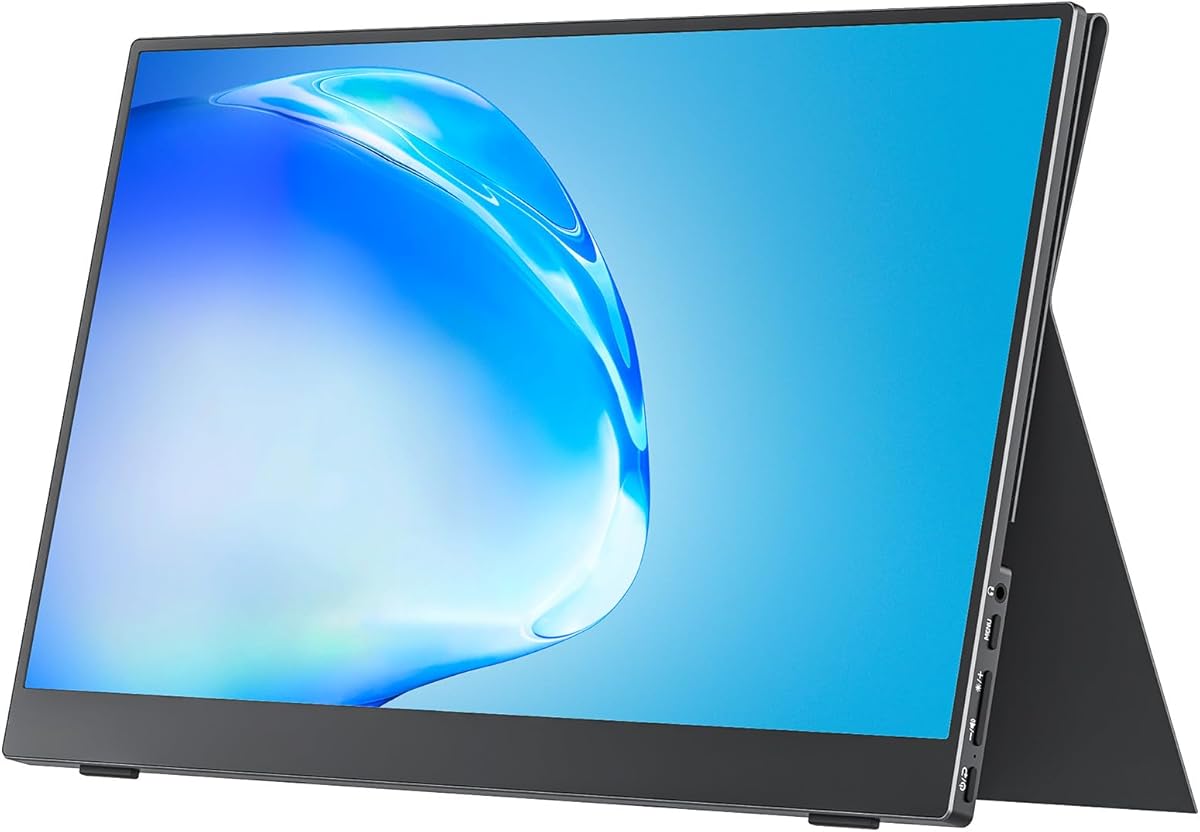


The MNN 15.6-Inch FHD Monitor combines a familiar Full HD IPS panel with travel-friendly construction and a 4.3 customer rating. Its strongest appeal is flexibility: two full-feature USB-C ports, HDMI connectivity, multiple display modes, HDR support, and a folding smart cover let it function as a laptop extender, presentation display, second screen, or gaming companion.
We may earn a commission when you buy through this link, at no additional cost to you.
The 1920-by-1080 resolution provides enough detail for documents, browser windows, messaging applications, and general media work. An IPS panel and 178-degree viewing angle make the screen more practical when viewed from an angle, while low-blue-light and flicker-free features are designed for longer work sessions. One USB-C cable can carry both power and display signal when the source device supports Thunderbolt 3.0 or USB 3.1 Type-C with DP Alt Mode.
Its main limitation is the 60Hz refresh rate, which is less compelling for fast competitive gaming than the 100Hz, 144Hz, and 180Hz alternatives. The glossy IPS surface may also produce more reflections than an anti-glare display in bright rooms. Connectivity also depends on source-device support, so users should confirm their laptop or console has the required video-output mode before purchasing.
Despite those limitations, this is an excellent general-purpose choice for travelers, students, office workers, and casual gamers who value a complete travel kit more than a high refresh rate. The protective PU leather cover adds protection while doubling as a stand, and the mix of mirrored, extended, second-screen, and portrait modes covers many everyday workflows.
With compatible USB-C output, one cable handles the display connection and power delivery, reducing desk clutter. Copy mode is useful for meetings, while extended mode gives laptop users room for reference material and communication tools.
The included smart cover protects the panel during transport and folds into a stand for everyday viewing. It also supports landscape and portrait positioning, which is useful for reading long documents or arranging the display beside a laptop.
We may earn a commission when you buy through this link, at no additional cost to you.
The cocopar 15.6-Inch FHD Monitor stands out through its 4.8 rating, slim design, and unusually flexible positioning system. It combines a 1920-by-1080 A-grade IPS display with 60Hz performance, HDR, low-blue-light eye protection, built-in speakers, two full-featured USB-C ports, and an HDMI connection.
We may earn a commission when you buy through this link, at no additional cost to you.
Its portability figures are particularly compelling: the monitor measures only 4mm at its slimmest point and weighs 1.5 pounds without the magnetic cover. The smart stand case protects the screen and allows it to be used in landscape or vertical orientation. Two VESA holes also provide a more permanent mounting route for an arm or stand, giving the display more placement flexibility than a basic fixed cover.
The 85% sRGB color gamut and 60Hz refresh rate make it better suited to office productivity, meetings, presentations, and general entertainment than demanding color-critical work or competitive gaming. Single-cable USB-C operation depends on Thunderbolt 3 or 4, or USB 3.1 Type-C with DP Alt Mode. The supplied specifications also mention reverse charging, which can help during longer work sessions.
This is a strong all-around recommendation for people who regularly travel and want a full-size second screen without a bulky permanent monitor. It is especially attractive to hybrid workers who alternate between hotel desks, coffee shops, and home offices, and its strong rating adds confidence that the overall package is well liked.
The thin profile and low weight reduce the burden of carrying a second display. The magnetic cover doubles as a flexible stand, making it easy to move the monitor between a packed travel bag and a temporary workstation.
Landscape and vertical use cover different workflows, while the VESA holes add compatibility with external mounting hardware. That makes the monitor easier to adapt to constrained desks, presentations, and dual-screen arrangements.
We may earn a commission when you buy through this link, at no additional cost to you.
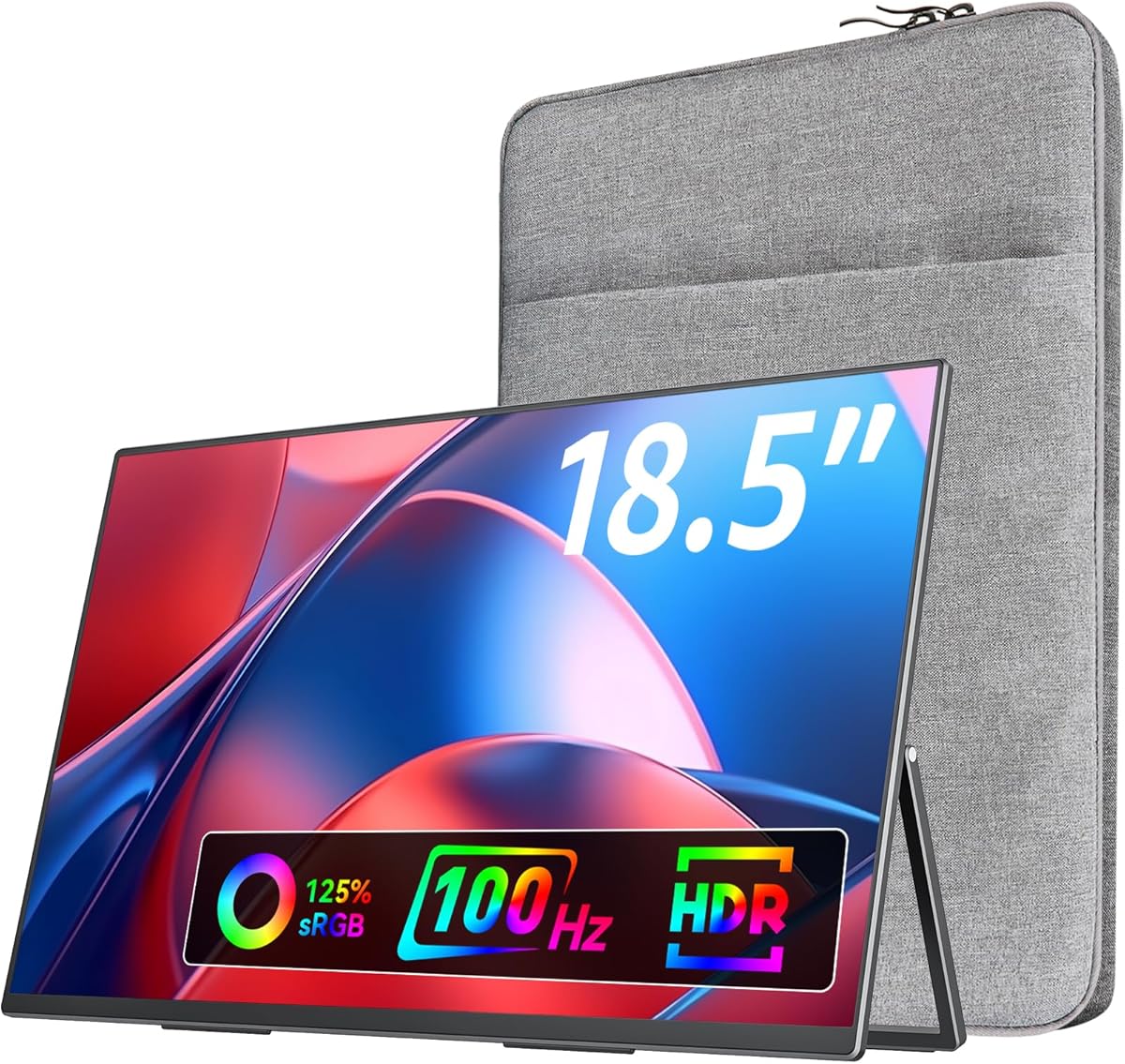
The VisionOwl 18.5-Inch FHD Monitor delivers the largest screen in this guide and pairs it with a well-regarded 4.8 rating. Its 1920-by-1080 IPS panel, 100Hz refresh rate, 125% sRGB coverage, and 8-bit color depth create a more vibrant and fluid experience than a conventional 60Hz FHD travel screen.
We may earn a commission when you buy through this link, at no additional cost to you.
The larger display is especially useful for media viewing, console gaming, presentations, and users who dislike small text on a laptop. A 100Hz refresh rate can make scrolling and motion appear smoother, while the stated 16.7 million colors and wide color gamut provide more visual depth. Built-in speakers add convenience when external audio is not readily available.
Portability remains respectable for an 18.5-inch screen: the listed weight is 2.7 pounds, minimum thickness is 0.24 inches, and maximum thickness is 0.55 inches. However, the broad panel occupies more space than a conventional 15.6-inch model. The 1080p resolution also means that a 16-inch 2.5K alternative offers considerably more working detail for design, code, and documents.
Choose this VisionOwl when screen size, smooth motion, and a sturdy metal construction matter more than maximum pixel density. It works well for travelers who want a substantial secondary display without moving to a full desktop monitor, and the integrated stand plus 75-by-75mm VESA holes provide useful placement options.
The 18.5-inch panel offers a more cinematic and presentation-friendly surface without requiring a desktop display. Its 100Hz refresh rate also gives everyday motion a smoother appearance than the standard 60Hz models.
A metal back panel and integrated metal stand provide a more substantial feel, while standard VESA holes allow use with compatible arms or tabletop mounts. That flexibility helps when the integrated stand is not the ideal viewing angle.
We may earn a commission when you buy through this link, at no additional cost to you.
The ASUS ZenScreen MB169CK is a 15.6-inch Full HD IPS portable monitor built for mobile work, with a 4.2 rating and a focus on glare reduction, simple connectivity, and flexible positioning. Its anti-glare finish is a meaningful advantage in bright cafes, airport lounges, and shared workspaces.
We may earn a commission when you buy through this link, at no additional cost to you.
The display supports one-cable operation through USB-C, carrying both video and power when the connected device has compatible USB-C capabilities. At 0.78 kilograms and 11.8 millimeters thick, it is designed to fit into a standard backpack or briefcase without adding unnecessary bulk. Flicker-free and low-blue-light technology further supports comfortable reading and extended work.
A 360-degree kickstand permits a wide range of viewing positions, and a tripod socket provides another way to mount the panel. ASUS DisplayWidget software automatically rotates the image between portrait and landscape, reducing the need to adjust settings manually when changing how you use the screen. A three-year warranty with advanced replacement and repair adds useful support for long-term ownership.
This ZenScreen is a sensible option for frequent travelers who prioritize reflections, brand-supported software, and a polished kickstand design. It may be less attractive to users seeking multiple ports, high refresh rates, or a richer port-selection bundle, but for ordinary productivity its simple one-cable approach is easy to appreciate.
The anti-glare surface reduces distracting reflections when overhead lighting or nearby windows become an issue. That makes the panel well suited to coffee shops, shared offices, and travel itineraries that do not offer controlled lighting.
The full-range kickstand can be folded to support the display in several positions, while the tripod socket offers additional compatibility. Automatic rotation through DisplayWidget keeps content upright when the screen changes orientation.
We may earn a commission when you buy through this link, at no additional cost to you.
The VisionOwl 16-Inch 2.5K Monitor combines 2560-by-1600 resolution, a 144Hz refresh rate, 470-nit brightness, and a 4.8 rating. It is the most comprehensively equipped premium option in the guide, with a 16:10 panel, HDR, 8-bit plus 2FRC color processing, built-in speakers, and broad connectivity.
We may earn a commission when you buy through this link, at no additional cost to you.
The higher resolution provides substantially more usable desktop space and finer detail than a standard 1080p portable display. Its 16:10 ratio also aligns naturally with many MacBook screens, which can create a more seamless full-screen mirroring experience. The 144Hz rate makes it suitable for fast-moving games, while the bright IPS panel remains useful in well-lit surroundings.
Connectivity is thoughtfully specified, with a full-size standard HDMI port rather than Mini-HDMI and two USB-C ports. Single-cable power and video operation requires a source with Thunderbolt 3 or 4 or DP Alt Mode. The package includes a sleeve, power adapter, standard HDMI cable, and two USB-C display cables, reducing the need to determine which extras are needed after unpacking.
This is the top choice for users who will use one portable display for work, creative tasks, travel, and gaming. It carries more size and complexity than a basic FHD model, but the combination of pixel density, smoothness, brightness, and included accessories justifies that premium positioning for many buyers.
The 2560-by-1600 canvas offers room for dense documents, editing timelines, code windows, and detailed previews. A 16:10 aspect ratio also provides a useful balance between width and height for both horizontal and vertical work.
A 470-nit brightness and HDR support improve visibility and perceived contrast, while the 144Hz refresh rate keeps motion fluid. The combination is particularly effective for gaming and multimedia without requiring a full-size desktop display.
We may earn a commission when you buy through this link, at no additional cost to you.
The InnoView 15.6-Inch FHD Monitor is a practical second-screen option rated 4.4 by customers. Its 1920-by-1080 A-grade IPS panel, HDR support, low-blue-light and flicker-free features, built-in speaker, and 178-degree viewing angle make it suitable for work, study, meetings, and general entertainment.
We may earn a commission when you buy through this link, at no additional cost to you.
Two full-function Type-C ports and an HDMI port cover a wide range of devices, including laptops, phones, tablets, and popular game consoles. With a compatible Thunderbolt 3 or 4, or USB 3.1 Type-C DP Alt Mode connection, a single USB-C cable can handle display and power while supporting reverse charging. The product requires no additional app or driver for basic operation.
Its protective PU leather cover is more than a sleeve. Two grooves allow the viewing angle to be adjusted, while the cover helps protect the screen from pressure and scratches inside a backpack. Landscape and portrait orientations are possible, adding useful flexibility for documents, reference windows, and narrow desks. The standard 60Hz rate is the main limitation for high-speed gaming.
The InnoView is a good fit for travelers, students, engineers, and office workers who value protection and simple setup over a high refresh rate. Buyers using HDMI should note that the listed package does not include a power cable, while compatible USB-C sources provide the simplest all-in-one connection.
The scratch-resistant smart cover shields the display while in transit and adjusts to different working angles using its grooves. That combined design reduces the need to carry a separate sleeve and separate folding stand.
Low-blue-light and flicker-free features support extended reading and productivity, while the wide 178-degree viewing angle helps maintain color consistency. These features are especially useful when the display sits beside a primary laptop screen.
We may earn a commission when you buy through this link, at no additional cost to you.
The ARZOPA Z1FC 16.1-Inch Monitor is a 4.4-rated gaming-focused portable display that combines a 1080p IPS panel with a 144Hz refresh rate. Its 106% sRGB coverage, larger screen size, and adjustable built-in stand make it an appealing choice for console and PC gaming away from a fixed desk.
We may earn a commission when you buy through this link, at no additional cost to you.
The high refresh rate is designed to improve motion clarity and reduce perceived input lag during fast gameplay. Two fully functional USB-C connections and a Mini HDMI port provide plug-and-play compatibility with laptops, Mac systems, Xbox consoles, PS5 systems, and Steam Deck devices. No software or driver installation is required for supported connections, although console setup may require following the manual's detailed instructions.
This is not a high-end color reference, and the FHD resolution limits how much fine detail can fit on screen. The listed specifications also state that adaptive sync and FreeSync are not supported, which may matter to gamers accustomed to synchronized frame pacing on desktop displays. The Mini-HDMI port may also require a suitable cable that is not included in every package.
The ARZOPA Z1FC makes sense for gamers who value refresh rate and portability more than maximum resolution or broad color coverage. Its 16.1-inch size offers a more immersive alternative to a 15.6-inch screen, while horizontal and vertical orientation support expands its usefulness beyond games to ordinary laptop productivity.
The 144Hz refresh rate is the defining feature, producing smoother motion than 60Hz alternatives. It is most noticeable in action games, competitive shooters, and fast-paced console or PC titles.
Dual USB-C and Mini HDMI provide flexible source options for compatible laptops, handhelds, and consoles. The plug-and-play approach keeps setup straightforward for travel and temporary gaming sessions.
We may earn a commission when you buy through this link, at no additional cost to you.
The ARZOPA Z3FC 16.1-Inch Monitor is the fastest model in this guide, offering a 180Hz refresh rate on a 2560-by-1440 IPS panel. Its 4.2 rating, 400-nit brightness, 107% sRGB coverage, and 1000-to-1 contrast ratio make it a capable option for gamers who want both high resolution and rapid motion.
We may earn a commission when you buy through this link, at no additional cost to you.
The 2.5K QHD panel provides much more working and gaming detail than the FHD models. Combined with the 180Hz refresh rate, it creates a display capable of presenting crisp imagery and fluid movement. Two fully functional USB-C ports and a Mini HDMI port support compatible laptops, Mac systems, consoles, and Steam Deck devices without requiring downloaded software.
The built-in kickstand allows the viewing angle to be adjusted for different desks and seating positions. Landscape and portrait operation make the screen useful for general productivity too. As with the Z1FC, Mini HDMI is smaller and less universal than a full-size HDMI port, so buyers should confirm they have the right cable and an unobstructed adapter solution.
Choose the Z3FC if fast refresh rate and high pixel density are the highest priorities. Its 180Hz specification is exceptional among portable displays, although the value of that speed depends on the source device, game, and whether the connected computer can drive the panel at the desired settings.
The QHD panel adds finer detail while the 180Hz rate keeps motion smooth. Together they are well suited to modern games that benefit from both sharp imagery and rapid frame presentation.
A stated 400-nit brightness and 1000-to-1 contrast ratio support clear viewing in bright environments. The 107% sRGB coverage also adds more vivid color than the most basic portable panels.
We may earn a commission when you buy through this link, at no additional cost to you.
The Anyuse 15.6-Inch FHD Monitor emphasizes portability with a listed thickness of 0.04 inches and weight of 1.37 pounds. It has a 4.2 rating and a familiar 1920-by-1080 IPS configuration, making it a straightforward option for people who want a lightweight second screen for documents, meetings, and presentations.
We may earn a commission when you buy through this link, at no additional cost to you.
The IPS A-grade panel includes HDR, low-blue-light technology, and a 178-degree viewing angle. Two full-featured Type-C ports and one Mini HDMI port support many laptops and game consoles, while a single compatible USB-C cable can carry both power and video. No app or driver installation is required for normal use.
Copy mode can mirror content for sharing during meetings, while extended mode creates additional workspace for multitasking. Built-in speakers are convenient for presentations, video calls, or entertainment when separate audio hardware is impractical. The trade-off is a standard 60Hz refresh rate, which is less suitable for competitive gaming, and Mini HDMI may demand an additional cable or adapter.
The Anyuse is best for users who prioritize a light, compact display and straightforward productivity rather than maximum pixel density or frame rate. It is a practical choice for travel, presentations, and everyday laptop expansion, provided the source device supports the required USB-C video mode.
The low weight and extremely thin listed profile make the monitor easy to slip into a bag. It offers extra screen space without the footprint of a conventional desktop display.
The integrated speakers provide a convenient way to hear presentations, calls, and videos from the portable screen. They also reduce the need to carry a separate speaker for lightweight travel setups.
We may earn a commission when you buy through this link, at no additional cost to you.
The ASUS ZenScreen MB16AHV is a 15.6-inch Full HD IPS portable monitor with a 4.4 rating. Its anti-glare finish, slim 10mm body, 0.9-kilogram weight, and antibacterial surface treatment make it particularly appropriate for frequent travel and shared workspaces.
We may earn a commission when you buy through this link, at no additional cost to you.
Connectivity includes dual USB-C ports and a Mini HDMI port. The supplied information states that 15W power delivery can support one-cable power and video, which helps maintain a clean workstation. ASUS DisplayWidget software provides automatic rotation between portrait and landscape, while flicker-free and low-blue-light technology support comfortable reading during long sessions.
The embedded ionic silver coating is listed as inhibiting 99.9% of bacteria, offering a distinct advantage in cafes, airports, and coworking spaces where many people touch shared surfaces. The fold-out kickstand can be adjusted for different viewing angles, and a tripod socket provides an alternative mounting point.
This model is a polished choice for digital nomads, students, and business travelers who value a recognizable brand ecosystem and health-oriented features. It does not target high-refresh gaming, and its 15W charging capability may be modest for demanding workloads, but its portability and everyday comfort features remain well balanced.
The listed antibacterial treatment adds a hygiene-focused benefit that is especially relevant in high-traffic travel and coworking locations. The anti-glare panel also helps maintain visibility under uncontrolled lighting.
DisplayWidget lets the display change orientation without repeated manual adjustments, making portrait reading and landscape productivity easier. The fold-out stand and tripod socket provide additional ways to establish a comfortable viewing position.
We may earn a commission when you buy through this link, at no additional cost to you.
The right portable monitor depends on how you will use it, where you will carry it, and whether your source devices support the included connection standards. Resolution, refresh rate, brightness, color, ports, weight, and stand design should be considered together.
Resolution determines how much detail the panel can show and how many windows it can fit without becoming cramped. The 15.6-inch FHD models here use 1920-by-1080 pixels, a familiar and efficient format for documents, browsing, calls, and general office work. The 16-inch VisionOwl raises the standard to 2560-by-1600, while the ARZOPA Z3FC uses 2560-by-1440 and the VisionOwl 18.5-inch model offers a larger FHD canvas.
Larger screens are not automatically better because they occupy more room and weigh more. A 15.6-inch display is easier to position beside a laptop, while an 18.5-inch panel suits media viewing and presentations. Higher resolution helps text, code, and creative tools, but it also places more demand on the source device.
A 60Hz refresh rate is suitable for productivity, video, and casual gaming, while the 100Hz VisionOwl, 144Hz models, and 180Hz ARZOPA Z3FC offer smoother motion. Higher refresh rates can make scrolling, fast camera movement, and competitive gaming feel more responsive, provided the connected computer or console can output enough frames.
Choose a high-refresh model when gaming is a primary use. For office work, the sharper resolution and larger color specification of a QHD display may produce a more noticeable improvement than additional refresh rate. Check the source device specifications because a portable monitor cannot create frames that the computer or console cannot provide.
USB-C is the most convenient option when the source device supports DisplayPort Alternate Mode or Thunderbolt 3, 4, or 5. In those configurations, one cable may carry both display video and power. The MNN, cocopar, InnoView, and Anyuse monitors use full-feature Type-C connections, while the other options provide a mixture of USB-C and HDMI.
HDMI remains broadly useful for consoles, desktops, and older laptops. Full-size HDMI is more convenient than Mini-HDMI because the cable is thicker and less likely to be lost or damaged. Before purchasing, verify that your device has the required video-output mode and whether reverse charging or single-cable operation is important to your setup.
IPS panels are favored in this group for their broad viewing angles and generally consistent color. Brightness varies considerably: the VisionOwl 16-Inch 2.5K model is listed at 470 nits, the ARZOPA Z3FC at 400 nits, while the FHD models do not provide equivalent brightness figures. A brighter screen is easier to read in daylight or brightly lit rooms.
Color-gamut figures also vary. The ARZOPA models cover 106% and 107% of sRGB, VisionOwl's 18.5-inch model lists 125% sRGB, and the VisionOwl 2.5K model lists 110%. For ordinary productivity, these distinctions may be subtle, but they become more relevant for photo editing, graphic design, and video work.
A portable monitor should be easy to carry without compromising screen size or durability. The Anyuse is listed at just 1.37 pounds and 0.04 inches thick, while the cocopar is listed at 1.5 pounds without its cover and 4mm at the slimmest point. The 18.5-inch VisionOwl remains relatively slim but offers less room in a compact bag.
Thickness alone does not tell the whole story. Consider the weight of the stand or cover, the size of the protective case, and whether the stand folds flat. Remote workers should also consider how the display will be supported in a hotel room, at a shared table, or during a presentation.
The best stands are stable, flexible, and suited to the space available. The MNN and InnoView use protective smart covers with adjustable grooves, while cocopar's magnetic cover doubles as a stand. The VisionOwl, ARZOPA, and ASUS models use integrated or fold-out kickstands, and several also support VESA mounting.
VESA compatibility gives you more placement options through compatible arms or stands, but it matters only if you already own suitable hardware or plan to purchase it. A good integrated stand is often more convenient for travel because it removes the need for another accessory.
Low-blue-light and flicker-free features appear across many of the monitors, making them useful for reading and extended computer work. Automatic orientation through ASUS DisplayWidget is another helpful software feature for users who alternate between portrait documents and landscape applications.
Built-in speakers can make portable setups more convenient for presentations and entertainment. They do not necessarily deliver room-filling sound, but they can be preferable to juggling another accessory. Other useful extras include protective cases, power adapters, included cables, HDR support, and antimicrobial surface treatments.
Premium construction may include a metal back, an integrated metal stand, or quality-control processes intended to support consistent performance. Warranty coverage is also worth comparing: both ASUS ZenScreen models in the guide list a three-year warranty with advanced replacement and repair, while InnoView lists an 18-month warranty.
Build quality should be considered alongside weight because a rigid premium shell can add bulk. Review the included accessories, case design, stand range, and manufacturer support before buying. These details determine whether the monitor will integrate smoothly into your regular travel kit.
Before connecting the display, confirm that your laptop, tablet, desktop, or console supports the appropriate video-output mode. For one-cable USB-C operation, look for Thunderbolt 3, 4, or 5, or USB-C with DisplayPort Alternate Mode. Connect the appropriate cable, power the screen if needed, and select the correct display mode through your computer's operating system.
Choose copy mode for presentations or when another person needs to see your screen. Use extended mode for a genuine second workspace, and consider portrait orientation for long documents, reference material, or narrow desk arrangements. Adjust the stand to maintain a comfortable viewing angle and avoid placing a bright light directly behind the panel.
When traveling, disconnect all cables, fold or close the stand and protective cover, and place the monitor in a padded sleeve or compartment that prevents pressure on the screen. Clean the display with a soft, lint-free microfiber cloth and avoid harsh liquids or abrasive materials. When not in use, protect the ports and store the monitor flat or securely upright.
Most laptops can connect through HDMI or compatible USB-C, but single-cable operation requires the USB-C port to support DisplayPort Alternate Mode or Thunderbolt. Older or budget laptops may have HDMI only, or may use a USB-C port that handles data but not display output. Check the computer specifications before buying.
Many models can draw power and receive video through one compatible USB-C cable, although power requirements vary by device. Some setups may require the included adapter, particularly when using HDMI or when the source cannot supply enough power. The product documentation should identify the supported power and charging arrangements.
For fast games and smooth motion, 144Hz can provide a noticeable advantage over 60Hz. For office work, documents, and ordinary video, the difference may be less important, so a sharper QHD panel can be a better priority. The source device must also be capable of driving the higher refresh rate.
A portable monitor can be useful for previews, timelines, and secondary reference windows, but color accuracy and calibration matter for professional work. The 2.5K VisionOwl and ARZOPA Z3FC offer stronger specifications than the basic FHD models, but a calibrated desktop display remains preferable for critical color decisions.
Compatibility depends on whether the phone or tablet supports video output through USB-C DisplayPort Alternate Mode. Some models and operating systems may limit external-display functions even when the physical port is compatible. Check the device maker's instructions for external-monitor support before traveling with that setup.
Anti-glare finishes reduce reflections and can make a display easier to view in bright rooms, which is valuable for travel and shared workspaces. The trade-off is that the surface may look slightly less glossy or vivid than an untreated reflective panel. For most productivity users, improved visibility outweighs that minor aesthetic difference.
No. A larger panel can provide more workspace and a better media-viewing experience, but it also takes up more room and is usually heavier. A 15.6-inch model is often the most practical laptop companion, while 18.5-inch models favor users who prioritize screen size over compact packing.
A case or cover is valuable because portable screens are vulnerable to pressure and impact during transport. Several models here combine the cover with a folding stand, offering protection and support in one accessory. Ensure the case allows ports to remain accessible and does not block ventilation or the viewing angle.
The cocopar 15.6-Inch FHD Monitor offers the strongest all-around balance for travel, with a 4.8 rating, thin construction, flexible cover stand, and VESA support. The MNN is a compelling budget-oriented option for everyday productivity, while the VisionOwl 18.5-Inch model provides a larger canvas and a faster 100Hz refresh rate.
Prioritize resolution and color for detailed creative work, refresh rate for gaming, and brightness for travel in bright environments. Also consider the weight of the entire package, source-device compatibility, and whether you prefer a folding cover, kickstand, or external mounting system. A device that looks excellent on paper is only useful when it connects easily to the hardware you carry.
Customer ratings, promotions, and prices can change, and availability may vary over time. Review the current listing, included accessories, compatibility notes, and warranty details before making a final purchase to ensure the portable monitor still offers the right package for your needs.