
Rocketbook Core Executive, Green
4.5Editor score
Compact executive-size format
College-ruled reusable pages
Smart Titles and Smart Tags
Our reusable smart notebook guide compares ten erasable, app-connected options for size, page layout, portability, organization, and professional durability.
A reusable smart notebook combines the familiar feel of handwritten notes with erasable pages, app-based scanning, and cloud organization. The strongest choices make it easy to write quickly, erase cleanly, and retrieve important pages later, while also fitting comfortably into a work, school, or travel routine.
The products in this guide are compared by the features that materially affect daily use: page format, notebook size, cover construction, app connectivity, erasing workflow, portability, and digital organization. Every selection is a Rocketbook model, so the comparison focuses on meaningful differences among Core, Pro, dotted-page, and hybrid-planner designs rather than unrelated products.
Each numbered review explains who the notebook suits, what stands out, and where its compromises may matter. The shortlist also identifies the best overall, budget, and premium options, although availability and prices can change over time, so readers should confirm the current listing and terms before purchasing.
4.5Editor score

4.5Editor score

4.3Editor score
This side-by-side comparison highlights the most important differences among the ten shortlisted notebooks, including paper format, physical dimensions, smart organization tools, cover construction, and the intended planning or note-taking workflow.




The Rocketbook Core Reusable Smart Notebook in black is the strongest all-around choice in this guide, combining a familiar college-ruled writing format with the established write, scan, store, and erase workflow. Its listed rating is 4.5, reflecting a broadly favorable customer response, while the updated Core design emphasizes improved paper feel, spiral binding, and a scratch-resistant cover.
We may earn a commission when you buy through this link, at no additional cost to you.
The notebook's most useful combination is its generous 8.5-by-11-inch page and connected app workflow. Users can write with the included Pilot Frixion pen, name and tag pages through Smart Titles and Smart Tags, and upload scans to destinations such as Google Drive, Dropbox, or OneNote. This makes the notebook practical for lectures, meeting notes, research, brainstorming, and any task where keeping a searchable digital copy is important.
The main trade-off is that it is still a paper-based notebook rather than a device with an electronic display. Pages must be scanned manually through the app, and the erasable system works best with the included pen or other compatible erasable ink. Erasing requires a damp cloth, and old notes disappear once the page is cleaned. Users who need permanent records should preserve important scans before erasing.
This is the most versatile recommendation for students, professionals, and creative users who want one notebook for both traditional writing and digital retrieval. Black is a restrained color that works well in offices and classrooms, while letter size provides enough room for diagrams and detailed notes. Overall, it offers the most balanced feature set without moving into the Pro model’s more specialized page-pack system.
The Core is especially useful when handwritten pages need to become organized cloud files. Scanning, page naming, tagging, and uploading add a digital layer while allowing the user to keep writing by hand on a full-size page.
The spiral format supports comfortable writing, while the scratch-resistant cover and reusable paper are intended for routine handling. Finished notes can be erased with a damp cloth, leaving the notebook ready for the next subject or project.
We may earn a commission when you buy through this link, at no additional cost to you.
The teal Rocketbook Core letter-size notebook delivers the same core functionality as the leading black edition: premium reusable paper, an improved pen-to-paper feel, spiral binding, a scratch-resistant cover, and app-based organization. Its 4.5 rating places it among the strongest products in the list, and the teal finish gives it a more noticeable appearance in a bag or on a desk.
We may earn a commission when you buy through this link, at no additional cost to you.
Its college-ruled pages are suited to traditional note-taking, including continuous lecture notes, interview records, summaries, and written planning. Smart Titles and Smart Tags make it possible to name and organize digital files, while the app can upload pages to Google Drive, Dropbox, OneNote, and other supported cloud locations. The included Pilot Frixion pen supports the intended erasable workflow.
Teal does not change the underlying capabilities, and the notebook shares the usual limitations of reusable paper. The number of physical pages is lower than that of a conventional full notebook, while important content must be digitized before it is erased. The cover may also show marks over time despite its scratch-resistant construction, and the notebook is less compact than an executive model.
Choose this version when you like the color but want the same complete Core package as higher-ranked options. It is particularly suitable for students who alternate among several classes, because each subject can be scanned, tagged, and archived before the page is reused. For users who prioritize understated styling, the black version has broader visual appeal; for those who want a distinctive notebook, teal is a practical alternative.
College ruling keeps handwriting orderly, while Smart Titles and Smart Tags extend that structure into the cloud. The result is useful for students and professionals who want searchable records without giving up paper.
The teal cover offers more visual character than a neutral notebook without changing the core dimensions or feature set. It remains easy to identify when several notebooks are carried together.
We may earn a commission when you buy through this link, at no additional cost to you.
The gray Rocketbook Core letter-size model combines a professional appearance with the same 4.5 rating as the leading color options. It is a sensible choice for offices and meeting-heavy workflows where neutral styling, a large writing area, and digital note organization matter more than decorative features or specialized planner templates.
We may earn a commission when you buy through this link, at no additional cost to you.
The 8.5-by-11-inch pages offer generous space for meeting minutes, presentation notes, research, and handwritten diagrams. Users can capture notes with the included Pilot Frixion pen and then use the app to scan, name, tag, and upload them to a preferred cloud platform. The spiral binding and scratch-resistant cover support regular use, and the improved reusable paper is designed to preserve a more paper-like writing experience.
Gray is perhaps the most neutral finish in the shortlist, which makes the notebook easy to coordinate with professional accessories. It does not, however, offer the Pro’s interchangeable page packs or the Fusion notebook’s seven planning formats. Users must also remember to save important pages digitally before erasing, since the physical notebook is designed to be cleared and reused.
This is a strong all-purpose option for employees, consultants, and students who prefer a restrained appearance. Choose it when letter-size paper and app-based organization are priorities but specialized planning templates are unnecessary. The black Core provides a similar alternative with a more classic look, while the teal version offers a brighter style.
The neutral gray finish complements office equipment and meeting materials. Combined with full-letter pages, it offers a conventional notebook appearance while still supporting digital archiving.
The app allows notes to be sent to several familiar cloud destinations, but the writing process itself remains analog. This can help users stay focused while retaining a searchable digital trail.
We may earn a commission when you buy through this link, at no additional cost to you.
The green executive-size Rocketbook Core is a compact choice for users who want the write, digitize, erase, and rewrite process without carrying a full letter-size notebook. It holds a 4.5 rating and retains the Core’s updated reusable paper, spiral binding, scratch-resistant cover, Smart Titles, and Smart Tags.
We may earn a commission when you buy through this link, at no additional cost to you.
Its 6-by-8.8-inch format fits readily into a purse, briefcase, or smaller backpack compartment. Despite the reduced dimensions, the college-ruled pages remain useful for lists, daily notes, short meetings, study sessions, and compact project planning. The included Pilot Frixion pen and app-based scanning make it possible to preserve selected pages digitally and reuse the notebook for later topics.
The smaller page is the central compromise. It offers less room for wide tables, detailed technical diagrams, or expansive mind maps, and some users accustomed to full letter paper may find it cramped. As with every erasable-paper model, the notebook has a limited physical page count, and saved content must be uploaded before a page is wiped.
This executive model is best for commuters, students who carry notebooks between classes, and professionals who take concise meeting notes. The compact footprint makes it a strong alternative to the larger Core models without sacrificing app connectivity or smart organization. It is particularly useful when portability matters more than drawing space.
The executive size reduces bulk while preserving a spiral-bound, paper-like writing experience. It is a practical choice for people who want fewer loose sheets and one notebook that can move easily between appointments.
Smart Titles and Smart Tags help prevent digital pages from becoming an undifferentiated archive. Cloud uploads add value for short notes that are easy to forget but valuable to retrieve later.
We may earn a commission when you buy through this link, at no additional cost to you.
This pink letter-size Rocketbook Core is built around grid pages, making it an interesting choice for users who want more visual flexibility than lined paper provides. Its 4.4 rating remains strong, and the notebook includes the same improved reusable surface, spiral binding, scratch-resistant cover, app connectivity, Smart Titles, and Smart Tags found across the updated Core range.
We may earn a commission when you buy through this link, at no additional cost to you.
A grid can help with calculations, charts, architectural sketches, mind maps, and organized handwriting. The letter-size page gives those visuals ample room. Users can write with the included Pilot Frixion pen, scan selected pages through the app, organize them digitally, and store them in a preferred cloud service. Once the note has been saved or is no longer needed, a damp cloth can erase the page for reuse.
The grid is less natural for extended prose than a lined page because every line rests on a visible pattern. Some writers may also find that the visual structure competes with free-form notes. The physical page count remains limited, and the notebook offers neither the Pro’s interchangeable page packs nor the Fusion model’s dedicated calendar and tracker templates.
Choose this model for students, designers, engineers, and planners who frequently create diagrams or structured sketches. The pink cover and grid format make it particularly approachable for personal planning. If uninterrupted ruled lines matter more, a college-ruled Core is the better choice; if template-driven planning is the priority, the Fusion notebook offers more specialized layouts.
The grid creates useful guides for visual work without locking the page into a rigid planner template. That balance supports both technical sketches and ordinary handwritten lists.
The pink cover gives the notebook a distinctive appearance, while the app preserves the utility of a connected system. It feels suited to personal organization as well as classroom work.
We may earn a commission when you buy through this link, at no additional cost to you.
The black grid version of the updated Rocketbook Core combines a professional cover with a flexible grid layout. Its 4.4 rating places it firmly among the well-regarded products in this guide. It retains the improved writing surface, spiral binding, scratch-resistant design, app-enabled organization, and reusable write-digitize-erase cycle.
We may earn a commission when you buy through this link, at no additional cost to you.
The full letter-size grid is useful for technical notes, mind maps, flowcharts, equations, and sketches while still accommodating ordinary lists. Smart Titles and Smart Tags help users name and organize files after scanning, and the app can send pages to Google Drive, Dropbox, OneNote, and other supported destinations. The included Pilot Frixion pen fits the erasable-paper system.
Those who prefer continuous writing lines may find the grid distracting, especially across a full page of prose. The notebook also depends on a manual process: write, photograph through the app, save what matters, and erase the physical page. There is no electronic display, and the number of pages is smaller than in a conventional paper notebook.
This version is ideal for anyone who wants a conventional-looking black notebook but needs more structure than ruling offers. It is well matched to technical students, operations teams, project managers, and artists who value the generous page size. Choose a college-ruled Core for narrative notes or the Pro for modular page organization.
The black exterior keeps the notebook visually understated, while the grid adds a practical planning surface. It works well in meetings where a quick diagram can communicate more than lines of text.
The app-based workflow allows selected notes to be retained digitally before the physical page is cleared. This makes the notebook useful for temporary working space as well as long-term records.
We may earn a commission when you buy through this link, at no additional cost to you.
The Rocketbook Pro is the feature-driven choice in the shortlist, with an interchangeable page-pack system, embedded NFC chip, premium scratch-resistant vegan leather cover, and a 40-page lined and dot-grid pack. Its 4.3 rating is slightly lower than the Core models’ ratings, but its specialized design gives it a distinct productivity advantage.
We may earn a commission when you buy through this link, at no additional cost to you.
Interchangeable page packs are the defining feature. The included pack combines lined and dot-grid pages, while optional planner and goal-tracker packs allow the notebook to change with a project. The embedded NFC chip can open the Rocketbook app for a more seamless transition into scanning and uploading to Google Drive, Dropbox, OneNote, and other destinations.
The included erasable gel pen, towel, and water support a complete reuse routine, while the durable cover is designed for professional and student environments. The trade-offs are practical: specialized packs are separate purchases, and the included page count is still limited. Users must also confirm that the active page pack is compatible with the app and scanning workflow before committing to a specialized layout.
This is the best recommendation for users who want one premium notebook to serve several purposes. The ability to move from standard notes to a planner or goal tracker makes it more versatile than a fixed-layout Core. It is less attractive for someone who only needs simple college-ruled pages or wants to avoid maintaining additional accessories.
Interchangeable page packs let the notebook shift between lined notes, dot-grid work, planning, and goal tracking. That flexibility is especially useful for users whose projects change from week to week.
The embedded NFC chip is designed to open the app automatically, reducing the friction between writing and scanning. It is a useful refinement for users who regularly move paper notes into cloud files.
We may earn a commission when you buy through this link, at no additional cost to you.
The black dotted-page Rocketbook Core is one of the most flexible notebooks in the guide. Its 4.5 rating reflects strong customer feedback, while the dotted paper supports bullet journals, sketches, mind maps, and general notes without imposing a rigid line structure.
We may earn a commission when you buy through this link, at no additional cost to you.
The 8.5-by-11-inch format offers plenty of room for creative layouts and structured note systems. The app connects the paper notebook to cloud platforms such as Google Drive, Dropbox, and OneNote, allowing users to scan and upload important pages. The included Pilot Frixion pen supports the erasable workflow, and a damp cloth cleans pages for reuse.
Dotted pages are not equally appealing to everyone. Users who prefer blank sheets may find the pattern distracting, and those wanting dedicated calendar or goal-tracking layouts may need the Fusion or Pro model instead. Like the other reusable notebooks here, it offers fewer physical pages than standard paper, and important notes should be saved before erasing.
This is a particularly strong option for bullet-journaling enthusiasts, creative planners, and students who mix writing with diagrams. Its waterproof cover also makes it reassuring for travel and everyday carry. For prose-heavy users, a college-ruled or grid Core may feel more natural, but dotted paper gives this model broad creative flexibility.
Dots can be ignored during ordinary writing or used to create aligned lists, diagrams, and mind maps. This makes the page suitable for both structured bullet journals and spontaneous visual notes.
The waterproof cover adds protection for a notebook that may live in a backpack or travel bag. The app still provides a convenient path to retain selected pages in the cloud.
We may earn a commission when you buy through this link, at no additional cost to you.
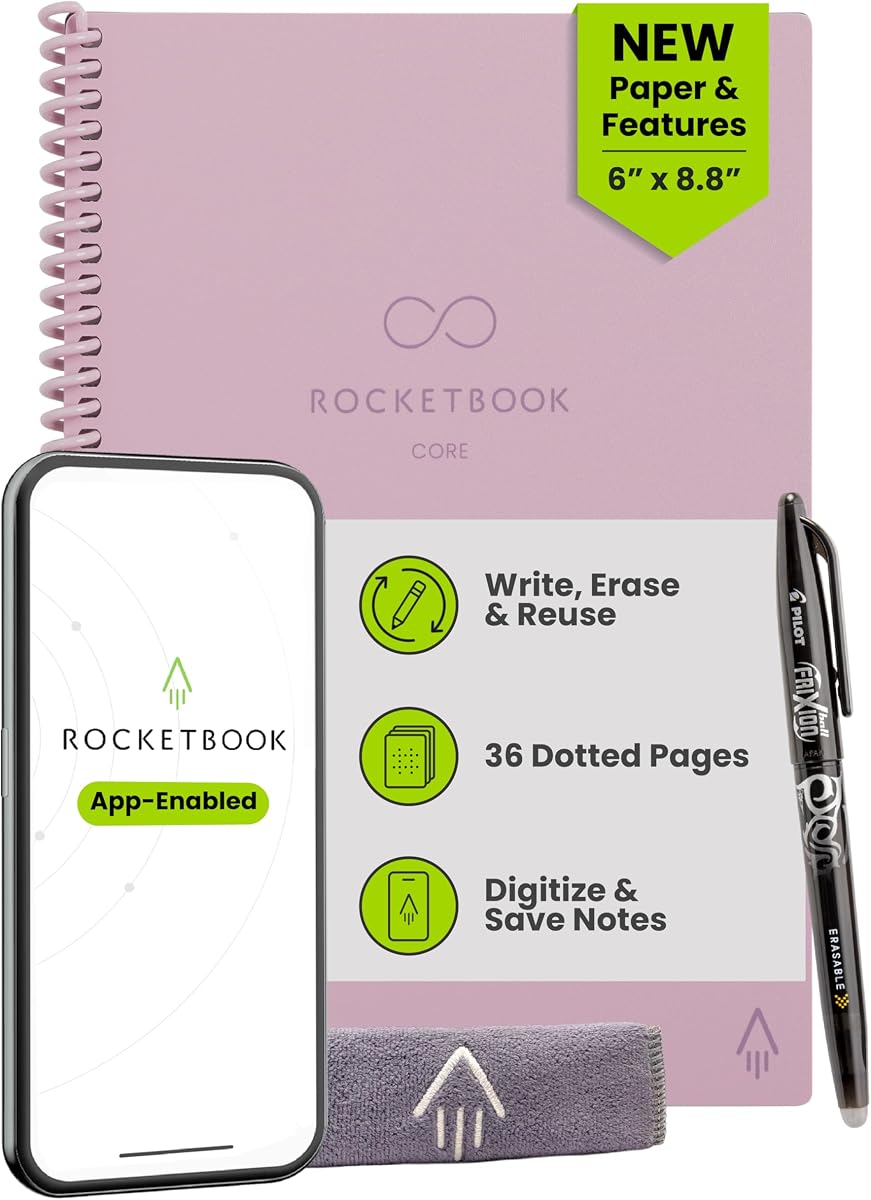
The pink executive-size Rocketbook Core combines portability, smart organization, and a 4.5 rating. Its 6-by-8.8-inch format is smaller than letter size, but the updated Core still provides reusable college-ruled paper, improved writing feel, spiral binding, Smart Titles, and Smart Tags.
We may earn a commission when you buy through this link, at no additional cost to you.
The notebook is well suited to short daily notes, appointment records, travel planning, and study sessions where compactness matters. The included Pilot Frixion pen supports writing and erasing, and the app can digitize pages for storage in a preferred cloud service. Its pink exterior makes it easy to distinguish from conventional notebooks and adds a friendly element to the otherwise utilitarian design.
The main limitation is page area. Executive-size sheets are less suitable for wide spreadsheets, complex diagrams, or notes that require a full letter page. Physical capacity is also restricted, and important pages must be scanned before they are wiped. The app workflow remains manual rather than instantaneous.
Choose this model for users who prioritize portability, color, and a traditional ruled format. It is a strong fit for students with many short sessions, professionals who keep a compact desk notebook, and travelers who want fewer loose pages. Those needing more writing space can move to a letter-size Core without giving up the same general system.
The executive dimensions reduce the amount of bag space required for a reusable notebook. They are particularly convenient for quick notes away from a desk or during short meetings.
The pink finish gives the notebook personality, while Smart Titles and Smart Tags keep digital files identifiable. Users can retain important notes without carrying a separate archive of paper.
We may earn a commission when you buy through this link, at no additional cost to you.
The Rocketbook Fusion is the most planning-focused model in this roundup. Its 4.4 rating reflects a favorable reception, while seven reusable templates distinguish it from conventional lined, grid, and dotted Core notebooks. The executive-size gray format is designed for calendars, tasks, goals, ideas, and everyday organization.
We may earn a commission when you buy through this link, at no additional cost to you.
The template set includes monthly and weekly calendars, a to-do list, a goal tracker, an idea list, dotted notebook pages, and lined notebook pages. That variety lets the same notebook support project management, household planning, fitness tracking, and general note-taking. The Rocketbook app can digitize plans and upload them to Google Drive, Dropbox, OneNote, and other cloud locations.
Users who want one undivided writing surface may find the mixed templates unnecessarily segmented. The executive size also provides less room for large diagrams than a letter-size model, and the reusable system still requires scanning before erasing. Page formats may not suit handwriting habits that depend on wide, uninterrupted lines.
The Fusion is a strong choice for people trying to replace a separate planner and notebook with a compact reusable system. It offers the most built-in structure in the shortlist, while the executive size keeps it portable. Those who need interchangeable modules should consider the Pro, but the Fusion provides broader planning functionality out of the box.
Calendars, to-do pages, goals, ideas, and notebook layouts cover many daily workflows. Users can move between structured planning and open note-taking without switching products.
Weekly and monthly plans can be scanned and stored in the cloud before the pages are erased. This makes the notebook suitable for users who want to preserve historical schedules without retaining paper.
We may earn a commission when you buy through this link, at no additional cost to you.
A useful reusable smart notebook should fit your handwriting, support the pages you actually use, and make digitization simple. The most important choices are size, ruling, planning format, app workflow, portability, and the effort required to preserve and erase each page.
Letter size measures 8.5 by 11 inches and provides more room for dense notes, tables, mind maps, and technical drawings. It is the safer choice for lecture-heavy use, detailed meeting notes, or users who may transition from ordinary paper and feel cramped on a smaller sheet. Executive size measures 6 by 8.8 inches and is easier to carry in a purse, small backpack, or briefcase. It works well for lists, short appointments, travel planning, and quick daily notes. Neither format is universally better, because page flexibility must be balanced against portability.
College-ruled pages support continuous prose, lecture notes, and conventional handwriting. A grid is more useful for charts, calculations, diagrams, and aligned lists, although it may distract users who prefer clean lines. Dotted pages offer the most free-form layout and are particularly suitable for bullet journaling, mind mapping, and technical sketches. Match the format to the work you perform most often. A notebook that feels right in hand is likely to be used more consistently than one selected only for a rarely needed task.
A standard Core notebook is best when you want flexibility and a familiar paper-like surface. A hybrid planner is more useful when calendars, to-do lists, goal tracking, and idea lists are recurring needs. The Fusion’s seven templates can reduce the need for separate planning tools, but they may feel restrictive if you want one large blank or fully ruled writing area. Review the available page types and imagine your normal weekly routine before deciding.
Interchangeable packs add a valuable level of versatility because a lined or dot-grid notebook can become a dedicated planner, goal tracker, or specialized project notebook. The trade-off is that additional packs are sold separately and must be compatible with the app and notebook system. This setup is most attractive for users who work across several project types and want to change formats without buying an entirely new notebook.
A smart notebook should make it easy to scan pages, identify them, and store them in a location you already use. The shortlisted models support app-based uploads to services such as Google Drive, Dropbox, and OneNote, while Smart Titles and Smart Tags help organize digital files. Check whether your preferred cloud service is supported, and think about how often you will actually scan notes. Connectivity creates value only when the saved files are easy to find later.
Reusable notebooks require compatible erasable ink, and the included pen is the safest starting point. The pages are designed to be wiped clean with a damp cloth, making erasing quick and repeatable, but a damp cloth must be available. Some inks, markers, adhesives, and oily residues may behave differently on the surface, so testing a small area and avoiding unsupported writing instruments can help preserve page quality.
Scratch-resistant covers and spiral binding are important because a reusable notebook is likely to be handled frequently and carried between locations. Letter-size models are better for desk use and wide writing, while executive-size options are easier to transport. The Pro adds a premium vegan leather cover, and some Core versions use a waterproof cover. Consider the conditions of your commute, office, or school environment as well as the appearance you prefer.
The most feature-rich notebook is not necessarily the one you will use most. A simple Core may be better if your priorities are full-page notes, clean erasing, and cloud backups. The Pro may suit a project-heavy workflow, while the Fusion is designed for structured scheduling. Consider whether you write by hand every day, whether you already use a separate digital planner, and whether frequent scanning feels natural. The best choice supports a routine you can sustain.
Begin by using the included Pilot Frixion pen and writing lightly on a clean page. Let the ink dry before erasing or scanning. Keep the notebook on a flat surface, and avoid pressing so heavily that grooves or impressions form in the reusable paper. If you want to preserve a page permanently, scan it before cleaning it rather than relying on the physical sheet as your only archive.
Use the companion app to scan completed pages, apply Smart Titles and Smart Tags, and upload the organized files to a supported cloud destination. Save important information in a folder or naming system you can search later. When the digital copy is confirmed, erase the page with a damp cloth, taking care not to saturate the paper or spread ink into the spiral binding.
For longer-term care, keep the cover closed when the notebook is not in use, avoid exposing pages to excessive moisture, and remove residue gently. Use only erasable writing tools that are suitable for the surface, and keep pens, adhesives, and other supplies away from open pages. Before a busy term or important project, scan a small test page and check the app workflow so unexpected compatibility or erasing issues can be addressed early.
A reusable smart notebook is a paper-based notebook whose pages can be written on, scanned through an app, digitally organized, and erased for reuse. It combines a traditional writing surface with digital storage rather than replacing paper with an electronic display. Most models in this guide support cloud uploads, reusable erasable paper, and compatible erasable pens.
They can reduce repeated purchases of paper notebooks, but the total value depends on how often you use and maintain the product. A well-cared-for model that regularly replaces conventional notebooks may deliver meaningful savings. Extra page packs, replacement pens, or other accessories can also affect the overall cost, so those needs should be considered when comparing options.
You should use an erasable pen designed for reusable surfaces, such as the included Pilot Frixion pen. Permanent ink may not wipe away cleanly and can leave residue that reduces the page’s reuse value. Test any alternative pen on a small area first, and avoid markers or heavy writing materials unless the manufacturer confirms compatibility.
Allow the ink to dry, then wipe the page gently with a damp cloth. Avoid soaking the paper, vigorous scrubbing, and pulling moisture into the spiral binding. Light, careful cleaning should remove standard erasable ink while helping the page remain usable for the next session. If residue remains, inspect the area before writing over it.
You can write and erase the notebook without the app, but the app provides the digital features that make it a smart notebook. It enables scanning, Smart Titles, Smart Tags, and cloud organization. If you only need reusable paper, the physical notebook still functions as a conventional erasable notebook; if you want searchable backups, app setup becomes essential.
The supplied product information specifically lists Google Drive, Dropbox, and OneNote as supported destinations. Other destinations may also be available through the app, but compatibility can change as services and software evolve. Check the current app and product listing before relying on a particular platform for an important workflow.
Letter size is better for lectures, detailed notes, tables, and large diagrams because it provides more writing area. Executive size is better for portability, quick appointments, and daily lists because it takes up less room. Choose based on the pages and settings where you will use the notebook most often, rather than on size alone.
The Core is the straightforward reusable notebook, with lined, grid, or dotted pages depending on the version. The Pro is the premium modular option with interchangeable page packs and an embedded NFC chip. The Fusion is a hybrid planner with seven built-in templates for calendars, tasks, goals, ideas, dotted pages, and lined pages. Your choice depends on whether you value simplicity, adaptability, or built-in planning structure.
The Rocketbook Core letter-size black model is the most balanced overall recommendation because it combines a familiar full-page format, improved reusable paper, smart organization, cloud uploads, and a durable spiral design. The executive-size green Core is the strongest compact and budget-minded option, while the Pro earns the premium position through interchangeable page packs, NFC connectivity, and a more sophisticated cover.
Prioritize the notebook that matches your actual work. Choose letter size and lined pages for continuous notes, a grid or dotted format for visual work, the Pro for changing project workflows, or the Fusion for calendars and structured daily planning. The app and cloud tools are valuable, but the writing experience, page format, and erasing routine will determine how frequently the notebook is used.
Before making a final purchase, confirm the current listing, included accessories, app compatibility, and availability of any required page packs. Prices and promotions can change, so current details should be checked at the time of purchase. With the right format and workflow in mind, a reusable smart notebook can provide a convenient bridge between focused handwritten thinking and organized digital records.